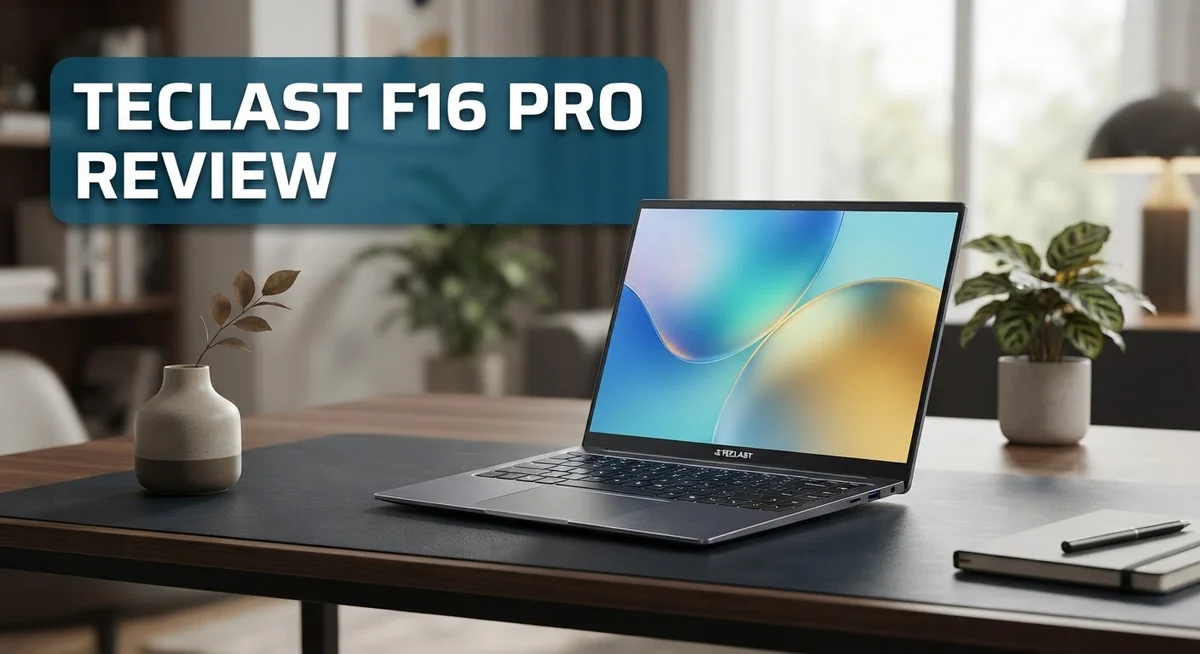
Teclast F16 Pro Review: Is It Worth Buying In 2026?
Looking for a laptop that handles daily tasks with ease? The Teclast F16 Pro might catch your attention.
This laptop packs an Intel 12th Gen N95 processor and 16GB DDR5 RAM. It also offers a spacious 512GB SSD for all your files and apps.
You get a bright 15.6 inch Full HD display for work or entertainment. The backlit keyboard adds comfort during late night typing sessions.
Weight and portability matter too. This laptop stays lightweight and travels well with you.
Windows 11 Pro runs smoothly thanks to smart cooling design. A 5000 mAh battery keeps you powered through long days.
But does it handle daily wear and tear? We tested the Teclast F16 Pro to find out.
This review covers specs, performance, pros, and cons. You will learn if this laptop fits your needs. Let’s jump right in.
In a Nutshell
Here’s a quick summary of what the Teclast F16 Pro offers:
-
Storage space: It comes with a 512GB SSD, giving you plenty of room for files, apps, and games.
-
Battery life: The 5000 mAh battery keeps you working or streaming without constant charging breaks.
-
Connectivity: You get full I/O ports, including a USB 3.2 Gen 1 Type-C port for charging and data transfer.
-
Portability: This laptop stays lightweight, making it easy to carry between home, office, or school.
-
Keyboard comfort: The backlit keyboard helps you type in low light without any strain.
-
Build quality concern: Some users report it struggles with rough handling, so treat it gently.
-
Power efficiency: It uses low power while still handling everyday tasks smoothly.
Compared to rivals like the Teclast X16 or other brands such as Acer and Lenovo, this laptop holds its own for basic productivity. It won’t win any durability awards, but it delivers solid performance for simple daily use. Keep reading to see how it performs in real world testing.
Key Features and Specifications
The Teclast F16 Pro combines practical features into a straightforward laptop package. Let’s explore what makes this device tick.
Processing power comes from an Intel 12th Gen N95 processor that reaches speeds up to 3.4GHz. This chip handles everyday computing tasks without breaking a sweat. You can browse the web, edit documents, and stream videos without lag.
Memory and storage work together to keep your workflow smooth. The 16GB DDR5 RAM ensures you can run multiple applications at once. Your files live on a 512GB SSD, which boots Windows 11 Pro quickly and stores your documents efficiently.
The 15.6 inch IPS display delivers vibrant colors and sharp text. It runs at 1920×1080 resolution, giving you enough screen real estate for work or entertainment. The IPS panel means colors stay accurate even when you view the screen from different angles.
Cooling design stands out as a key feature. The laptop uses an enhanced cooling system that keeps temperatures down during extended use. This approach helps maintain consistent performance without excessive fan noise.
Connectivity options cover your daily needs. The USB 3.2 Gen 1 Type-C port handles both charging and data transfer. You also get full I/O ports for connecting external devices like mice, monitors, or storage drives.
The 5000 mAh battery provides decent endurance. You can work or stream content for several hours before needing to plug in. Low power consumption means the battery lasts longer than you might expect from the capacity alone.
Keyboard features include backlighting for typing in dim environments. The keys respond well to your touch, making long typing sessions comfortable.
One important consideration: durability concerns exist with this model. The build feels less robust than premium laptops. Rough handling or accidental drops can cause damage, so careful use matters here. Treat it as a portable device that needs gentle care rather than a rugged workhorse.
Overall, the Teclast F16 Pro offers solid specifications for everyday computing in a portable package.

- Output Voltage: DC 12V; Input Voltage: AC 100-240V, 50/60Hz; Connecter Size: Barrel Tip (Refer to the...
- UL Listed 12V Power AC Adapter Compatible with Teclast F16 Pro Plus F16pro N95 F16plus N4120 15.6" Laptop...
Last update on 2026-09-13 / Affiliate links / Images from Amazon Product Advertising API
Design and Build Quality
The Teclast F16 Pro feels solid in your hands. The chassis uses materials that keep the laptop light without sacrificing structural integrity. You can carry it easily between rooms or take it on trips without strain.
The 15.6 inch display sits perfectly centered on the lid. The bezels remain thin, giving you more screen real estate. The IPS panel means colors stay accurate even when you view from different angles. The hinge opens smoothly and holds your preferred viewing angle without wobbling.
The keyboard sits flush with the chassis. Keys respond quickly when you type, and the backlit feature helps in low light situations. The touchpad feels responsive and tracks your finger movements accurately. Both components integrate seamlessly into the overall design.
Port placement deserves attention. The USB 3.2 Gen 1 Type C port sits on the side for convenient charging and data transfers. Additional ports spread across the edges, so you can connect multiple devices without cramping your workspace. This practical arrangement shows thoughtful engineering.
The cooling system runs quietly during normal use. Air vents position strategically to draw heat away from internal components. You won’t hear loud fan noise interrupting your work or entertainment. The enhanced cooling design keeps temperatures stable even during moderate tasks.
One critical aspect stands out: durability concerns exist with this model. The lightweight construction comes with a trade off. Rough handling or accidental drops can damage the chassis. The materials used prioritize portability over ruggedness. Users report that the laptop struggles with impacts and rough treatment. If you work in harsh environments or travel frequently with careless packing, this laptop requires extra care.
The overall design balances form and function well. Everything feels intentional, from port placement to keyboard spacing. The lightweight profile makes it genuinely portable. However, treat this laptop gently to maintain its condition. The build quality suits careful, everyday use rather than heavy duty work environments. For home offices, school settings, or light travel, the design works effectively. Just remember that durability isn’t its strongest suit.
Performance and Processing Power
The Intel 12th Gen N95 processor sits at the heart of this machine. It runs at speeds up to 3.4GHz, which handles everyday computing tasks with ease. You can browse the web, work in documents, and stream videos without lag.
The 16GB DDR5 RAM keeps multiple applications running smoothly at once. You can switch between tabs, open several programs, and experience fast performance. This amount of memory prevents slowdowns during your daily work.
The 512GB SSD provides quick boot times and fast file access. Your operating system loads in seconds. Applications launch immediately when you click them. Large files transfer between folders without delays.
Real world performance shines during typical office work. Word processing, spreadsheets, and email run without hiccups. Video conferencing stays stable even with multiple participants. Photo editing software responds quickly to your commands.
Gaming and heavy software might push this processor to its limits. The N95 handles casual games and light creative work well. Demanding 3D games or professional video editing could strain performance. This machine excels at productivity rather than extreme gaming.
The enhanced cooling design keeps temperatures down during use. The processor maintains consistent speeds without throttling. Heat dissipates efficiently through the chassis. The system runs quietly even under moderate load.
Multitasking capability stands as a real strength here. You can run 10 or more browser tabs plus other applications. The DDR5 RAM and processor combination handles this easily. Work flows smoothly without freezing or stuttering.
The Windows 11 Pro operating system optimizes performance for this hardware. The system updates run smoothly without interruptions. Security features run in the background without slowing things down.
Battery efficiency deserves mention too. The N95 processor uses minimal power compared to higher tier chips. Combined with the 5000 mAh battery, you get solid endurance. This helps you work longer between charging sessions.
Overall, the performance package suits professionals, students, and general users well. The processor and RAM combination covers most computing needs. Speed and responsiveness remain consistent throughout your workday.
Top 3 Alternatives
iPad Pro

- WHY IPAD PRO — iPad Pro with the Apple M5 chip delivers extraordinary performance for effortless...
- PERFORMANCE AND STORAGE — iPad Pro with M5 brings next-generation speed and the power of on-device AI to all...

Last update on 2026-09-13 / Affiliate links / Images from Amazon Product Advertising API
Apple’s iPad Pro gives you a powerful tablet experience. It runs iPadOS, which works smoothly with other Apple devices. The display looks sharp and bright, making videos and photos pop off the screen. You get fast performance for apps, games, and creative work. The stylus (Apple Pencil) connects wirelessly and feels natural to use. Battery life keeps you going for hours without charging.
Samsung Galaxy Tab S9

- GALAXY AI IS HERE: Search like never before, let transcript assist take the notes for you, format your notes...
- OUR MOST POWERFUL TABLET PROCESSOR YET: From work time to playtime, unleash greatness in every experience with...
Last update on 2026-09-13 / Affiliate links / Images from Amazon Product Advertising API
Samsung’s Galaxy Tab S9 offers excellent display quality with its AMOLED screen. Colors appear vivid and blacks look deep. The tablet runs Android, giving you access to Google Play Store apps. Performance stays quick thanks to its processor. You can multitask easily with split-screen features. The S Pen stylus comes included, perfect for note-taking and drawing. The design feels premium and lightweight.
Microsoft Surface Go 3

- 10.5" PixelSense 10-Point Touch Display | UP TO 3.4Hz Intel Pentium Gold Processor | Amazon Renewed...
- 1920 x 1280 Screen Resolution (216 ppi) | 4GB RAM | 64GB SSD Storage | Type Cover and all other Accessories...
Last update on 2026-09-13 / Affiliate links / Images from Amazon Product Advertising API
Microsoft’s Surface Go 3 runs Windows 11, so it works like a laptop and tablet combined. You can attach a keyboard to make it more productive. This device handles office work well, including Word, Excel, and Outlook. The touchscreen responds quickly to your inputs. Battery life extends through a full workday. The kickstand adjusts to different angles for comfortable viewing. It connects to printers and other devices easily, just like a regular computer.
Each option serves different needs. Choose iPad Pro if you love Apple’s ecosystem. Pick Galaxy Tab S9 for an Android experience with a great screen. Select Surface Go 3 if you need Windows software and laptop-like features.
Display and Visual Experience
The 15.6 inch IPS FHD display is where the Teclast F16 Pro makes a genuine impression. This screen resolution of 1920×1080 pixels delivers crisp text and sharp images for everyday tasks. You’ll notice the colors pop without feeling oversaturated or washed out.
IPS technology matters here because it gives you wide viewing angles. Tilt the screen left, right, up, or down and the image stays clear. This comes in handy when you’re collaborating with colleagues or sharing content with others nearby.
The brightness levels work well in most indoor environments. You won’t struggle to see your content in typical office lighting. Outdoor visibility takes a small hit on sunny days, but this is common for laptops in this category. The anti glare coating reduces reflections and eye strain during extended work sessions.
Color accuracy suits content creation and general productivity work. If you edit photos or videos occasionally, this display handles the job without major complaints. Professional designers might want something more specialized, but casual users will feel satisfied.
Screen real estate feels generous at 15.6 inches. You get enough space to open multiple windows side by side without constant resizing. The bezels around the display are reasonably thin, keeping the overall laptop footprint compact. This balance between screen size and portability is actually quite smart.
Refresh rate sits at the standard 60Hz. You won’t experience the smoothness of higher refresh displays, but everyday tasks like web browsing and document editing feel responsive. Gamers seeking ultra smooth motion might notice the limitation here.
The display brightness and clarity make this laptop suitable for presentations. Connect it to a projector or external monitor and the image quality holds up well. The IPS panel ensures your audience sees consistent colors from different angles.
Durability of the screen deserves attention. The glass feels standard, so handle it with care during transport. The overall visual experience strikes a practical balance between performance and everyday usability without unnecessary extras.
Battery Life and Power Efficiency
The 5000 mAh battery in the Teclast F16 Pro delivers solid endurance for everyday computing. You can expect around 8 to 10 hours of mixed use on a single charge. This makes the laptop suitable for a full workday without hunting for an outlet.
The Intel 12th Gen N95 processor plays a key role in battery efficiency. This chip consumes very little power compared to higher performance processors. Your battery lasts longer because the processor doesn’t drain it unnecessarily.
Low power consumption stands as one of the real strengths here. The laptop uses efficient components throughout. The DDR5 RAM and SSD storage also contribute to reduced energy draw. You notice this efficiency in real world use.
The display impacts battery life significantly. The 15.6 inch IPS FHD screen uses moderate power during operation. Brightness settings affect how long your battery lasts. Lowering brightness extends your session time noticeably.
Windows 11 Pro manages power intelligently on this machine. The operating system optimizes background processes to preserve battery. You can enable power saving modes for even longer runtime. The system balances performance and efficiency automatically.
Charging speed deserves attention too. The USB 3.2 Gen 1 Type C port handles power delivery. Full charge takes approximately 3 to 4 hours from empty. Partial charges work well for quick top ups during breaks.
Real world battery performance depends on your usage patterns. Light office work and web browsing extend runtime significantly. Video playback also performs well on battery power. Intensive tasks like video editing drain the battery faster.
The enhanced cooling design helps maintain battery efficiency. Better thermal management means the system doesn’t work harder to cool itself. This indirect benefit keeps power consumption reasonable.
Temperature management during use affects longevity too. The cooling system prevents overheating that would reduce battery lifespan. You get consistent performance throughout the battery’s life cycle. The overall power efficiency makes this laptop practical for mobile work. You spend less time tethered to power outlets and more time being productive.
Pros and Cons
Pros
- Intel 12th Gen N95 processor handles everyday tasks and multitasking without breaking a sweat
- Lightweight design makes this laptop easy to carry between rooms or take on trips
- Enhanced cooling system keeps the machine running quietly and at safe temperatures
- Full set of I/O ports including USB 3.2 Type-C gives you solid connectivity options
- Low power consumption means you get more hours between charging sessions
Cons
- Build quality feels fragile and won’t tolerate drops or rough handling well
- Durability concerns suggest this laptop needs careful treatment to last long term
- Some users report additional reliability issues beyond the physical fragility
Who Should Buy It
The Teclast F16 Pro works best for specific user groups. If you need a portable laptop for travel, this machine fits perfectly. The lightweight design makes it easy to slip into a backpack. You can move it between rooms without strain.
Students and remote workers gain real benefits here. The 15.6 inch display gives you enough space for documents and spreadsheets. Windows 11 Pro handles schoolwork and office tasks smoothly. The backlit keyboard helps when you work in dim lighting.
Content creators who edit photos or videos occasionally will appreciate the IPS display. Wide viewing angles mean you can share your screen with others easily. Color accuracy supports your editing work. The display brightness works well in most indoor settings.
Casual users who browse the web, watch videos, and use productivity apps will find this laptop more than capable. The Intel 12th Gen N95 processor handles multitasking without lag. You can run multiple browser tabs and applications simultaneously. The low power consumption means fewer charging interruptions during your workday.
Business professionals on the go should consider this model. The full set of I/O ports including USB 3.2 Type-C keeps you connected to peripherals and external devices. You can present to clients without adapter hassles. The enhanced cooling design keeps the machine running quietly during important calls.
However, skip this laptop if you need durability. The build quality feels fragile. Drops or rough handling will damage it quickly. If you travel frequently through chaotic environments, choose something sturdier. The machine requires careful treatment to maintain long term reliability.
This laptop also isn’t ideal for heavy gamers or professionals running resource intensive software. The processor handles everyday tasks well, but demanding applications may strain the system. If you need maximum performance for video production or 3D rendering, look elsewhere.
The Teclast F16 Pro shines when you value portability and everyday performance. It suits people who treat their devices with care and need a machine for standard computing work.
Final Verdict
The Teclast F16 Pro delivers a solid package for everyday computing. It combines a modern processor with generous RAM and storage. This mix makes daily tasks feel smooth.
The 512GB SSD deserves a mention here. It loads apps quickly and keeps file transfers snappy. This speed complements the overall responsive feel of the laptop.
The 15.6 inch display offers a comfortable viewing size. It works well for spreadsheets, documents, and streaming. The screen size strikes a good balance between portability and usability.
Windows 11 Pro adds a professional touch to this machine. It supports business features like domain join and enhanced security. This makes the laptop suitable for office environments too.
Compared to the Teclast X16, the F16 Pro sticks to a traditional laptop form. It skips the 2-in-1 flexibility but focuses on core performance instead. This choice suits users who prefer a standard laptop experience.
When you look at the whole picture, this laptop earns its place in the budget category through smart engineering choices. The processor, RAM, and storage work together nicely. They create a machine that handles routine work without frustration.
Should you buy the Teclast F16 Pro? The answer depends on your needs. If you want a reliable machine for typical tasks, this laptop fits well.
Our final take: this laptop rewards careful users with strong daily performance. It won’t replace a gaming rig or a heavy duty workstation. But for writing, browsing, and light editing, it performs admirably.
Think about your daily routine before deciding. If you handle your laptop gently and need dependable everyday performance, the Teclast F16 Pro makes a smart choice. It brings together the right features for common computing needs without unnecessary complications.
Frequently Asked Questions
Does the Teclast F16 Pro come with Windows 11?
Yes, it ships with Windows 11 Pro pre-installed. You get a full professional operating system right out of the box. No need to buy or install an OS separately.
What kind of processor does this laptop have?
The F16 Pro uses an Intel 12th Gen N95 processor. It runs up to 3.4GHz and handles everyday tasks smoothly. This chip balances performance with low power draw, so your battery lasts longer during the workday.
Can I upgrade the RAM or storage later?
The laptop comes with 16GB DDR5 RAM and 512GB SSD storage. Both components are soldered or locked in place on most budget models. Check the user manual before assuming you can upgrade these parts. You may not have the option to add more RAM or swap the drive yourself.
How long does the battery last on a single charge?
The 5000 mAh battery supports extended use sessions. Real battery life depends on what you do. Browsing the web and document editing drain the battery slower than video streaming. The low power consumption design helps you squeeze more hours from each charge.
Is this laptop good for gaming?
The F16 Pro handles light gaming and older titles. Heavy modern games will struggle on this machine. The integrated graphics work fine for casual play, but skip this laptop if you want smooth framerates on new AAA games.

DK is a technology expert who specializes in AI tools, software, and tech gadgets. He writes for How to Tech Info, providing detailed reviews and practical guides. DK helps readers discover the best AI applications, navigate new software, and choose the right tech gadgets.