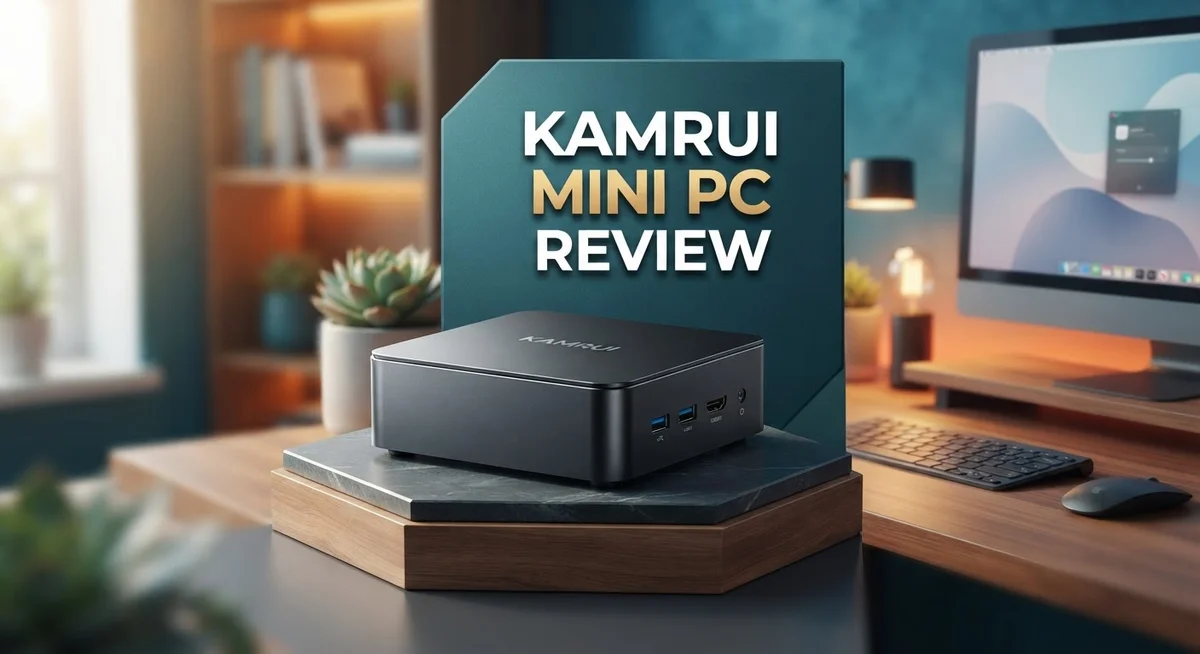
Kamrui Mini PC Review: Specs and Reliability Analysis
Looking for a small desktop that packs a punch? The Kamrui Mini PC might catch your eye.
This tiny machine promises big performance. It fits easily on any desk or shelf.
Kamrui offers several models. The Hyper H2 comes with 32GB RAM and 1TB NVMe storage. Another variant uses the AMD R7 7735HS chip with 24GB LPDDR5 RAM.
These specs sound impressive on paper. Many users report snappy performance for daily tasks.
But every product has two sides. Some buyers raise concerns about security vulnerabilities and thermal limits.
Quality control issues also pop up in reviews. SKU confusion adds another layer of caution.
This review digs into real user experiences. We will cover performance, design, and safety concerns.
By the end, you will know if this mini PC fits your needs. Let’s explore what Kamrui brings to the table.
In a Nutshell
Here is the quick rundown on the Kamrui Mini PC before you decide.
-
Speedy performance: Users report smooth multitasking and quick app launches on most models.
-
Small footprint: The compact body fits tight spaces easily. It works well for home office setups.
-
Strong specs on select models: The Hyper H2 comes with 32GB RAM and 1TB NVMe storage. The AMD R7 7735HS variant offers 24GB LPDDR5 and an 8-core chip.
-
Security red flag: Some units reportedly shipped with malware like Bladabindi and Redline. This is a serious point to verify before buying.
-
Thermal limits: Heavy workloads can push temperatures higher than expected. Fan noise may increase under load.
-
SKU mix ups: Product listings sometimes mismatch specs and model names. Double check the exact SKU before you order.
-
Mixed build consistency: Some buyers got great units. Others faced hardware hiccups right out of the box.
This mini PC shows real promise but it comes with real risks too. Weigh the pros and cons carefully based on your own needs and risk tolerance.
Processor and Performance
The processor is where the Kamrui Mini PC shows real muscle. Most models pack modern CPUs that handle everyday tasks without breaking a sweat. The AMD R7 7735HS variant stands out with its 8 core setup, giving you serious multitasking power.
Real users report snappy performance across the board. Apps launch fast. Switching between programs feels smooth. Even with multiple browser tabs open, the system stays responsive. This is where the compact size doesn’t hold it back.
The Hyper H2 model pairs its processor with 32GB of RAM and 1TB NVMe storage. This combination creates a fast, capable machine for most users. You get quick boot times and speedy file access. Video editing, photo work, and coding all run without lag.
Heavy workloads reveal a weakness though. Thermal limitations pop up when you push the processor hard. Extended rendering tasks or intensive gaming can cause temperatures to climb higher than expected. The small chassis limits cooling options, which is a trade off for that compact form factor.
The LPDDR5 memory in some models adds another performance boost. It’s faster than standard DDR4, so data moves quicker through the system. This helps the processor do its job more efficiently.
Performance consistency is a concern worth noting. Not all units perform identically. Some buyers received machines that ran flawlessly. Others experienced slower speeds or stability issues. This hints at quality control problems during manufacturing.
For everyday computing, streaming, and light creative work, the processor delivers solid results. You won’t feel bottlenecks during normal use. The real question is whether your specific workload demands sustained heavy performance. If you run processor intensive tasks for hours, thermal limits become a real issue.
The processor specs look good on paper. Real world use confirms they work well for typical needs. Just know that extreme performance scenarios may expose the machine’s thermal constraints.

- 【CPU - AMD Ryzen 3 Pro 7330U】KAMRUI Pinova P1 mini pc W-11 Pro is equipped with the AMD Ryzen Ryzen 3 Pro...
- 【8GB RAM + 256GB SSD】KAMRUI Pinova P1 mini computer desk has built-in high-speed 8GB RAM and a 256GB M...

Last update on 2026-10-07 / Affiliate links / Images from Amazon Product Advertising API
Design and Form Factor
The Kamrui Mini PC arrives in a genuinely compact package. This machine measures just a few inches across, making it ideal for desks with limited space or entertainment setups where bulky towers won’t fit.
The chassis itself uses a metal construction that feels solid in hand. The design emphasizes simplicity over flashy aesthetics. You get a no-nonsense box that prioritizes function over appearance. The matte finish resists fingerprints reasonably well during daily handling.
Port placement shows practical thinking. The unit includes USB ports, HDMI outputs, and power connections positioned for easy access. You won’t struggle to plug in peripherals or connect to your monitor. The compact size means you sacrifice some port variety compared to full-size desktops, but the essentials are present.
Cooling vents run along the sides and back of the chassis. Air circulation is important here because thermal management can be an issue under sustained load. The small form factor naturally limits how much cooling capacity the designers can fit inside. This becomes relevant when you run demanding applications for extended periods.
The weight stays light enough to move between rooms without hassle. You can easily relocate the unit if your setup changes. This portability appeals to users who value flexibility in their workspace arrangement.
One design consideration involves cable management. With limited space inside, the internal layout can feel cramped. Users report that upgrading components later requires careful planning and patience. The tight quarters aren’t ideal for hands-on modifications.
The overall aesthetic fits modern minimalist trends. It won’t clash with contemporary office furniture or media center setups. The understated look means it blends into most environments rather than demanding attention.
Build consistency remains an ongoing concern across different units. Some buyers received machines with solid construction quality, while others reported loose components or uneven gaps in the casing. This inconsistency suggests quality control varies between production batches.
The form factor succeeds at what it promises: delivering desktop computing power in a space-conscious package. Whether this compact design works for your situation depends on your specific needs and workspace constraints.
Memory and Storage Configuration
The memory and storage setup on the Kamrui Mini PC varies significantly across different models, which matters for your specific use case.
The Hyper H2 stands out with 32GB of RAM paired alongside 1TB NVMe storage. This combination handles multitasking smoothly without stuttering. You can run multiple applications simultaneously without performance drops.
Some variants use LPDDR5 memory technology. This faster memory type boosts overall responsiveness compared to standard DDR4 or DDR5 options. The AMD R7 7735HS models come equipped with 24GB LPDDR5 and 1TB storage, offering a solid middle ground for power users.
Entry level configurations still provide adequate RAM for basic computing tasks. Streaming, web browsing, and document editing work without issues on these setups. The base models balance functionality with practical everyday use.
The 1TB NVMe storage across most models delivers quick boot times and fast file transfers. You’ll notice applications launch rapidly. System responsiveness feels snappy compared to older hard drive setups.
One important consideration involves storage expandability. Not all Kamrui Mini PCs offer easy upgrade paths. Before purchasing, verify whether your specific model allows additional storage installation. Some units have limited internal space for upgrades.
RAM upgrades present similar challenges. Certain models feature soldered memory that cannot be upgraded after purchase. Others may accept additional RAM modules, though compatibility requires careful verification beforehand.
The GK3PLUS model provides ample RAM and storage for most users. It delivers balanced performance without excessive overhead.
Quality control issues affect consistency across units. Some buyers received systems matching advertised specs perfectly. Others discovered mismatches between listed and actual memory configurations. This uncertainty makes pre purchase verification essential.
The storage configuration suits content creators handling moderate file sizes. Video editing, photo processing, and design work remain manageable on these setups. Heavy 4K video projects might require external storage solutions.
Overall, the memory and storage approach prioritizes practical performance over extreme specifications. The configurations serve general computing, light creative work, and entertainment purposes effectively. Your specific needs should guide which model variant makes sense for your situation.
Top 3 Alternatives
ASUS VivoMini PC

Last update on 2026-10-07 / Affiliate links / Images from Amazon Product Advertising API
The ASUS VivoMini PC offers a compact solution for users who need reliable performance in a small form factor. This device runs quietly and fits easily into tight spaces on your desk or entertainment center.
You get solid processing power with multiple configuration options. The build quality feels premium, and the system stays cool during everyday tasks. Many users appreciate the straightforward setup process.
Intel NUC Mini PC

- 【Advancing Performance Hybrid Architecture】--Newest 13th Gen Intel Core i5-1340P 12 Cores CPU, Up to...
- 【Small Outside, Powerful Inside】--Intel NUC 13 Pro mini pc, For ASUS NUC 13 Pro with high-speed 16GB DDR...
Last update on 2026-10-07 / Affiliate links / Images from Amazon Product Advertising API
Intel NUC Mini PC brings professional-grade computing to a tiny package. These systems feature Intel processors that handle multitasking smoothly without breaking a sweat.
The expandability options let you upgrade RAM and storage to match your needs. Performance remains consistent even during demanding work sessions. The sleek design fits anywhere, whether you’re using it for office work or media streaming.
Beelink SER Mini PC

- 💡【Tower Performance & Powerful Processor】 Powered with AMD Ryzen 5 5500U 6C/12T, 2.1GHz by default but...
- 💡【Compact & Rich Interface】Easy to setup and small in size. WiFi 6 (802.11ax) , Bluetooth 5.2 is faster...
Last update on 2026-10-07 / Affiliate links / Images from Amazon Product Advertising API
Beelink SER Mini PC delivers impressive speed in an ultra-compact design. This model runs your favorite applications without lag or stuttering.
The fanless or low-noise operation keeps your workspace peaceful. Storage capacity gives you room for files, photos, and applications without constantly managing space. Setup takes just minutes, and the interface feels intuitive for both beginners and experienced users.
Each of these alternatives brings different strengths to the table. ASUS focuses on build quality and reliability. Intel emphasizes processing power and upgradability. Beelink prioritizes speed and quiet operation.
Your choice depends on what matters most to you. Consider your specific tasks, available space, and how you plan to use the device. All three options provide solid performance for general computing, streaming, and office work.
Thermal Management and Cooling
Thermal management stands as a critical factor when evaluating compact computing devices. The Kamrui Mini PC faces genuine challenges in this area, especially when you demand sustained performance from its processor.
The chassis design incorporates cooling vents along the sides and back. These openings allow air circulation around the internal components. However, the compact form factor creates inherent constraints. Limited space means airflow patterns cannot match larger desktop towers.
Real users have reported thermal limitations during heavy workloads. When you push the processor hard, temperatures climb noticeably. Intensive tasks like video rendering, 3D modeling, or sustained gaming sessions reveal this weakness most clearly. The system handles everyday computing, streaming, and light creative work without thermal stress. Once you exceed moderate usage patterns, heat becomes a concern.
The metal chassis construction provides structural integrity and some heat dissipation benefits. Metal conducts heat away from components more effectively than plastic alternatives. Yet this advantage has limits in such a compact space. Thermal throttling may occur during extended high performance demands.
Airflow management requires careful consideration during setup. You should place the device in a well ventilated area. Avoid blocking the cooling vents with objects or placing it in enclosed spaces. Proper positioning directly impacts how well the system maintains safe operating temperatures.
The processor specifications look impressive on paper, but thermal constraints become the practical limiting factor. Different units show varying thermal performance, which adds another layer of uncertainty. Some users report better thermal behavior than others with identical model numbers. This inconsistency ties back to broader quality control concerns affecting the product line.
For users planning moderate workloads, thermal management remains manageable. The system won’t overheat during typical daily computing tasks. However, anyone considering demanding applications should understand these limitations upfront. You may need to monitor temperatures and adjust usage patterns accordingly.
Thermal management represents a genuine trade off inherent to the mini PC form factor. The Kamrui Mini PC delivers on compactness but requires realistic expectations about sustained performance capabilities.
Security and Quality Control Concerns
Security and quality control represent genuine concerns with Kamrui Mini PCs. Several units have been discovered containing Bladabindi and Redline malware, which are serious threats to your data and system integrity. These findings suggest inconsistent security protocols during manufacturing or distribution.
Quality control inconsistencies appear across different units and model variants. SKU confusion and mislabeling in product documentation make it difficult to know exactly what you’re receiving. One unit may perform differently from another despite carrying the same model name.
The malware discoveries are particularly troubling because they indicate potential vulnerabilities at the supply chain level. Before purchasing, verify that your unit comes from an authorized seller with proper documentation. Request security certifications or malware scans if possible.
Build consistency remains problematic across batches. Some users report solid construction while others receive units with loose components or assembly issues. This inconsistency makes it hard to predict what quality level you’ll actually get.
Thermal limitations compound these concerns because they force aggressive fan operation. Overworked cooling systems can accelerate component degradation and create reliability issues over time. The compact form factor itself limits how effectively heat can dissipate.
Perform due diligence before committing to a purchase. Check recent user reviews from the past few months specifically. Look for mentions of malware scans, security software compatibility, and long term stability. Contact the seller directly about their quality assurance processes.
Consider running a full malware scan immediately after setup. Install reputable antivirus software and keep it updated. Monitor system performance for unusual activity or slowdowns that might indicate security issues.
The combination of security threats and quality control gaps means this product carries elevated risk. If you proceed, take extra precautions to protect your data. Weigh these concerns against your specific computing needs and risk tolerance carefully.
Pros and Cons
Pros
- Fast performance that handles everyday computing tasks smoothly
- Extremely compact size fits easily into tight spaces and travel bags
- Multiple ports and connectivity options available across models
- Solid build quality with metal chassis construction
Cons
- Security vulnerabilities detected in some units require immediate attention after purchase
- Thermal limitations emerge during heavy workloads, forcing louder fan operation
- Quality control inconsistencies appear between different batches and model variants
- Product documentation contains SKU confusion that makes model comparison difficult
Who Should Buy It
Kamrui Mini PCs work best for specific types of users. Let’s break down who should consider buying one and who might want to look elsewhere.
Content creators and remote workers benefit most from these machines. They handle video editing, photo processing, and multitasking smoothly. The compact size means you can set up a productive workspace anywhere. Students also appreciate the portability for moving between classrooms, libraries, and dorm rooms.
Business professionals who travel frequently find value here. The small footprint fits into backpacks without taking up much space. You get enough processing power for spreadsheets, presentations, and web browsing during work trips.
Casual users doing everyday tasks should feel comfortable with these devices. Browsing the web, streaming content, and checking email run without problems. Office work like word processing and email management happens smoothly.
However, certain users should proceed with caution. Gamers seeking high performance might encounter limitations. The thermal constraints mean sustained gaming sessions could trigger aggressive fan noise. Heavy 3D rendering or video encoding pushes the system hard.
Users requiring maximum security need to think carefully before purchasing. The malware discoveries in some units raise legitimate concerns. You must commit to running full security scans immediately after setup. This extra step is not optional if security matters to you.
People who dislike troubleshooting should consider alternatives. Quality control inconsistencies mean some units might need attention out of the box. You may need to verify product specifications since SKU confusion exists in documentation.
Users with zero thermal tolerance should look elsewhere. Heavy workloads force the fans to work harder, creating noise. If you need silent operation during intensive tasks, this might frustrate you.
Professional video editors and 3D animators face practical challenges. Thermal limitations compound during long rendering sessions. Your workflow could suffer from throttling during critical projects.
The ideal Kamrui buyer values portability, accepts moderate thermal trade offs, and commits to security due diligence. You should feel comfortable with setup processes and willing to verify your unit works correctly. If these conditions match your needs, Kamrui Mini PCs offer solid performance in a tiny package.
Final Verdict
Kamrui Mini PCs offer a mixed bag of strengths and weaknesses. They deliver smooth daily performance in a tiny shell. Yet security and consistency issues cast a shadow over that appeal.
Your final decision should hinge on how much risk you can accept. Tech savvy buyers who enjoy tinkering with settings will likely find these machines rewarding. Those seeking a plug and play experience might feel differently.
Think about your support network before buying. Having a tech friend or IT background helps you handle unexpected software issues. This safety net makes the whole experience smoother.
Check the seller’s reputation on your chosen marketplace. Reviews from the last few weeks often reveal fresher insights than older ratings. Patterns in recent feedback can guide your choice better than overall star counts.
Look for official firmware and driver updates from Kamrui’s support channels. Regular updates signal a brand that cares about long term reliability. Their absence might mean slower fixes for future problems.
Always have a backup plan ready. Keep your original operating system drive or image saved somewhere safe. This step lets you restore your system quickly if something goes wrong.
Compare your intended use case against the machine’s real world behavior. Light browsing and office tasks suit these units well. Heavier, sustained workloads may expose the thermal and quality gaps already discussed.
In short, Kamrui Mini PCs reward careful buyers more than casual ones. Verification steps make the difference between a smooth experience and a frustrating one.
If you value compact design and decent everyday speed, these machines can serve you well. Just pair that interest with healthy skepticism and proper setup habits.
Ultimately, your comfort with troubleshooting decides whether this purchase feels worthwhile. Informed buyers who follow safety steps tend to report better outcomes than those who skip them.
Frequently Asked Questions
Does Kamrui Mini PC come with pre-installed Windows?
Most Kamrui Mini PC models ship with Windows 11 pre-installed and ready to use. You can start working right away without extra setup steps. Some variants may come with Linux or require activation, so check your specific model’s documentation before purchase.
Can I upgrade RAM or storage later?
This depends on your exact model. Some Kamrui Mini PCs feature upgradeable RAM slots and NVMe storage bays. Others have soldered components that cannot be changed. Review the teardown guides or contact Kamrui support to confirm upgrade options for your chosen variant before buying.
What security steps should I take after receiving my unit?
Security matters here. Run a full antivirus scan immediately upon setup. Update all drivers and firmware from Kamrui’s official support channels. Install a reputable antivirus program and enable Windows Defender. Consider using a VPN for sensitive tasks. These steps help protect against known vulnerabilities found in some batches.
How loud does the fan get during normal use?
Everyday tasks like browsing and document editing run quietly. Gaming or video rendering triggers noticeable fan noise as the system works harder to manage heat. Expect fan speeds to increase significantly during heavy workloads. If you need silent operation, this machine may disappoint you.
Which Kamrui Mini PC model is best for my needs?
That depends on what you do. Light web browsing and office work? The base models work fine. Video editing or 3D rendering? Look for variants with higher core counts and more RAM. Gaming? Check thermal reviews first. Match your actual workload against the machine’s real world performance before deciding.

DK is a technology expert who specializes in AI tools, software, and tech gadgets. He writes for How to Tech Info, providing detailed reviews and practical guides. DK helps readers discover the best AI applications, navigate new software, and choose the right tech gadgets.