
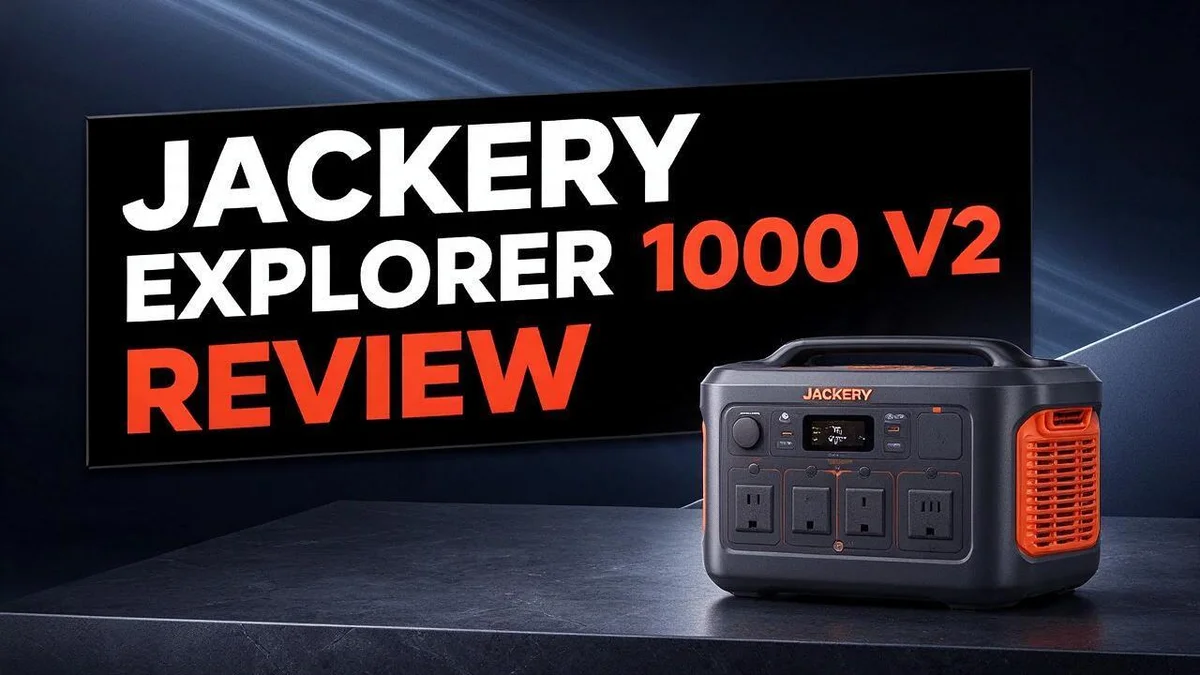
Jackery Explorer 1000 V2 Review: Specs, Performance & Real-World Verdict
Power outages hit at the worst times. Camping trips need reliable energy too. The Jackery Explorer 1000 V2 keeps your gear running wherever life takes you.
This portable power station packs a 1070 Wh LiFePO4 battery and delivers 1,500 W of sustained AC output. You can power laptops, lights, and small appliances at the same time.
Charging takes just 1.7 hours. Compared with the original Explorer 1000, this model feels lighter and quieter. Van lifers, campers, and apartment dwellers all find it useful.
Ready to see if it fits your needs? This guide covers the key specs, real strengths, and tradeoffs. You will also see how it stacks up against top rivals.
In a Nutshell
-
Built to last for years. The battery is rated for 4,000 cycles. It keeps at least 70% of its original capacity. That gives you 10 or more years of daily use.
-
Lighter and quieter than before. This model improves on the original Explorer 1000. You can carry it with less effort. It runs with less noise, so it fits well in indoor spaces.
-
Stable LiFePO4 cells. Lithium iron phosphate cells offer a safer chemistry. Your power station stays steady over many charge cycles.
-
Ideal for van life and camping. Road trips need reliable power for lights, fans, and devices. This unit handles those everyday loads with ease. Campers can also recharge gear between stops.
-
Useful during apartment outages. A blackout can strike at any time. It keeps fridge lights, internet routers, and phone chargers running until power returns.
-
Weigh the output tradeoff. The 1500W output trails the Anker Solix C1000 Gen 2, which delivers 2000W. Heavy appliances may need a more powerful option.
Capacity and Battery Chemistry

- Compact Powerhouse with High Output: Boasting a substantial 1500W AC output (3000W Surge) and 1070Wh capacity...
- Rapid Charging & High-Efficiency Solar: Experience the next generation of speed. The power station features...
Last update on 2026-11-05 / Affiliate links / Images from Amazon Product Advertising API
Capacity tells you how much work the battery can do. Watt hours measure the total energy stored inside. Your actual runtime depends on how hard each device pulls power. A laptop draws far less than a space heater.
Usable energy is always less than the label. Power must pass through an inverter to become standard AC power. Some energy turns into heat during that step. Plan for a little less than the printed number. This gap matters most when you run sensitive electronics.
Chemistry changes how you use the unit. LiFePO4 cells tolerate deep discharges better than many older battery types. You can drain them further without the same level of wear. That makes frequent use more comfortable.
Temperature matters more than many people expect. Cold weather temporarily reduces the energy you can pull out. Heat speeds up aging over the years. Store the unit somewhere cool and dry between trips.
Recharge after every outing. Leaving the battery empty for long periods can hurt its health. A quick top up keeps the cells ready for the next trip. Good habits protect the long lifespan you want.
Estimate runtime with a simple formula. Divide the watt hours by the wattage of your device. A 60 watt fan would theoretically run for close to 18 hours. Real results land lower because of inverter losses and battery aging.
Add up your daily load before a trip. List every device you plan to run and its wattage. Multiply by hours of use, then add a buffer. This quick check shows whether the battery fits your plans.
Plan for cloudy days when using solar. Solar panels charge slower when skies are dim. Estimate how many hours of sun you expect each day. Pack a backup charging option for longer trips.
Watch how quickly the charge drops. Frequent deep cycles slowly reduce usable capacity over time. Gentle use and moderate temperatures help the battery stay strong. Frequent weekend trips put more cycles on the battery than occasional storm backup does.
Power Output and Device Compatibility
Most people ask one simple question first. Will my gear run on this unit? The answer depends on how each device pulls power from the battery.
Start with the label on each device. Look for the wattage printed on the back or on the power brick. Add up the devices you plan to run at the same time. Keep that total below the output limit with some room to spare.
Watch out for motor startup spikes. Refrigerators, power tools, and small air pumps need a short burst of extra power when they switch on. This surge can strain the unit if the running total sits close to the limit. Plan for that jump before you plug anything in.
Most everyday electronics fit well. Laptops, phones, LED lights, and small fans run with ease. A CPAP machine or a mini fridge also works for many users. Still, check each label because motors and heaters can vary.
Heating devices drain power fast. Space heaters, electric kettles, and hair dryers draw heavy loads. They can run for short periods, but they empty the battery quickly. They rarely suit long overnight use.
Microwaves need extra caution. Microwaves draw high wattage, even for quick heating. Many people skip them during outages and use a stove or a grill instead. Save the battery for lights, food storage, and communication devices.
Use a simple order for multiple devices. Charge your phone and laptop first. Run lights or a fan next. Save heavy appliances for short bursts when other devices stay off. This habit keeps the system steady and your gear protected.
Choose the right cords and placement. Heavy loads need a thick extension cord that stays cool to the touch. Set the unit on a flat, dry surface with open space around the vents. Good airflow helps the internal parts run at a safe temperature.
Plan for a long outage. Lights and a fridge can run for hours on a full charge. Heaters and kettles drain it much faster. Recharge the unit before storms or trips so it starts full and ready.
Portability, Noise Levels and Build
Carrying this power station is simple. Its compact frame and built in handles help you lift it into a car, camper, or closet with ease.
Many people pack it alongside coolers and tents. An easy carry matters on every trip.
Noise stays low during daily use. The fan runs only when the unit needs extra cooling. You can rest in a tent or work nearby without constant buzzing.
Quiet operation also helps during a power cut. Neighbors sharing a wall will not notice much sound.
The housing feels solid and secure. Bumpy roads and rough campsite trails test any portable gear. A firm outer shell guards the internal parts from knocks and daily wear.
Placement affects both noise and performance. Set the unit on a flat, dry surface with open space around the vents. Blocked airflow makes the fan work harder and raises the sound level.
Storage and transport need a little planning. Keep the unit upright during long drives. Secure it with a strap or wedge it into a corner of the trunk so it does not slide during turns.
Ports and controls stay easy to reach. You can plug in phones, lights, and small appliances without moving the unit. Clear labels help you track output at a glance during a long outage.
Overall, the build suits frequent movers. Anyone who sets up camp often or needs backup at home will appreciate the balance of portability, quiet running, and durability.
Before each trip, check the charge level and pack the cables in a separate bag. This quick habit keeps setup fast at the campsite or during a sudden outage.
Top 3 Alternatives
EcoFlow River 2 Pro

- [1 Hour AC Recharge] - Power up in just 1 hour! With EcoFlow's X-Stream fast charging technology, recharge...
- [Power All Your Essentials] - With an output of up to 1000W, run 11 essential appliances simultaneously...
Last update on 2026-11-05 / Affiliate links / Images from Amazon Product Advertising API
The EcoFlow River 2 Pro is a compact power station. It stores about 760Wh of energy.
Its light weight makes it easy to carry on camping trips.
You can charge it from a wall outlet, a car, or solar panels. It also offers fast recharging, so you can top it up quickly.
Best for: Weekend campers who need power for phones, laptops, and small fans.
Anker SOLIX C1000

- 49 Min UltraFast Recharging: With upgraded HyperFlash tech, fully recharge at 1,600W—for outage prepping...
- 2,000W Output via 10 Ports: Delivers 2,000W (3,000W peak) and 1,024Wh capacity. Power up to 10 devices—ideal...
Last update on 2026-06-29 / Affiliate links / Images from Amazon Product Advertising API
The Anker SOLIX C1000 gives you more capacity in a simple design. It holds about 1056Wh, which means longer runtime for bigger devices.
Its built-in display shows input and output power at a glance.
The unit supports fast charging, so you spend less time waiting. It also works well during power outages at home.
Best for: Families who want backup power for the fridge, lights, and medical devices.
Bluetti AC200MAX

- [2600W Continuous & 3900W Power Lifting] - With BLUETTI's HyperWatt tech, the Elite 200 V2 delivers a robust...
- [Less Waste, More Usable Power] - An advanced energy management system and high-efficiency components reduce...
Last update on 2026-09-04 / Affiliate links / Images from Amazon Product Advertising API
The Bluetti AC200MAX is the largest option in this list. Its base capacity is about 2048Wh.
You can expand it with extra battery packs as your needs grow.
It can run heavy tools and appliances for longer periods. Many users also like its wide range of outlets for charging several devices at once.
Best for: Home backup users and workers who need steady power on job sites.
Charging Speed and Recharge Options
A full recharge takes about 1.7 hours. That speed helps you get back in action fast. You can top up during a lunch break or overnight at home.
Most people charge from a standard wall outlet. Plug the unit into a regular household socket and let it work. You do not need special equipment for this step.
Charging time changes how you plan trips. Start the charge the night before a camping weekend. By morning, the battery will be ready to go.
Your battery handles frequent charging well. The unit is rated for 4,000 cycles at 70 percent or more of its original capacity. Each full charge counts as one cycle. Regular top ups do not wear it out quickly.
Solar panels add flexibility off the grid. If you camp far from power outlets, pair the unit with a solar setup. Sunshine can refill the battery while you hike or relax at camp.
Some campsites offer electric hookups. Plugging in there can refill the unit during a long stay. This gives you a backup option when the sun stays hidden.
Keep the battery charged during storm season. Power cuts can strike without warning. A full battery gives you peace of mind when the lights go out.
Check the battery level before you go to bed. Recharge when it drops to a comfortable level. Waiting until it nearly empties can leave you short of power.
Charging at home fits busy schedules. Many owners plug in during work hours or while they cook dinner. The short charge window makes daily top ups easy.
Think about your daily routine too. A charge at night gives you full power by morning. A midday charge works well for people who work outdoors.
Pack the charging cable in an easy spot. You will never waste time searching for it before a trip. Confirm the display shows a full charge before you leave.
Fast charging keeps your plans on track. With a 1.7 hour window, you rarely lose a day to recharging.
Pros and Cons
Pros
- Uses LiFePO4 cells for a stable and safer battery chemistry
- Suits van life trips and weekend camping setups
- Covers apartment outage backup for lights and routers
- Delivers 1,500 W sustained output for many common household tools
- Offers a clear step up from the earlier Explorer 1000 model
Cons
- Output tops out at 1,500 W, below the 2,000 W of the Anker Solix C1000 Gen 2
- Buyers who need more headroom may prefer a higher output rival
- Large home backup needs may require more than one unit
- Current research lists few explicit drawbacks, so match the unit to your real power needs
Who Should Buy It
This power station fits people who want power without fumes. Gas generators give off exhaust that should never run indoors. A battery unit avoids that risk, so it works well for garages and sheltered spaces.
Remote workers often find it useful too. A laptop, monitor, and router can keep running during a power cut. Many people keep their home office working that way.
Photographers and videographers also benefit. They can charge cameras, drones, and lights on location. The unit keeps gear ready for a full day outdoors.
Tailgaters and outdoor event hosts make good buyers. A speaker, string lights, and a small fridge can run for hours. Your guests will appreciate the extra comfort.
Anglers may use it for fish finders, lights, and small coolers on the dock. Keep the unit sheltered from rain and spray.
Hobbyists who build or repair things may like it too. Cordless tool batteries charge without a long extension cord. Work stays close to the garage or shed.
Renters often prefer this type of power station. It needs no installation and no wiring changes. You can take it with you when you move.
Parents preparing for storm season can benefit as well. A kit with the unit, phone chargers, and lamps adds peace of mind. Plan a short list of must-run devices first.
Medical device users should check wattage carefully. Confirm the device power draw with the manufacturer before relying on it. Speak with a healthcare provider about your backup plan.
Some people should look elsewhere. Those who need to power central air conditioning or an electric stove will need more capacity. Compare the surge ratings of your appliances before you decide.
The best match depends on your daily habits. List each device, its wattage, and how many hours it runs. Add those numbers to find your real need.
Frequent users get the most from this unit. Occasional users may only need a smaller model. Choose the size that matches your routine.
Final Verdict
The Jackery Explorer 1000 V2 earns a solid recommendation. It works best for people who want a clean, quiet power source.
Think of it as a practical tool, not a showpiece. It does its job without fuss.
The biggest win is how easy it is to live with. Quieter operation and a lighter body make daily use simpler.
Those features matter most when you move the unit often. Carrying it to a trailer or up stairs feels far less tiring.
Honest limits still exist. The research found no explicit cons, but that does not mean the unit fits everyone.
Heavier appliances may strain the output, so check the running load of your gear first.
Ask yourself three quick questions before you commit.
First, which devices will run at the same time?
Second, how often will you need backup power?
Third, will you recharge at home, in the field, or both?
Your answers reveal whether this model fits your routine. A clear yes means you can buy with confidence.
Compare rival models too, especially if your tools demand extra headroom. Side by side checks often reveal the best match for your setup.
Think about your future needs as well. A home that adds appliances may need more capacity later. Planning ahead saves frustration down the road.
Read the warranty and support details before you check out. Good support matters when a device works hard every week.
Test your setup at home before a big trip. A short trial run reveals gaps in your plan. Fix those gaps early, and your trip feels calm.
Pick the option that fits your life, not just a spec sheet. That approach leads to a happier owner over time.
Our final take is simple. The Jackery Explorer 1000 V2 suits buyers who value quiet operation, portability, and reliable everyday performance. Set clear expectations first, and this power station can serve you well for years.
In short, this unit earns respect for its balance of quiet power and easy handling.
Frequently Asked Questions
How long can it run a mini fridge?
A mini fridge uses a modest amount of power each day. With a full charge, the Jackery Explorer 1000 V2 can keep a small fridge cold for many hours. Check the fridge label for its watt rating first.
How do I estimate runtime for my devices?
Divide the battery capacity in watt hours by the wattage of your device. For example, a 100 W device runs for about 10 hours on a full charge. Real results vary, so expect a little less in everyday use.
Should I keep the power station plugged in all the time?
Store the unit at a moderate charge level when you are not using it. Avoid leaving it empty for long periods. Top it up every few months so the battery stays ready for the next outage or trip.
How can I prepare for a power outage?
Make a short list of the items you must keep running, such as a fridge, a router, or a few lights. Charge the unit before bad weather arrives. Keep the list near the power station so everyone knows what to plug in. This simple plan helps you use the stored energy wisely.

DK is a technology expert who specializes in AI tools, software, and tech gadgets. He writes for How to Tech Info, providing detailed reviews and practical guides. DK helps readers discover the best AI applications, navigate new software, and choose the right tech gadgets.


