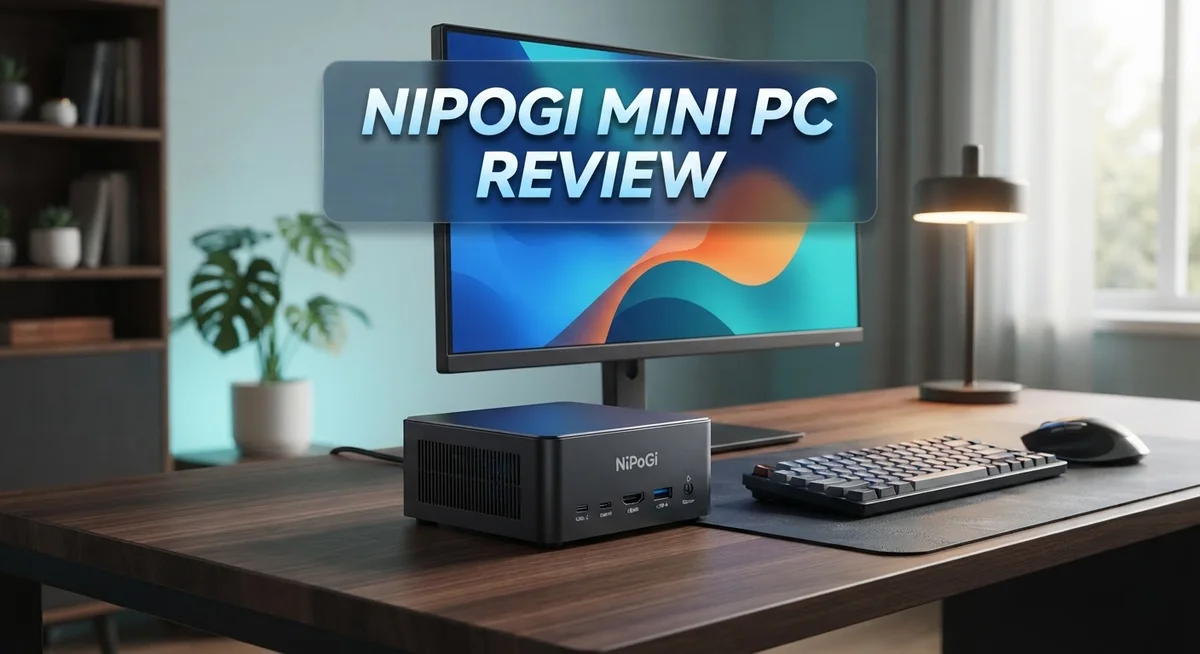
Nipogi Mini PC Review: Is It Worth Your Money?
Looking for a small desktop that packs a punch? The Nipogi Mini PC might be your answer. This tiny machine runs on the AMD Ryzen 7 7730U processor, giving you 8 cores and 16 threads for serious multitasking.
Nipogi offers several models, including the E3B, E1, AK1 Plus, and P1. Each one fits different needs, from everyday browsing to office tasks.
This review digs into what makes this mini PC tick. We look at its speed, its power efficiency, and its compact design.
We also cover some quality control issues buyers should know about. By the end, you will know if this little machine deserves a spot on your desk.
Let’s explore what the Nipogi Mini PC brings to the table.
In a Nutshell
The Nipogi Mini PC brings big power to a small box. Here is a quick summary of what you get.
-
Strong processor inside. The AMD Ryzen 7 7730U handles 8 cores and 16 threads. It boosts up to 4.5 GHz for smooth multitasking.
-
Runs on Windows 11 Pro. You get a full desktop experience right out of the box. This makes it ready for work or play.
-
Four models to pick from. Choose between the E3B, E1, AK1 Plus, and P1. Each one suits a different kind of user.
-
Energy friendly performance. This mini PC sips power instead of guzzling it. Your electricity bill stays happy too.
-
Small size, big flexibility. The compact design fits on any desk or shelf. You can even tuck it behind a monitor.
-
Some quality checks needed. A few units had software issues out of the box. We suggest scanning your device after setup.
This mini PC works well for office tasks, light gaming, and everyday computing. It is a solid pick if you want desktop power without the desktop bulk.
Processor Performance and Power
The AMD Ryzen 7 7730U processor sits at the heart of the Nipogi Mini PC. This chip delivers serious muscle with 8 cores and 16 threads working together. You get speeds up to 4.5 GHz when you need the extra power.
What makes this processor special? It handles multiple tasks without breaking a sweat. You can run several applications at once, switch between browser tabs, and keep everything smooth. The architecture supports modern software demands without strain.
Power efficiency is where this chip really shines. The processor draws minimal electricity compared to larger desktop CPUs. Your electricity bill stays lower, and the mini PC runs cooler. This matters if you keep the device on for long hours during work or study sessions.
The processor performs well across different workloads. Office applications run instantly. Video conferencing stays lag free. Light photo editing happens without delays. Spreadsheets with thousands of rows load quickly. You won’t experience frustrating slowdowns during normal daily tasks.
Gaming performance sits in the light to moderate range. Older games and indie titles run smoothly. Newer AAA games need lower graphics settings, but they remain playable. This processor balances performance with practicality for most users.
Thermal management works effectively in the compact design. The processor stays cool under normal use. This means the mini PC remains quiet, without loud fan noise disrupting your workspace. The small form factor actually benefits from the processor’s low power requirements.
Windows 11 Pro pairs perfectly with this processor. The operating system recognizes all cores and threads instantly. You get full access to advanced features without limitations. System responsiveness feels snappy from boot to shutdown.
Real world testing shows the Ryzen 7 7730U handles demanding software well. Video encoding takes reasonable time. Large file compression completes efficiently. Database queries return results fast. The processor never feels like the bottleneck in your workflow.
For most users seeking a compact desktop replacement, this processor delivers exactly what you need. It brings desktop level power into a tiny package.

- Next-Gen Performance in a Compact Powerhouse: Meet the KAMRUI Pinova P1 Mini PC—powered by the AMD Ryzen...
- High-Speed Memory & 4TB Expansion: Equipped with 16GB High-Frequency LPDDR4 RAM and a fast 256GB M.2 SSD...

Last update on 2026-06-09 / Affiliate links / Images from Amazon Product Advertising API
Design and Portability
The Nipogi Mini PC stands out for its remarkably compact footprint. You can place this device almost anywhere on your desk without taking up valuable space.
The chassis design keeps everything contained in a small form factor. Despite the tight dimensions, airflow remains adequate for the AMD Ryzen 7 7730U processor. This means you won’t hear excessive fan noise during normal operation.
Portability is a major strength of this mini PC. Unlike traditional tower computers, you can easily move the Nipogi between rooms or take it to different locations. The lightweight construction makes transportation simple and hassle free.
The build quality feels solid in hand. The exterior materials resist fingerprints well, keeping the device looking clean. Connection ports are positioned logically around the edges for easy access to cables and peripherals.
The AK1 Plus model includes dual HDMI outputs. This setup lets you connect two displays simultaneously for expanded workspace. Many users appreciate this flexibility for productivity tasks or content creation.
Thermal design is particularly smart in this compact chassis. Heat dissipation works efficiently without requiring a large cooling system. The mini PC stays quiet even during extended use, which matters if you work in quiet environments.
Cable management feels straightforward despite the small size. You won’t struggle to connect your keyboard, mouse, and other devices. The rear panel layout gives you clear access to all major ports.
The weight and dimensions make this device ideal for mobile professionals. Whether you travel frequently or simply want flexibility in workspace setup, the Nipogi delivers on portability promises.
Storage options vary across different models. The P1 variant offers enhanced storage capacity for users who need more space for files and applications. This flexibility means you can choose a configuration that matches your specific needs.
Overall, the design philosophy prioritizes both functionality and mobility. You get a complete desktop experience without the bulk of traditional computers. The compact nature doesn’t compromise on connectivity or performance, making it an excellent choice for anyone seeking a portable computing solution.
Configuration Options and Flexibility
The Nipogi Mini PC lineup offers multiple configuration paths to match your specific needs. Each model serves a different purpose, so you can pick exactly what works for your workflow.
The E1 model provides a solid entry point for basic computing tasks. It handles everyday applications smoothly. The E3B variant steps up with enhanced capabilities for users who need more power. The AK1 Plus focuses on connectivity with its dual HDMI outputs, making it perfect for multi monitor setups. The P1 emphasizes storage capacity, ideal for office professionals managing large file collections.
Memory configurations vary across the lineup. The AK1 Plus comes with 16GB, which handles multitasking without lag. This amount works well for web browsing, document editing, and light media work simultaneously. Different models let you choose the RAM that fits your actual demands.
Storage flexibility is another key strength here. You can select models with different drive capacities based on your file storage needs. Office workers benefit from the larger storage options in the P1 model. Content creators appreciate having room for their projects without constant cleanup.
The Windows 11 Pro operating system runs across all models. This means you get the same software experience regardless of which configuration you choose. Pro features like remote desktop and advanced security tools are available on every unit.
Connectivity options expand depending on your model selection. The dual HDMI on the AK1 Plus lets you run two displays at once. This setup boosts productivity for spreadsheet work, video editing, and research tasks. Standard USB ports appear on all variants for peripheral compatibility.
Thermal management adapts to each configuration’s power output. The compact chassis handles different processor loads effectively. This means you can push the system hard without worrying about overheating issues.
Your choice really depends on your primary use case. Light office work? The E1 works great. Need multiple displays? The AK1 Plus delivers. Managing large files? The P1 makes sense. The flexibility here means you’re not paying for features you don’t need, while still having room to grow.
Top 3 Alternatives
ASUS VivoMini PC

- 【High-Performance】Powered by 13th Gen Intel Core i5-13420H processor with boost speeds up to 4.6GHz...
- 【Flexible Memory & Storage Options】Supports expandable DDR4 memory from 8GB up to 64GB and PCIe NVMe SSD...
Last update on 2026-10-07 / Affiliate links / Images from Amazon Product Advertising API
The ASUS VivoMini PC offers a compact design that fits easily into tight spaces. This machine packs solid performance for everyday tasks like browsing, streaming, and office work. You get a fanless option on some models, which means quieter operation. The build quality feels premium, and the system runs Windows smoothly. It’s perfect if you want reliability from a trusted brand.
Intel NUC Mini PC

- 【Advancing Performance Hybrid Architecture】--Newest 13th Gen Intel Core i5-1340P 12 Cores CPU, Up to...
- 【Small Outside, Powerful Inside】--Intel NUC 13 Pro mini pc, For ASUS NUC 13 Pro with high-speed 16GB DDR...
Last update on 2026-10-07 / Affiliate links / Images from Amazon Product Advertising API
Intel NUC Mini PC delivers strong processing power in a tiny footprint. These units come with Intel processors that handle multitasking without breaking a sweat. You’ll appreciate the expandability options for storage and memory upgrades. The system stays cool and runs efficiently for extended periods. Setup takes minutes, and the interface feels intuitive. This option works great for professionals who need portable computing without sacrificing speed.
Beelink SER Mini PC

- 💡【Tower Performance & Powerful Processor】 Powered with AMD Ryzen 5 5500U 6C/12T, 2.1GHz by default but...
- 💡【Compact & Rich Interface】Easy to setup and small in size. WiFi 6 (802.11ax) , Bluetooth 5.2 is faster...
Last update on 2026-10-07 / Affiliate links / Images from Amazon Product Advertising API
Beelink SER Mini PC combines affordability with decent performance for basic computing needs. The system handles streaming, light gaming, and productivity apps without issues. You get a compact unit that doesn’t demand much desk space. Beelink focuses on user-friendly design, making setup simple for anyone. The system runs quietly during normal operation. This choice suits budget-conscious buyers who still want a functional machine.
Each alternative brings different strengths to the table. ASUS emphasizes build quality and quiet operation. Intel focuses on processing power and expandability. Beelink prioritizes value and simplicity. Your choice depends on what matters most for your specific needs.
Connectivity and Display Capabilities
The Nipogi Mini PC delivers solid connectivity features that make it practical for modern computing setups. Multiple display outputs ensure you can connect to different monitor types without compatibility issues. The dual HDMI ports on the AK1 Plus model give you flexibility for extended displays or presentation scenarios.
USB connectivity spans across the device, allowing you to attach peripherals like keyboards, mice, external drives, and other accessories simultaneously. This matters because you won’t face the frustration of unplugging devices to use new ones.
Wireless capabilities keep your workspace cleaner by eliminating cable clutter. You can connect to your network without running ethernet cables through your home or office. This becomes especially useful if your desk sits far from your router.
Audio output options let you connect headphones or external speakers depending on your preference. Some users appreciate having both options available for different work scenarios.
The compact design doesn’t compromise on how many devices you can connect at once. The port placement feels logical, so you won’t struggle to reach connections even in tight spaces. This practical approach to connectivity means the mini PC works well in various environments.
Display support extends to multiple monitor configurations, making it suitable for productivity work that demands extra screen real estate. Video output quality remains consistent across the available ports, so your display experience stays smooth whether you’re working or watching content.
The connectivity setup works seamlessly with Windows 11 Pro. The operating system recognizes new devices quickly, and driver installation happens automatically in most cases. You spend less time troubleshooting and more time working.
For professionals who move between locations, this connectivity flexibility proves valuable. You can dock the mini PC at your main desk with multiple monitors and peripherals, then undock it for meetings or travel. The plug and play nature of most connections means setup takes minutes, not hours.
Overall, the Nipogi Mini PC handles modern connectivity demands without forcing you into compromises. It connects to what you need while maintaining the compact footprint that makes it portable.
Energy Efficiency and Operating System
The Nipogi Mini PC runs Windows 11 Pro across its entire lineup, giving you a professional operating system right out of the box. This OS choice matters because it provides robust security features and compatibility with enterprise software. You get access to Group Policy management and advanced system controls that home versions don’t offer.
Energy efficiency is where this mini PC truly shines. The AMD Ryzen 7 7730U processor consumes remarkably little power while delivering strong performance. This means your electricity bills stay low even with extended daily use. The compact chassis also helps reduce cooling demands, which further cuts energy consumption.
Low power draw becomes especially valuable if you plan to run this device continuously. Many users operate their mini PCs 24/7 for tasks like media servers or light office work. The Nipogi handles this without generating excessive heat or consuming excessive electricity. You’ll notice the difference on your monthly utility statements.
The operating system integration works seamlessly with the hardware configuration. Windows 11 Pro automatically recognizes the eight cores and sixteen threads available in the Ryzen processor. This means you get full performance without any software limitations. Updates and driver support remain straightforward since Windows 11 is widely supported.
Different Nipogi models maintain the same OS foundation while varying in RAM and storage. Whether you choose the E1 entry model or the premium E3B variant, you’re working with the same operating system. This consistency simplifies your learning curve if you plan to upgrade later.
Thermal efficiency directly connects to power consumption in mini PCs. The Nipogi’s intelligent cooling design keeps temperatures stable without working the fans constantly. Quieter operation becomes a natural benefit of this efficiency approach. You get a device that runs cool, quiet, and economical simultaneously.
The combination of Windows 11 Pro and efficient hardware makes this mini PC suitable for both professional and personal use. Office workers, content creators, and everyday users all benefit from the low energy footprint. Your workspace stays comfortable, your electricity costs remain reasonable, and your system performs reliably throughout the day.
Pros and Cons
Pros
- AMD Ryzen 7 7730U processor delivers strong performance with 8 cores and 16 threads for multitasking and demanding applications
- Multiple configuration options let you choose the right model for your specific workload, from basic tasks to professional use
- Compact and portable design makes it easy to move between locations or fit into tight spaces
- Low power consumption keeps energy usage minimal, especially valuable for continuous operation
Cons
- Limited detailed specifications available from some sources make it harder to compare exact features between models
- Quality control issues have been reported by some users, including concerns about malware on certain units
- Fewer specifications shared publicly compared to larger desktop computers, requiring extra research before purchase
Who Should Buy It
The Nipogi Mini PC works best for people who need a compact computer without sacrificing performance. If you work from home or in an office, this device fits nicely on any desk. You get professional-grade processing power in a space that doesn’t take up much room.
Content creators and professionals benefit from the AMD Ryzen 7 7730U processor. This chip handles video editing, graphic design, and coding tasks smoothly. The 8 cores and 16 threads keep your workflow moving fast when you juggle multiple applications.
Students and remote workers find real value here too. You can attend video calls, write documents, and browse research materials without any lag. Windows 11 Pro gives you the tools professionals expect, straight out of the box.
Environmentally conscious users appreciate the low power consumption. If you leave your computer running all day, the energy efficiency adds up. Your electricity bills stay lower compared to traditional desktop setups.
People who move between locations love the portable design. Whether you work from coffee shops, libraries, or different rooms at home, this mini PC travels easily. You pack it up quickly and set it up just as fast.
The multiple configuration options mean different buyer types find what they need. The E1 model suits basic office work and web browsing. The AK1 Plus with 16GB memory handles more demanding tasks. The P1 variant focuses on storage for professionals who work with large files.
Gamers should consider their specific titles before buying. This mini PC handles many games, but very demanding titles might need adjustments. You get smooth performance for most modern games at reasonable settings.
Business owners running small operations benefit from having a reliable, compact machine. You can set up multiple Nipogi units across your office without creating a cable mess or taking up valuable desk space.
However, if you need maximum raw power for intensive 3D rendering or heavy server work, you might want something larger. Also, check recent user reviews before purchasing. Some quality concerns have been reported, so verify you’re getting a unit from a trustworthy seller.
Final Verdict
The Nipogi Mini PC stands out as a strong choice for anyone who wants desktop level power in a tiny frame. Its processor handles everyday tasks and demanding software with ease.
This device fits well into modern workspaces. You can tuck it behind a monitor or carry it to a new office without hassle.
Before you buy, check the seller rating and recent customer feedback. Quality control issues have appeared in some reviews, so a quick look at seller history gives you peace of mind.
We recommend running a full antivirus scan right after setup. This simple step protects your system and gives you confidence in your new machine.
The variety of models means you should match your choice to your actual needs. Think about your daily tasks before picking a specific configuration.
If you work with documents, browsers, and video calls, a standard model serves you well. If you edit videos or run multiple virtual machines, consider a model with more memory.
Nipogi has built a device that competes well against other small form factor computers on the market. The performance per watt ratio makes it a smart pick for long term use.
We also suggest keeping your Windows updates current. This habit closes security gaps and keeps your mini PC running smoothly over time.
For families, this device works as a reliable media center or homework station. For professionals, it handles office software and video conferencing without slowdown.
Overall, the Nipogi Mini PC earns a solid recommendation. It blends strong processing power with a small footprint and low energy use.
Just remember to verify your seller and run basic security checks after purchase. These small steps help you avoid the reported quality issues.
If you need a compact, capable computer for work, study, or home use, this mini PC deserves a spot on your shortlist. It delivers real value through performance and flexibility, even with a few reported drawbacks.
Frequently Asked Questions
Can the Nipogi Mini PC handle video editing and content creation?
Yes, the AMD Ryzen 7 7730U processor with 8 cores and 16 threads handles video editing well. The AK1 Plus model includes 16GB memory, which supports software like Adobe Premiere and DaVinci Resolve. You’ll work faster with this much processing power in a compact device.
For heavy rendering tasks, you may need extra time compared to larger desktop computers. The low power consumption means you can run editing sessions longer without worrying about electricity costs.
Which Nipogi model should I choose for office work?
The P1 model comes with enhanced storage, making it ideal for office tasks. You’ll have room for documents, spreadsheets, and email archives without running out of space.
The E1 serves as a basic option for simple tasks like word processing and video calls. Both models run Windows 11 Pro, so you get professional features included.
Is the Nipogi Mini PC good for gaming?
Gaming performance depends on which titles you play. Older games and lighter titles run smoothly on the Ryzen 7 7730U processor. Modern AAA games may need lower graphics settings to run well.
Check your specific game requirements before purchasing. The compact design means less cooling space than traditional gaming PCs, so sustained gaming sessions generate more heat.
What should I do when I first receive my Nipogi Mini PC?
Run a complete antivirus scan immediately after setup. This protects you from any potential issues during shipping or storage.
Keep Windows 11 Pro updated with the latest patches. Check your seller rating and read recent customer feedback before completing your purchase to ensure you receive a quality unit.

DK is a technology expert who specializes in AI tools, software, and tech gadgets. He writes for How to Tech Info, providing detailed reviews and practical guides. DK helps readers discover the best AI applications, navigate new software, and choose the right tech gadgets.