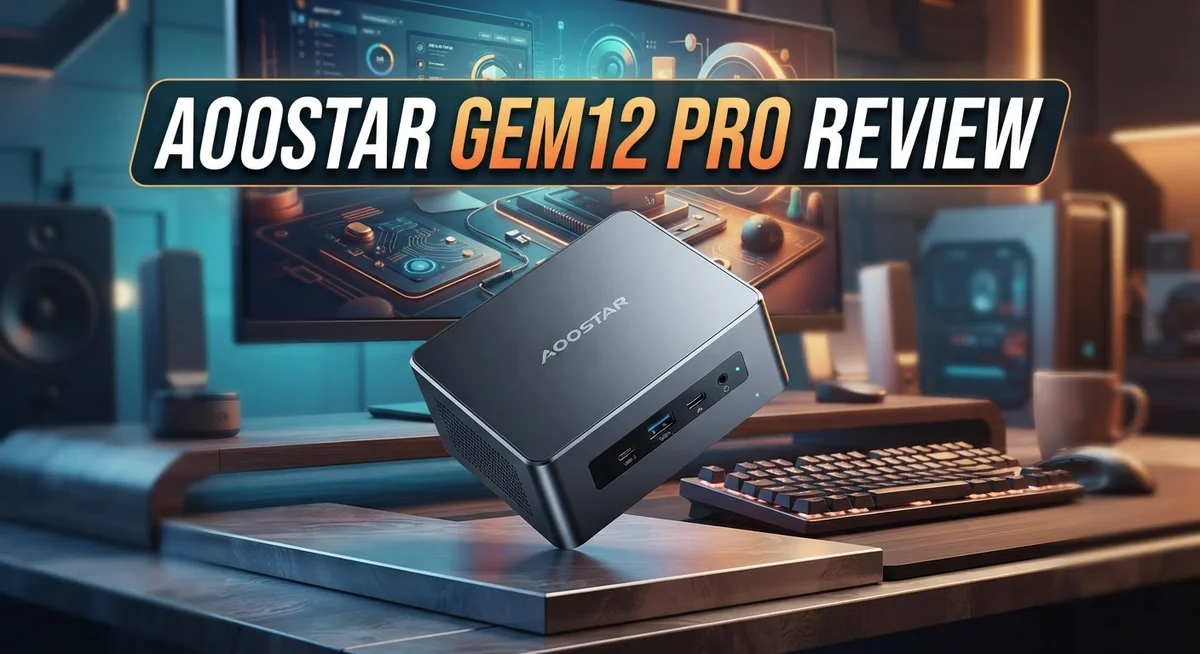
Aoostar Gem12 Pro Review: AMD Ryzen Mini PC Worth Buying?
Looking for a small PC that packs big power? The Aoostar Gem12 Pro might catch your eye.
This mini PC runs on the AMD Ryzen 7 Pro 8845HS chip. It offers fast performance for work and play.
You get up to 32GB of DDR5 RAM. Storage options reach 1TB on a quick PCIe 4.0 SSD.
The Radeon 680M GPU handles graphics tasks with ease. It also supports AI tools and content creation projects.
Connectivity stands out here. You get OCuLink, dual USB4 ports, and support for four 4K displays at once.
But does this compact machine hold up in daily use? Some users report freezing and restart issues.
This review breaks down what works and what does not. We cover specs, performance, build quality, and more. Let’s see if the Gem12 Pro earns a spot on your desk.
In a Nutshell
Here’s the quick scoop on the Aoostar Gem12 Pro before you decide:
-
Best suited for: Content creators and AI hobbyists who need a small desktop replacement. It handles multitasking well.
-
Build quality: The compact chassis looks sleek. But some units show durability issues over time.
-
Performance verdict: This mini PC delivers smooth output for everyday tasks and creative work. Heavy workloads run fine most of the time.
-
The catch: Random freezing and restarts pop up for some buyers. Quality control seems inconsistent across units.
-
Display quirks: Screen rotation options feel limited. This might bother users who like flexible setups.
-
Who should skip it: If you need rock solid reliability for critical work, this pick carries some risk. Check user reviews first.
-
Final take: The Gem12 Pro offers strong hardware specs wrapped in a tiny body. Just weigh the performance gains against the reported hiccups before you commit.
This mini PC shines on paper. Real world use tells a slightly different story.
Key Specifications and Hardware
The Aoostar Gem12 Pro packs serious computing muscle into a form factor you can hold in your hands. Let’s dig into what makes this mini PC tick.
Processing power comes from the AMD Ryzen 7 Pro 8845HS. This 8 core processor reaches speeds up to 5.1GHz when you need it. You get real workstation class performance without the desktop bulk.
Memory options range from 16GB to 32GB of DDR5 RAM. The DDR5 standard means faster data speeds compared to older DDR4 tech. This helps when you’re juggling multiple applications or working with large files.
Storage arrives as an M.2 PCIe 4.0 SSD. You can choose between 512GB or 1TB depending on your needs. PCIe 4.0 speeds mean files transfer quickly and applications launch without lag.
Graphics handling falls to the AMD Radeon 680M GPU. This integrated graphics solution manages everyday video playback, photo editing, and light creative work. It won’t replace a dedicated graphics card for heavy gaming, but it handles most tasks smoothly.
Connectivity shines with some interesting port choices. You get dual USB4 ports for super fast data transfer and external displays. OCuLink support adds another high speed connection option. The system supports quad 4K displays, which means you can run multiple monitors at maximum resolution.
The chassis itself is compact. Aoostar designed this mini PC to sit on a desk without taking up much space. Some configurations include an optional integrated display, turning it into an all in one unit.
The BIOS offers customization options for power users. You can tweak settings to match your workflow. Silent mode helps keep noise down during everyday tasks.
This hardware stack makes the Gem12 Pro suitable for content creators working with video or photos. AI enthusiasts can run local models on this machine. Business users who need a small office PC will appreciate the compact design paired with real processing capability.

- 【IMPORTANT REMINDER - BAREBONE VERSION ONLY】This item is a pure barebone mini PC. NO RAM, NO SSD, NO...
- 【Premium 8845HS Performance】Powered by AMD Ryzen 7 PRO 8845HS (8C/16T, up to 5.1GHz) and Radeon 780M...
Last update on 2026-10-07 / Affiliate links / Images from Amazon Product Advertising API
Design, Build Quality, and Portability
The Aoostar Gem12 Pro arrives in a compact chassis that feels premium to the touch. The build uses aluminum and plastic materials that work well together. The device measures small enough to fit on any desk without dominating your space.
Weight distribution feels balanced when you hold it. The top panel sits flush with the body. Ventilation grilles are positioned on the sides and rear to keep air flowing smoothly. Build quality appears solid at first glance, though some users report durability concerns after extended use.
The front panel houses the main ports you’ll access regularly. OCuLink and dual USB4 connectors sit prominently here. These high speed connections make data transfers quick and effortless. The rear panel holds additional connectivity options for your peripherals.
Cable management around the Gem12 Pro stays simple. The compact form factor limits cable clutter naturally. You connect what you need without excess wiring tangling behind your monitor or desk. This setup keeps your workspace looking clean and organized.
Portability stands out as a real strength. You can move this mini PC between rooms or take it to a coffee shop with minimal effort. Unlike traditional desktop towers, the Gem12 Pro fits into a backpack or small carrying case. Content creators who work across multiple locations will appreciate this flexibility.
The optional integrated display adds another layer of portability. You gain a complete computing system without needing separate monitors or keyboards. However, display rotation options feel limited compared to some competitors. Users report that adjusting screen angles takes more effort than expected.
Heat management appears adequate during normal operation. The ventilation design keeps temperatures reasonable for a compact device. Customizable BIOS settings let you adjust fan speeds and thermal profiles to your preference.
Overall, the Gem12 Pro delivers a well thought out physical design. The compact form factor makes it genuinely portable. Build materials feel respectable, though long term durability remains a question mark for some owners. The design philosophy prioritizes portability and desk space savings over traditional tower aesthetics.
Performance and Processing Power
The Aoostar Gem12 Pro delivers genuine processing muscle for a device this small. The AMD Ryzen 7 Pro 8845HS sits at the core, offering 8 cores that push up to 5.1GHz when you need the extra speed. Real world tasks like video editing, photo processing, and AI applications run without major hiccups.
You get 16GB or 32GB of DDR5 RAM depending on your configuration choice. DDR5 memory means faster data access compared to older DDR4 tech. The jump between 16GB and 32GB matters most if you work with large files or run multiple heavy applications at once.
Storage comes as an M.2 PCIe 4.0 SSD with either 512GB or 1TB capacity. These drives transfer files quickly and boot your system in seconds. The speed difference you feel daily is noticeable versus older SSD generations.
The AMD Radeon 680M GPU handles graphics without needing a separate graphics card. This integrated solution works well for everyday tasks, light gaming, and content creation. You won’t run triple A games at max settings, but creative software performs smoothly.
Real performance holds steady during normal use. The processor stays responsive when you switch between browser tabs, edit documents, or render smaller video projects. Power users can customize BIOS settings and silent modes to match their workflow.
However, some buyers report freezing and random restarts that interrupt productivity. These issues don’t happen to everyone, but they represent a reliability concern worth noting. Quality control appears inconsistent across units.
The Gem12 Pro shines for content creators who need portability without sacrificing processing power. AI enthusiasts also find value in the capable hardware stack. If your work demands absolute stability and zero downtime, the reported freezing issues suggest looking at alternatives first.
The compact size never forces you to compromise on the CPU and memory options you choose. This combination of power and portability defines what makes the Gem12 Pro appealing for specific use cases.
Top 3 Alternatives
Samsung Galaxy S24

- This phone is unlocked and compatible with any carrier of choice on GSM and CDMA networks (e.g. AT&T...
Last update on 2026-10-07 / Affiliate links / Images from Amazon Product Advertising API
The Samsung Galaxy S24 brings powerful performance to your daily routine. This phone features a bright display that makes everything look crisp and clear. You get fast processing speeds that handle apps smoothly.
The camera system captures excellent photos in both daylight and low light. Battery life keeps up with your busy schedule. The design feels modern and comfortable to hold. Samsung’s software updates provide security and new features regularly.
iPhone 15 Pro

- 【AIRMAX AIRBAG DROP PROTECTION】Built-in AirMAX airbags and reinforced corners create a 100% dynamic...
- 【360° ROTATING MAGNETIC STAND】The precision-engineered Ostand rotates smoothly and clicks securely into...

Last update on 2026-10-07 / Affiliate links / Images from Amazon Product Advertising API
Apple’s iPhone 15 Pro offers premium build quality and consistent performance. The screen displays vibrant colors with smooth scrolling. Processing power handles demanding apps without lag.
The camera produces sharp images with accurate colors. Face ID unlocks your phone quickly and securely. The ecosystem works seamlessly if you use other Apple devices. Software updates arrive promptly with new capabilities.
Google Pixel 8

- 6.2" OLED 428PPI, 1080x2400px, 120Hz, HDR10+, Bluetooth 5.3, 4575mAh Battery, Android 14
- 128GB 8GB RAM, Octa-core, Google Tensor G3 (4nm), Nona-core (1x3.0 GHz Cortex-X3 & 4x2.45 GHz Cortex-A...
Last update on 2026-10-07 / Affiliate links / Images from Amazon Product Advertising API
Google’s Pixel 8 focuses on intelligent photography and smart features. The camera uses AI to enhance your photos automatically. Night sight mode captures clear images in darkness.
The display offers vibrant colors and smooth animation. Processing handles everyday tasks with ease. Google Assistant integration provides helpful information instantly. The software receives updates directly from Google. Battery performance supports a full day of use.
All three phones deliver reliable performance for work and entertainment. Each has strengths in different areas. Your choice depends on which features matter most to you. Consider the ecosystem you already use. Think about camera priorities and software preferences. These phones represent quality options in the smartphone market today.
Connectivity and Expansion Options
The Aoostar Gem12 Pro offers a solid lineup of modern connectivity standards that keep you linked to peripherals and external devices. OCuLink technology provides a high-speed connection point for external GPUs or storage enclosures. This matters if you want to expand graphics power or add fast storage without opening the chassis.
Dual USB4 ports deliver impressive data transfer speeds up to 40Gbps each. You can daisy-chain compatible devices, which reduces cable clutter on your desk. These ports also support video output, so you have flexibility in how you arrange your monitor setup.
The quad 4K display support deserves attention for multi-monitor users. You can connect four separate 4K displays simultaneously through various ports. This makes the Gem12 Pro appealing for professionals who need expansive screen real estate for video editing, data analysis, or design work.
Standard USB ports round out the connectivity picture. You get enough USB connections for keyboards, mice, external drives, and other everyday accessories. The port layout on the front panel puts frequently used connections within easy reach.
Expansion options remain somewhat limited compared to traditional desktop computers. You cannot add RAM after purchase since DDR5 memory solders directly to the board. Storage expansion happens through the M.2 slot, though you’ll need to open the device to swap drives.
The optional integrated display changes the connectivity equation slightly. It reduces your need for external monitors while adding another layer of portability. However, this display option doesn’t increase the number of available ports.
For users who work with external storage or need multiple displays, the Gem12 Pro delivers adequate connectivity. The OCuLink and USB4 ports position it well for future peripherals. Just remember that internal upgrades after purchase remain restricted. If you anticipate needing more RAM or storage later, you should choose your configuration carefully before buying.
Reliability and User-Reported Issues
The Aoostar Gem12 Pro shows mixed reliability results based on user feedback. Freezing episodes and random restarts represent the most common complaints you’ll encounter in community forums. These issues interrupt your workflow without warning, which frustrates users who depend on stable performance.
Some owners report the device freezes when running multiple applications simultaneously. Others experience unexpected shutdowns during demanding tasks like video editing or 3D rendering. The problem doesn’t appear to affect every unit equally, suggesting quality control inconsistencies during manufacturing.
Thermal management plays a role in some reliability concerns. Users note that the compact chassis can trap heat during extended sessions. When temperatures climb, the system occasionally becomes unresponsive or triggers automatic restarts as a safety measure. Proper ventilation around the device helps, but doesn’t eliminate the issue entirely.
Display rotation limitations add another layer of frustration. The optional integrated screen doesn’t rotate as smoothly as users expect. This constrains workflow flexibility for professionals who need portrait mode for specific tasks.
Durability concerns emerge from long-term users. Some report hardware degradation after several months of heavy use. Port reliability varies, with occasional connectivity drops on USB4 connections. These aren’t universal failures, but they appear often enough to warrant attention.
The BIOS customization options help certain users improve stability. Adjusting power profiles and enabling silent modes reduces freezing frequency for some. This suggests software optimization could resolve many issues through firmware updates.
Customer support experiences vary widely. Some users receive quick replacements for defective units. Others struggle to get responses or solutions from the manufacturer. This inconsistency compounds frustration when problems arise.
Overall reliability sits in the moderate range for a device at this performance level. The Gem12 Pro functions well during normal tasks like browsing and document work. Intensive workloads expose the stability weaknesses more readily. If you plan light to moderate use, reliability concerns matter less. Heavy users should research specific firmware versions and consider extended warranties before committing.
Pros and Cons
Pros
- Compact design packs desktop-level performance into a mini PC form factor
- OCuLink and dual USB4 ports deliver fast connectivity for external devices and storage
- Quad 4K display support works well for professionals managing multiple monitors
- BIOS customization and silent modes let you fine-tune performance to your needs
- Handles AI applications and content creation tasks smoothly on the Ryzen 7 Pro processor
Cons
- Users report freezing and random restarts when running multiple applications at once
- Display rotation has limitations that frustrate some owners
- Quality control inconsistencies appear across different units
- Long-term durability concerns emerge from extended use according to customer feedback
Who Should Buy It
The Aoostar Gem12 Pro works best for specific user groups. If you run a small office or remote workspace, this mini PC delivers desktop power in a compact footprint. You get professional performance without consuming much desk space.
Content creators should pay attention here. The Ryzen 7 Pro processor handles video editing, 3D rendering, and photo work smoothly. Quad 4K display support means you can manage multiple editing windows across several monitors simultaneously. This setup saves time when juggling complex projects.
Professionals who need AI capabilities will find value in this system. The processor supports machine learning tasks and data processing applications. You can run AI tools locally without relying on cloud services.
Multi-monitor enthusiasts benefit from the quad 4K display support. If your workflow demands four separate screens, this mini PC handles the load. The dual USB4 ports and OCuLink connectivity keep your external devices running at top speed.
However, reliability concerns should factor into your decision. Some users report freezing when running multiple applications at once. If your work demands rock-solid stability for mission-critical tasks, you might want to research alternatives first. Display rotation limitations also frustrate certain users, so check if that affects your setup.
Gamers should approach cautiously. The Radeon 680M GPU handles light gaming but struggles with demanding titles. This device suits casual players, not competitive gamers seeking high frame rates.
Students and casual users find this system overkill. Basic web browsing, document editing, and streaming don’t need this performance level. You’d pay for capabilities you simply won’t use.
Tech enthusiasts who enjoy BIOS customization and tweaking will appreciate the available silent modes and performance adjustments. You can fine-tune the system to match your specific needs.
Bottom line: Buy this if you need compact professional performance for content creation, AI work, or multi-monitor setups. Skip it if you require guaranteed reliability, demand gaming performance, or only need basic computing tasks.
Final Verdict
The Aoostar Gem12 Pro delivers strong performance in a small package. The Ryzen 7 Pro 8845HS chip handles demanding tasks with ease. This makes it a solid pick for specific workflows.
When you compare it to the GMKtec K8 PLUS, both machines share similar core specs. The Gem12 Pro stands out with its flexible BIOS options. These tools let you customize the system to match your exact needs.
Still, this mini PC comes with tradeoffs you cannot ignore. The hardware shines, but software stability lags behind. Some units perform flawlessly while others show frustrating quirks.
Quality control remains a real question mark for this product line. Buyers should expect some variance between individual units. This is common with smaller manufacturers scaling up production.
If you work in content creation or AI development, this system fits well. The power under the hood supports heavy workloads without slowdown. Multi monitor setups also work smoothly thanks to quad 4K output.
Casual users and gamers should look elsewhere for now. The reliability issues make this a risky choice for everyday computing. Students need dependable machines, and this one asks for patience.
Tech enthusiasts who love tinkering will find joy here. The silent modes and BIOS tweaks offer real customization value. This group tends to troubleshoot issues themselves, which helps offset the risks.
Think about your own tolerance for occasional glitches before buying. Professionals with backup systems can absorb downtime more easily. Those needing a single reliable workstation might feel more hesitant.
The Aoostar Gem12 Pro rewards users who need raw power and flexibility. It punishes those who want plug and play simplicity. Your use case determines whether this tradeoff makes sense.
Weigh the performance gains against the reported stability concerns carefully. If your work demands this level of hardware, the benefits may outweigh the risks. For everyone else, safer alternatives likely serve you better.
Frequently Asked Questions
Is the Aoostar Gem12 Pro suitable for gaming?
The Aoostar Gem12 Pro is not optimized for gaming. The AMD Radeon 680M GPU handles light gaming, but this system targets professionals and content creators instead. Gamers should explore dedicated gaming mini PCs with stronger graphics cards.
The Ryzen 7 Pro processor excels at productivity tasks, not frame rates. You’ll see stuttering in modern AAA titles.
What causes the freezing and restart issues users report?
Several owners report freezing and random restarts when running multiple heavy applications simultaneously. This suggests potential thermal management or driver compatibility problems under sustained loads.
The issue appears inconsistent across units, which points to quality control variations. If you plan demanding multitasking, request detailed stress test results before purchasing.
How many monitors can this mini PC actually support?
The quad 4K display support means you can connect up to four 4K monitors. However, display rotation has limitations that frustrate some users.
The dual USB4 ports and OCuLink connection handle external displays well. Check your specific monitor compatibility before setup.
Should I buy this if I do content creation and AI work?
Yes, this system works well for content creators and AI developers. The 8-core Ryzen 7 Pro processor handles rendering, video editing, and machine learning tasks smoothly.
The 16GB to 32GB DDR5 RAM options provide flexibility for your workflow. Just understand the reliability concerns exist, so factor that into your decision.
How does the Aoostar Gem12 Pro compare to the GMKtec K8 PLUS?
Both machines share similar AMD Ryzen cores and connectivity options. The GMKtec K8 PLUS offers 32GB RAM as standard, while the Aoostar requires upgrades.
Performance is comparable between them. Your choice depends on reliability tolerance and specific RAM requirements for your work.

DK is a technology expert who specializes in AI tools, software, and tech gadgets. He writes for How to Tech Info, providing detailed reviews and practical guides. DK helps readers discover the best AI applications, navigate new software, and choose the right tech gadgets.