
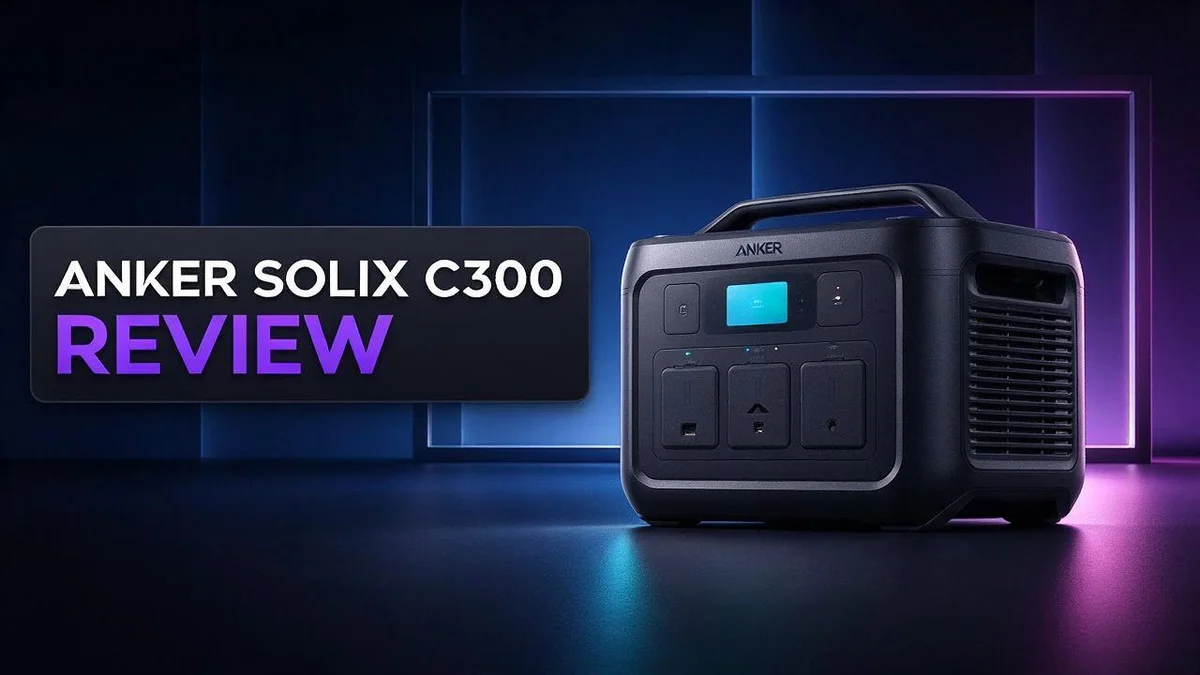
Anker Solix C300 Review: Is This Compact Portable Power Station Worth It?
Power cuts, camping trips, and long days outdoors all need a dependable power source. That is where the Anker Solix C300 shines.
Its compact body weighs about 9 pounds. You can carry it with one hand. That makes it simple to take almost anywhere.
The unit stores 288 Wh of energy. It delivers 300W continuous output and 600W peak power.
Three AC outlets and three fast charging ports keep phones, laptops, and small devices running. A built in light adds handy illumination after dark.
Want to know if this portable power station fits your needs? Keep reading to see the full breakdown of its strengths, limits, and best uses.
In a Nutshell
-
Fast charging speed: The USB-C ports deliver up to 140W. Your laptop and phone can recharge quickly while you stay busy outdoors.
-
Steady power output: The unit supplies 300W continuous power and handles 600W peaks. Small appliances can start up without trouble.
-
Flexible charging choices: You can recharge the unit with solar panels, a wall outlet, or a USB-C cable. Pick whichever source suits your location that day.
-
Smart app control: The app shows output as graphs over time. You can track your usage and plan your power better.
-
WiFi and Bluetooth connection: Both wireless options let you check the status from your phone. Setup stays simple for most people.
-
Best for light tasks: Reviewers suggest it suits occasional, low power needs. Choose a larger model if you run heavy gear every day.
Capacity and Power Output

- ...
- 𝗠𝗮𝘀𝘀𝗶𝘃𝗲 𝗣𝗼𝘄𝗲𝗿 𝗼𝗻 𝘁𝗵𝗲 𝗚𝗼: Take portable power anywhere...
Last update on 2026-11-05 / Affiliate links / Images from Amazon Product Advertising API
Capacity shows how much energy the station can store. Think of it as a fuel tank for your gadgets. The bigger the tank, the longer your devices stay powered.
Runtime depends on the device. A laptop that draws about 60 watts may run for roughly four hours. A small fan uses much less power, so it can run far longer.
Energy always leaks during conversion. The inverter that turns stored power into standard AC electricity wastes some along the way. Your real runtime will land below the simple math.
Phones are easy to power. A typical smartphone battery holds roughly 12 to 15 Wh. That means the station can recharge a phone many times on one full charge.
Continuous output sets the limit. The 300W rating decides which appliances work well. Devices that need more steady power than that will shut the unit down.
Short surges behave differently. Motors in fridges or pumps need a brief burst of power to start. The extra headroom helps them start without tripping the system.
Plan your load before you plug in. Add up the wattage of every device you want to run at once. Keep that total under the continuous rating for smooth use.
Heat matters too. Running the unit near its limit makes it warm. Give it open space and avoid covering the vents. Keep it in the shade on hot days so it cools faster.
Small capacity still means smart planning. Use the app graphs to track power draw over time. Then you can decide which devices deserve the power.
Overall, the C300 fits lighter jobs well. Charging a phone, running a light, or powering a small fan works nicely. Heavy appliances need a larger station.
Ports and Charging Options
Outlets work best one device at a time. Plugging a power strip into an AC outlet can hide how much power each gadget pulls. A single cord per outlet keeps things simple.
The USB C ports suit phones, tablets, and earbuds. Use a cable that matches the port speed, because a weak cable can slow charging even on a strong port.
The built in light adds a handy extra. It helps you find gear inside a tent or cook dinner after sunset without grabbing a separate flashlight.
Charge the station fully before you leave. A full battery gives you the most options on day one. You can top it up later with solar or a wall outlet.
Mixing sources works well on longer trips. Morning sun on a panel can add power during a hike, and an evening wall charge at home or camp can finish the job.
Before you buy accessories, check your device plugs. Matching USB C cables and standard AC plugs means fewer adapters to carry. Keep them in one small pouch so nothing gets lost.
Keep cables out of walking paths so nobody trips over them at camp. Tuck extra cord into a bag so it stays tidy and dry.
Watch which device gets power first. Charge the phone before the tablet if both need a boost, so the important device stays ready.
Think about your next trip before you pack. List each device, its port type, and when you plan to charge it. This simple list saves time and avoids surprises at the campsite.
Good port planning turns a small power station into a dependable helper. Each port has a clear job, so you can power more gear with less effort.
Compact Design and Portability
Light enough for easy carrying. The Anker Solix C300 weighs about 4.13 kg, or roughly 9 lbs. Most adults can lift it without strain. That weight fits well in a backpack or a car trunk.
Easy to move around the home. You can carry the unit from the kitchen to a backyard patio. It also works well at a desk during a short power cut. Moving it takes seconds, not minutes.
Simple for weekend trips. Pack it in the car for a lake day or a campsite visit. Set it on a picnic table and charge your phone or tablet. Its compact footprint leaves room for snacks, chairs, and other gear.
Fits in tight spaces. Many vehicles have small gaps behind the seats. The unit slides into these spots with little effort. Check your space before you pack so nothing gets crushed.
Quick and tidy storage. Store it on a closet shelf or under a bed between trips. Coil the cables into a small pouch and place it beside the unit. This habit keeps everything together and ready to use whenever you need it.
Lift it the right way. Hold the body of the station with both hands. Avoid pulling on the cables, since that can loosen plugs and strain the ports. Place it on a flat, dry surface before you connect anything.
Easy for the whole family. Adults and older teens can carry it without trouble. Younger helpers can move the cable pouch or the lightweight accessories. Everyone shares the load, which makes setup faster.
Plan your load before you leave. Decide which devices you need before you head out. Pack only the cables those devices require. A lighter kit means less effort during a long walk from the parking lot.
Top 3 Alternatives
EcoFlow River 2

- [1 Hour AC Recharge] - Power up in just 1 hour! With EcoFlow's X-Stream fast charging technology, recharge...
- [Power All Your Essentials] - With an output of up to 1000W, run 11 essential appliances simultaneously...
Last update on 2026-11-05 / Affiliate links / Images from Amazon Product Advertising API
The EcoFlow River 2 is a compact choice for light backup needs. It stores about 256Wh of energy. Its 600W output can run phones, laptops, and small fans.
The unit charges fast from a wall outlet. This makes it a handy pick for quick weekend trips.
Jackery Explorer 300 Plus

- Ultra-Lightweight: At only 7.5 lbs, the Explorer 300 delivers a robust 292Wh capacity while remaining...
- Versatile Power for 6 Devices: Equipped with 2 AC outlets, a 100W USB-C PD port, 2 USB-A ports, and a 120W car...
Last update on 2026-06-09 / Affiliate links / Images from Amazon Product Advertising API
The Jackery Explorer 300 Plus offers a simple and reliable setup. It provides around 288Wh of capacity and a 300W output. Users can charge cameras, lights, and mobile phones with ease.
Its LiFePO4 battery supports many charge cycles. Many campers like its easy handling and clear display.
Bluetti EB3A

- [288Wh On-the-Go Power] - Only 9.4 lbs lightweight, carry it anywhere during storms! 288Wh capacity meets...
- [600W Continuous & 1500W Surge Power] - Get a full 600W output—twice as much as others. When you need...
Last update on 2026-11-05 / Affiliate links / Images from Amazon Product Advertising API
The Bluetti EB3A packs about 268Wh of power into a small body. Its 600W output supports small appliances during short outings. Users can also recharge it from a wall outlet or a solar panel.
*This flexibility helps during power outages. Many owners keep it in their emergency kits.
Real-World Runtime
The printed number is only a starting point. The Anker Solix C300 lists 288 Wh, yet the power you truly use often lands lower. Some energy never reaches your device.
Cold weather shrinks your runtime. Batteries deliver less power when temperatures drop. A chilly campsite or an unheated garage can cut the hours you expect. Keep the unit indoors until you need it.
Partial charges keep batteries happier. You do not need to drain the station to zero each time. Recharging after half use is fine and can help the battery last longer.
Standby drains add up. Some stations lose small amounts of charge while idle. Switch off ports you are not using so your runtime stays longer.
Solar changes the math. A panel can add power while you run devices, which stretches the day. Cloudy skies slow that gain, so plan for weaker sun on overcast days.
Mixed loads run differently than single devices. A laptop that pulls steady power drains faster than a phone that charges in short bursts. Keep a rough log of which gadgets run longest. Over time, patterns become clear and planning gets easier.
Quick checks keep trips calm. Before each outing, confirm the battery level and the solar input. A few seconds of checking can prevent a dead station at the worst moment.
Test before you depend on it. Run your most important device for one short session at home. Note how far the battery drops. That quick check shows real runtime better than any guess.
Your own numbers matter most. Runtime depends on your devices, your habits, and the weather. Track each trip and you will know exactly what the C300 can handle.
App Monitoring and Connectivity
Setting up the connection takes only a few minutes. Open the Anker app on your phone and follow the prompts. Keep the station close during the first pairing so the link forms without trouble.
The station supports both Bluetooth and Wi Fi. Bluetooth works well when you sit near the unit. Wi Fi lets you check readings from another room in your home.
Graphed output shows the real story. The app draws charts of power flow over time. You can see which port pulls the most energy and when the load peaks.
This view helps you spot patterns. A fridge cycle or a fan may show steady draw, while a small gadget barely registers. Use these charts to adjust how you run devices.
Watch the battery level from a distance. Glance at your phone instead of walking to the station each time. This saves trips during a cookout or a long afternoon at the lake.
Keep the app updated. New firmware can improve connection stability, so check for updates before a trip. A quick update the night before avoids surprises at camp.
Connection range has limits. Walls, metal car bodies, and distance can weaken the signal. If readings stop updating, move closer and reopen the app.
Plan regular times to look at the app. A quick glance every few hours keeps you aware of how much charge remains. That habit prevents guessing during a long day outdoors.
Share access with family members. If your household uses more than one phone, each person can check battery status. Everyone then knows how much power remains before plugging in a device.
Value for Money
The Anker Solix C300 works best when you match it to a clear job. Start by listing the devices you charge most often.
The three USB-C ports stand out. Each one supports fast charging up to 140W. A laptop or tablet can top up quickly.
Pair those ports with three AC outlets. You cover most small gadgets in one place.
Write down the wattage of each device before you buy. Check the label on each item.
Add up only the devices you run at the same time. That total decides whether the 300W output is enough.
The 300W continuous output suits lights, fans, and small kitchen appliances. The 600W peak handles short bursts when a motor starts up. Large space heaters usually need a bigger unit.
Think about the tradeoff. A smaller battery gives fewer hours of use.
Phones, cameras, and lamps barely dent the battery. This size makes sense for them. A full workday of power needs a larger model.
Test your setup at home first. Run your usual devices for a weekend. This trial shows real results before any trip. It helps you learn how long the station lasts with your own habits.
Anker also offers the C300 DC for direct comparison with Newsmy DC. The C1000 Gen 2 gives higher output for bigger jobs. EcoFlow, Bluetti, and Jackery provide other options to compare side by side.
Your daily routine decides the best choice. Pick the C300 for light, occasional tasks. Move up to a bigger station when your loads grow.
Good planning avoids surprises. It helps you choose the right size from the start.
Pros and Cons
Pros
– Compact and light at about 9 lbs
– Three AC outlets and three USB C ports power many devices at once
– Each USB C port supports fast charging up to 140W
– The Anker app shows graphed power flow over time
– Charges from solar, AC, or USB C
Cons
– The small battery limits long runs
– Best suited for lights, phones, and occasional low power use
– Walls and metal car bodies can weaken the Bluetooth or Wi Fi signal
– Heavy loads drain the battery quickly
Who Should Buy It
The Anker Solix C300 fits a few clear types of people. Read the profiles below and see where you land. Most buyers want power for simple, everyday moments.
Weekend campers often need a lamp, a fan, and a phone charger in one spot. This station covers those needs well. Fewer loose cables also keep the campsite tidy. Pack it with your gear and head out.
Apartment dwellers without a garage or shed can benefit too. The unit stores easily in a closet. It needs no fuel, so you avoid fumes indoors. It also stays out of the way on a shelf between trips.
Families building a basic emergency kit should look closely. It can keep a small lamp and phones running during a short outage. List must have items first so you know what to power.
Remote workers who work from a porch or park bench may appreciate the portability. A laptop can run for a few hours if you keep other loads off. A quick check at lunch keeps you on track.
Renters who move often also gain from a light unit. You can carry it from room to room without strain. Solar panels help too, so campers in sunny spots can recharge during the day.
Who should skip it? People who plan long stays off grid need more capacity. Heavy appliances and power tools will drain this unit fast. A larger option like the Anker Solix C1000 Gen 2 suits those jobs better.
Shoppers on the fence can test their habits first. Track what you plug in for one week. If your list stays short, this station fits your life well. Those answers will point you to the right size.
Final Verdict
The Anker Solix C300 earns a spot on the shortlist for light power needs. It handles small jobs well. It keeps everyday gadgets running without fuss.
Our verdict is clear. This unit suits people who want a small helper for light, short tasks. It does not replace a large power station for long stays.
Think of it as a backup for moments, not a full home system. A fan, a lamp, and a laptop can share its output. A large fridge or power tool will drain it fast.
Size is the real win here. You can carry it from the car to a campsite without strain. That makes it easy to move from spot to spot.
Peace of mind is a real benefit. A unit like this can keep a light on and a phone charged during a short power cut. That small comfort matters more than most people expect.
Ask yourself one question before you buy. Will this unit run the devices I need at the same time for the whole trip? If the answer is no, look at a larger model.
Anker’s C1000 Gen 2 offers more output for heavier loads. It is a sensible step up for those who outgrow this model.
Keep expectations realistic from day one. Use it as a companion for short tasks, and you will rarely feel let down.
If your needs fit that picture, the Anker Solix C300 is an easy recommendation.
Frequently Asked Questions
How long can it run a device?
Divide the battery size by the device power use. For example, a 288 Wh battery can run a 30 W lamp for about eight hours. Real runtime is often shorter because power conversion wastes some energy. Plan for less time than the math shows.
Can it run a mini fridge overnight?
It can run a mini fridge for a while, but check the label first. Fridges switch on and off, so their power draw changes over time. A few hours is a realistic goal for a unit this size. Keep the fridge door closed to save power.
Does cold weather affect the battery?
Yes, it does. Lithium batteries hold less charge in freezing temperatures. Store the unit inside your tent or vehicle cabin when possible. Let it warm up to room temperature before you charge it. This simple step helps the battery last longer.
Is it safe to use indoors?
Yes, when you follow a few basic steps. Set it on a hard, flat surface with open space around it. Keep it dry and away from heat sources. Do not cover it with blankets or bags while it runs. Good airflow keeps the unit cool and working well.

DK is a technology expert who specializes in AI tools, software, and tech gadgets. He writes for How to Tech Info, providing detailed reviews and practical guides. DK helps readers discover the best AI applications, navigate new software, and choose the right tech gadgets.


