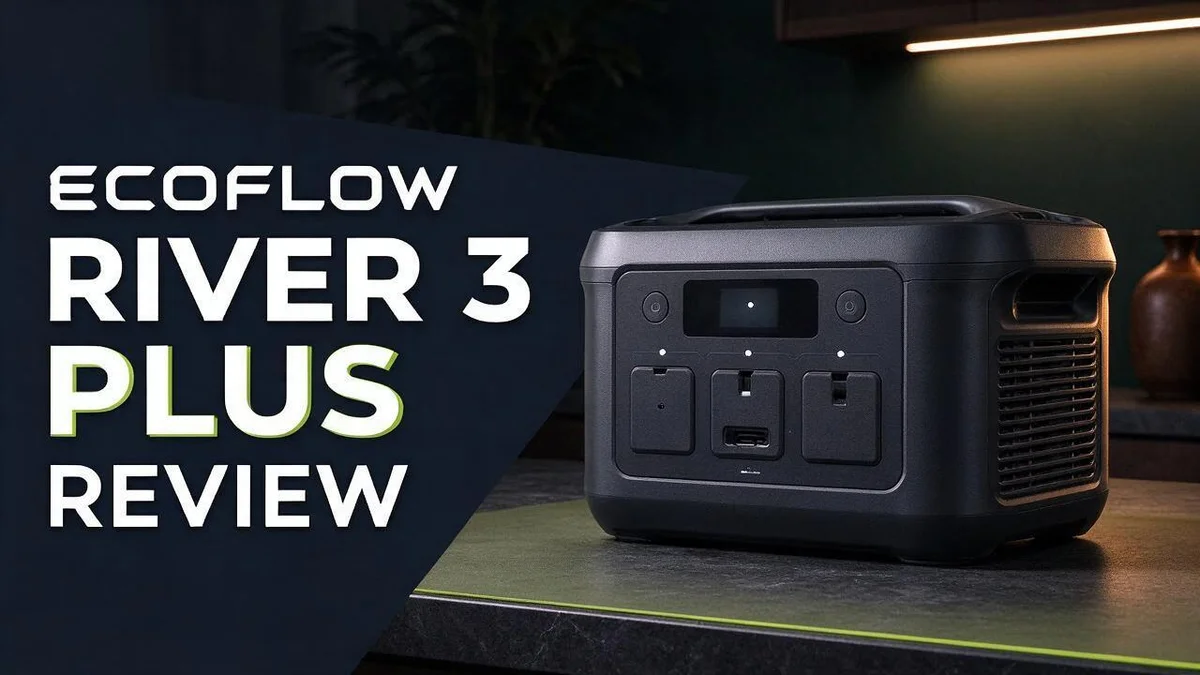
EcoFlow River 3 Plus Review: Power Output, X-Boost, Expansion & Verdict
Power outages strike at the worst times. Campers also need reliable power far from home. The EcoFlow River 3 Plus is a portable power station built for both jobs.
This compact unit delivers up to 1200W in boost mode, which covers about 90% of typical household needs. It also works as a UPS, and one user reports a smooth switchover when the power cuts out.
Launched in March 2025, the River 3 Plus series improves on the standard River 3. Reviewers describe it as much more reliable and praise its strong balance of size and quality. Wondering if it fits your setup?
In this review, we explore its specs, real pros, and top rivals like the River 3 and the Delta series. Let’s take a closer look.
In a Nutshell
- Reliable backup power: One user reports smooth UPS switchover during outages. Reviewers also say it feels far more dependable than the standard River 3.
- Light enough for network setups: A user prefers its light weight for network use. You can move it between rooms without much effort.
- Room to grow: An expansion battery is available. You can add capacity when your power needs increase.
- Wireless version extras: The wireless variant includes a 15W charging pad. It also comes with a removable 5000mAh power bank for handheld devices on the go.
- Strong options beyond this model: The Delta Pro supports 1600W solar input for larger setups. Other Delta series models give you more choices for bigger needs.
- Best for: Shoppers who want a middle ground between a small camping unit and a large home backup system.
Build and Portability

- [<10 MS UPS]-The RIVER 3 Plus power station ensures <10 ms switchover for premium UPS protection, securing...
- [Power up to 1200W]-RIVER 3 Plus portable power station delivers a steady 600W and surges to 1200W with...
Last update on 2026-11-05 / Affiliate links / Images from Amazon Product Advertising API
Build and portability matter more than many shoppers expect. A power station often moves between the house, the garage, and the car.
The River 3 Plus keeps its footprint compact. That helps it sit on a shelf or slide under a desk without fuss.
Portability depends on more than size alone. How you carry the unit and where you keep it also count.
Think about your daily routine. If you move it between rooms, a firm grip matters most. If it stays in one spot, a stable base matters more.
Reviewers describe the River 3 Plus as much more reliable than the standard River 3. A solid build may help explain that reputation, especially after repeated moves.
Placement tips for portable power. Keep the unit on a flat, dry surface. Leave open space around the vents so air can flow.
Heat builds up during heavy loads. Good airflow helps the unit run cooler and keeps performance steady.
Indoor use suits most homes. Outdoors, keep it away from rain, dust, and direct sun.
Carrying tips matter too. Lift with both hands and keep cables tucked away. A loose cable can catch on a door frame or a foot.
Mobile setups benefit from a predictable layout. Know where the ports sit before you mount or stack anything. Clear access saves time during an outage.
Plan a simple cable route from the unit to your devices. Short, neat runs reduce tripping hazards and keep your space tidy.
The wireless variant also includes a removable 5000mAh power bank. You can carry that small unit alone for phone charging on short trips.
Storage matters as well. Keep the unit in a dry spot where temperatures stay moderate between uses.
Overall, the River 3 Plus balances a compact body with dependable construction. Shoppers who move their power source often will appreciate that balance.
Power Output and X-Boost Performance
Power output sets what the unit can run. Many shoppers focus on battery size first. However, the wattage limit often decides what actually works during a blackout.
Think of wattage as the speed of power flow. Battery capacity tells you how long it lasts. Output tells you how much you can run at once.
Start by listing your devices. Check the wattage label on each one. Write the numbers down in a simple list. Then add them up for the devices you want on at the same time.
Some appliances need extra power when they start. Motors in fridges and pumps often spike for a moment. This startup surge can be higher than the label number. Leave some headroom so the unit does not shut off.
X-Boost helps with these short demands. It lets the unit push past its normal rating for a period. Still, boost is meant for brief peaks, not long runs. Plan your main loads to stay within the steady limit.
Here is a simple way to test your setup. Plug in your most important device first. Watch the display for a few minutes. Then add a second item and check again. This shows you how much room is left.
Avoid running a heater or kettle on the same circuit as a fridge during an outage. Those high draw items can drain the battery fast. Choose a few essentials instead. Lights, phone chargers, a router, and a small fridge often fit well.
Remember that efficiency matters too. Inverter losses mean the battery gives less usable energy than its rated capacity. Expect some loss every time power converts. Plan for real runtime, not perfect numbers.
Output ratings fit a clear goal. Match the unit to the devices you truly need. Then the power output feels steady and dependable when you need it most.
Battery Expansion and Wireless Variant
Many shoppers ask whether they need more storage later. The good news is that you can decide after you start. Begin with the base unit, then add capacity when your needs grow.
Ask yourself one key question first. How long must your devices run without wall power? Write down the hours you want to cover. That number shows whether an extra battery makes sense.
Expansion helps most during long outages. It also helps on extended camping trips where recharging is hard. Short power cuts usually need less energy than people expect.
Every added battery brings more weight, so plan your setup carefully. Keep the expansion unit close to the main station. A short, neat connection makes daily use easier.
The wireless variant offers a different kind of flexibility. Its removable 5000mAh power bank can leave the main unit and travel with you. Slide it into a backpack for a day hike or a commute. Your phone stays charged while the main station stays home.
This removable bank works well for quick recharges. It does not replace a full home backup, but it covers small needs. Keep it charged and ready near the front door so it is always within reach.
Think about your daily routine before you choose. If you often leave home with a phone that runs low, the removable bank solves that problem. If you rarely leave the house, the standard setup may fit better.
Charge the power bank after each trip. A full bank gives you a backup plan when travel plans change. Small habits like this make the whole system more useful over time.
Pairing both options gives you the most flexibility. Use the expansion battery for home outages and the removable bank for everyday trips. Together, they cover many situations without extra effort. Keep the cable and charger in the same bag so nothing gets left behind.
Top 3 Alternatives
Jackery Explorer 300 Plus

- Ultra-Lightweight: At only 7.5 lbs, the Explorer 300 delivers a robust 292Wh capacity while remaining...
- Versatile Power for 6 Devices: Equipped with 2 AC outlets, a 100W USB-C PD port, 2 USB-A ports, and a 120W car...
Last update on 2026-06-09 / Affiliate links / Images from Amazon Product Advertising API
The Jackery Explorer 300 Plus works well for camping and power outages. It has several outlets, so you can charge a phone, a laptop, and a small fan at the same time. It is easy to carry on weekend trips.
You can charge it from a wall outlet or a solar panel.
Bluetti EB3A

- [288Wh On-the-Go Power] - Only 9.4 lbs lightweight, carry it anywhere during storms! 288Wh capacity meets...
- [600W Continuous & 1500W Surge Power] - Get a full 600W output—twice as much as others. When you need...
Last update on 2026-11-05 / Affiliate links / Images from Amazon Product Advertising API
The Bluetti EB3A is a compact choice for small jobs. It weighs very little and fits in a backpack or a car trunk. It handles lights, fans, and phone charging with ease.
This model suits people who want simple power without a big setup. Its display shows the battery level at a glance.
Anker 521 Power Station

- Robust High-Wattage Support: SurgePower technology ensures a robust output up to 600W, capable of powering...
- Decade-Long Performance: InfiniPower technology guarantees a lifespan of up to 10 years with LiFePO...
Last update on 2026-07-11 / Affiliate links / Images from Amazon Product Advertising API
The Anker 521 Power Station offers dependable power for everyday use. You can plug in devices like a laptop or a mini cooler. It is a handy pick for home backup and outdoor trips.
Many people choose Anker because it is easy to use. If you want a good mix of power and portability, this model is worth a look.
Backup Power and UPS Switchover
Switchover speed matters more than many people expect. A desktop computer can lose unsaved work in a split second. The River 3 Plus is reported to handle this handoff reliably, which keeps your screen steady during a blackout.
Think about what the switch actually protects. Modems, routers, and network switches need constant power to stay online. A short gap can drop a video call or force a full reboot. Plug these devices in first.
Keep the unit plugged in most of the time. A charged battery is ready the moment the grid fails. Regular charging means fewer surprises.
Run a simple test once a month. Unplug the wall cord for a few minutes. Watch how your router and computer respond. This quick check shows whether the switchover works in your home.
Keep medical equipment in mind. Life support devices need a dependable power source at all times. Ask your doctor or equipment supplier before relying on any portable unit for these needs.
Keep big loads on the grid. Electric stoves, clothes dryers, and window air conditioners draw heavy power. Most portable units cannot run them for long. Save the backup for lights, phones, and network gear.
Recharge right after every outage. A partly empty battery leaves you exposed to the next power cut. Plug the unit back in as soon as the lights return.
Label the cables and store them nearby. Clear labels help family members plug devices in quickly. Keep a small bag near the unit so the cords stay easy to find during a storm.
Plan for longer blackouts with a simple list. Write down your key devices and their daily roles. Share this list with everyone in the home so no one has to guess during a storm.
Watch for warning signs. A fan that runs unusually loud or an error light deserves a closer look. Stop using the unit and check the manual or contact support.
Know your home internet needs. A router with backup power can keep a work call going while the neighborhood goes dark. That benefit alone can matter for remote workers and students.
Built-in Light and Everyday Extras
The River 3 Plus includes a light on the unit itself. Many shoppers overlook this extra feature. It often proves handy more than you might expect.
Light matters most when the power cuts out. Candles pose a fire risk, and phone flashlights drain your battery fast. A light on the power station keeps your hands free.
Place the unit where you need light most. A kitchen table or a hallway corner works well. Choose a spot where you can reach the power button easily.
One owner prefers this light for network work. Racks, cables, and back panels often sit in dim spaces. A steady glow helps you check connections without hunting for a separate lamp.
Night trips also feel safer. A short walk to the bathroom becomes less stressful when a light sits nearby. Children and older adults often feel calmer in a lit room.
Compare this with carrying a separate lantern. A lantern adds another item to charge, store, and remember. Your power station already sits in the room, so one device covers more needs.
Think about small everyday extras too. The unit can run lamps, fans, and phone chargers. These items draw modest power, so they suit a camping trip or a short outage.
The wireless variant adds a charging pad. The pad offers 15W charging and sits on a flat surface. Place your phone on it and skip the cable.
Keep the light off when you do not need it. Every extra load shortens the time your devices can run. Smart habits stretch your stored energy further.
Store the unit in a dry spot where you can find it fast. Keep the light and buttons easy to reach in the dark. A little planning makes a big difference during a storm.
Our research found no specific drawbacks for this feature. Still, test the light before bad weather arrives. A quick check saves time when the power fails.
Pros and Cons
Pros
– Reviewers praise its great balance of size and quality.
– It feels much more reliable than the standard River 3.
– Its boost mode covers about 90% of typical household uses.
– Its built-in light works well for network gear and night trips.
– Users report reliable UPS switchover when the grid fails.
Cons
– Extra batteries add weight, so plan your setup carefully.
– Heavy appliances like stoves and dryers still need the wall outlet.
– Launched in March 2025, so long-term user data is still limited.
– Research found few documented drawbacks, so test it yourself.
Who Should Buy It
Remote workers and students benefit most from this unit. Your laptop and monitor can keep running during a short outage. A lost essay draft or video call feels frustrating.
Renters often prefer gear that needs no installation or permission from a landlord. The unit plugs into a standard wall outlet. It also suits people who move often.
Families with young children gain real peace of mind. Parents can keep a tablet or baby monitor running during a storm. Kids also feel calmer when lights stay on.
Campers and van owners may also like this model. It offers a middle ground between small battery packs and large power stations. Compare it with the Delta lineup if you need more capacity.
Owners of the standard River 3 should consider this upgrade. The Plus model offers a natural step up within the same family. Existing users can keep their routine and gain more options.
Some buyers should look elsewhere. People who need to run large loads for several days should choose a bigger Delta model. Those with very limited storage space may prefer a smaller option.
Future growth matters too. An expansion battery is available for those who need more runtime later. Many people like knowing they can expand later. You can start small and add capacity as your needs change.
Simple setups suit this product well. Plug it in, keep it charged, and let it wait for trouble. No complicated installation is required.
Think about your daily routine first. Then match the unit to your real power needs. Write down what you plan to power during an outage. A quick check of your devices makes the decision much easier.
Final Verdict
The River 3 Plus makes a strong case for itself. It handles everyday power needs with very little fuss. Most people will find it a sensible choice for home backup.
Before you buy, add up the wattage of the devices you plan to run. Write down your laptop, router, lamps, and phone chargers. Then compare that total with the unit’s output limits. This quick check prevents disappointment on the day the power fails.
Consider your daily routine too. If you work from home, run the unit with your normal setup for a full day. Watch how long it lasts and how fast it recharges from the wall. Real use tells you more than any spec sheet.
Build a simple outage plan next. Keep the unit charged during storm season. Store a short list of must-run devices nearby. Practice connecting one device so the process feels familiar when the lights go out.
Growth matters as well. Many buyers start small and then need more runtime. The expansion battery gives you room to grow, so you avoid replacing the whole system later.
Compare the River 3 Plus with the Delta line before you decide. Larger Delta models handle heavier workloads and offer higher solar input. This model fits people who want a compact unit for shorter outages. Choose the tool that matches your real problem, not the biggest option on the shelf.
Our final thought is simple. The River 3 Plus works best for people who want dependable backup with minimal effort. Charge it, place it where you need light, and let it wait for the next storm. Start with your device list, and you will know quickly whether this unit fits your home. A quick plan turns a stressful night into a manageable one.
Frequently Asked Questions
How do I estimate how long it will run?
Start by finding the watt-hour rating on the label. Then add up the wattage of the devices you plan to run. Divide the watt-hours by your total wattage for a rough estimate. Real runtime is often shorter, so leave some extra margin.
Is it safe to use indoors?
Most portable power stations like this one are meant for indoor use. Keep it on a dry, flat surface. Leave space around the vents so air can flow. Avoid covering the unit with blankets or cushions while it runs.
Can it power a CPAP machine overnight?
Many people use portable power stations for sleep gear. First, check the CPAP wattage on its label. Then compare that number with your estimated runtime. A test run at home helps you see real results before a storm or outage.
How do I recharge it after an outage?
Plug it into a wall outlet as soon as power returns. Keep it out of direct sunlight while it charges. Recharge it fully so it is ready for the next outage.

DK is a technology expert who specializes in AI tools, software, and tech gadgets. He writes for How to Tech Info, providing detailed reviews and practical guides. DK helps readers discover the best AI applications, navigate new software, and choose the right tech gadgets.