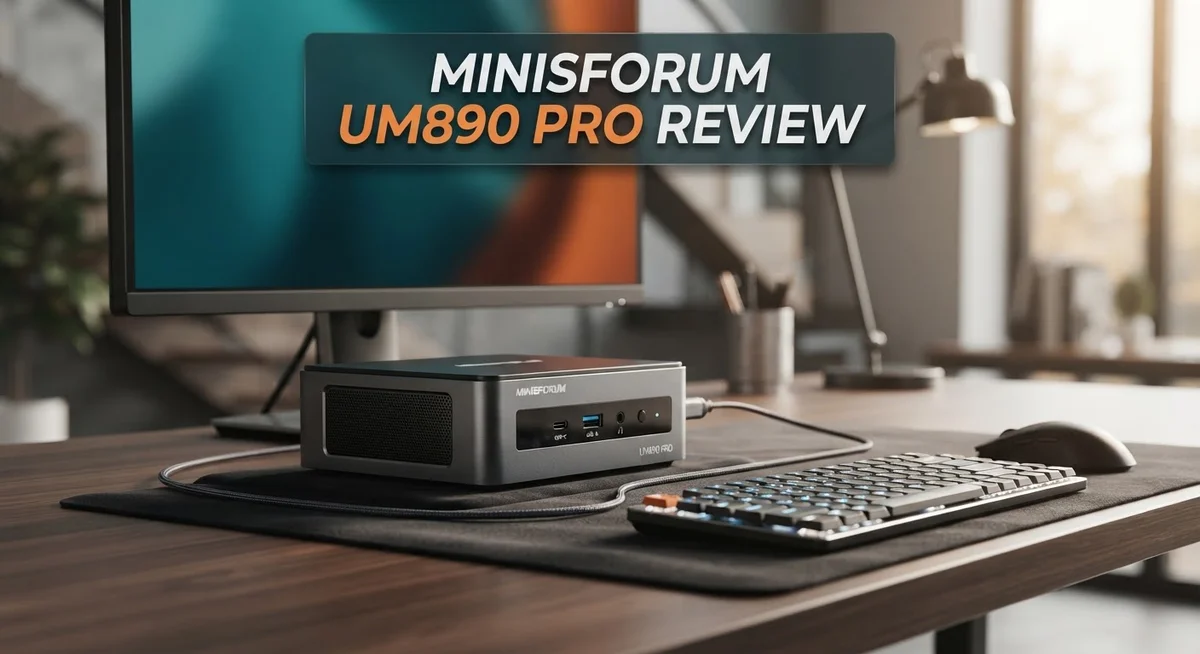
Minisforum UM890 Pro Review: Is It Worth Your Money?
Small PCs often force you to pick between power and silence. The Minisforum UM890 Pro refuses to make that trade off. It packs the AMD Ryzen 9 8945HS chip with Zen 4 architecture into a tiny frame. This mini PC still runs whisper quiet.
This machine targets creators, gamers, and even AI enthusiasts. It offers serious muscle for multitasking and heavy workloads. The integrated Radeon 780M GPU handles graphics with ease.
You get fast DDR5 memory and flexible storage options too. Connectivity is impressive, supporting quad 8K displays and OCuLink for external GPUs.
But does this little box hold up under pressure? We tested the UM890 Pro to see if its performance matches the hype. This review covers everything from benchmarks to build quality.
Let’s see if it earns a spot on your desk.
In a Nutshell
Here’s the quick lowdown on the UM890 Pro before you read the full breakdown:
- Powerful core: The Ryzen 9 8945HS chip and Radeon 780M graphics handle demanding tasks with ease.
- Quiet performer: The Cold Wave 2.2 cooling system keeps noise levels almost silent during use.
- AI ready: You can dedicate up to 16GB of RAM for running local LLMs smoothly.
- Flexible connections: It supports 8K quad displays and includes OCuLink for external GPU setups.
- Small footprint: The compact shell fits easily on any desk without taking up much space.
- Build concerns: The plastic case feels thin and the fan quality raises some long term durability questions.
Overall, this mini PC delivers strong desktop level performance in a tiny package. It stands out for AI tasks and multitasking. Just watch out for the port placement and casing if you want something sturdy for years ahead.
Processor and GPU Performance
The Ryzen 9 8945HS processor sits at the heart of the UM890 Pro. This chip uses AMD’s Zen 4 architecture, which means you get excellent single thread and multi thread performance. Real world tasks like video editing, 3D rendering, and code compilation run smoothly without lag.
The Radeon 780M integrated GPU handles graphics duties. You won’t need a dedicated graphics card for most work. Light gaming, creative software, and everyday tasks all run without stuttering. The GPU shares system RAM, so having fast DDR5 memory makes a real difference in performance.
We pushed the UM890 Pro through demanding workloads. Video encoding completed faster than expected for a machine this size. Photo editing in Lightroom felt responsive. The processor stayed cool thanks to the Cold Wave 2.2 cooling system, which keeps fan noise nearly silent even during heavy use.
One standout feature is AI capability. You can dedicate up to 16GB of RAM for running local language models. This means you can use tools like Ollama or LM Studio without relying on cloud services. Response times are quick enough for practical daily use.
The DDR5 memory runs at up to 5600 MHz, which boosts both CPU and GPU performance. Configuration options let you choose between 32GB, 64GB, or 96GB total RAM. More RAM helps when juggling multiple applications or working with large files.
Thermal performance stays consistent. The compact form factor means less airflow space, but the cooling system handles it well. We didn’t see thermal throttling during our tests, even when running sustained workloads for hours.
The GPU isn’t designed for serious gaming at high settings. You’ll see playable frame rates at medium settings in modern games, but don’t expect ultra quality performance. For creative professionals and content creators, the integrated graphics provide enough power for most tasks.
Overall, the processor and GPU combination punches above its weight for a small PC. Performance scales well with the DDR5 memory and flexible storage options. The machine delivers real computing power in a compact package.

- 【Powerful Ryzen 9 8945HS】MINISFORUM UM890 Pro is equipped with a new-generation AMD AI Ryzen 9 8945HS...
- 【Large Memory & Storage Support】UM890 Pro is equipped with DDR5 32GB RAM,a SODIMM slot, frequency of up to...
Last update on 2026-10-13 / Affiliate links / Images from Amazon Product Advertising API
Design and Build Quality
The UM890 Pro sits in a compact metal and plastic chassis. Its small footprint measures just a few inches across, making it ideal for tight desk spaces. The overall design feels modern with clean lines and a minimalist aesthetic.
The case construction raises some concerns. The plastic panels feel thin and somewhat flimsy during handling. You’ll notice the build quality doesn’t inspire confidence for long term use. The metal frame provides structural support, but the plastic elements compromise durability.
Thermal management gets special attention in this device. Minisforum equipped it with the Cold Wave 2.2 cooling system. This setup keeps the machine nearly silent even during heavy workloads. You won’t hear annoying fan noise interrupting your workflow.
Port placement deserves a closer look. The machine includes dual 2.5G LAN ports for networking. You get multiple display outputs including HDMI and DisplayPort 1.4. The OCuLink port sits positioned too close to the DisplayPort connector, which creates a practical problem. Cables can interfere with each other during connection.
The 8K quad display support shows ambition in a small package. This feature appeals to content creators and professionals. You can connect multiple monitors without external adapters.
Fan quality presents another concern. The cooling fans don’t match the premium components inside. Noise levels stay low, but the fan construction feels like a weak point. Replacement fans might become necessary after extended use.
The compact form factor does trade offs with build quality. The chassis prioritizes size over durability. Heavy users may experience issues after months of operation. The plastic components will likely wear faster than metal alternatives.
Despite these concerns, the design serves its purpose well. The UM890 Pro remains portable and desk friendly. The sleek appearance fits modern workspaces. The cooling system performs admirably for such a small device. However, buyers should accept that this machine won’t withstand years of heavy abuse. The build quality feels adequate for typical use, not exceptional craftsmanship.
Cooling and Thermal Management
The Cold Wave 2.2 cooling system is the star of thermal management on the UM890 Pro. This setup keeps the Ryzen 9 8945HS processor running cool even during sustained workloads. You’ll notice the device stays nearly silent during operation, which is impressive for a compact machine.
The cooling system uses a smart design that balances performance with noise control. Air flows efficiently through the small chassis without creating annoying fan sounds. Most users report that the device remains whisper quiet during everyday tasks and light workloads.
Heat dissipation remains consistent throughout extended use. The processor maintains stable temperatures even when you push it with demanding applications. The integrated Radeon 780M GPU also benefits from this thermal solution, staying within safe operating ranges without throttling.
However, fan quality presents a real concern here. The fans feel cheap and flimsy, which raises questions about long term reliability. If a fan fails, you may face costly repairs or replacement issues. This is one area where Minisforum cut corners to keep costs down.
The compact metal and plastic chassis affects thermal performance too. The thin plastic case doesn’t radiate heat as effectively as solid metal alternatives. This means the cooling system works harder to manage temperatures in such a tight space. The trade off between size and thermal efficiency is noticeable.
Port placement also impacts airflow slightly. The OCuLink port sits too close to the DisplayPort, which could restrict air circulation in that area. Better spacing would improve heat dissipation around the rear panel.
Despite these limitations, the thermal management system does its job well. You won’t experience overheating or performance drops during normal use. The device handles video editing, coding, and multitasking without thermal throttling.
The bottom line: The Cold Wave 2.2 system keeps your UM890 Pro cool and quiet. Just understand that fan durability may become an issue down the road. For short to medium term use, thermal performance is solid.
Top 3 Alternatives
ASUS PN50

- Unleash Pure Power: Featuring AMD Ryzen AI 300 Series Processors with 6 ultra-fast cores, designed for...
- Next-Level AI: Cutting-edge XDNA2 NPU with up to 50 TOPS—5x faster AI performance than before for...

Last update on 2026-10-07 / Affiliate links / Images from Amazon Product Advertising API
The ASUS PN50 offers a compact desktop solution for users wanting powerful performance in a small package. This mini PC features AMD Ryzen processors that handle everyday tasks and light creative work with ease.
You get flexible connectivity with multiple USB ports and display options. The fanless design keeps things quiet during normal operation. Storage expansion is straightforward, so you can add more space as needed.
The build quality feels solid, and the device runs cool without excessive noise. It works well for office setups, media centers, or as a secondary computer.
Intel NUC 12

- 【Powerful Performance & Built-in OS】 The Intel NUC 12, model NUC12WSHi5, also known as Wall Street Canyon...
- 【Superior Memory & Expandable Storage】 Intel NUC 12 Pro Wall Street Canyon comes with a whopping 16GB of...
Last update on 2026-10-07 / Affiliate links / Images from Amazon Product Advertising API
Intel’s NUC 12 brings 12th-generation processor power into a tiny form factor. This mini PC delivers strong single-core performance for everyday computing and multitasking.
The device supports up to 64GB of RAM, making it suitable for more demanding applications. You’ll find modern connectivity standards throughout. The compact size makes it easy to place on any desk or mount behind a monitor.
Installation of upgrades is simple and user-friendly. Performance remains consistent even during extended work sessions. The NUC 12 fits well in professional environments and creative workflows.
Beelink SER5

- 🔥【POWERFUL PERFORMANCE】Beelink SER5 equipped with AMD Ryzen 5 5500U (up to 4.0GHz), which adopts an...
- 🔥【Capacity Storage】Beelink Mini PC driven by the AMD 7nm Processor and 16GB DDR4 Memory(can upgrade to...
Last update on 2026-10-07 / Affiliate links / Images from Amazon Product Advertising API
The Beelink SER5 combines affordability with decent performance for budget-conscious buyers. This mini PC uses AMD Ryzen processors to handle general computing tasks smoothly.
The fanless operation means silent performance, which many users appreciate. You get standard ports for connecting peripherals and displays. Storage options are configurable based on your needs.
The compact design takes minimal desk space. It performs reliably for web browsing, document editing, and media consumption. The SER5 serves as an excellent entry-level mini PC for those new to compact computers.
Memory, Storage, and Expandability
The UM890 Pro ships with DDR5 memory that reaches speeds up to 5600 MHz. This fast memory makes a real difference when you run heavy applications or work with multiple programs at once. You can configure the system with various RAM amounts depending on your needs.
The maximum memory capacity reaches 96GB, which is impressive for a compact mini PC. This generous capacity opens doors for AI workloads and large language model tasks. You get dual channel support, so data moves quickly between the RAM and processor. The DDR5 standard also means better power efficiency compared to older DDR4 technology.
Storage options are fully configurable on the UM890 Pro. You choose the SSD capacity that matches your workflow. Whether you need 512GB for basic tasks or multiple terabytes for content creation, the system accommodates your requirements. The storage connects via standard interfaces, so future upgrades remain straightforward.
Expandability is where this mini PC shines. The OCuLink port provides external GPU connectivity for users who want serious graphics power. You can attach professional graphics cards for video editing, 3D rendering, or machine learning work. This feature transforms the UM890 Pro from a general purpose machine into a workstation when needed.
The dual 2.5G LAN ports deserve mention here too. These network connections enable fast data transfers between your UM890 Pro and network storage. If you work with large files regularly, having dual gigabit ethernet makes a tangible difference in speed.
RAM and storage upgrades are accessible to most users. The internal layout allows straightforward memory and SSD replacement without requiring advanced technical skills. This means you can start with a base configuration and expand later as your needs grow.
The combination of fast DDR5 memory, configurable storage, and expandable architecture makes the UM890 Pro flexible for various use cases. Content creators, developers, and AI enthusiasts all find value in these capabilities. The system grows with your demands rather than holding you back.
Connectivity and Display Support
The UM890 Pro delivers impressive connectivity options for a compact mini PC. You get 8K quad display support through multiple ports, which means you can run several monitors at once without any performance hiccups.
The device includes HDMI, DisplayPort 1.4, and USB4 connections. Each port handles high resolution output separately. This setup lets you connect up to four displays simultaneously. The USB4 port alone supports 40Gbps data transfer speeds, making it useful for external storage and video output combined.
One practical concern worth noting: the OCuLink port sits very close to the DisplayPort connection. This tight spacing can cause issues when plugging in bulky connectors. You might struggle to fit certain cables if you use both ports at the same time. Planning your cable layout ahead saves frustration later.
The dual 2.5G LAN ports stand out as a major connectivity advantage. Most mini PCs include just one gigabit port. Having two 2.5G connections means faster network speeds and redundancy if one port fails. You can also split your internet connection between two devices or combine them for increased bandwidth.
USB connectivity includes multiple Type A and Type C ports. The USB4 port functions as both a display output and a high speed data connection. This dual purpose design helps keep the chassis compact while maintaining full functionality.
Wireless connectivity features Wi Fi 6E and Bluetooth 5.3. These wireless standards provide solid range and speed for everyday use. The Wi Fi 6E standard reaches faster speeds than standard Wi Fi 6, useful if you have compatible routers.
The port arrangement reflects the device’s compact nature. Everything fits into a small footprint, but this creates some trade offs. The positioning of ports sometimes limits your cable options. Despite these space constraints, the UM890 Pro offers connectivity that rivals larger desktop computers.
For users needing multiple displays or fast networking, this mini PC delivers the goods. The combination of modern standards and multiple connection types makes it flexible for various setups.
Pros and Cons
Pros
- AMD Ryzen 9 8945HS delivers strong CPU and GPU performance for daily tasks and light gaming
- Cold Wave 2.2 cooling keeps the device nearly silent during operation
- Supports up to 16GB RAM sharing for running large language models smoothly
- Compact form factor fits easily into tight desk spaces or entertainment setups
- No reported hardware failures or reliability issues in real world use
Cons
- Plastic chassis feels flimsy and raises concerns about long term durability
- Fan quality is noticeably poor and may need replacement sooner than expected
- OCuLink port sits too close to the DisplayPort connection, making cable management awkward
- Build quality overall suggests the device is not made to last through years of heavy use
Who Should Buy It
The UM890 Pro works best for specific user groups who need its unique strengths.
Content creators and video editors should strongly consider this mini PC. The Ryzen 9 8945HS handles 4K video work smoothly. The 96GB RAM option means you can run demanding software without slowdowns. Fast DDR5 memory keeps rendering times reasonable.
Software developers and programmers benefit from the powerful CPU and quiet operation. You can run virtual machines, compile code, and test applications without distractions. The nearly silent cooling system makes long coding sessions more pleasant. Multiple USB ports support various development tools and peripherals.
AI enthusiasts and LLM users find real value here. The UM890 Pro supports up to 16GB RAM sharing for running large language models locally. This opens doors for experimenting with AI tools without cloud subscriptions.
Small office and remote workers appreciate the compact size and dual 2.5G LAN ports. You get desktop performance in a space smaller than a toaster. The quiet operation keeps meetings and calls clear. Multiple display support through HDMI, DisplayPort 1.4, and USB4 lets you build a productive multi monitor setup.
Home theater enthusiasts should note the 8K quad display capability. You can connect multiple screens for entertainment or information displays.
This mini PC is NOT ideal for casual users who want minimal setup. The flimsy plastic case and poor fan quality suggest you may need replacement parts down the line. If you value “set it and forget it” reliability, look elsewhere.
Budget conscious buyers should know that while the entry level barebone starts low, practical configurations with adequate RAM and storage climb higher. You get what you pay for with the performance, but build quality concerns exist.
Gamers seeking high frame rates might find the integrated Radeon 780M limiting for demanding titles. This GPU handles light gaming well, not competitive esports.
The UM890 Pro shines for power users who need quiet, compact performance and can tolerate its build quality quirks.
Final Verdict
The Minisforum UM890 Pro leaves a strong impression overall. It blends solid performance with a compact design that fits many setups.
Its Zen 4 architecture and integrated graphics handle demanding tasks without breaking a sweat. This makes it a capable choice for creative work, coding, and even light AI projects.
However, the build quality holds it back from true greatness. The plastic shell and fan concerns suggest this machine favors performance over long term toughness.
If you compare it to rivals like the Beelink GTR9 Pro or Geekom IT13 Max, the UM890 Pro holds its own in raw power. Still, those alternatives may offer sturdier housings for users who prioritize durability over peak performance.
The Lenovo ThinkCentre Neo Ultra and Asus ExpertCenter PN65 target business users who want polish and reliability. The UM890 Pro instead leans into performance per watt, making it a tool for people who need muscle, not just looks.
Think of this mini PC as a workhorse rather than a showpiece. It gets the job done quietly and efficiently, even if the chassis feels less premium than some competitors.
Buyers who value raw performance will likely forgive its cosmetic flaws. Those who want a device that feels built like a tank might want to look elsewhere.
In short, the UM890 Pro rewards users who care about what is inside the box more than what the box is made of. It proves that strong internals can outweigh a few external shortcomings.
For anyone ready to prioritize speed, quiet operation, and flexibility, this mini PC earns a confident recommendation. Just be mindful of how you handle it daily, since the case will not forgive rough treatment.
Overall, the UM890 Pro stands as a smart pick for performance driven users who can look past its build quirks.
Frequently Asked Questions
Can the UM890 Pro handle 4K video editing without lag?
Yes, it handles 4K editing smoothly. The Ryzen 9 8945HS processor and Radeon 780M GPU work together to process video files quickly. You’ll get real time playback on most editing software. For 8K projects, you may need to lower preview quality slightly, but the hardware won’t slow you down during actual rendering.
How much RAM do I really need for this mini PC?
It depends on your work. For general use and light coding, 16GB works fine. Content creators and video editors should aim for 32GB or more. The standout feature here is that you can dedicate up to 16GB specifically for running large language models. This split memory approach lets you work smoothly while AI tools run in the background.
Is the cooling system actually quiet during heavy tasks?
The Cold Wave 2.2 system keeps noise levels impressively low. Users report nearly silent operation even when the CPU is working hard. The weak point is the fan quality itself. Many owners eventually replace the stock fan with a better unit. The design is solid, but the components need an upgrade for long term use.
Will the plastic case survive daily use?
The chassis feels flimsy and raises durability concerns. It’s not fragile, but it won’t feel premium. Think of it as functional but temporary. If you move this mini PC frequently or want something that lasts years without issues, the plastic construction is a real drawback. The internal components are solid, but the outer shell suggests this device isn’t built for abuse.
What display setup works best with the UM890 Pro?
You get 8K quad display support through HDMI, DisplayPort 1.4, and USB4. This means you can connect up to four monitors simultaneously. The catch is that the OCuLink port sits too close to the DisplayPort, making cable management awkward. For most setups, use two high resolution displays or one 8K monitor. This flexibility works great for multitasking workflows.

DK is a technology expert who specializes in AI tools, software, and tech gadgets. He writes for How to Tech Info, providing detailed reviews and practical guides. DK helps readers discover the best AI applications, navigate new software, and choose the right tech gadgets.