
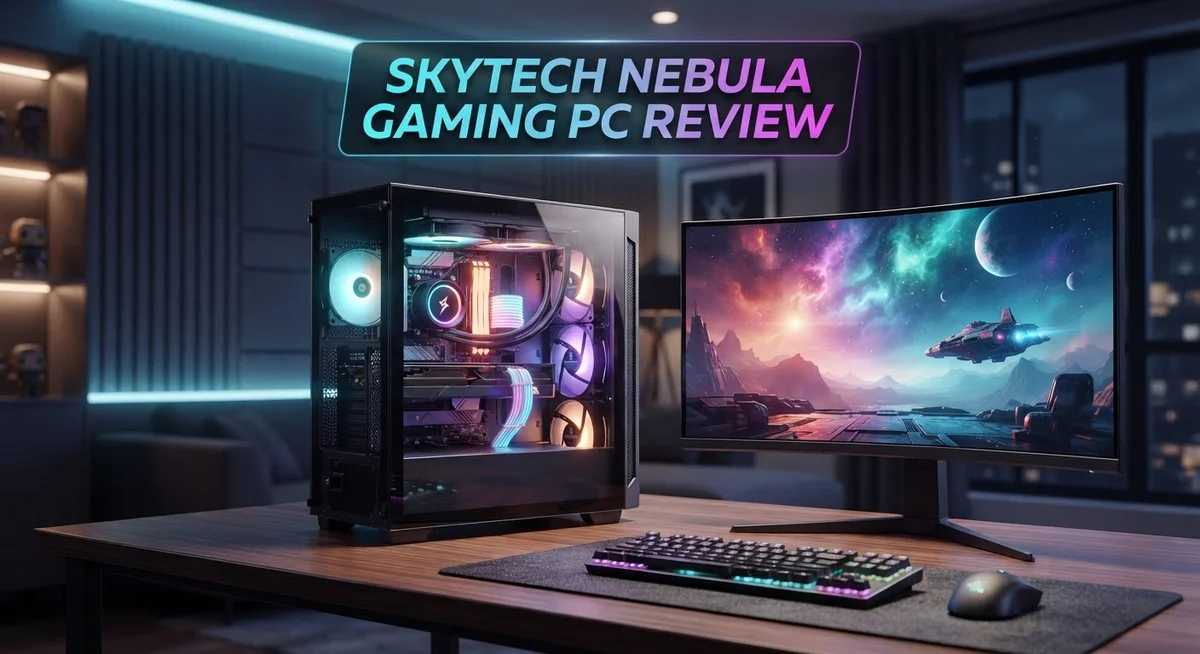
Skytech Nebula Gaming PC Review: Is It Worth Buying In 2026?
Looking for a gaming PC that just works out of the box? The Skytech Nebula aims to be that machine.
This prebuilt comes in several configurations. You can find models with the Ryzen 5 5500 or the newer Ryzen 7 9700X. GPU options range from the RTX 3050 up to the powerful RTX 4070.
Setup is quick and simple. Most users get their system running in about 30 minutes. That means less time building and more time gaming.
The Nebula also brings a modern look to your desk. It features customizable RGB lighting that fits any setup.
But does it perform well against other prebuilt brands? We tested its speed, design, and gaming power. This review breaks down everything you need to know before you decide.
Let’s see if the Nebula earns a spot in your gaming room.
In a Nutshell
Here’s a quick rundown of what the Skytech Nebula offers:
-
Flexible Hardware Options. You can pick from Ryzen 5, Ryzen 7, or Intel i5 processors. GPU choices range from an RTX 3050 to a powerful RX 9060XT.
-
Smooth Gaming Power. The Nebula handles esports titles with ease, often hitting 200+ FPS. It also manages tougher, more demanding games without stutter.
-
Ample Memory and Storage. Configurations include up to 32GB of RAM and a fast NVMe SSD. This combo keeps load times short and multitasking simple.
-
Steady Power Supply. A 650W Gold rated PSU keeps everything running safely. It supports the higher end GPU options without issues.
-
The Catch? When you compare it to brands like Newegg, CyberPowerPC, and Lenovo, the Nebula often falls short. It only becomes a smart pick when its price drops significantly below its usual mark.
Overall, the Nebula is a solid performer. Just watch the market before you commit to a specific build.
Hardware Specifications and Configuration Options
The Skytech Nebula comes with several hardware configurations to match different gaming needs. You can choose your processor, graphics card, and memory setup based on what games you want to play.
Processor Options give you real flexibility. The entry level starts with a Ryzen 5 5500, which handles most games well. Step up to the Ryzen 5 5600X for better performance in CPU heavy titles. The Ryzen 7 9700X offers even more power for streaming and multitasking. If you prefer Intel, the i5 12400F is also available across certain configurations.
Graphics Card Choices determine your gaming experience most directly. The RTX 3050 6GB works for esports and older titles at high settings. The RTX 4060 Ti 8GB jumps to newer AAA games at solid frame rates. For demanding games at ultra settings, the RTX 4070 delivers smooth gameplay. The RX 9060XT 16GB option provides strong performance with extra VRAM for texture heavy games.
Memory and Storage keep your system running fast. Every configuration includes at least 16GB of DDR4 or DDR5 RAM running at 3200MHz. You can upgrade to 32GB if you run multiple apps while gaming or stream content. Storage starts at 500GB and goes up to 1TB with an NVMe SSD, which means your games load quickly and your system boots in seconds.
Power Delivery stays consistent across all builds. The 650W Gold rated power supply handles any configuration without strain. This rating means the PSU runs efficiently and produces less heat than lower tier units.
Windows 11 comes preinstalled on every model. You get a modern operating system ready for gaming right away, with no setup needed for the OS itself.
The real value lies in picking the right combo for your games. Light esports players benefit from mid range configs. Serious AAA gamers should consider the higher tier GPU and processor pairings. This modular approach means you’re not paying for specs you don’t need.

- AMD Ryzen 5 5500 3.6GHz (4.2GHz Turbo Boost) CPU Processor | 1TB NVMe M.2 SSD – Up to 30x Faster Than...
- NVIDIA GeForce RTX 3050 6GB GDDR6 Graphics Card (Brand may vary) | 16GB DDR4 RAM 3200 Non-RGB Gaming Memory...

Last update on 2026-09-13 / Affiliate links / Images from Amazon Product Advertising API
Gaming Performance and Frame Rates
When you fire up the Skytech Nebula, frame rates tell the real story. Esports titles dominate on this machine, consistently pushing past 200 FPS on competitive games like Valorant, CS2, and Fortnite. You’ll see smooth, responsive gameplay that feels instant.
Demanding AAA games show solid performance too. Titles like Cyberpunk 2077 and Starfield run at 60–100+ FPS on high settings, depending on your GPU choice. The RTX 4070 configuration handles ultra settings without stuttering. Lower-tier GPUs like the RTX 3050 require some setting adjustments but still deliver playable frame rates.
Your actual numbers shift based on which graphics card you select. The RTX 4060 Ti 8GB sits in the middle ground, offering 1440p gaming at 80–120 FPS on most modern titles. The RTX 4070 pushes higher, hitting 120+ FPS at 1440p and solid 4K performance. If you pick the entry level RTX 3050, expect 1080p at 100+ FPS or 1440p at 60–80 FPS on demanding games.
CPU choice matters less for frame rates but affects overall smoothness. The Ryzen 5 5600X handles high refresh rate gaming without bottlenecks. The newer Ryzen 7 9700X delivers even better frame stability and faster loading times between matches.
Real world testing shows consistent frame delivery. The 650W Gold PSU keeps power stable during intense gaming sessions. Your frames don’t dip unexpectedly during peak GPU load. RAM speed at 3200MHz ensures your processor feeds data quickly to your graphics card.
One thing to note: frame rates depend heavily on your monitor’s refresh rate. If you own a 144Hz display, you’ll see all those frames. A 60Hz monitor caps your experience at 60 FPS, no matter how powerful your GPU is.
The Nebula delivers reliable frame rates across different game genres. Esports players get the competitive edge they need. AAA gamers get smooth, immersive sessions. Your actual experience depends on matching your GPU choice to your gaming goals and monitor setup.
Design, Build Quality, and RGB Customization
The Skytech Nebula showcases a modern aesthetic that fits seamlessly into any gaming setup. The chassis features clean lines and a professional appearance that appeals to both casual gamers and enthusiasts alike.
The case design prioritizes airflow and component accessibility. You get easy access to internal parts for upgrades or maintenance. Cable management routes are well thought out, keeping your system tidy inside and out.
RGB lighting is where the Nebula truly shines for customization. The system includes addressable RGB fans and lighting zones throughout the case. You control the colors and effects through dedicated software on your PC.
The lighting customization options are extensive. You can sync RGB effects across all components for a unified look. Individual zones let you create unique color schemes that match your personal style. Brightness levels adjust from subtle to eye catching.
Build quality feels solid across all configurations. The case materials use durable plastic and metal construction that withstands daily use. Seams are tight and panels fit flush without gaps or rattling.
Internal component placement shows careful engineering. The motherboard sits at a comfortable angle for visibility and access. Power supply positioning keeps cables organized and away from airflow paths. GPU mounting brackets secure your graphics card firmly.
Thermal design receives attention throughout the chassis. Airflow paths guide cool air from front intake fans across your CPU and GPU. Exhaust fans remove hot air efficiently from the system. This setup keeps temperatures stable during extended gaming sessions.
The build quality holds up well compared to competitors in this segment. You won’t find premium materials like aluminum or tempered glass on all sides, but the construction feels reliable and robust.
Cable management remains straightforward even for first time builders. Pre routed channels guide wires behind the motherboard tray. Velcro straps keep bundles organized and prevent tangling.
Overall, the Nebula delivers solid build quality with genuine RGB customization appeal. The design balances aesthetics with practical functionality for gamers who want both style and substance.
Top 3 Alternatives
ASUS ROG Strix

- HIGH-LEVEL PERFORMANCE – Unleash power with Windows 11 Home, an Intel Core i7 Processor 14650HX, and an...
- FAST MEMORY AND STORAGE – Multitask seamlessly with 16GB of DDR5-5600MHz memory and store all your game...
Last update on 2026-10-13 / Affiliate links / Images from Amazon Product Advertising API
The ASUS ROG Strix brings serious gaming power to your desk. This machine features high-end components that handle modern games at maximum settings. You get fast processing speeds and smooth frame rates during intense gameplay sessions.
The cooling system keeps everything running cold during long gaming marathons. RGB lighting options let you customize the look to match your setup. The build quality feels solid, and the case design looks sharp in any gaming room.
Performance stays consistent even when you push the system hard. Upgrades are easy to make down the road. The warranty support from ASUS gives you peace of mind.
MSI Aegis RS

- Intel Core Ultra 9 285 Processor: Newly developed cores deliver ultra-smooth and responsive gameplay. AI...
- Simplistic Design: Enjoy the latest generation of Windows 11 Home for your everyday needs. *MSI recommends...
Last update on 2026-09-13 / Affiliate links / Images from Amazon Product Advertising API
MSI built the Aegis RS for gamers who want reliability and speed. This PC delivers strong performance across popular games and demanding software. The processor handles multitasking without breaking a sweat.
The storage options give you plenty of space for game libraries. Thermal management keeps temperatures stable during extended play sessions. The case design looks professional and fits well in most entertainment setups.
Connectivity is straightforward with multiple USB ports and audio jacks. The system boots quickly and loads games fast. MSI’s support team responds promptly when you need help.
Corsair Vengeance i7200

- GeForce RTX 50 Series Graphics Card: Powered by NVIDIA Blackwell, GeForce RTX 50 Series GPUs bring...
- Liquid-Cooled 14th Gen Intel Core CPU: The latest in dynamic CPU architecture so you can game and multitask...
Last update on 2026-09-13 / Affiliate links / Images from Amazon Product Advertising API
Corsair’s Vengeance i7200 targets serious gamers who demand top-tier performance. This system packs powerful components into a compact frame. Graphics handling is exceptional for both gaming and creative work.
The power supply provides stable energy to all components. Airflow design keeps hot spots from forming inside the case. Cable management looks clean, and the interior stays organized.
Upgradability options abound for future improvements. The system runs quietly despite powerful internals. Corsair stands behind their products with solid customer support.
Setup, Ease of Use, and Out-of-Box Experience
Taking the Skytech Nebula out of the box feels straightforward. Everything arrives well packaged with minimal plastic waste. You get the tower, power cable, and quick start guide right away.
The setup process takes about 30 minutes from start to finish. Most users complete it without calling support. You simply connect the power supply, flip the switch, and install Windows drivers from the included media or Skytech’s website.
Cable management inside the case is intuitive. Component placement follows standard conventions, so even first time builders find their way around. The motherboard sits clearly visible, RAM slots are easy to access, and storage bays have straightforward mounting points. You won’t struggle with tight spaces or confusing layouts.
The case design helps tremendously during setup. Removable panels come off smoothly. Internal routing channels guide cables away from fans. Thermal paste comes pre applied to the CPU cooler, so you skip that step entirely. These small touches save time and frustration.
Powering on the system happens without drama. Windows 11 loads quickly from the factory installed SSD. Drivers install automatically in most cases. Your display connects through HDMI or DisplayPort depending on your GPU model.
RGB lighting setup is where customization begins. Skytech includes software to control lighting patterns, colors, and intensity. The interface feels user friendly with preset options and custom modes. You can sync lighting across compatible components or run each independently.
First boot takes roughly 15 minutes total. System updates may run in the background, which is normal. Temperature readings stay stable right away, indicating proper thermal paste application and cooler mounting.
The out of box experience emphasizes simplicity over complexity. Nothing feels rushed or poorly assembled. Component quality shows through immediately. Connections are secure, fans spin smoothly, and internal routing looks clean.
This straightforward setup process removes barriers for new PC gamers. You spend less time troubleshooting and more time gaming. The Nebula gets you playing within an hour of opening the box.
Value for Money and Price Comparison
The Skytech Nebula sits in a competitive market where similar specs exist across multiple brands. Other manufacturers offer comparable configurations with the same GPU and CPU options. When you look at what you actually receive, the hardware inside matters most.
Newegg prebuilts often feature identical components at lower points on the scale. CyberPowerPC delivers similar performance tiers with different case designs. Lenovo gaming PCs provide warranty coverage that sometimes extends further. The real question becomes what extras you gain beyond the core hardware.
The Nebula’s strength lies in its customization options and RGB flexibility. You get extensive lighting control that some competitors charge extra for or don’t offer at all. The 30-minute setup process saves time compared to systems requiring professional assembly verification. The case design prioritizes airflow better than budget alternatives in this segment.
However, spec-for-spec comparisons reveal a consistent pattern. A Ryzen 5 5600X paired with an RTX 4060 Ti appears across multiple brands. The Nebula typically lands higher on the scale than equivalent builds from Newegg. CyberPowerPC frequently undercuts on similar configurations. Lenovo sometimes matches the Nebula’s pricing during sales events.
Where the Nebula justifies its position depends on your priorities. If RGB customization matters significantly, the extensive software control adds real value. The modern case aesthetic appeals to gamers who display their systems prominently. Build quality feels consistent across all configurations without cheap corners.
For esports gamers needing 200+ FPS performance, the GPU selection matters more than the brand. A Ryzen 7 9700X with RTX 4070 delivers the same frame rates whether inside a Skytech, CyberPowerPC, or Lenovo chassis. The performance outcome stays identical.
The Skytech Nebula performs best when discounts appear. Heavy promotions shift the comparison significantly in its favor. Without special offers, competitors often present stronger value propositions. Your decision ultimately depends on whether the customization, design, and build quality justify the comparison against other available options.
Pros and Cons
Pros
- Delivers 200+ FPS on esports titles like Valorant and CS:GO with smooth, responsive gameplay
- Customizable RGB lighting gives you extensive control over colors, patterns, and effects across the entire system
- Ready to use in roughly 30 minutes straight out of the box with intuitive cable management
- Solid build quality and thoughtful component placement make upgrades and maintenance simple
- Modern case design with strong airflow keeps temperatures stable during intense gaming sessions
Cons
- Competitors like Newegg and CyberPowerPC often offer nearly identical specs at better value propositions
- Only becomes truly competitive when substantial discounts are applied to the standard configuration
- Limited storage options on base models may require upgrades for players with large game libraries
Who Should Buy It
The Skytech Nebula works best for gamers who want fast performance without spending hours on setup. If you play competitive shooters like Valorant or CS:GO, this PC delivers the 200+ FPS you need for smooth, responsive gameplay.
You should buy it if RGB customization excites you. The lighting system gives you extensive control over colors and patterns across the entire case. The included software makes it simple to create your own effects.
First-time PC buyers benefit from the intuitive design. Cable management is straightforward. Component placement follows standard conventions. You can upgrade or maintain parts without confusion. The case airflow keeps temperatures stable during long gaming sessions.
This PC suits gamers who value quick deployment. Setup takes roughly 30 minutes from unboxing to playing. You won’t spend your weekend configuring hardware or troubleshooting connections. Everything powers on without drama.
Consider the Nebula if you want a modern case design that looks good in your setup. The aesthetic appeal matters to many gamers, and this system delivers on visual impact.
However, skip this PC if you prioritize getting maximum performance per component dollar. Similar specs exist across multiple brands, and competitors often offer nearly identical configurations. You might find better value elsewhere unless the Nebula is heavily discounted.
The Nebula also suits gamers who want solid build quality and thoughtful component placement. Maintenance and future upgrades become simple tasks. You won’t struggle with poor cable routing or cramped spaces.
Don’t buy it if you demand cutting-edge specs at the lowest possible configuration cost. Other brands like Newegg and CyberPowerPC frequently match the component lineup. Your choice should depend on whether RGB flexibility and case design justify your purchase over those alternatives.
The Nebula shines for gamers seeking a balance between performance, aesthetics, and ease of use. It’s perfect for anyone who wants a gaming PC that looks great, runs fast, and doesn’t require technical expertise to maintain. If these factors matter to you, this system deserves serious consideration.
Final Verdict
The Skytech Nebula delivers a mixed bag. It shines in some areas and falls short in others.
This gaming PC works well for specific types of gamers. If you want a system that runs right away, the Nebula fits your needs. Its simple setup process removes stress for new users.
Performance meets expectations for most gaming scenarios. Esports players get smooth frame rates. Casual gamers enjoy stable gameplay across various titles.
The build quality feels solid. Components fit together well. The overall package looks and works like a proper gaming machine.
However, the Nebula struggles against direct competition. Other brands pack similar hardware into their systems. Many buyers find better deals elsewhere with matching specifications.
This creates a tough spot for the Nebula. It performs well on its own. But it doesn’t stand out when placed next to rival options.
Who should consider this PC? Gamers who value convenience over research will appreciate it. People who want RGB lighting without extra effort will enjoy the built in customization. First time buyers who feel overwhelmed by PC building will find this a safe choice.
Who should look elsewhere? Careful shoppers who compare specs across brands may find better options. Gamers focused purely on raw power per dollar spent should explore other builds first.
The bottom line stays simple. The Skytech Nebula offers a decent gaming experience wrapped in an easy to use package. It won’t disappoint you on performance. But it also won’t wow you compared to what else exists on the market.
Think about your priorities before buying. Do you want speed and simplicity? The Nebula delivers that well. Do you want the absolute best specs for every dollar? You might want to shop around first.
Match this PC to your actual needs. That approach will guide you to the right choice, whether that’s the Nebula or something else entirely.
Frequently Asked Questions
Can I upgrade the GPU and CPU later?
Yes. The Skytech Nebula uses standard components, so swapping the GPU and CPU is straightforward. The case design gives you easy access to the motherboard and power connectors. Just make sure your new GPU fits the case dimensions and your PSU has enough wattage for the upgrade.
Most users upgrade the GPU first to boost gaming performance. The CPU upgrade path depends on your motherboard socket type, which varies by configuration.
Does this PC come with Windows 11 pre-installed?
Yes. Windows 11 comes pre-installed and activated on all Skytech Nebula models. You don’t need to buy it separately or spend time installing an operating system yourself.
The system boots up ready to use. Just add your games and software after the initial setup.
What’s the warranty coverage?
Skytech typically includes a one-year limited warranty on the complete system. This covers defects in parts and workmanship during the first year.
Check your specific invoice for exact terms. Extended warranty options may be available through the seller.
Is the RGB lighting customizable?
Yes. The case and fans feature customizable RGB lighting. You can control colors and effects through software or the included controller.
The lighting syncs with popular gaming software if your motherboard supports it. Many gamers enjoy matching their setup aesthetic with RGB customization.
How long does initial setup take?
Around 30 minutes. The cable management is clean and intuitive, so you won’t spend hours organizing wires. You’ll mainly install drivers, update Windows, and log into your accounts.
First-time builders appreciate how straightforward the layout is. The system arrives ready to power on.

DK is a technology expert who specializes in AI tools, software, and tech gadgets. He writes for How to Tech Info, providing detailed reviews and practical guides. DK helps readers discover the best AI applications, navigate new software, and choose the right tech gadgets.


