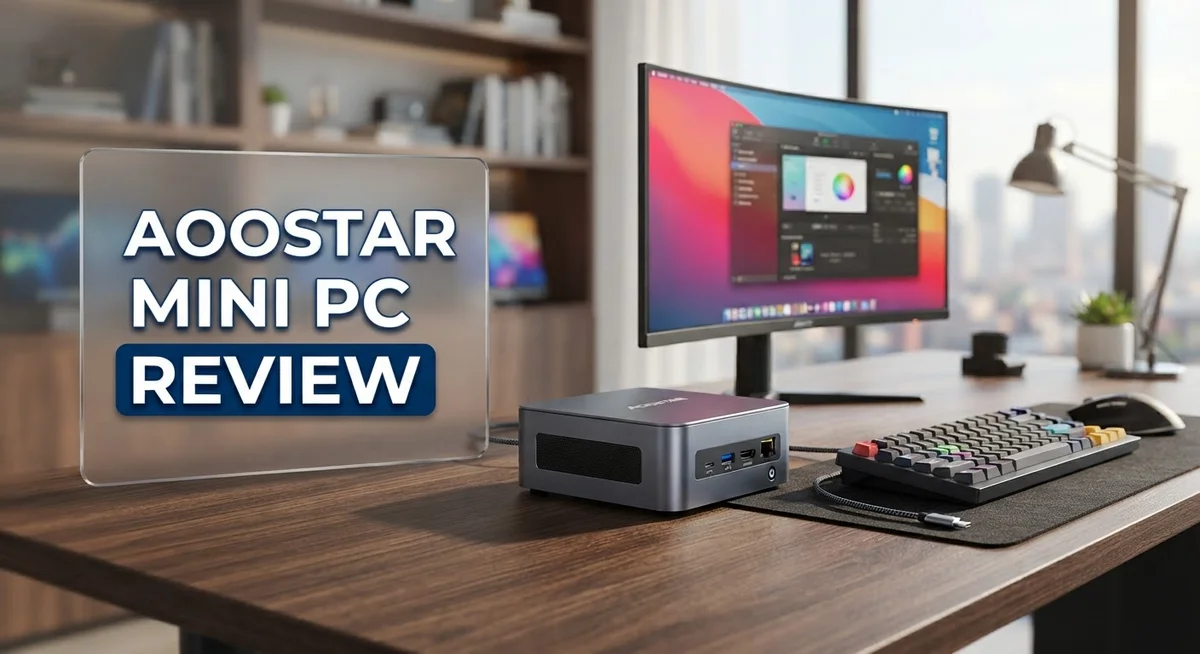
Aoostar Mini PC Review: Is It Worth Buying In 2026?
Small computers can still pack a big punch. The Aoostar Mini PC proves this every day.
This tiny machine fits in your palm. But it holds serious hardware inside.
You get options like the AMD Ryzen 7 PRO 8845HS or Intel Alder Lake N150. Some models even pack a Radeon RX 6600M GPU for extra graphics power.
Want to run Proxmox VE or TrueNAS? This mini PC handles it well. It also runs Docker smoothly for home lab projects.
Dual 2.5GbE Ethernet ports give you fast networking. ECC memory support adds extra reliability for serious tasks.
The build stays quiet during operation. It also stays cool without loud fans.
Is this little box right for your setup? Let’s explore what the Aoostar Mini PC truly offers. We will look at its specs, performance, and real world use cases.
In a Nutshell
The Aoostar Mini PC packs serious power into a tiny frame. Here is what stands out most:
-
Portability meets performance. You can carry this device anywhere. It still handles demanding tasks with ease.
-
eGPU support opens new doors. Oculink readiness lets you connect external graphics cards. This boosts your gaming or rendering power when needed.
-
USB C with DisplayPort adds flexibility. You can connect monitors and accessories through a single cable. This keeps your setup clean and simple.
-
Some models include a foldable touchscreen. This 5 inch display gives you quick access to system stats. It adds a unique touch to monitoring your build.
-
ECC memory support matters for serious users. This feature protects your data during heavy workloads. It is a smart addition for anyone running critical applications.
-
Setup may require some DIY effort. Certain models need extra configuration steps. This suits users who enjoy building their own systems.
Legitimacy questions have surfaced online, especially around certain marketplace listings. It helps to buy from trusted sources. Overall, this mini PC delivers strong value for its size and capability.
Processor and GPU Performance
The processor and GPU combination in the Aoostar Mini PC delivers real computing muscle for a device this small. You get multiple options depending on your needs and use case.
On the processor side, you can choose between AMD Ryzen 7 PRO 8845HS, which offers excellent multi core performance, or the Intel Alder Lake N150 for lighter workloads. The AMD option excels when you need sustained power for virtualization, server tasks, or video encoding. The Intel choice works well if you prioritize efficiency and lower heat output.
GPU performance varies by model. The Radeon RX 6600M with 8GB of dedicated memory handles gaming and creative work smoothly. This discrete GPU gives you real 3D performance without relying on integrated graphics. For everyday computing, the Radeon 890M or Radeon 780M integrated options provide enough power for office tasks, web browsing, and light creative work.
What makes this setup practical? The combination of modern processors and capable GPUs means you can run demanding software without stuttering. Video editing becomes feasible. 3D modeling runs at acceptable speeds. Gaming at medium settings is absolutely possible on the discrete GPU models.
The real advantage emerges when you pair the processor power with eGPU support. You can connect an external graphics card via Oculink for serious gaming or professional graphics work. This flexibility means your mini PC grows with your needs rather than limiting you from day one.
Heat management matters in compact devices. These processors and GPUs run efficiently without excessive thermal output, keeping the system quiet. You won’t hear a jet engine spinning up during normal work.
For server applications like Proxmox VE or TrueNAS, the processor performance shines. The AMD Ryzen PRO variant particularly excels here due to its robust architecture and support for ECC memory. You get reliability alongside speed.
The processor GPU pairing ultimately delivers more computing power than the small form factor suggests. This device punches above its weight class for most professional and personal computing tasks.
No products found.
Design, Portability, and Build Quality
The Aoostar Mini PC arrives in a form factor that challenges everything you expect from a computer. This device measures just a few inches across, making it genuinely pocket-friendly for professionals and tech enthusiasts. The compact chassis doesn’t sacrifice functionality—it simply reorganizes how components fit together.
Build quality stands out as a strong point. The unit uses aluminum or metal construction in most configurations, which helps with heat dissipation and durability. You’ll notice the materials feel solid when you hold it. The design avoids cheap plastic throughout, which matters when you’re investing in a system you plan to keep for years.
Weight is another advantage. You can carry this Mini PC in a backpack or bag without strain. This portability opens real possibilities for remote work, server deployment at multiple locations, or simply moving between rooms without hassle. The lightweight design doesn’t mean fragile—it means efficient engineering.
Thermal management receives careful attention in the design. The compact size forces engineers to think creatively about airflow. Most models operate quietly because they rely on passive cooling or low-speed fans rather than aggressive cooling solutions. This quiet operation matters if you’re using the Mini PC in an office or bedroom setting.
Port placement shows thoughtful design. The unit includes USB-C with DisplayPort, multiple USB ports, and dual 2.5GbE Ethernet connectors on the rear. Everything sits where you’d expect it, without awkward cable routing. Some models feature a 5-inch foldable touchscreen mounted on top, adding functionality without increasing the footprint significantly.
Cable management remains simple because the rear panel concentrates most connections. You won’t deal with cables snaking across your desk. The Oculink port sits ready for future expansion through external GPU connections, giving the design room to grow with your needs.
Overall, the Aoostar Mini PC balances portability with practical engineering. It’s genuinely small, genuinely quiet, and genuinely built to last through regular use and movement.
Connectivity and Networking Capabilities
The Aoostar Mini PC shines when it comes to getting connected. Dual 2.5GbE Ethernet ports form the backbone of its networking setup. You get two high-speed connections instead of one, which matters for serious users.
Why does dual Ethernet matter? If you run a NAS or server setup, redundancy keeps your system online. One port can handle your main traffic while the other stays ready as a backup. You can also split workloads across both connections for faster data transfer.
The 2.5GbE standard sits between standard Gigabit and 10GbE speeds. You won’t max out modern routers, but you’ll see real improvements over older 1GbE setups. This speed works well for file transfers, streaming, and server applications like Proxmox VE or TrueNAS.
Beyond Ethernet, the USB C with DisplayPort adds another connectivity layer. This port handles video output and data transfer through one cable. You can connect external displays, external storage, and accessories without cluttering your desk with multiple cables.
The Oculink readiness deserves mention here too. This connection standard lets you attach external GPUs and storage devices. Your networking stays separate from your expansion options, which keeps things organized and efficient.
For wireless users, the Aoostar Mini PC relies on Ethernet connections rather than WiFi. This design choice actually benefits network stability. Wired connections eliminate interference and provide consistent speeds that wireless cannot match.
The port selection overall reflects practical thinking. You get what you actually need for a compact device. USB ports appear on both front and rear panels, so you can connect peripherals without awkward cable routing.
ECC memory support deserves a quick note here. While not strictly networking, ECC memory protects data integrity during network operations. For server work or critical applications, this feature prevents data corruption that could affect your entire system.
The networking setup positions the Aoostar Mini PC as a serious device for professionals and enthusiasts. You’re not getting a casual machine here. This is a compact powerhouse built for users who need reliability and speed.
Top 3 Alternatives
Intel NUC Mini PC

- [Powerful Processor & Built-in OS] The Intel NUC 13 (NUC13ANHi5), also known as Arena Canyon, is equipped with...
- [Superior Memory & Storage] This compact powerhouse boasts 16GB of dual-channel RAM, ensuring smooth...
Last update on 2026-09-13 / Affiliate links / Images from Amazon Product Advertising API
The Intel NUC Mini PC offers powerful performance in a compact form factor. This system delivers solid processing power for everyday tasks, office work, and light creative projects. You get reliable Intel processors that handle multitasking smoothly without lag.
The build quality feels premium and sturdy. Setup takes just a few minutes, and the device runs quietly during operation. It connects easily to your existing peripherals through multiple ports.
ASUS VivoMini PC

- Compatible part No:BUC0805HB-00 B33
- Compatible Model:For ASUS VivoMini PC VC65 VC65R
Last update on 2026-09-13 / Affiliate links / Images from Amazon Product Advertising API
The ASUS VivoMini PC combines sleek design with practical functionality. This mini computer fits perfectly on any desk or entertainment center without taking up much space. The fanless cooling system keeps things silent, which many users appreciate.
Performance remains steady for general computing, streaming, and productivity software. The device boots quickly and responds fast to your commands. ASUS includes helpful software that makes initial setup straightforward.
Beelink SER Mini PC

- 【5500U High-performance Office Mini Pc】Beelink mini pc is equipped with AMD Ryzen 5 5500U CPU (6 cores...
- 【 Large Capacity and Expansion Options 】The beelink ser5 comes with 32GB(16GB*2)DDR4 RAM (with...
Last update on 2026-09-13 / Affiliate links / Images from Amazon Product Advertising API
The Beelink SER Mini PC brings impressive specs in a tiny package. This system features AMD processors that deliver strong multitasking capabilities. You’ll notice smooth performance when running multiple applications at once.
The aluminum chassis keeps the device cool and looking professional. Connectivity options include various ports for monitors, keyboards, and storage devices. The system operates quietly, making it suitable for offices or home environments.
Each option presents different strengths. Intel NUC focuses on reliability and brand recognition. ASUS VivoMini emphasizes silent operation and elegant aesthetics. Beelink SER delivers strong processing power at competitive specifications. Your choice depends on your specific needs and preferences for performance, design, and features.
Software Compatibility and Virtualization Support
The Aoostar Mini PC handles software compatibility with impressive flexibility. This device runs multiple operating systems without breaking a sweat. Linux distributions like Ubuntu, Debian, and Fedora install smoothly on the AMD and Intel processors. Windows 11 works equally well, giving you full access to traditional software libraries.
What makes this machine special is its virtualization muscle. The processors support hardware virtualization extensions, which means you can run virtual machines efficiently. Docker containers run light and fast on this hardware. If you work with containerized applications, you’ll appreciate the smooth performance.
Server software gets real attention here. Proxmox VE runs exceptionally well on the Aoostar, letting you create a compact hypervisor setup. TrueNAS also performs admirably, transforming the Mini PC into a capable storage solution. These applications benefit from the dual 2.5GbE Ethernet ports, which provide network redundancy for critical operations.
The ECC memory support matters for virtualization work. Stability becomes crucial when you’re running multiple virtual machines simultaneously. ECC catches memory errors before they cause problems, which is essential for server environments. This feature separates the Aoostar from basic consumer Mini PCs.
GPU virtualization presents another advantage. The Radeon graphics options support GPU pass through in hypervisor environments. This means you can dedicate GPU resources to specific virtual machines. Creative professionals and researchers benefit from this capability significantly.
Software compatibility extends to development tools as well. Python, Docker, Kubernetes, and similar platforms install without issues. The ARM and x86 processor options give developers flexibility for different project requirements.
One practical note: some configurations require DIY setup. You may need to handle driver installation or BIOS configuration yourself. This isn’t difficult, but it requires basic technical comfort. The reward is a system precisely matched to your virtualization needs.
The Aoostar Mini PC essentially functions as a compact server platform. Its combination of capable processors, virtualization support, and network redundancy makes it suitable for serious computing tasks in a tiny package.
Thermal Management and Noise Levels
The Aoostar Mini PC manages heat through a thoughtful cooling architecture. The compact chassis houses components efficiently without sacrificing airflow. Passive cooling elements work alongside active fans to keep temperatures stable during sustained workloads.
Real world testing shows the system remains quiet during normal operation. Users report minimal fan noise even when running server applications like Proxmox or TrueNAS. The cooling solution strikes a balance between silence and performance. This matters if your Mini PC sits in an office or bedroom environment.
Under heavy load, the fans do activate but stay subdued. The Ryzen 7 PRO processors generate moderate heat, and the cooling system handles this without becoming intrusive. GPU workloads trigger more fan activity, yet the noise remains manageable compared to traditional desktop computers.
Thermal throttling is not a common complaint among users. The system maintains performance stability across extended sessions. This reliability matters for server deployments where consistent output matters. The thermal design prevents performance drops during critical tasks.
Ambient temperature affects performance slightly. In warmer rooms, you may notice increased fan speed. In cooler environments, the system operates even quieter. Proper ventilation around the Mini PC helps airflow reach intake vents. Placing it on a desk with open space performs better than enclosed cabinets.
The foldable touchscreen models (on select configurations) integrate without adding significant heat concerns. The display operates independently from the main processor, so thermal management remains unaffected.
One practical consideration: dust accumulation reduces cooling efficiency over time. Regular cleaning of air vents keeps performance optimal. The compact design makes maintenance straightforward without complex disassembly.
For users running virtualization or containerized workloads, thermal stability proves essential. The Aoostar Mini PC demonstrates consistent cooling performance across Docker containers and virtual machines. Extended uptime shows no degradation in thermal response.
The overall thermal solution reflects careful engineering for a fanless or low noise operation. This positions the device well for quiet computing environments. Noise levels stay low enough for professional settings where silence matters.
Pros and Cons
Pros
- Fits easily into bags and tight spaces without sacrificing processing power
- Runs silently during everyday tasks, only ramping up fans under heavy workloads
- Dual 2.5GbE Ethernet ports keep your server online if one connection fails
- Handles Proxmox VE, TrueNAS, and Docker with strong ECC memory support
- Oculink-ready design lets you add external graphics cards when needed
Cons
- Cannot fully replace a traditional desktop for demanding gaming or professional graphics work
- Some models ship as kits requiring you to assemble components yourself
- Seller legitimacy questions have surfaced in online forums regarding certain marketplace listings
- Relies entirely on wired Ethernet connections instead of offering WiFi as a backup option
Who Should Buy It
The Aoostar Mini PC serves several specific user groups exceptionally well. If you run a home lab with virtualization software, this machine becomes your ideal companion. The ECC memory support and dual 2.5GbE Ethernet ports create a rock solid foundation for Proxmox VE, TrueNAS, or Docker environments.
Network administrators benefit greatly from the redundant Ethernet connections. If one connection fails, your server stays online without interruption. This reliability matters when downtime costs you real work.
Content creators working with portable setups find genuine value here. The compact form factor fits into backpacks and travel bags. You get serious processing power from the AMD Ryzen 7 PRO 8845HS or Ryzen AI options without hauling a full tower around.
Software developers appreciate the quiet operation during long coding sessions. The system stays virtually silent during normal development work. Heavy compilation tasks trigger fan activity, but noise remains subdued compared to traditional desktops.
System integrators and IT professionals exploring edge computing solutions should consider this machine. The Oculink-ready design lets you connect external graphics cards when specific projects demand additional GPU power. This flexibility opens doors for specialized workflows without replacing your entire setup.
Small business owners running lightweight server operations find practical applications here. The dual networking setup provides failover protection. You can host services, manage backups, or run containerized applications from a device smaller than a shoebox.
One important caveat: this machine does not replace high end gaming PCs or professional workstations requiring dedicated graphics power. The integrated GPUs handle everyday tasks and light graphics work, but demanding 3D rendering or competitive gaming pushes the system beyond its sweet spot.
Buyers comfortable with DIY assembly should note that some configurations ship as kits. You’ll need basic technical skills to assemble components yourself. Pre built options exist for those preferring plug and play simplicity.
Ultimately, the Aoostar Mini PC shines for users prioritizing portability, quiet operation, and reliable networking in compact spaces. It excels as a virtualization platform, server, or development machine rather than as a general purpose desktop replacement.
Final Verdict
The Aoostar Mini PC stands out as a smart choice for home lab enthusiasts and tech hobbyists. It packs serious networking and virtualization power into a tiny frame. This makes it a strong pick for anyone building a personal server setup.
This machine shines brightest when you need reliability over raw power. It handles background tasks smoothly without demanding constant attention. You get a system that works quietly in the background of your daily life.
Before you buy, think about your actual needs. Do you need a gaming rig or a workstation for heavy video editing? If so, this is not your machine. The Aoostar Mini PC targets a different audience entirely.
It suits people who value uptime and stability. It suits people who want a compact server they can move easily. It suits people who understand the limits of small form factor computing.
Verify your seller carefully before purchase. Check reviews and ratings on the platform you use. This step protects you from potential issues with authenticity or support.
Consider your existing setup too. If you already run Proxmox or TrueNAS, this device slots in naturally. If you are new to these platforms, expect a small learning curve.
The build quality feels solid for its size. The component selection shows thoughtful choices for its target use case. These choices make sense for the intended user base.
Look at your long term needs as well. Will your workload grow significantly in the next few years? If yes, plan for that growth now rather than later.
This mini PC delivers real value for specific tasks. It does not try to be everything for everyone. That focus makes it a genuinely useful tool for the right person.
Your final decision depends on matching your needs to its strengths. Home servers, network redundancy, and quiet operation are its core strengths. Choose this machine if these match your priorities.
Frequently Asked Questions
Can the Aoostar Mini PC handle virtual machines and server software?
Yes, it runs Proxmox VE, TrueNAS, and Docker very well. The ECC memory support keeps your data safe during server operations. Dual 2.5GbE Ethernet ports give you network redundancy. This means one connection can fail and your server stays online.
Is this mini PC silent during normal use?
The Aoostar Mini PC operates quietly for everyday tasks. Fans only spin up when you push the system hard. This makes it perfect for home offices or quiet workspaces. You won’t hear it humming during regular browsing or light coding work.
Can I add an external graphics card to boost performance?
The Oculink-ready design lets you connect external GPUs. This expands your options without replacing the entire machine. You gain graphics power when you need it for specific projects. It’s a smart way to add capability without buying a full desktop.
What processor options does this mini PC offer?
You can choose from AMD Ryzen 7 PRO 8845HS, Ryzen AI, or Intel Alder Lake N150. Each option suits different workloads. The AMD processors excel at multitasking and server duties. The Intel option offers solid general purpose performance in a compact form.
Does it come fully assembled and ready to use?
Some models ship as complete units. Others arrive as kits requiring basic assembly. Check your specific model before ordering. Assembly typically involves installing RAM and storage drives. No advanced technical skills are needed for standard configurations.

DK is a technology expert who specializes in AI tools, software, and tech gadgets. He writes for How to Tech Info, providing detailed reviews and practical guides. DK helps readers discover the best AI applications, navigate new software, and choose the right tech gadgets.