
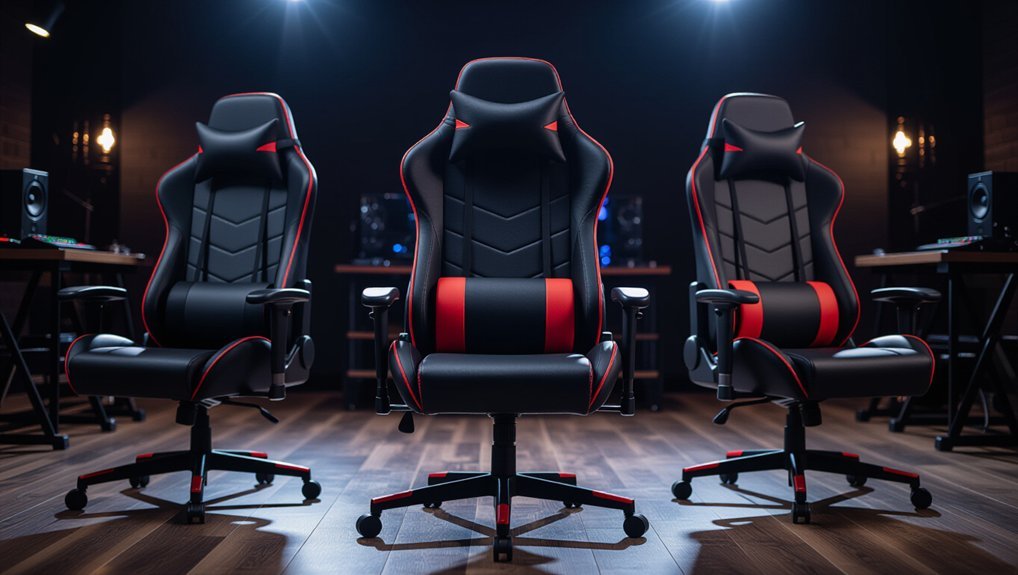
3 Best Gaming Chairs With Lumbar Support – Comfort & Performance
When selecting a gaming chair with lumbar support in 2026, you want models that blend comfort, durability, and adjustability. Think high-density foam cushioning, sturdy steel frames, and features like multi-directional armrests or recline mechanisms that tilt up to 175°. These chairs are designed for long sessions, reducing fatigue and improving posture—crucial for both performance and health. Curious how these options stack up? Let’s explore the top contenders that can elevate your gaming experience.
7-Point Massage Gaming Chair with Reclining Footrest

- Ergonomic Design for Ultimate Comfort: The Douxlife gaming chair features a detachable headrest, lumbar...
- 7-point Massage Design for Fatigue Relief: Targets the neck, back, lumbar region, and thighs with...
Last update on 2026-07-01 / Affiliate links / Images from Amazon Product Advertising API
If you want a gaming chair that is both comfortable and versatile, check out the Douxlife 7-Point Massage Gaming Chair. It has a tall backrest that provides good support. The backrest is about 33 inches high. The chair also has adjustable 2D armrests and a remover headrest. You can personalize the chair so it fits you best.
The chair comes with an extendable footrest and can recline up to 175°. This lets you lean back or sit upright, depending on your mood. The waterproof PU leather keeps you clean, and thick foam padding makes sitting comfortable, even for hours. Plus, the chair has a built-in 7-point massage system. It targets the neck, back, and shoulders to help you relax.
This chair works well for gamers, office workers, or students. Anyone who spends a lot of time sitting can find it helpful. It offers massage features and adjustable supports for comfort during long use.
Here are some good points about this chair:
- It has a 7-point vibration massage system that helps relax different parts of your body.
- You can recline the chair up to 175°, and the footrest extends fully.
- The design includes thick padding, a high backrest, and armrests you can adjust.
Some things to watch out for:
- The chair might not be very stable when you tilt it all the way back.
- Some users notice squeaking or mechanical issues after using it for a long time.
- The massage settings may not be strong enough if you want a deep massage.
This chair can be a great choice if you want comfort and massage features rolled into one. It helps you stay relaxed whether you are gaming, working, or resting.
Massage Gaming Chair with Recliner, Footrest & Lumbar Support

- Ergonomic Design for Ultimate Comfort: The Douxlife gaming chair features a detachable headrest, lumbar...
- 7-Point Massage System for Fatigue Relief: Targets the neck, back, lumbar region, and thighs with...
Last update on 2026-07-01 / Affiliate links / Images from Amazon Product Advertising API
The Douxlife Massage Gaming Chair GC-RC03 is a great choice for anyone who wants comfort and flexibility. It has an ergonomic design, which means it fits your body well. The high backrest, adjustable lumbar support, and removable headrest let you customize it to your needs. The chair also has an extendable footrest and a recline that goes up to 175°. You can use it for gaming, working, or just relaxing.
The chair has a 7-point massage system. It can massage your neck, back, and thighs. This helps you feel relaxed after long gaming sessions or work. The waterproof PU leather cover is durable and easy to clean. The strong iron frame makes sure the chair lasts a long time. Whether you are working, playing, or resting, this chair is versatile enough to help keep you comfortable.
This chair is best for gamers, professionals, and students who sit for long periods. It offers comfort and multiple uses.
Pros:
- Fits your body with adjustable lumbar, headrest, and recline
- Has a massage system that soothes your neck, back, and thighs
- Built with tough materials that last long
Cons:
- Heavier and less easy to move around
- Takes time and effort to assemble
- Mostly available in red, which might not match all decor
AutoFull M6 Gaming Chair with Lumbar Support

- 【Next-Gen Lumbar Support with Auto-Tracking】Ditch outdated lumbar pillows—the M6 Pro gaming chair...
- 【6D Mechanical Armrests for Dynamic Support】Gear up for intense battles with the 6D mechanical armrests of...
Last update on 2026-07-01 / Affiliate links / Images from Amazon Product Advertising API
AutoFull’s M6 Gaming Chair is a great choice for gamers and people who sit at a desk for a long time. It has a special lumbar support system that moves with you. This is called auto-tracking support. It adjusts to your posture in real time, so you don’t need extra pillows. The chair can be fine-tuned in four ways. You can move the lumbar support up, down, forward, or back. This helps keep your lower back comfortable and prevents fatigue.
The chair also has a T-shaped curve that supports your neck, shoulders, and back. You can even recline the chair up to 160 degrees and use a built-in footrest to relax completely. This makes the chair very comfortable for many activities, whether gaming or working.
Best For: Gamers and professionals who sit for long hours and want an adjustable, ergonomic chair with smart lumbar support.
Pros:
- It uses auto-tracking lumbar support that moves with you.
- It adjusts easily with 6D armrests, seat height, tilt, and recline lock.
- Made with high-quality, breathable materials that last long and feel comfortable.
Cons:
- Some users say the armrests are firm and wish they were softer.
- Adjusting the lumbar support to fit perfectly can take some time.
- The chair costs more because of its premium features, so it may not fit every budget.
Factors to Consider When Choosing Gaming Chairs With Lumbar Support
When choosing a gaming chair with lumbar support, you want to weigh features like adjustable lumbar support, which lets you fine-tune comfort—because one size definitely doesn’t fit all. Ergonomic design elements, such as contoured backrests and adjustable armrests, help prevent strain during long gaming sessions, so you stay comfortable and focused. And don’t forget to check the materials for durability and the options for customization; after all, a chair should last through epic wins and the occasional defeat, all while offering good value for your investment.
Adjustable Lumbar Support
Adjustable lumbar support helps you sit comfortably and stay with good posture. It allows you to change the height and position of the lower back support. Many chairs let you move this support up, down, forward, or back so it fits your body perfectly. When you set it right, it can reduce pain and tiredness in your lower back. Some chairs have support systems that stay in place without you needing to readjust often. Setting the lumbar support correctly is important. It keeps your back healthy and helps you stay comfortable, even if you sit for a long time.
Ergonomic Design Features
Choosing a good gaming chair means thinking about how it supports your body. Look for chairs with adjustable lumbar support. This feature curves to match your spine and helps you sit with good posture. It also helps you avoid getting tired too quickly. Some chairs have support pillows that move in four directions. These help support your lower back and change as you move. The backrest shape is also important. Contoured or T-shaped designs help spread your weight evenly. This makes sitting more comfortable and reduces pressure on your lower back. Make sure the lumbar support can be adjusted in height and depth. This way, support lines up with your lower back perfectly. High-quality chairs often let you change seat height, headrest position, and backrest angle. These features give better support and help keep your back healthy, even after many hours of gaming.
Material Durability
Durability is important if you want your gaming chair to last a long time. Look for chairs made with strong steel frames. These frames hold up well to everyday use and long gaming sessions. The cushions should be made with high-density foam. This foam keeps its shape and doesn’t sag over time, so your chair stays comfortable. Leather or PU leather surfaces can resist stains and wear. But their durability depends on how thick the material is and how well it is treated. Choose thicker, well-treated leather for the best quality. The lumbar support relies on strong adjustable parts and padding. These parts should not loosen or break easily, even after many adjustments. Be careful with moisture, heat, or sunlight. These can damage the materials and shorten the life of your chair. Keep your chair clean and in a good place to help it last longer and stay supportive.
Customization Options
Choosing a gaming chair with good lumbar support means paying attention to its customization options. Look for chairs that allow multi-directional adjustments. For example, a 4-way lumbar support lets you move it forward, backward, up, or down. This helps you get a perfect fit for your back. Adjustable armrests are also helpful. Whether they are 4D or 6D, they allow you to change height, rotate, or move side to side. This can reduce shoulder and arm strain during long gaming hours. Some chairs come with multiple massage modes, different levels of intensity, or programmable settings. These features give you a relaxing massage while you play. Check if the recline angle is adjustable and can be locked in place. This helps you find a comfortable position and stay there. Some chairs also have removable or adjustable pillows that support your lower back. These make it easy to customize lumbar support and improve overall comfort.
Price and Value
Price and value are important when choosing a gaming chair with lumbar support. The price can range from low to high. Cheaper chairs may come with a basic lumbar pillow or limited support. These might work for a while but may need upgrades later. More expensive chairs often have special features like auto-adjusting support or multiple positions. These options can give better support and comfort over time.
It is also good to check what the chair is made of. Cheaper chairs might wear out faster or feel less sturdy. Look at how strong the materials are and how well the chair is built. Comparing features like adjustable lumbar support, padding quality, and massage functions helps you find a chair that gives good value for the money.
Finally, think about how long the chair will last. Spending a little more may help you get a chair that stays comfortable and supportive longer. This way, you can enjoy your gaming setup without needing to buy a new chair soon. Balancing price and quality helps you choose a chair that is worth the cost and keeps you comfortable for a long time.
FAQs
How Long Should I Typically Use a Gaming Chair With Lumbar Support Daily?
You’re wondering how long to use a gaming chair with lumbar support daily. Generally, it’s best to take breaks every hour, limit sitting sessions to 2-3 hours, and pay attention to your body’s comfort to prevent strain.
Are Lumbar Pillows Necessary if the Chair Has Built-In Lumbar Support?
If your chair provides adequate built-in lumbar support, you probably don’t need a lumbar pillow. However, if you experience discomfort or want extra support, adding a pillow can enhance your comfort and help prevent strain during long gaming sessions.
Can Gaming Chairs With Lumbar Support Help Prevent Back Injuries?
Gaming chairs with lumbar support can help prevent back injuries by promoting proper posture, reducing strain, and providing consistent support; this helps you avoid discomfort and potential long-term issues during extended gaming sessions.
How Do I Maintain the Lumbar Support Features Over Time?
To preserve your lumbar support features, you should regularly adjust the support to fit your back, keep the mechanism clean, and follow manufacturer instructions for upkeep. Consistent care ensures sustained comfort and performance over time.
Do Different Gaming Genres Require Different Lumbar Support Adjustments?
Your gaming genre influences lumbar support needs; if you play long, intense sessions, adjust support for extra comfort. For casual play, minimal adjustments work. Always tweak support to match your posture and activity for peak comfort.

DK is a technology expert who specializes in AI tools, software, and tech gadgets. He writes for How to Tech Info, providing detailed reviews and practical guides. DK helps readers discover the best AI applications, navigate new software, and choose the right tech gadgets.


