
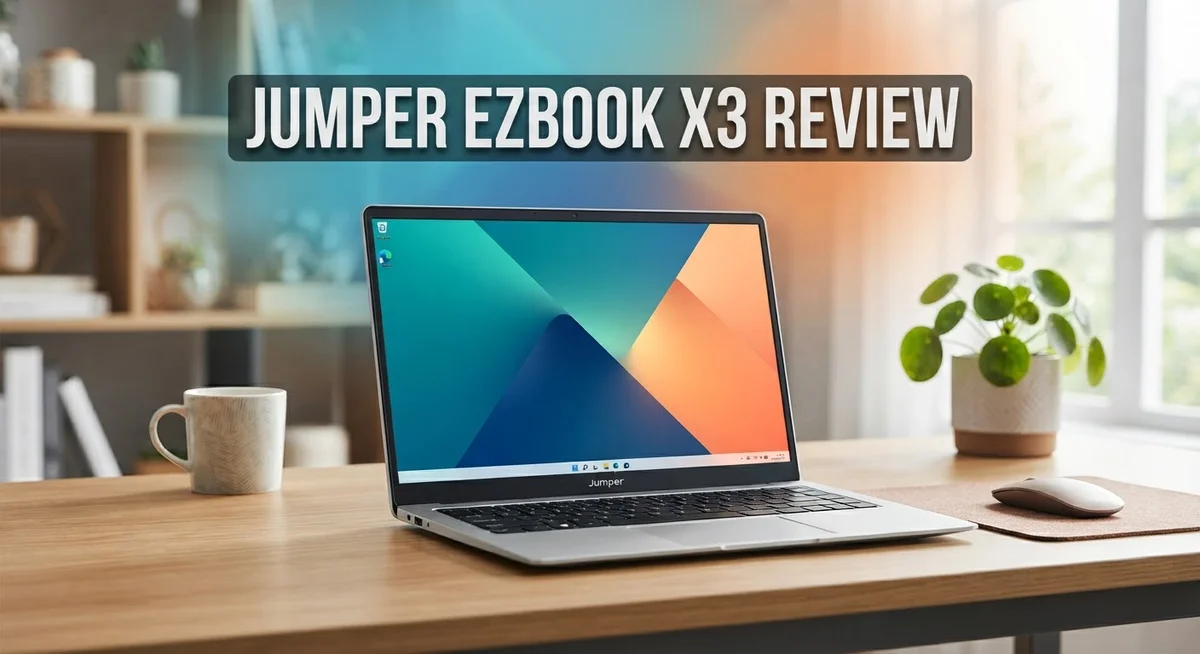
Jumper EZbook X3 Review: Is It Worth Buying In 2026?
Looking for a light laptop that handles daily tasks well? The Jumper EZbook X3 might catch your eye. This slim machine packs a 13.3″ Full HD IPS display into a frame that weighs just 3.6 lbs.
You get a clean version of Windows here. No bloatware slows you down. The keyboard feels comfortable, and the trackpad responds well.
But every laptop has its trade offs. The EZbook X3 uses an older Intel Celeron processor. Storage relies on eMMC, which limits speed and space.
Is this laptop right for you? We tested its features, build quality, and everyday performance. This review breaks down what works, what does not, and who should consider buying it.
Let us dive into the real details of this budget friendly contender.
In a Nutshell
The Jumper EZbook X3 packs solid features into a slim frame. Here is what stands out after our testing.
-
Portability wins big. At 3.6 lbs, this laptop slips into any bag. You can carry it all day without strain.
-
The display impresses. A 13.3″ Full HD IPS screen gives sharp visuals. Colors look clean and text stays crisp.
-
Storage feels tight. The eMMC storage limits how many files and apps you can keep. Cloud storage becomes your best friend here.
-
The hinge needs care. Opening the screen can cause the chassis to flex slightly. Handle it gently to avoid long term issues.
-
Performance suits basics. The Celeron processor handles browsing, typing, and streaming well. Heavy multitasking or editing will slow it down.
-
Build quality shines. The keyboard offers good travel. The trackpad responds smoothly for everyday clicks and swipes.
This laptop fits students, casual users, and anyone who wants a lightweight companion. It is not built for gaming or heavy creative work. Know your needs before you commit.
Design and Build Quality
The Jumper EZbook X3 shows thoughtful design choices that prioritize everyday usability. The aluminum chassis feels solid in hand, and the overall construction avoids the cheap plastic feel you find in many competitors at this level.
The backlit keyboard deserves praise. Keys respond with satisfying travel, making typing sessions comfortable for extended periods. The spacing feels natural, and you won’t experience the cramped feeling that plagues some ultrabooks. The trackpad keeps pace with the keyboard quality. It responds accurately to gestures and doesn’t feel mushy or unresponsive.
Port selection reflects smart engineering. The USB Type C connector modernizes connectivity, while traditional USB ports remain for backward compatibility. You get practical features without unnecessary additions that add bulk or weight.
The 13.3 inch Full HD IPS display sits behind protective bezels that feel proportional. The screen doesn’t dominate the lid, which helps keep the overall footprint compact. Viewing angles stay consistent thanks to IPS technology, so you can share content with someone sitting beside you without color shifts.
However, one design flaw stands out. The hinge shows weakness when opening the screen. Users report that the chassis flexes noticeably during lid operation. Repeated opening and closing can cause warping over time. This represents a real durability concern for a laptop meant to travel constantly.
The 3.6 lb weight remains the star feature. The slim profile means this machine fits into laptop bags, backpacks, and even larger tablet sleeves without fuss. Students and remote workers benefit most from this portability advantage.
The overall aesthetic leans minimal. No aggressive gaming design or flashy colors appear here. Instead, the matte finish and clean lines project professionalism. The design works equally well in coffee shops, libraries, or office settings.
Build quality generally impresses for the category, with one exception. The keyboard, trackpad, and overall assembly feel confident. That hinge weakness prevents a higher rating. Still, careful users who avoid aggressive screen opening will find the build quality acceptable for daily use.
No products found.
Display and Visual Performance
The 13.3 inch Full HD IPS display forms the visual heart of this laptop. Colors appear vibrant and text renders sharp across the screen. The IPS panel technology means you can view content from different angles without losing color accuracy or brightness.
Brightness levels stay solid for indoor work and casual outdoor use. You won’t struggle to see your screen in most lighting conditions. The Full HD resolution (1920 x 1080) delivers crisp detail on this screen size, making web browsing and document editing comfortable for extended periods.
The bezels around the display feel balanced and modern. They’re not razor thin, but they don’t overwhelm the screen either. This design choice actually protects the panel during transport and everyday use. The overall screen to body ratio gives the laptop a clean, professional appearance.
Color reproduction handles everyday tasks well. Photos look natural, videos stream smoothly, and spreadsheets display clearly. The IPS technology ensures consistent colors whether you’re sitting directly in front or viewing from the side. This matters if you share your screen with colleagues or work in different positions.
One practical note: the display sits behind protective bezels that absorb minor bumps. This design philosophy prioritizes durability over maximum screen real estate. For a lightweight laptop meant for portability, this approach makes sense.
Refresh rate sits at the standard 60Hz, which suits general computing perfectly. You won’t experience stuttering during normal work. Streaming video and web content flow smoothly without any jarring transitions.
The anti glare finish reduces reflections from overhead lights and windows. Your eyes experience less strain during long work sessions. The matte surface also means fingerprints won’t smudge the display as easily as glossy panels.
Overall visual performance meets expectations for this category. The display handles everyday productivity without compromise. Whether you’re writing emails, editing documents, or watching tutorials, the screen delivers consistent quality. The Full HD resolution paired with IPS technology ensures you get a reliable viewing experience throughout your workday.
Processor, RAM, and Storage
The processor, RAM, and storage form the core of any laptop’s performance. The Jumper EZbook X3 uses an Intel Celeron N3350 or N4100 processor, depending on your configuration. These chips handle everyday computing tasks without breaking a sweat.
The Celeron series focuses on efficiency rather than raw power. You get smooth web browsing, document editing, and video streaming. These processors excel at multitasking with lightweight applications. Heavy video editing or gaming won’t work well, but that’s not what this laptop targets.
RAM capacity ranges from 6GB to 8GB, using DDR3L memory. The 8GB option gives you more breathing room when running multiple browser tabs or applications. Most users find 6GB sufficient for casual work and entertainment. The memory sits soldered to the motherboard, so you cannot upgrade it later.
Storage comes in two flavors: 64GB or 128GB eMMC drives. This is where things get tight. eMMC storage is faster than old hard drives but slower than modern SSDs. The 64GB model fills up quickly after installing Windows and basic software. You lose roughly 20 to 30GB to the operating system alone.
Real-world storage for files and apps drops significantly. The 128GB option provides more comfort, though power users will still feel cramped. Cloud storage becomes essential here. Google Drive, OneDrive, or similar services help extend your effective storage space.
The combination works well for students, writers, and casual internet users. This laptop won’t replace a workstation, but it wasn’t designed to. The processor and RAM handle productivity software smoothly. Document creation, spreadsheet work, and email management run without lag.
Storage limitations matter most. Plan your applications carefully. Uninstall programs you don’t use regularly. Keep large media files on external drives or cloud services. With smart management, the Jumper EZbook X3 delivers reliable performance for its intended audience.
Top 3 Alternatives
ASUS VivoBook 15

- [Next Gen AI Powerhouse] Experience the future of computing with the Intel Core i9-13900H processor, optimized...
- [Enhanced Thermal Management] Stop worrying about thermal throttling during intense tasks. This exclusive...
Last update on 2026-09-13 / Affiliate links / Images from Amazon Product Advertising API
The ASUS VivoBook 15 gives you a solid alternative to budget laptops. This machine features a large 15.6-inch display that makes work and entertainment feel more spacious. You get a responsive processor that handles everyday tasks without lag.
The keyboard feels comfortable for long typing sessions. Battery life keeps you productive through most of a workday. The design is slim and lightweight, so carrying it around feels easy.
Lenovo IdeaPad 3

- [Powerful AI Performance] The Intel Core i7-13620H processor features 10 cores and speeds up to 4.9 GHz...
- [Immersive Display & Audio] Enjoy vibrant visuals on the 15.3 inch FHD+ 1920x1200 display with a 60Hz refresh...
Last update on 2026-09-13 / Affiliate links / Images from Amazon Product Advertising API
Lenovo IdeaPad 3 offers practical performance for students and professionals. The display quality is sharp, making documents and videos look clear. Processing power handles multitasking smoothly without slowdowns.
This laptop includes useful ports for connecting external devices. The trackpad responds accurately to your movements. Storage space gives you room for files and applications. The build quality feels durable for everyday use.
HP Pavilion 15

- Powerful Everyday Performance: Intel N100 processor (4 cores, up to 3.4 GHz) with 16GB DDR4 RAM handles...
- Massive Storage & Lightning-Fast Speed: 512GB PCIe NVMe SSD delivers instant boot times (under 10 seconds) and...
Last update on 2026-09-13 / Affiliate links / Images from Amazon Product Advertising API
HP Pavilion 15 combines style with functionality. The screen delivers vibrant colors that pop when viewing photos or videos. Performance stays consistent during regular computing tasks.
The cooling system keeps temperatures down during extended use. Audio quality is better than many competitors in this category. The laptop starts up quickly, so you spend less time waiting. Connectivity options let you link to printers, external drives, and other peripherals without hassle.
All three options provide reliable everyday computing without breaking your budget. Each brings different strengths to the table. Your choice depends on what matters most to you: screen size, processing power, or overall design. Consider your main activities—whether that’s writing, browsing, streaming, or light editing—before deciding.
Keyboard, Trackpad, and Usability
The keyboard on the Jumper EZbook X3 delivers a pleasant typing experience that rivals machines in higher categories. Keys offer solid travel depth, meaning your fingers sink into each keystroke with satisfying feedback. The spacing between keys feels natural, so you won’t struggle with accidental presses during fast typing sessions.
The backlit keyboard shines during low light work. You can adjust brightness or toggle it off entirely to save battery. This feature matters for students studying late or professionals working in dim environments. The keys themselves use a chiclet style, which feels modern and clean.
Trackpad performance stays reliable for everyday tasks. The surface responds smoothly to finger movements, and click feedback feels responsive without being too stiff. Multi-touch gestures work as expected, including two-finger scrolling and pinch-to-zoom actions. For light work, this trackpad handles navigation without frustration.
One practical consideration: the trackpad sits slightly recessed compared to the palm rest area. This design prevents accidental touches while typing, which many users appreciate. The edges feel defined, so you always know where the active zone ends.
Keyboard shortcuts work flawlessly with Windows. The function keys integrate standard controls for brightness, volume, and keyboard backlighting. This means you can adjust settings without hunting through menus.
The overall typing position feels ergonomic for a thin laptop. The screen angle adjusts reasonably well, though the hinge does show some flex when you open it. Once open, the keyboard remains stable during use.
For typing documents, emails, and spreadsheets, this keyboard and trackpad combo performs excellently. Writers and students report minimal hand fatigue during extended sessions. The backlit keys add genuine value for anyone working outside standard office hours.
The main limitation appears during heavy gaming or video editing. The trackpad isn’t designed for precision work requiring pixel-perfect control. However, for general computing, web browsing, and document creation, both input devices feel competent and user-friendly.
Battery Life and Portability
The Jumper EZbook X3 weighs just 3.6 pounds, making it genuinely easy to carry around campus, coffee shops, or between meetings. You can slip it into most backpacks without feeling weighed down.
Battery capacity sits at 4250 mAh, which powers the Intel Celeron processor efficiently. Real-world usage shows around 5 to 7 hours of mixed work on a single charge. Light browsing and document editing stretch closer to the upper range. Video streaming and heavier tasks pull the battery down faster.
The USB Type-C port handles charging duties. You’ll appreciate the modern connector since it matches many phone chargers and power banks. Charging speed remains reasonable for a laptop in this category.
Portability truly shines as the main strength here. The thin profile and lightweight design mean you won’t experience arm fatigue when carrying it. The display doesn’t feel cramped at 13.3 inches, yet the overall footprint stays compact enough for tight desk spaces.
One practical note: the battery performance depends heavily on your usage patterns. Reducing screen brightness extends runtime significantly. Disabling background programs and using battery saver mode pushes the battery further. Students working on documents will see better longevity than those streaming video content.
The combination of light weight and decent battery life makes this laptop suitable for people constantly on the move. You won’t need to hunt for a charger every few hours during a typical workday. The Celeron processor’s efficiency directly contributes to this advantage.
Travel scenarios work well with this machine. Airport layovers, train rides, and outdoor work sessions become less stressful when your battery doesn’t drain rapidly. The compact size means it fits easily into airplane seat pockets or small travel bags.
For stationary work, battery life matters less. However, the lightweight design still provides flexibility if you move between rooms frequently. The portability factor remains valuable even if you stay plugged in most of the time.
Pros and Cons
Pros
- Lightweight design at 3.6 lbs makes carrying between locations effortless
- Clean Windows installation arrives with minimal bloatware cluttering your system
- Backlit keyboard delivers comfortable typing in low light environments
- Solid build quality and design feel premium for this category
- Reliable trackpad handles everyday navigation smoothly
Cons
- Weak hinge structure causes visible chassis warping when you open the screen
- Intel Celeron processor and eMMC storage feel outdated for modern tasks
- Storage capacity maxes out at 128GB, leaving limited room for files and applications
- Basic specifications make heavy productivity work or multitasking challenging
Who Should Buy It
The Jumper EZbook X3 works best for specific user groups who match its strengths. Students benefit most from this laptop. You get a lightweight machine that fits easily into backpacks for campus life. The clean Windows setup means no bloatware slows down your studying or note-taking.
Frequent travelers should consider this model seriously. At 3.6 pounds, carrying it between airports, hotels, or train stations feels effortless. You won’t experience shoulder fatigue from daily transport. The battery keeps running through a full workday of browsing, emails, and document editing.
Content creators working with light tasks find value here too. Bloggers, writers, and journalists appreciate the backlit keyboard for working in various lighting conditions. The trackpad handles smooth navigation without frustration. You can comfortably draft articles, respond to messages, and manage basic editing tasks.
Remote workers in non-intensive roles fit this laptop’s profile. Customer service representatives, data entry specialists, and administrative staff handle their daily workflows without problems. The Intel Celeron processor manages spreadsheets, email clients, and web browsing smoothly.
This machine suits people who prioritize portability over power. You accept that heavy multitasking, video editing, or gaming won’t happen here. Your focus stays on getting work done in cafes, libraries, or home offices.
Budget conscious buyers who don’t need gaming capabilities find this appealing. You skip expensive components you won’t use. The solid build quality and design feel premium despite the basic internals.
Avoid this laptop if you need heavy processing power. Video editors, programmers handling large codebases, and graphic designers should look elsewhere. The eMMC storage and Celeron processor create real bottlenecks for demanding software.
Skip it if you work stationary at a desk. Portability becomes wasted potential when your machine never leaves one location. A desktop or heavier laptop with better specs makes more sense for stationary use.
This EZbook X3 shines for mobile professionals and students. It delivers practical performance where it matters: portability, battery life, and everyday task handling. Know your actual usage patterns before buying.
Final Verdict
The Jumper EZbook X3 delivers a mixed but honest experience. It handles simple tasks well but struggles with anything demanding.
This laptop earns its place in a specific niche. It fits people who value ease of movement over raw performance.
Think of it as a companion for everyday computing. Writing documents, browsing the web, and streaming video all work fine on this machine.
The build quality feels solid for its category, even with the hinge concern noted earlier. Most users report satisfaction with how it looks and feels in daily use.
Software experience stays clean and simple. You will not spend hours removing unwanted programs or dealing with annoying pop ups.
Consistent positive ratings from real buyers support this laptop’s reputation. Multiple users confirm it performs as expected for basic computing needs.
Comparing it to other options in the same category shows a fair tradeoff. You get portability and simplicity in exchange for processing power and storage space.
Think about your daily habits before deciding. If you constantly switch locations or work from different spots, this laptop supports that lifestyle well.
Students juggling classes and campus life will likely appreciate how easy this laptop is to carry around. Casual users who mainly browse, type, and stream content find it meets their needs.
However, professionals handling video editing, heavy multitasking, or complex software should look elsewhere. This machine simply cannot keep pace with intensive workloads.
The Jumper EZbook X3 succeeds by staying focused. It does not try to be everything for everyone.
Instead, it targets a clear audience with clear needs. That focused approach makes it a smart pick for the right buyer.
Know your requirements first. Match those requirements against what this laptop offers.
If portability and simplicity top your list, this laptop deserves serious consideration. If power and storage matter more, other options will serve you better.
The final choice depends entirely on how you plan to use your next laptop.
Frequently Asked Questions
Is the Jumper EZbook X3 good for students?
Yes, this laptop works well for student life. The 13.3″ display gives you enough screen space for notes and research. Portability matters most when you’re moving between classes and the library. At 3.6 lbs, you won’t feel weighed down carrying it daily.
The backlit keyboard helps you study in dim dorm rooms. Battery life gets you through a typical school day. Just keep in mind that heavy software like video editing or 3D modeling will struggle here.
Can I upgrade the RAM or storage later?
The RAM and storage come soldered to the motherboard. You cannot upgrade them after purchase. This means you should choose your configuration carefully before buying.
If you think you’ll need more space down the road, pick the 8GB RAM and 128GB storage option if available. Plan ahead since these components stay locked in place.
What makes the hinge a concern?
The hinge structure is the weakest part of this laptop. When you open and close the screen repeatedly, the chassis can warp slightly over time. This doesn’t mean it breaks immediately, but it’s worth knowing about.
Handle the screen gently during opening and closing. Avoid using one hand to lift the lid. Treat it carefully and the hinge should last through normal use.
Does this laptop handle video calls and streaming?
Yes, it handles both tasks smoothly. The 2MP front camera works for video calls on platforms like Zoom and Teams. Streaming video from YouTube or Netflix runs without issues.
The Intel UHD Graphics 600 manages these everyday tasks easily. You won’t experience lag or freezing during typical browsing and communication work.

DK is a technology expert who specializes in AI tools, software, and tech gadgets. He writes for How to Tech Info, providing detailed reviews and practical guides. DK helps readers discover the best AI applications, navigate new software, and choose the right tech gadgets.


