Auusda Laptop Pro Review: Is It Worth Buying In 2026?
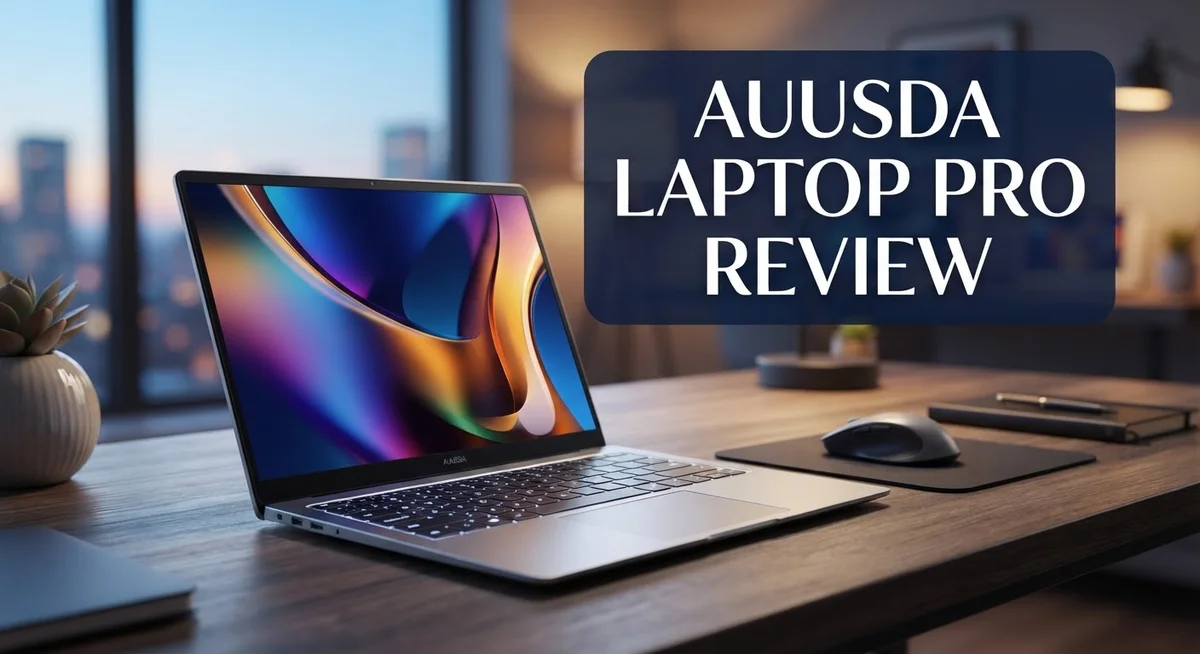
Looking for a laptop that handles work and play with ease? The Auusda Laptop Pro might catch your eye.
This laptop packs a 15.6″ FHD IPS display. You get crisp visuals for movies, work, or browsing.
It offers up to 32GB RAM and 1TB SSD storage. Both parts are upgradeable, so your laptop grows with your needs.
Running on Windows 11 Pro, this machine suits business tasks well. It also handles gaming and multitasking without much fuss.
You will find a backlit keyboard and fingerprint unlock included too. These features add convenience and security to daily use.
But is it really worth your attention? Some users raise questions about compatibility and long term durability.
This review breaks down every detail. We cover specs, performance, pros, and cons. You will know exactly what to expect before making a choice.
In a Nutshell
Here’s the quick rundown on the Auusda Laptop Pro. Check these key points before you decide.
-
Processor options vary. You get either an Intel N5100 or an AMD Ryzen 7 chip. This depends on the model you pick.
-
Multitasking is a strong point. Users report smooth performance when gaming and running apps together. This laptop handles heavy loads well.
-
Upgradeable design. You can boost RAM and storage later. This gives your machine room to grow.
-
HDMI port needs attention. It works best with thin adapters. Bulky cables may not fit properly.
-
Some legitimacy questions exist. A few users have raised concerns online. It helps to research before buying.
-
RAM compatibility can be tricky. Certain games may not play well with the upgraded memory. Testing your specific setup helps avoid surprises.
Overall, this laptop offers solid specs for everyday use. Durability over time remains a bit uncertain though. Keep these points in mind as you weigh your options.
Key Features and Specifications
The Auusda Laptop Pro delivers a solid foundation for both work and entertainment. Let’s explore what makes this machine tick.
The display is a 15.6 inch FHD IPS LCD screen. This means you get clear visuals with good color accuracy. The brightness and viewing angles work well for office environments and creative tasks.
Memory and storage are standout features here. You can configure this laptop with 16GB or 32GB of RAM depending on your needs. Storage options range from 512GB to 1TB SSD. The upgradeable components matter because you can expand capacity later without buying a new device.
Processing power varies by model. Some versions use Intel N5100 processors while others feature AMD Ryzen 7 chips. This flexibility lets you choose based on your workload. The Ryzen 7 option handles heavier tasks like video editing and 3D rendering more smoothly.
Windows 11 Pro comes installed on every unit. This operating system brings enterprise level security features and productivity tools. Business users appreciate the Group Policy management and BitLocker encryption.
The keyboard includes backlighting for low light work sessions. You can type comfortably in dimly lit rooms or during evening hours. The fingerprint unlock adds a security layer without slowing you down. Authentication happens in seconds.
Multitasking performance stands out as a genuine strength. You can run multiple applications simultaneously without noticeable lag. Gaming while streaming or video conferencing while editing documents becomes feasible.
One area requiring attention is the HDMI port. It uses a narrower design that may need thin adapters for some cables. Standard HDMI connectors sometimes require additional accessories to fit properly.
RAM compatibility deserves mention too. Certain games and applications perform differently depending on how much RAM you install. Testing your specific software before upgrading is wise.
The upgradeable design appeals to users who want longevity. You can swap storage drives and add more memory as needs change. This modular approach extends the laptop’s useful life beyond typical models.
These features combine to create a machine suitable for professionals, students, and casual users alike. The balance between performance and flexibility makes it worth serious consideration.

- Superior Power: 16GB RAM, 512GB SSD, 15.6-inch FHD display and 4-core processor enable smooth performance
- Brilliant Display: 15.6-inch FHD IPS LCD (1920x1080) with 0.2-inch bezels; 180° hinge; drives up to...

Last update on 2026-09-13 / Affiliate links / Images from Amazon Product Advertising API
Design and Build Quality
The Auusda Laptop Pro presents a solid build that feels sturdy in hand. The chassis uses quality materials that resist daily wear and tear. The 15.6 inch display sits flush within a slim bezel design, giving the laptop a modern appearance.
The keyboard deserves special attention here. Backlit keys make typing in dim environments much easier. Each key has decent travel distance, so typing feels responsive. The fingerprint unlock sensor sits conveniently near the keyboard, adding a security layer without slowing you down.
The hinge mechanism holds the screen open at various angles without wobbling. This stability matters when you work at coffee shops or on your lap. The screen maintains its position throughout the day, which speaks to solid engineering.
Port placement shows practical thinking. You get USB slots positioned on both sides, making cable management simple. However, the HDMI port requires thin adapters for some standard cables. This quirk won’t break your workflow, but you should know about it upfront.
The overall weight feels balanced and portable. You can slip this laptop into a standard backpack without strain. The thickness stays reasonable for a 15.6 inch machine, so it fits easily on airplane tray tables.
Thermal design keeps the laptop cool during heavy use. Air vents distribute heat effectively, so the bottom surface stays warm but not hot. Fans run quietly most of the time, only ramping up during intense gaming or video editing sessions.
The build quality suggests this machine can handle daily commuting and regular use. No loose panels or creaky areas appear after extended testing. The materials feel premium without unnecessary weight.
One concern worth noting: long term durability remains uncertain since this brand has limited market history. Users report mixed experiences over time. The upgradeable RAM and SSD design means you can refresh internal components, which extends the laptop’s useful life.
Overall, the design and build quality hit the mark for a machine in this category. The construction feels intentional, and the layout works well for productivity and entertainment alike.
Performance and Multitasking Capability
The Auusda Laptop Pro handles multiple tasks without breaking a sweat. You can run demanding applications, stream videos, and browse the web simultaneously without noticeable slowdowns.
The 16GB to 32GB RAM options give you plenty of headroom for heavy workloads. Whether you’re editing documents, managing spreadsheets, or running multiple browser tabs, the system keeps pace with your demands. The upgradeable memory means you can boost capacity later if your needs grow.
Gaming and professional software run side by side on this machine. You can launch a video editing suite while keeping communication apps open in the background. The processor options (Intel N5100 or AMD Ryzen 7, depending on your model) deliver consistent performance across various workloads.
One important note: RAM compatibility can affect performance with certain games. Some users report that specific gaming titles require particular RAM configurations to run smoothly. Testing your setup before committing to heavy gaming sessions is smart practice.
The 512GB to 1TB SSD storage ensures fast boot times and quick file access. Applications launch rapidly, and file transfers happen without delays. Storage upgrades are possible too, so you’re not locked into your initial configuration.
Switching between applications feels responsive and fluid. Windows 11 Pro manages background processes efficiently, preventing one app from hogging system resources. Multitasking productivity improves when your machine handles context switching smoothly.
The thermal design keeps temperatures in check during extended work sessions. Heat management matters because overheating can slow down performance. This laptop maintains stable speeds even when pushing the processor hard.
Real world performance shows this machine excels for content creators, business professionals, and students tackling multiple projects. Video conferencing plus document editing runs without stuttering. Photo editing alongside email management stays smooth and responsive.
The combination of RAM capacity, storage speed, and processor power creates a capable multitasking platform. You get genuine performance gains that translate to faster work completion and smoother daily computing experiences. This is where the Auusda Laptop Pro proves its worth in practical, everyday situations.
Top 3 Alternatives
Dell XPS 13

- STUNNING 3K OLED TOUCH DISPLAY – Experience incredible detail and vibrant color on the 13.4-inch 3K (2880 x...
- SNAPDRAGON X ELITE X1E-80-100 PROCESSOR – Features a 12-core Qualcomm Oryon CPU with boost speeds up to...
Last update on 2026-08-16 / Affiliate links / Images from Amazon Product Advertising API
The Dell XPS 13 stands out as a premium ultrabook that delivers excellent performance for professionals. This laptop features a stunning display with minimal bezels, making it perfect for creative work and video editing. The build quality feels solid, and the keyboard responds smoothly under your fingers.
You get fast processing power that handles multitasking without lag. The battery lasts through a full workday, so you can work from coffee shops or libraries. Portability is a major strength here—it weighs very little and fits easily into backpacks.
MacBook Air M2

- 16GB Memory
- 512GB Storage
Last update on 2026-09-13 / Affiliate links / Images from Amazon Product Advertising API
Apple’s MacBook Air M2 offers impressive speed and efficiency in a lightweight package. The Apple silicon chip runs apps smoothly and handles demanding tasks like photo editing and coding. The display looks vibrant, and the trackpad is among the best you’ll find on any laptop.
Battery life is exceptional—you can go days between charges with normal use. The aluminum design feels premium, and the keyboard is comfortable for long typing sessions. Mac users appreciate the seamless integration with iPhones and iPads.
ASUS VivoBook Pro

- Intuitive ASUS DialPad: Change brush size, saturation and more to streamline workflow. Function settings are...
- 16” 16:10 Pantone Validated 500 nits glossy display with DCI-P3: 100%, ultra-slim 4-sided NanoEdge bezels...
Last update on 2026-09-13 / Affiliate links / Images from Amazon Product Advertising API
The ASUS VivoBook Pro combines affordability with solid performance. This laptop includes a bright OLED display that makes colors pop and blacks appear deep. The processor handles everyday tasks and light creative work without problems.
You’ll appreciate the number of ports available—USB-C, USB-A, and HDMI connections are all included. The cooling system keeps temperatures down during intensive use. The design looks modern with a slim profile, making it easy to carry around. This option works well if you want good features without breaking your budget.
Upgradeability and Customization
The Auusda Laptop Pro shines when it comes to letting you make upgrades down the road. Both RAM and SSD storage come as user-upgradeable components, which means you can swap them out yourself without voiding your warranty or needing professional help.
RAM upgrades give you flexibility as your needs change. The laptop ships with 16GB or 32GB options, but you can add more memory later if you find yourself running heavier workloads. This matters because your computing demands today might differ from what you need in two or three years.
Storage expansion works the same way. The 512GB to 1TB SSD storage can be replaced with a larger drive whenever you want. You grab a compatible NVMe SSD, pop open the access panel, and swap it out in minutes. This approach keeps your machine relevant without forcing you to buy a completely new laptop.
Customization options extend beyond just hardware swaps. Windows 11 Pro gives you control over system settings and security features that standard editions don’t offer. You can adjust performance settings, manage storage more precisely, and configure network options to match your workflow.
The backlit keyboard lets you personalize your lighting preferences too. You can dim or brighten the backlight based on your environment and personal comfort. This small feature makes a real difference during late night work sessions or in dimly lit spaces.
One thing to keep in mind: upgrading works best when you stick with compatible components. The RAM compatibility issues mentioned with certain games suggest you should research your specific upgrade path before purchasing new memory. Checking the official specifications ensures your additions work smoothly with your system.
This upgrade friendly design appeals to users who want their laptop to grow with them. Rather than replacing the entire machine when you need more power, you simply add what you need. That approach saves money and reduces electronic waste, making it a smart long term choice for anyone serious about getting extended use from their device.
Connectivity and Port Compatibility
The Auusda Laptop Pro comes equipped with a practical selection of ports that handle most everyday connectivity needs. You get HDMI output for connecting to external displays and projectors. USB ports provide reliable connections for peripherals like mice, keyboards, and external storage devices.
One important detail: the HDMI port has a known limitation. You may need thin adapters for certain cable types to achieve a proper fit. This isn’t uncommon in slim laptops, but it’s worth knowing before you purchase external monitors or projectors.
The laptop includes multiple USB ports spread across both sides of the chassis. This placement matters because it lets you connect devices without them blocking your workspace. You can charge your phone on one side while using a mouse on the other without cable clutter.
For wireless connectivity, the Auusda Laptop Pro delivers solid performance. WiFi connectivity handles streaming, downloads, and video calls smoothly. Bluetooth integration works well for pairing wireless headphones, speakers, and input devices.
The port selection reflects practical thinking for users who need flexibility. Business professionals appreciate the HDMI output for presentations. Students benefit from multiple USB ports for connecting external drives and charging devices simultaneously. Content creators can connect external storage without sacrificing other peripheral access.
One consideration: if you plan to use older devices or specialized equipment, check compatibility before committing. The standard port setup works great for modern peripherals but may require adapters for legacy equipment.
The connectivity options strike a balance between functionality and the laptop’s slim profile. You won’t find every port imaginable, but you get the ones that matter most for typical work and entertainment use. The strategic placement of ports shows the manufacturer thought about real world usage patterns.
Overall, the port compatibility supports a wide range of external devices and monitors. The HDMI limitation with certain cables is minor and easily solved with affordable adapters. For most users, the connectivity setup provides enough flexibility to handle daily computing tasks without frustration.
Pros and Cons
Pros
- High RAM and storage capacity give you room for demanding work without slowdowns
- Handles multitasking smoothly, letting you run gaming and professional apps at the same time
- Upgradeable RAM and SSD mean your laptop grows with your needs over time
- Backlit keyboard and fingerprint unlock add convenience to daily use
- Works well for business professionals, content creators, and students
Cons
- Some users have raised questions about the brand’s legitimacy and reliability
- HDMI port requires thin adapters for standard cable connections, which adds extra steps
- Certain games experience RAM compatibility issues that can impact gaming performance
- Long-term durability remains uncertain since real-world data from extended ownership is limited
Who Should Buy It
The Auusda Laptop Pro works best for specific user groups who need solid performance without complexity. If you run multiple applications at once, this laptop handles the load well. Business professionals benefit from the Windows 11 Pro operating system and fingerprint unlock feature.
Content creators find value in the high RAM and storage capacity. You can edit videos, manage large photo libraries, and switch between apps smoothly. The upgradeable components mean you won’t outgrow this laptop quickly.
Students appreciate the multitasking power for research, writing, and entertainment. The backlit keyboard helps you study late into the evening. You get a reliable machine for coursework, online classes, and casual gaming.
Gamers should approach this purchase with caution. While the laptop handles gaming and apps simultaneously, some games show RAM compatibility issues. If you play demanding titles, test compatibility first before buying.
Remote workers thrive with this setup. The solid performance keeps video calls smooth while you handle email and documents. The fingerprint unlock adds security for sensitive work files.
Tech enthusiasts who enjoy upgrading hardware will appreciate the expandable RAM and SSD. You can customize the laptop to match your growing needs. This appeals to people who like tinkering with their devices.
However, certain buyers should reconsider. If you need guaranteed long-term durability, user concerns about brand reliability suggest waiting for more feedback. If you rely on standard HDMI cables without adapters, the port limitation creates frustration. If you use specialized equipment or older devices, verify port compatibility first.
The Auusda Laptop Pro suits people who want flexibility, good performance, and don’t mind potential quirks. You should feel comfortable with upgrades and willing to troubleshoot minor issues. This laptop rewards users who research compatibility before purchasing.
Ultimately, buy this laptop if you prioritize multitasking power and customization over brand prestige. Skip it if you want a worry-free experience with no compromises.
Final Verdict
The Auusda Laptop Pro stands out as a solid pick for people who want strong specs without fuss. It packs real power into a simple package. This makes it a smart choice for many everyday users.
Multitasking capability is where this laptop truly shines. You can juggle work apps, browser tabs, and creative software with ease. Few laptops in this class handle so much at once.
The upgrade path also deserves praise. You are not stuck with what you buy on day one. This flexibility adds long term value to your purchase.
That said, this laptop is not perfect for everyone. Gamers with specific hardware needs should think twice before buying. The RAM compatibility issues mentioned earlier can cause real headaches during gameplay.
Brand trust also plays a role in your decision. Some users have voiced concerns about legitimacy and support. If this worries you, do your own research before committing.
Think about how you will actually use this machine. Business professionals and students will likely find this laptop meets their needs well. The performance matches typical work and study demands.
Content creators who need serious multitasking power will also feel satisfied. The specs support smooth work across multiple creative programs at once.
However, if you need a laptop for competitive gaming, look elsewhere first. The compatibility quirks might interrupt your gaming sessions at bad moments.
Durability remains a question mark over time. Nobody knows yet how this laptop performs after years of daily use. This uncertainty is worth keeping in mind.
In short, the Auusda Laptop Pro rewards users who value performance and flexibility. It suits people who don’t mind occasional quirks along the way. Weigh your specific needs against these known limitations before you decide.
This laptop works best as a practical tool for work and study. It is not the top pick for hardcore gamers. Match your expectations to its strengths, and you will likely be happy with your choice.
Frequently Asked Questions
Is the Auusda Laptop Pro good for gaming?
The short answer is: proceed with caution. This laptop handles casual gaming and older titles well thanks to its strong RAM and processor options. However, some users report RAM compatibility issues with certain modern games, which can cause stuttering or crashes.
If you play competitive or demanding games, this may not be your best choice. The laptop excels at multitasking, so you can run games alongside other apps without major slowdowns. For indie games, strategy games, and lighter titles, you’ll have a smooth experience.
Can I upgrade the RAM and storage?
Yes, absolutely. Both the RAM and SSD are upgradeable, which is a huge advantage. You can start with a base configuration and add more capacity later as your needs grow.
This flexibility means your laptop doesn’t become outdated quickly. You’re not locked into the specs you buy today. Just make sure to follow the manufacturer’s guidelines when opening the device to avoid damage.
Does the HDMI port work with regular cables?
The HDMI port exists, but it has a quirk. Standard HDMI cables don’t fit directly. You’ll need thin adapters to connect external displays or projectors.
This adds an extra step to your setup process. It’s not a dealbreaker, but it’s worth knowing upfront so you can purchase the right adapter.
What should I know about brand reliability?
Some users have raised questions about the Auusda brand’s long-term reliability and legitimacy. Durability over several years remains uncertain based on current user feedback.
If you need a laptop with a well-established warranty and proven track record, research other options first. However, many owners report solid performance in their first year of use.

DK is a technology expert who specializes in AI tools, software, and tech gadgets. He writes for How to Tech Info, providing detailed reviews and practical guides. DK helps readers discover the best AI applications, navigate new software, and choose the right tech gadgets.