
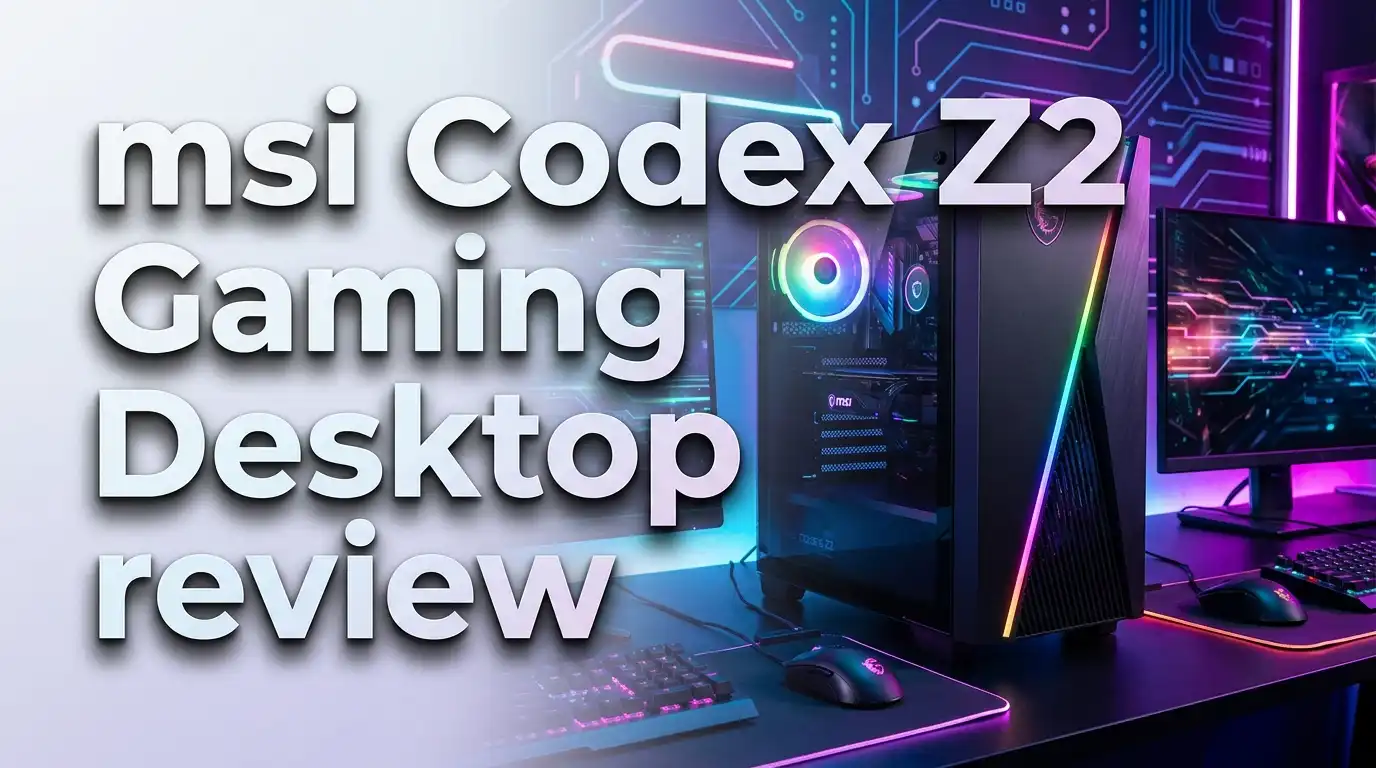
MSI Codex Z2 Gaming Desktop Review: Prebuilt Powerhouse?
Are you shopping for a prebuilt gaming PC that can handle AAA titles, VR, and content creation without making you build it yourself? The MSI Codex Z2 Gaming Desktop has been making serious waves. It packs an AMD Ryzen 7 8700F processor and up to an NVIDIA GeForce RTX 5070 GPU into a sleek mid-tower case. It ships ready to play right out of the box.
But does it actually deliver on its promises? Is it worth the price tag? Can it compete with custom builds and rival prebuilts? In this MSI Codex Z2 Gaming Desktop review, we break down every detail. We cover performance, thermals, design, upgradability, and value. We also compare it to the top alternatives on the market.
Whether you are a first-time PC gamer or a seasoned player looking for a reliable prebuilt rig, this review will help you decide. Stick around because we also reveal some surprises about this machine that MSI does not advertise on the box.
Key Takeaways: MSI Codex Z2 Gaming Desktop In a Nutshell
- The AMD Ryzen 7 8700F processor delivers solid 8-core, 16-thread performance with boost clocks up to 5.0 GHz. It handles gaming, streaming, and multitasking with ease and sits on an upgradable AM5 platform.
- The NVIDIA GeForce RTX 5070 GPU (on the top configuration) uses the new Blackwell architecture. It provides a major leap in ray tracing and rasterization. This card pushes 1440p gaming with high frame rates and handles 4K in many titles.
- 32GB of DDR5 RAM at 6000 MHz gives you plenty of headroom for modern games, creative applications, and heavy multitasking. The system supports expansion up to 256GB across four memory slots.
- MSI uses standard, off-the-shelf components inside the Codex Z2. This means you can upgrade the GPU, CPU, storage, and RAM yourself. The MSI B650/B840 motherboard gives you access to AMD’s full AM5 lineup for future CPU upgrades.
- Wi-Fi 6E, Bluetooth, and 9 USB ports provide strong connectivity options. The included MSI gaming keyboard and mouse bundle let you start playing immediately without extra purchases.
- Pricing ranges from about $1,000 to $2,050 depending on the configuration. The RTX 5070 model offers strong value compared to building a similar system from scratch.
MSI Codex Z2 Gaming Desktop Overview

- POWERHOUSE 8-CORE GAMING PERFORMANCE — Driven by the AMD Ryzen 7 8700F with 8 cores and 16 threads, boosting...
- NEXT-GEN BLACKWELL ARCHITECTURE — The NVIDIA GeForce RTX 5070 is powered by NVIDIA's cutting-edge Blackwell...

Last update on 2026-06-09 / Affiliate links / Images from Amazon Product Advertising API
The MSI Codex Z2 is a prebuilt gaming desktop aimed at mid-range to high-end gamers. MSI assembles these machines in the USA using standardized PC components. This sets it apart from many prebuilt competitors that use proprietary parts.
The Codex Z2 lineup comes in several configurations. The entry-level model features an RTX 4060 and 16GB of DDR5 RAM. The top-tier variant ships with an RTX 5070, 32GB of DDR5 6000 MHz RAM, and a 2TB NVMe SSD. All models use the AMD Ryzen 7 8700F processor as the CPU foundation.
MSI positions the Codex Z2 as a gaming PC that doubles as a productivity machine. The mid-tower chassis provides enough space for upgrades. The B650-series motherboard supports PCIe Gen 4 storage and future AMD processors. This means your investment today stays relevant for several years.
The system ships with Windows 11 Home, an MSI gaming keyboard, and an MSI gaming mouse. You do not need to buy any peripherals to start gaming on day one. MSI also includes their MSI Center software for system monitoring, fan control, and RGB customization.
Processor Performance: AMD Ryzen 7 8700F
The heart of the MSI Codex Z2 is the AMD Ryzen 7 8700F. This is an 8-core, 16-thread processor based on AMD’s Zen 4 architecture. It runs at a base clock of 4.1 GHz and boosts up to 5.0 GHz under load.
For gaming, this CPU performs very well. It keeps up with the latest AAA titles without becoming a bottleneck. Games like Cyberpunk 2077, Alan Wake 2, and Call of Duty run smoothly because the 8700F feeds frames to the GPU quickly and efficiently.
The 8700F also handles multitasking well. You can stream on Twitch, run Discord, and keep browser tabs open while gaming. The 16 threads provide enough parallel processing power for these workloads. Content creators will appreciate the fast video encoding and rendering speeds this chip delivers.
One important detail is that the 8700F sits on the AM5 platform. This means you can upgrade to a faster AMD processor later without replacing the motherboard. If AMD releases a gaming-focused chip like the Ryzen 7 9800X3D in the future, you have a clear upgrade path.
Graphics Card: NVIDIA GeForce RTX 5070 (Blackwell)
The RTX 5070 configuration of the Codex Z2 is the star of the show. This GPU uses NVIDIA’s Blackwell architecture and delivers a huge improvement over the previous generation. It features 12GB of VRAM and supports DLSS 4, ray tracing, and frame generation.
At 1440p resolution, the RTX 5070 crushes modern games. Expect frame rates well above 60 FPS in almost every title, even with ray tracing enabled. Games like Fortnite, Valorant, and CS2 run at extremely high frame rates for competitive play.
At 4K resolution, the RTX 5070 holds its own when paired with DLSS upscaling. DLSS 4 uses AI to reconstruct frames and boost performance. This means you get near-native 4K image quality with significantly higher frame rates than native rendering.
The GPU also supports VR gaming. If you own a Meta Quest or Valve Index headset, the Codex Z2 with the RTX 5070 provides a smooth VR experience. MSI lists the system as VR-Ready, and the hardware backs up that claim.
Top 3 Alternatives for MSI Codex Z2 Gaming Desktop
If you want to explore other options before committing to the Codex Z2, here are three strong alternatives available on Amazon.

- System: Intel Core i7-14700KF 3.4GHz 20 Cores | Intel Z790 Chipset | 32GB DDR5 | 1TB PCIe 4.0 NVMe SSD...
- Graphics: NVIDIA GeForce RTX 5070 12GB Graphics | 1x HDMI | 3x DisplayPort
Last update on 2026-06-17 / Affiliate links / Images from Amazon Product Advertising API
The CyberPowerPC Gamer Xtreme VR features an Intel Core i7-14700KF, RTX 5070, 32GB DDR5, and a 1TB SSD. It uses liquid cooling for the CPU and comes with a tempered glass panel. This is a solid alternative if you prefer Intel processors and want liquid cooling out of the box.

- Intel Core i7 14700F 2.1GHz (5.3GHz Turbo Boost) CPU Processor | 1TB Gen4 NVMe M.2 SSD – Up to 30x Faster...
- NVIDIA Geforce RTX 5070 12GB GDDR7 Graphics Card (Brand may vary) | 32GB DDR5 RAM 5600 RGB Gaming Memory with...
Last update on 2026-06-17 / Affiliate links / Images from Amazon Product Advertising API
The Skytech Gaming Chronos 3 packs an Intel i7 14700F, RTX 5070, 32GB DDR5 RAM, and a 1TB NVMe SSD. It features a 360mm ARGB AIO cooler and an 850W Gold PSU. This option gives you more cooling headroom and a higher wattage power supply.

- EMPOWER YOUR PASSIONS ELEVATE YOUR GAME – Whether you’re dominating the leaderboard, streaming your...
- BEYOND FAST – The Intel Core Ultra 7 265F CPU is designed to give you the power boost you need to dominate...
Last update on 2026-06-09 / Affiliate links / Images from Amazon Product Advertising API
The Lenovo Legion Tower 5i offers an Intel Core Ultra 7 265F, RTX 5070 Ti, 32GB DDR5, and expandable storage. It features a tool-less side panel for easy upgrades and includes 3 months of Xbox Game Pass. This is the premium pick if you want slightly better GPU performance.
Memory and Storage Configuration
The higher-end Codex Z2 models ship with 32GB of DDR5 RAM running at 6000 MHz. This is fast memory that benefits both gaming and productivity tasks. Two of the four DIMM slots are populated, leaving room for expansion up to 256GB.
For most gamers, 32GB is the sweet spot in 2025. Modern games increasingly use more than 16GB of RAM, especially with background applications running. The 6000 MHz speed also provides a noticeable boost in AMD Ryzen systems because these processors benefit from fast memory.
Storage comes in the form of a 2TB M.2 NVMe Gen 4 SSD on the top configuration. Lower-tier models ship with 1TB. The motherboard has two M.2 slots, so you can add a second drive without any hassle. Reddit users have confirmed that the second slot is accessible and functional.
Load times in games are extremely fast with the NVMe SSD. Windows boots in seconds. Large game installations on platforms like Steam and Epic load quickly. If 2TB is not enough, you can add a second M.2 drive or connect a traditional SATA drive for bulk storage.
Cooling System and Thermal Performance
The Codex Z2 uses an air cooling solution for the CPU. MSI includes an ARGB fan air cooler paired with four system cooling fans. Three fans sit in the front panel. One fan sits in the rear. This push-pull setup moves air through the chassis efficiently.
The mesh-style front panel is a big deal for thermals. Previous MSI desktop generations used more restrictive front panels. The new mesh design allows significantly more airflow to reach the internal components. This keeps temperatures lower during long gaming sessions.
MSI also includes their Frozr AI Cooling technology. This system uses AI to learn and predict temperature patterns. It adjusts fan speed automatically. The result is a system that stays cool during heavy loads and stays quiet during light use.
During gaming, expect CPU temperatures to hover in the 70-80°C range depending on the game and room temperature. The GPU runs within its thermal limits thanks to the ample case airflow. The system does produce some fan noise under load, but it remains manageable for most users.
Design and Build Quality
The MSI Codex Z2 uses a mid-tower ATX chassis with clean, modern aesthetics. The case measures 16 inches tall, 19 inches deep, and 8.38 inches wide. It weighs about 21.3 pounds. This is a standard-sized gaming desktop that fits comfortably on or under a desk.
The build quality is solid. MSI uses standardized PC components inside the chassis. This is important because it means every part is replaceable and upgradable. You are not stuck with proprietary connectors or custom-shaped motherboards like some competing prebuilts from other brands.
The tempered glass side panel lets you see the internal components. Combined with the RGB lighting, the Codex Z2 looks great in a gaming setup. MSI includes an LED button on the case that cycles through different lighting effects. You can also use MSI Center Mystic Light software for deeper customization of colors and patterns.
The overall fit and finish impress for a prebuilt at this price point. Cable management inside the case is decent. The chassis provides good access to components for maintenance and upgrades. MSI clearly designed this case with DIY enthusiasts in mind.
RGB Lighting and Customization
RGB lighting is a major feature of the Codex Z2. The system ships with built-in RGB lighting on the CPU cooler, front fans, and internal accents. The effect is visible through the tempered glass side panel and creates an eye-catching display.
MSI makes RGB control simple. Press the LED button on the case to cycle through preset lighting effects. MSI claims over 60 different lighting effects are available through this button alone. This is great for users who want quick changes without opening software.
For deeper customization, press and hold the LED button for 3 seconds to switch to software mode. This activates MSI Center Mystic Light compatibility. Through the software, you can pick exact colors, create custom patterns, and sync lighting with other MSI peripherals.
Want to go dark? Press and hold the LED button for 7 seconds to turn off all lighting. This is a thoughtful feature for gamers who prefer a stealth look or game in dark rooms where RGB can be distracting. Not many prebuilt desktops offer this level of lighting control out of the box.
Connectivity and Ports
The MSI Codex Z2 provides a generous selection of ports. On the back panel, you get 8 USB-A ports and 1 USB-C port for a total of 9 USB connections. This is more than enough for gaming peripherals, external drives, webcams, and other accessories.
Display outputs come from the RTX 5070 GPU. You get 3 DisplayPort outputs and 1 HDMI output. This allows you to run a multi-monitor setup with up to four displays. Competitive gamers can connect a high-refresh-rate monitor, while content creators can add secondary screens.
Wireless connectivity includes Wi-Fi 6E and Bluetooth. MSI advertises Wi-Fi 7 compatibility on some configurations, which is nearly 4.8 times faster than Wi-Fi 6. For the most stable online gaming experience, the system also includes a Gigabit Ethernet port on the back panel.
Audio comes through 7.1 channel HD audio output. This supports surround sound headsets and speaker systems. A dedicated microphone input is also available for headset microphones or standalone mics. The audio quality is standard for a prebuilt system and works well for gaming and voice chat.
Upgradability and Future-Proofing
One of the strongest selling points of the Codex Z2 is its upgrade-friendly design. MSI uses standard ATX components throughout the system. The motherboard, GPU, CPU, RAM, and storage all use industry-standard connections and form factors.
The MSI B650/B840 motherboard sits at the center of this upgrade path. It uses the AM5 socket, which AMD has committed to supporting for multiple processor generations. You can drop in a faster CPU later without replacing the board. The motherboard also features 4 PCIe x16 slots and 2 M.2 slots for expansion.
RAM upgrades are straightforward. The system ships with two of four DIMM slots populated. You can add two more sticks to reach 64GB or swap all four for higher-capacity modules up to 256GB. This much RAM future-proofs the system for years of gaming and productivity use.
The 750W 80+ Gold power supply (on the RTX 5070 model) provides enough headroom for a GPU upgrade down the road. If you want to swap in a more powerful GPU in two or three years, the PSU should handle most mid-range to high-end cards without replacement.
Included Accessories and Software
MSI bundles several accessories with the Codex Z2. The package includes an MSI gaming keyboard and MSI gaming mouse. The keyboard uses mechanical-like plunger switches. It features RGB lighting and dedicated hotkeys. The mouse offers five DPI presets that you can cycle through instantly.
These peripherals are decent starter options. They let you game immediately without spending extra money. However, serious gamers will likely want to upgrade to higher-end peripherals eventually. The included keyboard and mouse serve well as backups or for casual use.
On the software side, MSI includes MSI Center. This application serves as the control hub for the system. It monitors CPU and GPU temperatures. It adjusts fan speeds. It controls RGB lighting. It also provides system optimization tools and driver update notifications.
The system ships with Windows 11 Home preinstalled and activated. MSI recommends Windows 11 Pro for business use, but Home edition covers the needs of most gamers. You also get a 1 month Xbox Game Pass offer for new users, giving you access to hundreds of games right away.
Gaming Performance in Real-World Titles
The Codex Z2 with the RTX 5070 configuration delivers impressive gaming performance. At 1080p resolution, this system is completely overkill for most titles. Frame rates in competitive games like Valorant and Fortnite push well past 200 FPS.
At 1440p, the Codex Z2 hits its sweet spot. Expect 100+ FPS in AAA games like Cyberpunk 2077 with DLSS enabled. Ray tracing performance is strong thanks to the Blackwell architecture. Games with full path tracing run at playable frame rates with DLSS frame generation active.
At 4K resolution, the RTX 5070 still performs well with the help of DLSS 4. Native 4K can be demanding, but AI upscaling closes the gap. Most games run at 60+ FPS at 4K with high settings and DLSS enabled. This makes the Codex Z2 a viable 4K gaming machine for the price.
Reddit users report that the Codex Z2 handles VR gaming, life simulation games, and indie titles without any issues. One user confirmed that the RTX 4060 Ti model runs Sims 4 at 4K settings perfectly. The RTX 5070 model provides significantly more performance headroom for future games.
Who Should Buy the MSI Codex Z2?
The MSI Codex Z2 is ideal for first-time PC gamers who want a reliable, ready-to-play system. You do not need any technical knowledge. You plug it in, connect a monitor, and start gaming. The included keyboard and mouse make the setup process even simpler.
It also suits gamers who want upgradability without building from scratch. The standard components mean you can swap parts as needed. The AM5 platform gives you a CPU upgrade path. The four DIMM slots and two M.2 slots provide storage and memory expansion for years.
Content creators and streamers benefit from the 8-core CPU and 32GB of fast DDR5 RAM. Video editing, 3D rendering, and streaming alongside gaming all run smoothly. The RTX 5070 also accelerates creative applications that use GPU compute.
However, if you are comfortable building your own PC, you might get slightly more value from a custom build. Some Reddit users note that a DIY build with similar specs can save $100 to $200. But the convenience, warranty, and time savings of a prebuilt like the Codex Z2 make it worth the premium for many buyers.
Pricing and Value Comparison
- POWERHOUSE 8-CORE GAMING PERFORMANCE — Driven by the AMD Ryzen 7 8700F with 8 cores and 16 threads, boosting...
- NEXT-GEN BLACKWELL ARCHITECTURE — The NVIDIA GeForce RTX 5070 is powered by NVIDIA's cutting-edge Blackwell...
Last update on 2026-06-09 / Affiliate links / Images from Amazon Product Advertising API
The MSI Codex Z2 with the RTX 5070, 32GB DDR5, and 2TB SSD is priced around $1,800 to $2,050 depending on the retailer. Best Buy lists it at $1,799.99. Amazon lists it around $2,054.88 at full retail price.
The RTX 4060 model (ASIN: B0DGJVL81P) comes in at a lower price point around $900 to $1,100. This version offers great value for 1080p and 1440p gaming on a tighter budget. It still includes the same Ryzen 7 8700F processor and upgradable platform.
Compared to competitors, the Codex Z2 offers fair pricing. The CyberPowerPC Gamer Xtreme with similar specs costs about $2,498. The Skytech Chronos 3 and Lenovo Legion Tower 5i fall in a similar range. MSI’s pricing lands on the more affordable end while maintaining quality components.
The value proposition is strong. You get a name-brand gaming desktop with standard components, a solid warranty, and included peripherals. The upgrade path alone adds long-term value that cheaper prebuilts with proprietary parts cannot match.
Pros and Cons of the MSI Codex Z2
The Codex Z2 has several clear strengths. The standard ATX components make it feel like a DIY build with the convenience of a prebuilt. The AM5 platform provides a future upgrade path. The RTX 5070 delivers excellent 1440p and 4K gaming performance. The mesh front panel improves thermals significantly over previous MSI desktops.
The included peripherals and software add convenience. MSI Center provides useful system management tools. The RGB customization options are more flexible than most prebuilts offer. The 2TB NVMe SSD gives you plenty of storage from day one.
On the downside, the air cooler may run louder than liquid cooling solutions under heavy load. Some users on Reddit reported occasional stability issues, though these appear to be isolated cases. The included keyboard and mouse are basic and will likely need replacing for serious gamers.
The system is also not ENERGY STAR certified. If power efficiency matters to you, this is worth noting. The 750W power supply is efficient (80+ Gold rated), but the overall system draws significant power under full gaming load.
Final Verdict: Is the MSI Codex Z2 Worth It?
The MSI Codex Z2 Gaming Desktop earns a strong recommendation. It delivers excellent gaming performance at a fair price point. The use of standard components sets it apart from competitors that lock you into proprietary ecosystems. The upgrade path through the AM5 platform adds genuine long-term value.
The RTX 5070 model handles 1440p gaming with ease and manages 4K with DLSS assistance. The Ryzen 7 8700F provides smooth gameplay and handles multitasking well. 32GB of DDR5 at 6000 MHz ensures you have plenty of memory for modern games and applications.
If you want a prebuilt gaming desktop that works great today and can grow with you over the next several years, the MSI Codex Z2 is one of the best options available. It balances performance, price, upgradability, and convenience in a way that few competitors match.
Frequently Asked Questions
Can You Upgrade the GPU in the MSI Codex Z2?
Yes. The MSI Codex Z2 uses a standard ATX motherboard with PCIe x16 slots. You can replace the GPU with any compatible graphics card. The 750W power supply on the RTX 5070 model supports most mid-range and high-end GPUs. Make sure to check the physical dimensions of any new card against the case clearance before purchasing.
Does the MSI Codex Z2 Come with a Monitor?
No. The MSI Codex Z2 does not include a monitor. You need to purchase a monitor separately. The system does include an MSI gaming keyboard and MSI gaming mouse. For the best experience with the RTX 5070 model, consider a 1440p monitor with a 144Hz or higher refresh rate.
How Loud Is the MSI Codex Z2 During Gaming?
The Codex Z2 uses air cooling with four system fans and a CPU air cooler. During heavy gaming, the fans ramp up and produce noticeable noise. However, MSI’s Frozr AI Cooling adjusts fan speed based on predicted temperatures. During light tasks, the system stays relatively quiet. It is comparable to other air-cooled prebuilt desktops in its class.
Is the MSI Codex Z2 Good for Streaming?
Yes. The AMD Ryzen 7 8700F with 8 cores and 16 threads handles gaming and streaming simultaneously. The RTX 5070 also includes NVIDIA’s NVENC hardware encoder, which offloads streaming duties from the CPU. With 32GB of DDR5 RAM, you can run OBS, a game, and Discord without performance drops.
What Is the Warranty on the MSI Codex Z2?
MSI provides a 1-year warranty covering parts and labor. This is standard for most prebuilt gaming desktops. You can contact MSI support directly for warranty claims. Some retailers like Best Buy may offer extended warranty options at the time of purchase for additional coverage.
Can the MSI Codex Z2 Handle 4K Gaming?
The RTX 5070 model handles 4K gaming in most titles with DLSS enabled. Native 4K without upscaling can be demanding in the most graphically intense games. For the best 4K experience, enable DLSS 4 and frame generation in supported titles. This combination delivers smooth frame rates at near-native 4K image quality.

DK is a technology expert who specializes in AI tools, software, and tech gadgets. He writes for How to Tech Info, providing detailed reviews and practical guides. DK helps readers discover the best AI applications, navigate new software, and choose the right tech gadgets.


