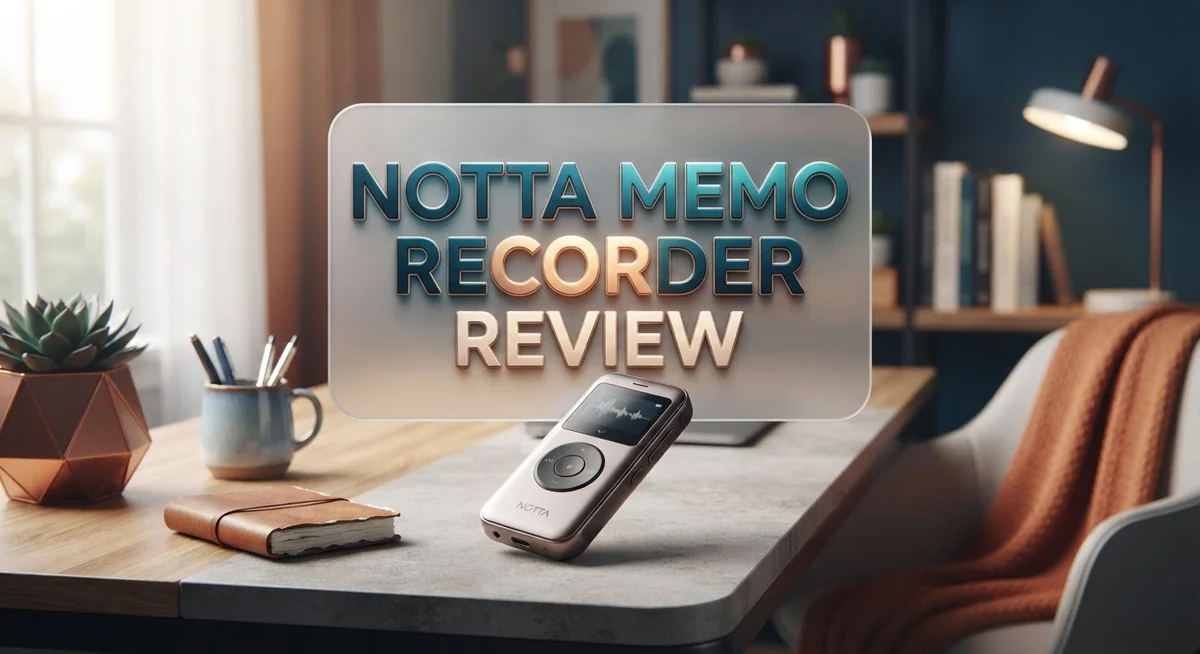
Notta Memo Recorder Review: AI Voice Recording & Transcription
Do you need a smart way to record and transcribe voice notes? The Notta Memo Recorder might catch your eye.
This device packs a 4 microphone array into one small gadget. It promises clear audio capture in almost any setting.
Notta supports transcription in 58 languages. That makes it a strong pick for people who work across different regions.
You also get real-time transcription, summaries, and action plan generation. These features aim to save you time after every meeting or interview.
But does it truly deliver on these big promises? Some users praise its all-in-one design. Others report transcription errors and a rough onboarding experience.
In this review, we break down the real pros and cons. We will help you decide if this recorder fits your daily needs.
In a Nutshell
Here’s the quick rundown before you dive deeper into this review.
- Storage capacity hits 30 hours of recording. That’s solid for long meetings or lectures.
- Accuracy can reach 98% but only with clear audio. Background noise lowers this number fast.
- Translation features let you convert speech across languages instantly. This helps global teams communicate better.
- A free plan exists, but many users call it weak. You might hit limits quickly.
- Some paid users report transcription errors. Perfect accuracy isn’t guaranteed even with premium access.
- Onboarding feels pushy to many reviewers. Expect frequent prompts to upgrade your plan.
- Trustpilot ratings sit low, around 2 out of 5. This signals real satisfaction concerns among users.
Notta offers strong tech specs on paper. But real world performance shows some gaps. Users often search for alternatives with better export options or simpler transcription needs. Weigh these points before deciding if Notta fits your workflow.
Key Features and Specifications
Notta Memo Recorder combines hardware and software into one unified system. The device features a 4-microphone array that captures sound from multiple directions. This setup helps reduce background noise and improves clarity during recordings.
The transcription engine works across 58 languages. Whether you speak English, Spanish, Mandarin, or another language, Notta can handle it. Real-time transcription means you see text appear as you speak. This feature works during the recording session itself.
Accuracy reaches up to 98% with clear audio. However, results depend heavily on sound quality. Background noise, overlapping voices, and poor microphone placement can lower accuracy. Users should expect realistic performance in typical office or meeting environments.
Storage capacity maxes out at 30 hours of recordings. This gives you plenty of space for multiple meetings, lectures, or interviews. Once you fill the storage, you can export files or delete older recordings.
Notta generates summaries automatically from your recordings. The AI pulls out key points and creates a brief overview. You also get action plan generation. The system identifies tasks mentioned in your recording and lists them separately.
Translation features let you convert recordings into different languages. This works well for international teams or multilingual projects. You can translate text or listen to audio in another language.
The device includes both a free plan and paid options. The free plan has significant limitations according to user feedback. Paid tiers unlock more features and higher accuracy rates.
One important note: some paid users report transcription errors. These mistakes happen most often with technical terms, names, or accented speech. Manual editing is sometimes necessary after transcription completes.
Onboarding can feel aggressive to new users. The setup process pushes you toward premium features quickly. Take your time exploring the free version first before committing to anything.
Overall, Notta Memo Recorder delivers solid hardware with capable AI software. The multi-microphone design and language support stand out. Performance varies based on your audio quality and specific use case.

- All-in-One AI Voice Recorder: Powered by top AI models, Notta Memo is the world's first AI voice recorder that...
- Dual Recording Modes, 5-Mic Array: Notta Memo AI voice recorder can easily switch between "phone call...
Last update on 2026-07-31 / Affiliate links / Images from Amazon Product Advertising API
Transcription Accuracy and Language Support
Notta’s transcription engine stands out for its broad language reach. The device handles 58 languages, which means you can record conversations across most parts of the world. Whether you’re in Tokyo, Berlin, or São Paulo, Notta picks up your speech and converts it to text.
Accuracy matters when you’re relying on transcriptions for work or study. Notta claims up to 98% accuracy with clear audio. This figure applies when you record in quiet environments with minimal background noise. Real-world conditions often differ, though. Users report mixed results depending on audio quality and accent variations.
The real-time transcription feature lets you see text appear as you speak. This is useful during meetings or interviews because you catch errors immediately. You can correct mistakes on the spot rather than fixing them later. The live preview also helps you confirm the device captured your words correctly.
Language support extends beyond simple transcription. Notta’s translation capability converts recordings into different languages automatically. If you record a meeting in English, you can instantly translate it to Spanish, French, or another supported language. This feature saves time for multilingual teams and international projects.
Some users praise the accuracy for their specific use cases. Others report frustration with transcription errors, especially with technical terms, proper nouns, or heavy accents. The accuracy can drop significantly when background noise increases or when speakers talk quickly.
Summarization works alongside transcription. After Notta finishes transcribing your recording, it generates a brief summary of the content. This saves you from reading through lengthy transcripts to find key points.
The 58 language support is genuinely impressive compared to many competitors. However, accuracy varies across languages. Major languages like English, Spanish, and Mandarin perform better than smaller regional languages. Your experience depends heavily on audio quality, speaker clarity, and the specific language you use. Test the device with your typical recording environment before committing to frequent use.
Hardware Design and Audio Capture
The Notta Memo Recorder uses a 4-microphone array to capture your voice from multiple angles. This setup helps the device pick up sound clearly even in less than perfect environments. Multiple microphones work together to reduce background noise and focus on what you’re actually saying.
The hardware itself feels solid and straightforward. You get a compact device that sits on your desk or table without taking up much space. The build quality seems decent based on user feedback, though some reviewers wish for more premium materials. The device connects easily to your computer or phone through standard connections.
Audio capture quality depends heavily on your surroundings. In quiet rooms with clear speech, the Notta Memo Recorder performs best. Background noise like traffic or office chatter can affect how well the microphones pick up your words. The real-time transcription feature shows text appearing as you speak, which helps you catch any issues immediately.
The device stores up to 30 hours of recordings, which gives you plenty of space for meetings, lectures, or interviews. You won’t need to worry about running out of storage for typical daily use. Transferring files to your computer happens quickly through the included software.
One strength is how the hardware and software work together seamlessly. You don’t need to juggle multiple apps or complicated setups. Everything connects automatically once you complete the initial setup process.
However, some users report that transcription accuracy drops when audio quality suffers. Even though the system claims up to 98% accuracy with clear audio, real world results vary. Accents, mumbling, or unclear speech can lead to mistakes in the final transcript. The microphone array helps, but it’s not perfect in every situation.
The physical design prioritizes function over style. It’s practical and gets the job done, though it won’t win any awards for looks. Users who care mainly about performance find the design acceptable. Those seeking something sleeker might feel disappointed by the straightforward appearance.
Top 3 Alternatives
Otter AI Meeting Recorder

- 【YOUR ON‑DEVICE AI RECORDER FOR MEETINGS & LECTURES:】More than an ordinary voice recorder, the JEDOUBAL...
- 【SMART AI AGENT FOR INSTANT MEETING‑READY OUTPUTS: 】JEDOUBAL Note Pro automatically generates meeting...
Last update on 2026-08-22 / Affiliate links / Images from Amazon Product Advertising API
Otter AI captures your conversations and turns them into searchable text automatically. The app records audio during meetings and creates transcripts in real time. You get accurate transcription without lifting a finger. The platform works on your phone, computer, or web browser seamlessly.
Otter AI lets you search through past recordings by keyword. You can highlight important moments and share clips with your team. The app syncs across all your devices, so your notes follow you everywhere. Collaboration features make it easy to work with colleagues on the same recordings.
Fireflies AI Transcription

Last update on 2026-09-13 / Affiliate links / Images from Amazon Product Advertising API
Fireflies AI joins your video calls and records everything automatically. The service works with Zoom, Google Meet, Microsoft Teams, and other platforms. You get instant transcripts that capture every word spoken during your meeting. The AI even identifies different speakers, so you know who said what.
Fireflies AI creates summaries of your calls so you don’t have to read long transcripts. You can search specific moments and pull out action items quickly. The platform stores all your recordings in one secure location. Team members can access shared meetings and add their own notes anytime.
Rev Voice Recorder

- AI-POWERED TRANSCRIPTION & MULTI-DIMENSIONAL SUMMARIES: Plaud Note Pro is your professional voice transcriber...
- ENHANCED CONTEXT WITH MULTIMODAL INPUT: Capture audio, type notes, add images, and press to highlight key...
Last update on 2026-07-31 / Affiliate links / Images from Amazon Product Advertising API
Rev Voice Recorder is a simple app for capturing audio on your phone or computer. You press record and the app captures clear sound. Professional transcription services turn your audio into written text within hours. Rev handles many languages and accents accurately.
Rev lets you edit transcripts before finalizing them. You can download your files in multiple formats. The service works great for interviews, lectures, and personal notes. Affordable pricing makes Rev accessible for individuals and small teams alike.
Summarization and Action Item Generation
Notta’s summarization engine transforms long recordings into concise, actionable summaries. You speak for an hour, and the AI distills key points into a few sentences. This saves you hours of manual review time.
The action item generation feature automatically pulls tasks from your recordings. If someone mentions “send the report by Friday,” Notta flags it as an action item. You get a clean list without hunting through transcripts yourself.
Real-time summarization works as you record. The system identifies important moments and highlights them instantly. This means you don’t wait hours for results. You see summaries pop up while the meeting is still fresh in your mind.
The summarization quality depends on audio clarity and content structure. Clear conversations produce better summaries than overlapping speech. Technical jargon or industry-specific terms sometimes get missed or simplified.
Action items appear in an organized format that integrates with your workflow. You can export these lists or share them with team members. The system recognizes common action item phrases across different languages, which helps if your team speaks multiple languages.
One practical benefit: you can set priorities for action items. Urgent tasks rise to the top automatically. This keeps your to-do list organized without extra effort.
Users report mixed results here. Some find the summaries perfectly capture meeting essence. Others say critical details get lost in condensed versions. The accuracy improves when you use clear language and structured meetings.
The action plan generation works best for business calls and lectures. Casual conversations produce less useful action items. The AI struggles when multiple people speak simultaneously or jump between topics rapidly.
Integration with productivity tools makes action items actually useful. You can push tasks directly into your calendar or project management app. This prevents action items from sitting in Notta and getting forgotten.
For professionals who run back-to-back meetings, this feature saves significant time. Teachers and students also benefit from automatic summaries of lectures. The key is ensuring your audio quality stays high so the AI captures everything accurately.
Pricing and Plan Comparison
Notta offers several subscription tiers that cater to different user needs. Each plan unlocks various features and recording limits to match your specific requirements.
The free plan serves as an entry point. You get basic transcription capabilities and limited storage. However, many users find this tier restrictive for regular use. The free option works best if you want to test the software before committing to a paid subscription.
Mid tier plans expand your access significantly. You receive higher recording limits and priority transcription processing. These plans also unlock the summarization and action item generation features. Real-time transcription becomes fully available across your recordings. Most professionals choose this range for daily work needs.
Premium tiers offer maximum flexibility. You get unlimited or substantially higher recording capacity. Advanced features like custom vocabulary and priority support come included. These plans suit teams or power users who rely on Notta constantly.
Key differences between plans center on storage capacity and feature access. Lower tiers restrict how many hours you can record monthly. Higher tiers remove these limitations entirely. Transcription speed also varies, with premium users receiving faster processing.
The free plan’s limitations are significant. Users report feeling pushed toward paid options quickly. Export features and integration capabilities remain limited on the basic tier. This creates friction for those testing the platform.
Paid users mention transcription accuracy concerns across all tiers. Some experience errors that require manual correction. The quality depends heavily on audio clarity. Background noise reduces accuracy noticeably.
Plan selection depends on your recording volume and feature needs. Light users might manage with lower tiers. Teams conducting frequent meetings benefit from premium access. The jump between tiers offers meaningful feature increases rather than minor tweaks.
Notta’s structure encourages upgrading as your usage grows. Starting free lets you explore the interface risk-free. The progression to paid plans feels natural once you understand the workflow. Consider how often you’ll record and which features matter most to your situation.
Pros and Cons
Pros
- Real-time transcription works across 58 languages, making it useful for global teams and multilingual meetings
- Automatic summarization and action item generation save you hours of manual note-taking after calls
- Hardware and software integrate seamlessly, so you get a complete solution without juggling separate tools
- Free plan lets you test the recorder before committing to a paid tier
- 4-microphone array captures clear audio from different angles in your meeting space
Cons
- Free plan has severe limitations that frustrate most users trying the service
- Transcription accuracy drops noticeably when audio quality is poor or background noise exists
- Onboarding process feels pushy and aggressive, creating friction for new users
- Trustpilot rating sits at 2 out of 5 stars, with many paid users reporting accuracy problems across all subscription levels
Who Should Buy It
Notta Memo Recorder works best for professionals who record meetings regularly. If you attend calls, interviews, or lectures, this device captures everything without you taking notes.
Business teams benefit most from the hardware and software combination. The 4-microphone array picks up voices from different angles in your meeting room. Real-time transcription across 58 languages helps global teams understand each other instantly.
Researchers and journalists find value here too. Long interviews get transcribed automatically. You can focus on asking questions instead of scribbling notes. The summarization feature pulls key points from hours of content in seconds.
Students and academics should consider this device. Lectures become searchable transcripts. The action item generation helps you identify important tasks from class discussions or group projects.
Sales professionals and account managers gain an edge. Call recordings become instant summaries. You track what clients said without replaying entire conversations. Action items remind you of follow-up tasks.
However, Notta is not ideal for casual users. If you record once a month, the free plan’s severe limitations frustrate most people. You’ll hit storage caps quickly. Upgrading becomes necessary fast.
People seeking basic transcription and export features may find better options elsewhere. The onboarding process feels pushy to some users. The free plan doesn’t give you a real sense of what paid features deliver.
Accuracy matters for your use case? Clear audio recordings work well. Noisy environments or poor microphone quality cause transcription errors. You need good sound quality for the 98% accuracy rate to apply.
Budget conscious teams should research alternatives first. Users report affordability concerns across all subscription tiers. The value proposition depends on how many hours you record monthly.
Notta suits you if you need all-in-one hardware and software integration. Separate tools feel clunky by comparison. You want summaries and action items generated automatically. You record in multiple languages. You value real-time transcription during meetings.
Skip Notta if you need simple, cheap transcription only. The device and software combo targets serious recording users who want complete workflow integration.
Final Verdict
The Notta Memo Recorder delivers on its core promise. It combines solid hardware with smart software. This mix makes it a strong tool for anyone who records conversations often.
Its 4 microphone array picks up sound clearly. The 58 language support opens doors for global users. Automatic summaries and action items add real time savings to your workflow.
That said, this device has flaws worth noting. The 2/5 Trustpilot rating reflects genuine user frustration. Many buyers report transcription errors even after paying for premium access.
The onboarding process feels pushy to some new users. This can create a poor first impression before you even test the core features. Support and setup experience need improvement based on feedback.
Should you buy this recorder? The answer depends on your specific needs. Heavy users who record daily meetings will likely find strong value here. The time saved on notes and summaries adds up fast.
Casual users might feel differently about this purchase. If you only record occasionally, the learning curve may not feel worth it. Simpler apps could serve basic needs just as well.
Accuracy remains the biggest factor in your decision. Clear audio in quiet rooms produces great results almost every time. Noisy environments or overlapping speakers will test the system’s limits.
Think about your daily recording habits before deciding. Do you attend back to back meetings? Do you need instant translation across teams? These questions will guide you toward the right choice.
The Notta Memo Recorder works best as a complete solution. It shines when you need hardware and software working together. For professionals juggling multiple languages and constant note taking, this tool earns its place.
Weigh the pros against the cons carefully. Look at your own recording frequency and language needs. This device rewards consistent, heavy use more than casual, occasional recording sessions.
Frequently Asked Questions
Does Notta Memo Recorder work with video calls and in-person meetings?
Yes, it works for both. The 4-microphone array captures audio from different angles in your meeting space. You can use it for Zoom calls, Teams meetings, or sitting around a conference table. Just place the device where it can hear everyone clearly.
How many languages does Notta support?
Notta transcribes in 58 languages. This makes it useful for global teams and multilingual meetings. The real-time transcription feature works across all supported languages, so you get instant text as people speak.
What happens if my audio quality is poor?
Transcription accuracy drops when background noise exists or audio is unclear. Notta claims up to 98% accuracy with clean audio. In noisy environments or low-quality recordings, you may see more errors. Position the device close to speakers and minimize background sounds for best results.
Does Notta create summaries automatically?
Yes. After recording, Notta generates summaries and action items for you. This saves hours of manual note-taking after calls. The software pulls out key points and next steps so you can focus on what matters. You don’t need to review the entire transcript yourself.
Can I try Notta before committing?
A free plan exists, but users report it has severe limitations. Most people find the free tier frustrating because features are restricted. You may want to test it briefly to see if the hardware feels right for your meeting space before exploring paid options.

DK is a technology expert who specializes in AI tools, software, and tech gadgets. He writes for How to Tech Info, providing detailed reviews and practical guides. DK helps readers discover the best AI applications, navigate new software, and choose the right tech gadgets.