
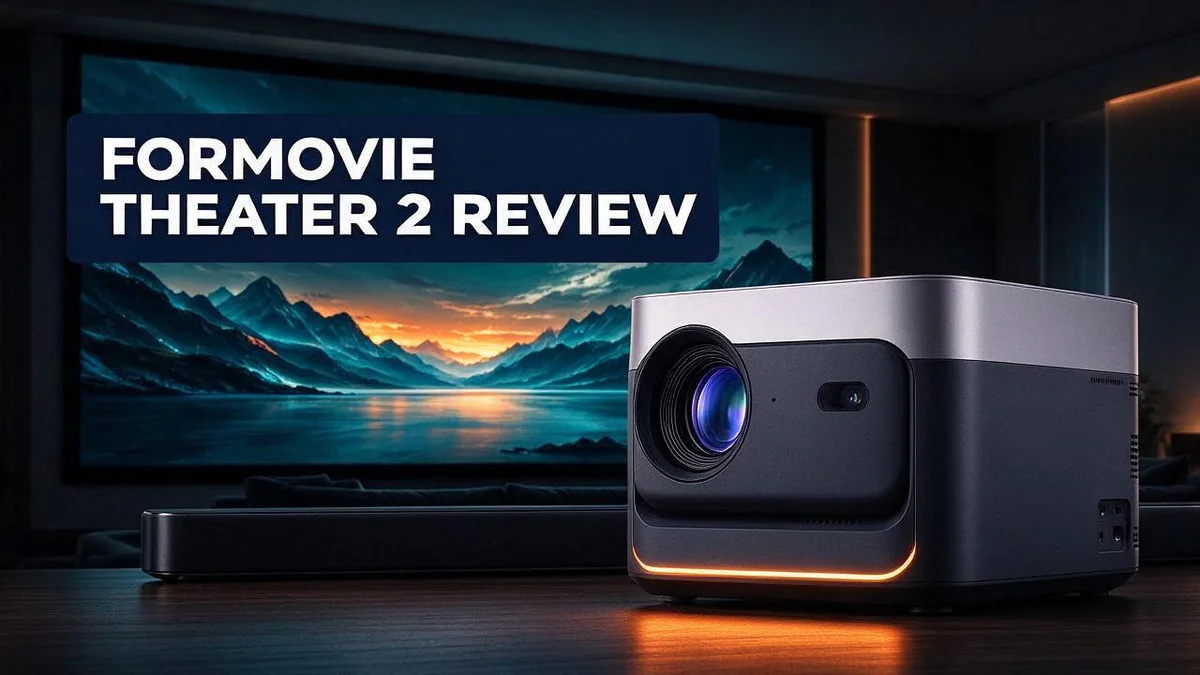
Formovie Theater 2 Review: 4K UST Laser Projector Tested for Picture, Gaming, and Value
Looking for a projector that turns your living room into a cinema? The Formovie Theater 2 could be the answer. It is a 4K UST laser projector that fits well in a small room.
Bright images and rich sound make movie nights feel special. Owners often praise the accurate colors and strong contrast. The picture also shows less speckle than many older models.
Gamers can enjoy it too. A dedicated GAMING mode keeps casual play smooth and responsive. Google TV comes built in, with native Netflix ready to stream.
Still, no projector is perfect. Some users report green artifacts on skin and red tones that look too strong out of the box. Knowing these trade-offs before you buy helps you decide.
In this guide, we break down the specs, real owner feedback, and the main competitors. You will learn whether this laser projector suits your home theater goals.
In a Nutshell
-
Streaming is built in. Google TV comes with native Netflix, so you can start watching right away without extra boxes or cables.
-
The picture stays smooth. The laser setup reduces speckle, so the image looks clean during long viewing sessions and fast action scenes.
-
Audio fits movie nights. Dolby Atmos support adds depth to films and shows, so many viewers find the built in sound enough for everyday use.
-
Colors and skin tones need work. Some owners find red too strong out of the box, and green artifacts can appear on faces. Adjusting the settings early helps avoid frustration during close up scenes.
-
Repair history deserves a look. One owner reported a four month repair after two years of use, so check the support options and warranty terms first.
-
Rivals offer strong choices. The Hisense L5G CINE100A, Samsung Premier LSP7T, and Hisense PX2 Pro are worth comparing side by side before you decide.
Picture Quality and Brightness

- ✅ AWARD-WINNING PROJECTION: As 1st place winner & judge's pick at both the 2022 and 2023 Laser TV Showdown...
- ✅ 1800 ISO Lumens, Crisp and Clear Anytime Vibrant and bright colors can be accessed easily during daylight...
Last update on 2026-11-05 / Affiliate links / Images from Amazon Product Advertising API
Brightness matters a lot in a living room. The Formovie Theater 2 carries a 2200 ISO lumen rating, so the image stays visible when some lights stay on. Many projectors look dim once the blinds open. This model gives you more room to enjoy daytime viewing.
The laser light source also supports HDR10+ and Dolby Vision. These formats adjust brightness and contrast scene by scene. Dark caves and bright skies can both look natural, and highlights stay clear instead of turning flat.
Screen size changes how bright the picture feels. The projector scales from 80 to 150 inches. A larger image spreads the same light across more space. Pair big screens with a darker room for the best results.
Ambient light rejecting screens can also help in brighter rooms. Some rivals, like the 5050UB, pair with this type of surface for that exact purpose.
Contrast decides how deep the blacks look. Owners describe excellent contrast, so dark scenes keep their detail. Good contrast makes night scenes feel layered instead of washed out. Movie fans often notice this most during shadowy chase scenes.
Placement shapes the final result. Set the throw distance carefully and focus the lens on a flat, light colored wall. A clean surface helps the brightness spread evenly across the frame. Check the corners after setup to catch any dim spots.
Light colored walls also reflect more light than dark paint. Soft gray or beige tones can reduce glare and keep colors balanced.
Room lighting matters too. Warm bulbs or dim wall sconces keep the room comfortable without washing out black levels.
Picture settings deserve a few minutes. Start with the mode that suits your room. Lower the brightness a little in dark rooms for a more comfortable look.
Final thought for picture fans. Brightness and contrast work well together in this projector. Test it in your own space before you commit to a setup.
Setup and Screen Placement
Setup is simple, and that helps a lot. Most people can get the Formovie Theater 2 running in one evening. Plan a little before you plug anything in.
Start by choosing a spot that keeps the projector away from heat and dust. Leave open space around the vents so air can flow.
Next, decide between a ceiling mount, a shelf, or a rear table. A ceiling mount keeps the lens clear of pets and kids.
A table setup works well for renters who want no drilling.
Connect your devices before you power up. The three HDMI 2.1 inputs can handle a game console, a streaming stick, and a soundbar at the same time.
Turn on ALLM so the projector lowers input lag when it detects a game.
A strong wireless connection keeps the first setup quick. Join your home network, then sign in to Google TV with your account. Your Netflix login works right after that, so you can test the picture within minutes.
Screen choice affects setup too. A simple white wall works for most rooms. Measure the wall first so the image fills the space without spilling past the edges.
A dedicated screen can give a cleaner edge and a neater look. This option makes sense if you plan to hang it permanently.
Room light changes everything. Close the blinds during daytime viewing and note which lights stay on. Dim ceiling lights help the image look its best.
Keep the cable run tidy. Use a surge protector and cable clips along the wall. This keeps the cables safe when you clean or move furniture.
Sit in your main viewing spot and listen for fan noise. Most viewers stop noticing it once a film starts.
If it feels loud, try a cooler spot with more airflow.
Test everything once before the first movie night.
Gaming and Streaming Performance
Gamers want a projector that keeps up with fast play. The Formovie Theater 2 offers a solid option for casual gaming. Many players will enjoy it for family nights and relaxed sessions.
A dedicated GAMING mode sits right in the menu. Select it before you launch a game. The picture settings shift toward quicker response, which helps during action scenes.
Casual gaming performance earns excellent marks from users. Platformers, puzzle titles, and sports games look bright and lively on a large screen.
Competitive players may want more proof. Try the projector with your favorite fast title first. That test shows if the response feels right for your style.
Streaming starts fast with Google TV. Apps sit on one home screen, so you can jump between services with ease.
Netflix is built in, so you can start a show without adding a separate stick. Many viewers like that clean, simple path.
The unit also uses a modern wireless standard. A quick connection helps apps load and keeps streams smooth during long viewing sessions.
Three HDMI 2.1 inputs give you room for more devices. You can connect a game console, a streaming stick, and a soundbar at once.
Switching between inputs stays easy. Label each port in the menu, so the right device always shows up fast.
Rival projectors from Hisense and Samsung also target home theater fans. Their models offer strong picture quality too. Compare input lists and gaming features before you decide.
Your room and habits matter most. If you game often, test the response yourself. If you mostly stream, the built in apps may be enough.
Overall, the Formovie Theater 2 handles gaming and streaming with ease for most households. It suits families who want one screen for play and entertainment.
Top 3 Alternatives
If you want a different projector than the Formovie Theater 2, these three options are worth a look. Each one offers a different mix of portability, picture quality, and built-in features.
Anker Nebula Capsule 3

- Super-Sized Screen, Portable Design: Capsule 3 is an all-new ultra-portable Google TV projector licensed by...
- Take the Big Screen Anywhere: With a max screen size of 120 inches, Capsule 3 delivers a cinema-level...

Last update on 2026-10-07 / Affiliate links / Images from Amazon Product Advertising API
The Anker Nebula Capsule 3 is a compact projector that fits in your pocket. It runs Android TV, so you can stream shows without a separate device. Autofocus and auto keystone correction make setup quick, which helps when you move it from room to room.
XGIMI MoGo 2 Pro

- Multi-angle Rotation: 120° Adjustable Angle. Easily switch your projected image from the wall to the ceiling.
Last update on 2026-11-05 / Affiliate links / Images from Amazon Product Advertising API
The XGIMI MoGo 2 Pro brings sharp images and strong sound in a small body. It also includes Android TV, so apps like Netflix and YouTube load fast. Its built-in battery lets you watch movies outdoors or in rooms without a power outlet nearby.
Vankyo Leisure 3

- [ Native 1080P Full HD Resolution ] - Enjoy crystal-clear visuals with HAPPRUN H1's native 1920x...
- [ Mini & Portable ] - Designed to fit your backpack and your lifestyle. From cozy bedroom corners and compact...
Last update on 2026-07-11 / Affiliate links / Images from Amazon Product Advertising API
The Vankyo Leisure 3 is a simple projector for everyday movie nights. It supports full HD content and connects easily to laptops, game consoles, and streaming sticks. Its easy controls make it a good pick for people who want a no-fuss viewing experience.
Sound and Audio Experience
Sound plays a big part in any movie night. Many owners say the audio on the Formovie Theater 2 feels impressive. Good sound pulls you deeper into the story.
Dolby Atmos support adds depth to the mix. Atmos tracks place sounds above and around you, so rain, footsteps, and music feel more lifelike. You need an Atmos source, such as a streaming app, to hear this effect.
If the sound feels thin in a large room, a soundbar or AV receiver can fill the space. Connect it to one of the HDMI ports, then choose it as your audio output. This gives your film nights a fuller punch.
Speaker placement matters more than many people think. Keep the center speaker close to the screen so dialogue sounds like it comes from the actors. Sit at a comfortable distance, and aim the speakers at your seats.
Your room shapes sound too. Bare walls and hard floors bounce echoes around the space. Add a rug, curtains, or a soft sofa to soak up extra noise and keep voices clear.
Sound also helps the picture feel bigger. A swelling score during a dark scene builds tension fast. Quiet moments feel more intimate when the room stays calm and free of stray noise.
Gaming sessions also benefit from clear audio. Footsteps, gunfire, and sports crowds stand out, so effects are easier to follow. Check the audio menu first, then adjust the balance until the mix feels right.
Sound quality stays a strong point for many owners. Pair it with the right room setup and you get a satisfying experience. Long movie marathons feel easier when the audio stays clear and easy to follow.
Test your setup with a favorite movie. Play a scene with rain, crowds, or a loud chase. Adjust the volume and speaker position until every sound feels natural. Your ears make the final call.
Long-Term Reliability and Repairs
Reliability over the years depends on how you care for the unit. Laser projectors often last a long time. Still, daily habits make a big difference.
Laser light sources avoid the regular bulb swaps that older projectors need.
Dust is the main enemy here. Dust builds up on vents and filters over months. Clean the vents every few weeks with soft air.
Heat matters too. Keep the vents clear and leave room behind the unit. Hot air trapped in a cabinet can shorten the life of internal parts.
Let the unit cool before you unplug it. Quick power cuts can stress internal parts.
One owner shared a useful lesson. They reported a repair that took four months after two years of use. That kind of wait can feel frustrating, so plan for it. Keep your original box and packing materials. Shipping a projector safely needs proper padding.
Keep records of your purchase. Save receipts and order emails. A clear paper trail helps you claim support faster if a problem appears.
Write down the serial number and keep it in a safe spot. Support teams often ask for it first.
Watch for early warning signs. Look for flickering, unusual noise, or sudden color shifts. Catching these signs early can prevent a larger failure.
Green tints on faces and skin are a known issue. Test skin tones with a familiar scene early on, so you know what to expect. If the tint stays, contact support right away.
Think about a backup plan. A streaming stick or a second display can keep movie nights going during a repair. Having a plan keeps stress low. A few extra minutes of planning can save you a lot of frustration.
Good habits protect your projector. Clean the unit, keep it cool, and store records safely. With steady care, your Formovie Theater 2 can keep running well for years.
Pros and Cons
Pros
- Bright picture with accurate colors and strong contrast.
- Impressive sound with Dolby Atmos support.
- Reduced speckle keeps the image clean.
- Casual gaming feels smooth with a dedicated GAMING mode.
- Google TV opens apps and Netflix quickly.
Cons
- Green tints can appear on faces and skin.
- Colors may look red and oversaturated out of the box.
- One owner needed a four month repair after two years of use.
Who Should Buy It
Movie fans with a dark room should look closely at this projector. Bright light from windows can wash out a picture, so blinds or a dim corner help a lot.
Families who want one shared screen can also benefit. A picture from 80 to 150 inches lets the whole room watch the same movie. Kids can enjoy an animated film while adults wait for their own show.
Sports fans may enjoy a big image on game nights. A large screen makes the action feel closer. Bright images also hold up well when the room has some control over outside light.
People who want one device for streaming and gaming may also like the simplicity. It can replace several boxes and cables in a small space. That tidy setup suits apartment dwellers who want a cinema feel without a huge living room.
Hands-on buyers often enjoy this kind of projector. Spending time on the settings can help skin tones look more natural. Many people find that small changes make a big difference to the final picture.
Some buyers should look elsewhere. Households with bright living rooms and no blackout options may struggle. Shoppers who want a picture that looks perfect without any adjustments may feel let down.
Compare a few options before you decide. The Hisense L5G-CINE100A and Samsung Premier LSP7T are strong rivals. The Hisense PX2-Pro and the 5050UB with an ALR screen also deserve a close look. Read reviews from several independent sources to see how each model performs in real rooms.
If your space and habits match these traits, you will likely feel happy with your choice. Plan some setup time, keep your expectations realistic, and enjoy your next movie night.
Final Verdict
The Formovie Theater 2 earns a place on many shortlists. It mixes a big picture with smart features in one box. Still, it may not suit every home.
Picture quality is the first thing people notice. The image looks bright and clean. Speckle stays low, so scenes feel smooth.
Sound adds a lot to the fun. Many owners enjoy the full, rich audio. Pair it with a comfy seat and the room feels alive.
Gaming and streaming fit well too. The GAMING mode helps casual play. Apps open fast on Google TV, so you spend less time waiting.
Light control makes a huge difference here. Close the curtains and dim the lamps before you start a film. Even a little light can wash out dark scenes.
Screen size and seating distance matter too. Measure your wall first. A large image needs enough room to breathe.
Who gets the most from it? Movie fans with a dark room are the best match. Families and sports fans also enjoy the big screen on game nights.
Who should look elsewhere? People with bright living rooms may struggle with the image. Anyone who dislikes tuning settings may feel frustrated at first.
Plan to spend some time on picture settings. Small tweaks can make a big difference in how the image looks. Take your time and test often.
Compare before you commit. Check the Hisense PX2 Pro and the 5050UB with an ALR screen. Each option has its own strengths.
Think about your room, your viewing habits, and your comfort level with setup. If those match your needs, the Formovie Theater 2 can become the centerpiece of your home entertainment. You will likely enjoy many movie nights with it.
Frequently Asked Questions
Is the Formovie Theater 2 good for movie nights?
Yes, it suits movie fans who watch in a dark room. Close the curtains and dim the lamps for the best picture. Support for Dolby Vision and Dolby Atmos adds depth to both the image and the sound.
Can I use it for gaming?
Yes, casual gaming works well. The dedicated GAMING mode keeps play smooth. Serious competitive players may want a display built for very fast response times.
Does it work in a bright room?
Not ideally. Bright light can wash out the image. Plan to game or watch in the evening so the picture stays sharp.
What should I check after buying?
Write down the serial number and keep it somewhere safe. Watch for flickering, unusual noise, or sudden color shifts. Check faces and skin early, since green tints are a known issue.
How does it compare to rivals?
The Hisense L5G model and the Samsung Premier LSP7T are strong competitors. If your room is brighter, the 5050UB paired with an ALR screen is worth a look. Compare the picture in your own space before you decide.

DK is a technology expert who specializes in AI tools, software, and tech gadgets. He writes for How to Tech Info, providing detailed reviews and practical guides. DK helps readers discover the best AI applications, navigate new software, and choose the right tech gadgets.

