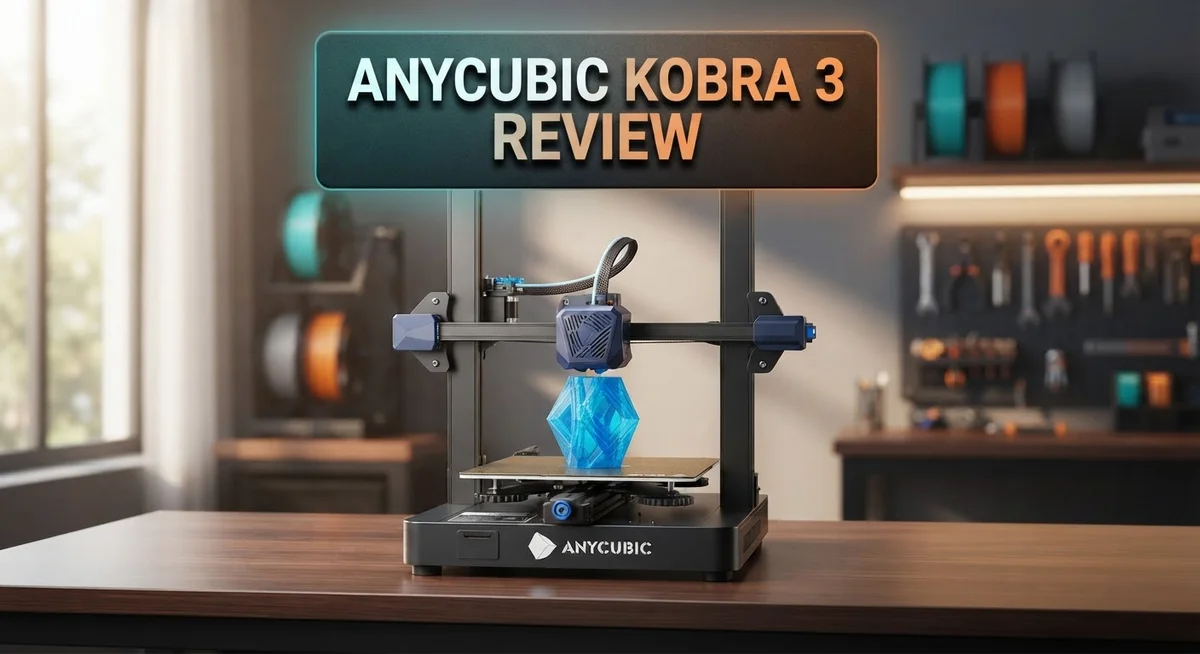
Anycubic Kobra 3 Review: Worth Your Money In 2026?
Anycubic Kobra 3 brings big upgrades to the 3D printing world. It offers a large build volume of 250 x 250 x 260mm. That’s 34% bigger than the previous model.
This printer also supports multicolor printing. You can create colorful projects without extra hassle.
Setup is quick and simple. Most users finish it in about 10 minutes.
Anycubic borrowed smart features from top brands like Voron, Bambu, and Prusa. This mix gives the Kobra 3 a strong design base.
Print quality stands out too. Many users report clean, sharp results.
But it’s not perfect. The slicer software feels unfinished. New users may face a learning curve.
Is the Kobra 3 worth your attention? Let’s explore its features, performance, and quirks in detail.
In a Nutshell
Here is a quick summary of what the Anycubic Kobra 3 offers and where it falls short.
-
Spacious build area: You get a 250 x 250 x 260mm build volume. That’s a 34% jump from the older model.
-
Two versions to pick from: Choose the standard model or the Combo variant. Each fits different printing needs.
-
Smart design choices: The printer mixes ideas from Voron, Bambu, and Prusa. This gives you a blend of proven engineering.
-
Slicer struggles: The bundled slicer feels half-baked. Many users find it clunky and hard to use.
-
Shipping hiccups: Some buyers report delayed deliveries. Plan ahead if you order one.
-
Learning curve: First-time users may find setup tricky beyond the basics. The software issues can slow you down.
-
Strong competition: It goes head-to-head with the Bambu Lab A1, P1S, and even Anycubic’s own Kobra S1 Combo. Compare features before you decide.
This printer shines for its size and print quality. But software quirks might test your patience.
Build Platform and Specifications
The build platform on the Anycubic Kobra 3 measures 250 x 250 x 260mm, giving you a total volume of 16.25 liters. This represents a 34% increase compared to the previous generation, so you gain meaningful extra space for larger prints or multiple objects in one job.
The platform itself feels solid during operation. Users report consistent leveling and reliable adhesion across the entire surface. The glass bed heats up quickly and maintains stable temperatures throughout your print, which keeps dimensional accuracy tight.
One standout feature is the multicolor printing capability. You can load different colored filaments and switch between them during a print. This opens creative possibilities without needing to pause and manually swap materials. The system handles color transitions smoothly on most test prints.
The Kobra 3 comes in two versions. The standard model gives you the core experience with the large platform and multicolor support. The Combo variant adds extra accessories and tools right out of the box, so you choose based on what you already own.
Build quality feels robust. The aluminum frame stays rigid under printing stress, and the bed doesn’t wobble or shift during operation. Temperature stability is excellent, meaning fewer failed prints due to warping or adhesion loss.
The printer’s overall footprint is compact despite the generous build volume. This makes it suitable for workshop benches or home offices where space matters. The height stays manageable too, so you can monitor prints from a normal standing position without straining.
Anycubic incorporated proven engineering from top manufacturers here. The result is a platform that performs well in real world conditions. You get reliability without unnecessary complexity in the hardware itself.
One thing to note: the platform’s strengths rely heavily on proper calibration. Taking time to level correctly during initial setup pays dividends in print success rates. First time users should follow the setup guide carefully to get the best results from this generous build area.
No products found.
Print Quality and Multicolor Capabilities
The Anycubic Kobra 3 delivers impressive print quality across a wide range of materials. Users report clean layer adhesion and minimal warping on standard prints. The printer handles PLA, PETG, and TPU without fuss. Surface finishes come out smooth when you dial in the right settings.
Multicolor printing is where this machine really shines. The Kobra 3 lets you swap filament mid print without stopping the entire job. This opens up creative possibilities for single model prints with multiple colors. You can produce vibrant designs without needing separate print runs. The process feels intuitive once you understand the workflow.
The two nozzle system works reliably during color transitions. Anycubic engineered this feature to minimize color bleeding at swap points. Your prints maintain sharp color boundaries. The transition zones stay clean and professional looking. This capability sets the Kobra 3 apart from basic single color printers.
Print speed stays consistent even with multicolor jobs active. The printer doesn’t sacrifice quality for faster output. You get reliable results whether you’re printing simple single color models or complex multicolor designs. The balance between speed and precision is well executed here.
One thing to watch: multicolor printing requires more planning than standard prints. You need to prepare your model file correctly in the slicer. This is where software limitations become apparent. The bundled slicer lacks some intuitive tools for color mapping. You may need to use third party software to get the best results.
The actual print quality from the hardware is solid. Nozzle temperature control stays stable throughout long jobs. The heated bed maintains even heat distribution. These factors combine to produce consistent layer quality. The real bottleneck isn’t the printer’s hardware but rather the software experience.
Overall, print quality ranks as excellent for the price category. Multicolor capability adds genuine value for creative users. The machine proves it can handle both simple and complex projects. Quality output is achievable with proper calibration and file preparation.
Setup, Software, and User Experience
Getting your Anycubic Kobra 3 running takes about 10 minutes. The quick setup process makes it easy for most users to start printing right away.
The printer comes with clear instructions. You’ll assemble the frame, attach the build platform, and load the filament. Each step follows a logical order. Most people complete this without frustration.
Once setup finishes, you’ll need to level the bed. The Kobra 3 uses an automatic leveling system. This saves time compared to manual adjustment. The sensor reads the platform height across multiple points. Calibration happens fast and stays accurate between prints.
Software presents the biggest challenge here. The bundled slicer software feels incomplete. Users report missing features and confusing menus. The interface doesn’t match the quality of the hardware. Many experienced users switch to third-party slicers like Cura or PrusaSlicer instead.
The multicolor printing workflow requires extra steps. You’ll need to plan color transitions before slicing. The software should make this easier, but it doesn’t. First-time users often struggle with this process. Spending time learning the software pays off once you master it.
The printer connects via USB or Wi-Fi. Network printing works smoothly once configured. You can monitor jobs from your computer or phone. Print previews load quickly and show accurate layer information.
Touchscreen controls feel responsive and intuitive. You navigate menus using the display. Button presses register immediately. The interface uses large icons that are easy to read. This makes manual adjustments during printing straightforward.
One thing to note: the learning curve steepens for first-time 3D printer users. You’ll encounter terms like nozzle temperature, bed leveling, and infill density. Taking time to learn these basics prevents failed prints later.
The overall experience depends heavily on your expectations. If you’re new to 3D printing, plan extra time for learning. If you’re experienced, you’ll appreciate the hardware quality despite software limitations. The Kobra 3 rewards patience with reliable output once you understand how to use it properly.
Top 3 Alternatives
Creality Ender 3 V3

- 【250mm/s High-speed Printing】Creality Ender 3 V3 SE 3d printer supports a maximum printing speed of...
- 【Powerful ""Sprite"" Direct Extruder】Ender 3 V3 SE is the upgrade of ender 3, ender 3 v2, ender 3 pro...
Last update on 2026-09-13 / Affiliate links / Images from Amazon Product Advertising API
The Creality Ender 3 V3 delivers solid performance for users who want a reliable 3D printer. This machine features a direct extruder that improves printing accuracy and reduces filament waste. The heated bed reaches temperature quickly, so you spend less time waiting and more time printing.
Print quality remains consistent thanks to the improved cooling system. The printer handles various materials well, from standard PLA to more challenging options. Setup takes about an hour, and the community offers plenty of guides to help you get started.
Prusa MK4S

- [REWARDING DIY BUILD EXPERIENCE] Assemble your own high-performance 3D printer with a detailed step-by-step...
- [HIGH-SPEED FDM PERFORMANCE] Delivers fast, precise printing with excellent surface quality, optimized for...

Last update on 2026-09-13 / Affiliate links / Images from Amazon Product Advertising API
The Prusa MK4S stands out for its exceptional reliability and user-friendly design. This printer includes a built-in filament sensor that pauses printing if material runs out, preventing failed prints. The automatic nozzle leveling system saves time before each print job.
Print speed reaches up to 250 mm/s, which means faster results without sacrificing quality. The machine uses a modular design, so replacing parts becomes simple. Customer support from Prusa remains industry-leading, with helpful documentation and responsive assistance when you need it.
Bambu Lab X1 Carbon

- Up to 16 Colors: Bring your designs to life with vibrant multi-color/multi-material printing capabilities...
- 500mm/s and 20000 mm/s² Acceleration True High Speed: Don't wait around for your masterpieces. Lightning-fast...
Last update on 2026-09-13 / Affiliate links / Images from Amazon Product Advertising API
The Bambu Lab X1 Carbon offers cutting-edge technology for serious makers. This printer achieves exceptional speed while maintaining outstanding surface quality. The enclosed chamber maintains consistent temperatures, which improves print reliability and reduces warping issues.
The machine connects to your network for remote monitoring through a mobile app. You can check print progress from anywhere and receive notifications when jobs finish. Multi-material printing becomes possible with the optional accessory system, expanding your creative options significantly.
Design and Build Quality
The Anycubic Kobra 3 shows impressive structural engineering throughout its design. The frame uses a rigid aluminum structure that keeps vibrations minimal during printing. This stability matters because it directly affects print accuracy and surface quality.
The printer’s footprint stays compact despite the generous 250 x 250 x 260mm build volume. You get 34% more printing space compared to the previous generation. The design balances size and functionality well for most workshop setups.
The build platform itself deserves attention. It uses a textured surface that grips prints securely during production. Removal becomes easy once prints finish. The platform heats evenly across its entire surface, which reduces warping on larger models.
The two nozzle system sits at the heart of the multicolor capability. Both nozzles mount cleanly without creating dead zones in the build area. The mechanical design allows smooth transitions between colors without noticeable quality drops.
Cable management on the Kobra 3 stays organized. Wires route through protective channels that prevent tangling. The touchscreen display mounts at an angle that reduces neck strain during operation. All control buttons feel responsive and well positioned.
One thing to note: the overall construction uses a mix of metal and plastic components. The plastic parts are reinforced where needed, but the metal frame provides the main structural support. This approach keeps weight reasonable while maintaining rigidity.
The printer incorporates proven design elements from leading manufacturers. You’ll notice influences from Voron, Bambu, and Prusa machines. Anycubic adapted these successful features into their own system effectively.
The build quality feels consistent across units. Gaps between panels stay minimal. Fasteners appear secure from the factory. The assembly quality suggests attention to detail during manufacturing.
The cooling system runs quietly beneath the build platform. Air circulation reaches all nozzles evenly. This design choice helps maintain consistent temperatures during long print sessions.
Overall, the Kobra 3’s design prioritizes functionality over flashiness. Every component serves a clear purpose. The build quality reflects solid engineering practices. You’re getting a machine designed for performance rather than appearance.
Ease of Assembly and First-Time Setup
The Anycubic Kobra 3 gets you printing in roughly 10 minutes. This speed matters because you want to start creating, not spend hours troubleshooting. The box includes everything you need, and the instructions are straightforward.
Physical assembly is minimal. Most components arrive pre-assembled. You attach the build platform, connect the power cable, and install the filament spool holder. The process feels intuitive even if you’ve never owned a 3D printer before.
Bed leveling comes next. This step determines whether your prints stick properly. The Kobra 3 uses an automatic leveling system, which reduces guesswork. You still need to understand what proper leveling looks like, but the machine handles most of the heavy lifting.
The touchscreen interface appears responsive and clear. Menu navigation uses simple icons and text. You won’t struggle to find basic functions like temperature settings or print start commands. The display makes first-time operation accessible.
Software setup presents the real challenge here. The bundled slicer software feels incomplete for many users. You’ll need to learn how to import models, adjust print settings, and prepare files for the multicolor system. This learning curve steepens significantly if you’re new to 3D printing.
USB and Wi-Fi connectivity options both work well. You can transfer files directly or print wirelessly depending on your preference. The wireless option adds convenience once you understand the workflow.
One thing to understand: the multicolor printing setup requires extra steps beyond standard printing. You need to plan color transitions, manage multiple filament types, and monitor the dual nozzle system. This complexity isn’t a deal breaker, but it does demand attention during your first few jobs.
Cable management stays organized throughout the printer. Wires don’t tangle or interfere with moving parts. This design choice reduces potential problems during operation.
The overall experience depends on your expectations. If you want a machine that works straight out of the box with minimal learning, you might find the software frustrating. If you’re willing to invest time understanding the system, the Kobra 3 rewards that effort with solid results. New users should budget extra time for the software side, even though hardware assembly finishes quickly.
Pros and Cons
Pros
- Large 250 x 250 x 260mm build platform gives you 34% more space than the previous generation
- Multicolor printing support lets you create vibrant designs without stopping mid print
- Setup takes roughly 10 minutes with most components arriving pre-assembled
- Print quality remains consistently good across different material types
- Design borrows proven features from Voron, Bambu, and Prusa machines
Cons
- The bundled slicer software feels incomplete and creates workflow problems for many users
- Steep learning curve hits hard if you’re new to 3D printing
- Shipping delays have affected some customer orders
- Software and usability issues become deal breakers when you want to print immediately
Who Should Buy It
The Anycubic Kobra 3 works best for specific types of users. Let’s break down who should actually buy this printer.
If you already have 3D printing experience, this machine fits you well. You’ll appreciate the large 250 x 250 x 260mm build platform. You can print bigger objects or multiple items at once. The multicolor printing feature appeals to makers who want vibrant prints without stopping mid project.
Hobbyists and makers benefit from the quick setup time. You get printing in roughly 10 minutes. Most components arrive pre assembled, so assembly stress disappears. This matters if you want to start creating fast.
However, first time 3D printer users should think carefully. The learning curve is steep. The proprietary slicer software creates real workflow problems. New users often struggle with software setup. If you’re just starting out, this printer might frustrate you more than excite you.
Creative professionals who need multicolor capabilities will find value here. You can produce colorful prototypes and finished products. The print quality stays consistently good across different materials.
The Kobra 3 suits you if you’re willing to troubleshoot. Software issues exist. You may need to find workarounds or use alternative slicers. Patient makers who enjoy problem solving won’t mind this challenge.
Skip this printer if you want everything to work perfectly out of the box. You want minimal software headaches. You’re completely new to 3D printing and need hand holding.
The Combo variant appeals to users who want additional accessories included. Both versions serve the same core user base. The standard model works for those with existing equipment.
Consider your experience level honestly. Consider your patience with software issues. Consider whether multicolor printing matters to your projects. The Kobra 3 excels for intermediate to advanced users who value a large build platform and color capabilities. It’s less ideal for absolute beginners seeking a hassle free experience.
Final Verdict
The Anycubic Kobra 3 earns its spot as a strong contender in the 3D printing space. It brings a large build volume and multicolor printing into one machine. This combination is hard to find at this level.
Anycubic clearly studied the best designs from other brands. You can see traces of Voron, Bambu, and Prusa thinking in how this printer works. That borrowed wisdom pays off in solid print quality.
But software remains the sticking point. The slicer needs real improvement before this printer can compete fully with rivals like the Bambu Lab A1 or P1S. This gap holds the Kobra 3 back from greatness.
Think of this printer as a project, not a plug and play device. You will spend time learning its quirks. You will troubleshoot when the software acts up.
That said, the payoff feels worth it for the right person. Makers who enjoy tinkering will find plenty to like here. The large print area alone opens up projects that smaller printers cannot handle.
Compare this to the standard Kobra 3 or the Kobra S1 Combo if you want more bundled accessories. Each variant serves slightly different needs, so check what fits your workflow.
Our final take is simple. The Anycubic Kobra 3 rewards patience and punishes impatience. It gives experienced users a capable, flexible machine.
New users might feel frustrated by the software hurdles. That frustration could sour an otherwise good printer experience.
Weigh your comfort level with troubleshooting before you commit. This machine offers real value, but only if you meet it halfway.
In short, the Kobra 3 is a printer with big potential and a few rough edges. Smooth those edges out yourself, and you get a genuinely capable tool for creative work.
Frequently Asked Questions
Does the Kobra 3 work well for beginners?
The Kobra 3 has a steep learning curve. If you’re picking up 3D printing for the first time, expect some frustration with the bundled slicer software. The machine itself assembles quickly (about 10 minutes), but the software feels incomplete and creates workflow problems.
You’ll need patience to troubleshoot. Beginners often hit snags during their first prints. That said, the hardware is solid, so you’re learning on a capable machine.
Can you print multiple colors at once?
Yes. The Kobra 3 supports multicolor printing, so you can create vibrant designs without stopping mid print to swap materials. This feature sets it apart from many competitors in its class.
What’s the main weakness of this printer?
The proprietary slicer software is the biggest pain point. Users report it feels half-baked and creates unnecessary headaches. Many owners end up switching to third-party slicer alternatives to get around these issues.
Hardware-wise, the printer performs well. The software is where things fall apart.
How does the Kobra 3 compare to other Anycubic models?
The Kobra 3 offers 34% more build volume than the previous generation. The Combo variant includes additional accessories if you want more bundled items from the start. The Kobra S1 Combo is another option worth comparing.
For a direct competitor outside Anycubic’s lineup, the Bambu Lab A1 and Ender 3 are popular alternatives.
Is this printer a plug and play device?
No. Think of the Kobra 3 as a project machine, not something that works perfectly out of the box. You’ll troubleshoot and adapt your workflow. If you want everything to function smoothly without tinkering, look elsewhere.

DK is a technology expert who specializes in AI tools, software, and tech gadgets. He writes for How to Tech Info, providing detailed reviews and practical guides. DK helps readers discover the best AI applications, navigate new software, and choose the right tech gadgets.