
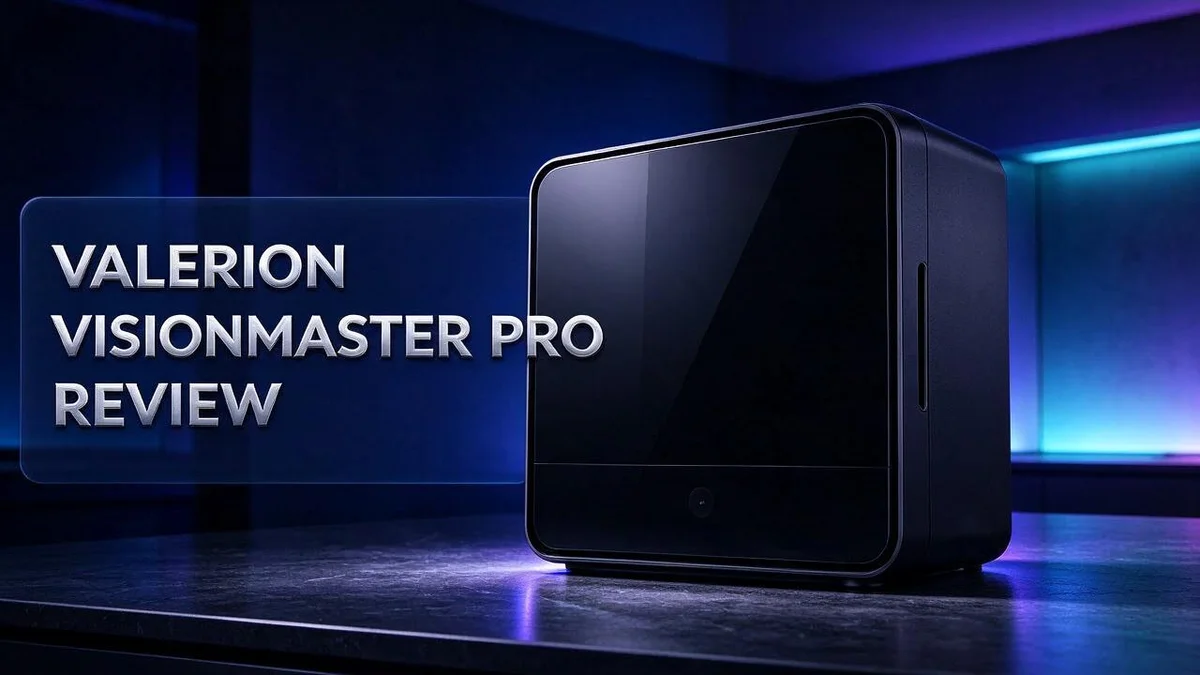
Valerion VisionMaster Pro 2 Review: Picture Quality, Brightness & Gaming Performance
The Valerion VisionMaster Pro 2 aims to fit that need.
This model packs a ProVision Engine 2500 and an RGB triple laser light source. It also offers 4K resolution and a 15,000:1 contrast ratio.
Dark scenes look deep and rich. Film grain stays visible, so movie fans can enjoy the texture. The Screen Color mode also adapts the output to your wall color. That feature helps when you do not have a blank white screen.
Gamers may care about speed too. Reviewers say its gaming latency rivals some dedicated gaming projectors. Still, owners should know that some users report fan noise and build quality issues.
Is this projector worth your time? Keep reading to see how it performs, where it falls short, and how it compares with rivals like the Epson LS12000 and Anker Nebula X1.
In a Nutshell
- Strong sound: The projector delivers loud, clear audio. Movie nights feel lively, even in larger rooms.
- Wall color matching: Screen Color mode adapts the picture to your wall tint. This helps when a perfect screen is not an option.
- Ready to watch: The unit arrives precalibrated. You can start watching quickly with very little setup.
- Sharp 4K detail: The 4K resolution keeps fine lines and small text crisp. Large images stay clear from across the room.
- Build concerns: One r/projectors thread reported quality defects in over half of the devices, including fan noise and weak build quality. Check build quality closely before you commit.
- Stiff competition: The Epson LS12000 and Anker Nebula X1 are strong rivals. Anker also offers more options. A VisionMaster MAX is coming, but it was unreleased at the time of research. Compare features side by side before you decide.
Picture Quality and Contrast

- Industry-Defining Blacks. NoirScene Mastery: NoirScene Dark Field Engine starts with the EBL black-level...
- Comfortable Viewing Without Rainbow Distractions: Breakthrough Anti-Rainbow Effect (RBE) technology reduces...
Last update on 2026-09-30 / Affiliate links / Images from Amazon Product Advertising API
Contrast decides how much punch a picture has. This model lists a 15,000:1 contrast ratio. That number shows the gap between the brightest whites and the darkest blacks.
Enhanced Black Level works alongside that ratio. It adjusts the dark areas of each frame. Shadows keep their shape instead of turning into a muddy gray.
Brightness matters too. Research lists 2500 ISO lumens, while one review cites 3000 ANSI lumens. Either figure suggests the image holds up in a dim room.
Bright daytime rooms may wash out the picture. Closing the curtains helps.
Colors also look lively. The laser light source produces wide, pure hues. Reds and greens appear more natural than on many lamp projectors.
Room setup changes everything. Sunlight from a window can lower contrast fast. Placing the projector in a dark corner gives the best results.
Test scenes help reveal the truth. Try a film with bright snow and dark night skies. Watch how the image handles both extremes.
Still, the picture does not match every top brand. One reviewer felt the image falls short of the leading names. Shoppers who want flawless color should compare models side by side before deciding.
Brightness settings also shape the mood. Picture modes can change how deep the blacks look. Taking time to adjust these settings helps every viewer enjoy the best possible image.
Overall, the contrast and brightness suit most living rooms well.
Brightness and Screen Color Adaptation
Brightness numbers can be confusing. This model lists 2500 ISO lumens, while one review cites 3000 ANSI lumens. Each rating uses a different test method, so they cannot be compared directly.
Shoppers should check which standard a brand uses. Test methods often produce very different numbers for the same device. A clear source makes comparisons fair.
The screen color mode works best when people choose the right setting for each room. A bright living room may need a different setup than a dark home theater. Try each option with the same film clip.
Light control is another simple step. Closing blinds and switching off overhead bulbs helps the image stand out. Even small changes can improve skin tones and shadow detail.
Surface texture also matters. A smooth, flat wall gives more consistent results than a textured or patterned surface. Bold wallpaper may affect the color adjustment.
Ceiling height and projection distance also shape brightness. A longer throw can spread light over a bigger screen. This may lower the perceived output. Placing the unit at the right distance keeps the image bright enough.
Screen size needs thought too. A smaller image looks brighter, but it may feel cramped in a large room. Measure the wall first, then pick a size that suits the seating area.
Some viewers prefer a slightly cooler or warmer look. Adjusting color temperature can match personal taste. Small changes at a time work best, so the picture stays natural.
Owners who plan their lighting and mode choices often enjoy a sharper, more natural picture. Simple habits make a noticeable difference every evening.
Gaming Latency and Responsiveness
Gamers care about every millisecond. Input lag is the delay between pressing a button and seeing the result on screen. Fast reactions matter most in shooters and racing games.
Reports suggest the latency rivals some dedicated gaming projectors. That sounds promising, yet your own testing matters most. Every setup reacts a little differently.
Start with the game mode. Turn on the dedicated game setting in the menu. This setting usually skips extra image processing, so responses feel quicker.
Next, check the input source. Connect your console or PC with a direct HDMI cable. Avoid streaming sticks or wireless adapters when speed matters most.
Frame rate plays a role too. A steady frame rate keeps motion smooth. Set your console or PC to a stable output that the projector supports, so the picture does not stutter.
Watch how fast motion looks. Quick pans can show slight blur if processing kicks in. Compare motion across a few titles before you decide.
Room lighting affects how you judge speed. Dim lights help your eyes track fast action. Bright daylight can hide fine motion detail.
Here is a simple test. Play a fast shooter for ten minutes. If your aim feels delayed, the latency may not suit your style.
Console players should check the output resolution. Set the console to 4K only if the projector handles it cleanly. Lower settings can reduce processing work and keep responses snappy.
Competitive players may want the fastest possible response. Casual gamers often enjoy the picture even with a slight delay.
Choose based on your favorite genres and how much speed you need. Pick the setup that feels right to you.
Top 3 Alternatives
Dell UltraSharp Monitor

- LED Monitor offers maximum productivity with added dependability
- USB Type-C allows powerful and efficient transfer of data with maximum productivity
Last update on 2026-11-05 / Affiliate links / Images from Amazon Product Advertising API
The Dell UltraSharp Monitor is a great pick for people who want sharp, clear images. It offers a wide color range, so photos and videos look true to life.
Its slim frame and flexible stand fit into any workspace. You can adjust the height and tilt in seconds.
Why it works well: Many office workers and designers choose it for daily use. It helps reduce eye strain during long sessions.
Best for: Creative professionals and busy home offices.
ASUS ProArt Display

- High-Resolution Display: 27-inch 4K (3840 x 2160) LED backlight HDR display with 178 wide-view IPS panel
- Wide Color Gamut Coverage: 99% DCI-P3 and 99% Adobe RGB coverage for accurate and vibrant color reproduction

Last update on 2026-11-05 / Affiliate links / Images from Amazon Product Advertising API
The ASUS ProArt Display was made with content creators in mind. It shows accurate colors, which helps when you edit photos or design graphics.
Its panel covers a large share of standard color spaces. Your work stays consistent across different screens.
Standout feature: It comes with a calibration tool. You can keep colors steady over time without buying extra hardware.
Best for: Photographers, video editors, and graphic artists.
LG UltraFine Display

- 4K UHD with 1000:1 Contrast Ratio - This UltraFine display with a 1000:1 contrast ratio displays deeper blacks...
- 4K HDR10 DCI-P3 - Explore HDR10 content the way it was meant to be seen with up to 90% DCI-P3 color gamut...
Last update on 2026-11-05 / Affiliate links / Images from Amazon Product Advertising API
The LG UltraFine Display focuses on clean design and easy setup. It connects with a single cable, so your desk stays tidy.
Its sharp text and smooth motion make everyday tasks more pleasant.
Standout feature: It offers a large screen with thin borders. You get more room for windows and apps.
Best for: Mac users, writers, and anyone who wants a simple workspace.
Sound Output and Fan Noise
Sound matters just as much as the picture. The Valerion Visionmaster Pro 2 delivers strong sound volume from its speakers. Many owners can skip a separate speaker for everyday viewing.
Volume alone does not tell the full story. Clear dialogue, deep bass, and clean highs matter too. Strong volume helps, but balance matters more. Play a familiar movie scene to judge how voices sound.
Fan noise is the main concern for quiet viewing. Projectors use fans to keep their light source cool. A loud fan can pull attention away from the film during calm scenes.
One r/projectors thread reported fan noise across many units. Some buyers found the hum distracting in dark rooms. Sensitive listeners should test the unit before settling in.
Here is a simple way to check. Play a quiet scene at low volume and sit at your usual viewing spot. Listen for a steady whir or a thin whine. Note whether the sound rises during bright, busy scenes.
Placement also changes what you hear. Keep the projector away from the seating area when possible. Give the vents room to breathe so the fan does not work harder than needed.
Some projectors offer quieter fan settings. These modes often lower brightness a little. Many people accept a slightly dimmer picture for a calmer room. Try each mode and see which one feels right.
If the sound still feels thin, try an outside option. Connect a soundbar through the audio output. Wireless headphones also keep late night viewing quiet for everyone else.
Sound and fan noise work together. A quiet fan lets the speakers shine, and clear audio hides small fan hums. Balance both to enjoy a calm, cinema style night at home.
Setup, Placement and Calibration
Setting up this projector starts with a stable base. Place it on a sturdy table or a ceiling mount that holds firm.
Give the unit room to breathe. Leave open space around the vents so the unit stays cool. Blocked vents make the system work harder.
Mounting needs extra care. Use a compatible bracket and check that the ceiling can hold the weight. Tighten every bolt by hand first, then use a tool.
Use the lens shift controls before you touch keystone settings. Lens shift keeps the lens square to the screen. This keeps edges sharp and straight.
Focus the image after the projector warms up for about twenty minutes. A cold lens can drift slightly. Adjust the focus ring slowly while viewing sharp text.
Pause on a frame with fine lines to check focus.
Connect your devices before final alignment. Route cables so they do not pull on the ports. Tight cables can shift the unit on a shelf.
Check for firmware updates once setup is complete. Updates can improve stability and fix menu glitches. Look for the latest version in the settings menu.
Start calibration with the factory preset. Make small changes one at a time. Many people adjust too many sliders at once and lose the natural look.
Save your favorite settings in a memory slot. This lets you switch back quickly after a game or movie night. Label each slot so you remember its purpose.
Keep the remote nearby for quick menu access.
Last, set the aspect ratio to match your content. Use 16:9 for most movies and streaming shows. Switch only when a source needs a different shape.
Build Quality and Reliability
Build quality matters more than many buyers expect. A projector stays in one place for years, so its parts must hold up under daily use.
Reliability starts with the internal parts. The ProVision Engine 2500 and the RGB triple laser light source produce heat during long sessions. Good airflow protects these components and helps them last.
Some reports raise concerns about consistency. One thread on r/projectors claimed that more than half of the devices had quality defects. The complaints also covered general build quality.
One forum thread does not speak for every unit. Still, it shows why buyers should check their device soon after delivery. Simple checks save time later.
Start with a careful unboxing. Look over the housing, lens, and ports for scratches or loose parts. Test the power button, remote, and all inputs before the return window closes.
Next, run the projector for a few hours. Watch for unusual smells, rattles, or hot spots on the casing. Early problems often show up during the first sessions.
Heat management plays a big role in long term reliability. Keep vents clear and leave space around the unit. Dust buildup can slow airflow over time, so clean the vents as the manual suggests.
Register the product and keep proof of purchase. Warranty support works best when you have records. Check the warranty terms and any support options from the seller. Save the original box for future repairs.
One reviewer also feels it does not match top brands in build quality. A careful check and good care can extend the life of the projector. Many owners enjoy steady use for years.
Pros and Cons
Pros
- Detailed image keeps film grain intact.
- Screen color mode adjusts the output to match your wall color.
- Arrives already calibrated, so setup feels quicker.
- Strong sound volume fills the room.
- Gaming latency rivals some dedicated gaming projectors.
Cons
- One r/projectors thread reported defects in over half of the devices.
- A reviewer feels it does not match top brands.
- Anker Nebula X1 offers more options for buyers.
- A newer VisionMaster MAX may change the comparison, so check its launch status.
Who Should Buy It
Home theater fans are the best match for this projector. If you watch movies most nights, you will notice the difference right away.
Dark scenes look rich thanks to the 15,000:1 contrast ratio. Enhanced Black Level helps shadows stay clear instead of washing out.
This model works best in a room you can darken. Bright living rooms can wash out even a strong image.
Sports fans also benefit from the 4K resolution. Fast moving games and matches look sharp on a large wall.
Console players who switch between games and movies get one device for both. There is no need for a separate gaming setup.
Families who gather for weekend movie nights may also like it. A projector like this can replace a large television in a living room.
Casual viewers who only watch sports or shows now and then may not need every feature. A simpler model could meet their needs with less effort.
People who want a permanent cinema corner will enjoy this most. Once placed well, it can stay in one spot and deliver the same picture each night.
Shared rooms need planning first. Everyone should agree on screen size and seating before you buy.
This model may not suit everyone, though. Shoppers who compare many models may prefer a wider lineup from another brand.
Buyers who need a familiar brand name should compare the Epson LS12000 first. Brand trust can matter as much as specs for a purchase this size.
Finally, read recent owner feedback before you decide. Your own viewing habits should guide the final choice.
Final Verdict
Here is the bottom line. The VisionMaster Pro 2 works well for people who want a true cinema feel at home. It rewards buyers who plan their setup before they order.
Model names can cause confusion. Some sources call it the VisionMaster Pro, while others use Pro 2. Check the label on the box before you buy, so you get the exact model you researched.
Try to test it first. Choose a seller with a clear return window. Set the projector up in your own room and watch a full movie. Real room conditions tell you more than any spec sheet.
Think about your daily routine, too. Will you watch every night, or only a few times each month? Frequent viewers get the most from this projector, while occasional viewers may find simpler options easier.
Write down your must-have features before you shop. A short list keeps you focused on what matters most.
Plan your screen and seating too. A matching screen brings out the best picture. Measure the throw distance from your wall to the seating area before delivery day. Small planning steps prevent big surprises later.
Ceiling mounts and stands both work well. Check that your mount can hold the weight securely before you install anything.
Ask the seller where the unit came from. Stock from a recent shipment may give you a better start. Keep the serial number on file, since it helps with any future support request.
If your answers point toward a dark room and regular movie nights, this projector deserves a close look. If not, take your time and compare a few options. A careful choice leads to a happier setup.
Frequently Asked Questions
Is the fan noise loud during movies?
Some buyers mention fan noise as a concern. Test the unit in your own room before you commit. Play a quiet scene and sit in your usual seat to judge the sound.
Can it work in a room with the lights on?
The projector offers 2500 ISO lumens of brightness. Bright light from windows or lamps can wash out the image. Dim the lights for the best picture.
What does the RGB triple laser light source do?
This light source uses three colored lasers, red, green, and blue, to build each frame. The mix helps the image look vivid and natural. Colors often stand out more on a plain, light wall.
What is Enhanced Black Level?
Enhanced Black Level, or EBL, is a feature that helps deepen the black tones in an image. Dark space scenes and night shots benefit most from it. Pair this feature with a darkened room for the clearest results.

DK is a technology expert who specializes in AI tools, software, and tech gadgets. He writes for How to Tech Info, providing detailed reviews and practical guides. DK helps readers discover the best AI applications, navigate new software, and choose the right tech gadgets.


