iBUYPOWER Slate Gaming PC Review: Worth Buying In 2026?
Looking for a gaming PC that looks good and runs great? The iBUYPOWER Slate might catch your eye.
This desktop comes with serious hardware. You get an Intel Core i7-13700F or AMD Ryzen 7 7700 processor. Pair that with an NVIDIA RTX 4060 or 5060 GPU, and games run smooth.
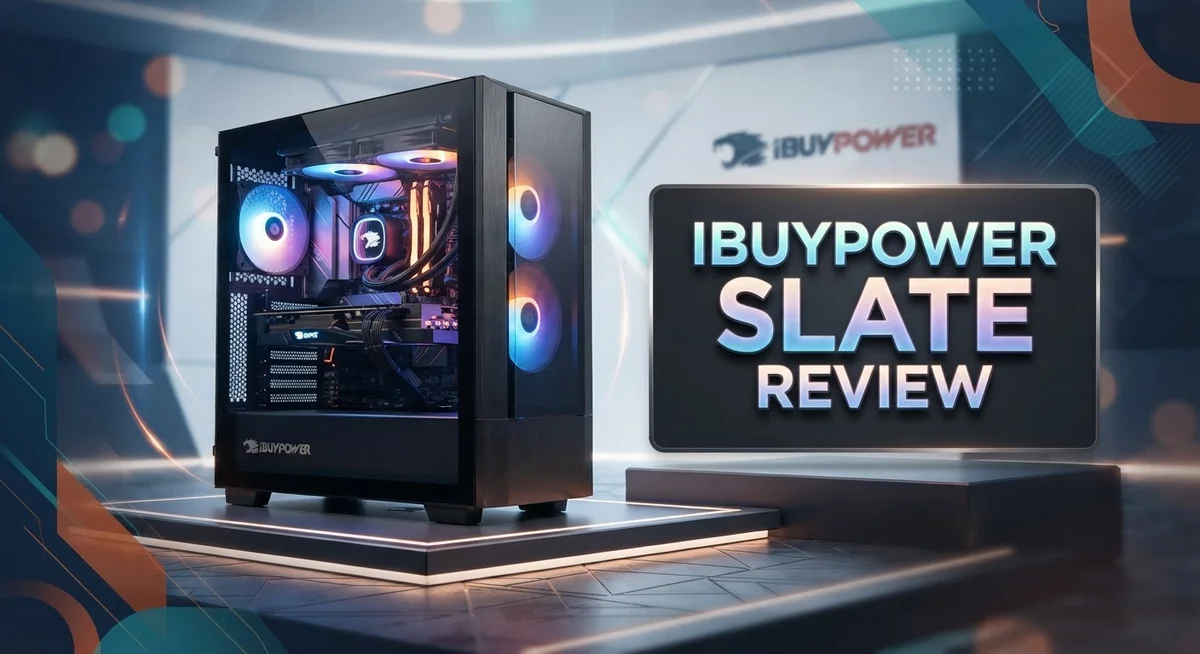
The Slate also brings style to your desk. Its tempered glass case shows off ARGB lighting. Cable management stays clean and tidy inside.
We tested this build to see if it earns a spot in your setup. Does it deliver solid gaming performance? Does the design match the hype?
This review covers everything you need to know. We break down the specs, build quality, and real world performance. By the end, you will know if the Slate fits your gaming needs.
In a Nutshell
The iBUYPOWER Slate delivers a strong mix of style and power. Here is what stands out most:
-
Sleek design: The Slate Mesh case looks sharp on any desk. ARGB lighting adds a nice glow without going overboard.
-
Gaming ready hardware: You get options like the Intel Core i7-13700F or AMD Ryzen 7 7700. Paired with an RTX 4060 or 5060 GPU, this rig handles modern games with ease.
-
Smart internal layout: Cable management is clean and tidy inside. This helps with airflow and makes future upgrades simple.
-
Upgrade friendly parts: iBUYPOWER uses non proprietary components throughout. You can swap parts later without hassle.
-
Light on bloatware: The system boots clean. You will not find a pile of unwanted software slowing things down.
-
Few rough edges: Some odd design choices pop up here and there. Detailed long term user feedback is still limited.
Overall, the Slate blends good looks with solid gaming muscle. It is a smart pick if you want performance without sacrificing style.
Design and Case Quality
The Slate Mesh case stands out as the real visual anchor of this build. The tempered glass panel on the front gives you a clear view of your components, while the mesh design keeps airflow moving freely. You can actually see what’s happening inside, which makes cable management feel like part of the aesthetic rather than a hidden chore.
Build quality feels solid throughout. The case panels fit together without gaps or rattles. When you open it up, you notice iBUYPOWER didn’t rush the assembly process. Everything sits in place, and nothing feels loose or cheap. The frame holds its shape even when you move the PC around.
The integrated ARGB lighting adds personality to the design. The RGB strips sync with your games and system activity, creating an immersive atmosphere without feeling over the top. You can customize colors and effects through the included software. The lighting complements the case’s modern angles rather than overwhelming them.
Cable management inside the Slate deserves real praise. Wires route cleanly behind the motherboard tray, keeping the visible chamber uncluttered. This approach improves both airflow and aesthetics. You won’t see a tangled mess when you glance through that tempered glass panel.
One thing worth noting: the case design includes some unconventional choices that might surprise you. The layout works well overall, but certain port placements or fan mounting options feel different from what you’d expect on other gaming PCs. These aren’t deal breakers, just quirks you’ll notice during your first setup.
The non proprietary parts mean you can upgrade or replace components down the road without special adapters or modifications. Your power supply, motherboard, and storage all use standard connections. This flexibility matters when you want to refresh your system later.
Dust filters come standard, protecting your internals from buildup over time. The mesh front panel does trap some dust, but the removable filters make cleaning straightforward. You won’t spend hours maintaining this case.
Overall, the Slate delivers a case that balances form and function effectively. It looks modern on your desk while keeping your hardware cool and organized inside.

- AMD Ryzen 7 9700F, AMD Radeon RX 9060 8GB, 16GB DDR5 4800MHz 16x1 1TB NVMe SSD, WIFI Ready, Windows 11 Home
- Connectivity: 6 x USB 3.1 | 1x RJ-45 Network Ethernet 10/100/1000 | Audio: On board audio

Last update on 2026-09-13 / Affiliate links / Images from Amazon Product Advertising API
Performance and Gaming Capability
The iBUYPOWER Slate handles modern games with confidence. You get processor options like the Intel Core i7-13700F or AMD Ryzen 7 7700, both capable of pushing high frame rates at 1440p resolution.
The NVIDIA RTX 4060 or RTX 5060 GPU sits at the heart of gaming performance. These cards deliver smooth gameplay in popular titles like Fortnite, Valorant, and Cyberpunk 2077. The 8GB VRAM on these GPUs proves sufficient for 1440p gaming without constant compromises.
32GB of DDR4 or DDR5 RAM ensures your system handles multitasking easily. You can stream, record gameplay, or run Discord alongside your games without stuttering. This memory capacity future proofs your setup for upcoming game demands.
Storage speed matters for gaming. The Slate includes an SSD for your operating system and main games, cutting load times dramatically compared to older hard drives. The optional HDD expansion gives you room for a large game library without breaking a sweat.
Real world performance feels responsive across the board. The 80 PLUS Gold power supply delivers stable electricity to all components, preventing crashes during intense gaming sessions. You won’t experience unexpected shutdowns or frame drops from power delivery issues.
Frame rates remain consistent during extended play sessions. The Slate maintains thermal stability thanks to its mesh case design, which allows excellent airflow around components. Heat dissipation stays efficient even during marathon gaming marathons.
The system scales well across different graphics settings. Dial up the ray tracing and high refresh rates, or tone things down for maximum performance. This flexibility means the Slate adapts to your gaming preferences and monitor capabilities.
One practical note: the non proprietary parts mean you can upgrade the GPU or processor later without compatibility headaches. Your gaming investment can evolve as new hardware releases hit the market.
For 1440p gaming at high settings, the Slate performs admirably. It strikes a solid middle ground between raw power and practical usability, making it a dependable choice for gamers who want consistent frame rates without fussing over system bottlenecks.
Hardware Specifications and Upgradability
The iBUYPOWER Slate uses standard, non proprietary components throughout its build. This means you won’t hit compatibility roadblocks when you want to swap out parts later. The power supply is an 80 PLUS Gold unit with non modular design, which handles the system’s current needs while leaving room for future upgrades.
Storage configurations vary depending on your model. You get options ranging from 240GB up to 1TB SSD capacity, plus HDD slots for additional space. The SSD speed directly impacts how fast your games load and your system responds during gameplay. This storage flexibility lets you expand as your library grows.
RAM comes in 32GB DDR4 or DDR5 options with RGB lighting built in. Having 32GB means multitasking runs smooth whether you’re gaming, streaming, or running background applications. The choice between DDR4 and DDR5 depends on your specific model, and both handle modern gaming without breaking a sweat.
The GPU options include NVIDIA RTX 4060 or RTX 5060 cards with 8GB VRAM each. Both cards deliver solid 1440p gaming performance at high settings. You can upgrade to a more powerful GPU down the road since the PSU has enough headroom and the case accepts standard parts.
Processor options give you flexibility too. You can choose between Intel Core i7 13700F or AMD Ryzen 7 7700 depending on your preference. Both processors pair well with the GPU options and handle gaming, streaming, and content creation without issues.
The Slate Mesh case itself supports standard cooling solutions. You can add extra fans or upgrade to liquid cooling if you want better temperatures during intense gaming sessions. The tempered glass panels let you see your components, making future upgrades visually satisfying.
The real upgrade advantage here is simplicity. Every part follows standard specifications. No proprietary connectors or weird mounting schemes get in your way. When you’re ready to boost performance, you grab standard components and swap them in. That’s genuine upgradeability without surprises.
Top 3 Alternatives
NZXT BLD Ready

- HIGH-PERFORMANCE COOLING — The NZXT Turbine pump is engineered for high flow and head pressure, delivering...
- CUSTOM LCD SCREEN — Display real-time system temps, animated GIFs, custom images, or web integrations like...
Last update on 2026-09-13 / Affiliate links / Images from Amazon Product Advertising API
The NZXT BLD Ready gives you a solid gaming experience without the hassle. This system comes fully assembled and tested before it arrives at your door. You get clean cable management inside and a simple setup process outside the box.
The build focuses on balanced performance. You receive good graphics capability and fast processing power for modern games. The case design looks sleek and modern, fitting well on any desk or floor space.
Corsair Vengeance i500

- Compact Elegance, Brilliant Performance: CORSAIR ONE is packed with excellent performance in a compact case...
- AI-Ready for Today’s Innovators: Cutting-edge components unlock AI-driven possibilities for today's gamers...
Last update on 2026-09-13 / Affiliate links / Images from Amazon Product Advertising API
Corsair Vengeance i500 delivers strong gaming and streaming performance. This PC features reliable components that work well together. The system handles demanding games smoothly and manages multiple tasks without lag.
The cooling system keeps temperatures down during long gaming sessions. You get RGB lighting options that match your setup’s style. Corsair backs this system with solid customer support and warranty coverage.
Alienware Aurora R15

- cOMMANDING POWER & PRESENCE: Outplay your rivals and show them who's boss with an 18-inch gaming laptop...
- POWERFUL GAMING PROCESSOR: Designed for gamers and creators with the new generation of Intel Core i9-13900F...
Last update on 2026-09-13 / Affiliate links / Images from Amazon Product Advertising API
The Alienware Aurora R15 targets serious gamers who want top-tier performance. This machine packs powerful components into a compact frame. You get fast load times and smooth gameplay on high settings.
The design stands out with aggressive styling and excellent ventilation. The system runs quiet despite its power output. Alienware includes software tools that let you monitor performance and adjust settings easily. This PC suits players who want a recognizable gaming brand with proven reliability and support.
Cable Management and Build Quality
The Slate Mesh case provides excellent cable management from the factory. iBUYPOWER designed the interior layout to keep wires organized and out of sight. You won’t see a tangled mess of cables when you open the side panel.
The case features dedicated routing channels behind the motherboard tray. These channels guide cables away from your main components. Your graphics card and RAM stay clearly visible without obstruction. The result is a clean, professional appearance inside the chassis.
Build quality throughout the Slate feels solid and well finished. All panels fit snugly without gaps or rattling. The tempered glass side panel is thick enough to feel premium. Hinges and latches operate smoothly when you need to access the interior.
The integrated ARGB lighting enhances the visual appeal without compromising function. LEDs sit in strategic locations to highlight key components. You can customize colors through iBUYPOWER’s software to match your setup. The lighting doesn’t interfere with airflow or cable routing.
Dust filters come pre installed on intake fans. These filters trap particles before they reach your components. Cleaning them is straightforward and takes just a few minutes. Your internals stay protected during regular use.
The case uses standard mounting points and component spaces. This standard design means future upgrades remain simple and straightforward. You won’t encounter proprietary brackets or unusual screw patterns. Replacing a fan or adding storage drives involves no special tools or workarounds.
Cable connections at the power supply area are well organized. The 80 PLUS Gold PSU sits in a separate chamber from your main components. This separation keeps heat away from sensitive electronics. Power cables route cleanly to the motherboard and peripheral connectors.
The overall build quality reflects attention to detail. Seams are aligned properly throughout the case. Paint finish shows no chips or imperfections. Every component sits securely in its designated location.
The Slate demonstrates that form and function work together effectively. You get a visually appealing system that remains easy to maintain and upgrade. Cable management stays clean without requiring constant adjustment. This balance makes the Slate a practical choice for users who care about both aesthetics and accessibility.
Software and Bloatware
The iBUYPOWER Slate arrives with minimal bloatware, which is refreshing compared to many pre built systems. You get a clean Windows installation without excessive third party software cluttering your drive.
iBUYPOWER includes some essential utilities for system management. The control software lets you adjust RGB lighting across the case and RAM. You can customize fan speeds and monitor temperatures through a straightforward interface. These tools serve real purposes rather than existing just to fill space.
The software suite remains lightweight. Unlike some competitors that bundle numerous trial programs and promotional apps, the Slate keeps things simple. This means faster boot times and more storage available for your games and files right out of the box.
You’ll find basic driver software pre installed for your GPU and motherboard. NVIDIA’s driver suite comes ready for gaming, and chipset drivers handle core system functions. These aren’t bloatware—they’re necessary components for proper hardware operation.
One advantage of the Slate’s approach is that you maintain control over what gets installed. The system doesn’t force unwanted programs onto your machine. If you want additional monitoring software or gaming platforms, you choose them yourself rather than having them forced upon you.
The RGB lighting software deserves mention because it works reliably without consuming excessive system resources. You can sync lighting effects across compatible components or run independent patterns on different parts. The interface responds quickly and doesn’t bog down your system during gaming sessions.
Driver updates come directly from hardware manufacturers rather than through bloated update managers. This keeps your system lean while ensuring you get proper support for your components. Windows Update handles core system patches without interference from the manufacturer.
Overall, the software experience supports gaming rather than hindering it. The Slate lets you focus on playing games instead of fighting unwanted programs. This clean approach means better performance during gaming sessions and less time managing your system. The minimal bloatware philosophy shows iBUYPOWER understands what gamers actually want from their machines.
Pros and Cons
Pros
- The Slate Mesh case delivers a modern aesthetic with integrated ARGB lighting that catches the eye without feeling overdone
- All internal components use standard, non-proprietary parts, so you can upgrade or replace anything down the road without vendor lock-in
- The factory assembly shows genuine care—cable routing is clean, dust filters sit ready on intake fans, and everything fits snugly in its place
- Gaming performance holds steady on high settings across popular titles, backed by solid GPU and processor options
- You get breathing room to customize your system since bloatware stays minimal and driver updates come straight from manufacturers
Cons
- User reviews remain limited online, so real-world long-term reliability data is still emerging
- A few design choices feel unconventional, which may or may not align with your personal preferences
- The power supply uses a non-modular design, meaning extra cables take up more space inside the case than modular alternatives would
Who Should Buy It
The iBUYPOWER Slate works best for gamers who want a pre-built system without the hassle. You don’t need to research components or assemble anything yourself. The machine arrives ready to play.
If you care about aesthetics, this PC fits your needs. The Slate Mesh case with integrated ARGB lighting looks sharp on any desk. The design appeals to people who want their setup to look as good as it performs.
Content creators benefit from the 32GB RAM and solid processor options. Video editing, 3D rendering, and streaming become smoother with these specs. The GPU handles creative software alongside gaming tasks.
Upgraders love this system because every part uses standard connections. You can swap out the GPU, add more storage, or upgrade RAM without special tools or proprietary components. Nothing locks you into iBUYPOWER’s ecosystem.
People who dislike software bloat will appreciate the Slate’s approach. You get a clean Windows installation with minimal extra programs. This means faster boot times and more control over what runs on your machine.
Casual gamers find the entry-level Slate models perfect for their needs. You get solid 1080p and 1440p gaming performance without paying for overkill specs you won’t use.
First-time PC buyers gain confidence from the factory assembly quality. Everything arrives tested and properly connected. You can turn it on immediately instead of troubleshooting build mistakes.
Office workers and students can use the Slate for productivity tasks too. The system handles multitasking, web browsing, and productivity software with ease. The quiet operation during light workloads makes it suitable for shared spaces.
However, if you need cutting-edge performance for extreme 4K gaming or professional workloads, look elsewhere. The Slate targets the mainstream gaming market, not the highest-end segment.
People who love customizing every component might prefer building their own PC. The Slate removes that hands-on experience, though it saves time and stress.
In short, the Slate serves gamers, creators, and upgraders who want a reliable, attractive pre-built system that doesn’t compromise on component quality.
Final Verdict
The iBUYPOWER Slate stands out as a smart choice for anyone who wants a ready-to-use gaming rig. It blends style with practical engineering in a way that feels genuine, not gimmicky.
This machine proves that good looks and solid function can coexist. The build quality shows real attention to detail, and that gives buyers peace of mind right out of the box.
We appreciate how this system respects the user’s intelligence. It doesn’t overwhelm you with unnecessary software or locked down components. Instead, it gives you a clean foundation to build on.
The Slate earns its place among competitive pre-built options because it focuses on what matters most: performance, reliability, and freedom to customize. Many pre-built systems sacrifice one of these for the other, but this one manages to balance them well.
Think of the Slate as a starting point rather than a finished product. You get a capable machine today, with the flexibility to upgrade parts as your needs grow tomorrow. That kind of forward thinking adds real long-term value.
Support and warranty coverage from iBUYPOWER also add a layer of confidence. If something goes wrong, you’re not on your own trying to diagnose issues like you might be with a self-built PC.
Compared to building your own system from scratch, the Slate saves you time and removes guesswork. You skip the research phase, the part compatibility checks, and the assembly process altogether.
For most buyers, this system delivers exactly what it promises. It’s a well-rounded gaming PC that doesn’t cut corners on the things that count.
If you want a machine that looks sharp, runs smoothly, and stays open to future upgrades, the iBUYPOWER Slate deserves serious consideration. It checks the right boxes for a wide range of users, from beginners to experienced enthusiasts looking for a reliable secondary system.
In short, this PC earns a strong recommendation for anyone ready to jump into gaming or creative work without the stress of building from zero.
Frequently Asked Questions
Can I upgrade the Slate later on?
Yes, absolutely. The iBUYPOWER Slate uses standard, non-proprietary components throughout. This means you can swap out the GPU, add more RAM, or upgrade the storage without any restrictions. Every part connects using industry-standard slots and cables.
The factory assembly also makes future upgrades easier because the cable routing is clean and organized. You won’t struggle to find space or deal with tangled wires when you want to add new hardware.
What kind of gaming performance should I expect?
The Slate handles popular games on high settings without stuttering. The GPU options (RTX 4060 or RTX 5060) deliver solid frame rates for 1080p and 1440p gaming. The processor pairs well with the graphics card, so you won’t hit CPU bottlenecks in most titles.
Content creators also benefit from the 32GB RAM and strong processor options, which speed up video editing and rendering tasks.
Does the Slate come with a lot of bloatware?
No. The system ships with minimal bloatware, so you won’t waste time uninstalling junk software right out of the box. Driver updates come straight from manufacturers, keeping your system clean and running smoothly.
Who is the Slate best for?
The Slate works best for gamers who want a ready-to-use system without building one themselves. First-time PC buyers gain confidence from the factory assembly quality. Upgraders love it because every part uses standard connections. Office workers and students can handle productivity tasks too.
If you need extreme 4K gaming or professional workloads, look elsewhere.
Why does the case design matter?
The Slate features an attractive mesh or tempered glass case with integrated RGB lighting. Good looks and solid function coexist here. The design isn’t just eye candy—it also helps with airflow and dust management. Intake fans have ready-to-use dust filters.

DK is a technology expert who specializes in AI tools, software, and tech gadgets. He writes for How to Tech Info, providing detailed reviews and practical guides. DK helps readers discover the best AI applications, navigate new software, and choose the right tech gadgets.