
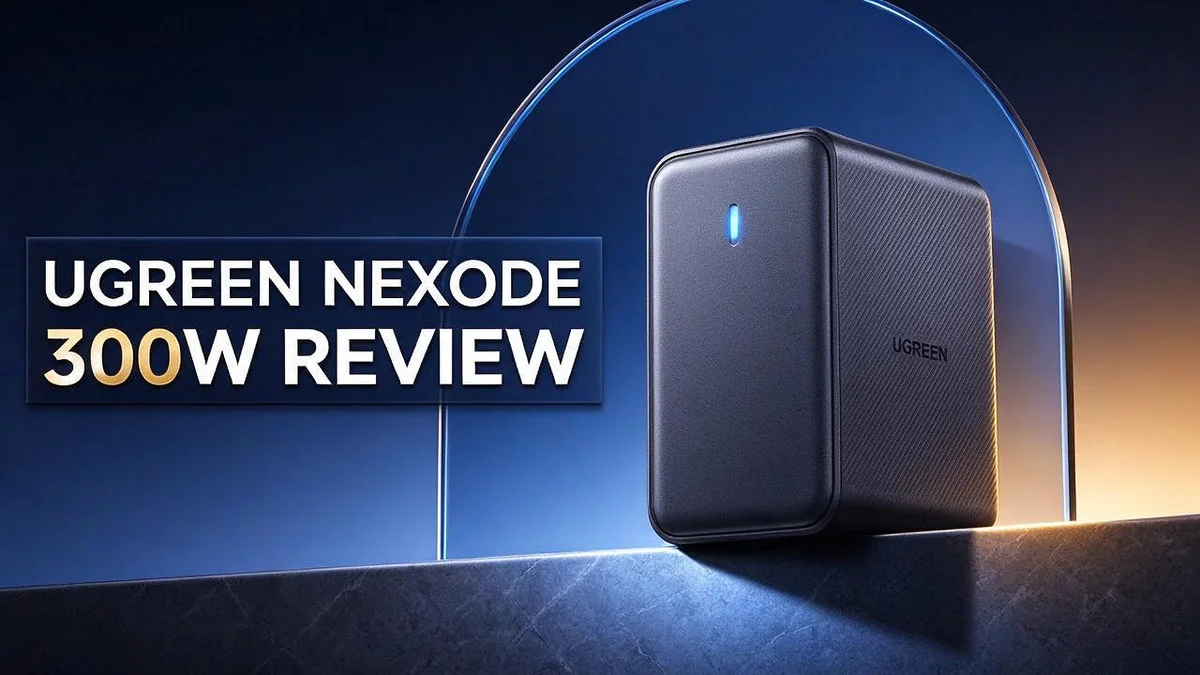
Ugreen Nexode 300W Review: Specs, Performance, Durability, and Verdict
Need one charger for your laptop, phone, tablet, and more? The UGREEN Nexode 300W promises a lot of power in one compact block. Let’s see if it lives up to the hype.
This charger delivers up to 300W using GaN technology. It offers four USB C ports and one USB A port, so five devices can charge at once.
Power matters most when you charge two laptops together. The Nexode 300W handles that job well. It also generates little heat during heavy use.
Thermal Guard is a smart feature built into the charger. It monitors temperature and adjusts output on its own. That helps protect your devices and the charger.
The build quality feels solid. Still, a few owners have reported port problems over time, so those issues deserve a closer look.
In this review, you will find the key specs, real strengths, possible drawbacks, and who this charger suits best. Keep reading to decide if it belongs on your desk.
In a Nutshell
- Four USB C ports and one USB A port give you five charging spots in one compact block, so each device gets its own outlet.
- The box includes a cable rated for 240W and a 6.6 ft wall plug, so you can start charging right away without buying extras.
- Heat stays low during heavy use, and a 2023 review praised the charger for strong conversion efficiency.
- Some owners report early failures. One Reddit user saw a second USB C port stop working within a month, and a third port failed two to three months later.
- The Nexode Pro model adds six ports, a retractable cable, and a smart screen, while the standard UGREEN Nexode offers lower output of about 100 to 130W for lighter needs.
- Check the reliability reports before you decide, especially if you plan to rely on the charger every day.
Key Features

- 300W Total, 140W Max: This UGREEN charging station delivers 140W fast charging and 300W total power, juicing...
- Smart & Fun Interactive Display: The smart interactive display puts charging insights at your fingertips—tap...

Last update on 2026-11-07 / Affiliate links / Images from Amazon Product Advertising API
Power sharing works in a flexible way. The 300W rating is a shared pool, not a fixed amount for each port. One laptop can draw most of the power. Add a phone, and the charger adjusts the split.
This setup suits busy desks with many gadgets. A laptop, tablet, phone, and earbuds can all sit on one block. You do not need a separate brick for each item. Fewer chargers mean less clutter and fewer loose cords.
Travel days get easier too. One block takes less space in a bag than several chargers. Plug it into one outlet and power your whole kit. Hotel rooms often have few outlets, so this helps a lot. Keep the block in a pouch with your cables so nothing gets lost.
Your cables play a big role. Thin or old cables can slow charging, even when the charger offers more power. Choose cables that match the wattage your devices need. A good cable helps you get full speed from the block.
Some users gain more than others. People who run two laptops or a gaming rig will feel the benefit most. Someone who charges only one phone may never use the full output. Think about your daily routine before you decide.
Plan for future devices. Most people add new gadgets over time. A charger with extra output can handle upgrades without a replacement. This gives your setup room to grow.
Comparison guides offer more choice. A Sabrent model also appears in comparison articles for 300W chargers. Reading those side by side can show you which features matter most to you.
Start with your device list. Write down every gadget you charge each day. Check how much power each one accepts. This simple step shows whether a 300W block fits your needs.
Place the block with care. Put it where air can move freely around it. Good airflow helps any charger perform its best over long sessions.
Design and Build Quality
Pick up the charger and you feel its compact weight right away. The block feels dense and balanced in your hand. It sits flat on a desk without rocking.
The ports sit in a neat row along one face. Cables can run away from the block in one line. This layout keeps your desk tidy during long work sessions.
Shell materials matter too. A smooth finish resists fingerprints better than a rough one. Press the surface and check that it feels firm.
Ventilation openings let warm air leave the body. Good airflow supports steady performance under heavy loads. Keep the vents clear of bags, blankets, and pillows.
Wall outlets matter too. A chunky block can cover the socket beside it. Think about the outlet spot before you plug in.
Cable strain can loosen a connection over time. A short cable near the block reduces that stress. Let the cable bend gently instead of pulling it tight.
Ports take daily wear from plugging and unplugging. A firm connection matters more than a loose one. Test each port with your own cable before you rely on it.
Inspect the box when it arrives. Look for loose ports or rattling parts. Tilt the block gently and listen for any movement inside.
Surface texture also affects grip. A matte finish feels less slippery in your hand. Gloss finishes show scratches more clearly.
Colors and finishes also suit different desks. A neutral tone blends into most offices. A bigger body does not always mean a better build.
Weight also counts when you pack for travel. A compact block fits a small pouch with ease. Bedside use calls for a quiet, flat footprint, and this block stays put on a nightstand.
Overall, the design feels practical and simple. Check the port fit and vents before you commit.
Charging Performance and Heat Management
Charging speed depends on the device you connect. A laptop pulls more power than a phone. The charger adjusts to each request on its own.
Most phones charge fast at the start. The speed drops once the battery passes about eighty percent. This slowdown protects the battery and is normal for most fast chargers.
Heat builds up more during long sessions. Keep the charger on a hard desk or a shelf. Thick blankets and bags trap warm air and can make the unit work harder.
Overnight charging needs a bit more care. Place the charger in an open spot near your bed. Avoid tucking it under pillows or into a drawer where air cannot move.
Room temperature also plays a role. A hot car or a sunny windowsill can raise the temperature inside the charger. Cooler spots help it run at its best.
Multiple devices on one charger can make each one charge a bit slower than it would alone. Try charging your most important gadget first. Then add the others when it finishes.
Watch for warmth in the first week. Touch the body during a normal charge and feel for unusual heat. Mild warmth is expected. Hot spots or a burning smell mean you should unplug it right away.
Keep the ports clean and dry. Dust and lint can build up inside the openings and trap heat. A soft brush once a month keeps things clear.
Plan your charging times around your routine. Start a laptop charge during lunch or a break. This gives the charger time to cool between heavy jobs.
Sync charging with your work day. Heavy loads often happen during long meetings or gaming sessions. Give the charger breaks between those loads so it stays cool and steady.
Warm air rises from the body, so a small stand can help. Lifting the unit a little lets air move underneath. Check that the stand is stable first.
Top 3 Alternatives
Anker Prime Charger

- AirPods-Size 160W Power: Delivering 1.35W/cm³ of power density, this sleek 3-port usb c charger provides a...
- 140W Single-Port Output: Enjoy a consistent 140W single-port output without derating, keeping laptops charging...
Last update on 2026-11-07 / Affiliate links / Images from Amazon Product Advertising API
The Anker Prime Charger is a great pick for people who need power fast.
It supports high wattage across multiple ports. You can charge a laptop, a phone, and a tablet at the same time.
Its compact body fits easily in a bag. Busy professionals often use it at home and on the road.
Anker 747 Charger

- Fast Charging for Four Devices: Enjoy the convenience of powering four devices simultaneously with our...
- Dual High-Speed USB-C Ports: Rapidly charge your 15-inch MacBook Air to 50% in just 30 minutes with either of...
Last update on 2026-11-07 / Affiliate links / Images from Amazon Product Advertising API
The Anker 747 Charger offers strong output in a sleek design.
It uses GaN technology to stay cool during long charging sessions. This makes it a solid choice for travelers.
It works well with modern laptops and smartphones. The two ports handle most daily tasks with ease.
Many buyers say it feels sturdy and well built.
Baseus GaN5 Pro

- 3-in-1 Intelligent Charging: Power a laptop, phone, and earbuds at once time with three USB-C ports. Support...
- Active Battery Care: Designed to help keep long-term battery health with smart power-off protection which...
Last update on 2026-11-07 / Affiliate links / Images from Amazon Product Advertising API
The Baseus GaN5 Pro gives you flexible charging for many devices.
Its design keeps the size small while power stays high. It is a friendly option for students and office workers.
Many people enjoy its clear indicator lights. They show charging status at a glance.
The charger also protects devices from heat and overcharge. Plug it in once and it handles the rest.
Port Configuration and Versatility
Think of each port as a separate lane. The USB C ports suit modern laptops, phones, and tablets. The USB A port works well for older accessories that still use the classic plug.
Start with your most demanding device. Plug your laptop into the port you trust most. Fill the other slots with smaller gadgets, such as earbuds or a watch charger. Keep a few slots open for future gadgets.
Save the included cable for your laptop. The cable supports up to 240W, so it fits your heaviest device best. Keeping it on one device makes it easy to find when you need it.
Keep a USB A cable nearby. Older gear, like a small speaker or a basic fitness band, may still need that port. Store a short USB A cable in your desk drawer so it is ready when you need it.
Watch each port after you buy. One Reddit user reported a second USB C port failing within a month, and a third failing a few months later. That report came from a single person, so it does not prove a pattern. Still, test each port with a trusted device during the first few weeks.
Label cables on shared desks. When several people use the charger, mix ups happen fast. Add a small tag or tape to each cable. Write a name on each tag so everyone knows which plug belongs to which device.
Consider the Nexode Pro for more ports. The Nexode Pro 300W (X873) offers six ports, so it suits a crowded setup better. It also includes a retractable cable and a smart screen. Choose the model that matches how many devices you charge each day.
Plan your layout before you plug in. Sketch where each device sits and which port it needs. A quick plan saves time and keeps cables tidy. Take a photo of the final setup so you can restore it later.
Durability and Long-Term Reliability
Long-term reliability matters most after the first few weeks. A charger that works well on day one should also work well in year two. This section looks at how the Nexode 300W may hold up over time.
Build quality gives a solid starting point. Reviewers describe the build as solid, which suggests the housing and internal parts were made with care. A strong body alone does not guarantee a long life, though.
Thermal Guard adds a safety layer. This smart protection watches the temperature and adjusts output on its own. Over years of use, it helps guard internal parts from repeated stress. It works in the background, so you do not need to manage it.
One report deserves a closer look. A Reddit user saw a second USB C port fail within a month. A third port failed two or three months later. One story does not prove a pattern. It does show that port failure is possible, so watch closely during the early months.
Keep your purchase records handy. Save the receipt and note the purchase date. A clear date and proof of purchase make any warranty claim smoother. Store the box or product details in a safe place.
Check the cables over time. Cables often wear out faster than people expect. Look for fraying near the ends, bent connectors, or a loose fit. Replace a worn cable early rather than waiting for a failure.
Give the charger a steady home. Choose a flat, dry surface where the body can sit still. Avoid stacking heavy items on top of it. Gentle handling protects the case seams and plug pins for years.
Test each port every few months. Plug in a device for a few minutes and confirm that charging starts and holds steady. If one port feels weak, you can catch the problem before it affects an important device.
Long-term reliability depends on both the product and your habits. Handle the charger with care, check it often, and act fast on early warning signs. These steps give the Nexode 300W its best chance to last.
Pros and Cons
Pros
– Charges two laptops at the same time.
– Generates little heat during normal use.
– GaN technology packs high power into a compact body.
– The Pro model adds a retractable cable and a smart screen.
– A 2023 review praised its conversion efficiency.
Cons
– Long term testing data is still limited.
– Model names can confuse shoppers at first glance.
– The standard Nexode offers much lower output, so check your needs first.
Who Should Buy It
Busy desks benefit the most. If your desk holds a laptop, phone, tablet, and earbuds, this charger can replace a pile of bricks. Fewer bricks mean fewer tangled cords.
Remote workers and students also fit well. Long work or study sessions drain batteries quickly. Keeping every gadget topped up means fewer trips to the outlet.
Families with shared gadgets find it handy. Several people can plug in phones and tablets at once. Nobody has to wait for a turn at the single free socket.
Frequent travelers may appreciate the space savings. Hotel rooms often offer only a few outlets near the bed. One single brick with several ports frees up room on the nightstand.
Creators who work on the go often run several devices. A laptop, a camera battery, and a phone can all need power during a shoot. Multiple ports make the setup feel less cramped.
Gaming desks can stay charged in one spot. Many handheld consoles and controllers charge over USB. Having one charger for the whole setup keeps things simple.
Office managers may buy one for shared spaces. A break room or meeting room often has few outlets. Staff can top up their phones there without digging for adapters.
Anyone tired of charger clutter will like the simplicity. One unit can replace several small adapters. Less clutter makes the desk look cleaner.
Who might skip it? Someone who charges just one phone each night may not need this much output. A simpler charger could suit that person better.
Think about your daily habits first. Count how many devices need power at the same time. That number shows whether this charger fits your routine.
Final Verdict
The UGREEN Nexode 300W earns a spot on your shortlist. It packs strong power into one compact block. Many setups can run on it without extra outlets.
Its mix of ports gives you room to grow. Most people will not need to hunt for another plug.
The real question is trust over time. Think about how much a sudden failure would disrupt your work or travel.
A single reported failure does not decide the matter. It does, however, show why you should watch your charger closely during the first months.
Choose the model that matches your daily load. If you only charge a phone and one laptop, the standard Nexode may serve you well. Heavier setups with many devices will benefit more from the Pro.
Compare the options side by side before you buy. Count your devices, check each port’s wattage, and read recent owner feedback. This takes only a few minutes and can save you regret.
Sabrent appears in some comparisons too. Look up its exact specs yourself, since the details are unclear right now.
Its strong points stand out clearly. Raw power and port count make it a practical pick. Yet every product has limits, so weigh both sides before you commit.
Our final take is simple. This charger suits people who want high power and flexible ports in one block. Buyers who value proven durability should keep an eye on newer owner reports.
Read the return policy and learn how warranty claims work. Knowing your options early makes any problem easier to handle.
Your final choice should feel comfortable and clear. A good fit beats a flashy spec sheet every time. Take your time, and trust your own needs above all.
Frequently Asked Questions
Does the charger protect itself from overheating?
Yes. Thermal Guard monitors the temperature inside the block. It adjusts the output on its own when things get warm. This helps keep your devices safe during long work sessions.
What cable comes in the box?
The package includes a 240W capable USB C cable. It also comes with a 6.6 ft wall plug. Many everyday gadgets need far less power, so this cable works well for daily charging.
What should I do if one port stops working?
One Reddit user reported a USB C port that failed within a month. Test each port with a cable you know works. If a port keeps failing, contact the seller and ask about warranty support. Keep your proof of purchase somewhere easy to find.
Which ports should I use for laptops?
Plug your laptops into the USB C ports for the fastest and most stable charging. Use the USB A port for older gadgets, earbuds, or small accessories. This layout keeps your busy desk organized and your devices charged.

DK is a technology expert who specializes in AI tools, software, and tech gadgets. He writes for How to Tech Info, providing detailed reviews and practical guides. DK helps readers discover the best AI applications, navigate new software, and choose the right tech gadgets.


