
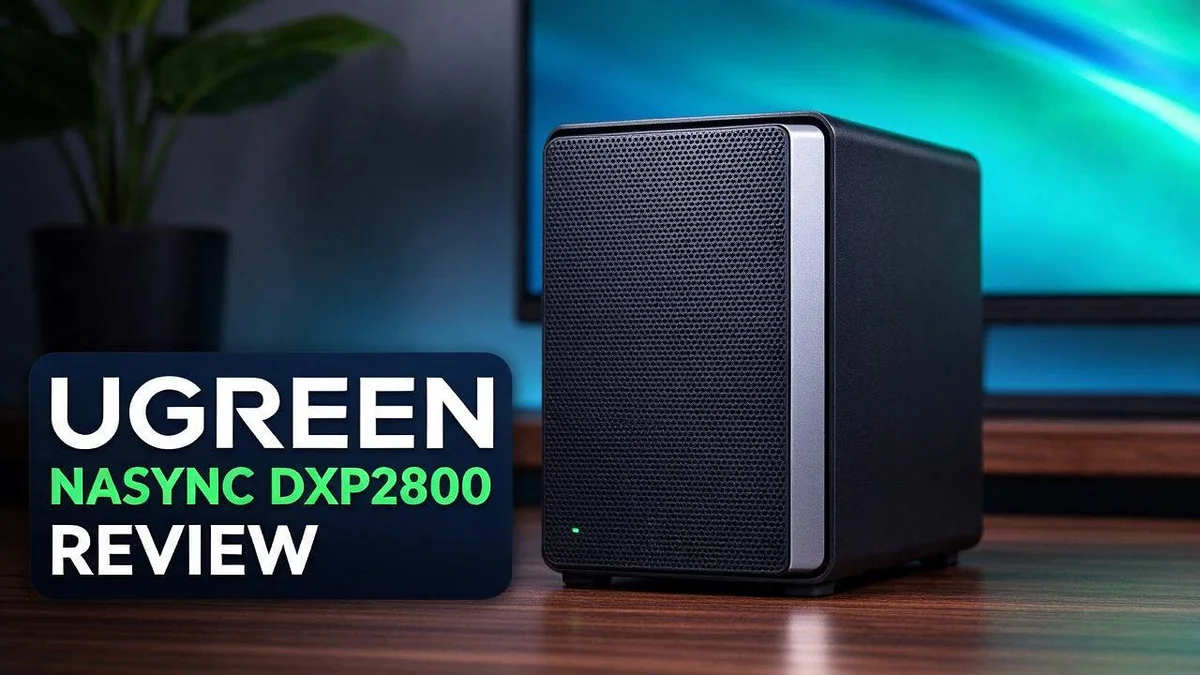
UGREEN NASync DXP2800 Review: Specs, Performance, and Verdict
Looking for a simple way to store your family photos and movies? The Ugreen NASync DXP2800 may be the answer. It is a compact two bay network storage device built for home users.
Inside, you get an Intel N100 processor with four cores. It comes with 8GB of DDR5 memory that you can upgrade. Two M.2 NVMe slots add room for faster storage.
The unit runs quietly, so it fits well in a living room or bedroom. Its 2.5GbE port moves files quickly across your network. A clean shutdown feature also gives you about 10 minutes of backup power during an outage.
Setting up a home server can feel confusing at first. This guide covers the key specs, real strengths, and points to consider before you buy. You will also see how it compares with other UGREEN and Synology models.
In a Nutshell
- Two drive bays hold either SATA hard drives or SSDs. You can mix storage types based on how much space you need and how quickly you want files to open.
- Fast 2.5GbE networking moves large files across your home network much quicker than standard gigabit ports. This helps when you copy big video libraries or back up full laptops.
- Two M.2 NVMe slots open the door to faster storage. You can use them for caching or add extra space later as your collection grows.
- 8GB of DDR5 memory can be upgraded, so the system can keep up with your needs over time. More memory helps when you run extra apps or services.
- Clean shutdown support protects your files during a power cut. The unit offers about 10 minutes of backup power, giving it time to close safely.
- A simpler option within the lineup: The UGREEN DXP4800 Plus is the recommended pick for performance and expandability. One reviewer says this model “doesn’t try to be everything,” so it suits people who want basic storage without extra features.
Build Quality and Drive Bays

- 【10GbE Speed for Creators & Heavy Workflows】Powered by AMD Ryzen Embedded R2514, 4 cores, 8 threads, up to...
- 【UGOS Pro with Powerful Expansion Options】UGOS Pro combines an intuitive interface with advanced...
Last update on 2026-11-07 / Affiliate links / Images from Amazon Product Advertising API
A home server sits in one place for years. So build quality matters more than many people expect.
The DXP2800 follows a classic two bay layout. That layout keeps the design simple and easy to understand.
Simple layouts suit first time owners. There are fewer parts to manage and fewer things to go wrong.
Each bay accepts a 3.5 inch or 2.5 inch drive. This gives you flexibility when you choose storage.
Mixing drive sizes is possible, but plan carefully. A large hard drive adds space. A small SSD adds speed for daily files.
Large 3.5 inch drives suit photo archives and movie libraries. They hold a lot of data in one place.
Smaller 2.5 inch SSDs bring quick access to files you open every day.
Two bays also support a mirrored setup. A mirror stores the same data on both drives.
If one drive fails, the other keeps your files safe. That extra layer gives many families real peace of mind.
Mirroring trades space for safety. You get the capacity of one drive, but your files stay protected.
Swapping a drive takes only a few minutes when you plan ahead. Back up your data first so nothing gets lost.
Good airflow keeps drives cool during long sessions. Heat can shorten the life of any hard drive.
Leave open space around the vents. Air needs room to move freely through the chassis.
Placement matters too. Keep the unit off carpets and away from direct sunlight.
Hard drives can fail without warning. Keep a second copy of important photos somewhere else.
Check drive health tools in your system settings once a month. Early warnings give you time to act.
Overall, the build suits a home user. It stays simple, flexible, and easy to manage. Choose drives that match your storage goals and daily habits.
Processor and Memory Performance
Good performance comes from a balance between the processor and memory. Both parts shape how fast your files open and how smoothly your apps run.
The chip inside is an Intel N100 with a low power design. It handles daily storage jobs without pushing the case to run hot.
Think about what you plan to do most. File backups, photo browsing, and music streaming all rely on the processor. Light tasks run well, but heavy jobs may slow things down.
Video handling deserves extra attention. Transcoding means the server changes a video so another device can play it. This job asks a lot from a small chip, so direct play often gives the best results.
Memory works behind the scenes. RAM holds active tasks so the processor can reach them quickly. When memory runs low, the system shuffles data around, and that causes pauses.
Eight gigabytes covers most home setups. Basic file sharing and photo backups need little extra. Heavier use can fill that space faster than you expect.
Background services add up over time. Photo indexing, download tools, and smart home apps all share the same resources. Check the resource monitor now and then to catch problems early.
Plan ahead for growth. If you add services later, extra memory gives the chip more room. Memory space matters as much as raw speed in daily use.
Heat also links to performance. A cool processor can hold steady speeds for longer periods. Thermal limits can slow a chip when it gets too hot.
Test your own workload before you commit. Copy a large folder, stream a movie, and watch the usage numbers. Real results tell you more than any spec sheet can.
Choose based on your daily habits. Light home tasks suit this setup very well. Heavy work with many users may call for a stronger model from the lineup.
Storage Expansion and M.2 Slots
Think of the M.2 slots as a fast lane. Your large files can sit in the drive bays while quick tasks use NVMe storage. This split keeps daily work smooth and your archive roomy.
Choosing the right drive matters. Most people pick a 2280 size NVMe SSD because that length suits common slots. Confirm the size and interface before you buy.
Heat deserves attention from day one. NVMe drives can run hot during long copy jobs or heavy editing. A drive that gets too warm may slow down to protect itself.
Give the unit clear space around its vents. Avoid placing it under papers, books, or fabric. Good airflow helps both the drives and the processor stay cool.
Keep expansion and protection separate in your mind. Adding space gives you room, but it does not guard against mistakes. Extra storage still needs a backup plan.
Map your folders before you move anything. Decide which files belong on fast storage and which belong in the bays. A clear map saves time and prevents clutter.
For example, a working folder for photo edits or video drafts suits faster storage. Finished projects and old family archives can rest on larger drives.
Grow your plan as your needs change. New cameras, new hobbies, and new household members all create more files. Leave some free space so the system can handle downloads, temporary files, and updates.
Power down before you swap drives. Swapping drives while the unit runs is not a safe habit for most home users. Shut the unit down, wait for it to cool, then open the case.
Storage expansion works best with a calm plan. Set your fast tier, your bulk tier, and your backup routine early. Then your server grows with you instead of fighting you.
Top 3 Alternatives
Synology DS224+

- Your Personal Streaming Server - Build your own Netflix-style media library and stream 4K movies, shows and...
- Create Your Own Cloud - Store your entire photo, video and music collection; access from anywhere with fast...

Last update on 2026-11-07 / Affiliate links / Images from Amazon Product Advertising API
The Synology DS224+ is a great choice for home users who want simple storage. It has two drive bays, so you can protect your files with a mirrored setup. The DiskStation Manager software makes setup easy. You can also back up your computers and phones with just a few clicks. It is a steady option for anyone new to network storage.
QNAP TS-264

- Intel Quad-core CPU burst up to 2.9 GHz with 8GB RAM
- Dual 2.5GbE (2.5G/1G/100M) ports accelerates file sharing across teams and devices or streamline large file...
Last update on 2026-11-07 / Affiliate links / Images from Amazon Product Advertising API
The QNAP TS-264 suits people who need more power. It runs several tasks at once, such as file sharing, media streaming, and backups. It offers a wide range of apps for extra features. Some users may find the settings a bit more detailed. Still, the extra control gives you room to grow.
Asustor Lockerstor 2

- [High-Performance Intel Quad-Core NAS] Powered by Intel Celeron N5105 quad-core processor, delivering stable...
- [Dual 5GbE High-Speed Network Connectivity] Equipped with dual 5-Gigabit Ethernet ports, delivering...
Last update on 2026-11-07 / Affiliate links / Images from Amazon Product Advertising API
The Asustor Lockerstor 2 combines a clean design with easy daily use. It supports file sharing, photo management, and remote access through its ADM system. Its fast network ports help large files move quickly. This model fits small offices and families who want good speed without a steep learning curve. It also keeps your data close and organized.
Networking and Transfer Speed
Network speed often limits your daily experience more than the drives do. The DXP2800 uses a 2.5GbE port, which gives you about 2.5 times the bandwidth of a standard gigabit connection.
In practice, a standard gigabit link tops out near 110 MB/s. A 2.5GbE link can reach roughly 250 to 280 MB/s under good conditions. That difference shows up when you copy large folders.
Consider a 50 GB video folder. On gigabit, the copy can take around eight minutes. On 2.5GbE, the same job often finishes in about three minutes.
Expect the biggest gains on large files. Small files move slower because each file adds overhead. Large video or photo folders show the biggest improvement.
Your network gear must match that speed. Your router or switch and your computer need 2.5GbE support too. A Cat 5e or Cat 6 cable handles this speed well.
Older network gear can cap the speed. A gigabit switch limits the whole chain to 1 Gbps, even when the NAS supports more.
Check the real speed after setup. Open your network adapter settings and confirm the link shows 2.5 Gbps. A quick copy of a large file also shows the real transfer rate.
Wireless connections rarely reach these speeds. They share airtime with every other device nearby. For the fastest results, connect your main computer to the NAS with a cable.
Multiple users feel the benefit. When two people stream video or sync files at once, the extra bandwidth keeps each session smoother.
Everyone still shares one link, so large jobs can slow others down.
Schedule large transfers for quiet hours. Overnight backups and archive moves keep your daytime network free. This simple habit makes the most of the fast link.
The DXP2800 gives home users solid transfer speeds without complex network tools. It focuses on core file tasks, which keeps setup simple for most people.
Noise Level and Power Protection
The DXP2800 runs almost silently. Quiet operation suits a living room, bedroom, or home office. You can keep it nearby without hearing a constant hum.
Your daily workload still shapes how the unit sounds. Heavy copy jobs and background tasks can change the fan behavior. Listen to it during a normal day before you decide where it sits.
Noise also depends on placement. A shelf next to a bed may feel louder than a closet shelf. Hard surfaces can reflect sound. Choose a spot where the unit stays quiet and cool.
Power outages can damage your files. A sudden loss of power can interrupt a write and corrupt data. The DXP2800 avoids that risk with a clean, controlled shutdown.
The unit offers about 10 minutes of backup power. That window gives the system time to close open files. It then shuts down in order instead of stopping abruptly.
A UPS covers longer outages. Ten minutes helps during brief dips, but longer blackouts need more. Pair the NAS with an uninterruptible power supply, often called a UPS, for extended protection.
Plug the NAS into a surge protector as well. Surge protectors guard against voltage spikes. Those spikes can come from storms or grid problems.
Power protection does not replace backups. It keeps the device safe during short problems. It cannot stop accidental deletion, ransomware, or a failed drive. Keep a second copy of important files elsewhere, such as cloud storage or an external drive.
Test the setup before you rely on it. Confirm that your UPS connects to the NAS through its communication cable. Review the shutdown settings in the system dashboard. A short check now saves stress later.
Place the unit where cables stay out of foot traffic. Loose cables can slip and cut power. A tidy setup protects both your data and your peace of mind.
Pros and Cons
Pros
– Simple two bay layout suits home and entry level users.
– The Intel N100 quad core chip handles everyday file tasks.
– Two M.2 NVMe slots add room for fast storage.
– A reviewer says it doesn’t try to be everything.
– The clean shutdown process helps keep the system stable.
Cons
– Two bays may feel tight for very large media libraries.
– The DXP4800 Plus offers more performance and expansion.
– Some reviewers raise warnings, so read several reviews first.
Who Should Buy It
Are you new to network storage? This unit fits first time owners well. It offers a simple starting point without overwhelming you.
Families make a strong match. Parents can store family photos, home videos, and school projects in one place. Everyone can open the same folders from their own devices.
Retirees who want a simple photo archive may also appreciate the clean setup. Their memories stay on one device and grow over time.
Small home offices benefit too. Shared documents and client files stay on your own network. Your team can reach them from one central location, which keeps work organized.
People who want to leave cloud subscriptions may like this option. You decide where your data lives and who can access it. That control matters to many privacy minded users.
Media lovers with modest libraries should consider it. A collection of movies, music, and photos can fit comfortably on two drives. Adding a few more files later is simple when you plan ahead.
Who should look elsewhere? Buyers who expect years of fast growth should compare larger models. Heavy video editors may also want more room to work with large projects.
Remote access needs careful planning. Your router and security settings decide how safe outside connections stay. Take time to learn them before you open any access points.
Comfort with technology matters too. If you enjoy tweaking settings, the setup process may feel fun. If you prefer zero setup, expect some learning time at the start.
Watch a few reviews before you decide. One popular video titled “9 Reasons NOT to Buy” is worth a look. Compare its concerns with your own storage needs and daily habits.
Think about your storage size, your comfort with setup, and how you plan to use the device. Your answer will become clear quickly.
Final Verdict
The short answer is yes for the right buyer. The UGREEN NASync DXP2800 works well as a first step into home storage.
Think of this unit as a calm starting point. It stores files, shares them across your network, and stays out of the way.
Your decision should rest on how you plan to use it. Ask yourself how much you will store today and how much you may need later.
Many buyers overlook the growth question. A two bay design handles steady needs well, but it leaves less room for big jumps.
Think about the next three years, not just today. If your library grows fast, a larger model may save you a headache later.
Read the critical reviews before you commit. A video titled “9 Reasons NOT to Buy” is worth watching, so you can weigh its points yourself.
Pair the NAS with solid backup habits. Keep a second copy of important files somewhere else, such as an external drive or a separate cloud account.
Plan your setup before you buy. Choose your drives in advance, since the bays accept both 3.5 inch and 2.5 inch options.
Drive choice shapes your results. Pick drives that match your storage goals and your comfort level with upgrades.
Setup time is another factor. Plan a free afternoon to install drives, update the system, and create your first shared folders.
Think about who else uses the network. Several people streaming or uploading at once can test the 2.5GbE link, so check your router too.
Ask a final set of questions. Will I use it for photos, documents, or media? Do I need remote access? Will I add drives later?
Final thought: This NAS rewards owners who keep things simple. If you want a quiet, tidy box for your files, it earns a place on your shortlist.
Frequently Asked Questions
Is the UGREEN NASync DXP2800 quiet enough for a shared room?
Yes, it runs silently during normal use. You can place it in a living room or home office without much noise. It works well in spaces where people talk, work, or watch shows.
Can I mix hard drives and SSDs in this unit?
Yes. The two bays accept SATA HDD or SSD drives. You can pick large hard drives for bulk storage or SSDs for faster access. You can also combine both types based on your needs.
How fast is the network connection?
The unit uses 2.5GbE networking, which moves files faster than standard gigabit ports. This speed helps when you stream movies or copy large photo folders across your home network.
Can I add more memory later?
Yes. The unit comes with 8GB of DDR5 memory, and you can upgrade it later. Extra memory can help the device handle more tasks at once.

DK is a technology expert who specializes in AI tools, software, and tech gadgets. He writes for How to Tech Info, providing detailed reviews and practical guides. DK helps readers discover the best AI applications, navigate new software, and choose the right tech gadgets.


