
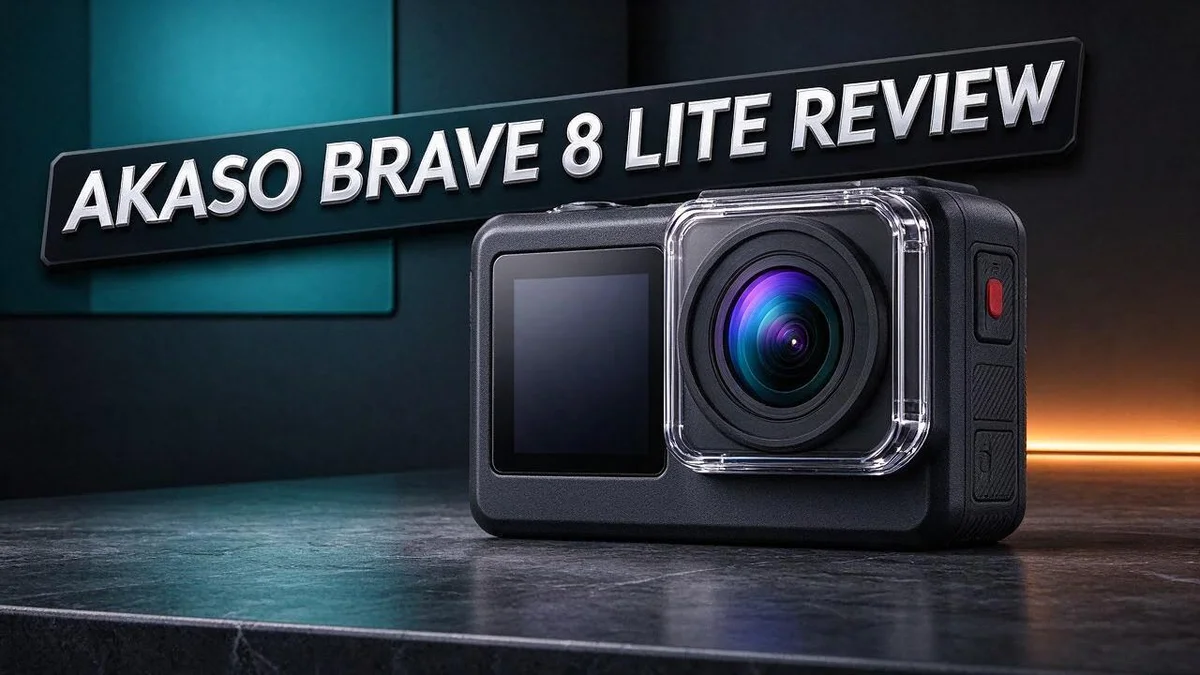
Akaso Brave 8 Lite Review: 4K Action Camera Tested for Stabilization, Battery, and Value
Are you looking for a camera that keeps up with your adventures? The Akaso Brave 8 Lite could be the action camera you need.
It records 4K video and delivers smooth footage when you shoot handheld.
Many people want clear shots without spending hours editing. This camera offers HDR, vertical shoot modes, and voice control. Those features make capturing moments quick and simple.
Still, no gadget is perfect. Users mention slow motion quality and battery life as weak spots. Knowing these facts helps you decide if it fits your needs.
In this review, we explore its key specs, real strengths, and common drawbacks. We also compare it with top rivals like GoPro and DJI.
Let’s see if the Brave 8 Lite earns a place in your camera bag.
In a Nutshell
-
4K video at 60fps: The Brave 8 Lite records sharp 4K footage. It can also shoot at 60 frames per second for smoother action.
-
Strong stabilization: Handheld clips look smooth and steady. Many reviewers say this helps beginners capture clean footage without extra gear.
-
Voice control: You can start and stop recording with spoken commands. This feature helps when your hands are busy or wet.
-
Useful shooting modes: HDR and vertical modes help you capture vivid scenes and clips for social media.
-
Slow motion and battery life: Some users find slow motion quality weak. Battery life also receives criticism, so you may want a spare battery for long days.
-
Waterproof claim: Listings show an IPX8 rating, but users report that no waterproof case comes in the box. Check the package before you take the camera underwater.
Video Quality and Stabilization
No products found.
Video quality decides whether an action camera earns a spot in your bag. The Brave 8 Lite aims to deliver clean images in many settings. Let’s see how its footage holds up outside the box.
Daylight shots look the best. Colors appear natural, and bright skies keep their detail. Sunny scenes give the sensor plenty of light to work with.
Low light is a different story. Indoor shots and evening walks can look grainy. Noise shows up more in the shadows, so film near strong light sources when you can.
Edge sharpness is another point to consider. The center of the frame looks crisp. Corners can appear softer, especially when you pan quickly across a scene.
Stabilization does more than smooth out bumps. It also keeps the horizon level when you turn or climb. A straight horizon makes travel clips feel more polished.
Movement type matters. Slow walks produce calm footage. Running, cycling, or rough trails may still cause some shake. Mounting the camera to a chest harness or helmet can reduce this effect.
Frame rate choices shape the feel of your clips. A standard setting suits everyday travel and casual vlogs. Higher frame rates capture fast action with more detail and less blur.
Some product comparisons list a 5.7K mode at 30fps. Test this mode before a big trip. Results may vary based on your lighting and shooting conditions.
Clean the lens before every shoot. A small smudge can soften footage more than any setting. A quick wipe with a soft cloth often makes a clear difference.
Overall, the footage suits casual creators well. Daytime clips look polished, and stabilization helps during movement. Expect more caution in dim places, and plan your shots with that in mind.
Slow-Motion and Capture Modes
Slow motion adds drama to everyday moments. A splash, a jump, or a wave crash feels bigger when it plays slowly. Think about the moment that deserves extra attention, and plan that shot before you press record.
Light matters most for slow motion footage. Bright daylight gives the camera more detail at fast frame rates.
Shoot early in the morning or late in the afternoon for softer tones. Heavy shade makes slow clips look grainy.
Choose the right capture mode for each scene. HDR mode suits scenes with bright skies and dark shadows. Vertical mode fits clips made for phone screens. Test each mode in the same spot to compare results.
Switch modes before you start rolling. Changing settings in the middle of a shoot can make you miss the moment.
Subject speed also shapes your results. Fast action like bikes, surf, or falling water looks best in slow motion.
Slow subjects, like a person walking, can look strange when slowed down. Record a short test clip first to check the effect.
Editing makes a big difference too. Trim your clip and slow only the key moment. Keep the rest at normal speed so viewers stay engaged.
Many creators add a short music beat that matches the slowed action. This small touch makes the clip feel more polished.
Steady framing helps smooth slow motion. Place the camera on a tripod or a small clamp. Use a timer to start recording so your hands do not shake the body.
Practice a few takes and review them on a larger screen. Your best slow motion clips often come from the third or fourth try.
Battery Life and Power
Battery life can make or break a day of filming. The Brave 8 Lite packs a 1,550 mAh battery, which feels modest for a camera that shoots 4K video. Many users say the power runs out sooner than they expect.
High settings drain power faster. Recording 4K at 60fps asks more from the camera. Wireless links and voice control also keep the camera busy. Turn off the features you do not need before you head out.
Plan your power before the shoot. Charge the battery fully the night before. Pack at least one spare battery so you never miss a key moment.
Cold weather drains power quickly. Keep the spare battery warm inside a jacket pocket until you need it. Heat can shorten battery life too, so shade the camera between clips.
Think about the length of your day. A short park walk needs far less power than a full day at a theme park. Match your battery plan to the length of your outing.
Power banks offer a helpful backup. Many creators connect the camera to a power bank through the USB port during long hikes or full day events. Choose a power bank with enough output to support steady recording.
Record in short bursts. Start and stop the camera between moments instead of rolling one long take. This habit saves power and gives you cleaner clips to edit later.
Test the setup at home first. Run a short trial with your usual settings. Note how much charge remains after ten minutes. Then you can plan your full day with confidence.
Battery life may not match the stronger performance of top rivals like GoPro or DJI, so set realistic expectations. Still, smart habits help the Brave 8 Lite keep pace with your adventures.
Top 3 Alternatives
GoPro HERO13 Black

- Versatile 5.3K Action Camera: Capture stunning 5.3K60 video and 27MP photos with the GoPro HERO13 Black...
- Enhanced Connectivity and Editing: The GoPro HERO13 Black offers seamless Bluetooth audio connectivity, faster...
Last update on 2026-11-07 / Affiliate links / Images from Amazon Product Advertising API
The GoPro HERO13 Black is a top pick for action fans who want sharp detail. It records 5.3K video and keeps shots smooth with HyperSmooth 6.0 stabilization. You can take it underwater down to 10 meters without a case. Its front and rear screens make selfies and vlogs easy.
DJI Osmo Action 4

- Superior Low-Light Performance with 1/1.3-inch Sensor - Struggling with grainy footage in low light? Osmo...
- Pro-Grade Color Science - Worried your videos lack real-life colors? 10-bit color depth captures subtle...
Last update on 2026-06-17 / Affiliate links / Images from Amazon Product Advertising API
The DJI Osmo Action 4 works well in tricky light. Its larger sensor helps you capture clear footage at night and in shade. It records 4K video at up to 120 frames per second, so your slow motion looks crisp. The dual screens and quick-release mounts also make setup simple.
Insta360 X3

- Think bold. A collection of stickers that capture the Insta360 spirit, freely pasted wherever you like. In the...
- NEW ERA 360 ACTION CAMERA: Insta360 X3 combines 5.7k 360 with all the power of a 4K action camera together...
Last update on 2026-06-17 / Affiliate links / Images from Amazon Product Advertising API
The Insta360 X3 takes a different approach with 360 degree video. You record once, then choose your angle later in the app. It shoots 5.7K video and 72MP photos. Its FlowState stabilization keeps footage steady, even when you move fast.
Waterproofing and Durability
Water resistance matters most when the weather turns. Rain, splashes, and sudden waves can reach a camera fast. Good sealing keeps your footage clear and your gear working.
The listing gives this model an IPX8 rating. In simple terms, IPX8 means the body can handle long periods underwater. The exact depth depends on the maker’s test, so read the details before you dive.
Think of the rating as a lab result, not a promise for every outing. Real trips bring sand, salt spray, and grit that can work into small gaps. Rinse the camera with fresh water after each beach trip. This simple habit removes salt before it dries on the seals.
Check the seals before every swim. Look at the battery door and side ports for dirt, sand, or hair. A tiny speck can break the seal and let water inside.
Drops and bumps also test durability. The body feels solid in your hand, but rough rocks or hard falls can scratch or crack the lens cover. A soft pouch or wrist strap protects the camera between shots and during hikes.
Cold water adds another challenge. Temperature changes can cause fogging inside the lens if moisture gets in. Dry the camera fully and let it warm up slowly after a chilly dip.
Heat and sunlight matter too. Leaving the camera on a hot dashboard can strain the battery and plastic parts. Store it in a shaded bag between outings so it stays in good shape.
Test the seals at home first. Run the camera in a sink or bucket for a few minutes. Watch for leaks, then dry everything well before a real trip.
Good care keeps this camera working for years. Simple habits like rinsing, drying, and checking seals make a big difference. Treat the rating as a helpful guide, and your gear will reward you with reliable footage on every adventure.
Price and Accessory Value
The Akaso Brave 8 Lite comes with many accessories in the box. That gives new owners a head start. You can mount the camera and start shooting right away.
Think about where you plan to use the camera. A bike ride, a hike, or a day at the beach each needs different gear. Check the included mounts before you buy anything else. Look for options that match your favorite activities.
Many people look for a waterproof case first. Some buyers report that no case comes in the box. Confirm what is in the box before you head out. If a case is missing, plan to buy one separately.
Spare parts also matter over time. Extra mounts and cables can save a shoot. They keep your setup ready when a part wears out. Keep a small kit in your bag.
Compare the bundle with what you already own. If you have a memory card reader, a tripod, or a chest mount, you may skip some items. Make a short list of what you need. This keeps your gear simple and your bag light.
Mounts also decide how you hold the camera. A chest strap or a handlebar clip gives a steady view. Pick mounts that feel secure. Loose gear can fall off on rough trails. Test each mount at home before a trip.
How useful your extras feel also depends on how often you film. Casual creators may use the same mount every weekend. Heavy users often want extra storage and spare batteries. Match your kit to your habits. That way, each item earns its place.
Finally, read the return and support terms. Good support helps when a part fails. Read the fine print before you commit. A quick check now can prevent headaches later.
Pros and Cons
Pros
– Strong stabilization keeps handheld footage smooth.
– Voice control lets you run the camera hands free.
– A vertical shoot mode suits phone style videos.
– 4K 60fps recording captures fast action with clear motion.
– The 20 MP main camera takes sharp still photos.
Cons
– Slow motion quality often disappoints viewers.
– No waterproof case comes in the box.
– Some listing claims do not match what owners report.
Who Should Buy It
This camera fits a specific kind of creator. It works best for people who want simple controls and quick results. Here is who should consider it.
First time vloggers make up one of the strongest matches. Learning new gear can feel slow for some people. This camera keeps that learning curve short, so owners can focus on telling stories instead of digging through menus.
Social media posters who share short clips every day can benefit too. They can film, move the footage to a phone, and post within minutes. A quick routine keeps new content flowing without extra effort.
Families who document everyday moments may enjoy this model. It handles birthday parties, beach days, and road trips with very little setup. Kids can even join in on the fun.
Hikers and cyclists who want footage from a fixed viewpoint should take a look. A helmet or handlebar mount keeps the camera close to the action. The camera stays in place on bumpy trails, so the view stays consistent.
Casual travelers who want one camera for everything can save space in a bag. It records clear daytime memories without a heavy kit. You can pack light and still capture the whole trip.
Hobbyists who want a fun second camera may find this model useful. It gives them a way to try new angles without risking a main device. Experimenting becomes easier and less stressful.
On the other hand, some people should look elsewhere. Serious filmmakers who need advanced editing tools may feel limited. Heavy slow motion editors may also want more flexibility in their workflow.
Shoppers who value a large support network might check GoPro or DJI first. Those brands offer wide communities and many third party mounts. Their ecosystems can feel more complete for long term projects.
Start by listing your main filming spots. Match those spots to the strengths above. A clear plan leads to a camera you actually enjoy using every day.
Final Verdict
Our final take is simple. The Akaso Brave 8 Lite suits people who want a capable camera for everyday clips. It delivers smooth footage and sharp 4K video in a compact body.
Battery life needs a plan before you leave home. The 1,550 mAh cell can run short during long days of filming. Plan for that from the start.
Pack at least one spare battery and a charger. Short shoots work well with the stock cell. Full day trips call for extra power.
A wireless connection makes sharing easier. You can check clips on your phone and post them quickly. Fewer steps mean more time for real moments.
Think about how you will edit. Most people crop 4K footage for vertical posts or steady reframing. The extra resolution gives you room to do this without losing much detail.
Expect a short learning curve. Menus and voice commands take a few sessions to feel natural. Practice in your backyard first so you feel confident on your next trip.
Your shooting style matters most. If you film quick clips on the go, this camera feels easy to use. If you need cinematic slow motion, you may want more tools.
Look at your routine before you buy. Simple, fast recording suits most people. Heavy editing work may need a stronger setup.
Here is a quick final check. Ask yourself where you will film, how long each session lasts, and how much you plan to edit. Honest answers make the choice clear.
Read real owner feedback too. Reviews help you see daily strengths and weak spots. Use them with your own test results to make a fair choice.
The Akaso Brave 8 Lite earns a solid place in the action camera market. It handles everyday recording well and offers helpful extras. Keep the battery plan in mind, and you will enjoy it for years.
Frequently Asked Questions
Is the Akaso Brave 8 Lite good for beginners?
Yes, many new creators find it easy to start. The controls feel simple to learn. Read the basic guide once before your first shoot. That quick step saves time on your first outing.
Why do the specs list different video modes?
Some product comparisons show a 5.7K 30fps mode. Other listings focus on 4K recording instead. Check the settings menu before you film so you know which mode you are using.
How should I test the camera before a trip?
Film a short clip at home first. Check the mount, the audio, and the framing. This step helps you find problems early, while you still have time to fix them.
Can it replace my phone for everyday clips?
Not always. Phones work well for quick moments and casual snaps. This camera fits rougher settings, like sports or outdoor adventures. Use both tools and pick the one that suits the moment.
Do I need a computer to edit my clips?
Most people move their clips to a computer for editing. Plan this step before a big trip so you do not lose time later. A simple editing app can handle short clips well, so you can share them quickly.

DK is a technology expert who specializes in AI tools, software, and tech gadgets. He writes for How to Tech Info, providing detailed reviews and practical guides. DK helps readers discover the best AI applications, navigate new software, and choose the right tech gadgets.

