Synology DS225+ Review: Specs, DSM Software, and Key Trade-Offs
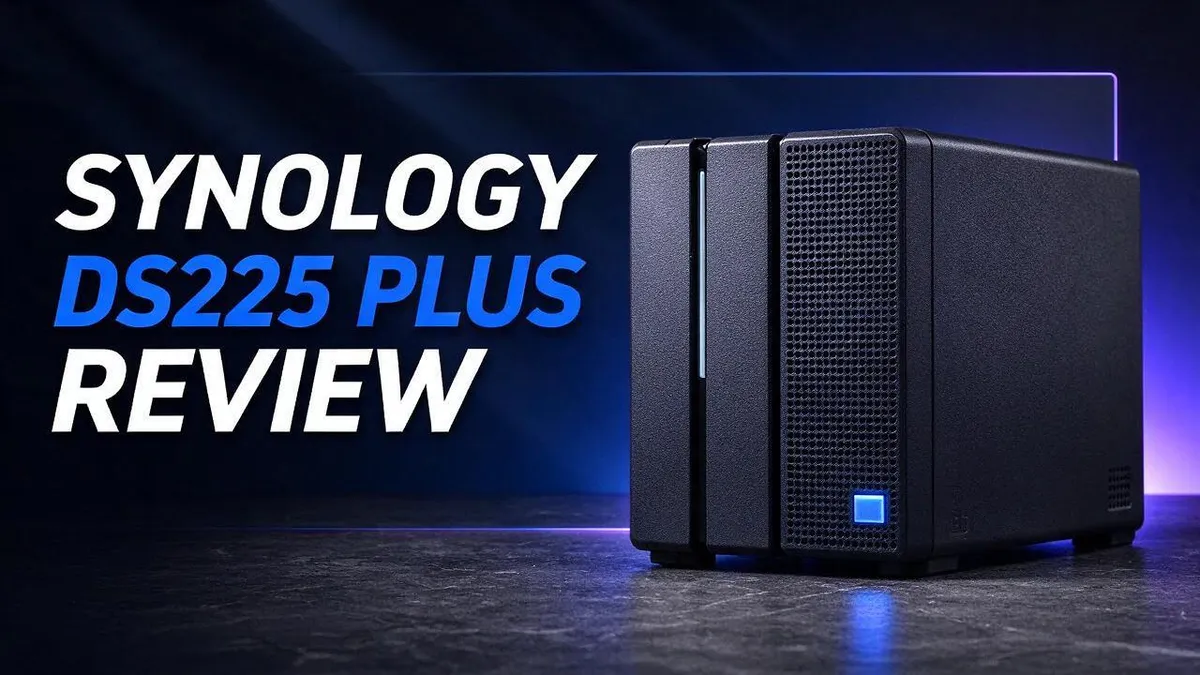
Looking for a home storage box that just works? The Synology DS225+ could be the answer. It is a two bay desktop NAS that keeps your files close and secure.
Synology released this model in 2025 as a refresh of the DS224+. It suits home users, remote workers, and small teams. A quad core Intel processor handles daily tasks well.
Setup feels simple. Moving your data, settings, and logins takes little effort. The DSM interface stays clean and easy to use.
You also get multiple user profiles, photo sharing, and app based backups. Memory can expand up to 6 GB for extra speed.
Still, no model is perfect. Photo face recognition trails Google Photos, and the device lacks NVMe SSD support. Keep reading to see if this NAS fits your needs.
In a Nutshell
-
Good fit for home and small teams: The DS225+ suits home users, remote workers, and small teams that need one central place for shared files. Everyone in the house can reach the same storage.
-
Flexible drive choice: You can use drives from other brands, so you decide how much space you need. This freedom helps you grow storage over time without buying a new box.
-
Quad core power for daily tasks: A quad core Intel processor handles file sharing, backups, and light media work. Most everyday jobs run without trouble.
-
Memory you can upgrade: You can expand the RAM up to 6 GB. Extra memory helps the system juggle more tasks at once.
-
Weaker photo recognition: Face and object tagging trails Google Photos. Heavy photo sorters may feel limited and might prefer a cloud service for that job.
-
No NVMe SSD support: This model lacks NVMe slots, so you cannot add fast SSD storage. If that matters to you, look at the DS725+. Also compare Ugreen and Terramaster prebuilt NAS units, which report stronger CPUs and memory.
Processor and Memory Performance

- Your Personal Streaming Server - Build your own Netflix-style media library and stream 4K movies, shows and...
- Create Your Own Cloud - Store your entire photo, video and music collection; access from anywhere with fast...

Last update on 2026-11-07 / Affiliate links / Images from Amazon Product Advertising API
The processor and memory decide how quickly your DS225+ responds. Think of the CPU as the engine and RAM as the workspace where active tasks sit.
Why the processor matters over time. Storage tasks grow as your media library grows. A capable engine keeps those jobs moving without long waits.
Background jobs often run at the same time. Your NAS may sync files, index photos, and stream a movie together. The chip must share its effort across all of them.
Memory affects multitasking. More RAM lets the system keep more apps and cached data ready. Less RAM can slow things down during busy moments.
Upgrading memory is a smart move for heavier use. Many people start with the base memory and add more later. This gives you room to grow over time.
Tip: Check your installed memory in the Info Center within DSM. This helps you decide whether an upgrade makes sense for your setup.
Where the DS225+ fits best. Light to medium workloads suit this model well. Heavy video editing or many simultaneous streams may push its limits.
Real speed also depends on your network. A fast processor cannot help if your connection is slow. A wired Ethernet link gives the best results for large transfers.
Set realistic expectations. Test your own workflow for a few days. Watch how the system behaves during peak hours. That test shows whether the performance fits your daily needs.
Heat and fan noise also link to processor load. A system under steady stress runs warmer. Keep the unit in a ventilated spot for consistent performance.
Plan for future needs. Think about how many people will connect at once. More users create more requests for the processor and memory. Plan a little extra room now to avoid frustration later.
In short, the DS225+ handles everyday tasks with ease. Memory upgrades add headroom for busier households and small teams. Smart choices here lead to a smooth experience.
DSM Software and Interface
The DSM software acts as the control center for your DS225+. You manage files, users, and apps from one place. Everything runs through a web browser, so you need no special install.
The desktop style layout feels familiar to most people. Windows and icons sit on a clean screen. You can open several tools at once and switch between them fast.
File Station works like a file explorer. You can drag files between folders, share links, and set access rules. Storage Manager shows drive health and space use in simple charts.
The Package Center lets you add extra tools with a few clicks. Video, download, and security apps all live there. You install only what you need, which keeps the system tidy.
Security settings sit in the Control Panel. You can turn on two step verification, set firewall rules, and block repeated failed logins. Strong protection takes only a few minutes to set up.
Updates arrive through the same interface. DSM checks for new versions and guides you through the install. Read the release notes first so you know what changes.
Mobile apps extend DSM to your phone. You can view files, check system status, and manage photos away from home. Most people use them for quick checks and uploads.
Dashboard widgets show system load, network traffic, and storage status at a glance. You can rearrange them to fit your daily checks. This view helps you spot slow periods fast.
Clear help pages and a search bar make learning easier. You can type a setting name and jump straight to it. You rarely need to dig through menus for long.
Overall, DSM feels friendly for beginners and capable for experienced users. Its layout grows with your needs over time.
Photo Management and App-Based Backup
Your photos deserve a safe home. The DS225+ gathers family pictures from many devices into one shared library. Phones, laptops, and old memory cards often hold scattered memories. This NAS brings them together in one place.
Synology Photos works as the main gallery. You can browse pictures by date, place, or album. Each user gets a private space, so family members keep their own files separate.
Auto upload makes the process simple. The mobile app can send new shots from your phone to the NAS as soon as you take them. You do not need to plug in a cable each time.
Sharing feels easy too. You can create links for relatives who do not have an account. You can also set a password or an expiry date on each link.
App based backup protects much more than photos. Documents, videos, and folders can follow a regular schedule. Backups run in the background while you work or sleep.
A common plan keeps three copies of your data, on two types of storage, with one copy off site. The DS225+ can hold the main copy at home. Hyper Backup can send a second copy to another NAS, an external drive, or cloud storage.
Versioning matters too. DSM can keep older versions of files, so you can undo mistakes or recover a file overwritten by accident. Check the retention settings so old versions do not fill the drive.
Set a schedule early. Run one full backup, then check that the restore works. Test a single photo album first. A backup you never restore may fail when you need it most.
Good habits matter more than fancy features. Keep the DSM software updated, use strong passwords, and turn on two factor authentication. These steps keep your memories away from people who should not see them.
In short, the DS225+ turns a pile of photos into an organized archive. Pair the photo app with a backup plan, and your memories stay safe for years to come.
Top 3 Alternatives
Looking for a Synology DS225+ alternative? These three options offer similar features with different strengths.
QNAP TS-233

- ARM Cortex-A55 quad-core 2.0GHz processor with 2 GB DDR4 RAM
- Budget-friendly Home NAS for file storage and multimedia streaming
Last update on 2026-11-07 / Affiliate links / Images from Amazon Product Advertising API
Want a simple two-bay option for home or a small office? The QNAP TS-233 fits both settings well. It runs QTS software for file sharing, backups, and media streaming.
Its quad-core processor keeps everyday tasks moving smoothly. You can also reach your files from anywhere with remote access.
Asustor AS1104T

- CPU: Realtek RTD1296 Quad-Core 1.4 GHz
- 1 GB DDR4 – 40% more efficient
Last update on 2026-11-07 / Affiliate links / Images from Amazon Product Advertising API
Need more room for photos, videos, and documents? The Asustor AS1104T offers four drive bays. This setup suits families and creative users who store large files.
It runs the ADM system with a clean interface. Setup takes only a few minutes. You can also add apps for surveillance and cloud sync.
TerraMaster F2-223

- High-Speed Data Transmission: The D4-320 hard drive enclosure (a DAS, NOT a NAS) utilizes the USB 3.2 Gen...
- Plug-and-Play Compatibility: The D4-320 USB storage supports 4 individual disks (NO RAID function), and is...
Last update on 2026-11-07 / Affiliate links / Images from Amazon Product Advertising API
Prefer a compact two-bay device for a desk or shelf? The TerraMaster F2-223 keeps things small and practical. It works well for beginners who want straightforward storage.
Its TOS system supports file sharing, backups, and multimedia playback. Many users appreciate its easy setup process.
Drive Compatibility and Storage Options
The DS225+ has two drive bays, so you can start small and grow later. You can install SATA hard drives or SATA solid state drives in each bay. Begin with one drive, then add a second when your files need more room.
Third party drives work well with this model. The research confirms support for drives from other brands. You can choose the brand, capacity, and drive type that suit your home or office.
Check the compatibility list before you buy. Synology publishes a hardware compatibility list on its website. It shows tested drives and helps you avoid surprises during setup.
Choose the right RAID type for your goals. RAID 1 mirrors your data across two drives, so one drive can fail without data loss. RAID 0 combines both drives for more space, but it offers no protection from drive failure.
Synology Hybrid RAID, often called SHR, works in a different way. It lets you mix drives of different sizes and still keep your data protected. This option makes it easier to reuse older drives.
Usable space always looks smaller than the total drive capacity. RAID uses some space to protect your files. Use an online RAID calculator to estimate your real capacity before you begin.
Remember that NVMe SSDs are not supported. The DS225+ lacks NVMe slots, so fast NVMe caching is not an option. If you need that speed, the DS725+ offers NVMe support.
Watch drive health from the start. Storage Manager inside DSM shows drive temperature, bad sectors, and status warnings. Early alerts give you time to replace a weak drive before data risks grow.
Plan your capacity before you fill the bays. Think about how much data you have today and how fast it grows. Leave some free space so the system runs smoothly during updates and backups.
Your drive choice shapes long term performance and reliability, so take your time.
Pros and Cons
Pros
- Smooth migration moves your data, settings, and logins to the new unit.
- A quad core Intel CPU handles everyday file and app tasks well.
- RAM can grow up to 6 GB for heavier workloads.
- Multiple user profiles keep each person’s files separate.
- Released in 2025 as an update to the DS224+ model.
Cons
- Face and object recognition trails Google Photos.
- Ugreen and Terramaster prebuilt NAS units offer stronger CPUs.
- Some users want more memory than the stock setup provides.
Who Should Buy It
The DS225+ suits people who want one simple place for shared files. It fits families, freelancers, and small teams that need a private cloud at home or in the office.
Remote workers often gain the most. A desk NAS keeps project folders in one spot, so teammates on a home network can reach the same files without email chains.
Small teams with light workloads also find value here. Think of shared spreadsheets, scanned invoices, and design drafts that need a central home.
Households with school projects, tax papers, and home videos keep everything in one spot. Nobody has to hunt through old laptops for missing files.
Beginners who want a clear first step into running a home server will find it approachable. Learning at a relaxed pace feels easier than building a system from scratch.
Video editors working with large 4K files may want faster storage. Pure speed fans should look at systems built for heavy media work.
Power users who run many containers or virtual machines may want more headroom. Shoppers who rely on advanced AI features should compare alternatives first.
Quick tip: Ask three questions before you decide. How much data do you keep, how many people need access, and how fast must files load?
Honest answers point to the right choice. Your answers also reveal whether this model fits your daily routine.
Small offices with a few staff often choose this model for shared storage. It handles file sharing and scheduled tasks without much fuss.
Photographers with modest archives can use it as a second home for raw files. They should still check storage needs before shopping.
Readers with huge media libraries may need more space later. Plan for growth now, so upgrades feel smooth rather than rushed.
Think about your timeline too. A simple home or team setup can serve you for years when your needs stay steady.
Pick the option that matches your habits, not just the spec sheet. Good fit beats raw power for most everyday users.
Final Verdict
The short answer is yes for most people. The DS225+ gives you a calm and simple way to keep files safe at home or in a small workspace.
It does not try to be everything. That focus is its greatest strength. You get a clear tool that handles its main job well, without clutter or confusing extras.
Think of it as a home base for your files. Once it runs, you rarely need to think about it. Your photos, documents, and backups can all live in one dependable place.
That removal of daily hassle is the real win. Gone are the days of hunting through old USB sticks, scattered folders, and mismatched cloud accounts.
Skip this model if you need fast NVMe caching or heavy video editing. Those needs point to a different machine.
Still, most everyday users feel at home quickly. The interface guides you through each step. Setup feels less like a project and more like a routine.
Think about your future needs before you commit. Storage demands tend to grow over time. Starting with a flexible design gives you room to adapt without a complete rebuild.
Try this simple test. Track how many files you add each week and how often you open older ones. Those numbers reveal whether this model fits your routine.
Your comfort with technology matters too. If you enjoy learning new tools, this device rewards your curiosity. If you want total plug and play, expect a short learning curve at first.
Also remember that backups matter more than hardware. A NAS protects you from drive failure, but it does not replace a separate copy stored somewhere else.
Our final take is simple. The DS225+ is a sensible and friendly NAS for people who want order and control over their digital life. It deserves a place on your shortlist.
Frequently Asked Questions
Can I use my own hard drives?
Yes, the DS225+ works with drives from other brands. You can choose the capacity that fits your needs. Check the compatibility list before you buy.
Is the DS225+ good for storing phone photos?
Yes, it works well for saving and sharing family photos. The app-based backup can copy photos from your phone to the NAS. Your library stays in one place, even if your phone breaks.
What is the difference between the DS225+ and the DS725+?
The DS725+ supports NVMe SSDs, but the DS225+ does not. Pick the DS225+ if you want steady file storage at home. Choose the DS725+ if you expect faster storage needs later.
Can a small office use this NAS for shared files?
Yes, for light daily work. Create a separate folder for each staff member. Set up regular backups to a second location so your team never loses important files.
Who should avoid this model?
Skip it if you plan to run many apps at once or store huge video projects. A stronger machine will serve you better. Honest planning saves time and frustration.

DK is a technology expert who specializes in AI tools, software, and tech gadgets. He writes for How to Tech Info, providing detailed reviews and practical guides. DK helps readers discover the best AI applications, navigate new software, and choose the right tech gadgets.