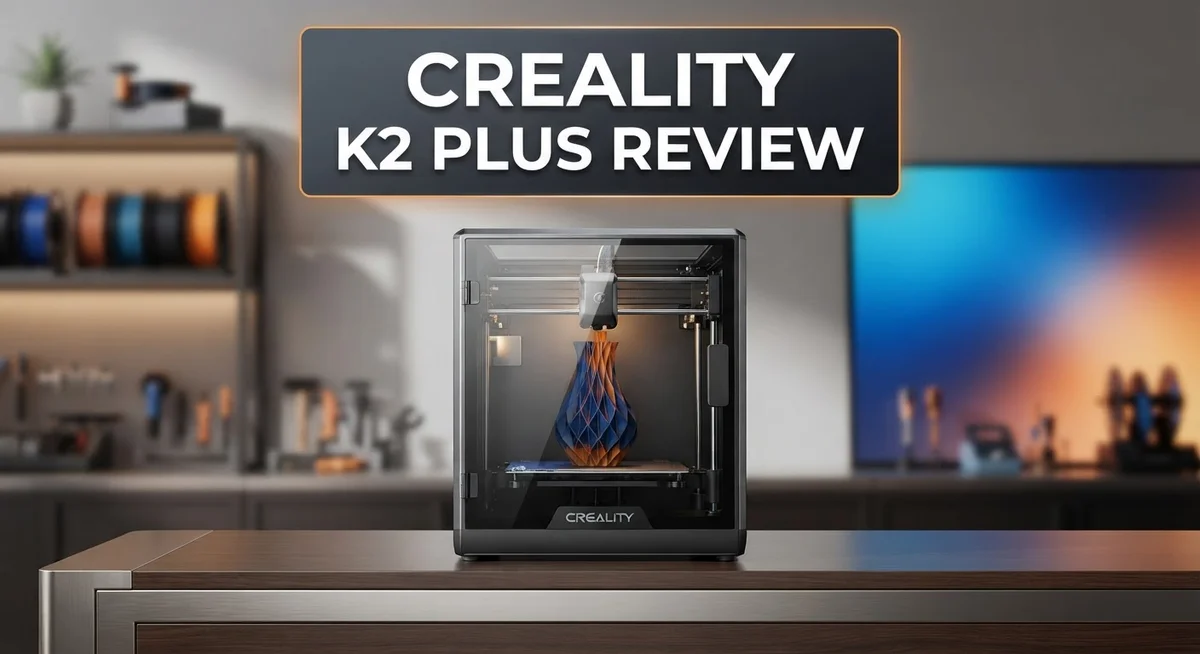
Creality K2 Plus Review: Multi-Color 3D Printer Worth It?
The Creality K2 Plus is turning heads in the 3D printing community. This machine brings big ambitions to your workspace.
It features a massive build volume over 350mm. You can print huge projects without splitting them into parts.
The standout feature is the 16 color printing system. A 4 bay CFS setup lets you create vibrant multi-material prints. Best of all, there’s no pausing between colors.
Smart technology makes this printer stand out too. An AI camera watches your prints closely. A filament sensor and automatic cutter handle the tedious work for you.
Auto leveling and tilt reduction keep print quality consistent every time. An RFID tag reader adds another layer of convenience.
Does this printer live up to the hype? Let’s break down what works, what doesn’t, and whether it earns a spot in your workshop.
In a Nutshell
Here is the quick rundown of the Creality K2 Plus for anyone short on time.
-
Smart sensors do the heavy lifting. The AI camera spots print errors early. A filament sensor and automatic cutter make multi material jobs smooth.
-
RFID tag reader adds convenience. It reads filament data automatically. This saves you from manual material setup every time.
-
Great for complex, multi color projects. The printer handles color switching without pausing. This keeps print quality high and workflow fast.
-
Stick to PLA for best results. Some users report issues with ABS and ASA filaments. Reliability drops when you push beyond standard materials.
-
Plan your space carefully. This machine has a large footprint. Make sure your workspace can fit it comfortably.
-
Large builds take patience. Bigger prints mean longer wait times. Factor this into your project planning.
-
Compare before you commit. Competitors like the Bambu H2S and QIDI Plus5 offer different tradeoffs. Check customer service reputation too, since some users flagged slow support.
Build Volume and Printing Capacity
The Creality K2 Plus gives you a massive printing workspace that opens up serious possibilities for your projects. With a build volume exceeding 350mm, you can tackle large, intricate designs without splitting them into smaller pieces. This matters because fewer parts mean less assembly work and stronger final prints.
What makes this capacity special is how the printer actually uses it. The 16 color printing system works through four material bays, so you can load different filaments simultaneously. You switch between colors without pausing the print. This changes your workflow completely. You get vibrant multi color objects in one continuous run instead of stopping, swapping materials, and restarting.
The auto leveling and tilt reduction systems keep quality consistent across that entire large surface. Your first layer prints the same way at the edges as it does in the center. This reliability matters when you’re committing hours to a big build.
However, size brings tradeoffs. The large footprint demands real desk or table space. You cannot squeeze this into a cramped corner. Measure your workspace first. If you have room, the capacity becomes your advantage. If space is tight, this printer might frustrate you.
Printing time scales with volume too. A massive multi color object takes patience. Expect longer waits than smaller machines produce. This is physics, not a flaw. Plan accordingly if you need quick turnarounds.
The multi material capability shines for complex projects. Prototypes benefit most. Product designers love having color variety without manual intervention. Hobbyists creating detailed miniatures or gaming terrain see real value here.
Bottom line: The K2 Plus excels when you need large, colorful prints and have the space to accommodate it. The printing capacity justifies the machine’s size if your projects match its strengths. Smaller, simpler prints do not need this much power. Match your typical project size to this printer’s capabilities before deciding.

- Multi Color Printing with All-new CFS: K2 Plus Combo multi-color flagship printing, exciting for you to...
- Larger Size to Meet More Needs: Compared to Creality K2 and K2 Pro, the Creality K2 Plus offers an...
Last update on 2026-09-13 / Affiliate links / Images from Amazon Product Advertising API
Multi-Color Printing System and AI Features
The 16-color printing system works through a 4-bay cartridge feeder system. This setup lets you print complex, multi-colored designs without stopping the print job. Each cartridge holds filament, and the printer automatically switches between them as needed.
The AI camera is where this printer gets genuinely smart. It watches your print in real time and catches problems early. If something goes wrong, you get alerts before waste happens. This saves both time and materials.
Automatic filament detection uses an RFID tag reader. Every spool has a tag that the printer reads instantly. The system knows exactly what material you’re using, what color it is, and how much remains. No manual input needed.
The automatic cutter is a practical addition. It cuts filament between color changes, which keeps transitions clean. You don’t have to babysit the printer or handle cutting yourself. The whole process runs on its own.
Here’s what works well in practice. Users report that color switching happens seamlessly. The printer pauses briefly between colors, but the quality stays consistent. Complex multi-color projects come out looking professional. The AI camera catches failed prints before they waste hours of time.
The filament sensor adds real value. It prevents runs where you run out of material mid-print. The system simply stops and alerts you. This beats discovering a failed print after it’s done.
However, material compatibility matters. Stick with PLA for best results. The system handles PLA reliably across all 16 colors. Users report issues when pushing beyond PLA into ABS or ASA materials. These materials behave differently and the system struggles with them sometimes.
The large build volume pairs well with the color system. You can print bigger projects with multiple colors. This opens creative possibilities that smaller printers can’t match. The combination makes sense for serious hobbyists and small production work.
Overall, the multi-color and AI features work together smoothly. The automatic systems do their job without fuss. Just understand the material limits and plan your projects accordingly.
Ease of Use and Automation
The Creality K2 Plus makes printing feel less like a technical challenge and more like a natural workflow. Automation handles most of the grunt work, so you spend less time troubleshooting and more time creating.
Auto-leveling kicks in before every print. The bed levels itself without manual adjustment. This removes one of the biggest pain points for new users. Tilt reduction runs automatically too, keeping print quality consistent across the entire 350mm build platform.
The RFID tag reader deserves special mention here. Load a new filament spool, and the printer reads its data instantly. No manual input needed. The system knows the material type, color, and print settings right away. This speeds up your workflow significantly.
Filament sensor monitoring runs continuously during printing. If your spool runs empty or tangles, the printer detects it and pauses automatically. You get a notification, refill, and resume. No wasted plastic or failed prints from running out mid-job.
The AI camera adds genuine intelligence to the machine. It watches your print in real-time and flags problems early. If something goes wrong, you catch it before ruining hours of work. The camera feed streams to your phone too, so you monitor prints from anywhere.
The automatic cutter is practical but straightforward. It cuts filament between color changes, eliminating manual snipping. For 16-color prints, this saves repetitive work.
One real advantage: no pausing for color switches. The printer handles transitions automatically. You set up your design with multiple colors, and the machine manages everything. This is genuinely convenient for complex multi-color projects.
Setup itself is straightforward. The 4-bay cartridge feeder system loads easily. The interface guides you through initial configuration without overwhelming menus.
However, reliability depends on material choice. PLA works smoothly with all automation features. ABS and ASA sometimes cause sensor issues. Stick with PLA to maximize the automation benefits.
The Creality K2 Plus automation feels mature and practical. It removes tedious steps and lets you focus on design and creativity rather than printer management.
Top 3 Alternatives
Anycubic Kobra 2

- 【 Newest Level - 19-Color with 4 ACE 2 Pro】Why settle for one color when you can have multicolor? The...
- 【 Savings 2X Time】Stop wasting hours and filament on purging! Kobra X impresora 3D reduces the filament...

Last update on 2026-09-13 / Affiliate links / Images from Amazon Product Advertising API
The Anycubic Kobra 2 offers fast printing speeds without sacrificing quality. This printer features a large build platform that lets you create bigger objects in one go. The leveling system works automatically, so you spend less time adjusting and more time printing.
Users appreciate the straightforward setup process. The machine heats up quickly and maintains consistent temperatures throughout your print. Reliability matters when you’re running multiple projects, and this model delivers steady performance.
The cooling system keeps parts at the right temperature. You get detailed prints with minimal warping. The build surface grips your models well, preventing shifts mid-print.
Elegoo Neptune 4

- Reliable Printing with Ideal Build Size: ELEGOO Neptune 3 Pro offers a standard 225x225x280 mm/8.85x8.85x...
- Powerful Direct Drive Extruder: The Neptune 3 Pro features a dual-gear direct drive extruder with a 3:1 gear...
Last update on 2026-06-09 / Affiliate links / Images from Amazon Product Advertising API
The Elegoo Neptune 4 combines ease of use with impressive output quality. This printer comes ready to work right out of the box with minimal configuration needed. The touchscreen interface makes navigation simple and intuitive.
Print speed is competitive, and the machine handles various materials smoothly. The heated bed distributes warmth evenly across the entire surface. Precision is evident in the fine details your prints show.
This model works well for both beginners and experienced makers. The nozzle design prevents clogs and reduces maintenance headaches. You’ll notice consistent layer adhesion from start to finish.
Ender 3 S1 Pro

- 【250mm/s High-speed Printing】Creality Ender 3 V3 SE 3d printer supports a maximum printing speed of...
- 【Powerful ""Sprite"" Direct Extruder】Ender 3 V3 SE is the upgrade of ender 3, ender 3 v2, ender 3 pro...
Last update on 2026-09-13 / Affiliate links / Images from Amazon Product Advertising API
The Ender 3 S1 Pro brings professional-grade features to an accessible package. This printer includes an all-metal hotend that handles high temperatures without degrading. The sprite extruder system improves material flow and reduces jams.
Build quality feels solid, and the frame stays stable during rapid movements. The bed leveling sensor adjusts automatically, saving you setup time. You get reliable prints across different filament types.
The machine produces quiet operation compared to many alternatives. Thermal runaway protection keeps your workspace safe. Users report excellent results with minimal troubleshooting.
Material Compatibility and Limitations
The Creality K2 Plus handles multiple materials, but not all of them equally. PLA remains the most reliable choice. The printer excels with standard PLA filament and delivers consistent results across the entire build surface.
Beyond PLA, things get complicated. ABS and ASA materials show documented reliability issues. Users report warping, adhesion problems, and inconsistent print quality with these harder plastics. The heated bed helps, but the printer wasn’t optimized for their specific needs.
TPU and flexible materials work better than ABS. However, they still require careful tuning. You’ll need to adjust speed settings and monitor prints closely. The automatic features help, but they can’t compensate for material incompatibility built into the design.
RFID tag recognition is a smart feature here. The printer reads material type automatically and adjusts some settings. This reduces guesswork. However, it doesn’t solve fundamental material limitations. The system works best when you stay within PLA and compatible materials.
The multi-color system adds another layer. Switching between different PLA colors works smoothly. The automatic cutter handles transitions without pausing. But mixing material types across colors creates problems. You can’t reliably print one section in ABS and another in PLA on the same project.
Temperature control matters significantly. The K2 Plus has adequate heating, but niche materials need more. Specialty filaments like carbon fiber or metal filled options may not perform well. The cooling system also plays a role. Complex geometries with certain materials can cause issues.
Here’s the practical reality: If your projects stick to standard PLA in multiple colors, you’re golden. The printer handles this scenario beautifully. If you need ABS strength or TPU flexibility regularly, look elsewhere or expect troubleshooting sessions.
The filament sensor catches some problems early. It detects when material runs out. It doesn’t detect material incompatibility. You still need to know your limits beforehand.
Creality’s documentation lists compatible materials, but real world results vary. User forums show mixed experiences with anything beyond PLA. Start with what works. Expand carefully if you need other materials.
Print Speed and Quality Performance
The Creality K2 Plus delivers solid print speeds when you stick to what it does best. The machine handles standard PLA prints at respectable velocities without sacrificing quality. You’ll notice consistent layer adhesion and smooth surface finishes on most jobs.
Speed meets complexity when you push the large 350mm build volume. Bigger prints naturally take longer, but the machine maintains predictable timing. The AI camera tracks progress in real time, so you know exactly what’s happening without hovering over the printer.
Quality output shines brightest with single color or multi color PLA projects. The prints come off clean with minimal stringing. Edge definition stays sharp, and dimensional accuracy remains reliable across multiple test prints. The automatic cutter keeps things tidy, removing support material cleanly without manual intervention.
Here’s where reality diverges from specs. When you venture beyond PLA into ABS or ASA territory, print quality drops noticeably. The machine struggles with material consistency on these harder plastics. Users report warping issues and adhesion problems that didn’t exist with standard filament. TPU and flexible materials perform better than rigid alternatives, but still require careful tuning.
The multi color system adds time to your workflow. Switching between colors happens automatically, but each transition pauses the print briefly. This doesn’t affect final quality, but it does extend overall print time. Complex multi color designs with dozens of switches take significantly longer than single color equivalents.
Temperature stability matters more here than on simpler printers. The K2 Plus demands consistent environmental conditions. Drafty rooms or temperature fluctuations cause quality dips. Once you establish proper conditions, the printer maintains excellent repeatability.
The filament sensor catches some issues before they ruin a print. It detects runouts and tangles reliably. However, it won’t save you from material incompatibility problems.
Bottom line: expect fast, quality results with PLA and excellent multi color prints. Push into advanced materials, and you’ll need patience and troubleshooting skills. The printer performs exactly as advertised within its comfort zone.
Pros and Cons
Pros
- Large 350mm build volume handles complex projects that smaller printers cannot manage
- AI camera monitors prints intelligently and catches problems before they become failures
- No pausing required when switching between 16 colors, keeping your workflow smooth and uninterrupted
- Auto leveling and RFID tag recognition make setup quick and reduce manual adjustments
- Excellent multi color PLA printing with consistent quality and fast output speeds
Cons
- Reliability drops significantly with materials beyond PLA, particularly ABS and ASA which show documented issues
- Substantial footprint demands considerable workspace, making it impractical for small studios or desks
- Print times for large builds can stretch considerably, requiring patience for bigger projects
- Customer service complaints suggest support responsiveness may not match the machine’s capabilities
Who Should Buy It
The Creality K2 Plus works best for makers who print primarily with PLA in multiple colors. If your projects live in the PLA ecosystem, this machine becomes a real asset. You get 16 colors without pausing your print, which keeps your workflow smooth and fast.
You should buy this printer if you need a large build volume for complex projects. The 350mm platform handles designs that smaller machines simply cannot accommodate. Hobbyists tackling ambitious prototypes find real value here.
Content creators and small business owners benefit from the AI camera. This feature monitors your prints intelligently and catches problems before they become failures. You spend less time babysitting machines and more time creating.
The RFID tag reader and automatic filament sensor appeal to users who want less manual intervention. Setup becomes quicker. Adjustments happen automatically. This suits people who value convenience over tinkering.
However, skip this printer if you work regularly with ABS, ASA, or other advanced materials. The documented reliability issues with these filaments mean frustration and wasted plastic. Stick with machines better suited to those materials if they’re your primary focus.
The large footprint demands considerable workspace. Desktop setups and small studios may struggle to accommodate it. You need real estate before you commit.
This printer also demands consistent environmental conditions. Temperature fluctuations affect output quality more than on simpler machines. If your workshop lacks climate control, expect inconsistent results.
Professional users who need production speed should consider alternatives. Long print times for large builds mean slower output when deadlines matter. This machine prioritizes quality over rapid turnaround.
Finally, choose the K2 Plus if you prefer a complete system with minimal learning curve. The automatic leveling, cutter, and filament sensor reduce the setup headaches that frustrate new users. Everything works together smoothly from day one.
In summary, this printer serves PLA enthusiasts with space, makers needing large builds, and creators who want automation. It’s not the right choice for advanced material users, cramped spaces, or production environments demanding speed.
Final Verdict
The Creality K2 Plus earns its place as a strong choice for makers who focus on PLA projects with multiple colors. Its speed and ease of use make it a practical pick for creators who want fast results without constant supervision.
This printer shines when you need large builds with vibrant color combinations. The automatic features reduce manual work and let you focus on design instead of machine babysitting.
That said, the K2 Plus has limits you should know before buying. Customer service response times have drawn complaints from some users, which matters if you need quick support.
Large builds also take considerable time to complete. If you print oversized projects often, factor this into your workflow expectations.
Compared to the Creality K2 Pro Combo, the K2 Plus offers a bigger build area but adds bulk and complexity. Choose the K2 Pro Combo if you want similar features in a smaller footprint.
Bambu H2S and H2D target users who need stronger multi material support. Pick these if your projects go beyond PLA regularly.
For production speed and professional grade output, the Prusa XL remains a solid alternative. It handles diverse materials with more consistency.
Budget conscious makers might look at the Sovol SV04 or QIDI Plus5 instead. These models trade some features for a smaller space commitment.
So who should buy the K2 Plus? Hobbyists and small studios printing PLA in multiple colors will get the most value. The large build volume and AI monitoring make complex projects manageable.
Skip this printer if you need heavy ABS or ASA printing, minimal footprint, or guaranteed fast support response. In those cases, explore the alternatives listed above.
Overall, the K2 Plus delivers on its core promise: fast, colorful PLA printing without constant pausing. It is a dependable tool for the right use case, not a universal solution for every printing need.
Frequently Asked Questions
Can the Creality K2 Plus handle materials other than PLA?
The K2 Plus works best with PLA filament. Users report reliable performance with PLA in multiple colors, but materials like ABS and ASA show documented issues. If you regularly print with advanced materials, this printer may frustrate you. The machine struggles with heat management for these tougher plastics.
What makes the AI camera useful?
The built in AI camera monitors your print in real time. It catches problems like layer shifts or filament tangles before they ruin your project. Content creators benefit most from this feature. You can step away and trust the system to alert you if something goes wrong.
Is the 16 color printing system easy to use?
Yes. The four bay CFS system handles color switches automatically. No pausing needed when the printer changes colors. Your workflow stays smooth from start to finish. Setup takes minutes, and the RFID tag reader remembers your filament types automatically.
Does this printer need a lot of space?
The K2 Plus has a substantial footprint. You need significant workspace to accommodate it. Small studios or compact desks may struggle with placement. Measure your area before ordering. The large build volume comes with a tradeoff in physical size.
How does it compare to other multi color printers?
The K2 Plus excels at large PLA projects. The Bambu H2S and H2D offer better multi material support. The Prusa XL suits users who need production speed and professional grade results. Choose based on your primary material and build size needs.

DK is a technology expert who specializes in AI tools, software, and tech gadgets. He writes for How to Tech Info, providing detailed reviews and practical guides. DK helps readers discover the best AI applications, navigate new software, and choose the right tech gadgets.