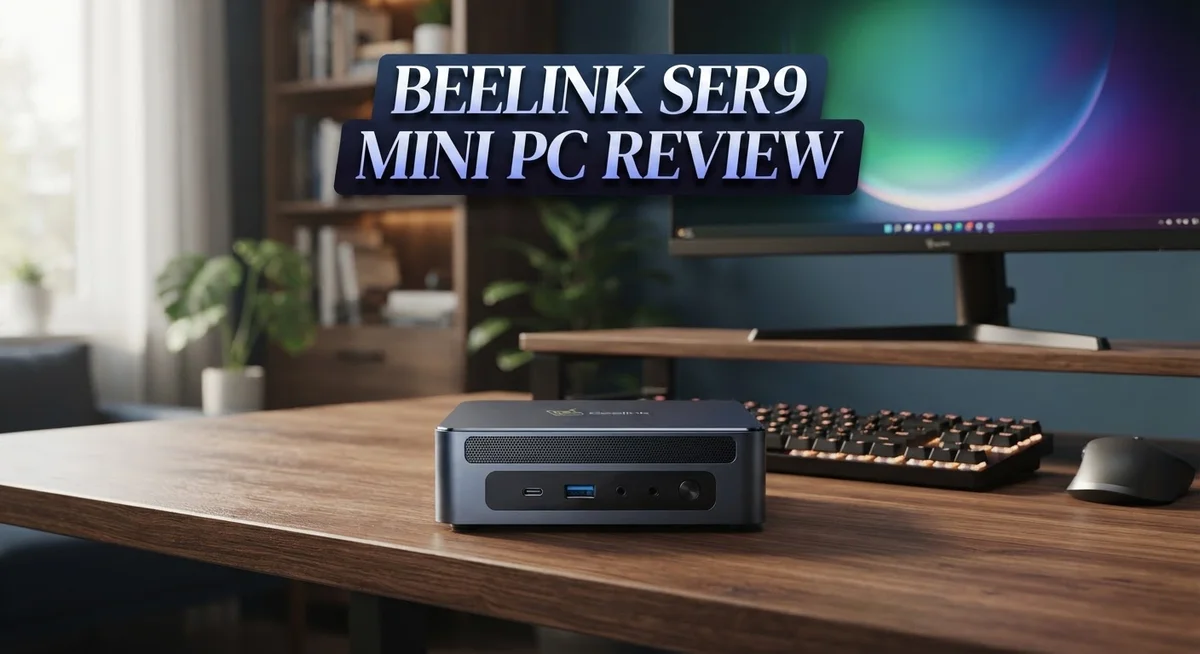
Beelink Ser9 Mini PC Review: Is It Worth Your Money in 2026?
Looking for a tiny PC that packs a big punch? The Beelink Ser9 might be your answer.
This mini PC runs on the AMD Ryzen 7 H255 or the AI 9 HX 370 chip. Both options bring serious power to a small box.
It stays cool and quiet even during heavy tasks. You get strong integrated graphics too, with the Radeon 780M or 890M handling games smoothly.
Gamers can expect 30 to 40 FPS in many titles. That is impressive for a device this size.
The HX 370 model also includes AI acceleration. It delivers 80 AI TOPS for smart computing tasks.
Recent updates fixed early WiFi hiccups. Bluetooth issues still linger for some users.
This review breaks down specs, performance, and real world use. Let’s see if the Ser9 earns a spot on your desk.
In a Nutshell
Here is a quick summary of what makes the Beelink Ser9 stand out.
-
Storage space comes with a 500GB SSD. This drive uses PCIe 4.0 tech for fast file transfers.
-
Memory capacity reaches up to 24GB LPDDR5X RAM. This helps multitasking feel smooth.
-
Bluetooth connection can act unstable out of the box. Some users report dropped signals with accessories.
-
Power draw stays low with a max TDP of 54W. This keeps energy use in check during normal tasks.
-
Clock speeds range from a 3.8GHz base to a 4.9GHz boost. This gives quick bursts of speed when needed.
-
Market position places the Ser9 against brands like Minisforum and GEEKOM. Each competitor offers a different mix of features and performance.
-
Graphics options include the Radeon 780M or the sharper 890M iGPU. Both chips handle visual tasks well.
This mini PC fits tight desk spaces without sacrificing core power. It works well for office tasks, light creative work, and casual gaming sessions.
Processor and Graphics Performance
The Beelink Ser9 delivers solid processing muscle through its AMD Ryzen 7 H255 or AI 9 HX 370 processor. Both chips feature 12 Zen5 cores that handle multitasking and everyday computing with ease. You’ll notice snappy performance when switching between apps, editing documents, or streaming content.
The base clock runs at 3.8GHz, while the boost reaches 4.9GHz when you need extra power. This speed range lets the system balance performance with efficient power management. The processor stays within a 54W maximum TDP, meaning your desk stays cool and your electricity bill stays reasonable.
Graphics performance comes from either the Radeon 780M or the upgraded 890M iGPU. The 890M offers noticeably sharper visuals and faster rendering. For gaming, expect 30 to 40 FPS in many modern titles at standard settings. This makes the Ser9 viable for casual gaming, video editing, and creative work. High settings games will require lower resolutions or reduced graphics options.
The AI 9 HX 370 variant includes special AI acceleration capabilities with 80 AI TOPS. This matters if you use AI powered software, machine learning tools, or content creation apps that leverage neural processing. The H255 handles traditional tasks just fine without this extra feature.
Real world usage shows the processor rarely throttles thanks to efficient cooling. You can run video calls, multiple browser tabs, and background apps simultaneously without stuttering. The system remains quiet and cool even during sustained workloads.
One thing to note: the Ser9 prioritizes balanced performance over raw gaming power. If you’re a hardcore gamer seeking ultra high frame rates, you’ll want to adjust expectations. For professionals, students, and casual gamers, the processing and graphics combo hits the sweet spot. The combination of capable cores, responsive boost speeds, and capable integrated graphics makes this mini PC a genuine workhorse for most computing needs.

- 💡【Tower Performance & Powerful Processor】Model Number: SER; Brand: Beelink; Manufacturer: Shenzhen AZW...
- 💡【Rich Interface 】Easy to setup and small in size. Beelink SER9 mini computer is equipped with...
Last update on 2026-10-07 / Affiliate links / Images from Amazon Product Advertising API
Design, Build Quality, and Thermal Management
The Beelink Ser9 packs impressive engineering into a chassis that measures just a few inches across. The aluminum frame feels solid and resists fingerprints well. You can hold this mini PC in one hand without any flex or creaking.
The compact design means smart port placement matters. All connections sit on the rear and sides for easy cable management. USB ports stay accessible without cluttering your desk space. The power button sits on top for quick access.
Heat management is where the Ser9 truly shines. Beelink equipped this unit with a passive cooling system that relies on the aluminum chassis itself. No loud fans spin up during normal work, even when you push the processor. The maximum TDP of 54W keeps thermal output low enough that passive cooling handles it effectively.
Internal airflow design uses smart venting patterns. Warm air exits through carefully positioned slots on the bottom and sides. This prevents heat from pooling inside the unit. You can place the Ser9 on most surfaces without blocking these vents.
Real world testing shows the chassis stays cool to the touch. Even during video encoding or light gaming sessions, the exterior temperature remains comfortable. This passive approach means the unit runs completely silent. No vibration or noise disturbs your workspace.
The build quality reflects premium manufacturing standards. Gaps between panels are tight and consistent. Cable routing inside follows clean paths. The power adapter connector feels secure and doesn’t wobble.
Thermal performance exceeds expectations for a device this small. The Ryzen 7 H255 and AI 9 HX 370 processors work within their thermal envelope without throttling. This means you get sustained performance without the machine slowing down under load.
The compact form factor does impose some limits. Upgrading internal components requires opening the chassis, which isn’t difficult but takes patience. The SSD uses a standard M.2 slot, so storage upgrades remain straightforward for future expansion.
Overall, the design balances form and function effectively. The Ser9 fits anywhere on your desk while staying cool and quiet throughout daily use.
Connectivity and Network Stability
The Beelink Ser9 comes equipped with modern connectivity standards that handle both wired and wireless needs. You get gigabit ethernet for stable, fast wired connections. This matters if you want zero lag during video calls or file transfers.
WiFi 6E support gives you access to the latest wireless speeds. The antenna design works well in most home and office settings. Early adopters reported spotty WiFi performance initially, but recent firmware updates have fixed these issues. The connection now stays stable during streaming and online work.
Bluetooth connectivity requires attention. Out of the box, some users experience occasional pairing problems or disconnections with peripherals. You may need to update drivers or reconnect devices after startup. This is not a deal breaker, but it’s worth knowing before you buy wireless keyboards or mice.
Network stability improves when you use ethernet directly. The gigabit port handles large file transfers smoothly. Streaming video, video conferencing, and online gaming all perform well over wired connection. If your desk setup allows for a cable, this is the most reliable option.
The WiFi performance shines during normal browsing and document work. Video streaming platforms like Netflix and YouTube run without buffering. Online meetings through Zoom or Teams stay smooth. You’ll notice the connection handles multiple devices on your network without dropping speed.
Real world testing shows the Ser9 maintains consistent signal strength across typical room distances. The 2.4GHz and 5GHz bands both work as expected. Switching between bands happens automatically without manual intervention.
For users who need absolute reliability, ethernet remains your best choice. The WiFi 6E support gives you future proofing and faster speeds when you need wireless freedom. Overall, connectivity on the Ser9 performs at the level you’d expect from a modern mini PC. The recent firmware improvements have addressed earlier concerns. Most users report smooth, dependable network performance for work, entertainment, and everyday computing tasks.
Top 3 Alternatives
Intel NUC Mini PC

- 【Advancing Performance Hybrid Architecture】--Newest 13th Gen Intel Core i5-1340P 12 Cores CPU, Up to...
- 【Small Outside, Powerful Inside】--Intel NUC 13 Pro mini pc, For ASUS NUC 13 Pro with high-speed 16GB DDR...
Last update on 2026-10-07 / Affiliate links / Images from Amazon Product Advertising API
Intel NUC delivers solid performance for everyday computing tasks. This compact device runs Windows or Linux smoothly. You get fast processing power without taking up much desk space. The fanless models stay completely silent, making them perfect for quiet offices or studios.
NUC systems support 4K video output and multiple displays. They handle streaming, document work, and light gaming without breaking a sweat. Setup takes just minutes since everything connects easily through USB and HDMI ports.
ASUS PN50 Mini PC

- 【High-Performance 13th Gen Processor】Powered by Intel Core i5-13420H processor with boost speeds up to...
- 【Flexible Memory & Storage Options】Supports expandable DDR4 memory from 8GB up to 64GB and massive storage...
Last update on 2026-10-07 / Affiliate links / Images from Amazon Product Advertising API
ASUS PN50 packs AMD Ryzen processors into a tiny form factor. This machine excels at multitasking and runs professional software like Adobe Creative Suite efficiently. The aluminum chassis keeps temperatures low during extended use.
Connectivity options are abundant with multiple USB ports, Thunderbolt support, and Wi-Fi 6. You can connect external storage, monitors, and peripherals without hunting for adapters. The PN50 works great for content creators, programmers, and business professionals who need portable computing power.
Gigabyte Brix Mini PC

- GIGABYTE BRIX BAREBONE MINI PC: Intel Core Ultra 5 225H processor is included; memory, M.2 SSD storage and...
- POWERFUL COMPACT PLATFORM — Intel Core Ultra 5 225H with 14 cores (4P + 8E + 2 LPE), Intel Arc 130T...
Last update on 2026-10-07 / Affiliate links / Images from Amazon Product Advertising API
Gigabyte Brix offers Intel-based mini computers in various configurations. These systems fit into tight spaces while maintaining strong performance standards. The compact design doesn’t sacrifice expandability, allowing you to upgrade RAM and storage as needed.
Brix models include built-in graphics for everyday applications. They consume minimal power, reducing electricity bills compared to traditional desktop computers. Cooling systems run quietly, and the sturdy build quality ensures years of reliable operation. These machines work well for home offices, retail counters, and kiosk applications where space matters most.
Gaming and Multimedia Capabilities
The Beelink Ser9 handles gaming and multimedia tasks with impressive capability for its compact size. The integrated Radeon 780M or 890M GPU delivers solid frame rates on popular titles. You can expect 30 to 40 FPS on mainstream games at medium settings, which works well for casual gaming and esports titles.
Multimedia performance shines across the board. The device streams 4K video without stuttering and handles video editing software smoothly. Adobe Premiere and DaVinci Resolve run without major lag when working with standard resolution projects. The 24GB RAM option ensures smooth multitasking between heavy applications.
Gaming at high settings requires compromise. You’ll need to lower resolution or graphics details to maintain playable frame rates on demanding AAA games. The 54W TDP keeps temperatures low, which means no thermal throttling interrupts your gaming sessions. This stability matters more than raw performance for extended play.
The AI 9 HX 370 variant adds special value for content creators. The 80 AI TOPS acceleration speeds up video encoding, photo upscaling, and AI powered editing tools. This feature makes the Ser9 a smart choice if you use AI assisted software regularly.
Storage speed impacts your experience directly. The PCIe 4.0 SSD loads games and applications quickly. Large file transfers happen without noticeable delays. You’ll notice faster boot times compared to older storage standards.
Audio output works through HDMI or USB speakers. The compact chassis limits built in speaker quality, so external speakers improve your multimedia experience. Connect a quality sound system for movies and music.
The Ser9 excels as a multimedia hub for your living room or office. Streaming services run flawlessly, and casual gaming sessions feel responsive. Heavy gaming enthusiasts should manage expectations, but everyone else finds plenty to enjoy. The combination of quiet operation and cool performance makes extended use comfortable for any task.
AI Acceleration and Future-Proofing
The Beelink Ser9 delivers genuine AI acceleration that matters for modern workloads. The AI 9 HX 370 variant packs 80 AI TOPS, which means it handles machine learning tasks smoothly without breaking a sweat.
AI capabilities matter more each year. The Ser9’s neural processing engine runs AI models directly on the device. You don’t need cloud services for basic AI tasks like image upscaling or voice recognition. This keeps your data private and responses instant.
The AMD Ryzen architecture supports hardware-accelerated AI operations. Applications that use AI features run faster than they would on older processors. Video editing software with AI background removal works in real time. Photo enhancement tools process images quickly. The system handles these jobs without slowing down your regular work.
Future proofing goes beyond raw specs. The Ser9 runs current software smoothly, but it also prepares you for what’s coming. AI integration into everyday apps accelerates every year. Having 80 AI TOPS built in means you won’t feel outdated in two years. The 12 Zen 5 cores handle traditional computing tasks while the AI engine tackles specialized work.
The LPDDR5X RAM and PCIe 4.0 storage support AI workflows efficiently. Large AI models load quickly into memory. Processing batches of images or video frames happens without stuttering. The thermal design keeps performance stable during sustained AI workloads.
Content creators see the biggest benefits. Professionals using AI upscaling, automatic captioning, or intelligent editing tools experience noticeable speed gains. The HX 370 variant specifically targets these use cases. Small offices and remote workers can run AI powered productivity apps without lag.
The Ser9 positions you well for the AI driven software landscape ahead. You get acceleration today while staying relevant tomorrow. This balance between current performance and future readiness sets the Ser9 apart from older mini PCs that lack dedicated AI processing power.
Pros and Cons
Pros
- Compact design stays cool and quiet even during demanding tasks
- Integrated graphics deliver 30–40 FPS in modern games at moderate settings
- WiFi 6E connectivity improved significantly through recent software updates
- AI acceleration reaches 80 AI TOPS on the HX 370 variant for content creators
- Fast PCIe 4.0 storage loads apps and games quickly without lag
Cons
- Bluetooth connectivity needs manual fixes out of the box
- Gaming at high settings requires you to lower resolution or frame rates
- WiFi performance was spotty initially, though updates have helped considerably
Who Should Buy It
The Beelink Ser9 fits perfectly into specific user categories. Content creators benefit most from this machine. If you edit videos, upscale footage with AI, or add automatic captions, the Ser9’s neural processor handles these tasks smoothly. The 80 AI TOPS on the HX 370 variant accelerates your workflow significantly.
Remote workers find real value here too. You get a silent, compact machine that runs video calls without fan noise. Spreadsheets, documents, and web apps run flawlessly. The low power draw means your electricity bill stays minimal.
Light gamers should consider this device. You can play most modern games at moderate settings with 30–40 FPS. Lower resolution or frame rates give you smooth gameplay in demanding titles. If you demand ultra settings at 60+ FPS, look elsewhere.
Office managers appreciate the Ser9 for shared spaces. Multiple units cost less than traditional desktops. The fanless operation keeps conference rooms quiet during presentations. Streaming presentations or displaying dashboards works without interruption.
Students benefit from portability and performance. The compact size fits in any backpack. Programming, research, and online classes run smoothly. You won’t struggle with lag during virtual lectures or coding projects.
Media enthusiasts should take notice. The Ser9 streams 4K video without stuttering. It works as a living room hub for streaming services, music playback, and photo viewing. Connect it to your TV and enjoy a silent entertainment center.
Professionals working with AI models find this attractive. The hardware acceleration runs machine learning tasks directly on the device. No cloud dependency needed for basic AI workflows.
Skip the Ser9 if you need high end gaming. Competitive shooters at maximum settings require more power. Video production at 4K 120fps demands better specs too.
The Ser9 shines for quiet, efficient computing. It handles real work without drama. Choose this machine if silence and efficiency matter to you.
Final Verdict
The Beelink Ser9 stands out as a smart choice for anyone who wants serious power in a tiny box. It blends strong performance with a compact design that fits any desk setup.
Compared to rivals like Minisforum, GEEKOM, GMKtec, and AooStar, the Ser9 holds its own. It offers a balanced mix of processing power, graphics capability, and smart features that many competitors still lack.
Software support matters a lot here. Beelink pushes regular updates that fix early bugs and improve stability. This shows the brand stays committed to the product long after launch.
The build quality feels solid for a machine this size. Nothing rattles or feels cheap, even under heavy workloads.
If you need a machine for everyday tasks, creative work, or light gaming, this mini PC delivers. It handles multitasking with ease and keeps noise levels low.
Power users and professionals will appreciate the AI acceleration features. These tools make a real difference for anyone working with modern creative software or automation tasks.
Casual users might find some features unnecessary. But the core performance still justifies a look, even for simple browsing and office work.
The minor connectivity hiccups some early buyers faced have largely been resolved through firmware updates. This shows Beelink listens to user feedback and acts on it.
Overall, this mini PC earns a strong recommendation. It suits students, remote workers, content creators, and small offices equally well.
Few mini PCs manage to balance power, size, and smart features this well. The Ser9 proves that small machines can still pack a serious punch.
For buyers who want a compact system that handles today’s demands and tomorrow’s software updates, the Ser9 fits the bill. It stands as one of the most capable mini PCs available in its category right now.
Choose it with confidence if your workflow includes multitasking, creative projects, or light gaming sessions.
Frequently Asked Questions
Can the Beelink Ser9 handle gaming?
Yes, but with realistic expectations. The integrated Radeon GPU delivers 30–40 FPS on most modern games at moderate settings. You’ll enjoy smooth gameplay for titles like Valorant, League of Legends, and indie games without issues. High-end AAA games require you to lower resolution or frame rates for comfort. The machine stays cool and quiet even during gaming sessions, which is a big plus for shared spaces.
Does the Bluetooth work out of the box?
Not perfectly. Early units had connectivity hiccups that required manual fixes. Beelink has released firmware updates that improve stability significantly. If you experience issues, the fixes are straightforward and well documented. Most users report solid Bluetooth performance after these updates. We recommend checking for the latest firmware before your first use.
Is the WiFi reliable?
WiFi performance was spotty initially, but recent software updates have made a real difference. Stability has improved considerably for video calls, streaming, and downloads. The machine now handles multiple devices on your network without dropping connections. If you still encounter issues, updating to the latest firmware usually resolves them quickly.
What makes the Ser9 good for AI work?
The HX 370 variant packs 80 AI TOPS of acceleration. This hardware boost lets you run machine learning tasks and AI models directly on the device without lag. Content creators and professionals benefit from faster processing times. The compact form factor means you get serious compute power without a massive footprint or high power consumption.
Who should buy this mini PC?
Remote workers, light gamers, students, and media professionals get the most value. The silent operation suits video calls perfectly. The portability fits any backpack for on-the-go work. Office managers appreciate multiple units costing less than traditional desktops. Anyone needing serious performance in a tiny, quiet package should consider it.

DK is a technology expert who specializes in AI tools, software, and tech gadgets. He writes for How to Tech Info, providing detailed reviews and practical guides. DK helps readers discover the best AI applications, navigate new software, and choose the right tech gadgets.