
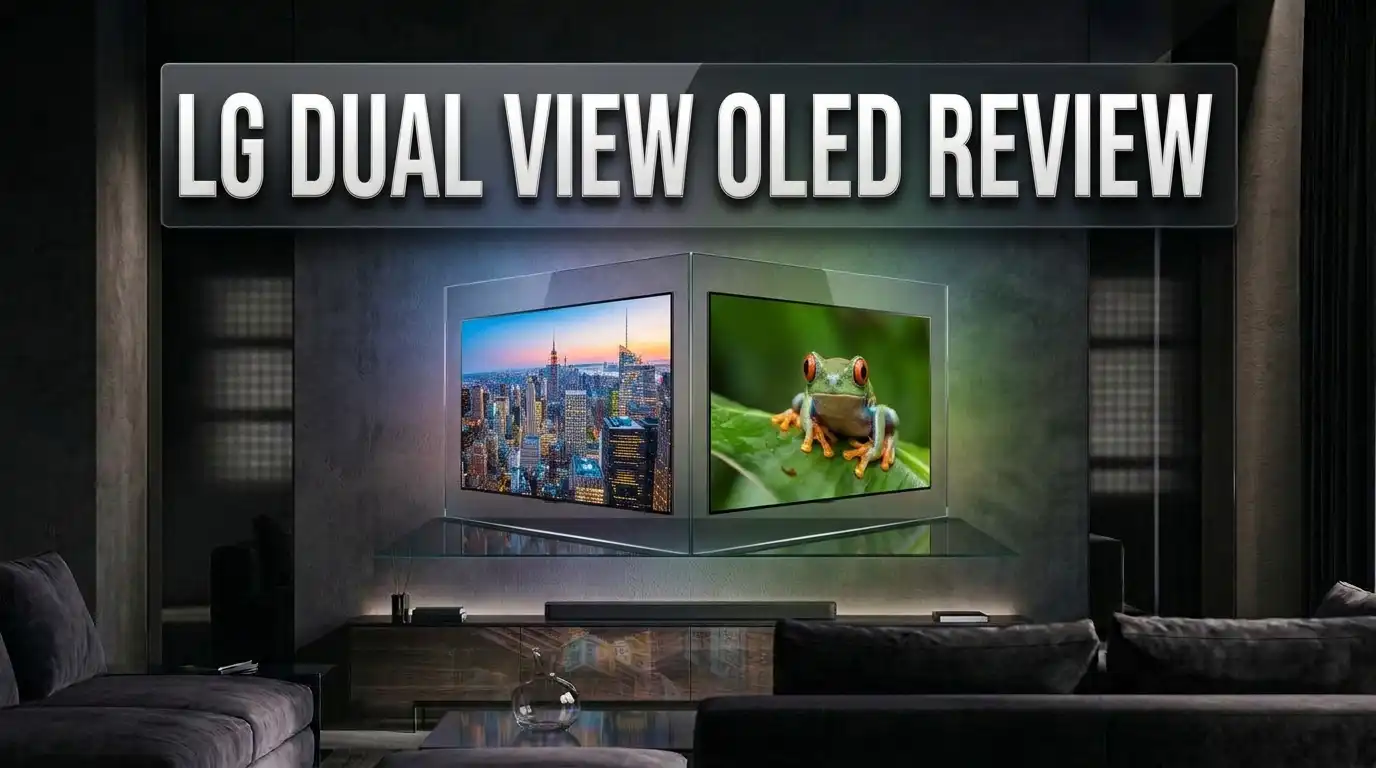
LG Dual View OLED Review: Dual Mode UltraGear the Smartest OLED?
Picking an OLED monitor used to be simple. You chose a size, you chose a refresh rate, and you lived with that choice forever.
LG broke that rule with its Dual View OLED panels, better known as Dual Mode. One button press changes the resolution and the refresh rate at the same time.
You get sharp 4K detail for story games. You get blistering speed for shooters. Same screen, same cable, same day.
This review covers the LG UltraGear 32GS95UE, the monitor that started the Dual View trend, plus the newer models that followed it. I tested the claims against measured data from display labs and long term owner feedback.
By the end, you will know if this flexible OLED deserves your desk space, or if a single mode panel saves you money.
In a Nutshell
- Dual View means two monitors in one. The 32GS95UE runs 4K at 240Hz for detailed games, then switches to 1080p at 480Hz for competitive shooters. The switch takes about five seconds through a joystick shortcut.
- The WOLED panel handles bright rooms well. The matte coating kills glare better than glossy QD OLED rivals. Blacks stay deep even with a window open behind you.
- Motion clarity at 480Hz is genuinely different. Labs measured average response times near 0.52ms grey to grey. Moving text stays readable during fast flicks.
- Text clarity finally got fixed. LG changed the subpixel layout on this panel generation. At 140 PPI, fonts look sharp enough for spreadsheets and code.
- Brightness is good, not class leading. Expect around 282 nits in SDR with stable output, and peaks past 1000 nits in small HDR highlights.
- The value story improved a lot. Launch price sat near $1,399. Street prices now drop under $900 during sales, which changes the whole recommendation.
LG UltraGear 32GS95UE Dual View OLED

- 4K/UHD UltraGear OLED @ 240Hz - 4K UHD at up to 240Hz on an OLED display is the best of all gaming worlds...
- Dual Mode - LG UltraGear OLED introduces the World’s First VESA Certified Dual Mode gaming monitor, offering...
Last update on 2026-09-24 / Affiliate links / Images from Amazon Product Advertising API
The 32GS95UE is a 31.5 inch WOLED gaming monitor with a flat panel. It runs 3840 x 2160 at 240Hz natively.
LG builds it around its own LG Display panel rather than the Samsung QD OLED used by most rivals. That single choice shapes almost everything about this review.
The headline feature sits in the Game Adjust menu. Dual Mode drops the panel to 1920 x 1080 and doubles refresh to 480Hz.
This is not software trickery. The panel driver genuinely runs twice as fast in the lower resolution state.
You also get real HDMI 2.1 ports, hardware calibration support, and two 10W speakers mounted behind the screen.
The stand tilts, swivels, rotates, and adjusts for height. It feels sturdy for a 32 inch panel, though the screen wobbles a little when you nudge the desk.
Colour coverage lands near 97 percent of DCI P3 in independent testing. Out of the box accuracy measured around dE 1.2 for P3 content, which is excellent for a gaming monitor.
The panel carries VESA DisplayHDR 400 True Black certification. Peak brightness is rated at 1300 nits for small highlight windows.
This is a gaming monitor first. It just happens to be good enough at colour work that creators can use it without complaint.
What Dual View OLED Really Means
LG markets this feature under a few names. You will see Dual Mode, Dual View, and dual refresh used in different regions.
They all describe the same thing. The monitor supports two native operating states instead of one.
State one is the full panel. On the 32GS95UE that means 4K at 240Hz with every pixel active.
State two halves the resolution in both directions. Four physical pixels display one logical pixel, so the image stays clean instead of turning into a blurry mess.
This integer scaling detail matters more than people expect. Dropping 4K to 1080p through your graphics card usually looks soft. Doing it at panel level keeps edges defined.
The refresh rate then doubles because the panel pushes far fewer pixels per frame. Bandwidth that fed 8.3 million pixels now feeds 2 million.
You switch through the onscreen menu or a keyboard shortcut in LG’s software. Windows briefly blanks, then returns at the new setting.
Some games need a restart to pick up the change. Most modern titles handle it cleanly.
The feature suits players who split their time. Single player fans get the detail. Ranked players get the frames.
If you only play one type of game, you are paying for a feature you will rarely touch.
Design and Build Quality
LG went minimal here. Thin borders surround the panel on all four sides, roughly 8mm at the top and sides.
The dark grey matte plastic avoids fingerprints. The chunky stand arm hides a cable routing hole.
Two small RGB wings sit on the rear. They look nice in photos and do almost nothing in a real room. Do not buy this for the lighting.
The joystick control sits under the bottom bezel. Menu navigation feels quick once the OSD wakes up, though the first press has a small delay.
Ergonomics cover everything you need. Height, tilt, swivel, and full rotation all work smoothly, with height adjustment feeling slightly stiff.
One detail surprises new owners. The monitor contains a small cooling fan. It stays quiet in normal use, but a silent PC build might reveal it in a dead quiet room.
VESA mounting is supported if you prefer an arm. The panel weighs around 5.6 kilograms without the stand, so most arms handle it easily.
Build quality feels appropriate for the price. Nothing creaks, the panel sits flat, and the materials feel premium rather than plasticky.
My only real complaint is the stand footprint. It eats desk space that a slimmer base would free up.
Top 3 Alternative for LG UltraGear 32GS95UE Dual View OLED
If the 32GS95UE does not fit your desk, budget, or play style, these three LG panels cover the obvious gaps.
The first option shrinks things down to 27 inches while pushing refresh even higher. The second goes ultrawide for immersion fans. The third trades speed for extreme brightness.
No products found.

- 39” OLED Display with 21:9 Aspect Ratio - With a large 39” display, 21:9 aspect ratio and a dramatic...
- 800R Curved Screen - This UltraGear OLED monitor's dramatic and steep 800R curve draws you in with game play...

Last update on 2026-09-24 / Affiliate links / Images from Amazon Product Advertising API
No products found.
The 27GX790A runs 1440p at 480Hz natively and drops to 1080p at 720Hz in Dual Mode. It suits esports players who want maximum speed in a smaller frame.
The 39GS95QE takes the ultrawide route with a 39 inch curved 21:9 panel at 240Hz. You lose Dual Mode, but you gain enormous peripheral coverage for racing and flight sims.
The 27GX700A uses LG’s fourth generation Primary RGB Tandem panel. It reaches around 1500 nits peak brightness, making it the best pick for bright rooms and HDR movies.
Each one solves a different problem. Pick based on the games you actually play, not the spec sheet you admire.
Picture Quality in SDR
Most of your screen time happens in SDR. This is where the WOLED panel earns its keep.
Out of the box, the Gamer 1 preset measured an average gamma of 2.23 against a 2.2 target. That is close enough that most users will never touch it.
Greyscale accuracy landed near dE 1.1, with a white point around 6429K. Those numbers beat plenty of monitors that cost more.
Colour gamut covers roughly 124 percent of sRGB. That oversaturates standard content slightly, so LG includes an sRGB emulation preset.
The sRGB mode clamps the gamut reasonably well, reaching dE 2.4 average accuracy. It is not perfect, but it is usable for photo editing.
Brightness peaks around 282 nits in SDR with completely uniform output. No annoying ABL dimming appears when you switch between dark and bright windows.
You can push higher with the Peak Brightness setting, reaching 438 nits on small areas. That mode triggers visible brightness fluctuation, so keep it off for desktop work.
Black levels behave exactly as OLED should. Every pixel switches off individually, producing true black with no blooming.
The matte coating does introduce slight graininess. It trades a little image pop for far better glare control.
HDR Brightness and Contrast
HDR is where OLED separates itself from every LCD on the market. Per pixel dimming means no halos around bright objects.
The 32GS95UE is rated at 1300 nits peak on a small window. Real measurements come in lower depending on window size and scene content.
Expect strong highlights in small areas like explosions, sun glints, and neon signs. Full screen bright scenes dim noticeably, which is normal OLED behaviour.
VESA DisplayHDR 400 True Black certification sounds modest. The number refers to black level performance, not peak brightness, so ignore the low figure.
In practice, HDR games look excellent. Night scenes in titles like Cyberpunk 2077 and Alan Wake 2 show detail that LCD panels crush into grey mush.
EOTF tracking is solid in the HDR presets. LG offers several HDR modes, and the Gaming preset generally gives the most accurate result.
HDR movies benefit too. The matte coating slightly lowers perceived contrast in bright rooms, so dim the lights for the best experience.
Compared with QD OLED rivals rated at 1000 nits, the WOLED panel holds its own on highlights. It clearly wins on black levels in daylight rooms.
Dual Mode Gaming at 480Hz
This is the feature you are paying extra for, so it deserves honest scrutiny.
At 480Hz, motion clarity improves in a way that screenshots cannot show. Enemy models stay readable while you flick across a scene.
The jump from 240Hz to 480Hz feels smaller than the jump from 60Hz to 240Hz. Diminishing returns are real. Still, competitive players notice it within minutes.
You need frames to feed it. Hitting 480fps at 1080p requires a strong CPU and a lightweight game engine.
Counter Strike 2, Valorant, Overwatch 2, and Rocket League all reach those numbers on modern hardware. Heavier titles will not come close.
Image quality at 1080p on a 32 inch panel is the tradeoff. Integer scaling keeps things sharp, but you are still looking at 70 PPI.
For fast shooters, that softness barely registers. You are tracking movement, not admiring texture detail.
The switch itself is painless. Assign it to a hotkey and the monitor flips states in a few seconds.
My honest verdict is that Dual Mode is a genuine feature, not marketing filler. It just matters most to a specific type of player.
Response Time and Input Lag
OLED response times make LCD numbers look like a bad joke. There is no liquid crystal to twist.
Independent testing measured an average of 0.52ms grey to grey across transitions. The best case dropped near 0.2ms.
That means zero overshoot, zero inverse ghosting, and no overdrive setting to fiddle with. The monitor has no response time menu because it does not need one.
Input lag is similarly low. Signal processing adds well under a millisecond at high refresh rates.
Adaptive sync works across the full range. The monitor carries NVIDIA G Sync Compatible certification and AMD FreeSync Premium Pro support.
VRR flicker does appear occasionally in loading screens and menus. This affects nearly every OLED monitor, not just LG models.
At 240Hz the total system latency feels instant for almost everyone. At 480Hz it drops further, though the difference is measured rather than felt.
Competitive players should note one thing. Frame rate consistency matters more than peak refresh rate. A stable 300fps feels better than a spiky 480fps.
For everyone else, the 4K 240Hz mode already delivers response times that no LCD can match.
Text Clarity and Desktop Work
Earlier LG WOLED monitors had a reputation problem. Their unusual RWBG subpixel layout made text look fringed and blocky.
LG changed the layout for this panel generation. The red, green, and blue subpixels sit in the correct order, with white moved to third position.
Combined with 140 PPI from the 4K resolution, text now looks sharp and clean. This is the biggest quality of life upgrade on the whole monitor.
Windows scaling at 125 percent gives the best balance on a 32 inch 4K panel. That produces text roughly the size of a 27 inch 1440p display.
You still get the equivalent of a 3072 x 1728 workspace. That is a meaningful upgrade over standard 1440p monitors.
Native 100 percent scaling works if your eyesight is strong and you sit close. Most people will find it too small for long sessions.
Coding, writing, and spreadsheet work all feel comfortable now. The old WOLED text complaints simply do not apply to this panel.
One caveat remains. Static desktop elements carry burn in risk on any OLED, so vary your content and hide the taskbar when possible.
Pixel Sound Speakers and Ports
LG mounted two 10W speakers directly behind the panel. The company calls this Pixel Sound.
Most monitor speakers output 2W or 3W per channel and sound terrible. These are genuinely usable.
Sound feels directional because it comes from behind the image rather than the bottom edge. DTS Virtual X adds a wider soundstage.
They will not replace decent desktop speakers or a headset. They will absolutely handle YouTube, console gaming, and video calls.
Connectivity is where things get frustrating. You get one DisplayPort 1.4 with DSC and two HDMI 2.1 ports.
There is no USB Type C connection. That omission stings on a flagship monitor in this price range.
You also lose picture by picture, picture in picture, and KVM switching. Competing 32 inch OLED panels include all three.
Two USB downstream data ports and a combined headphone and mic jack round out the selection.
LG’s OnScreen Control software handles firmware updates and basic settings. It works, but it feels limited next to the full OSD menu.
If you plan to dock a laptop, look elsewhere. If you connect a desktop and a console, you are fine.
Burn In Risk and OLED Care
Every OLED buyer asks this question, and the honest answer has nuance.
Burn in happens when static elements sit in the same place for thousands of hours. Taskbars, HUD elements, and browser tabs are the usual suspects.
LG includes several protective features. Pixel shift moves the image a few pixels periodically, and a screen saver kicks in during inactivity.
An image cleaning cycle runs automatically over time. You can also trigger it manually from the menu.
The care suite feels thinner than rivals offer. Some competing monitors add logo dimming, taskbar detection, and border detection.
Long term testing from display labs suggests modern OLED panels hold up well under mixed use. Heavy static desktop work remains the risk case.
Warranty coverage caused controversy. LG lists a standard two year monitor warranty, and official channels have given inconsistent answers about burn in cover.
Check your regional warranty terms before buying. Policies differ between the US, UK, and EU.
Practical advice is simple. Hide the taskbar, use dark mode, enable the screen saver, and let the cleaning cycle run.
Treat it as a gaming and media display and it should last years.
LG 32GS95UV: The Brighter Dual View Option

- 4K/UHD UltraGear OLED @ 240Hz - 4K UHD at up to 240Hz on an OLED display is the best of all gaming worlds...
- Dual Mode - LG UltraGear OLED introduces the World’s First VESA Certified Dual Mode gaming monitor, offering...
Last update on 2026-09-24 / Affiliate links / Images from Amazon Product Advertising API
LG followed the 32GS95UE with a refreshed model. The 32GS95UV keeps the same Dual Mode concept with an updated panel.
It still runs 4K at 240Hz and drops to 1080p at 480Hz. The core experience feels identical.
The upgrade sits in brightness and coating. LG improved peak luminance and refined the anti glare treatment.
Colour volume improves slightly in HDR highlights. Dark scenes gain a touch more punch.
Everything else carries over. Same 31.5 inch size, same stand, same excellent response times, same missing USB Type C.
Pricing usually sits above the older model. During sales the gap narrows considerably.
Which one should you buy? If both sit at a similar price, take the UV. If the UE is significantly cheaper, take the savings.
The difference will not change your gaming experience. It will show up in side by side HDR comparisons.
Owners report strong satisfaction with both models after months of use. Colour consistency and motion clarity get the most praise.
Neither model solves the connectivity gap, so factor that into your decision either way.
Console Gaming Performance
The two HDMI 2.1 ports make this a legitimate console display. That is not guaranteed on every OLED monitor.
PS5 runs at 4K 120Hz with VRR support. Xbox Series X does the same and adds 1440p 120Hz flexibility.
HDR on console looks excellent. Per pixel contrast makes racing games and open world titles genuinely cinematic.
Dual Mode does not help consoles directly. Neither PS5 nor Xbox outputs anywhere near 480fps, so you will stay in 4K mode.
Auto Low Latency Mode works, dropping the monitor into its fastest processing state automatically.
The Pixel Sound speakers earn their place here. Plug in a console and you have audio without extra hardware.
Screen size works well at desk distance. At 32 inches you can sit close without turning your head constantly.
The matte coating helps in living room setups where lamps and windows create reflections.
One small note for PS5 owners. Some games look better with the console set to 1080p output if you prefer higher frame rates, though 4K 120Hz remains the better choice on this panel.
Overall it doubles as a console display better than most gaming monitors in its class.
Price and Value in 2026
Launch pricing sat at $1,399. That felt steep even for a flagship OLED.
Prices fell steadily as competition arrived. Official LG listings now regularly show the 32GS95UE near $999, with deeper sale pricing appearing several times a year.
Third party retailers have pushed it lower during major sale events. Some buyers reported prices well under $900.
At those numbers the value proposition changes completely. A 4K 240Hz OLED with a bonus 480Hz mode becomes hard to argue against.
Compare it against QD OLED rivals like the ASUS ROG Swift PG32UCDP and MSI MPG 321URX. Those offer USB Type C and KVM features the LG lacks.
The LG counters with better glare handling and stronger black performance in lit rooms.
Newer options complicate things further. Fourth generation Tandem OLED panels push brightness past 1500 nits, and LG’s 2026 lineup includes 540Hz and 720Hz Dual Mode models.
Buy the 32GS95UE on sale, not at list price. That is the single most useful piece of advice in this review.
If you can wait, newer Dual Mode panels keep arriving each year. If you want a great monitor today, this one delivers.
Pros and Cons
Pros
- Dual Mode genuinely works, delivering 4K at 240Hz and 1080p at 480Hz through a simple menu switch with clean integer scaling.
- Response times average around 0.52ms grey to grey, producing motion clarity no LCD panel can approach at any price.
- Text clarity improved dramatically thanks to the updated subpixel layout and 140 PPI density, making desktop work comfortable.
- The matte coating controls glare far better than glossy QD OLED rivals, which suits bright rooms and daytime use.
- Out of the box colour accuracy measured near dE 1.2 for DCI P3, with hardware calibration support included free.
- Two 10W Pixel Sound speakers actually sound decent, and two full HDMI 2.1 ports handle PS5 and Xbox Series X properly.
Cons
- No USB Type C connection, which rules out single cable laptop docking on a flagship priced monitor.
- Missing picture in picture, picture by picture, and KVM switching that competing 32 inch OLED models include.
- SDR brightness caps near 282 nits, which falls short of bright LCD panels for daylight desktop work.
- OLED care options feel limited compared with rivals that add logo dimming and taskbar detection.
- Burn in warranty coverage has been communicated inconsistently by LG support channels.
- A small internal cooling fan means the monitor is not completely silent in a quiet room.
Who Should Buy the LG Dual View OLED
This monitor fits a specific person very well. That person plays a mix of game types.
You load Baldur’s Gate 3 or Cyberpunk on Saturday and want every pixel. You load Valorant on Sunday and want every frame.
Dual View solves that split without a second monitor. That is its entire reason to exist.
It also suits console owners who game on PC. Two HDMI 2.1 ports and decent speakers make the setup clean.
Content creators get a bonus. Hardware calibration support and 97 percent DCI P3 coverage cover most editing needs.
Skip it if you only play competitive shooters. A native 1440p 480Hz panel gives you better everyday clarity for less money.
Skip it if you need laptop docking. The missing USB Type C port is not something you can work around.
Skip it if you spend eight hours a day in spreadsheets. Static content and OLED are an uncomfortable pairing.
For everyone else who wants one screen that handles everything, this remains one of the smartest OLED purchases available.
Buy it on sale, enable the care features, and enjoy it.
FAQs
What does Dual View mean on an LG OLED monitor?
Dual View, also called Dual Mode, lets the panel run at two native settings. On the 32GS95UE that means 4K at 240Hz or 1080p at 480Hz.
You switch through the onscreen menu or a keyboard shortcut. The change takes a few seconds.
Does switching to 480Hz make the image blurry?
No. The monitor uses integer scaling, so four physical pixels display one logical pixel.
Edges stay defined rather than looking soft. You do lose fine detail because of the lower resolution.
Is the LG 32GS95UE good for work as well as gaming?
Yes, with caution. Text clarity is sharp at 140 PPI thanks to the updated subpixel layout.
Long hours of static desktop content still carry burn in risk on any OLED panel.
Does the LG Dual View OLED work with PS5 and Xbox Series X?
Yes. Two full HDMI 2.1 ports support 4K at 120Hz with VRR on both consoles.
Dual Mode does not benefit consoles because they cannot output those frame rates.
How bright is the LG 32GS95UE?
It reaches roughly 282 nits in SDR with completely stable output and no dimming.
HDR peaks are rated at 1300 nits on small highlight areas.
Is burn in covered by the warranty?
LG lists a standard two year monitor warranty. Burn in coverage has been communicated inconsistently across regions and support channels.
Check your local warranty terms in writing before you buy.
Should I buy the 32GS95UE or the newer 32GS95UV?
Buy whichever is cheaper at the time. The UV offers slightly better brightness and coating.
Core gaming performance is effectively identical between them.

DK is a technology expert who specializes in AI tools, software, and tech gadgets. He writes for How to Tech Info, providing detailed reviews and practical guides. DK helps readers discover the best AI applications, navigate new software, and choose the right tech gadgets.


