
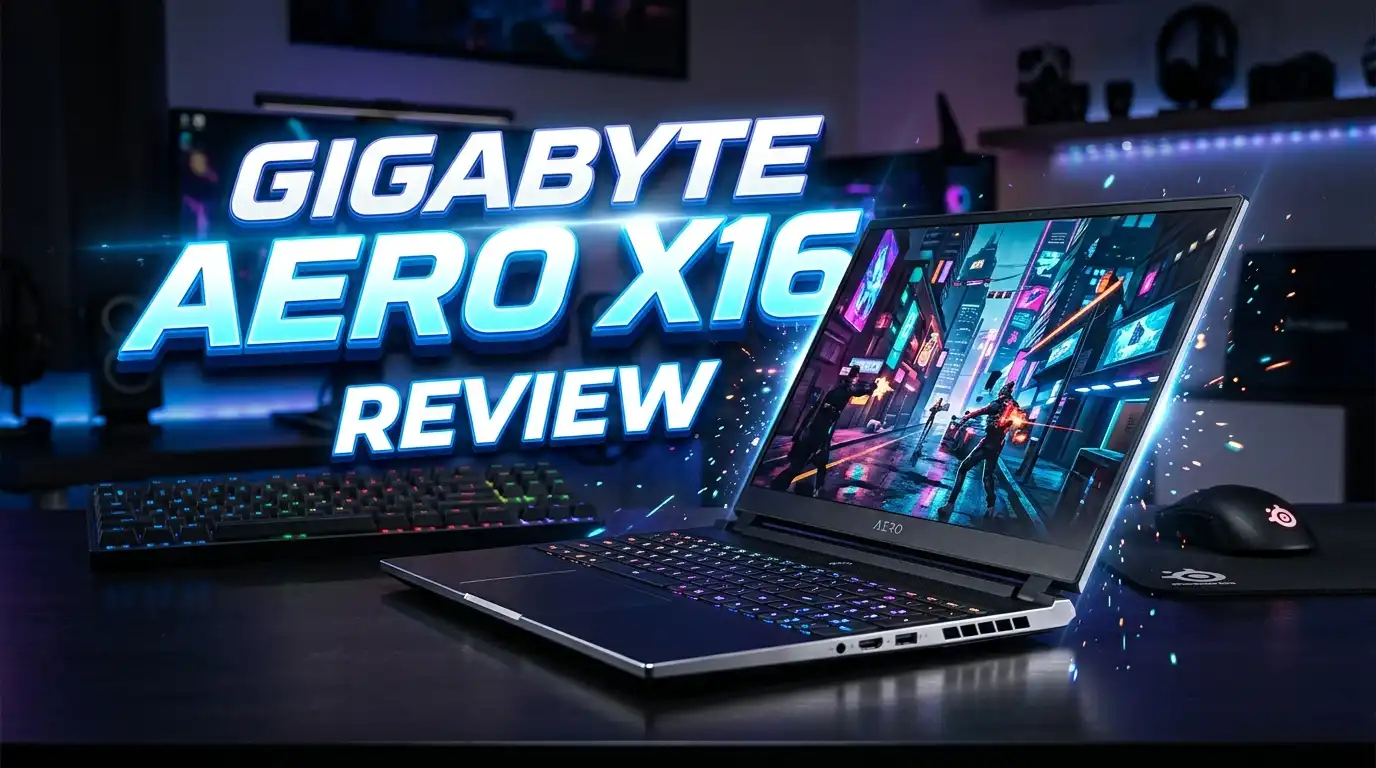
Gigabyte Aero X16 Review: A Stealthy 16 Inch Powerhouse?
The Gigabyte Aero X16 has quickly become one of the most talked about laptops of the year. It mixes a clean, professional look with the punch of NVIDIA’s latest Blackwell graphics. If you want a machine that handles video edits during the day and AAA games at night, this one deserves your attention.
This laptop is light. It is quiet. It is also a Copilot+ PC with an AMD Ryzen AI chip inside. That mix makes it useful for office work, AI tasks, and heavy 3D projects. The price also sits below many rivals with similar specs.
In this review, we will look at the design, the screen, the keyboard, the performance, the battery, and the value. We will also compare it with three strong alternatives. By the end, you will know if the Aero X16 fits your needs in 2026.
In a Nutshell
Here are the main points to remember before we go deep into the full review.
- Strong hybrid use case: The Aero X16 works well for both creators and gamers. The RTX 5070 and Ryzen AI 9 HX 370 handle Blender, Premiere Pro, and modern games at high settings.
- Stunning 16 inch display: You get a 2560×1600 WQXGA panel at 165Hz. Colors are accurate out of the box, which helps photo and video editors.
- Clean, stealthy design: No flashy RGB or gamer logos. It looks like a business laptop, so it fits in offices, classrooms, and cafes.
- Decent battery life: You can expect around 7 to 8 hours of light work on the 76Wh battery. Gaming on battery drops to about 1 to 2 hours.
- Copilot+ PC features: The NPU inside the Ryzen AI chip powers Windows AI tools like Recall, Cocreator, and Live Captions.
- Some compromises: The GPU runs at a lower wattage than in thicker rivals. The speakers are average, and the chassis can flex a bit.
What Is the Gigabyte Aero X16?

- GIGABYTE GiMATE as Your Smart AI Mate – Introducing GiMATE, your smart AI Mate that transforms how you...
- AMD Ryzen AI 7 350 Processor – Powered by AMD Ryzen AI processors, AERO X16 enables you to unlock incredible...

Last update on 2026-06-10 / Affiliate links / Images from Amazon Product Advertising API
The Gigabyte Aero X16 is a 16 inch creator and gaming laptop launched in 2025. Gigabyte built it for users who want a thin, light, and quiet machine without losing real GPU power. It sits in the same class as the Razer Blade 16 and the Asus ROG Zephyrus G16.
The Aero brand has always focused on creators. This new X16 model keeps that focus but adds modern gaming chops. Inside, you get an AMD Ryzen AI 9 HX 370 or Ryzen AI 7 350 CPU. The GPU options include the NVIDIA RTX 5060, RTX 5070, and RTX 5070 Ti from the Blackwell family.
The laptop also carries the Copilot+ PC badge. That means it has an NPU strong enough to run Microsoft’s on device AI features. Few gaming laptops in 2026 carry this label, so it is a real plus.
Gigabyte also ships its own AI tools, like AI Nexus and Gigabyte Control Center. These help you switch performance modes, tune the fans, and apply quick AI edits. The build feels solid and the body is mostly metal. It weighs about 4.4 pounds, which is light for a 16 inch RTX laptop.
Design and Build Quality
The Aero X16 looks mature and minimal. The lid is a soft space gray color with a small Aero logo. There are no glowing patterns and no aggressive lines. You can take this laptop into a board meeting and no one would guess it is a gaming machine.
The chassis uses aluminum on the top and bottom panels. The keyboard deck shows a bit of flex under hard typing, but the lid stays firm. The hinge feels smooth and lets you open the lid with one hand.
At 0.78 inches thick and 4.4 pounds, it is one of the lightest 16 inch RTX 5070 laptops you can buy. That matters if you carry your laptop every day. The footprint is also small thanks to thin bezels around the screen.
Ports are generous. You get two USB 3.2 Gen 2 Type A ports, one USB 2.0 port, one USB4 Type C port, an HDMI 2.1 port, a microSD card reader, and a 3.5mm audio jack. The USB4 port supports charging and DisplayPort output, which is great for docking setups.
The cooling system uses Windforce Infinity fans with vapor chamber support on higher trims. Air vents sit on the sides and the back. Under heavy load, the laptop stays cooler than many rivals, though the keyboard area gets warm.
Display Quality
The display is one of the best parts of this laptop. You get a 16 inch IPS panel with a 2560×1600 WQXGA resolution and a 165Hz refresh rate. The 16:10 aspect ratio gives more vertical space, which helps with timelines, code, and documents.
Color coverage is strong. The panel covers close to 100 percent of the sRGB gamut and around 95 percent of DCI P3. That makes it good enough for YouTube content creation, photo editing, and color grading. Brightness peaks at about 400 nits, which is fine indoors but a bit weak in direct sunlight.
The 165Hz refresh rate makes games feel smooth. Esports titles like Valorant and CS2 run well above 165 FPS on the RTX 5070 trim. Motion blur stays low, and the response time is good for an IPS screen.
HDR support is listed but limited. There is no true mini LED or OLED option on the X16, which is one of its main weak spots compared to the Razer Blade 16 or Asus ProArt P16. Still, for most users, the IPS panel here is sharp, fast, and color accurate enough for serious creative work.
Viewing angles stay wide, and there is no noticeable backlight bleed on most units. The matte finish helps cut glare, which is useful in bright offices.
Performance and Benchmarks

- GIGABYTE GiMATE as Your Smart AI Mate – Introducing GiMATE, your smart AI Mate that transforms how you...
- AMD Ryzen AI 9 HX 370 Processor – Powered by AMD Ryzen AI processors, AERO X16 enables you to unlock...
Last update on 2026-06-17 / Affiliate links / Images from Amazon Product Advertising API
This is where the Aero X16 earns its price. The top trim uses the AMD Ryzen AI 9 HX 370 with 12 cores and 24 threads. It is paired with up to 32GB of DDR5 5600MHz RAM and a 1TB Gen 4 NVMe SSD. Both RAM and storage are upgradable.
The GPU is the star. The NVIDIA RTX 5070 Laptop GPU delivers strong frame rates at 1600p. In Cyberpunk 2077 with ray tracing and DLSS 4, you can expect around 80 to 95 FPS. In Hogwarts Legacy at high settings, frame rates sit around 90 FPS. Esports titles fly past 200 FPS easily.
Creator workloads also run well. Blender renders are about 30 percent faster than the RTX 4070 laptop. Premiere Pro exports finish quickly thanks to NVENC. DaVinci Resolve also benefits from the new tensor cores.
One thing to note. The RTX 5070 here runs at a lower wattage (around 100W total graphics power with Dynamic Boost) than in thicker laptops like the Lenovo Legion or MSI Raider. That means the Aero X16 sits 5 to 10 percent behind those rivals in raw gaming benchmarks. The trade off is a thinner chassis and quieter fans.
The Ryzen AI chip also has a strong NPU that delivers 50 TOPS. That meets the Copilot+ PC bar and powers Windows Studio Effects, Recall, and other AI features.
Top 3 Alternatives for Gigabyte Aero X16
If the Aero X16 does not match your needs, here are three strong rivals to look at.
Asus ROG Zephyrus G16 (2025)
![HIDevolution [2025] ASUS ROG Zephyrus G16 GU605CP [Grey] 16' WQXGA 240Hz OLED, 2.7 GHz Ultra 9-285H...](https://howtotechinfo.com/wp-content/plugins/aawp/public/image.php?url=YUhSMGNITTZMeTl0TG0xbFpHbGhMV0Z0WVhwdmJpNWpiMjB2YVcxaFoyVnpMMGt2TWpFemJucEJSRVY1TkV3dWFuQm58MTc5MjkxNzM4MQ= "Gigabyte Aero X16 Review: A Stealthy 16 Inch Powerhouse? 6")
- Intel Core Arrow Lake Ultra 9-285H 16 Core - 16 Thread Processor, 2.7 GHz (Max Turbo Frequency 5.4 GHz), 24 MB...
- HIDevolution upgrades the 16" 2.5K (2560 x 1600, WQXGA) 240Hz OLED Display Gaming Laptop with stocked Thermal...
Last update on 2026-06-09 / Affiliate links / Images from Amazon Product Advertising API
The Asus ROG Zephyrus G16 is the closest rival. It uses an Intel Core Ultra 9 285H or Ryzen chip, an OLED 240Hz display, and an RTX 5070 GPU. The OLED screen is its main edge over the Aero X16. Colors look deeper, blacks are true, and motion is smoother. It also has a slim CNC aluminum body. The price runs higher than the Aero X16, but creators who care about display quality will love it.
Razer Blade 16 (2025)

- ULTRA-THIN 14.9MM DESIGN — Featuring a new design, the Blade 16 is up to 30% smaller and 12% lighter for...
- NVIDIA GEFORCE RTX 5090 LAPTOP GPU — Pushing up to 160 W TGP in a low profile chassis, get more raw...
Last update on 2026-06-10 / Affiliate links / Images from Amazon Product Advertising API
The Razer Blade 16 is the premium pick. It comes with up to an RTX 5090 GPU, a 240Hz OLED panel, and an ultra thin 14.9mm chassis. Build quality is top tier with a single block of aluminum. It is 30 percent smaller and 12 percent lighter than the older Blade 16. The catch is the price, which is much higher than the Aero X16. If budget is no concern and you want the best, the Blade 16 wins.
Asus ProArt P16
![HIDevolution [2025] ASUS ProArt P16 H7606WP Black 16' 3K 120Hz OLED Touch, 2.0 GHz Ryzen AI 9 HX...](https://howtotechinfo.com/wp-content/plugins/aawp/public/image.php?url=YUhSMGNITTZMeTl0TG0xbFpHbGhMV0Z0WVhwdmJpNWpiMjB2YVcxaFoyVnpMMGt2TkRGQ1ZWcE9ZVUZKVlV3dWFuQm58MTc5MjkxNzM4MQ= "Gigabyte Aero X16 Review: A Stealthy 16 Inch Powerhouse? 8")
- AMD Ryzen AI 9 HX 370 12 Core - 24 Thread Processor, 2.0 GHz (Max Turbo Frequency 5.1 GHz), 36 MB Smart Cache...
- HIDevolution upgrades the 16.0" 3K (2880 x 1800) 120Hz OLED Touch screen with stocked Thermal Grizzly...
Last update on 2026-06-10 / Affiliate links / Images from Amazon Product Advertising API
The Asus ProArt P16 focuses on creators. It uses a Ryzen AI 9 HX 370, RTX 5070, and a stunning 3K OLED touch screen. It is calibrated from the factory and includes the ASUS Dial for creative apps. If you do more editing than gaming, this is the best pick. The build is also clean and pro looking, much like the Aero X16.
Keyboard and Trackpad
The keyboard on the Aero X16 is comfortable for long typing sessions. Key travel sits at about 1.7mm, which feels deep for a thin laptop. The keys are quiet, which is good for shared spaces.
You get a single zone white backlight. There is no per key RGB here. Some users will miss the fancy lighting, but others will like the clean look. The function row includes shortcuts for the AI Nexus app, fan modes, and screen brightness.
The layout is roomy. You get a full numpad on the right side, which helps with spreadsheets and 3D modeling. Some keys, like the arrow keys, are smaller than ideal, but you adjust to them fast.
The trackpad is large and smooth. It uses Microsoft Precision drivers, so gestures work well. The click action is firm and consistent across the surface. It is a glass trackpad, which feels premium under the finger.
There is no fingerprint reader, but there is an IR camera for Windows Hello face login. The 1080p webcam is decent for video calls. It also supports Windows Studio Effects like background blur and eye contact.
Battery Life and Portability
Battery life is a strong point. The Aero X16 packs a 76Wh battery, which is the legal limit for carry on flights. Combined with the efficient AMD Ryzen AI chip, you get 7 to 8 hours of light work on a single charge.
If you push it harder with video edits or coding, expect around 5 to 6 hours. Gaming on battery drops fast, to about 1 to 2 hours, since the GPU draws a lot. This is normal for any RTX laptop.
The included 200W charger is small and uses a barrel plug. The USB4 port also supports Power Delivery, so you can use a 100W USB C charger for light work on the go.
Portability is great. At 4.4 pounds, it is one of the lightest 16 inch RTX 5070 laptops. It fits in most backpacks and slim laptop bags. The thin profile also helps it slide into tight spaces.
Software and AI Features
The Aero X16 ships with Windows 11 Home or Pro depending on the trim. Since it is a Copilot+ PC, you get the full set of AI features like Recall, Cocreator, Live Captions, and Windows Studio Effects.
Gigabyte adds its own software stack. The main app is Gigabyte Control Center. It lets you switch power modes, set fan curves, and monitor temperatures. There is also AI Nexus, which runs local AI tools for image generation and chat. These tools use the NPU, so they do not heavy down the GPU.
You also get NVIDIA Studio drivers as an option. That makes the laptop more stable for apps like Adobe Premiere, Blender, and DaVinci Resolve. Gamers can swap to Game Ready drivers easily.
Bloatware is light. There are a few preinstalled apps, but nothing too pushy. You can clean it up in a few minutes.
The mix of Copilot+ features and Gigabyte’s own AI tools makes this laptop ready for the AI workflows of 2026. Few gaming laptops can say the same.
Thermals and Noise
Gigabyte uses its Windforce Infinity cooling system here. The setup includes dual fans, multiple heat pipes, and wide air vents on the sides and back. Some higher trims also get a vapor chamber.
Under heavy load, the CPU stays around 85 to 90 degrees Celsius. The GPU sits near 80 degrees Celsius. These are safe temperatures for sustained work and gaming. The chassis warms up around the keyboard center, but the wrist rest stays cool.
Fan noise is moderate. In performance mode, the fans push around 48 decibels, which you can hear but is not loud. In balanced mode, the laptop is near silent during web browsing, video calls, and light edits.
You can also tune the fan curves in the Gigabyte Control Center. That lets quiet users keep the fans low, or pro gamers push them higher for cooler temps.
Price and Value
The Aero X16 starts around $1,599 for the RTX 5060 model and climbs to about $2,199 for the RTX 5070 trim with 32GB RAM and 1TB SSD. The RTX 5070 Ti version costs more.
That pricing is very competitive. Most rivals with the same chip and a 2.5K display cost $200 to $500 more. The Razer Blade 16 with an RTX 5070 sits well above $2,800. The Zephyrus G16 with OLED runs around $2,500.
You give up an OLED screen and a few percent of GPU power. In return, you get a quieter, lighter, and cheaper laptop with the same productivity and AI features. For most buyers, that is a fair deal.
The 1 year warranty is standard. You can extend it to 2 or 3 years for an extra fee.
Who Should Buy the Gigabyte Aero X16?
The Aero X16 is a good pick for creators who also game. If you edit videos, render 3D scenes, or build apps, the Ryzen AI chip and RTX 5070 handle it well. The color accurate screen helps with creative work, and the AI tools speed up daily tasks.
It also suits students and professionals who want a powerful 16 inch laptop that does not scream gamer. The clean design fits in any setting, and the battery life is good enough for a full school day or work shift.
Hardcore gamers who want the absolute top frame rates should look at the Razer Blade 16 or a thicker MSI Raider. Those run the same GPU at higher wattage. But for most gamers who play at 1600p with high settings, the Aero X16 is more than enough.
If you mostly write documents and browse the web, this laptop is overkill. A Snapdragon X Copilot+ PC like the Surface Laptop 7 will save you money and give better battery life.
Pros and Cons of Gigabyte Aero X16
Here is a quick view of the main strengths and weak spots.
The pros include a clean, stealthy design, a strong 165Hz 2.5K screen, solid creator and gaming performance, Copilot+ PC AI features, good battery life for an RTX laptop, a wide port selection with USB4, and very competitive pricing.
The cons include a limited RTX 5070 wattage compared to thicker rivals, no OLED option, average speakers, some keyboard deck flex, and a single zone white backlight instead of RGB.
Overall, the strengths far outweigh the weak points if you value portability and quiet use. If you want the absolute best gaming numbers or a perfect display, you may want to look at the alternatives in this guide.
Final Verdict
The Gigabyte Aero X16 is one of the best value 16 inch creator and gaming laptops of 2026. It mixes a clean look, a strong Ryzen AI chip, a powerful RTX 5070 GPU, and a sharp 165Hz screen. It also brings Copilot+ PC features, which not many gaming laptops have.
You give up a bit of GPU power and miss out on an OLED display. But you gain a thinner, lighter, and quieter laptop that costs less than most rivals. For creators, students, and hybrid users, this trade off is easy to accept.
If you want a laptop that handles work, study, and play without drawing attention, the Aero X16 fits the bill. It is a smart pick for 2026 and one of the easiest laptops to recommend at its price.
Frequently Asked Questions
Is the Gigabyte Aero X16 a Copilot+ PC?
Yes. The Aero X16 uses the AMD Ryzen AI 9 HX 370 or Ryzen AI 7 350 chip. Both have an NPU that delivers over 40 TOPS, which meets the Copilot+ PC bar. You can use features like Recall, Cocreator, and Windows Studio Effects.
Can the Gigabyte Aero X16 run modern AAA games?
Yes. The RTX 5070 trim runs games like Cyberpunk 2077, Hogwarts Legacy, and Alan Wake 2 at high settings with DLSS 4 enabled. You can expect 80 to 100 FPS at 1600p in most titles. Esports games run well over 200 FPS.
How long does the battery last on the Aero X16?
The 76Wh battery gives 7 to 8 hours of light use. Video editing and coding cut that to 5 to 6 hours. Gaming on battery drops to about 1 to 2 hours, which is normal for RTX laptops.
Is the RAM and SSD upgradable?
Yes. You can open the bottom panel and swap the DDR5 RAM and the Gen 4 NVMe SSD. There are two RAM slots and at least one M.2 slot. This makes the laptop easy to upgrade later.
Does the Aero X16 have an OLED screen?
No. The X16 uses a 165Hz IPS panel at 2560×1600. It covers near 100 percent sRGB but does not match the contrast of OLED. If you want OLED, look at the Razer Blade 16 or Asus ProArt P16.
Is the Gigabyte Aero X16 good for video editing?
Yes. The Ryzen AI 9 HX 370 has 12 cores. The RTX 5070 speeds up exports and effects in Premiere Pro and DaVinci Resolve. The color accurate display also helps with grading work.
How heavy is the Gigabyte Aero X16?
The laptop weighs about 4.4 pounds or 2 kilograms. That makes it one of the lightest 16 inch RTX 5070 laptops on the market in 2026.
Does the Aero X16 support Thunderbolt?
It has a USB4 Type C port instead of Thunderbolt 4. USB4 supports up to 40Gbps, DisplayPort output, and Power Delivery 3.0. Most Thunderbolt 4 docks and accessories also work with USB4.

DK is a technology expert who specializes in AI tools, software, and tech gadgets. He writes for How to Tech Info, providing detailed reviews and practical guides. DK helps readers discover the best AI applications, navigate new software, and choose the right tech gadgets.


