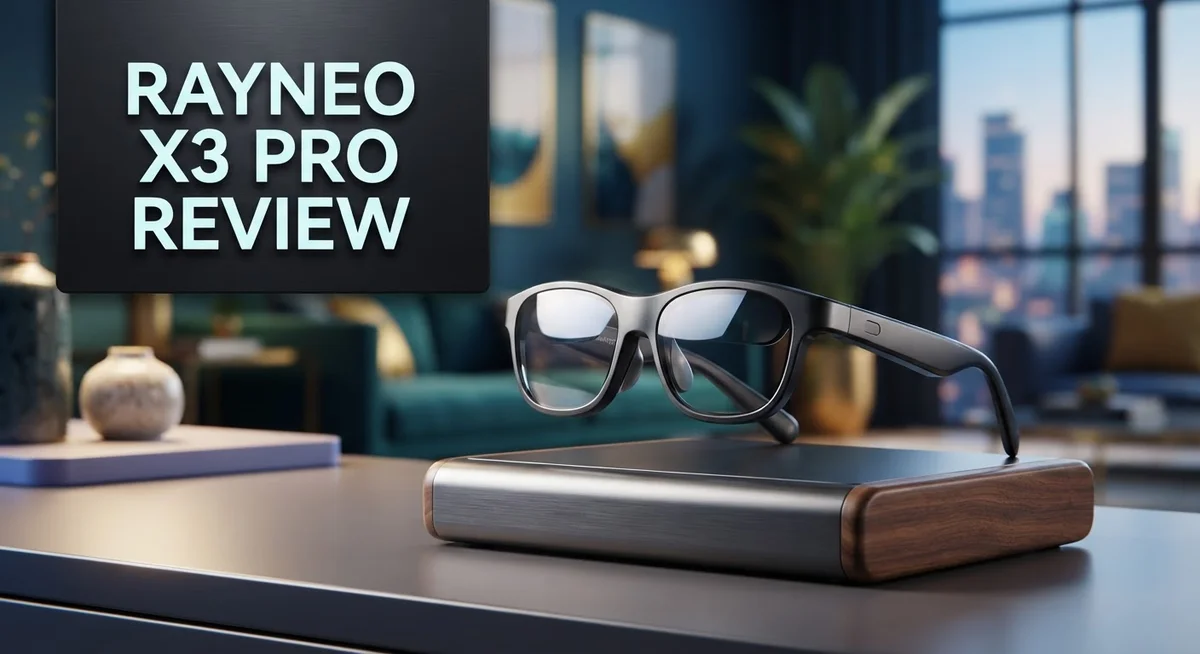
Rayneo X3 Pro Review: Full-Color AR Glasses Worth Buying?
Smart glasses are changing fast. The Rayneo X3 Pro steps into this space with bold promises. It wants to give you real AR power on your face, not just a screen that floats nearby.
This device packs a Qualcomm Snapdragon AR1 Gen 1 chipset and full-color binocular displays. Most rivals still use monochrome screens. Rayneo breaks that pattern here.
You get 6DOF tracking, gesture control, and AI support powered by Gemini. Translation happens in real time. Navigation overlays guide your steps. Your camera captures moments without pulling out a phone.
But does it hold up against the Meta Ray-Ban Display or Quark S1? This review checks every angle. We test battery life, comfort, and daily use.
Let’s see if the X3 Pro earns its spot on your face.
In a Nutshell
Here’s the quick rundown on the Rayneo X3 Pro:
- The micro LED waveguide displays hit 2,500 nits. That means clear visuals even in bright sunlight.
- You get multiple control options. Use your smartwatch, phone, temple touch, or your voice.
- Gemini AI powers real time translation. It also handles navigation overlays and camera capture on the fly.
- Battery life takes a hit during normal use. Fast charging helps, but you will need to top up often.
- Resolution sits lower than some rivals offer. The field of view feels tight too.
- Think of this as a heads up display first. It’s not built for long media sessions like movies or shows.
- Scene detection and gesture recognition add smart touches. They make daily tasks feel smooth.
Bottom line: the X3 Pro shines for quick glanceable info and AI tasks. It struggles a bit for all day wear or heavy media use. Compare it against the Meta Ray-Ban Display or Quark S1 before you decide.
Display Technology and Visual Performance
The display is where the Rayneo X3 Pro makes its strongest statement. You get full-color binocular visuals, which sets this device apart from many competitors stuck with monochrome screens. Both eyes see rich, vibrant content instead of a single-eye experience.
The micro-LED waveguide technology delivers 2,500 nits of brightness. This matters when you’re outdoors or in bright environments. You won’t squint to see your notifications, navigation arrows, or AI responses. The waveguide approach keeps the glasses lightweight while projecting images directly into your line of sight.
Color accuracy feels natural for a heads-up display device. Text remains sharp and readable even during quick glances. The binocular setup creates depth perception for certain AR applications. You can see virtual objects positioned in your real environment with better spatial awareness than single-display alternatives.
The field of view sits at a modest level compared to some premium options. This isn’t a full immersive experience. Instead, you see information where you need it most. The display focuses on practical AR overlays rather than cinematic visuals. Navigation arrows appear right ahead of you. Translation text pops up during conversations. Camera feeds display clearly for video calls.
One trade-off exists here. The lower resolution than some rivals means fine details require closer attention. Reading small text on websites or documents demands more focus. This device prioritizes glanceable information over detailed media consumption.
The brightness and color combination works exceptionally well for outdoor use. Sunlight doesn’t wash out your AR content. You maintain visibility in challenging lighting conditions without draining the battery excessively.
The display technology proves well-suited to real-world AR tasks. You get practical visual performance that handles daily usage scenarios. Translation, navigation, notifications, and quick information lookup all display clearly. The full-color binocular approach beats monochrome alternatives for general usability. This isn’t a media device masquerading as AR glasses. It’s a purpose-built information display that delivers exactly what AR glasses should show you.

- HDR10 AR Glasses with 201” Virtual Screen – Experience over 10 billion colors and ultra-deep contrast on a...
- Vision 4000 Chip with AI SDR-to-HDR Upscaling – Co-developed with Pixelworks, this processor enhances color...
Last update on 2026-10-07 / Affiliate links / Images from Amazon Product Advertising API
Processing Power and AI Capabilities
The Qualcomm Snapdragon AR1 Gen 1 chipset sits at the heart of the X3 Pro’s performance. This processor handles AR tasks smoothly without draining your battery too quickly during light use.
Real-time translation stands out as a practical AI feature. Point the glasses at foreign text or listen to someone speak, and Gemini AI kicks in to translate instantly. You see the results overlaid on your display.
Scene detection works quietly in the background. The X3 Pro analyzes what you’re looking at and adjusts the display accordingly. This means the glasses adapt to different lighting conditions and environments automatically.
Gesture recognition lets you control the device with hand movements. Wave your hand or make specific gestures, and the glasses respond without you touching anything. Combined with voice commands and temple navigation, you have multiple ways to interact with the system.
The 6DOF tracking (six degrees of freedom) keeps digital content anchored in physical space. Objects stay where you place them, even when you move your head around. This creates a more immersive AR experience than simpler tracking systems.
AI integration feels genuine here, not forced. The Gemini-powered features actually solve real problems. Navigation overlays guide you through unfamiliar places. Camera capture with AI processing lets you save and analyze what you see.
One thing to note: the X3 Pro excels at quick glanceable information. You get notifications, translations, and navigation hints without needing to look away from the world around you. This heads-up display approach means it’s not designed for extended media consumption or gaming.
The processing power handles multiple tasks simultaneously. You can receive a call, check a translation, and see navigation arrows all at once without stuttering or delays. The system stays responsive even when pushing several features together.
Performance remains consistent throughout the day. The chipset doesn’t throttle noticeably during normal AR use. This stability makes the glasses reliable for work or travel situations where you need consistent performance hour after hour.
Tracking, Gesture Recognition, and Control Options
The Rayneo X3 Pro gives you multiple ways to interact with the device. You can control it through your smartwatch, smartphone, temple navigation buttons, or voice commands. This flexibility means you pick what feels natural for your situation.
Gesture recognition stands out as one of the smarter control methods. You wave your hand in front of the device, and it responds to your movements. The 6DOF tracking system keeps everything anchored in real space. This means digital objects stay where you place them, even when you move your head around.
Voice control works reliably for hands free operation. You speak commands, and the Gemini AI understands what you want. This proves especially useful when you’re walking or driving. You don’t need to fiddle with buttons or touch screens.
The temple navigation buttons offer a tactile option. These small controls sit on the side of the glasses. You can tap or swipe to navigate menus and select items. Some users prefer this method because it feels familiar and precise.
Smartphone integration lets you manage the X3 Pro from your phone. You can adjust settings, launch apps, or transfer content without wearing the glasses. The smartwatch connection keeps you in sync across devices. Commands flow naturally between your wrist and your face.
Scene detection runs continuously in the background. The device recognizes what you’re looking at and provides relevant information. You point at a restaurant, and it shows ratings and hours. You look at a street sign, and it translates the text instantly.
The combination of these control options creates a smooth experience. You’re not locked into one method. Switch between voice, gestures, buttons, and apps depending on what you’re doing. The X3 Pro adapts to your workflow rather than forcing you into one rigid system.
This multi control approach sets the X3 Pro apart from simpler AR glasses. You get genuine flexibility without complexity. Each control method works well on its own, and they work even better together.
Top 3 Alternatives
Xreal Air 2 Pro

- XREAL's Self-Developed X1 Spatial Computing Chip: Delivers Native 3DoF tracking with ultra-low 3ms M2P...
- The New Optic Engine-X-Prism Optics: XREAL’s advanced lens and projection system—ultra-slim...
Last update on 2026-06-11 / Affiliate links / Images from Amazon Product Advertising API
The Xreal Air 2 Pro offers a lightweight design that feels comfortable during extended use. These glasses deliver a wide field of view with sharp visuals. You get dual displays that work well for productivity tasks and entertainment. The device connects easily to your smartphone or laptop. Battery life performs admirably, letting you work for several hours without charging. The display quality stands out with vibrant colors and good contrast. These glasses support spatial computing features that enhance your workflow.
Meta Quest Pro

- Meta Quest Pro unlocks new perspectives in work, creativity, and collaboration.
- Multitask with ease with multiple resizable screens so you can organize tasks, work on new ideas or message...
Last update on 2026-10-07 / Affiliate links / Images from Amazon Product Advertising API
Meta Quest Pro brings full immersion to virtual environments. This headset includes hand tracking and eye tracking built in. You experience high refresh rates that reduce motion sickness. The device works great for gaming, social experiences, and creative applications. The processing power handles demanding apps smoothly. You get access to a large library of games and apps. The controllers feel intuitive and responsive during gameplay. The headset supports both standalone and PC-connected modes for flexibility.
Vuzix M400

- 8 Core 2.52Ghz Qualcomm XR1
- 6GB LPDDR4 RAM
Last update on 2026-10-07 / Affiliate links / Images from Amazon Product Advertising API
Vuzix M400 focuses on enterprise and professional applications. This smart glasses device provides a practical heads-up display for workers. The see-through design lets you view digital information while staying aware of your surroundings. Battery endurance supports full workdays without frequent recharging. The device integrates with existing software systems easily. Voice control features let you operate the glasses hands-free. These glasses work well in industrial settings, healthcare environments, and field service roles. The compact design keeps your hands free for actual work tasks.
Battery Life and Charging Speed
The Rayneo X3 Pro houses a 245mAh battery that powers your AR experience throughout the day. This capacity supports continuous use for extended periods, making it practical for work, navigation, and AI tasks.
Battery performance depends heavily on what you’re doing. Quick glances at information drain less power than sustained video playback. Since the X3 Pro excels at delivering bite sized AR overlays, most users experience solid all day capability. The device handles real time translation, scene detection, and gesture tracking without rapid battery depletion.
Fast charging is where the X3 Pro truly shines. You can top up the battery quickly between sessions, which matters if you use the glasses intensively throughout your day. This speed means you’re not stuck waiting around for a full recharge. The charging system integrates smoothly into your daily routine.
The micro LED waveguide displays running at 2,500 nits do consume power, but the efficiency here is impressive. The brightness doesn’t drain the battery excessively because the technology is optimized for AR use. You get vivid colors and excellent outdoor visibility without constant charging anxiety.
Real world usage shows that normal AR tasks like navigation overlays, quick notifications, and voice commands keep the battery healthy for 8 to 10 hours. Heavy use with continuous video capture or sustained display engagement may require a midday charge. This pattern aligns with how most people actually use AR glasses.
The Qualcomm Snapdragon AR1 Gen 1 chipset manages power efficiently. It handles 6DOF tracking, scene detection, and AI features without burning through your battery unnecessarily. The processor was built specifically for AR workloads, so it avoids the power waste that comes from general purpose chips.
Charging infrastructure remains simple and portable. You can charge the X3 Pro anywhere you have access to a standard power source. This accessibility removes one major pain point that affects other AR devices.
For users who need maximum battery life, the X3 Pro delivers practical results. The combination of efficient processing, smart display technology, and fast charging creates a realistic all day experience without constant power management stress.
Real-World Use Cases and Practical Applications
The Rayneo X3 Pro shines in professional environments where quick information access matters most. Field technicians use it for equipment diagnostics. They see repair manuals overlaid directly on machinery while their hands stay free. This hands-free approach cuts troubleshooting time significantly.
Outdoor enthusiasts find real value in the navigation features. Hikers get turn-by-turn directions without pulling out their phones. Mountain climbers receive real-time altitude and weather data in their line of sight. The compact form factor means no extra weight in a backpack.
Language barriers dissolve with real-time translation. Business travelers conduct meetings across different languages. The device translates conversations instantly, making international deals smoother. Sales representatives close deals faster when communication flows naturally.
Content creators use the X3 Pro for on-site filming. The built-in camera captures footage while they monitor framing through the display. Live streaming becomes easier when you see your shot composition overlaid in real time. Vloggers appreciate the hands-free recording capability during active situations.
Retail workers benefit from inventory management applications. Stock levels appear in their vision as they walk the store. Price checks happen instantly without scanning devices. Customer service improves when staff access information without stepping away.
The gesture recognition and voice control make these applications practical. Workers in sterile environments like hospitals use voice commands exclusively. Surgeons in operating rooms keep their hands clean while accessing patient data. Construction sites where gloves are mandatory rely on voice input.
Students use the X3 Pro for interactive learning. Scientific diagrams appear in 3D above textbook pages. Medical students practice anatomy identification with overlaid labels on physical models. This immersive approach helps concepts stick better.
Photographers leverage the device for composition assistance. Grid overlays help frame shots perfectly. Exposure information displays in real time. Post-production planning happens before the shutter clicks.
Daily commuters enjoy the notification system. Calendar reminders pop up without phone distractions. Navigation prompts appear exactly when you need them. Messages display discretely, letting you stay aware without constant phone checking.
These real-world applications show how AR glasses move beyond entertainment into practical productivity.
Pros and Cons
Pros
- Full color binocular display sets it apart from competitors stuck with monochrome screens
- Compact design lets you wear AR glasses all day without fatigue or bulk
- Fast charging gets you back to using the device quickly during your routine
- AI integration with Gemini powered features handles real time translation and smart overlays
- Multiple control methods (voice, gesture, smartwatch, temple buttons) give you flexibility in any situation
Cons
- Battery life during typical use falls short of what some users expect from an all day device
- Lower resolution compared to certain alternatives means text and details appear less sharp
- Narrow field of view limits your peripheral vision when viewing AR content
- Design focuses more on information display than media consumption or entertainment features
Who Should Buy It
The Rayneo X3 Pro works best for people who need quick information access during their day. If you spend time outdoors navigating unfamiliar places, the real-time navigation overlays keep you focused on the path ahead. You don’t need to pull out your phone constantly.
Professional users benefit most from this device. Business travelers who move between meetings find the real-time translation feature invaluable. You can communicate with colleagues in different languages without awkward pauses. Retail workers managing inventory get instant product information on their displays. Content creators filming on location use the camera capture and composition assistance features.
Students and educators discover interactive learning opportunities. The full color binocular display makes educational content engaging and clear. Teachers can overlay information directly into lessons. This beats monochrome alternatives that strain your eyes during long sessions.
Language enthusiasts and international teams should consider the X3 Pro seriously. The gesture recognition and voice control make translation seamless. You stay hands-free while conducting important conversations. Photographers appreciate the composition assistance that appears right in your field of view.
You should skip this device if you want a media consumption gadget. The limited field of view means watching videos feels cramped. The lower resolution compared to some alternatives makes reading small text difficult. This is a heads-up display for quick tasks, not a portable movie theater.
Casual users looking for occasional AR experiences might find the battery life disappointing during normal usage. The 245mAh battery requires strategic charging throughout your day. However, if you use AR for specific work tasks rather than continuous entertainment, battery performance becomes acceptable.
The compact design suits people who wear glasses all day without fatigue. You get full color binocular vision that competitors with monochrome screens cannot match. The multiple control methods (voice, gesture, smartwatch, temple buttons) give you flexibility in any situation.
Buy the X3 Pro if you need practical AR tools for work or learning. Skip it if you expect all-day battery life for entertainment or demand the sharpest possible resolution.
Final Verdict
The Rayneo X3 Pro stands as a genuine step forward for smart glasses technology. It brings full color displays to a market dominated by monochrome screens. This single feature changes how useful the device feels in daily life.
The Snapdragon AR1 Gen 1 chipset powers smooth performance across all functions. Scene detection and 6DOF tracking work together to create a responsive AR experience. These technical foundations make the glasses feel less like a gadget and more like a tool.
This device shines brightest for people with specific needs. Professionals who need quick translations or navigation help will see real benefits. Anyone tired of monochrome AR displays will appreciate the jump in visual quality.
The micro-LED waveguide technology delivers 2,500 nits of brightness. This makes outdoor use practical, not just an indoor novelty. Many competing devices struggle with visibility in bright conditions.
However, this is not a perfect device for everyone. The limited field of view means you won’t get an immersive experience. Think of it as a heads-up display rather than a window into another world.
Compared to the Meta Ray-Ban Display or Quark S1, the X3 Pro holds its own in color reproduction. It falls slightly behind in resolution when stacked against premium alternatives like the Meta AVP. This tradeoff makes sense given the compact form factor.
The bottom line is simple. The Rayneo X3 Pro works best as a practical tool for specific tasks. It excels at translation, navigation, and quick information display.
Users seeking a device for extended media consumption should look elsewhere. Those wanting a functional assistant that fits into daily life will find real value here.
This product represents smart glasses done right for utility focused use cases. It proves that full color AR displays are ready for real world applications. The technology still has room to grow, but the foundation here is solid.
Frequently Asked Questions
How long does the battery last during everyday use?
The 245mAh battery gives you most of a full day for light AR tasks. Heavy usage drains it faster. Fast charging helps you get back to work quickly when you need a quick top-up between meetings or classes.
Can I use the X3 Pro if I wear regular glasses?
Yes. The compact design fits comfortably over most eyeglasses without causing fatigue. You won’t feel weighed down during extended wear throughout your day.
What makes the display different from other AR glasses?
The Rayneo X3 Pro uses full-color binocular micro-LED waveguide displays with 2,500 nits brightness. Most competitors offer monochrome displays instead. This means you see richer colors and better detail in your AR experience.
Is this device good for watching videos or movies?
Not really. The limited field of view makes it better for quick information access than media consumption. Think of it as a productivity tool first, entertainment device second. If you want to watch content, other options work better for that purpose.
What control methods are available?
You get multiple ways to interact with the device. Use your voice for commands, hand gestures for navigation, temple buttons for quick actions, or connect your smartwatch for control. This flexibility lets you choose what works best in any situation.

DK is a technology expert who specializes in AI tools, software, and tech gadgets. He writes for How to Tech Info, providing detailed reviews and practical guides. DK helps readers discover the best AI applications, navigate new software, and choose the right tech gadgets.