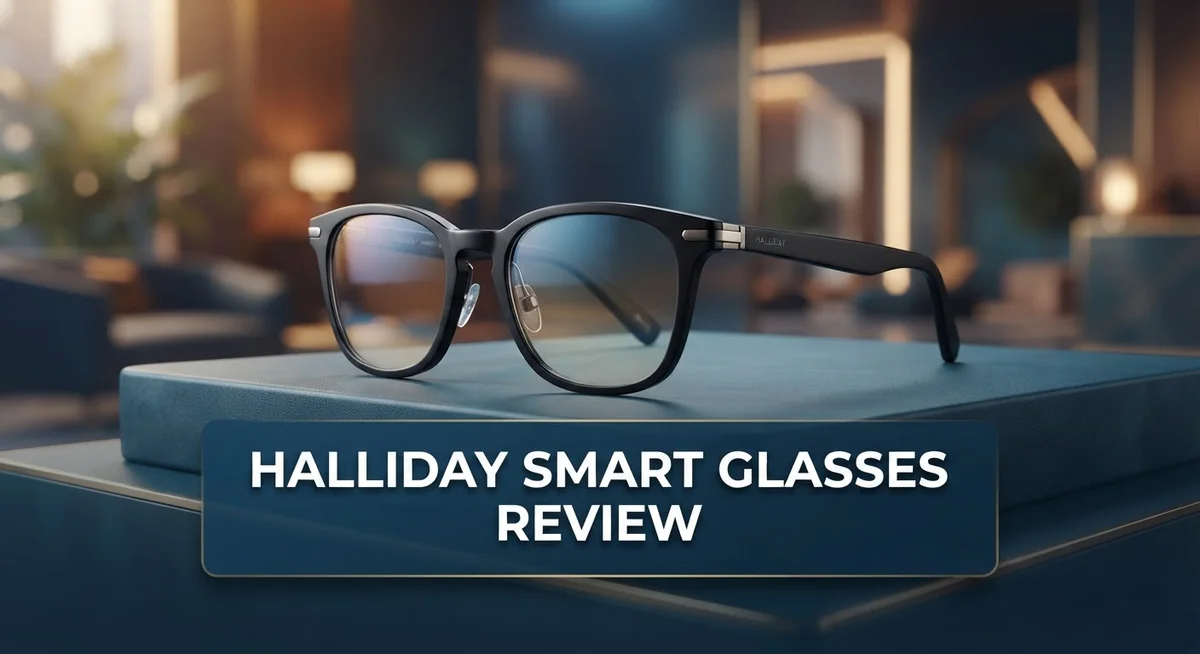
Halliday Smart Glasses Review: Is It Worth Your Money?
Smart glasses are changing how we live and work. The Halliday Smart Glasses stand out in this growing space. They promise a mix of style and smart technology.
These glasses pack a Micro LED display right into the lens. You get an adjustable view that fits many prescriptions. The Gen 2 model brings dual eye displays and better waveguides too.
What makes these glasses special? Their AI assistant listens to your chats. It gives you real time answers during meetings or talks. This feels like having a helper right on your face.
But do they work well in daily life? We tested the features, display, and sound quality. This review shares what we found. You will learn the good parts and the rough edges too.
Let’s look closer at what these glasses offer.
In a Nutshell
Here’s the quick rundown on the Halliday Smart Glasses:
-
Gen 2 brings real upgrades. The waveguides got better. Dual eye displays now show clearer images than before.
-
Prescription support is built in. Users can adjust the lens from -8.0 to +2.0. This helps people who need vision correction.
-
Accessibility stands out. The glasses offer English to English captions. This helps users follow conversations more easily.
-
Battery life needs work. Users report the charge drains fast. This limits all day use.
-
Audio quality falls short. The built in speakers sound weak. Clear sound is hard to get in noisy places.
-
Gen 1 display had issues. Many users found it tricky to view clearly. Gen 2 fixes some of this problem.
-
The missing control ring bothers users. Gen 2 removed this feature from Gen 1. Many people miss the simple controls it offered.
These glasses show promise but have rough edges. The AI features work well. Battery and audio need real improvement.
Display Technology and Visual Quality
The display tech in Halliday Smart Glasses uses Micro LED technology. This approach puts the screen directly into your lens. You get information right in your field of view without blocking what you see around you.
Gen 2 made serious improvements here. The waveguides are better than the first generation. You now get dual eye displays, which means both eyes see the same content clearly. This matters because it reduces eye strain during long use.
The original Gen 1 had real problems with display quality. Users found the screen finicky and hard to view. The image wasn’t stable or bright enough for comfortable viewing. Gen 2 fixed these issues by redesigning how light travels through the lens.
One standout feature is the prescription range built in. The display adjusts from minus 8.0 to plus 2.0 diopters. This means you can use these glasses even if you wear corrective lenses normally. You don’t need a separate pair or contact lenses underneath.
The visual clarity improved dramatically between generations. The Gen 2 display stays bright and sharp across different lighting conditions. You can read text, see notifications, and watch video content without squinting.
The micro LED approach keeps everything compact. The display doesn’t add bulk to the frame. Your field of view stays wide and natural. You’re not staring at a tiny screen in the corner of your vision.
Accessibility features enhance the visual experience too. English to English captions appear on screen in real time. This helps in noisy environments or when you want to follow conversations without relying only on audio.
One thing to note: the display quality depends on proper fit and adjustment. The glasses need to sit correctly on your face. If they slip or sit wrong, the image gets distorted. Taking time to adjust them properly makes a big difference in what you see.
The Gen 2 display represents a genuine leap forward. It addresses the core complaints from the first version. For anyone considering these glasses, the visual improvements are one of the strongest selling points.

- 【AI Real-Time Translation】The INMO GO3 smart glasses is equipped with a powerful AI translation engine...
- 【98 Languages Covered】Beyond common languages such as English, Spanish, French, and German, these...
Last update on 2026-10-07 / Affiliate links / Images from Amazon Product Advertising API
AI Features and Real-Time Assistance
Halliday Smart Glasses shine when it comes to AI features. The glasses listen to your conversations and deliver real-time answers without you asking. This proactive assistance changes how you interact with meetings and daily chats.
The AI assistant works by processing what you hear around you. It picks up key information and surfaces relevant details instantly. You don’t need to pause conversations or pull out your phone. The glasses handle the heavy lifting for you.
Real-time conversation support stands out as a major strength. When you’re in a meeting, the AI catches important points and flags them. During casual chats, it can provide context or facts you might need. This hands-free approach keeps you focused on the people in front of you.
English-to-English captions appear on your display in real time. This feature helps you catch every word, especially in noisy environments or when audio clarity matters. The captions sync with what’s happening around you, not just what you’re saying.
The Gen 2 model improved the AI processing speed compared to Gen 1. Responses feel snappier and more accurate. The dual-eye display in Gen 2 also means the AI can better understand your field of view and context.
One real limitation exists with audio quality. The built-in speakers don’t deliver crisp sound, which affects how well you hear AI responses. You may need to rely on captions more than audio in some situations. This is something to keep in mind if audio clarity matters to you.
Battery life also impacts how long these AI features stay active. You won’t get all-day performance, so plan for charging during your day. The constant AI processing drains the battery faster than passive use would.
The AI assistance is genuinely useful for staying informed without distraction. The real-time features work as intended. However, audio limitations and battery drain mean you’ll need to work around some constraints. The technology is solid, but practical factors affect the daily experience.
Design, Comfort, and Wearability
Halliday Smart Glasses feel light on your face. The frames sit comfortably for extended wear during work or social activities. Most users report minimal fatigue even after several hours of use.
The fit matters more than you might think. Proper adjustment ensures the display stays centered in your line of sight. If the glasses sit too loose or too tight, the visual experience suffers. The Gen 2 model improved the overall ergonomics compared to its predecessor.
Weight distribution plays a key role in comfort. Halliday Smart Glasses keep the heaviest components close to the bridge of your nose. This design choice prevents the glasses from sliding down or creating pressure points on your ears.
The prescription range built into the lenses is a game changer. You get optical correction from -8.0 to +2.0 diopters. This means many users don’t need to wear contacts or separate prescription glasses underneath. The lenses adjust to your specific vision needs without compromise.
Wearability improves significantly with the right fit. The glasses work best when positioned at a slight angle. This angle helps you see both the display and your surroundings without turning your head. Users report that the learning curve for proper positioning takes just a few days.
The frame material feels durable and lightweight. Halliday chose materials that resist scratches and daily wear. The overall construction suggests these glasses can handle regular use in offices, coffee shops, and outdoor settings.
One thing to note: the removed control ring in Gen 2 affects how you interact with the device. Some users miss the tactile feedback from the previous generation. Navigation now relies more on voice commands and touch surfaces on the frame.
The design philosophy prioritizes practicality over flashiness. These glasses look professional without screaming “high tech.” You can wear them in business meetings or casual gatherings without drawing unwanted attention.
Temperature and moisture resistance add to daily wearability. The glasses perform well in various weather conditions. This makes them reliable whether you work indoors or spend time outside regularly.
Top 3 Alternatives
Ray-Ban Meta Glasses

- #1 SELLING AI GLASSES - Tap into iconic style for men and women, and advanced technology with the newest...
- UP TO 8 HOURS OF BATTERY LIFE - On a full charge, these smart AI glasses can last 2x longer than previous...

Last update on 2026-06-09 / Affiliate links / Images from Amazon Product Advertising API
Ray-Ban Meta Glasses blend fashion with technology. You get a stylish frame that works like smart glasses. The built-in cameras let you capture photos and videos from your perspective. Voice commands make it easy to control the device without using your hands.
These glasses work well for social media content creation. You can livestream directly to Facebook or Instagram. The audio features let you take calls and listen to music. Battery life keeps up with your daily activities.
Meta Quest Pro

- Meta Quest Pro unlocks new perspectives in work, creativity, and collaboration.
- Multitask with ease with multiple resizable screens so you can organize tasks, work on new ideas or message...
Last update on 2026-10-07 / Affiliate links / Images from Amazon Product Advertising API
Meta Quest Pro offers a full virtual reality experience. This headset immerses you in digital worlds with high-quality graphics. The controllers give you precise hand tracking and interaction options.
You can use it for gaming, work, and entertainment. The device supports productivity apps alongside gaming experiences. Spatial audio creates an immersive sound environment. Hand and eye tracking make interactions feel natural and intuitive.
Snap Spectacles

- 3D VIDEO & PHOTO: Meet Spectacles 3 — camera glasses that capture your world in 3D. Two HD cameras record 3D...
- CHARGING CASE: Recharge Spectacles 3 on the go in their included leather Charging Case, which can store up to...
Last update on 2026-10-07 / Affiliate links / Images from Amazon Product Advertising API
Snap Spectacles focus on fun and social sharing. These glasses let you capture photos and videos with a unique perspective. The AR features add creative filters and effects to your content.
The device works best for social media enthusiasts. You can record hands-free and share instantly to Snapchat. The design feels lightweight and comfortable for extended wear. Snap’s ecosystem makes it easy to explore AR experiences and games.
Each option serves different needs. Ray-Ban Meta Glasses work for everyday wear with smart features. Meta Quest Pro delivers immersive virtual reality. Snap Spectacles prioritize social sharing and AR fun. Your choice depends on whether you want fashion-forward tech, immersive gaming, or social content creation.
Battery Life and Audio Performance
Battery performance stands as one of the most talked about shortcomings with Halliday Smart Glasses. The battery simply doesn’t last long enough for all-day use. Most users report getting only a few hours of continuous operation before needing a charge. This limitation becomes especially frustrating when you rely on the AI features, which drain power faster than passive use.
The battery drain accelerates when you actively use the AI assistant. Real-time conversation processing and caption generation both consume significant power. If you plan to wear these glasses for an entire workday, you’ll need to have a charging solution nearby. The short battery life essentially forces you to manage your usage carefully.
Audio quality presents another genuine weakness. The built-in speakers produce sound that many users find underwhelming. Speech clarity suffers at higher volumes, and the audio lacks the richness you’d expect from smart glasses at this level. The speakers work for basic notifications and alerts, but they struggle with music or complex audio content.
The audio limitations become more apparent when using the AI features. Hearing the real-time responses clearly matters when you’re getting instant information during conversations. Quiet audio output means you might miss important details. Some users resort to wearing earbuds alongside the glasses to compensate for this shortcoming.
The combination of weak battery life and poor audio quality significantly impacts the overall user experience. You can’t wear these glasses all day without charging, and when you do use them, the audio performance feels subpar. The AI features shine in terms of functionality, but the hardware supporting them needs improvement.
Halliday addressed some issues in the Gen 2 model, but battery life and audio quality remain problem areas. If extended wear time and high-quality sound matter to you, these remain important considerations before purchasing. The glasses excel at what they do with AI assistance, but the supporting hardware still needs work.
Accessibility and Ease of Use
Halliday Smart Glasses prioritize user accessibility through several thoughtful design choices. The adjustable micro LED display accommodates prescription ranges from -8.0 to +2.0, meaning you don’t need separate corrective lenses underneath. This built-in adjustment eliminates a major friction point for vision-corrected users.
The interface simplifies navigation for everyday wear. You control the device through voice commands and gestures rather than complex menu systems. The Gen 2 model removed the control ring, which some users found frustrating, but the streamlined approach actually makes the glasses more intuitive for most people.
Real-time captions transform how you interact with conversations and meetings. English-to-English captions appear directly on your display, helping you catch important details without asking people to repeat themselves. This feature benefits anyone in noisy environments or those with hearing challenges.
Setup and initial configuration take minimal time. The glasses connect to your smartphone through a straightforward app. Once paired, the AI assistant activates automatically during conversations, requiring no manual intervention from you.
Physical accessibility matters too. The lightweight frame design reduces fatigue during extended wear. Proper positioning at a slight angle ensures optimal display visibility without straining your eyes or neck. The fit system accommodates different head shapes without requiring complex adjustments.
One consideration: the removed control ring in Gen 2 means you rely more on voice commands. Some users prefer physical buttons, so this change affects accessibility for those who find voice interaction challenging in certain situations.
The audio output through built-in speakers creates an accessibility trade-off. While sound delivery is convenient, audio quality remains limited. Users who depend on audio cues for navigation should understand this limitation upfront.
Overall, Halliday Smart Glasses make smart technology approachable for everyday users. The prescription integration, real-time captions, and simplified controls remove common barriers. The main accessibility gaps involve audio quality and the shift away from physical controls, but these don’t significantly hinder most users from enjoying core features.
Pros and Cons
Pros
- AI listens to your conversations and gives you real-time answers without you asking
- English-to-English captions let you follow conversations and meetings instantly
- Gen 2 model has much sharper display quality with improved waveguides for both eyes
- Prescription range from -8.0 to +2.0 means many people skip separate glasses
- Light weight and balanced fit keep them comfortable during all-day wear
Cons
- Battery drains fast, especially when you use the AI features actively
- Audio quality through the speakers is noticeably weak and tinny
- Gen 1 display was hard to view and required constant angle adjustments
- Gen 2 removed the control ring, so you depend more on voice commands instead
Who Should Buy It
Halliday Smart Glasses work best for people who spend significant time in meetings, conversations, and collaborative work environments. If you frequently need real-time information during discussions, these glasses shine. The AI assistant listens and provides answers without interrupting your flow.
Professionals who rely on captions will find genuine value here. The English-to-English caption feature transforms how you participate in conversations and meetings. You catch details you might otherwise miss. This feature matters most for people with hearing challenges or those working in noisy settings.
Tech-forward professionals appreciate the proactive AI assistance. You get answers to questions you haven’t even asked yet. The glasses anticipate what information you need during conversations. This works particularly well for sales professionals, consultants, and managers who need quick facts on demand.
People with vision correction needs should consider these glasses seriously. The prescription range from -8.0 to +2.0 means many users skip wearing separate eyeglasses. You get one device instead of juggling multiple pairs. The lightweight design keeps them comfortable during extended wear throughout your day.
However, certain users should think twice before buying. If you work in environments where you cannot tolerate frequent charging, these glasses present a challenge. The battery drains quickly, especially when you actively use the AI features. You’ll need to charge them regularly during your workday.
Users who rely heavily on audio quality should look elsewhere. The built-in speakers deliver noticeably weak sound. If you need clear audio for calls or voice commands, the speaker performance will frustrate you. This limitation becomes more apparent when you depend on the audio for critical tasks.
Early adopters and innovation enthusiasts form another ideal audience. The Gen 2 model shows significant improvements over Gen 1, particularly with display quality. If you enjoy testing new technology and can overlook current limitations, you’ll appreciate what Halliday offers.
People who prefer physical controls over voice commands should note that Gen 2 removed the control ring. You’ll interact primarily through voice. This works well for some users and feels limiting for others.
Ultimately, Halliday Smart Glasses fit people who value AI assistance, accessibility features, and prescription integration over battery life and audio performance.
Final Verdict
Halliday Smart Glasses bring a fresh approach to wearable tech. They blend AI assistance with practical display features. This combination makes them stand out in a crowded market.
The Gen 2 upgrade shows real progress. Dual eye displays and better waveguides fix many early issues. This tells us the brand listens to feedback and improves fast.
Still, these glasses are not perfect for everyone. Battery life remains a weak point that limits all day use. Anyone who needs constant power should plan around this gap.
Sound quality also falls short of expectations. The built in speakers work fine for basic tasks. But they lack depth for music or detailed audio work.
So who should buy these glasses? Think about your daily routine first. If you attend many meetings or conversations, the AI tools add real value.
Students and researchers may also find these glasses useful. Real time information during lectures or interviews can save time. The display helps you stay focused without reaching for a phone.
On the other hand, casual users might not need all these features. If you simply want stylish eyewear, simpler options may suit you better. These glasses target a specific type of user.
The AI driven design makes Halliday Smart Glasses feel ahead of their time. Few competitors offer this level of proactive assistance right now. This gives Halliday a unique spot in the smart glasses space.
Before you decide, weigh your priorities carefully. Do you value smart features over traditional comfort? Your answer will guide your final choice.
In short, Halliday Smart Glasses reward users who embrace new tech. They ask for some patience with battery and audio limits. But they deliver genuine innovation in return.
For people ready to test the future of wearable AI, these glasses offer a strong starting point. They show where smart eyewear is heading next.
Frequently Asked Questions
Can I wear Halliday Smart Glasses if I need vision correction?
Yes, absolutely. The micro LED display supports a prescription range from -8.0 to +2.0. This means many people with vision needs can skip carrying separate glasses. You get correction built right into the frames.
How does the AI assistance actually work?
The glasses listen to your conversations and meetings in real time. When you need an answer, the AI pulls information instantly without you asking. Real-time answers appear on your display while you stay focused on the person in front of you. English-to-English captions also help you follow what’s being said.
What improved in the Gen 2 model?
The Gen 2 upgrade brings sharper display quality. The improved waveguides now work for both eyes, making the image clearer and easier to read. However, Halliday removed the physical control ring that Gen 1 users had. Some people miss this feature for hands-free control.
Should I worry about battery life?
Yes, battery life is a real limitation. The battery drains quickly, especially when you use AI features actively throughout your day. If you’re in back-to-back meetings, you may need to charge midday.
Is the audio quality good for calls?
No, audio quality falls short. The built-in speakers produce sound that feels noticeably weak and tinny. If you rely heavily on call quality or audio output, these glasses may disappoint you. Consider this a trade-off for the visual features.

DK is a technology expert who specializes in AI tools, software, and tech gadgets. He writes for How to Tech Info, providing detailed reviews and practical guides. DK helps readers discover the best AI applications, navigate new software, and choose the right tech gadgets.