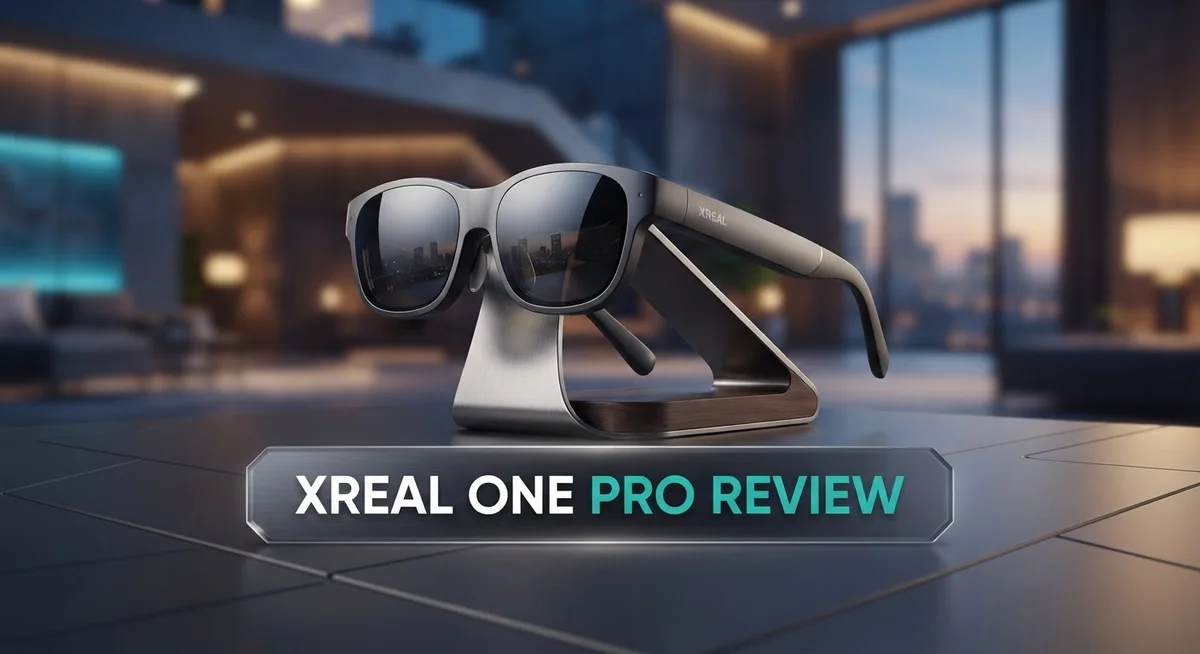
Xreal One Pro Review: AR Smart Glasses Worth Buying?
Smart glasses are getting better every year. The Xreal One Pro is a great example of this progress.
This device brings a 52° field of view. That is the widest in its category right now. You get more screen space without turning your head.
The lenses are flat prisms this time. They sit 44% thinner than older triangular designs. This makes the glasses look sleek and feel light on your face.
Picture quality stands out too. Colors look vibrant. There is no screen door effect to distract you. Many users say it beats the Meta Quest 3 on visuals alone.
But is it perfect? Not quite. Some users report blurry edges and placement issues.
This review breaks down everything you need to know. We cover the specs, the real world performance, and how it stacks up against rivals like Viture and TCL RayNeo.
In a Nutshell
Here is the quick rundown on the Xreal One Pro. This list covers the key points you need before diving deeper.
-
Powerful chip inside. The glasses run on an X1 Snapdragon chip. This powers smooth menu navigation and quick response times.
-
Universal connection. It uses USB-C DP compatibility. You can plug it into an iPhone or a handheld gaming device easily.
-
Comfortable fit. The design stays lightweight. You can wear these glasses for long sessions without neck strain.
-
Simple controls. Four physical buttons handle all functions. There is no wake word needed, which keeps things private and fast.
-
Sharp resolution options. You get 3840 x 1080 resolution at 60Hz. Switch to 1920×1080 at 120Hz for smoother motion in fast content.
-
Strong competition exists. The Meta Quest 3 and Viture offer similar features. However, this device claims the widest FOV in the smart glasses category right now.
-
Mixed user feedback. Some early buyers feel thrilled. Others point out issues with eye tracking and comfort.
Display Quality and Field of View
The display quality of the Xreal One Pro sets a new standard for AR smart glasses. You get vibrant colors that pop off the screen without any screen door effect, which means the pixels blend together smoothly. This is a major step forward from earlier AR devices that felt pixelated or dull.
The resolution options give you flexibility based on what you need. At 3840 x 1080 resolution running at 60Hz, you experience crystal clear visuals for everyday tasks. If you want faster motion, you can switch to 1920 x 1080 at 120Hz for smoother gameplay or video playback. Both modes deliver contrast rich imagery that makes content stand out.
The 52° field of view represents the widest option available in AR smart glasses today. This 15% increase compared to previous models means you see more of your digital content without turning your head constantly. The expanded view creates a more immersive experience when watching videos or working with multiple windows.
The flat prism lenses deserve special attention here. These new lenses are 44% thinner than the old triangular design, which improves comfort and reduces the visual weight of the device. The optical quality feels superior to what you get with the Meta Quest 3, especially in color reproduction and brightness levels.
However, some trade offs exist. Blurry edges appear in the peripheral vision for certain users, which can distract during extended use. The display is also sensitive to how you position the glasses on your face. If the interpupillary distance (IPD) doesn’t align perfectly with your eyes, the image clarity drops noticeably.
The X1 Snapdragon chip powers the display processing, ensuring smooth rendering of high resolution content. This processing power keeps the visuals sharp even when you’re running demanding applications or multitasking across different screens.
Overall, the display quality shines as one of the strongest features of the Xreal One Pro. The combination of vibrant colors, wide field of view, and high resolution creates an engaging visual experience. Just keep in mind that proper fit and positioning matter for getting the best results.

- XREAL's Self-Developed X1 Spatial Computing Chip: Delivers Native 3DoF tracking with ultra-low 3ms M2P...
- The New Optic Engine-X-Prism Optics: XREAL’s advanced lens and projection system—ultra-slim...
Last update on 2026-06-11 / Affiliate links / Images from Amazon Product Advertising API
Design and Build Quality
The Xreal One Pro shows serious attention to physical construction. The flat prism lenses are 44% thinner than the previous triangular design. This means the glasses sit more comfortably on your face without extra bulk.
The frame itself stays lightweight. You won’t feel weighed down during long viewing sessions. The overall build feels solid and durable for everyday use.
Four physical buttons control all functions. You don’t need voice commands or wake words here. This approach keeps things simple and reliable.
The optical design brings both strengths and trade offs. The flat prisms deliver crisp visuals with vibrant colors. You won’t see the screen door effect that plagues some competitors. However, some users report blurry edges at the periphery.
Placement sensitivity matters more than you might think. The glasses require precise positioning on your nose to hit the sweet spot. If they sit even slightly off, image quality suffers. This is worth considering if you plan to wear them for extended periods.
The lens construction supports the 3840 x 1080 resolution at 60Hz. The X1 Snapdragon chip processes all that visual data without lag. The system handles the rendering smoothly, even at higher frame rates.
One notable absence is foveated eye tracking. This feature would help optimize image quality based on where you’re looking. Many premium devices now include this, so its omission stands out.
The build quality feels premium overall. The materials seem well chosen for durability. Connections use USB-C DP compatibility, which works with iPhones and handheld devices seamlessly.
The real question is whether the design serves your needs. If you value lightweight construction and sharp visuals, this device delivers. If you need perfect edge clarity or advanced eye tracking, you’ll find limitations. The flat prism lenses represent genuine innovation. They make the glasses thinner and lighter while maintaining excellent display quality.
Performance and Processing Power
The X1 Snapdragon chip forms the core of the Xreal One Pro’s processing abilities. This processor handles all the heavy lifting for display rendering and app performance. You get smooth operation across demanding AR applications without stuttering or lag.
The glasses support two resolution modes. At 3840 x 1080 resolution, you experience full sharpness at 60Hz. If you prefer higher refresh rates, drop to 1920 x 1080 and jump to 120Hz. This flexibility lets you choose between visual clarity and motion smoothness based on your needs.
USB-C DP compatibility opens up broad device support. You can connect iPhones, handheld gaming devices, and other USB-C equipped gadgets directly. The connection remains stable and responsive across different platforms. This universal approach beats proprietary connectors found on competing models.
The flat prism lens design contributes significantly to processing efficiency. These lenses are 44% thinner than previous triangular designs. Thinner optics mean less computational overhead for image processing. The result is crisper visuals with better contrast and vibrant colors throughout the display.
Real world performance shows solid results for everyday use. Scrolling through menus feels intuitive and responsive. Video playback remains smooth without frame drops. Gaming applications run without noticeable delays between your actions and on screen responses.
One limitation exists here. The Xreal One Pro lacks foveated eye tracking technology. This means the glasses cannot reduce processing power in peripheral areas where your eyes don’t focus. Competitors like Meta Quest 3 use this feature to optimize performance. Without it, the X1 chip works at full capacity across the entire display at all times.
Battery performance ties directly to processing demands. Higher resolution and refresh rates consume more power than lower settings. Users should expect shorter session times when running at maximum specifications. The lightweight design means the device won’t drain your battery as quickly as heavier alternatives.
Overall, the processing power delivers smooth and reliable performance for most AR tasks. The chip handles current applications without breaking a sweat. Whether this meets your specific needs depends on the apps you plan to use most frequently.
Top 3 Alternatives
Meta Quest Pro

- Meta Quest Pro unlocks new perspectives in work, creativity, and collaboration.
- Multitask with ease with multiple resizable screens so you can organize tasks, work on new ideas or message...
Last update on 2026-10-07 / Affiliate links / Images from Amazon Product Advertising API
The Meta Quest Pro stands out as a powerful option for mixed reality experiences. This device lets you blend digital content with your real surroundings. You get excellent hand tracking that works without controllers, making interactions feel natural and intuitive.
The display quality impresses with vibrant colors and sharp visuals. Processing power handles demanding apps smoothly. You can use it for gaming, work, or creative projects. The headset supports a wide range of applications through the Meta ecosystem.
Battery life gives you several hours of continuous use. The device connects easily to your PC for enhanced experiences. Social features let you meet others in virtual spaces and collaborate on projects.
Apple Vision Pro

- NO WIRES, MORE FUN — Break free from cords. Game, play, exercise and explore immersive worlds — untethered...
- 2X GRAPHICAL PROCESSING POWER — Enjoy lightning-fast load times and next-gen graphics for smooth gaming...

Last update on 2026-06-17 / Affiliate links / Images from Amazon Product Advertising API
Apple’s Vision Pro delivers premium spatial computing with a sleek design. The display technology creates stunning visual clarity that rivals professional monitors. You interact using your eyes, hands, and voice, making the experience feel effortless.
The device excels at blending apps into your physical space. You can resize windows, arrange them around you, and work naturally. Spatial audio makes sounds come from specific locations in your environment, enhancing immersion.
Integration with your Apple devices happens seamlessly. Photos, videos, and documents transfer instantly. The system learns your preferences and adapts to your needs over time.
Magic Leap 2

Last update on 2026-10-07 / Affiliate links / Images from Amazon Product Advertising API
Magic Leap 2 focuses on enterprise and professional applications. The lightweight design makes it comfortable for extended wear during work sessions. The display provides a wide field of view that captures more of your surroundings.
Precision tracking ensures digital objects stay locked in place. The device handles complex 3D modeling and visualization tasks effectively. It connects well with existing business software and workflows.
Battery performance supports full workdays. The system runs applications designed for productivity, training, and industrial use. Hand and eye tracking give you multiple ways to control your environment.
Connectivity and Device Compatibility
The Xreal One Pro connects to a wide range of devices through USB-C DisplayPort compatibility. This means you can link it to your iPhone, Android handhelds, and other USB-C equipped gadgets without needing extra adapters.
The connection process feels straightforward. Simply plug in your USB-C cable and the glasses recognize your device automatically. You get immediate access to your phone’s screen or gaming content right in front of your eyes.
Multiple device support makes the Xreal One Pro flexible for different situations. You can switch between your smartphone, tablet, or portable gaming device throughout the day. The glasses work equally well with each one, so you’re not locked into a single ecosystem.
The X1 Snapdragon chip handles the connection processing smoothly. It manages data flow from your connected device without lag or stuttering. This means streaming video or playing games feels responsive and natural.
One important detail matters here. The resolution you get depends on what your connected device can deliver. At 3840 x 1080 resolution and 60Hz, you’ll see crisp visuals. If you prefer higher refresh rates, the glasses support 1920 x 1080 at 120Hz instead.
Battery life connects directly to your device choice. Phones drain faster when powering the glasses than tablets do. This is normal because smaller devices have less power capacity overall.
The four physical buttons give you control without touching your phone. You navigate menus, adjust settings, and switch apps using these buttons alone. This hands free approach works great when your device sits in your pocket.
Device compatibility extends beyond just smartphones and tablets. The USB-C DP standard means future devices will likely work too. This forward thinking design keeps your investment relevant as technology evolves.
The Xreal One Pro doesn’t require specific software installations on most devices. It works as a display extension, similar to connecting an external monitor. This universal approach removes compatibility headaches and setup confusion.
User Interface and Controls
The Xreal One Pro keeps its control system refreshingly simple. You get four physical buttons that handle everything you need. This means you never fumble around with voice commands or complicated gestures.
The menu navigation feels intuitive once you pick up the basics. Moving between apps and settings doesn’t require a learning curve. The interface responds quickly to your inputs, making everyday tasks feel natural. You can switch between AR modes without breaking your focus on what matters.
The button layout puts essential controls right at your fingertips. Power, menu, and navigation buttons sit in logical positions. You’ll find yourself using them without thinking after the first few minutes. This physical approach beats relying on voice recognition in noisy environments.
The display itself contributes to the control experience. With no screen door effect visible, you see menus and text clearly. The contrast rich display makes buttons and icons pop against the background. Your eyes don’t strain when reading on screen text or navigating menus.
One thing stands out: the absence of a wake word requirement. You simply press a button to activate the device. This eliminates accidental activations and keeps things under your direct control. It’s a small detail that improves the overall user experience significantly.
The flat prism lens design supports smooth visual feedback when you navigate. Menu transitions appear crisp and responsive. The 52 degree field of view means you see more of the interface at once. You don’t need to move your head as much to view full menus.
Placement sensitivity does affect how the interface appears to you. Getting the fit right ensures menus stay centered in your vision. Once adjusted properly, the controls feel reliable and consistent. The lightweight construction makes finding that sweet spot easier than with heavier devices.
The USB-C DisplayPort connection simplifies initial setup too. Pairing with your device happens without complex software installations on most phones. The straightforward connection process extends to the overall control philosophy. Everything about the Xreal One Pro prioritizes simplicity and directness in how you interact with it.
Pros and Cons
Pros
- The 52° field of view stands as the widest available in AR smart glasses, giving you more visual space than competitors like Meta Quest 3
- Vibrant colors and a crisp, contrast rich display eliminate screen door effects for a clean viewing experience
- The flat prism lenses are 44% thinner than previous designs, making the glasses feel lightweight and comfortable for extended wear
- Four physical buttons provide intuitive control without needing voice commands or wake words
- USB C DisplayPort compatibility connects instantly to iPhones, handhelds, and multiple device types
Cons
- Blurry edges occur around the periphery of the display, affecting the clarity of your full field of view
- No foveated eye tracking means the glasses cannot optimize performance based on where you’re actually looking
- IPD and placement sensitivity issues require careful positioning to get the best image quality, which can be frustrating during setup
- Some early users reported mixed impressions about overall performance compared to expectations
Who Should Buy It
The Xreal One Pro works best for specific types of users. If you spend time gaming on handhelds or mobile devices, this device fits your needs perfectly. The USB-C DisplayPort connection lets you link it instantly to your phone, tablet, or gaming device without complicated setup steps.
Content creators will appreciate the vibrant colors and crisp display. The 52° field of view gives you more screen space than other AR glasses. This wider view helps when you’re editing videos or reviewing content on a larger virtual canvas.
Are you someone who moves between different devices throughout your day? The Xreal One Pro handles this transition smoothly. You can switch from your iPhone to a handheld gaming device without restarting anything. The four physical buttons keep your hands free from your phone, which matters if you’re multitasking.
Tech enthusiasts who value display quality will notice the difference immediately. The flat prism lenses eliminate screen door effects. Colors pop without that grainy feeling you get with older AR glasses. If you’ve tried other options and found them underwhelming visually, this device addresses those complaints directly.
Professional users who need portability will like the lightweight design. The 44% thinner lenses compared to previous models mean less weight on your face during long sessions. This matters if you’re wearing them for hours while working or creating content.
However, some users should wait. If you need foveated eye tracking for specific applications, this device doesn’t offer that feature yet. If you’re sensitive to placement issues or prefer glasses that work perfectly from any angle, you might experience frustration with the IPD sensitivity.
Casual users who want a simple AR experience should consider other options. The Xreal One Pro demands that you understand device compatibility and USB-C connections. If you prefer plug-and-play simplicity, the learning curve might feel unnecessary.
Ultimately, the Xreal One Pro targets users who value display quality, device flexibility, and portable design. You should buy it if these features match your actual daily needs.
Final Verdict
The Xreal One Pro earns its place as a top pick in AR smart glasses. It delivers sharp visuals and smart design choices that set it apart from rivals like the Meta Quest 3 and Viture.
This device shines brightest for people who want display quality above all else. The wide field of view and rich colors create an immersive experience that few competitors can match right now.
Still, no product works for everyone. The blurry edges and lack of eye tracking mean some users might feel let down. If you need flicker free clarity across your whole view, this gap matters.
IPD sensitivity also plays a role in your experience. Getting the fit right takes patience. Once you nail it, the payoff is a crisp and vivid display that feels worth the effort.
Compared to the TCL RayNeo Air 4 Pro and Google Android XR Glasses, the Xreal One Pro holds its own. Its combination of thin lenses and simple button controls gives it an edge in daily comfort.
We recommend this product for tech lovers, content creators, and professionals who move between devices often. Your workflow will likely feel smoother with the USB-C DisplayPort setup.
Casual users or those who want plug and play simplicity without any learning curve may want to pause. Mixed first impressions suggest this glasses model rewards patience more than instant gratification.
In short, the Xreal One Pro pushes AR glasses forward. It proves that smart glasses can offer real visual depth without heavy hardware.
The pros clearly outweigh the cons for its target audience. Display quality, portability, and flexible connections make it a smart buy for the right user.
If you value picture quality and don’t mind a short adjustment period, this pick deserves serious thought. It stands as one of the most capable AR glasses available today.
Frequently Asked Questions
Does the Xreal One Pro work with my iPhone?
Yes, it does. The Xreal One Pro connects via USB-C DisplayPort compatibility. You can plug it directly into your iPhone and start using it right away. The connection is instant and seamless across multiple device types.
What makes the display quality stand out?
The Xreal One Pro delivers vibrant colors and a crisp, contrast-rich display. You won’t see the screen door effect that plagues many AR glasses. The 3840 x 1080 resolution at 60Hz produces sharp visuals. The flat prism lenses also contribute to this clarity by eliminating screen artifacts.
Will the fit be comfortable for long sessions?
The lightweight design makes extended wear possible. However, IPD sensitivity matters here. Getting the fit right takes patience and adjustment. Once you dial in the proper positioning, comfort improves significantly. Some users report blurry edges if the glasses aren’t positioned exactly right on your face.
How do I control the Xreal One Pro?
Four physical buttons handle all your navigation needs. You don’t need to use voice commands or wake words. The menu system is intuitive, so you’ll learn the button layout quickly. This tactile control approach feels natural and responsive.
How does it compare to other AR glasses?
The Xreal One Pro offers the widest field of view in the AR smart glasses category at 52 degrees. This 15% increase over previous models gives you more visual space. The display quality surpasses the Meta Quest 3 in many ways. Against the TCL RayNeo Air 4 Pro and Google Android XR Glasses, the Xreal One Pro holds strong in picture quality and FOV.

DK is a technology expert who specializes in AI tools, software, and tech gadgets. He writes for How to Tech Info, providing detailed reviews and practical guides. DK helps readers discover the best AI applications, navigate new software, and choose the right tech gadgets.