
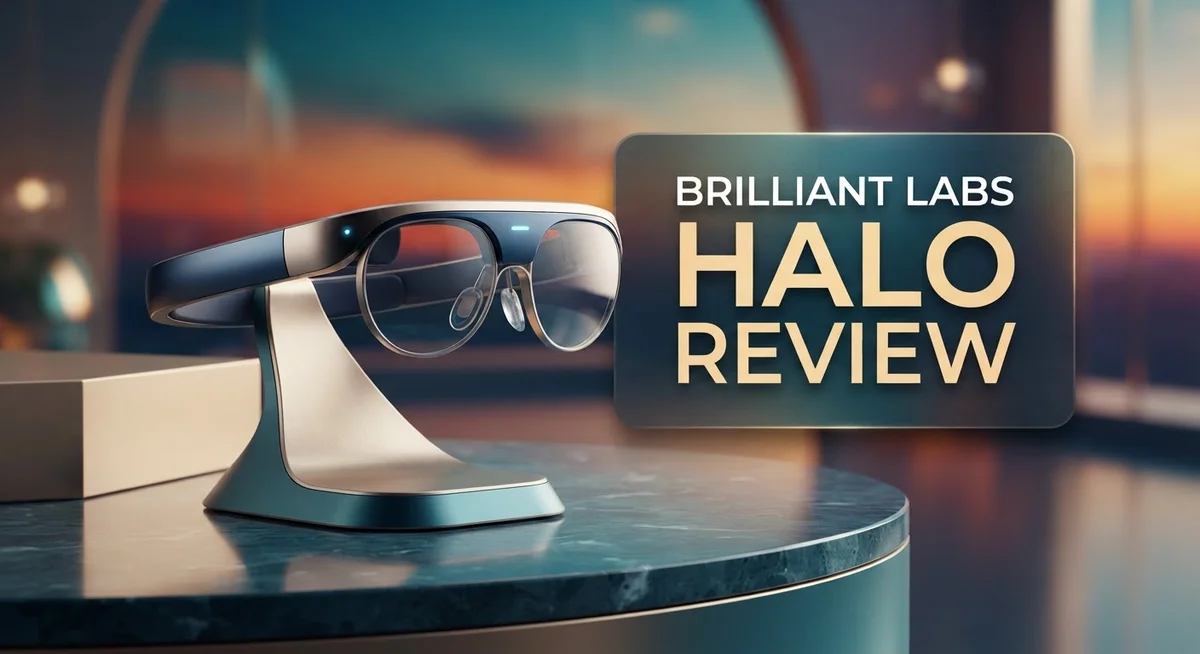
Brilliant Labs Halo Review: AI-Powered Smart Glasses Worth It?
Brilliant Labs Halo brings a fresh idea to smart glasses. It mixes a color microOLED display with on-device AI. This creates a unique wearable experience.
This is not just another camera gadget. It skips the full camera for a simple VGA sensor. Instead, it focuses on smart assistance.
Meet Noa, the built in AI assistant. Noa remembers names and conversations. It even helps with multi-language translation on the fly.
Privacy matters with this device. All AI processing happens on the device itself. Your data stays with you, not in the cloud.
Built on an open-source platform, Halo invites developers to build new tools. It offers a stylish design for daily wear too.
Does it beat the competition? We break down the pros, the cons, and everything in between. Let’s see if Halo fits your lifestyle.
In a Nutshell
Here’s the quick rundown on the Brilliant Labs Halo:
-
Smart display tech: The glasses use a color microOLED display for crisp visuals. But brightness struggles outdoors, so indoor use feels better.
-
Sensor limitations: Halo skips a full camera. It uses a VGA sensor instead. This keeps things simple but limits photo and video tasks.
-
All day wear: Battery life hits 14 hours on a single charge. The lightweight frame makes it comfortable for short stretches. Longer sessions may cause some fit issues.
-
Smart features that matter: Noa remembers names and conversations. It also translates languages in real time. These features aim to make daily life easier.
-
Power draw concerns: Users report higher power consumption than expected. This might affect how long the battery actually lasts in real use.
-
How it stacks up: Compared to Ray-Ban Meta Gen 2 and Even Realities G2, Halo takes a different path. It focuses on AI smarts over camera quality.
Key Features and AI Capabilities
Brilliant Labs Halo stands out because it processes information directly on the device. Your conversations stay private. Noa, the AI assistant, learns your habits and remembers details about people you meet.
The color microOLED display delivers sharp visuals in indoor settings. Text appears crisp and readable. However, outdoor brightness falls short on sunny days, which limits use during daytime outings.
Noa excels at name recall and conversation memory. The AI builds a narrative history of your interactions. You mention a colleague’s project once, and Noa brings it up later. This feature helps you stay connected without manual note-taking.
Multi-language translation happens in real time. You speak English, and Noa converts your words to Spanish, French, or Mandarin instantly. The translation works through embedded microphones and speakers, making conversations feel natural.
The VGA sensor is intentionally limited. Brilliant Labs chose a low-resolution sensor over a full camera. This design protects privacy and reduces data collection concerns. You get helpful functions like text recognition without recording everything you see.
Battery performance reaches 14 hours per charge. That covers most workdays without needing a midday top-up. However, users report higher power drain than expected when using AI features continuously. Heavy users may find themselves charging more frequently.
On-device AI processing means no cloud dependency. Your data doesn’t travel to servers. This approach keeps sensitive information local and secure.
The open-source architecture invites developers to create custom tools. Builders can expand Noa’s capabilities beyond the factory settings. This flexibility appeals to tech enthusiasts and professionals who want personalized features.
Comfort during extended wear requires adjustment time. The frames sit on your face for hours. Some users notice pressure points after prolonged use, though lightweight construction helps minimize fatigue.
Halo takes a privacy-first approach that differs from mainstream competitors. It prioritizes what happens on the device over raw processing power. This philosophy appeals to users who value data security and personal control over features.

- BRILLIANT EYE BRIGHTENER: Our versatile cream-to-powder highlighter and eyeshadow stick illuminates and...
- SHIMMER FINISH: Pili features a cool gold shimmer formula powered by Ring Light Technology for a universally...

Last update on 2026-10-07 / Affiliate links / Images from Amazon Product Advertising API
Design and Build Quality
The Halo glasses feature a slim, modern frame design that fits comfortably into your daily routine. Brilliant Labs prioritized lightweight construction so you can wear them all day without neck strain. The frame materials feel premium yet durable for regular use.
The color microOLED display sits just above your right eye. This compact screen delivers sharp, vivid visuals for notifications and AI interactions. Indoor brightness performs well, though outdoor visibility drops in direct sunlight. The display refreshes smoothly when you navigate menus or read text.
Build quality shows attention to detail throughout. The glasses use embedded sensors and microphones positioned strategically along the frame. Speakers deliver audio discreetly without blocking your ears completely. This open design lets you hear the world around you while staying connected.
The VGA sensor sits on the front of the frame. This intentionally limited camera captures what you’re looking at without recording full video. It serves the AI assistant’s purpose without the privacy concerns of mainstream alternatives. The sensor helps Noa understand context during conversations.
Battery integration happens seamlessly within the frame structure. The 14-hour battery life means you charge once per day for typical use. The charging case feels compact and portable for travel or commuting.
Weight distribution feels balanced when wearing the glasses. The design doesn’t create pressure points on your nose or ears during extended wear. Some users report needing adjustment time before comfort improves significantly.
The frame materials resist fingerprints and smudging better than many competitors. Lens coatings protect against scratches during normal handling. The overall construction suggests these glasses can handle daily wear and minor impacts.
Halo’s aesthetic works well in professional and casual settings. The minimalist design doesn’t scream “tech gadget” like some smart glasses. You can wear them in meetings, coffee shops, or outdoor spaces without drawing excessive attention.
The build quality reflects Brilliant Labs’ engineering approach. Every component serves a function rather than adding unnecessary bulk. This results in a device that feels intentional and well-considered for its purpose.
Display Performance and Sensor Specifications
The display and sensor setup on Halo defines how you interact with information throughout your day. The color microOLED display renders text and visuals with impressive clarity, making it easy to read notifications and AI responses. However, outdoor performance reveals a real limitation. The screen brightness doesn’t quite reach the levels needed for bright sunlight, so you may struggle to see content when you’re outside on a sunny day.
The VGA sensor represents Brilliant Labs’ intentional design choice. This low-resolution camera captures basic visual data rather than detailed photos or videos. This limitation means Halo won’t replace your smartphone camera or provide high-quality video recording. Instead, the VGA sensor focuses on object recognition, scene understanding, and feeding information to Noa for contextual assistance. The trade-off prioritizes privacy and reduces processing demands.
Embedded sensors work quietly in the background to enhance functionality. Microphones pick up your voice commands with solid accuracy in normal environments. Speakers deliver audio directly to your ears without disturbing people around you. These components work together to create a hands-free experience that feels natural during conversations and interactions.
On-device AI processing means the glasses handle computations locally rather than sending data to cloud servers. This approach protects your privacy and reduces latency. You get faster responses from Noa without waiting for internet connectivity. The tradeoff appears in power consumption. Users report that the glasses draw more battery power than expected, particularly during intensive AI tasks.
The sensor and display combination suits specific use cases better than others. Noa’s memory features shine in professional and social settings where name recall and conversation history matter most. Real-time translation works smoothly through the audio system. For tasks requiring detailed visual capture or outdoor brightness, Halo shows its limitations more clearly.
This hardware foundation reflects Brilliant Labs’ philosophy. The company prioritizes on-device privacy and open-source flexibility over mainstream camera capabilities. The result delivers a different experience than competitors who emphasize high-resolution imaging or mainstream appeal.
Top 3 Alternatives
Meta Ray-Ban Smart Glasses

- #1 SELLING AI GLASSES - Tap into iconic style for men and women, and advanced technology with the newest...
- UP TO 8 HOURS OF BATTERY LIFE - On a full charge, these smart AI glasses can last 2x longer than previous...
Last update on 2026-06-09 / Affiliate links / Images from Amazon Product Advertising API
Meta Ray-Ban Smart Glasses let you capture your view without holding a phone. These glasses have built-in cameras that record video and photos from your perspective. You can also take calls and listen to music through the integrated speakers.
The glasses work with your smartphone to show notifications and messages on the display. Voice commands help you control basic functions hands-free. The battery lasts several hours on a single charge, making them practical for daily use.
Google Glass Enterprise

- Can Control Your Phone With The Magnets.
- Supporting Lr Format Besides The Usual Video Format.
Last update on 2026-10-07 / Affiliate links / Images from Amazon Product Advertising API
Google Glass Enterprise focuses on work and professional tasks. This device projects information onto a small screen in your field of view. Workers in manufacturing, logistics, and healthcare use these glasses to access instructions and data without looking away from their work.
The system connects to enterprise software and databases. Voice recognition lets you search for information quickly. The camera captures what you see, which helps with documentation and training purposes.
Vuzix Blade Ultralight

- For panoramic views and activities requiring excellent peripheral vision, Descend N is ideal. Its rimless...
- LENS: Revo high-contrast polarized Serilium+ lenses (lightweight, impact-resistant, glare-reducing nylon...
Last update on 2026-10-07 / Affiliate links / Images from Amazon Product Advertising API
Vuzix Blade Ultralight delivers AR experiences in a lightweight design. These glasses weigh less than most alternatives, making them comfortable for extended wear. The display shows apps, notifications, and augmented reality content overlaid on the real world.
The built-in camera supports video recording and photo capture. You can navigate maps, check messages, and access apps through voice or touchpad controls. The device runs on a mobile operating system, so many familiar apps work directly on the glasses.
Each option serves different needs. Choose based on whether you want social features, professional tools, or lightweight AR experiences.
Battery Life and Power Efficiency
The Halo glasses deliver 14 hours of battery life per charge, which covers a full day of regular use. This performance matters because you can wear them from morning through evening without needing a power boost.
Power efficiency on the Halo works differently than you might expect. The on-device AI processing actually helps battery performance by keeping computations local instead of constantly connecting to cloud servers. This approach reduces the drain that wireless transmission typically causes.
Real world battery usage depends on what you do with the glasses. Heavy use of the AI assistant Noa, active translation features, and continuous sensor monitoring will consume power faster than passive wearing. Light use for occasional information retrieval extends your time between charges significantly.
The color microOLED display consumes meaningful power during operation. Brighter display settings drain the battery quicker than dimmer settings. You can manage this by adjusting brightness based on your environment. Indoor use requires less brightness than outdoor situations anyway.
Charging happens through a standard connection point built into the frame. Most users report that a full charge takes roughly 1.5 to 2 hours. The glasses remain functional while charging, so you can continue using Noa and other features.
The lightweight frame design contributes to overall power efficiency. Less weight means the battery powers fewer moving parts and lighter sensors. This design choice helps extend battery life compared to heavier AR glasses alternatives.
Extended wear sessions do present a challenge. After 8 to 10 hours of continuous use, battery levels drop noticeably. This means day long events or travel days might require access to charging. Carrying a portable charger becomes practical for users who spend long hours wearing the glasses.
The battery performance sits in the middle range for AR glasses currently available. Some competitors offer longer battery life, while others fall short of the 14 hour mark. For daily professionals and casual users, the Halo battery life proves sufficient for typical routines without multiple daily charges.
Privacy and On-Device Processing
Brilliant Labs built the Halo with privacy as a core principle. The glasses process information directly on the device rather than sending your data to remote servers. This approach keeps your personal moments and conversations private.
The on-device AI processing handles most tasks locally. Your Noa AI assistant runs computations right on the glasses. This means fewer details travel across the internet to unknown servers.
The VGA sensor captures images only when you need them. It does not record continuous video like full cameras do. This limited sensor design protects your privacy by design, not just by promise.
Microphones and speakers sit embedded in the frame. They work together to let you interact with Noa through voice commands. These components stay under your control since processing happens locally.
Data stays with you when you use the Halo. Translation features work on the device. Memory enhancement functions process information without uploading to the cloud. Name recall features learn from your interactions without external storage.
The open source architecture means you can inspect how the glasses work. Transparency matters for privacy. You get visibility into what the device does with your information.
Local processing does have tradeoffs. The glasses cannot access massive cloud databases for every function. Complex queries take longer to process. Some advanced features require more computational power than the device carries.
Battery consumption increases when on device processing runs heavy workloads. Intensive AI tasks drain power faster than simple operations. You balance privacy benefits against battery life in real world use.
Brilliant Labs chose this privacy first approach intentionally. The design philosophy prioritizes your control over convenience. You decide what information stays on the device.
This setup suits people who value privacy highly. If you work with sensitive information, the local processing matters. If you travel internationally, keeping data local reduces exposure.
The trade off is clear. You gain privacy and security. You accept some limitations in processing speed and cloud integration. The Halo lets you make that choice consciously.
Pros and Cons
Pros
- Built in AI assistant (Noa) learns your habits and recalls names and faces automatically
- Multi language translation works in real time during conversations
- Open source platform lets you see exactly how the glasses operate
- Stylish frame design works for everyday wear without looking overly technical
- On device processing keeps your data private and off cloud servers
Cons
- VGA sensor resolution limits photo quality and detailed image capture
- Display brightness struggles in direct sunlight or bright outdoor environments
- High power consumption during intensive AI tasks drains battery faster than expected
- Extended wearing sessions can cause discomfort on your nose and temples
Who Should Buy It
The Brilliant Labs Halo works best for specific types of users. If you care deeply about privacy and data protection, these glasses suit you well. The on-device AI processing means your information stays local. You won’t send conversations or images to cloud servers.
Tech enthusiasts find real value here too. The open-source platform lets you explore how the glasses actually work. You can modify features and understand the code behind Noa, the built-in AI assistant. This appeals to developers and people who like tinkering with their devices.
Memory-focused professionals benefit from the Halo’s core strengths. The AI learns your contacts and recalls names automatically. Multi-language translation helps in meetings with international colleagues. If you attend many events or conferences, this memory enhancement feature saves time.
People who travel internationally appreciate the real-time translation capability. Conversations happen naturally without typing or waiting for responses. The lightweight frame design means you can wear them all day without fatigue.
However, the Halo may disappoint certain users. If you need high-quality photos or detailed image capture, the VGA sensor won’t satisfy you. The low resolution limits what these glasses can do photographically.
Outdoor enthusiasts should reconsider. The display struggles in bright sunlight. You’ll have trouble seeing the screen in direct daylight or on sunny days. This makes outdoor navigation challenging.
People with limited patience for extended wear might find comfort issues problematic. Long sessions can feel heavy on your face, even with the lightweight design.
Casual users comparing this to mainstream alternatives may want to look elsewhere. The Ray-Ban Meta Gen 2 offers a more established ecosystem if you prefer mainstream features. The Even Realities G2 works better if minimalist design matters most to you.
The Halo appeals most to privacy-conscious professionals who value on-device processing and don’t need powerful camera capabilities. If you’re an open-source enthusiast who wants transparent technology, these glasses deliver. For memory enhancement and translation features in professional settings, the Halo makes genuine sense.
Final Verdict
The Brilliant Labs Halo stands out as a genuine step forward in AI glasses. It blends smart features with real focus on user control.
Noa and the open platform give this device clear personality. Few competitors offer this level of transparency to everyday users.
Still, the Halo is not for everyone. Its sensor and brightness limits show where the hardware still needs growth.
Compared to Ray-Ban Meta Gen 2, the Halo trades camera strength for privacy and openness. Even Realities G2 offers a sleeker shell but less depth in smart features.
Your choice depends on what matters most to you. Do you want sharp camera quality, or do you want full control over your own data?
For buyers who enjoy tinkering, value open source design, and want steady AI support, the Halo makes sense. It suits people who want an assistant that grows smarter with daily use.
Casual users chasing flashy photos or all day outdoor use might feel let down. The sensor and screen limits are real, and they shape daily experience.
Overall, the Halo succeeds as a functional, privacy-first wearable. It does not try to copy mainstream camera glasses. Instead, it builds its own space among AI first tools.
If you want smart glasses that respect your data and offer real AI depth, the Halo deserves a close look. It rewards patience over quick thrills.
For most shoppers, the final decision comes down to priorities. Privacy and intelligence matter more here than flashy specs or bright displays.
Right now, the Brilliant Labs Halo earns a spot among the most interesting entries in AI wearables. It proves that privacy and smart design can work together without feeling like a compromise.
If that balance appeals to you, this pair of glasses is worth your attention.
Frequently Asked Questions
Can I use the Halo outdoors in bright sunlight?
The display works best in indoor or shaded environments. Direct sunlight creates significant glare, making text and visuals hard to read. If you spend most of your day outside, this limitation matters. Indoor workers and professionals in offices will have a much better experience.
How does the VGA sensor affect photo quality?
The VGA resolution captures basic images only. You won’t get sharp, detailed photos like you would with a full camera. Think of it as a tool for quick reference, not photography. If capturing high quality images is important to you, this isn’t the right device.
Is my data safe with on device processing?
Yes. All AI work happens locally on the glasses themselves. Your conversations, memories, and interactions never leave the device. Cloud servers never see your personal information. This privacy first approach sets the Halo apart from mainstream competitors.
How long does the battery actually last?
Brilliant Labs claims 14 hours of typical use. Heavy AI tasks drain the battery faster than light use. Translation features and continuous Noa interactions consume more power. Most users report needing a charge by evening if they use intensive features throughout the day.
Who should actually buy these glasses?
The Halo works best for privacy conscious professionals and open source enthusiasts. Memory professionals benefit from Noa’s narrative memory and name recall features. International travelers appreciate real time translation. Casual users wanting impressive outdoor photos should look elsewhere.

DK is a technology expert who specializes in AI tools, software, and tech gadgets. He writes for How to Tech Info, providing detailed reviews and practical guides. DK helps readers discover the best AI applications, navigate new software, and choose the right tech gadgets.


