
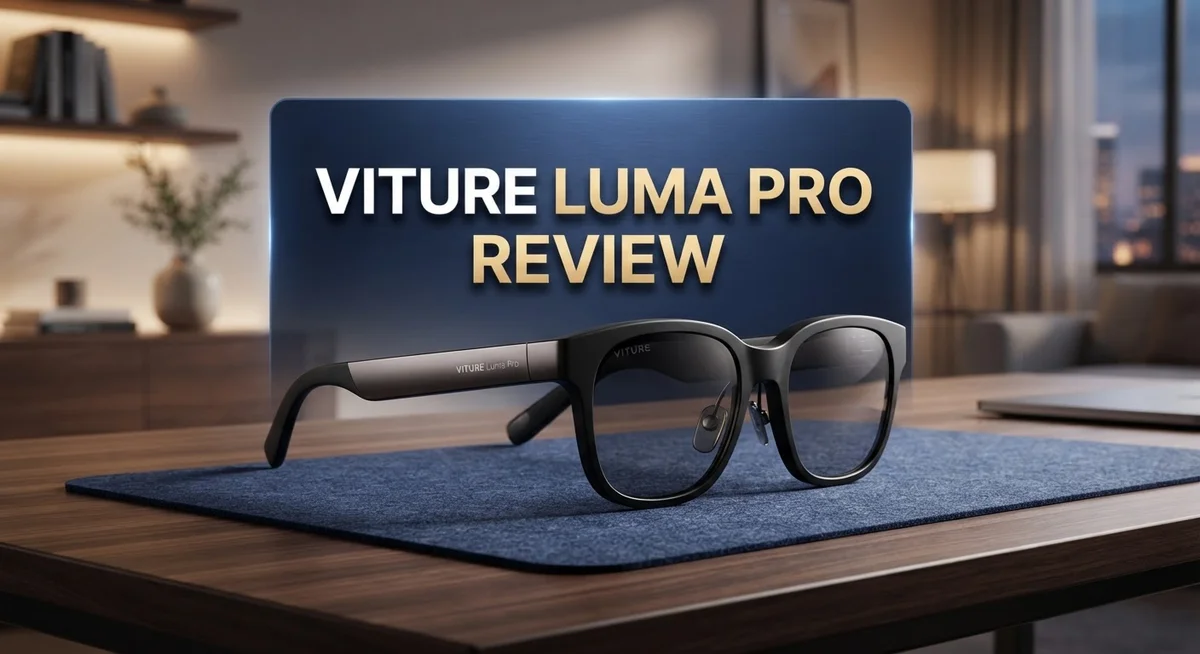
Viture Luma Pro Review: AR Glasses Worth Your Money?
Smart glasses are changing how we watch, play, and work on the go. The Viture Luma Pro stands out as a bold upgrade in this space.
It packs a 1920×1200 resolution per eye. You also get a smooth 120 Hz refresh rate for crisp, fluid visuals.
This model brings a massive 152 inch virtual screen right in front of your eyes. Add 6 DoF tracking, and you get a truly immersive experience.
Viture also added customizable RGB lighting. This gives the glasses a fun, personal touch.
Sound matters too. The Harman AudioEFX-tuned speakers deliver punchy bass and clear audio.
Are these glasses worth your attention? Let’s break down the features, comfort, and performance. You will see exactly what makes the Luma Pro a serious contender in personal display tech.
In a Nutshell
Here’s the quick lowdown on the Viture Luma Pro before you dive deeper into this review.
-
120 Hz refresh rate keeps motion smooth. Fast scenes and quick movements look crisp without blur.
-
6 DoF tracking lets the glasses follow your head movements accurately. This makes the virtual screen feel more natural.
-
Visuals are 50% sharper than older Viture models. Clarity and immersion get a real boost here.
-
Built in myopic adjustment helps nearsighted users. You can skip wearing contacts or glasses underneath.
-
Harman AudioEFX tuned speakers deliver improved bass. Audio feels fuller and more balanced during movies or games.
-
Two IPD options (64mm and 68mm) allow a better fit. This adds comfort for different face shapes.
-
These glasses run on phone power alone. That means no standalone processing, so performance depends on your device.
-
Compared to the RayNeo Air 4 Pro, the Luma Pro leans more into clarity and comfort. RayNeo focuses more on HDR10 and gaming brightness.
-
Daily comfort stands out. Many users find them easy to wear for extended sessions.
Display Quality and Resolution
The display quality on the Viture Luma Pro sets a new standard for smart glasses in this category. Each eye receives a 1920×1200 resolution, which delivers sharp text and vibrant visuals without pixelation during everyday use.
The 120 Hz refresh rate plays a huge role in how smooth everything feels. When you scroll through content or watch videos, motion appears fluid rather than choppy. This matters most when you’re reading or doing detailed work on that massive 152 inch virtual screen.
What makes the Luma Pro stand out is the 50% improvement in sharpness compared to earlier Viture models. Users notice clearer edges on text and more defined details in images. This jump in visual quality means you can wear these glasses for longer periods without eye strain.
The display also benefits from 6 DoF tracking, which keeps your virtual content locked in place as you move your head. You can look around naturally without the screen drifting or jumping. This stability enhances the immersive experience significantly.
Brightness and color accuracy are solid, though the Luma Pro focuses more on clarity than peak brightness levels. If you plan to use these outdoors in direct sunlight, you may need to adjust your expectations. Indoor and moderate lighting conditions show the display at its best.
The IPD adjustment options (64mm and 68mm) ensure the optics align properly with your eyes. Proper alignment means sharper focus and reduced eye fatigue. This customization is often overlooked but makes a real difference in daily comfort.
For users with myopia, the built in myopic adjustment removes the need for prescription inserts. You get clear visuals without extra accessories, which simplifies the experience.
The display excels at delivering clarity and comfort over extended use. Whether you’re working, streaming, or gaming, the visual output remains consistent and sharp. The Luma Pro proves that smart glasses can offer desktop quality visuals in a wearable form factor.

- 【A 1200P ULTRA SHARP DISPLAY YOU’LL NEVER FORGET — EVEN SHARPER THAN VITURE PRO】Step into a...
- 【THE BEST JUST GOT BETTER — IMMERSIVE 52° FOV & CINEMA-QUALITY COLORS】Enjoy a wider, more natural...
Last update on 2026-06-09 / Affiliate links / Images from Amazon Product Advertising API
Design, Comfort, and Build Quality
The Viture Luma Pro feels light and balanced on your face. You can wear these glasses for hours without strain or fatigue. The frame design keeps weight distributed evenly across your nose and temples.
The build quality impresses right out of the box. Materials feel premium yet durable. Viture chose components that can handle daily use without breaking down quickly. The hinges move smoothly and the overall construction feels solid.
Comfort comes from thoughtful design choices. The nose piece sits gently without digging in. The temples curve naturally around your ears. These glasses adapt to different head shapes thanks to the adjustable fit system. You won’t feel pressure points even after extended wear sessions.
The customizable RGB lighting adds a personal touch. You can change colors to match your mood or style. This feature lets you express yourself while using the device. The lighting doesn’t interfere with the viewing experience or distract you.
Myopic adjustment is a game changer for nearsighted users. You don’t need to wear prescription glasses underneath. The built in correction brings content into focus without extra layers. This reduces discomfort and improves the overall experience.
The two IPD options matter for fit quality. Your interpupillary distance determines how well the optics align with your eyes. Having 64mm and 68mm choices means more people find a comfortable fit. Proper alignment prevents eye strain and headaches.
Weight distribution plays a key role in all day comfort. The Luma Pro sits securely without feeling heavy. You can move your head freely without the glasses shifting. The secure fit lets you focus on content instead of adjusting the device.
Build materials resist scratches and minor impacts. The frame won’t easily dent or break from normal handling. This durability means your investment lasts longer. You can use these glasses confidently in various environments.
Comfort and build quality work together to create a device you actually want to wear. The Luma Pro doesn’t feel like a gadget strapped to your face. Instead it becomes a natural extension of how you experience digital content. This balance between comfort and durability sets it apart in the smart glasses market.
Audio Performance and Immersion
The audio experience on the Viture Luma Pro goes beyond what you’d expect from smart glasses. The Harman AudioEFX tuned speakers deliver sound that feels immersive and engaging for everyday use.
Bass response stands out as a major improvement. You get deeper lows without the audio feeling muddy or compressed. This matters when you’re watching videos, playing games, or listening to music through the glasses.
The speaker placement creates a soundstage that feels wider than typical smart glasses audio. Sound doesn’t just come at you from one direction. Instead, it spreads across your listening experience in a more natural way.
Spatial audio integration works well with the 6 DoF tracking. As you move your head, the audio adjusts to match your perspective. This creates a cohesive experience where sound and visuals move together.
One strength is clarity across different frequencies. Dialogue remains crisp and easy to understand. Mids don’t get lost, and treble stays sharp without harshness. This balance makes the speakers suitable for both entertainment and productivity tasks.
The audio performance shines during extended use. You won’t experience listener fatigue from tinny or overly bright sound. The Harman tuning ensures comfort during longer sessions.
Volume levels provide adequate output for most environments. The speakers push sound toward your ears without requiring maximum settings. This design choice helps preserve audio quality at different volume levels.
For immersion, the audio complements the visual experience effectively. When combined with the 1920×1200 resolution per eye and 120 Hz refresh rate, sound becomes part of a unified experience. You’re not just watching something on a screen. You’re entering an environment where audio plays an active role.
The main limitation is that audio leakage exists. People nearby will hear what you’re listening to. This is typical for smart glasses, but worth noting if you share spaces with others.
Overall, the audio performance makes the Luma Pro feel complete. The speakers handle a wide range of content well. Whether you’re consuming media or using the glasses for work, sound quality remains a genuine strength of this device.
Top 3 Alternatives
Meta Quest Pro

- Meta Quest Pro unlocks new perspectives in work, creativity, and collaboration.
- Multitask with ease with multiple resizable screens so you can organize tasks, work on new ideas or message...
Last update on 2026-10-07 / Affiliate links / Images from Amazon Product Advertising API
The Meta Quest Pro stands out as a powerful option for users wanting immersive experiences. This device delivers high refresh rates and sharp visuals that make games and apps feel incredibly realistic. You get hand tracking without controllers, which feels natural and intuitive.
The processing power handles demanding applications smoothly. Battery life gives you several hours of continuous use. The standalone nature means you don’t need a PC or external sensors. Many developers create content specifically for this platform, so your app library stays fresh and growing.
Apple Vision Pro

- NO WIRES, MORE FUN — Break free from cords. Game, play, exercise and explore immersive worlds — untethered...
- 2X GRAPHICAL PROCESSING POWER — Enjoy lightning-fast load times and next-gen graphics for smooth gaming...

Last update on 2026-06-17 / Affiliate links / Images from Amazon Product Advertising API
Apple’s Vision Pro brings premium build quality and a sleek design to spatial computing. The device uses advanced eye tracking and hand recognition that responds to your natural movements. High-resolution displays create stunning clarity across your entire field of view.
Integration with your Apple ecosystem works seamlessly. If you use iPhone, iPad, or Mac devices, this system connects effortlessly. The operating system feels polished and refined. Spatial audio creates an immersive sound environment that matches what you see on screen.
Magic Leap 2

Last update on 2026-10-07 / Affiliate links / Images from Amazon Product Advertising API
Magic Leap 2 focuses on enterprise and professional applications. The device offers excellent optics with a wide field of view for detailed work. Developers appreciate the robust development tools available for creating specialized applications.
Hand tracking performs reliably in various lighting conditions. The system supports multiple input methods, giving you flexibility in how you interact with content. This device particularly shines for medical training, design visualization, and industrial applications where accuracy matters most.
Tracking, Responsiveness, and Gaming Performance
The Viture Luma Pro handles motion tracking with impressive precision. The 6 DoF tracking system captures your head movements in all directions. You get full positional awareness as you move around your space. This means virtual objects stay locked in place no matter how you turn or lean.
Responsiveness feels snappy during everyday use. The 120 Hz refresh rate ensures smooth motion without stuttering or lag. When you pan your head, content follows instantly. This creates a natural, immersive experience that keeps motion sickness at bay.
Gaming performance depends on your phone’s processing power. Since the Luma Pro is phone-powered, demanding games may hit performance limits. Lighter titles and AR experiences run beautifully. The headset itself has no processing bottleneck. Your smartphone determines what you can run smoothly.
For casual gaming and media, the Luma Pro excels. The 50% sharper visuals make games look clearer than on competing smart glasses. Text remains readable even during fast movement. The tracking stays accurate even when you’re moving quickly.
The spatial audio integration works well with the tracking system. Sound moves with your head position, enhancing immersion. This pairing of audio and motion creates a convincing 3D environment.
One real limitation is the phone dependency. Intensive games may throttle or stutter. The Luma Pro won’t match standalone gaming headsets in raw performance. However, for social gaming, puzzle games, and AR experiences, it performs admirably.
The responsiveness extends to menu navigation too. Scrolling feels fluid and immediate. There’s no lag between your input and screen response. This makes everyday interaction feel natural rather than frustrating.
Overall, the Luma Pro strikes a solid balance. It tracks accurately and responds quickly to your movements. Gaming works well for casual titles. If you demand AAA gaming performance, you’ll want a standalone device. For mixed reality exploration and entertainment, the Luma Pro delivers exactly what most users need.
Connectivity and Device Compatibility
The Viture Luma Pro connects to your smartphone through wireless protocols. Your phone becomes the processing engine for all visual content. This phone powered design means you get instant access to any app or service available on your mobile device.
Compatibility spans both iOS and Android ecosystems. The headset works with current generation smartphones and several older models. You can stream content, browse the web, and run apps just like you would on a regular phone screen, except the display appears as a massive 152″ virtual screen in front of your eyes.
The 6 DoF tracking system enables full spatial awareness. This means the headset tracks your head position and rotation in three dimensional space. You can lean forward, tilt sideways, and move around while the virtual content stays anchored in your environment. This feature works seamlessly across compatible apps and services.
Connection stability matters for daily use. The wireless link between your phone and the Luma Pro maintains responsiveness during navigation and content consumption. Menu interactions feel snappy, and switching between apps happens without noticeable lag. However, your experience depends on your phone’s processing capabilities.
Older or budget smartphones may struggle with demanding visual tasks. The Luma Pro essentially mirrors your phone’s performance limits. If your phone handles graphics well, the headset delivers smooth visuals. If your phone struggles, you’ll notice stuttering or reduced frame rates.
Device pairing happens quickly during initial setup. Once connected, the headset remembers your phone for future sessions. Reconnection takes just seconds when you put the glasses back on.
The phone dependency also means battery considerations. Your smartphone battery drains faster when powering the headset display. This limits extended use sessions unless you have a power bank nearby.
For travelers and mobile professionals, this connectivity model offers flexibility. You’re not tied to a specific location or device. Any compatible phone becomes your visual display platform. The tradeoff is accepting your phone’s processing ceiling as the Luma Pro’s performance ceiling.
Pros and Cons
Pros
- 50% sharper visuals compared to earlier Viture models deliver noticeably crisp content on the 152″ virtual screen
- Harman AudioEFX tuned speakers provide strong bass response and wider soundstage than typical smart glasses
- Myopic adjustment options work well for nearsighted users without requiring additional lenses
- 6 DoF tracking with spatial audio integration creates smooth, immersive interactions during everyday use
- Comfortable enough for extended wear throughout your day
Cons
- Phone powered processing means demanding apps and games may lag on older or budget smartphones
- Limited battery life specifications and weight details make it hard to assess portability for travel
- Audio leakage occurs during use, which can disturb people nearby in quiet environments
Who Should Buy It
The Viture Luma Pro works best for people who want a portable AR experience without carrying a dedicated device. If you own a modern smartphone, this headset becomes an extension of your mobile setup.
Content creators and designers benefit from the 152″ virtual screen. You get a massive workspace for editing photos, videos, or design files. The 50% sharper visuals make details pop compared to older AR glasses. This clarity matters when you’re doing precision work on small elements.
Professionals who travel frequently appreciate the phone powered approach. You don’t need to pack extra hardware. Your smartphone handles everything. Setup takes minutes, and you can switch between devices easily. This flexibility helps remote workers, consultants, and field technicians who move between locations.
Gamers with newer flagship phones find the Luma Pro enjoyable for casual gaming and media consumption. The 120 Hz refresh rate keeps motion smooth. The 6 DoF tracking system responds quickly during gameplay. However, demanding 3D games may lag on older phones. Budget smartphone owners should manage expectations here.
Nearsighted users get a real advantage. The myopic adjustment options work without extra lenses. You see sharp content right away. This beats fumbling with prescription inserts or contact lenses.
Tech enthusiasts who want to explore AR without jumping into expensive standalone headsets fit the profile too. You experience spatial audio, immersive visuals, and hand tracking in a lightweight package. The customizable RGB lighting lets you personalize your experience.
Casual users seeking entertainment also work well with this device. Watching movies on a giant virtual screen beats phone screens. The Harman AudioEFX tuned speakers deliver strong audio quality. Extended wear feels comfortable throughout your day.
Skip this headset if you need standalone performance without phone dependency. Battery life limitations on your smartphone matter if you use AR all day. Heavy gamers wanting cutting edge 3D performance should explore other options. People with older budget phones will experience processing limitations.
The Luma Pro shines when your needs align with mobile AR rather than standalone systems.
Final Verdict
The Viture Luma Pro stands out as a smart choice for anyone wanting a portable AR display. Its 1920×1200 resolution per eye and 120Hz refresh rate combine to produce crisp, fluid visuals that feel modern and sharp.
The customizable RGB lighting adds a fun personal touch. You can match the glasses to your mood or setup, making the device feel less clinical and more personal.
With IPD options of 64mm and 68mm, the glasses fit a wider range of face shapes. This flexibility helps more people get a comfortable, precise view without extra adjustments.
Overall, this headset delivers a well rounded package. The screen quality, audio tuning, and comfort level work together to create a genuinely enjoyable viewing experience.
If you compare it to the RayNeo Air 4 Pro, you will notice a different focus. RayNeo leans into HDR10 support, color accuracy, and brightness for gaming fans who want punchy visuals.
The Luma Pro instead prioritizes sharpness, spatial tracking, and audio depth. This makes it a better fit for users who value clarity and immersion over raw gaming performance.
Think about your daily habits before deciding. If you watch movies, work on documents, or enjoy casual gaming, the Luma Pro handles these tasks smoothly.
If competitive gaming or color heavy content matters most to you, the RayNeo alternative might suit your needs better.
In short, the Viture Luma Pro earns its place among top AR glasses today. It blends sharp visuals, strong audio, and thoughtful comfort features into one lightweight package.
This device shines brightest for everyday users who want an upgrade from a phone or laptop screen without extra bulk. It is not built for hardcore gamers chasing every technical edge.
For most people exploring personal AR displays, the Luma Pro offers a dependable and enjoyable experience. It covers the basics well and adds small touches that make daily use pleasant.
Frequently Asked Questions
Does the Viture Luma Pro work with all smartphones?
The Luma Pro connects to most modern smartphones, but performance depends on your phone’s processing power. Newer flagship devices handle AR apps and games smoothly without lag. Older or budget smartphones may struggle with demanding applications.
Check your phone’s specs before purchasing. The headset itself handles display and tracking, but your phone provides the computing power.
What’s the difference between the Viture Luma Pro and RayNeo Air 4 Pro?
Both are excellent AR glasses, but they prioritize different features. The Luma Pro focuses on sharpness, spatial tracking, and audio depth. You get 50% sharper visuals and immersive sound for everyday use.
The RayNeo Air 4 Pro emphasizes HDR10 color accuracy, gaming performance, and brightness. If color rich content or competitive gaming matters most to you, that model might fit better. Choose based on what you use most: content creation and media consumption favor the Luma Pro, while gaming and color work favor the RayNeo.
Can I use the Viture Luma Pro if I’m nearsighted?
Yes. The Luma Pro includes myopic adjustment options that work well for nearsighted users. You get IPD options of 64mm and 68mm to match your face shape and eye spacing.
Most nearsighted users won’t need additional prescription lenses. The built in adjustment handles typical myopia without extra accessories.
How long can I wear the Viture Luma Pro comfortably?
The headset feels comfortable for extended wear throughout your day. The design balances weight and fit well for casual use and content creation.
Exact weight specifications aren’t widely published, but users report all day comfort for typical activities. If you plan extended gaming sessions, take occasional breaks anyway.

DK is a technology expert who specializes in AI tools, software, and tech gadgets. He writes for How to Tech Info, providing detailed reviews and practical guides. DK helps readers discover the best AI applications, navigate new software, and choose the right tech gadgets.


