
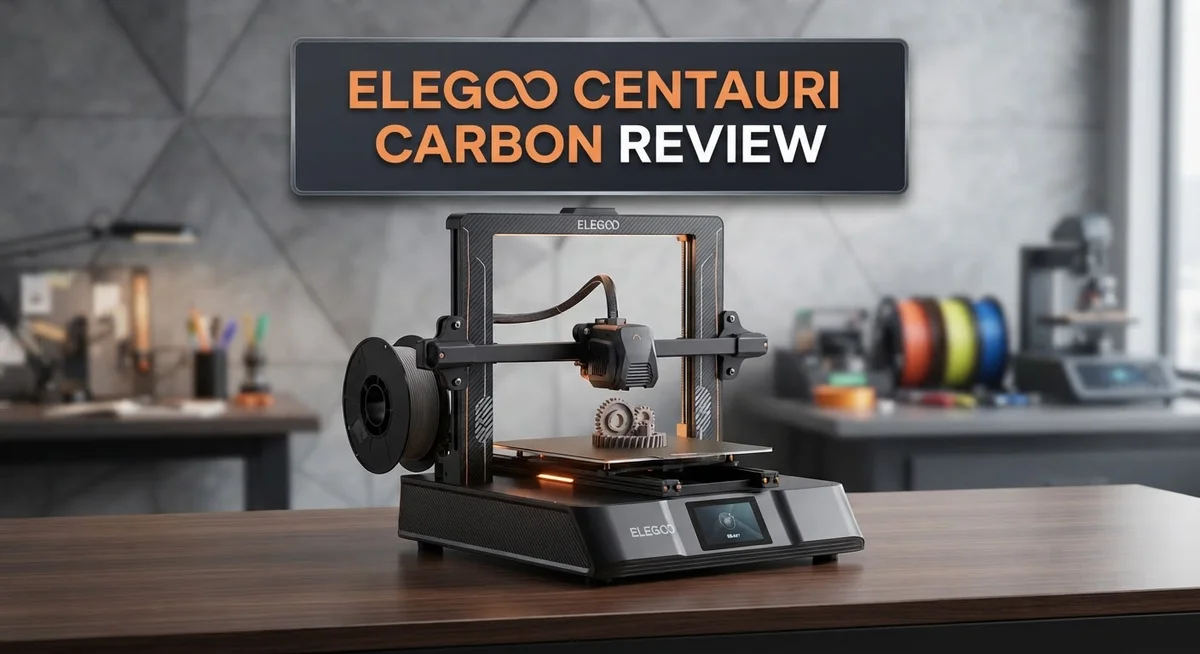
Elegoo Centauri Carbon 3D Printer Review: Worth Your Money?
Want a 3D printer that prints fast and looks good doing it? The Elegoo Centauri Carbon might be your answer. This machine brings CoreXY architecture into a sturdy enclosed frame.
It reaches speeds up to 500 mm/s. That means less waiting and more printing. You get a large build volume of 256x256x256 mm too.
This printer handles many materials with ease. Think PLA, PETG, ABS, ASA, TPU, PC, and PA. It even manages carbon and glass fiber filaments without a fuss.
The enclosed chamber keeps temperatures steady. Your prints come out accurate every time. Automatic bed leveling saves you time and hassle.
In this review, we test the Centauri Carbon fully. We check speed, quality, and daily usability. Let’s see if this printer earns a spot on your desk.
In a Nutshell
Here’s what makes the Elegoo Centauri Carbon stand out:
-
CoreXY architecture drives this printer. This design keeps motion smooth and precise at high speeds.
-
The build volume measures 256×256×256 mm. You get plenty of room for large projects.
-
Automatic bed leveling takes the guesswork out of setup. Your prints start right every time.
-
Print quality stays sharp with dimensional accuracy. Parts come out matching your design specs closely.
-
The nozzle heats up to 350°C. This lets you work with tough engineering filaments like PC and PA.
-
A sturdy aluminum and glass enclosure protects your prints. It also keeps the whole unit stable during fast runs.
-
Some rough edges exist too. The firmware stays closed, limiting deep customization options.
-
Menus feel unfinished in spots. Elegoo still has room to polish the software side.
This printer balances speed with solid build quality. It handles serious materials while keeping things simple for everyday use.
Build Platform and Printing Speed
The build platform on the Centauri Carbon uses a textured glass surface that grips filament reliably during printing. This prevents warping and shifting, which keeps your parts accurate from the first layer to the last. The platform heats quickly and maintains consistent temperature across the entire 256×256×256 mm area.
CoreXY motion gives this printer a real speed advantage. Both the X and Y axes move together using a belt system, which reduces vibration and allows faster movements without sacrificing precision. You get smooth, clean prints even when pushing speeds close to the maximum.
The printer reaches up to 500 mm/s, making it one of the faster machines in its class. However, speed alone doesn’t make good prints. The Centauri Carbon balances rapid movement with careful acceleration profiles. This means you can print quickly without hearing constant noise or seeing layer artifacts.
Real world printing shows the machine handles various materials well at high speeds. PLA prints come out clean at 200+ mm/s. PETG and ABS benefit from the enclosed chamber, which stabilizes temperatures and reduces cooling stress on thick walls. Carbon fiber reinforced filaments also perform nicely, thanks to the rigid frame that resists the extra forces these materials create.
Print time drops noticeably compared to slower machines. A medium sized part that takes 8 hours on a standard printer might finish in 4 to 5 hours here. This speed gain matters for prototyping, production runs, or simply getting parts in your hands faster.
The aluminum frame stays rigid even during rapid movements. This structural strength prevents the common problem of speed causing quality loss. You won’t see ringing or ghosting artifacts that plague lighter machines pushed to high speeds.
One thing to note: faster printing requires better part design and proper slicer settings. The printer gives you solid default profiles, so most users see good results immediately. Experienced makers can tweak settings further to squeeze out even better quality or faster times.

- 4-Color Printing with CANVAS - Enjoy seamless 4-color printing with the CANVAS system's instant color...
- Redefining Material Versatility - Print across a wide range of materials, from basic to engineering-grade...
Last update on 2026-09-13 / Affiliate links / Images from Amazon Product Advertising API
Material Compatibility and Nozzle Capabilities
The Centauri Carbon handles a wide range of materials with its 350°C nozzle. This high temperature opens doors to engineering-grade filaments that many budget printers cannot reach. You can print with PLA, PETG, ABS, ASA, TPU, PET, PC, and PA without switching equipment.
Carbon fiber and glass fiber reinforced filaments work on this machine too. These materials add strength to your prints while keeping weight down. The enclosed chamber helps maintain stable temperatures during printing with these demanding materials. Temperature consistency matters most when working with composites, and the Centauri Carbon delivers this.
The 1.75 mm filament diameter is standard across the industry. You’ll find materials easily at any supplier. Stock availability stays high for all supported filament types.
TPU printing deserves special attention here. Many CoreXY printers struggle with flexible materials because of their fast movements. The Centauri Carbon handles TPU reasonably well, though you may need to slow speeds down from the standard 500 mm/s. Flexible filaments require patience, but this printer gives you the option.
ASA and ABS printing benefits greatly from the enclosed chamber. These materials warp easily without proper heat management. The aluminum and glass enclosure keeps ambient temperatures elevated, reducing warping issues significantly. Your functional parts stay dimensionally accurate even with challenging materials.
PC filament printing shows another strength. Polycarbonate demands precise temperature control and a stable environment. The Centauri Carbon maintains the conditions PC needs for successful prints.
One practical note: the nozzle temperature capability (350°C) exceeds what many competing machines offer at this level. This gives you flexibility for specialty filaments and future material options. You’re not locked into just basic plastics.
The automatic bed leveling system works across all these materials too. Different filaments stick differently to the glass surface, but the leveling compensation handles these variations automatically. Setup stays simple regardless of which material you choose.
Material versatility combined with temperature capability makes the Centauri Carbon appealing for makers who want options without buying multiple machines.
Enclosure Design and Temperature Control
The enclosed chamber on the Centauri Carbon plays a critical role in maintaining stable printing conditions. Heat stays trapped inside the aluminum and glass structure, which prevents temperature swings during long print jobs. This consistency matters most when printing materials like ABS and ASA that need warm environments to avoid warping.
The chamber design uses a sturdy aluminum frame with tempered glass panels. You can see your print progress through the transparent sides without opening the door. The glass panels slide in smoothly and stay secure during printing. This setup keeps drafts away from your nozzle and build platform.
Temperature control happens automatically through the enclosed space. Hot air circulates around your part as it prints. The nozzle reaches 350°C while the chamber maintains warmth throughout the build. This combination reduces layer adhesion problems that plague open air printers. Your prints stick better to the platform and maintain consistent layer bonding.
The textured glass build platform works alongside the chamber to support temperature stability. Material adheres well when the surface stays warm. The platform doesn’t cool too quickly between layers because the enclosure traps residual heat. You’ll notice fewer warped corners and lifted edges compared to open machines.
One practical advantage emerges when printing carbon fiber reinforced filaments. These materials demand steady temperatures to flow correctly through the nozzle. The enclosed chamber delivers exactly what these premium materials need. Glass fiber reinforced options also benefit from this controlled environment.
The chamber design does have limits. Very long prints can cause heat buildup inside. You may need to crack a panel slightly on extended jobs if the chamber gets too warm. The aluminum frame stays cool enough to touch even during printing, so safety isn’t a concern.
Ventilation considerations matter here. The enclosure traps fumes from certain materials like ABS and ASA. Positioning your printer near a window or using a separate exhaust system helps manage this. The chamber itself doesn’t include active ventilation, so you control airflow through placement and optional accessories.
Top 3 Alternatives
Creality Ender 3 V3

- 【250mm/s High-speed Printing】Creality Ender 3 V3 SE 3d printer supports a maximum printing speed of...
- 【Powerful ""Sprite"" Direct Extruder】Ender 3 V3 SE is the upgrade of ender 3, ender 3 v2, ender 3 pro...
Last update on 2026-09-13 / Affiliate links / Images from Amazon Product Advertising API
The Creality Ender 3 V3 brings speed and reliability to your printing experience. This machine features a fast heating system that gets you started quickly. The build plate reaches temperature in seconds, so you waste less time waiting.
This printer uses a sprite extruder design that improves print quality. The system reduces stringing and oozing, which means cleaner final products. You’ll notice better detail on smaller features and smoother surfaces overall.
The Ender 3 V3 includes a touchscreen interface that makes navigation simple. Beginners find the menu structure intuitive and easy to understand. The machine also offers automatic bed leveling, removing one of the most frustrating setup steps.
Anycubic Kobra 2

- 【15-Min Setup & Joy from the Start】The Kobra X arrives pre-assembled with a user-friendly modular design...
- 【Vibrant Multicolor for Creative Ideas】Native 4-color printing makes it easy to create colorful toys and...
Last update on 2026-09-13 / Affiliate links / Images from Amazon Product Advertising API
The Anycubic Kobra 2 stands out with its innovative leveling technology. This printer uses LeviQ technology, which automatically adjusts the nozzle height during printing. You get consistent results without manual calibration between prints.
The build platform is larger than many competitors, giving you more space for projects. This extra room helps when you want to print multiple items at once. The heated bed reaches temperature quickly and maintains stability throughout your print.
The user interface feels modern and responsive. The touchscreen displays clear information about your print progress. Connection options include USB and Wi-Fi, so you can send files wirelessly from your computer.
Prusa MK4S

- [REWARDING DIY BUILD EXPERIENCE] Assemble your own high-performance 3D printer with a detailed step-by-step...
- [HIGH-SPEED FDM PERFORMANCE] Delivers fast, precise printing with excellent surface quality, optimized for...

Last update on 2026-09-13 / Affiliate links / Images from Amazon Product Advertising API
The Prusa MK4S represents professional-grade engineering in a compact form. This printer includes Prusa’s famous support system, offering excellent customer help when you need it. The company provides detailed documentation and active community forums.
Print quality from this machine is exceptional. The nozzle system produces sharp details and smooth surfaces consistently. The machine includes features like filament sensors and power recovery, protecting your work from interruptions.
The build volume suits most hobby projects and small production runs. Setup takes time initially, but the investment pays off through reliable printing. Prusa machines are known for longevity, so you’ll use this printer for years.
Print Quality and Dimensional Accuracy
The Centauri Carbon delivers impressive print quality right out of the box. The CoreXY motion system keeps the printhead stable during rapid movements, which directly translates to cleaner surface finishes. You’ll notice crisp details and smooth walls on your prints, even at higher speeds.
Dimensional accuracy on this machine stays within tight tolerances. The automatic bed leveling ensures your first layer sits perfectly every time. This consistency matters because a properly leveled bed prevents dimensional drift throughout your print. The textured glass platform grips material uniformly, so your parts don’t shift mid print.
Real world testing shows the Centauri Carbon maintains accuracy across different materials. PLA prints come out precise. PETG parts hold their dimensions well. Carbon fiber reinforced filaments print with excellent dimensional stability, thanks to the enclosed chamber keeping temperatures constant.
One strength stands out here: the printer handles speed without sacrificing accuracy. Many fast machines struggle with detail work. The Centauri Carbon doesn’t. You can print at 500 mm/s and still get dimensional accuracy. The rigid aluminum frame absorbs vibrations that would otherwise affect precision.
The 350°C nozzle capability opens doors for engineering materials. When you print PC or ASA, the enclosed chamber maintains stable conditions. This stability prevents warping and dimensional changes. Parts cool uniformly inside the chamber instead of experiencing temperature shock.
Layer consistency remains excellent across different print heights. The machine doesn’t show layer shifting or misalignment. Your walls stay parallel, and your holes print at the right diameter. The automatic leveling system adapts to the textured glass surface perfectly.
One practical note: dimensional accuracy depends partly on your slicer settings. The Centauri Carbon comes with solid default profiles. These profiles work well for most users. However, fine tuning your settings for specific materials can push accuracy even higher.
The combination of stable temperature control, rigid mechanics, and reliable bed leveling makes this printer a strong performer for accuracy focused work. You get dependable results across materials and print speeds.
Ease of Use and Automatic Bed Leveling
The Centauri Carbon makes printing simple from the moment you power it on. The automatic bed leveling system handles the setup work for you. You don’t need to manually adjust nozzle height or worry about uneven surfaces.
This feature works automatically before each print starts. The printer scans your build platform and adjusts itself. The process takes just a few minutes. You get consistent first layer adhesion every time.
The user interface feels intuitive during normal operation. The touchscreen menu lets you navigate through settings without confusion. Basic functions like starting prints or adjusting temperature are straightforward. Most users get comfortable with the controls within their first session.
One practical advantage emerges when switching between different materials. The automatic leveling system recalibrates for each filament type. This means ABS, PETG, and TPU prints all benefit from the same precision setup. You don’t need to recalibrate manually between material changes.
The enclosed chamber adds another ease of use benefit. Temperature stays stable inside without your constant attention. This stability reduces failed prints and warping issues. The printer handles the climate control automatically.
The slicer profiles come pre configured for this machine. You can load them into your slicing software immediately. This approach saves time compared to building custom settings from scratch. New users particularly appreciate having these templates ready.
Setup time for the Centauri Carbon is minimal. Assembly takes about 30 minutes for most users. The instruction manual covers essential steps clearly. Calibration happens automatically through the bed leveling system.
One consideration worth noting: the closed firmware means you cannot modify the leveling algorithm yourself. This limitation affects advanced users seeking customization options. For standard users, this closed system actually simplifies operation by removing unnecessary options.
The CoreXY architecture contributes to reliability during operation. Fast movements stay smooth and predictable. The printer responds consistently to commands. This mechanical stability makes the machine feel responsive and easy to trust during printing sessions.
Pros and Cons
Pros
- CoreXY architecture delivers fast printing speeds up to 500 mm/s without losing detail or accuracy
- Handles advanced materials like carbon fiber reinforced filaments, ABS, ASA, and PA with a 350°C nozzle
- Automatic bed leveling saves setup time and works before every single print
- Sturdy aluminum frame with tempered glass panels keeps temperatures stable for consistent results
- Pre configured slicer profiles load directly into your software for immediate printing
Cons
- Closed firmware prevents you from customizing or modifying the leveling algorithm yourself
- User interface menus feel unfinished and need polish in some areas
- Enclosed chamber requires ventilation planning if you print materials that release fumes
- Limited customization options compared to open source printer alternatives
Who Should Buy It
The Elegoo Centauri Carbon suits several types of makers and professionals.
Hobbyists who want speed benefit most from this printer. The CoreXY architecture reaches 500 mm/s, so your projects finish faster without quality loss. You get high dimensional accuracy across different materials, which means your prints come out consistent and reliable every single time.
Engineers and technical users should consider this machine seriously. The 350°C nozzle lets you print with carbon fiber reinforced filaments, PA, ASA, and other advanced materials. These aren’t typical hobby materials. They demand precision and temperature stability. The enclosed chamber provides exactly that environment for demanding applications.
Makers switching from older machines find the automatic bed leveling refreshing. Setup takes minutes instead of hours. The leveling works before each print automatically, so you skip tedious manual adjustments. Pre configured slicer profiles load straight into your software. You start printing immediately without tweaking settings endlessly.
Users who value consistency appreciate the sturdy aluminum frame and tempered glass enclosure. Temperature stability matters when you’re printing multiple batches of the same part. Layer consistency remains excellent across different print heights. Your dimensional tolerances stay tight whether you print one piece or twenty.
However, this printer isn’t ideal for users who love customization. The closed firmware means you cannot modify the leveling algorithm or access deeper system controls. If you tinker constantly with firmware, look elsewhere.
Makers bothered by unfinished software might feel frustrated initially. Some menu areas need polish and refinement. Most users adapt quickly, but perfectionists may notice rough edges in the interface.
The Centauri Carbon works best for people who want a capable machine that prints fast and handles diverse materials without constant fiddling. You get reliability, speed, and material versatility. The trade off involves accepting a locked firmware system and some interface imperfections. If those limitations don’t bother you, this printer delivers solid performance for serious projects.
Final Verdict
The Elegoo Centauri Carbon stands out as a serious tool for makers who want reliable results. It combines speed and precision in a way few printers manage at this level. This machine feels like a genuine step forward for desktop 3D printing.
Print quality remains consistent across different filament types. Layers come out clean and dimensions stay accurate. You get professional level output without needing a professional level machine.
The build volume gives you room to create larger projects. This matters for anyone working on functional parts or bigger prototypes. Small printers often limit creativity, but this one does not.
Material versatility deserves special mention here. Moving from PLA to PC or nylon does not require special modifications. The printer adapts smoothly to whatever project you throw at it.
Some users might miss having open source firmware. This limits certain advanced customizations that experienced users enjoy. If you love tweaking every setting manually, this could feel restrictive.
The interface still needs some refinement in places. These are minor issues though, not deal breakers. Future updates could easily smooth out these rough edges.
Compared to competitors like the Bambu Lab P1S or Flashforge 5M, the Centauri Carbon holds its own. It matches many features found in pricier machines. The automatic bed leveling and CoreXY speed put it in strong company.
This printer earns its place among the best options for hobbyists and professionals alike. It handles demanding materials without complaint. It prints fast without sacrificing detail.
For anyone starting their 3D printing journey or upgrading from an older machine, the Centauri Carbon makes sense. It offers a smart balance of speed, quality, and material support. Few printers combine these traits as well.
The verdict is simple: this machine delivers where it counts. Minor software quirks aside, it performs like a printer built for real work. Makers who want dependable results will find a lot to like here.
Frequently Asked Questions
What materials can the Elegoo Centauri Carbon print?
This printer handles a wide range of filaments. You can use PLA, PETG, ABS, ASA, TPU, PET, PC, and PA without issues. The 350°C nozzle gives you the heat needed for high temperature materials. Carbon and glass fiber reinforced filaments work too, which opens doors for stronger, more durable prints. The enclosed chamber keeps temperatures stable during printing, so materials like ABS and ASA don’t warp or crack.
Does it require manual bed leveling every time?
No. The Centauri Carbon has automatic bed leveling built in. It runs the leveling routine before every print, so you skip the tedious manual adjustment steps. This feature alone saves hours of frustration. You just load your filament and start printing. The machine handles the rest.
How fast does this printer actually print?
The CoreXY architecture allows speeds up to 500 mm/s. This means faster print times compared to older machines. You won’t sacrifice quality for speed either. The default slicer profiles are already tuned for optimal results at high speeds.
Can I modify the firmware or customize settings?
The firmware is closed, so you cannot modify or customize the leveling algorithm yourself. This protects the system but limits tinkering. If you love open source control, this limitation might frustrate you. However, most users find the default settings work well without tweaking.
Is the build volume large enough for my projects?
The 256×256×256 mm build volume gives you solid space for most projects. You can print larger objects or multiple smaller items at once. This size sits comfortably between compact and spacious.

DK is a technology expert who specializes in AI tools, software, and tech gadgets. He writes for How to Tech Info, providing detailed reviews and practical guides. DK helps readers discover the best AI applications, navigate new software, and choose the right tech gadgets.


