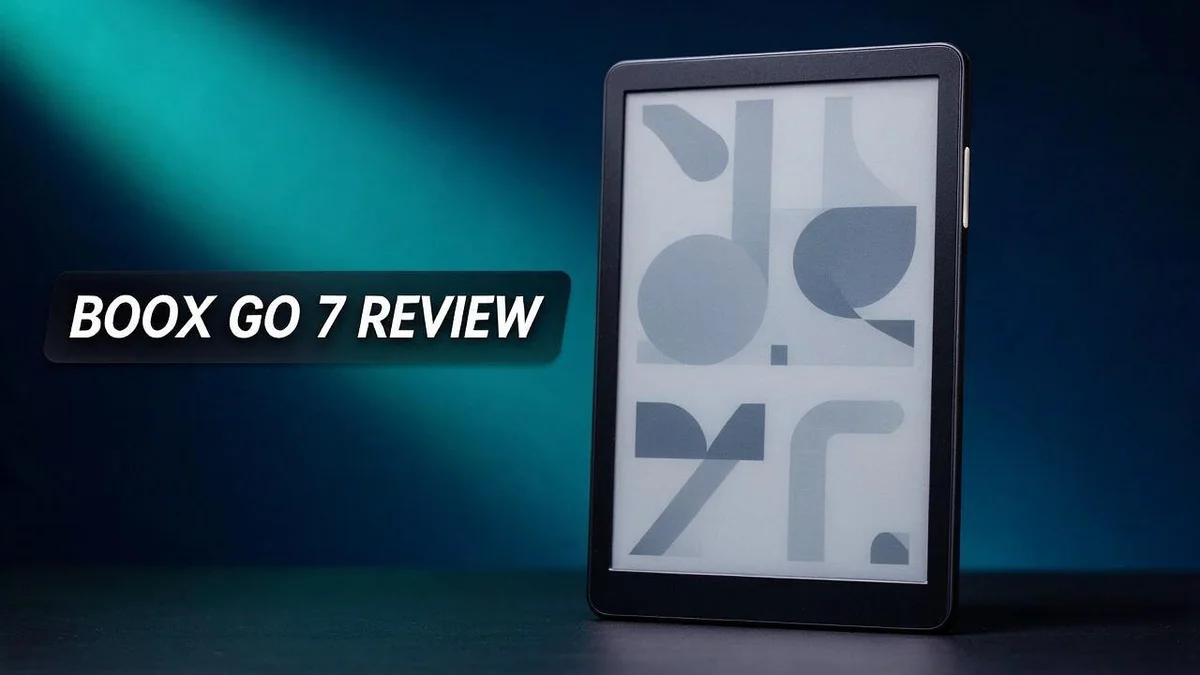
Boox Go 7 Review: Color E-Ink Display, Stylus Support, and Verdict
Are you looking for a small reader that still feels fast and fun? The Boox Go 7 might be the answer you need.
This 7 inch E Ink reader fits in one hand. It weighs very little, so you can carry it anywhere.
You can choose between a black and white model and a color Gen II version. The color model uses a Kaleido 3 display with 300 PPI resolution.
Page turns feel quick. Physical buttons help you flip pages without touching the screen. Stylus support adds another layer for notes and sketches.
Still, no device is perfect. Small text can look rough, and hard nibs may tap the screen while you write.
In this review, we will explore how the Boox Go 7 performs for reading, note taking, and daily use. Keep reading to see if it suits your style.
In a Nutshell
- Sharp color display: The Color Gen II model uses a Kaleido 3 screen with 300 PPI and a 1680 x 1264 resolution. Text and images look clear, so you can read for long periods without strain.
- Smart screen handling: Landscape mode and auto-rotation help you read in any position. Physical page turn buttons let you flip pages without touching the glass.
- Room for a large library: The device offers 64 GB of storage. You can carry a big collection of books, notes, and documents wherever you go.
- Pen friendly design: Stylus support lets you write, mark up files, and sketch ideas. Your notes feel natural on the screen.
- Android app access: You can run Android apps on this reader. This opens up extra tools beyond standard e-book reading.
- Watch for these drawbacks: Hard nibs can tap against the screen while you write. Small text can also look rough, so very detailed reading may not suit everyone.
- Not built for games or video: Gaming and video do not work well on this device. It fits best for reading, writing, and focused daily tasks.
Display and Reading Experience
No products found.
Reading on the Boox Go 7 feels calm and focused. The E Ink screen looks more like paper than a glowing phone. Your eyes can rest during long reading sessions.
Your display choice shapes the whole experience. The black and white model suits novels and other books made mostly of words. Its Carta 1300 panel keeps text clean and easy to follow.
The Color Gen II model adds a new layer. Comics, magazines, and picture books come alive with color. Covers, maps, and photos also look more engaging on this screen. Colors look softer than they would on a tablet, which suits a relaxed reading mood.
Small text needs extra care, though. Tiny fonts can look thin or uneven on any E Ink panel. Bumping up the font size makes reading far more comfortable.
You can also adjust margins and line spacing. This lets you shape each page around your eyes. Dense academic PDFs become much easier to handle after a few small changes.
Landscape mode changes how you read, too. Wide pages suit PDFs, comics, and documents with tables. Auto-rotation switches views without any extra steps.
Physical page turn buttons deserve a closer look. You can flip pages without tapping the glass. This feels natural when you hold the device in one hand during a long chapter.
Many readers jump between books, notes, and sketches all day. The screen makes these shifts feel simple. Your reading flow stays intact even when you switch tasks.
In short, the display offers a comfortable reading experience. Choose black and white for pure text. Choose color when visuals matter most.
Design and Portability
Good design matters most when you carry a device every day. The Boox Go 7 slides easily into a coat pocket or a small tote bag.
Portability shapes how often you read. When a reader feels light, you bring it along more often. Waiting rooms, train rides, and lunch breaks suddenly become reading time.
Its compact frame keeps your grip steady. Your fingers rest comfortably along the sides during long chapters.
Quick trips feel simple. Pack it with your keys, a notebook, and a pen, and it still feels manageable.
Pocket fit also affects your daily choices. A reader that fits a jacket pocket tends to stay with you during errands and commutes.
Weight matters on longer days, too. Carrying a light device for hours feels far less tiring than lugging a heavy tablet.
Many people pair their reader with a soft sleeve. A sleeve guards the screen from keys, coins, and crumbs at the bottom of a bag. Simple protection keeps the device looking new for years.
Think about where you read most. A bed, a couch, and a desk all call for different holds. The Boox Go 7 adapts well because it stays light in every position.
Your bag matters as much as the device. A slim reader leaves room for a water bottle, a snack, and a notebook. Your bag stays balanced and easy to lift.
Loose devices can shift and scratch, so choose a case with a snug fit. Keep the stylus in a fixed spot so it never gets lost.
Overall, this design supports people who move often. It suits students, commuters, and travelers who want a steady reading companion.
Reading becomes a habit when the device comes along. This small form factor makes it easy to read outdoors, at a café, or on a long flight.
Note-Taking and Stylus Support
Taking notes on the Boox Go 7 feels natural. Many people like to jot thoughts down without opening a laptop. This device makes that habit simple.
Your notes stay in one place. Keep your reading and writing together so ideas never get lost between apps.
Start small. Write short reminders in the margins of a book. Brief notes are easier to read later on this compact screen.
Rest your wrist lightly on the glass and let the stylus glide. Light pressure feels more comfortable during long sessions.
Organize notes by topic. Create a separate file for each class, project, or book. Clear titles help you find ideas quickly when you search later.
Your handwriting may look different on E Ink. Slow down a little. Neat letters are easier to read when you return to them.
Pair the device with your favorite note apps. Android compatibility opens the door to many tools. Check which ones work well with your other gadgets.
Use the screen for review. Read your notes in landscape mode when you study. The wider view gives your lines more room.
Keep a soft cloth nearby. A quick wipe keeps the glass clear for your next session.
Split big projects into smaller parts. Mixed pages can grow long and feel hard to manage. Shorter files are easier to scan and organize.
Notes work well for lists, too. Write grocery items, study goals, or meeting points in a clean column. Lists stay readable even on a small display.
Practice with a few sample pages first. A test page shows how the pen responds before you write something important.
Keep a backup of important notes in another place. This keeps your ideas safe if something goes wrong.
Build a habit that sticks. Write a few lines each morning or night. Daily practice turns the Boox Go 7 into a trusted notebook.
Notes become more useful over time. Review old pages each week. You may spot patterns and connect ideas that you missed at first.
Top 3 Alternatives
Looking for a different e reader? These three options fit many reading habits. Each one offers a clear screen and comfortable page turns.
Kindle Paperwhite

- Our fastest Kindle Paperwhite ever – The next-generation 7“ Paperwhite display has a higher contrast ratio...
- Ready for travel – The ultra-thin design has a larger glare-free screen so pages stay sharp no matter where...

Last update on 2026-08-16 / Affiliate links / Images from Amazon Product Advertising API
The Kindle Paperwhite is a great pick for everyday reading. It has a 6.8 inch glare free screen that feels like paper. You can adjust the warm light to read comfortably at night. It is also waterproof, so reading by the pool or in the bath feels safe.
Kobo Libra 2

- BROWSE & READ EBOOKS IN FULL COLOR - Book covers, comics, graphic novels, illustrations, note-taking and more...
Last update on 2026-06-09 / Affiliate links / Images from Amazon Product Advertising API
The Kobo Libra 2 suits readers who like physical buttons. Its side page turn buttons make one handed reading simple. The 7 inch screen offers a roomy page, and the ComfortLight PRO helps reduce eye strain in low light. It is also waterproof, so you can read almost anywhere.
Kindle Scribe

- Our most advanced Kindle Scribe – Features an 11” Colorsoft display with front light, built-in notebook...
- Bring ideas to life in color – The custom-built Colorsoft display delivers high-contrast, paper-like color...
Last update on 2026-08-22 / Affiliate links / Images from Amazon Product Advertising API
The Kindle Scribe works well for readers who also take notes. Its 10.2 inch display gives plenty of space for handwriting and sketches. A pen comes in the box, so you can mark up books, PDFs, and documents. It is a strong choice for students and planners who want one device for reading and writing.
Think about how you read, how you take notes, and where you like to read. The right choice depends on your daily routine.
Software and App Compatibility
The Boox Go 7 runs on Android. This gives you access to many reading apps beyond the preloaded library. Check each app before you install it.
Not every app feels the same on E Ink. Apps designed for color phone screens often refresh slowly. Simple layouts with plain backgrounds tend to work best. Fast refresh and fewer animations help the most.
Most reading apps run smoothly on this device. Many people sign in to their favorite ebook stores and sync their libraries. Downloads land right on the reader, so you can read offline when you need to.
Some readers prefer a dedicated app for each service. Others stick with one main app to keep things simple. Both approaches work well on this device.
File format support is a real strength. The device handles common formats such as EPUB and PDF. You can also transfer files from a computer with a cable or a cloud drive. Try a sample file first if you use an unusual format.
Cloud storage apps make file sharing simple. Keep folder names clear so you find books quickly. A tidy library saves time on busy days. Sort files by author or series for easy browsing.
Expect some trial and error. A few apps may not fit the screen well. Test each one with a sample book before you commit. Give new apps a day or two of use.
Battery use can change with heavy app use. Keep an eye on background apps that sync often. Closing unused apps can help save power.
Software updates matter over time. Updates can fix bugs and improve app support. Check for system updates regularly and read the release notes first.
In short, the Android base offers real flexibility. Most popular reading apps work well. A little testing helps you find the setup that fits your routine. Explore the app store and see what works for you.
Battery Life and Storage
Battery life matters more than many readers expect. A reader that dies in the middle of a chapter is frustrating. The Boox Go 7 Color Gen II includes a 2300 mAh battery, which gives you a solid base for daily reading.
Your real battery life depends on how you use the device. Color screens often draw more power than black and white panels. If you read in color, plan to charge a little more often.
Small habits can stretch each charge. Lower the screen brightness when you read in a bright room. Turn off Wi-Fi when you do not need to sync files.
Storage works differently. The device offers 64 GB of space, which holds a large library of books, documents, and notes. Most readers take a long time to fill it.
Still, some files take far more room than others. Scanned PDFs, comics, and image heavy files grow quickly. A handful of these can shrink your free space faster than you expect.
Clear out finished books regularly. Delete titles you have already read, or move them to cloud storage. A tidy library is easier to browse, and it leaves room for new material.
Check your storage every few weeks. A quick look helps you spot large files before they slow things down. Sorting files into clear folders also makes searching simpler.
Your daily routine shapes your battery needs too. Commuters may use the device for long stretches each day. Bring a charging cable on trips so you never run low when you least expect it.
Good battery and storage habits make the device feel dependable. A little planning keeps your reading smooth. Give the device a quick charge check before a long day, and your reading time stays uninterrupted.
Pros and Cons
Pros
– Small and light enough for a pocket or bag.
– Fast page turns keep your reading flow smooth.
– Physical page-turn buttons let you flip pages with one hand.
– Stylus support turns the screen into a simple writing pad.
– Auto-rotation switches between portrait and landscape with ease.
Cons
– The hard nib can tap against the glass while you write.
– Small print can look blurry or hard to read.
– Not built for gaming or watching videos.
– Kindle and Boox Go 6 may suit readers who want a different feel.
Who Should Buy It
Some readers want a calm place to enjoy books. This device suits people who feel pulled away by social feeds and phone alerts.
Students and researchers often find it useful. They can open study PDFs, add notes, and sketch quick diagrams with the stylus.
People who think on paper may enjoy it most. Journal writers, planners, and note takers can use the screen like a notebook with a reading library attached.
Readers who love color covers should look at the Color Gen II model. Its Kaleido 3 display shows images in color, though the tones look softer than on a tablet.
Those who read outside often gain a lot. E Ink screens handle bright light well, so reading by a window or outdoors feels comfortable.
Some buyers may want something else. People who want one device for everything may feel limited. Frequent video calls, movies, and heavy web browsing point toward a tablet.
Think about your daily habits before you decide. Ask where you read, what you read, and how you take notes. Honest answers make the choice much clearer.
Final Verdict
The Boox Go 7 is a strong pick for readers who want more than a basic e-reader. It handles books, notes, and documents with ease.
Its biggest strength is focus. The calm screen and simple controls keep you in the story. Less clutter means more time with your words.
Some flaws still matter. The hard nib can tap the glass, and small text may look rough. If you read tiny print all day, keep that in mind.
Gaming and video are not part of the plan. That is fine for most people. This device is built for pages, pen strokes, and quiet hours.
Pick the Color Gen II if covers matter to you. Its color screen brings picture books and magazines to life. Black and white models suit novels and long study sessions.
Readers who spend most of their time on text will feel at home. Students, writers, and sketchers gain the most from the stylus and open workspace.
Android app support adds flexibility. You can install reading and note tools that suit your workflow.
Think of it as a long-term companion. A good reader lasts for years, so pick the model that grows with your habits.
Your reading goals matter most. Casual readers may not need the extra features, but heavy readers will notice them quickly.
Compare the field before you commit. Kindle, Kobo, and Boox Go 6 each serve a slightly different reader. Put their features side by side and see which set matches your routine.
Here is the bottom line. The Boox Go 7 fits people who want a light, focused device that is easy to write on. If that describes you, it deserves a spot on your list.
Take the next step with confidence. Write down how you read, where you read, and what you want from notes. Your answers will point you to the right model.
Frequently Asked Questions
How much space does the Boox Go 7 give me for books?
The Boox Go 7 offers 64 GB of storage. You can keep a large library, study PDFs, and saved notes on one device.
Can it handle dense PDFs and textbooks?
Small text can look tight on this screen. Turn the device to landscape mode for wider pages. Then zoom in on any section that feels hard to read.
Which version fits text-heavy reading?
The black and white model uses a Carta 1300 display. It suits novels and long reads. The Color Gen II adds a Kaleido 3 display with 300 PPI and a 1680 x 1264 resolution. Choose it only if you want color pages.
Will my favorite reading apps work on it?
Android app support lets you install many reading apps. Test your main app first, since some apps may refresh slowly on an E Ink screen. Check how the pages look before you commit to a daily routine.

DK is a technology expert who specializes in AI tools, software, and tech gadgets. He writes for How to Tech Info, providing detailed reviews and practical guides. DK helps readers discover the best AI applications, navigate new software, and choose the right tech gadgets.