
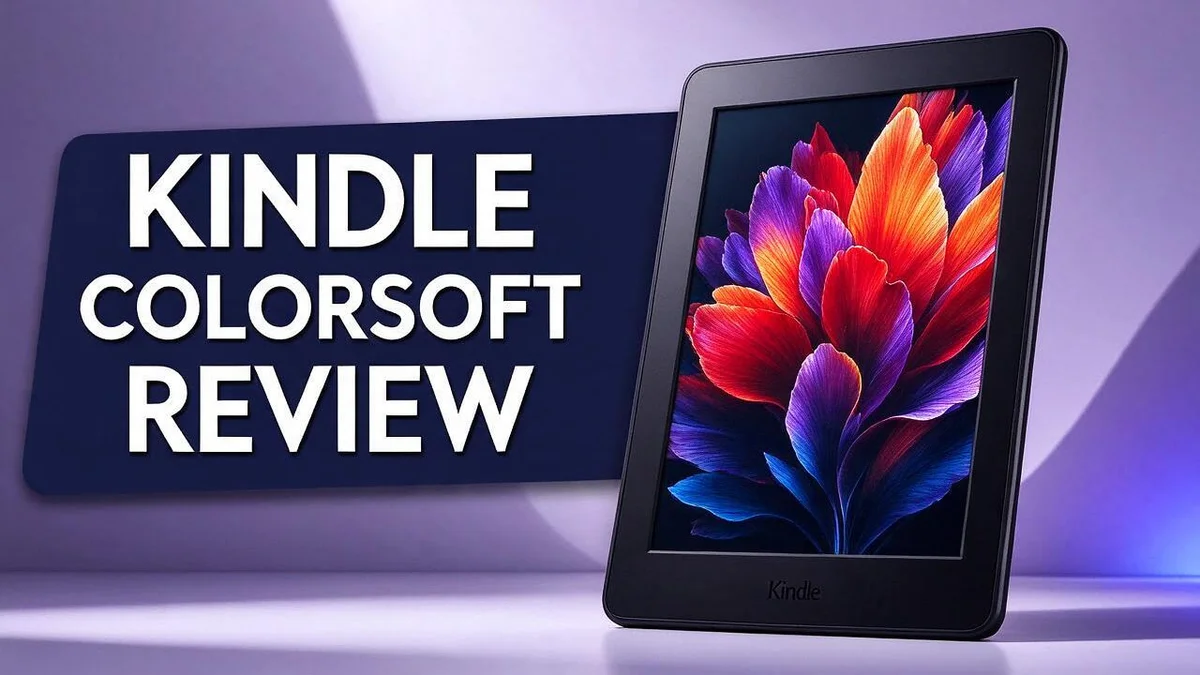
Kindle Colorsoft Review: Color E-Reader Display, Battery, and Reading Experience
Are you a book lover who wants color on your screen? The Kindle Colorsoft could be the reader you have waited for. It brings full color to the Kindle line for the first time.
The 7 inch display looks soft and paperlike. Colors feel calm and easy on the eyes. You can also highlight text in yellow, pink, blue, or orange, which makes studying and sharing quotes feel fun.
Long battery life keeps reading going for days. Wireless charging and a waterproof design add everyday comfort. Still, the screen trades some sharpness and contrast for color, so readers who love crisp black text should know this.
Ready to see if this Kindle fits your reading habits? Let us walk through what it does well, where it falls short, and who should buy it.
In a Nutshell
- Four highlight colors: Readers can mark text in yellow, pink, blue, or orange. Color tags help you sort notes by topic.
- Waterproof design: You can read by the pool or in the bath. Splashes will not harm the device.
- Wireless charging: You can charge the reader on a pad instead of plugging in a cable. This keeps your nightstand tidy.
- Auto brightness: The screen adjusts to your room light. Night reading feels more comfortable.
- Missing features: There are no page turn buttons and no stylus support. Some readers will miss these controls.
- Softer colors: The colors look subtle rather than bold. The screen also gives up some sharpness and contrast compared with standard Kindles.
- Rival options: The Kobo Libra Colour is a direct competitor. Note takers may also compare the reMarkable Paper Pro or the Boox Note Air 5 C.
Color Display and Reading Experience

- Kindle Colorsoft Signature Edition, now in aluminum: Thinner, 7" paper-like color display. New edge-to-edge...
- Color your pages: Paper-like color perfect for comics, graphic novels, and more. Highlight your favorite...

Last update on 2026-11-06 / Affiliate links / Images from Amazon Product Advertising API
Color changes the way a page feels. Book covers, maps, and illustrations now show up in tones that black and white screens could never offer. This makes the Kindle Colorsoft a fresh choice for readers who love visual stories.
Comics and graphic novels benefit the most from this upgrade. Panels that once looked gray now carry their original mood. Children’s picture books gain the same charm, so parents may enjoy sharing them too.
Art lovers see richer tones in every image. A simple recipe book gains from photos of finished dishes.
The trade off comes with text. The color layer lowers sharpness and contrast compared with Amazon’s traditional readers. Small print may look slightly softer, so long novels full of plain text might feel a bit less crisp.
Think about your reading mix before you decide. If most of your library is plain fiction, the sharper text on a classic model may suit you better. If you often read illustrated titles, the color screen adds life to every page.
Highlights also look different on color pages. A yellow mark on a photo caption stands out from a pink note on plain text. Many readers use each color for a different purpose, such as blue for key facts and orange for favorite quotes.
Reading habits also shape the choice. Many people read in bed, on a train, or at a park. The screen stays easy to follow in each setting, so the reading flow stays smooth from morning to night.
Students who use textbooks may find color helpful too. Diagrams and charts show their shading. Colored highlights can also help during exam prep.
Color adds joy to reading that plain text cannot match. Try a few pages in a store before you choose. Your own eyes will show you which screen feels right.
Design, Durability, and Page Controls
Good design helps you forget the device and focus on the story. The Kindle Colorsoft has a clean front with few distractions. Your eyes stay on the words instead of the frame.
Size and shape matter during long reading sessions. A comfortable grip lets you read in bed, on the couch, or on a commute. Many readers also like how the lighter feel makes travel easier. Slipping it into a tote bag takes little space.
Durability is another big question for everyday readers. Bags get crowded, tables get bumped, and small hands sometimes grab things they should not. A sturdy build gives you more confidence when you carry it daily.
Adding a cover is still a smart move. A simple case guards the corners and keeps the screen clean. Protection helps the device last for years.
Cleaning is simple too. Use a soft, dry cloth to wipe the screen. Skip harsh sprays and paper towels. This habit keeps the display clear for every reading session.
Page controls work differently here. The Kindle Colorsoft depends on touch for every page change. Tap the right side of the screen to move forward. Tap the left side to go back.
Most readers adjust within a few days. Practice during your first session so the motion feels natural. Some people miss physical buttons at first. Buttons give a clear click that tells you a page turned.
Touch controls remove that sound and feel. Still, many readers prefer a clean edge with no bumps. Try both grips to find what works best for you. Your comfort matters more than any single feature.
Page controls also shape how you read in bed. Lying on your side means one hand holds the device while the other stays free. Thumb reach matters here. Keep your thumb near the right edge for smooth forward taps. Small habits make the reading flow feel effortless.
Battery Life and Wireless Charging
Battery life matters more than many readers expect. A good story can pull you in for hours, and a dead screen breaks that spell fast.
Color screens ask more from the battery. A color display works harder than a plain black and white screen. Still, the Kindle Colorsoft is built for long reading sessions, so most readers stay covered between charges.
Your reading routine shapes how often you need to charge. Someone who reads for twenty minutes at night will charge far less than a commuter who reads every morning and evening. Track your habits for a week to see your pattern.
Wireless charging fits into bedtime routines. Place the reader on a pad beside your bed each night. You wake up with a full charge and no cable to untangle.
The pad also keeps your desk clear. The device rests on one flat spot while it charges, so you avoid loose cords and small plugs cluttering your space.
Travel calls for a simple plan. Pack the charging pad and its power adapter in your bag before a trip. Keep them in the same pouch so you never leave one behind.
Small habits also help the battery last longer. Keep the device out of extreme heat, and avoid leaving it in a hot car. Charging it at room temperature is a good idea too.
Plan for the occasional low battery. Even a strong battery can run low after a long road trip. Look for a short charge window, like a coffee break, so you have enough power for the next chapter.
Battery life gives you freedom to read anywhere. You can focus on the story instead of checking the power icon. A little planning turns this device into a reliable reading companion.
Top 3 Alternatives
If you want a color e-reader but the Kindle Colorsoft isn’t quite right, these three options are worth a look. Each one offers a color display and a different reading experience.
Kobo Clara Colour

Last update on 2026-11-06 / Affiliate links / Images from Amazon Product Advertising API
Looking for a compact color reader? The Kobo Clara Colour has a 6-inch color screen. Book covers and comic panels look bright and lively. It feels light in the hand and fits easily in a small bag. It is also waterproof, so reading by the pool feels safe. Readers who like simple menus will feel at home.
Kobo Libra Colour

- BROWSE & READ EBOOKS IN FULL COLOR - Book covers, comics, graphic novels, illustrations, note-taking and more...
Last update on 2026-06-09 / Affiliate links / Images from Amazon Product Advertising API
Want a bigger screen? The Kobo Libra Colour offers a 7-inch color display. Page turn buttons on the sides make one-handed reading easy. It also has a comfortable grip for long reading sessions. Like its smaller sibling, it is waterproof and has a built-in front light for night reading. It suits people who read for hours each day.
Boox Go Color 7

- Does not support EMR stylus, Only Support Active Stylus InkSense, but the sytlus is not included in the box...
- Screen: 7" Kaleido 3 (4096 colors) glass screen with flat cover-lens. Resolution: 1680 x 1264 (B/W 300 ppi...
Last update on 2026-11-06 / Affiliate links / Images from Amazon Product Advertising API
Prefer more freedom? The Boox Go Color 7 runs on Android. You can install reading apps, note-taking tools, and other programs. Its 7-inch color screen works well for magazines, PDFs, and sketches. Many people use it for work and study as well as novels. It is a good match for readers who like to customize their device.
Each of these readers gives you color pages and a comfortable reading experience. Choose the one that fits your daily habits best.
Kindle Library and Software Experience
Your Kindle library follows you onto this device. Books you bought, free samples, and personal documents appear on the home screen. Setup takes only a few minutes.
The Kindle store offers a huge catalog to browse. You can search by title, author, or genre. Recommendations change as you read more books.
Collections help you organize a growing shelf. Create groups for series, book clubs, or school reading. Sorting stays easy even with hundreds of titles.
Syncing works across all your devices. Your last page and bookmarks move to your phone or tablet through the Kindle app. Start a novel on the couch and finish it on the train.
Send to Kindle moves files from your computer or phone into your library. Web articles, PDFs, and documents arrive ready to read. Most common file types work well.
Public libraries add free reading too. Many branches offer digital loans through apps like Libby. Borrowed titles can often be sent straight to your Kindle.
Search works inside each book too. Type a word or phrase to find a scene fast. This helps when you want to revisit a favorite quote.
Vocabulary tools and dictionaries pop up while you read. Tap an unfamiliar word for a quick definition. Language learners often find this feature very helpful.
The software feels smooth and quick. Menus respond fast, and the library loads without long waits. Most readers find the layout simple to learn.
Updates arrive over a wireless connection. New features appear without any cables or computer setup. Your device stays current with very little effort.
Text size, font style, and line spacing all adjust with a few taps. Set these options once. The book then feels comfortable from the first page to the last.
Overall, the library and software keep things simple. Books, samples, and files live in one place. Reading starts quickly every time you pick up the device.
Storage Options and Model Choices
Storage is a key choice with this ereader. The Kindle Colorsoft comes in 16GB and 32GB versions. The 32GB Signature Edition offers more room for your library.
Most readers find 16GB plenty. A typical ebook takes up very little space. Even a large novel collection can fit on the smaller model with room to spare.
Color images need more space. Comics, graphic novels, and cookbooks full of photos grow fast. Each color page holds more data than plain text, so these titles fill storage quicker.
Your reading habits decide the right size. Think about the books you read most often. Light readers can choose 16GB. Frequent comic or magazine readers should consider 32GB.
Textbook students may need extra room. Many study guides and reference books contain diagrams and color charts. Students who carry several large texts at once should choose the larger model.
Cloud storage eases the pressure. Amazon keeps your purchases in the cloud. You can remove finished titles from the device and download them again at any time. This means you rarely lose a book because storage runs out.
Check your storage before you buy. Look at how many books you already own. Count your comics, cookbooks, and sample chapters too. A quick check helps you pick the right size for your needs.
Storage does not change the reading feel. Both models show the same screen and text quality. The only real difference is how many titles stay on the device at once.
Compare the model with other options. The Kobo Libra Colour is a direct rival worth a look. The Kindle Scribe Colorsoft is a separate device built for notes, so it serves a different purpose.
Plan ahead for future reading. Your library will grow over time. Choosing extra space now can save you from managing files later.
Pros and Cons
Pros
- Large display makes pages feel roomy and easy on the eyes.
- Battery life lasts a long time between charges.
- Wireless charging keeps the reader simple to power up.
- Brightness adjusts on its own to match your room.
- Waterproof design handles bath time and rainy commutes.
Cons
- No page turn buttons for one handed reading.
- No stylus support for jotting quick notes.
- Colors look soft and subtle rather than bold.
- Sharpness and contrast trail behind classic Kindle models.
Who Should Buy It
Color lovers are the best fit. If you enjoy picture books, art guides, or colorful covers, this device shows them in full color. Many readers say color makes browsing feel more fun. You can enjoy the artwork the way the creator intended.
Highlighters get a creative boost. You can mark passages in yellow, pink, blue, or orange. Each shade helps you sort ideas by topic. Use one color for favorite quotes and another for questions you want to research later.
Regular Kindle shoppers feel right at home. If you already buy books from the Kindle store often, this device fits your routine. You stay in a familiar world with tools you already know. Switching to a new system takes time, so this choice saves effort.
Kobo fans should compare both options. The Kobo Libra Colour is the closest rival in this space. Think about which store and app you already trust. Your habits and favorite sources often decide the best match for you.
Heavy note takers should explore other tools. If handwritten notes sit at the center of your reading life, another device may suit you better. The Kindle Scribe Colorsoft is a separate device built for writing and sketching. Other strong options include the reMarkable Paper Pro, Boox Note Air 5 C, Kobo Elipsa 2E, and Boox Go Color 7 Gen II.
Casual novel readers may not need color. If you mostly read plain text stories, the color screen adds little to your experience. A classic black and white reader may serve you just as well. Focus on the features you will use every day.
Gift givers may love this reader. A colorful device can make a thoughtful present for an art fan or a busy parent who reads on the go. Pair it with a few favorite color titles, and the gift feels personal and complete.
Choose based on your reading style. Think about whether color, note taking, or simple text matters most to you. That answer guides your decision. You will feel happy with your choice when the device matches the way you read.
Final Verdict
The Kindle Colorsoft makes a strong case for readers who love color. It brings picture books and art guides to life. Many buyers will feel the upgrade right away.
Your reading routine matters most. Ask yourself where and how you read each day. Bedtime readers may enjoy a calm, glowing screen. Commuters may like a light device for crowded trains.
Start with a sample before you decide. Amazon offers samples for many titles. Open a colorful book and see how the screen feels to you.
The fast page turns also help. Comic fans will notice how smoothly the story moves. Quick pages keep the pace lively.
Some readers need a short adjustment period. Touch controls can feel different after years with older devices. Many people settle in quickly once they practice.
Look at your current library first. Your existing Kindle books sync to this device. Favorite series can feel fresh when shown in color.
The Kindle Colorsoft also makes a thoughtful gift. Book lovers who enjoy art or colorful covers will appreciate it. Wrap it with a favorite title for a personal touch.
Writers and heavy note takers should look elsewhere. Dedicated writing tools fit those needs better. Choose your device based on what you do most.
Reading habits often change over time. You may find yourself picking up more graphic novels later. A color screen can grow with those new interests.
In short, this reader suits color fans and regular Kindle users. Pick it when color adds joy to your reading. Skip it if plain text stories are all you need.
Take your time before you commit. Compare the features that matter to you. Read reviews from people with similar reading habits. Trust your own needs over hype. Color, page speed, and library access all play a role. A thoughtful choice leads to years of happy reading.
Frequently Asked Questions
What storage sizes does the Kindle Colorsoft come in?
The Kindle Colorsoft comes in 16GB and 32GB versions. The 32GB Signature Edition, released in 2024, suits readers who keep a large library. Choose the size that matches how many books you plan to store.
Does it work well for comics and graphic novels?
Yes, color pages give comics and graphic novels more life. Panels and artwork show up on the screen in a gentle, layered way. Comic fans should open a free sample first to see how the artwork looks on this screen.
Is the Kindle Scribe Colorsoft the same device?
No, the Scribe Colorsoft is a separate device. It focuses on writing and note taking, so it fits people who want a pen experience. If you mainly want to read books, the Kindle Colorsoft is the better match.
Which alternatives work best for heavy note takers?
Several other devices handle handwritten notes well. Popular choices include the reMarkable Paper Pro, Boox Note Air 5 C, Kobo Elipsa 2E, and Boox Go Color 7 Gen II. Compare their writing features before you decide.

DK is a technology expert who specializes in AI tools, software, and tech gadgets. He writes for How to Tech Info, providing detailed reviews and practical guides. DK helps readers discover the best AI applications, navigate new software, and choose the right tech gadgets.


