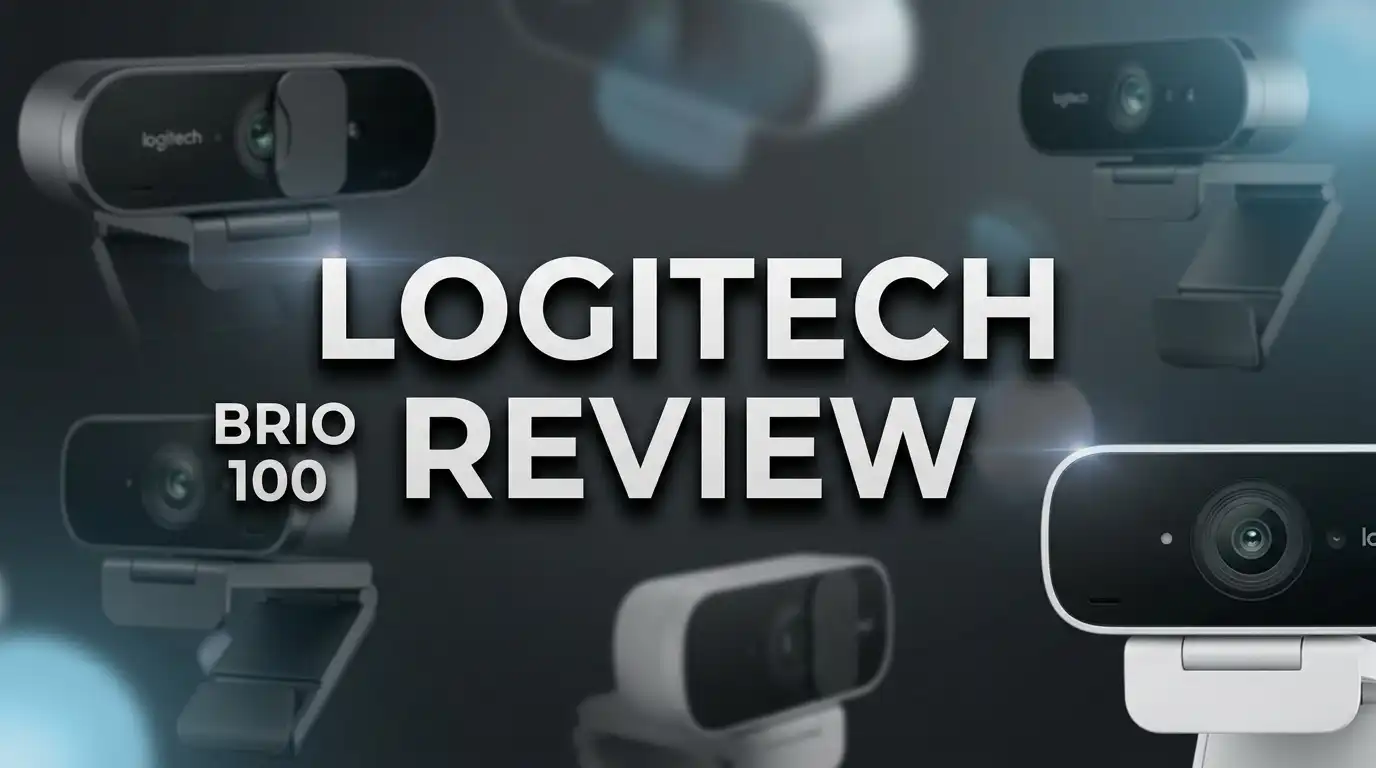
Logitech Brio 100 Review: Webcam Worth Buying in 2026?
Your laptop camera makes you look like a ghost trapped in a foggy window. You join a video call, and your face turns into a grainy blob. That single problem pushes thousands of people to search for an affordable upgrade every month.
The Logitech Brio 100 sits right at that price point. It costs around $40, records in Full HD 1080p, and includes a privacy shutter plus a built in mic. Logitech built it for people who want a simple fix, not a studio rig.
But cheap webcams often disappoint. Some ship with soft lenses. Others produce noisy footage the moment your room lights dim.
So does the Brio 100 escape that trap? I looked at real user feedback, hands on testing from reviewers, and the full spec sheet to answer that question. This review covers image quality, audio, build, software, alternatives, and the honest weak spots.
Read on, and you will know within minutes whether this webcam belongs on your monitor.
In a Nutshell
Here is the short version for readers who want the verdict fast.
- Excellent value at $40. The Brio 100 delivers clean 1080p video at 30 fps. Its image quality competes with webcams that cost twice as much, which makes it one of the strongest ultra budget picks available today.
- Auto light balance actually works. Logitech’s RightLight technology brightens your face in dim rooms and softens harsh backlighting. Your video looks natural in a bedroom lamp setup or in front of a bright window.
- Privacy shutter is built in. A physical slider covers the lens completely. You get real peace of mind, not a software toggle you have to trust.
- Fixed focus and a narrow 58 degree field of view are the main limits. You must sit within a comfortable range, and only one person fits neatly in frame.
- Build quality is basic. The body is all plastic, the USB A cable is not detachable, and there is no tripod thread. It rests on your monitor rather than clamping tightly.
- Best for meetings, classes, and casual calls. Serious streamers and content creators should look at the Brio 300, Brio 500, or a 2K option instead.
Logitech Brio 100 Overview and First Impressions

- Up to Full HD 1080p Resolution at 30 fps
- 58° Diagonal Field of View
Last update on 2026-08-23 / Affiliate links / Images from Amazon Product Advertising API
The Brio 100 arrived as Logitech’s entry level answer to the webcam boom. It replaced older budget models like the C270 and brought Full HD to a price bracket that previously offered 720p at best.
Unboxing takes under a minute. You get the webcam, a short paper guide, and nothing else. No stand, no tripod, no software disc.
The camera itself is tiny. It measures roughly 3.5 centimeters tall and weighs almost nothing in your hand. Logitech used recycled plastic in the housing, which lines up with the company’s sustainability push.
The first thing you notice is the fabric style finish on the front panel. It looks softer and more modern than the glossy black plastic on older budget cams. The graphite version blends into most monitors, while the white and rose versions add a little personality to a desk setup.
The hinge folds flat for travel. It grips the top edge of a monitor and can also sit on a flat surface if you angle it correctly.
Setup is genuinely plug and play. You connect the USB A cable, Windows or macOS recognizes the device, and you can join a call seconds later. No drivers, no account, no fuss.
That simplicity defines the whole product. Logitech stripped the feature list down to essentials and priced it aggressively.
Design, Build Quality, and Everyday Durability
Let me be direct about this section. The Brio 100 feels exactly like a $40 device when you hold it.
The entire shell is plastic. There is no metal, no glass front plate, and no premium weight. That said, nothing creaks or flexes badly during normal handling.
The mounting system is the weakest part of the design. The folding foot rests on your monitor rather than clamping it. A firm nudge to the desk or a tug on the cable can shift the camera out of position.
Thin monitors work best here. Thicker displays or laptop lids with heavy bezels create an awkward angle that you have to correct manually.
There is no tripod thread on the bottom. That single omission rules out desk arms, ring light mounts, and standard tripod screws. Anyone planning a creator style setup will find this frustrating.
The cable measures about 60 inches and connects permanently to the body. You cannot swap it for a longer run or replace it if it frays.
USB A is the only connector. Modern laptops with only USB C ports need a dongle, which adds a small extra cost.
Tilt adjustment works smoothly through the hinge. You can angle the lens up or down, but there is no horizontal swivel built into the mount.
Durability looks fine for typical desk use. Users report no failures after months of daily calls. Just treat the cable gently, since it carries the whole weight of the connection.
Image Quality and Real World Video Performance
This is where the Brio 100 earns its reputation. For $40, the video looks better than most people expect.
The camera captures 1920 x 1080 resolution at 30 frames per second. It also supports 720p and lower modes if your software or bandwidth demands it.
Colors come out natural rather than oversaturated. Skin tones look accurate on both light and darker complexions, which many budget cams get wrong. Contrast stays balanced instead of crushing shadows into black.
Sharpness holds up well in good lighting. Text on a shirt or details in your background remain readable during a Zoom call.
The compromise is noise. In darker rooms, fine grain appears across the image, especially in shadow areas. It never becomes unwatchable, but it is visible if you look closely.
The lens uses fixed focus, not autofocus. Anything roughly 40 centimeters to a meter away stays sharp, which covers normal seating distance perfectly.
Hold a document close to the lens and it blurs. Lean far back and detail softens. You get one sharp zone, and you need to stay inside it.
Frame rate stays locked at 30 fps in every mode. Smooth 60 fps video requires a step up to pricier models.
Motion handling is decent. Hand gestures show mild blur, but nothing distracting during conversation.
For meetings, online classes, telehealth appointments, and family calls, the picture is more than good enough. For YouTube uploads or Twitch streams, the limits start showing quickly.
Top 3 Alternatives for Logitech Brio 100
Not every buyer needs the same webcam. These three options cover the most common upgrade paths.
Anker PowerConf C200 steps up to 2K resolution with an adjustable field of view. You can switch between 65, 78, and 95 degrees, and the dual mics handle noise better than the Brio.

- 2K Ultra-Clear Resolution: Enjoy sharp, detailed video with this 2K resolution webcam for professional-grade...
- Advanced Audio Clarity with AI Noise Cancellation: This webcam features dual mics to ensure voices are crystal...
Last update on 2026-07-11 / Affiliate links / Images from Amazon Product Advertising API
NexiGo N60 offers a wider 110 degree lens at a lower price. It suits small group calls where two or three people share one screen.

- 【Full HD 1080P Webcam】Powered by a 1080p FHD two-MP CMOS, the NexiGo N60 Webcam produces exceptionally...
- 【Wide Compatibility】Works with USB 2.0/3.0, no additional drivers required. Ready to use in approximately...
Last update on 2026-06-09 / Affiliate links / Images from Amazon Product Advertising API
Logitech C920S HD Pro remains the classic mid range choice. It brings autofocus, stereo audio, a 78 degree field of view, and a proven track record across millions of desks.

- Webcam comes with privacy shutter – puts you in control of what you show and protects the lens with a snugly...
- Full HD 1080P video calls – premium video quality that makes you look like a Pro

Last update on 2026-08-23 / Affiliate links / Images from Amazon Product Advertising API
Pick the C200 if you want maximum sharpness per dollar. Pick the N60 if you need a wide frame on a tight budget. Pick the C920S if autofocus and reliable stereo sound matter more than price.
Microphone and Audio Performance
The Brio 100 includes a single omnidirectional microphone with noise reduction. It sits behind a small opening on the front panel.
Here is the honest assessment. The mic works, but it will not impress anyone.
Your voice comes through clearly enough for meetings. Colleagues understand every word without straining, and that is the real bar for a webcam mic.
The tone leans thin and tinny. Low frequencies get cut, so voices lose warmth and depth compared to a dedicated microphone.
Pickup range covers about a meter comfortably. Move farther away and your voice fades while room echo increases.
The noise reduction filters steady background sounds reasonably well. A fan or air conditioner hum drops noticeably in the final audio.
Sudden noises still cut through. Keyboard clicks, a door closing, or a dog barking will reach your listeners.
There is only one mic, so audio stays mono. Stereo separation requires the C920S or a similar model.
One design quirk deserves a warning. The privacy shutter slider sits close to the mic opening. Slide it too far and you can partially block the microphone without realizing it.
If audio quality matters to you, pair the Brio 100 with any budget USB microphone or a headset. That combination beats almost every all in one webcam under $100.
Low Light Performance and RightLight Auto Correction
Lighting ruins more video calls than resolution ever does. Logitech knows this, so the Brio 100 includes automatic light correction.
The system adjusts exposure and white balance in real time. It scans the frame, finds your face, and brightens it without blowing out the rest of the shot.
The results are genuinely good for the price. Sitting in a room lit by one lamp, your face stays visible and evenly exposed instead of sinking into shadow.
Backlighting is the harder test. Place a bright window behind you and most cheap webcams turn you into a silhouette. The Brio 100 recovers a usable image, though the background often clips to pure white.
Grain increases as light drops. In very dim conditions, the sensor pushes gain hard, and noise spreads across the frame.
Color accuracy also drifts under warm bulbs. Skin can pick up a slight orange cast, which you can correct manually in Logi Options+.
The correction happens automatically with no setup required. That matters for users who just want to open Teams and look presentable.
A simple tip doubles your results. Add any small light source in front of you, even a desk lamp bounced off a wall, and the image quality jumps immediately.
Good lighting turns this $40 camera into something that looks far more expensive. No webcam sensor in this range beats physics.
Setup, Compatibility, and Software Support
Installation takes seconds. Plug the USB A cable into any free port, and your operating system loads the driver automatically.
Windows 10, Windows 11, macOS, and ChromeOS all recognize the device instantly. Many Linux distributions work as well through standard UVC support.
Every major conferencing app supports it. Zoom, Microsoft Teams, Google Meet, Webex, Slack, Skype, and Discord all list it as a selectable camera.
Streaming software works too. OBS Studio and Streamlabs detect the Brio 100 as a standard video source.
Logi Options+ unlocks the extra controls. The free app is optional, but it adds meaningful adjustments that the default drivers hide.
Inside the software you can tune brightness, contrast, saturation, sharpness, white balance, and even ISO. You can also disable auto light correction if you prefer manual control.
Field of view stays fixed at 58 degrees, so no digital zoom options appear. Anti flicker settings for 50 Hz and 60 Hz regions are available, which fixes banding under certain lights.
Firmware updates arrive through the same app. Logitech has shipped several small improvements since launch.
The USB A limitation is worth repeating. Owners of newer laptops with only USB C ports need an adapter. Buy a simple USB C to USB A dongle and everything works normally.
Privacy Shutter and Security Features
Webcam privacy stopped being a paranoid concern years ago. Physical protection now counts as a real feature.
The Brio 100 includes an integrated privacy shutter built directly into the body. You slide a small tab across the lens with your thumb.
No tape, no clip on cover, no software trust required. When the shutter closes, the camera physically cannot see anything.
The slider feels light but positive. It clicks into place at each end and stays put during normal use.
Visual confirmation is clear. A colored strip appears across the lens area when the shutter is closed, so you can check your privacy state at a glance.
The shutter does not disconnect the camera from your computer. Apps still detect the device and display a solid dark frame instead.
That behavior helps in one specific way. You can join a call with video off at the hardware level and still switch it on instantly.
Remember the mic overlap issue mentioned earlier. Push the slider past its normal stop and it can cover part of the microphone port.
Logitech also handles data responsibly. The webcam sends no telemetry on its own, and Logi Options+ works without a mandatory account.
For anyone working with sensitive information from home, that combination of a hardware shutter and simple software makes this camera an easy recommendation.
Logitech Brio 100 vs Brio 101 vs Brio 300
Shoppers get confused by these three model names constantly. Here is the clean explanation.
The Brio 101 is functionally identical to the Brio 100. Logitech created it as a separate listing, mainly for certain retail channels including Amazon.
Same 1080p sensor, same 58 degree lens, same privacy shutter, same mic. If you find the 101 cheaper on a given day, buy it without hesitation.
The Brio 300 is the real step up. It costs roughly $70 and adds several meaningful upgrades.
You get USB C connectivity, a 70 degree field of view, and Show Mode. Show Mode tilts the lens down so you can demonstrate objects on your desk during a call.
The Brio 300 also includes a mute button on the device and a certified aluminum body. Its microphone handles noise better through a dual mic array.
Choose the Brio 100 if budget leads your decision. The core video quality difference between the 100 and 300 is smaller than the price gap suggests.
Choose the Brio 300 if you need USB C, a slightly wider frame, or a sturdier build. Teams buying in bulk for hybrid offices often prefer it.
Anyone needing 4K should skip both and look at the MX Brio instead.
Pros and Cons of the Logitech Brio 100
Every product involves tradeoffs. Here is the balanced summary after weighing all the testing data and user feedback.
Pros
- Outstanding price to performance ratio. At roughly $40, the 1080p image quality matches webcams priced near $80.
- Automatic light correction genuinely helps. RightLight technology keeps your face bright and evenly exposed in dim rooms and against backlight.
- Integrated physical privacy shutter. A hardware slider covers the lens completely, which beats any software only privacy toggle.
- True plug and play operation. No drivers, no setup wizard, and instant recognition on Windows, macOS, and ChromeOS.
- Natural color reproduction. Skin tones look accurate instead of the oversaturated look common on cheap webcams.
- Free Logi Options+ customization. Manual control over brightness, contrast, white balance, sharpness, and ISO adds real flexibility.
- Compact and light. The small body travels easily and does not dominate the top of a monitor.
- Made with recycled plastic. Logitech’s sustainability effort reduces the environmental cost of the device.
Cons
- Fixed focus only. There is no autofocus, so objects outside the sweet spot look soft.
- Narrow 58 degree field of view. Only one person fits comfortably in frame, and your background stays cropped tight.
- No tripod thread. You cannot mount the camera on an arm, tripod, or ring light stand.
- Non detachable USB A cable. Damage means replacing the whole unit, and USB C laptops need an adapter.
- Basic microphone. Audio sounds thin and mono, so serious users need a separate mic.
- Loose monitor mount. The foot rests rather than clamps, so bumps knock it out of alignment.
- Capped at 30 fps. Smooth 60 fps recording is unavailable at any resolution.
Who Should Buy the Logitech Brio 100

- Compatible with Nintendo Switch 2’s new GameChat mode
- Full Clarity: Look clearer in video calls with Full HD 1080p resolution
Last update on 2026-08-23 / Affiliate links / Images from Amazon Product Advertising API
Matching the product to the person matters more than any spec sheet. Here is who benefits most.
Remote workers on daily video calls should buy it. If your only goal is looking clear and professional on Teams or Zoom, this camera solves the problem completely.
Students attending online classes get the same benefit. The upgrade from a built in laptop camera is dramatic and immediately noticeable.
Anyone replacing an old 720p webcam will feel the jump. Colors, sharpness, and low light handling all improve substantially.
Budget conscious buyers equipping a new desktop build should consider it too. Most desktop monitors ship without any camera, and this fills the gap cheaply.
Small businesses buying several units at once find the value hard to beat. Ten Brio 100 cameras cost less than four premium models.
Skip it if you stream or create content. Twitch broadcasters and YouTubers will want autofocus, a wider lens, and higher frame rates.
Skip it if multiple people share your camera. The 58 degree field of view simply cannot fit a group around a table.
Skip it if you need USB C without adapters or a tripod mount for a custom setup.
Buy it if you want the cheapest webcam that is actually worth owning. That sentence sums up the Brio 100 perfectly.
Price, Value, and Where It Stands in 2026
Logitech lists the Brio 100 at $39.99. Street prices often drop to the low thirties during sales events.
At that number, the value proposition is strong. Very few 1080p webcams from established brands land under $40 with a privacy shutter included.
Competition has tightened, though. Chinese brands like NexiGo and EMEET now offer 1080p models around $30, and some include wider lenses.
Those cheaper options usually cut corners elsewhere. Color accuracy, low light processing, and software support rarely match Logitech’s tuning.
Brand support carries real weight here. Logitech ships firmware updates, maintains Logi Options+, and honors a warranty that lasts one to two years depending on your region.
Resale value stays reasonable as well. Logitech webcams hold their price better than unknown brands on secondhand markets.
Compare the cost against the alternative of upgrading your entire laptop for a better camera. The Brio 100 costs a tiny fraction of that.
The value question comes down to expectations. Judge it against $100 webcams and it looks limited. Judge it against other $40 options and it looks excellent.
For 2026, it remains the default recommendation for anyone who asks for a cheap webcam that just works.
Final Verdict on the Logitech Brio 100
The Logitech Brio 100 does exactly what it promises. It turns a bad video call into a good one for about $40.
Image quality is the standout. Natural colors, solid sharpness, and effective auto light correction combine into a picture that punches above the price.
The limitations are real but predictable. Fixed focus, a narrow lens, a plastic body, and a plain microphone all reflect the budget positioning.
None of those flaws break the core use case. Meetings, classes, interviews, and family calls all look noticeably better with this camera.
My rating sits at 4.2 out of 5 for value oriented buyers. Adjust that down to around 3 out of 5 if you plan to stream or record content.
Anyone wanting more should spend the extra $30 on the Brio 300 for USB C and a wider frame. Anyone wanting 2K should look at the Anker PowerConf C200 instead.
But if your budget is fixed and your needs are simple, stop researching. The Brio 100 is the safe, sensible choice that thousands of remote workers already rely on.
Add a desk lamp, tilt it correctly, and enjoy looking clear on every call.
Frequently Asked Questions
Is the Logitech Brio 100 good for streaming on Twitch or YouTube?
It works, but it is not ideal. The fixed focus, 58 degree field of view, and 30 fps cap limit what you can do. Casual streamers on a tight budget can start here, then upgrade later to a Brio 500 or a dedicated camera.
Does the Logitech Brio 100 have autofocus?
No. The Brio 100 uses a fixed focus lens. Objects between roughly 40 centimeters and one meter stay sharp, which covers normal seated distance. Anything much closer or farther appears soft.
What is the difference between the Brio 100 and the Brio 101?
They are functionally the same webcam. Logitech sells the Brio 101 through specific retail channels including Amazon. Specifications, image quality, and features match exactly, so buy whichever costs less.
Does the Logitech Brio 100 work with a Mac?
Yes. It works with macOS out of the box through standard USB video class drivers. Logi Options+ is also available for Mac if you want manual image controls.
Can I use the Brio 100 with a USB C laptop?
Yes, with an adapter. The cable ends in USB A, so a USB C to USB A dongle or hub is required on laptops without a legacy port.
Does the Brio 100 come with a tripod mount?
No. There is no tripod thread on the body. The folding foot only rests on a monitor or a flat surface, which limits mounting flexibility.
How good is the built in microphone?
It is acceptable for meetings but thin sounding. Voices come through clearly within about a meter. For better audio, pair it with a headset or a budget USB microphone.
Is 1080p enough for video calls in 2026?
Yes for almost everyone. Most conferencing platforms compress video below 1080p anyway. Higher resolution mainly helps with recording or cropping in post production.
Does the privacy shutter fully block the camera?
Yes. The slider physically covers the lens, so no image reaches the sensor. The device still appears connected to your computer, but the video feed shows a dark frame.
How long is the Brio 100 cable?
The cable measures about 60 inches, or roughly 1.5 meters. It is permanently attached and cannot be replaced or extended at the camera end.

DK is a technology expert who specializes in AI tools, software, and tech gadgets. He writes for How to Tech Info, providing detailed reviews and practical guides. DK helps readers discover the best AI applications, navigate new software, and choose the right tech gadgets.