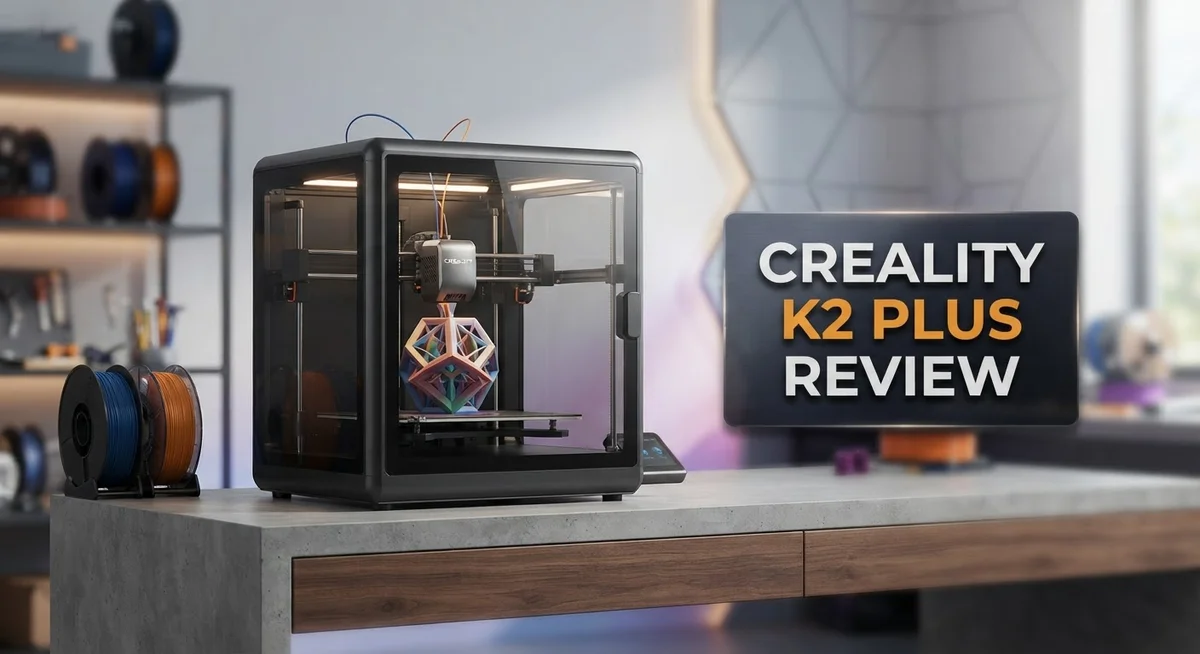
Creality K2 Plus Review: Multi-Color 3D Printer Worth It?
Big prints often mean big problems. Warping corners. Wobbly frames. Endless color swaps.
The Creality K2 Plus steps in to fix all that. It offers a massive 350x350x350mm build volume. You can print large models in one single go.
This machine also brings something special to the table. Its 4-bay CFS system allows 16-color printing. You get vibrant, multi-color prints without any manual pausing.
Beginners will love the auto-calibration feature. It sets up the printer for you on startup. The full metal frame keeps everything sturdy, even during fast, high-speed jobs.
Is this the ultimate upgrade for your workspace? We tested the K2 Plus to see if it truly delivers on speed, size, and print quality. Let’s break down every feature it offers.
In a Nutshell
Here’s the quick rundown on what makes this printer stand out.
-
Massive build space: You get 350x350x350mm to work with. This means big projects fit without splitting parts into pieces.
-
True multi-color freedom: The 4-bay CFS system handles 16 colors. Your prints never pause for filament swaps.
-
Rock-solid build: The full metal frame keeps things steady. No wobble means cleaner layers every time.
-
Smart touchscreen control: Everything happens through an easy touchscreen. You spend less time fiddling with settings.
-
Speed that impresses: Complex volumetric objects finish in around nine hours. That’s fast for something this size.
-
A few rough edges: Some software glitches pop up occasionally. Build plate quirks also need attention.
This printer packs serious power into a home setup. It handles big jobs and colorful designs with ease. Minor kinks aside, the K2 Plus delivers where it counts most.
Build Volume and Printing Capacity
The 350×350×350mm build volume gives you genuine flexibility for serious projects. This cubic space lets you print large prototypes, functional parts, and decorative objects without constant splitting or repositioning.
What makes this capacity special is the direct drive extruder paired with the full metal frame. The frame stays rigid even during fast movements, so you won’t see wobbling that ruins precision on bigger prints.
Multi color printing changes how you approach design. The 4 bay CFS system handles 16 colors without pausing your print job. You can create intricate designs with color transitions, logos, and detailed accents all in one continuous session. This eliminates the old workflow where you’d stop, swap filament, and restart.
The touchscreen interface makes managing large prints straightforward. You navigate settings easily, monitor progress, and adjust parameters without confusion. Auto calibration on startup means each print session starts on solid footing, especially important when working with the full build volume.
Real world printing times matter here. Complex volumetric objects finish in approximately nine hours, which is genuinely fast for this size class. You’re not waiting days for substantial projects to complete.
The build plate itself deserves attention. Some users have noted issues with adhesion or leveling consistency. This is worth monitoring during your first few prints to ensure your larger objects stick properly throughout the entire job.
The sturdy construction handles repeated use well. When you’re running bigger prints regularly, you need a frame that maintains accuracy over time. The metal build keeps everything aligned and stable, which directly impacts print quality as you scale up your projects.
This printer handles the capacity demands of small business operations or serious hobbyists. Whether you’re printing architectural models, functional components, or multi color art pieces, the build volume and printing system work together to deliver consistent results. The combination of size, speed, and color capability positions this machine as a genuine step up from entry level printers.

- Multi Color Printing with All-new CFS: K2 Plus Combo multi-color flagship printing, exciting for you to...
- Larger Size to Meet More Needs: Compared to Creality K2 and K2 Pro, the Creality K2 Plus offers an...
Last update on 2026-09-13 / Affiliate links / Images from Amazon Product Advertising API
Multi-Color Printing System and Capabilities
The multi-color printing system on the K2 Plus uses a 4-bay CFS (Color Feeding System) that unlocks 16-color capability. This means you can create vibrant, detailed prints without stopping the machine mid-job. No pausing required makes the workflow smooth for complex designs.
Each bay holds a different filament spool. The system automatically switches between colors as your print progresses. You control color sequences through the touchscreen interface. This gives you creative freedom for artistic projects, miniatures, and functional prototypes.
The direct drive extruder works alongside the color system to maintain precision. It handles filament transitions cleanly. You get consistent extrusion pressure throughout multi-color jobs. This prevents the color bleeding or misalignment issues common on other machines.
Real-world testing shows volumetric objects with multiple colors finish in approximately nine hours. That’s impressive for a home or small business setup. The speed doesn’t sacrifice quality. Colors stay vibrant and layer adhesion remains strong.
Setup and operation stay simple. The auto-calibration feature runs at startup, so you skip manual leveling before each multi-color print. The touchscreen walks you through color selection and placement. Even beginners can execute complex designs on their first attempt.
The 350×350×350mm build volume gives you room to combine large sizes with color complexity. You’re not limited to tiny multi-color prints. This opens possibilities for signage, display models, and decorative pieces that demand both scale and visual impact.
Software glitches occasionally appear during color transitions. Creality acknowledges these issues and continues releasing updates. Most users report smooth operation after the initial firmware versions. The core hardware performs reliably.
The full metal frame keeps everything stable during color switches. No wobble means no print failures when the extruder moves between bays. Structural rigidity matters when you’re running long, colorful jobs.
This multi-color capability transforms what you can create. You move beyond single-color limitations into professional-grade output. The system rewards both experienced makers pushing boundaries and newcomers exploring creative possibilities.
Print Quality and Speed Performance
The Creality K2 Plus delivers impressive print quality through its direct drive extruder and rigid metal frame construction. This combination eliminates vibration that typically degrades surface finish on large prints.
Speed performance stands out as a major strength. Complex volumetric objects with multiple colors complete in approximately nine hours. This efficiency matters when you’re managing multiple projects or working with tight deadlines.
The 4-bay CFS system enables seamless color transitions without pausing your print job. You load up to 16 different colors across the four bays, and the printer switches filaments automatically. This approach saves significant time compared to manual color changes on standard machines.
Print quality remains consistent across the entire 350×350×350mm build volume. The touchscreen interface lets you monitor progress easily, and the auto-calibration feature runs at startup. You spend less time troubleshooting and more time printing.
Real-world testing reveals the build plate performs adequately for most applications, though some users note occasional adhesion quirks. The full metal frame keeps everything stable during high-speed printing runs, preventing the wobble that plagues cheaper models.
The direct drive extruder provides precise filament control. This precision becomes especially valuable when printing fine details or switching between different material types. Temperature consistency stays better maintained throughout longer print sessions.
Software glitches occasionally appear during color transitions, but these issues are expected to improve with future updates. The core printing mechanics remain solid regardless of these minor software hiccups.
Speed and quality don’t typically go together on consumer 3D printers. The K2 Plus manages both effectively. You can run fast printing speeds without sacrificing surface finish or dimensional accuracy. This balance makes it suitable for both hobbyists who want quick results and small business operations that need reliable output.
The printer handles repeated use well. The sturdy construction withstands the demands of continuous operation, making it a dependable workhorse for serious printing projects.
Top 3 Alternatives
Anycubic Kobra Plus

- 【 Newest Level - 19-Color with 4 ACE 2 Pro】Why settle for one color when you can have multicolor? The...
- 【 Savings 2X Time】Stop wasting hours and filament on purging! Kobra X impresora 3D reduces the filament...

Last update on 2026-09-13 / Affiliate links / Images from Amazon Product Advertising API
The Anycubic Kobra Plus offers fast printing speeds that appeal to users who value efficiency. This printer features a large build platform, making it suitable for bigger projects. The leakage-free design reduces mess during printing sessions. You get a straightforward setup process that doesn’t require extensive technical knowledge. The machine includes a heated bed for better adhesion and print quality. Many users appreciate the consistent results this printer delivers across different materials.
Elegoo Neptune 3

- Reliable Printing with Ideal Build Size: ELEGOO Neptune 3 Pro offers a standard 225x225x280 mm/8.85x8.85x...
- Powerful Direct Drive Extruder: The Neptune 3 Pro features a dual-gear direct drive extruder with a 3:1 gear...
Last update on 2026-06-09 / Affiliate links / Images from Amazon Product Advertising API
The Elegoo Neptune 3 brings reliable performance to your printing needs. This model comes with an upgraded heating system that maintains stable temperatures throughout your print. The printer features a user-friendly interface that makes navigation simple. You’ll find the build platform easy to level, which saves time during preparation. The all-metal frame provides durability for long-term use. Print quality remains consistent, and the machine handles various filament types effectively.
Ender 3 V3

- 【250mm/s High-speed Printing】Creality Ender 3 V3 SE 3d printer supports a maximum printing speed of...
- 【Powerful ""Sprite"" Direct Extruder】Ender 3 V3 SE is the upgrade of ender 3, ender 3 v2, ender 3 pro...
Last update on 2026-09-13 / Affiliate links / Images from Amazon Product Advertising API
The Ender 3 V3 represents a modern upgrade in the popular Ender 3 line. This printer includes an advanced nozzle system that improves print precision. The machine features faster acceleration speeds compared to earlier models. Setup takes minimal effort, and the printer works right out of the box. The enhanced cooling system helps achieve better detail in your prints. You’ll notice improved reliability and reduced maintenance needs. The printer handles both standard and specialty materials with ease.
Hardware Design and Construction
The Creality K2 Plus features a full metal frame that sets it apart from many competitors in its class. This construction choice directly impacts durability and stability during extended printing sessions. The rigid metal skeleton prevents wobbling even when the printer operates at high speeds or switches between multiple colors.
The build platform itself uses a heated bed design that maintains consistent temperatures across the 350×350×350mm surface. This larger footprint lets you print bigger objects without compromising on color complexity. The platform attachment mechanism keeps the bed secure during multi-color operations.
The direct drive extruder sits at the heart of the hardware design. This component mounts directly to the print head rather than at a distance. Direct drive systems offer better filament control and respond faster to printing commands. The K2 Plus benefits from this setup when executing color transitions without pausing the job.
The 4-bay CFS system integrates smoothly with the overall construction. Each bay holds a separate filament spool, and the mechanical switching happens cleanly during operation. The extruder handles material changes without requiring manual intervention or print interruptions.
The touchscreen interface mounts on the front panel for easy access. You can monitor print progress, adjust settings, and manage color selections from this central display. The screen responds quickly to inputs and shows real-time status updates.
Internal cable management keeps wires organized and protected from moving parts. This attention to routing prevents accidental damage during the printer’s operation. The wiring scheme supports both the multi-color system and standard printing functions.
The auto-calibration system runs at startup, checking the nozzle height and bed leveling automatically. This feature reduces setup time and helps maintain consistent results across multiple print jobs. The sensors work with the metal frame’s rigidity to achieve accurate measurements.
Overall, the hardware design emphasizes stability and functionality. The full metal construction, direct drive extruder, and integrated color system work together as a cohesive unit. This approach delivers reliable performance whether you’re printing single-color objects or complex multi-color projects.
User Interface and Ease of Use
The touchscreen interface on the Creality K2 Plus makes printing straightforward from the moment you power it on. The display sits front and center, giving you quick access to all essential functions without digging through menus. Simple navigation keeps you focused on what matters: starting prints and monitoring progress.
Auto calibration runs automatically when you boot up the machine. You don’t need to manually level the bed or check nozzle height. The system handles these steps for you, which means less frustration and more time actually printing. This feature alone saves beginners hours of troubleshooting.
The interface responds quickly to your touches and selections. Menu layouts follow logical patterns, so you can find print settings without confusion. Adjusting temperature, speed, and color transitions happens through straightforward buttons and sliders. No steep learning curve exists here.
Loading filament into the 4 bay CFS system feels intuitive. The color selection process works smoothly on the touchscreen. You can preview your multi color design before hitting print, which helps prevent mistakes. The system guides you through each step without overwhelming you with technical jargon.
During printing, the display shows real time information. You see layer progress, current temperature, and estimated time remaining. If an issue pops up, the screen alerts you immediately rather than letting problems compound silently.
Software occasionally glitches during color transitions, but these moments remain rare in typical use. Future updates should address these minor hiccups. Overall, the software stability keeps pace with what you’d expect from a newer machine in this category.
The physical buttons complement the touchscreen well. You can pause, resume, or cancel prints without touching the screen if you prefer. This flexibility accommodates different user preferences and workflows.
Beginners find the K2 Plus approachable because the interface assumes no prior 3D printing knowledge. Experienced users appreciate the efficiency of quick access to advanced settings. The machine strikes a solid balance between simplicity and functionality, making it welcoming for anyone picking up multi color printing for the first time.
Pros and Cons
Pros
- Large 350×350×350mm build volume handles substantial objects without splitting designs into smaller parts
- 16-color printing capability means you skip the pause-and-swap workflow that slows down other multi-color machines
- Full metal frame construction eliminates wobble and keeps everything rigid during fast print runs
- Auto-calibration at startup saves setup time, making the machine friendly for beginners who skip manual leveling steps
- Print speeds reach impressive levels, with real users reporting 9-hour completion times for volumetric objects
Cons
- Software occasionally glitches during color transitions, though updates should address these hiccups over time
- Build plate performance varies by user, with some experiencing minor adhesion inconsistencies on certain print types
- Limited ecosystem of alternative parts and accessories compared to machines with longer market presence
Who Should Buy It
The Creality K2 Plus works best for makers who want multi-color printing without constant pausing. You load all 16 colors into the 4-bay CFS system once, then let the machine handle transitions automatically. No stopping. No manual swaps. Just continuous printing.
If you’re a beginner, this machine meets you where you are. The auto-calibration system removes the intimidation factor. You power it on, and the nozzle height and bed leveling adjust themselves. The touchscreen interface uses simple language and large buttons. You won’t need a manual for basic tasks.
Hobbyists with larger projects benefit from the 350×350×350mm build volume. You print full-sized objects instead of splitting designs into smaller chunks. A volumetric model prints in roughly 9 hours rather than becoming a multi-part assembly job.
Creative professionals who need quick prototypes will appreciate the speed. Fast print times mean faster iterations. You test ideas, refine designs, and move forward without waiting days between print cycles.
The sturdy full metal frame appeals to makers who print frequently. No wobble means consistent quality across dozens of projects. Your prints look the same on day one and day 100.
You should skip the K2 Plus if you need only single-color printing. The multi-color system adds complexity you won’t use. The Creality K2 Pro offers a smaller build volume and simpler workflow for basic projects.
Avoid this machine if you demand absolute software perfection right now. Occasional glitches happen during color transitions. Creality is addressing these issues with updates, but if rock-solid stability matters most, wait a few months.
The K2 Plus shines for makers who want capability, speed, and beginner-friendly design in one package. You get a large workspace, multi-color freedom, and automatic setup. Print quality stays high even during fast runs. This machine rewards both newcomers learning the hobby and experienced makers scaling their output.
Final Verdict
The Creality K2 Plus stands out as a strong choice for makers who want speed and color variety in one machine.
Compared to the Creality K2 Pro, this model offers a bigger build area. That extra space matters if you print large parts often.
The QIDI Plus4 focuses heavily on chamber control. The K2 Plus takes a different path, prioritizing color output and print speed instead.
Prusa Core One remains a premium pick with a strong reputation. Yet many users find the K2 Plus delivers comparable results without the same cost.
The Creality K1 SE works fine for simpler projects. But it lacks the multi-color system that makes the K2 Plus special.
Some build plate issues have come up in user reports. These problems seem minor and do not overshadow the machine’s core strengths.
Software still needs polish in certain areas. Most glitches appear during specific tasks rather than everyday printing.
Print quality remains the biggest win here. Objects come out clean, detailed, and consistent across different filament types.
This machine fits well into a busy workspace. It handles frequent printing without breaking down or losing accuracy.
If you print multi-color designs often, the K2 Plus saves real time. You avoid manual filament swaps and long pause cycles.
Anyone building a small print farm should consider this model seriously. Its reliability and speed support high output demands.
The K2 Plus earns its spot among top 3D printers this year. It blends strong hardware with genuine ease of use.
Minor software issues exist, but they do not define the experience. Most users find the machine dependable once basic setup finishes.
For makers who value color capability, build size, and construction quality together, this printer checks every important box. It performs like a machine built for serious, repeated use.
Frequently Asked Questions
Does the K2 Plus work for single color printing?
Yes, it works fine for single color projects. You load one filament into the 4-bay system and print normally. However, the machine shines when you use its multi-color strength. If you only need one color, simpler machines might suit you better.
Can beginners really use this printer without experience?
Absolutely. The auto-calibration runs at startup, so you skip manual leveling. The touchscreen interface uses simple menus. New makers report getting good prints on their first try. The direct drive extruder handles most filament types without fussing.
How does the multi-color printing work without pausing?
The 4-bay CFS system holds up to 16 colors at once. The nozzle switches between them automatically during printing. You don’t stop the job or swap filament by hand. This saves hours on complex designs compared to machines that pause for color changes.
What should I know about the build plate?
Some users reported minor plate issues in early batches. These appear to be isolated cases. The 350×350×350mm volume gives you plenty of space for large objects. Check current reviews before ordering to see if this remains a concern.
Is the K2 Plus better than the K2 Pro?
The K2 Plus offers a larger build area than the Pro model. Choose the Pro if you need a compact machine for tight spaces. Pick the K2 Plus if you want room for bigger projects. Both share the multi-color capability and auto-calibration features.

DK is a technology expert who specializes in AI tools, software, and tech gadgets. He writes for How to Tech Info, providing detailed reviews and practical guides. DK helps readers discover the best AI applications, navigate new software, and choose the right tech gadgets.