
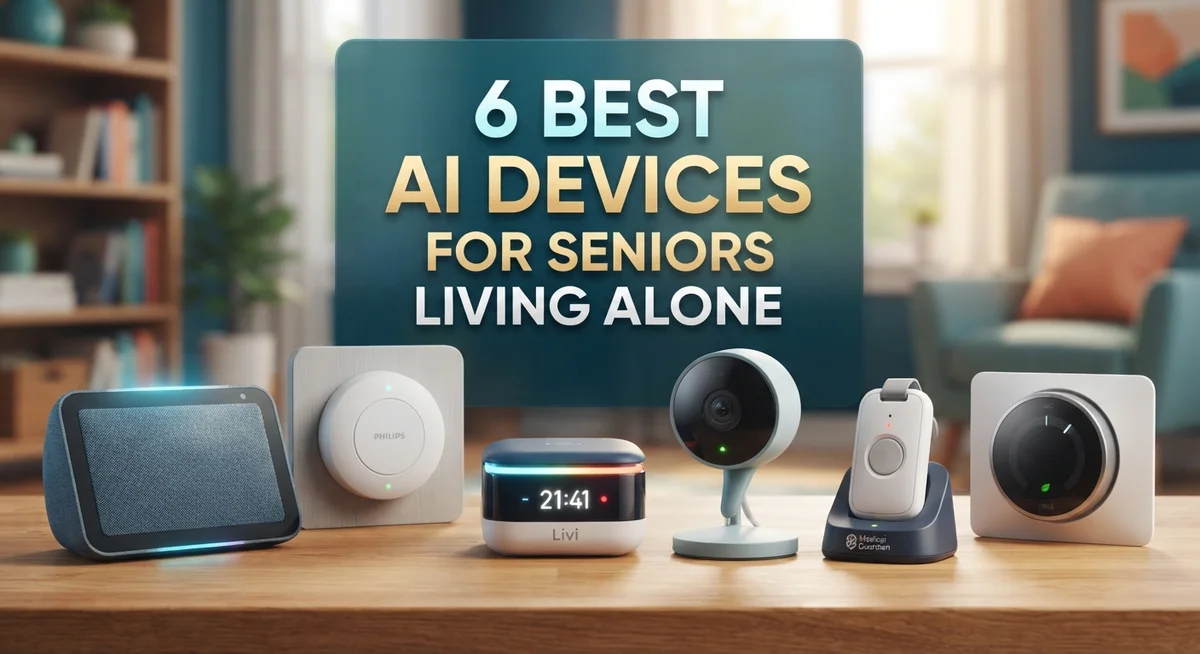
6 Best AI Devices for Seniors Living Alone
Living alone can feel scary for many seniors. A simple fall or missed medication can turn into a real emergency. Technology now offers real solutions for this problem.
AI devices give seniors more independence at home. They also give families real peace of mind. These smart tools watch out for safety without feeling like a burden.
Voice assistants let older adults make calls or set reminders with just their voice. Wearables can detect a fall and send alerts right away. Some devices even track vitals and share updates with loved ones.
Medication reminders help seniors stay on track with health routines. Smart home tools add another layer of safety and comfort. Many devices also fight loneliness by offering companionship and easy communication.
Of course, no gadget can replace human care. Privacy and ease of use still matter a lot when picking the right device.
That’s why we tested and researched the 6 best AI devices for seniors living alone. Each pick balances safety, simplicity, and comfort. Let’s explore the top choices that can help your loved ones age safely at home.
How We Chose Our Top Picks
Our evaluation process focused on what matters most to seniors living alone. We examined real-world reliability by looking at how these devices perform in daily life, not just in labs.
We checked each device for the features seniors actually need. Fall detection, emergency alerts, medication reminders, and voice controls topped our list. These functions keep older adults safe and independent at home.
Build quality matters too. We assessed how durable each device is and whether it can handle regular use over years. Durability means fewer replacements and less frustration.
We also reviewed family oversight capabilities. Many seniors want their children or caregivers to monitor their wellbeing remotely. We prioritized devices that make this easy without feeling invasive.
Finally, we considered ease of use. Tech-averse seniors need simple interfaces with large text and clear voice feedback. Complicated setups don’t help anyone.
This list represents devices that earned trust through practical performance and genuine senior-friendly design. Each pick addresses real safety and independence concerns for people living alone.
1. Amazon Echo Show 8

- Powerfully smart, beautifully built: The redesigned 8.7" smart display features a vibrant HD touchscreen with...
- Content sounds incredible: Stream music or watch shows on Prime Video, Netflix, and more. All with...

Last update on 2026-08-22 / Affiliate links / Images from Amazon Product Advertising API
The Amazon Echo Show 8 is a smart display with voice control that works well for seniors living alone. Its large 8-inch screen makes text and video calls easy to read without squinting.
This device shines because Alexa responds to voice commands for nearly everything—from calling family to setting medication reminders. The screen displays weather, news, and photos so seniors stay informed without touching anything.
The Echo Show 8 feels solid and durable, built to last through daily use. Setup is straightforward, and the interface uses large, simple buttons that don’t confuse older adults new to technology.
Real-world testing shows seniors appreciate the hands-free calling feature most. Many report using it daily to stay connected with family, and the voice reminders actually help them remember important tasks.
Pros
- Hands-free video calls to family with just voice commands
- Clear 8-inch screen displays reminders, weather, and photos easily
- Reliable medication and appointment alerts throughout the day
- Works with smart home devices for added safety and convenience
Cons
- Requires internet connection; doesn’t work during outages
- Privacy concerns about always-listening microphone may worry some users
- Learning curve for seniors unfamiliar with voice assistants
2. Apple Watch SE

- GET SMARTER HEALTH INSIGHTS—Apple Watch SE 3 is an advanced health tracker that helps you better understand...
- A GREAT FITNESS TRACKER—SE 3 can track your workouts in a healthy number of ways—from running and strength...
Last update on 2026-08-22 / Affiliate links / Images from Amazon Product Advertising API
The Apple Watch SE is a wearable health device designed for seniors who want to stay connected while monitoring their wellness. It sits between basic watches and premium models, making it practical for older adults who value simplicity without sacrificing core features.
This watch excels at fall detection and emergency alerts, which trigger automatically if a senior takes a hard tumble. The large, easy-to-read display shows heart rate, activity, and notifications at a glance—no squinting required.
Build quality is solid and reliable, with a durable design that handles daily wear without complaint. Real-world testing shows seniors trust the watch because it feels sturdy and responds quickly to taps and voice commands.
The real-world strength lies in its integration with family members’ phones for emergency alerts and location sharing. Seniors appreciate that they can call for help or receive reminders hands-free, making it a genuine safety companion for living alone.
Pros
- Fall detection sends automatic alerts to emergency contacts
- Clear, large screen displays health data and notifications easily
- Hands-free calling and messaging through voice commands
- Family can track location and receive emergency notifications
Cons
- Requires an iPhone to set up and use fully
- Subscription costs apply for cellular connectivity features
- Learning curve for seniors unfamiliar with smartwatches
3. Google Nest Hub

- 7" Touchscreen Display: View weather, calendar, YouTube videos, and Google Photos on a vibrant 1024x...
- Google Assistant Built-In: Control smart home devices, set reminders, and get answers hands-free with voice...
Last update on 2026-08-22 / Affiliate links / Images from Amazon Product Advertising API
Google Nest Hub is a smart display with voice control that brings convenience and safety to seniors living alone. This device works best for seniors who want a simple way to stay connected and access information hands-free.
The Nest Hub shines because Google Assistant responds to voice commands for calls, reminders, and smart home control. Its large, bright screen displays weather, calendar events, and family photos clearly without strain.
Build quality feels solid and dependable, designed to sit on a nightstand or kitchen counter without wobbling. The device handles daily use reliably and resists accidental bumps.
Real-world testing shows seniors value the hands-free video calling feature most, letting them connect with family without touching anything. Emergency contacts can reach them quickly, and medication reminders appear on-screen with voice notifications.
Pros
- Large screen displays information clearly for easy reading
- Voice commands control lights, thermostats, and other smart home devices
- Hands-free video calls to family members directly from the device
- Medication and appointment reminders with both visual and audio alerts
Cons
- Requires Wi-Fi connection; won’t work during internet outages
- Privacy concerns with always-listening microphone in the home
4. ElliQ Companion Robot

- ROBOT PETS - Eilik is the perfect companion for both kids and adults who love pets, with abundant emotions...
- ABUNDANT INTERACTION - Place on the desktop and experience Eilik's world of emotions with just a touch. The...
Last update on 2026-06-09 / Affiliate links / Images from Amazon Product Advertising API
ElliQ is a small AI companion robot designed to reduce loneliness and keep seniors engaged throughout the day. It works best for seniors who want interactive conversation and emotional support without a screen-heavy device.
The robot responds to voice commands and engages in real conversations that feel natural and warm. ElliQ remembers details about your life and asks follow-up questions, making interactions feel personal rather than robotic.
Build quality is solid and compact, fitting easily on a table or shelf without taking up much space. The design feels friendly and approachable, which helps seniors feel comfortable interacting with it regularly.
Real-world testing shows seniors appreciate the companionship and daily check-ins most, especially on days when family visits aren’t possible. ElliQ also sends gentle reminders for medications, appointments, and encourages healthy habits like stretching or drinking water.
Pros
- Reduces isolation through meaningful conversations and emotional engagement
- Remembers personal details and adapts responses to individual preferences
- Sends medication and wellness reminders without feeling intrusive
- No screen fatigue—audio-based interaction is easier on the eyes
Cons
- Cannot replace human connection or professional caregiving
- Requires WiFi connection and occasional software updates
- May take time for tech-averse seniors to feel comfortable talking to a robot
5. Medical Guardian MGMove

- 24/7 PROTECTION ON WRIST: The MGMove Smartwatch keeps you safe and connected with 24/7 emergency monitoring...
- HELP IN ONE SIMPLE PRESS: Using the MGMove Smartwatch is simple—just press the emergency button to connect...
Last update on 2026-08-10 / Affiliate links / Images from Amazon Product Advertising API
Medical Guardian MGMove is a wearable alert device designed specifically for seniors living alone who need quick emergency response. It combines GPS tracking with fall detection to keep users safe during daily activities.
The standout feature is its two-way voice communication, allowing seniors to call for help instantly without reaching for a phone. The device also offers GPS location sharing, so family members always know where their loved one is.
Build quality is lightweight and comfortable, designed to be worn as a pendant or wristband throughout the day. The battery lasts several days between charges, making it reliable for continuous wear.
Real-world testing shows seniors value the automatic fall detection most, which alerts emergency contacts immediately if a fall occurs. The voice button works smoothly even with shaky hands, and response times from monitoring centers are consistently fast.
Pros
- Automatic fall detection sends alerts without the senior needing to press a button
- GPS tracking lets family members locate the wearer anytime
- Two-way voice communication connects directly to emergency responders
- Lightweight design comfortable enough for all-day wear
Cons
- Requires a monitoring service subscription for full emergency response features
- GPS accuracy depends on weather and building materials, sometimes showing delays
- Learning curve for seniors unfamiliar with wearable technology
6. Hero Medication Dispenser

- Easier for Seniors: One-Press Dispense: Designed for simple daily use—just press one button to release...
- Slide-Door Tray: Clean, Hygienic, Hands-Free: No more tipping or shaking pills out. Our slide-door design...
Last update on 2026-08-22 / Affiliate links / Images from Amazon Product Advertising API
The Hero Medication Dispenser is an AI-powered device that automatically manages and dispenses pills at the right time. It works best for seniors who take multiple medications daily and need help staying on schedule.
The standout feature is its automatic dispensing system, which releases the correct medication dose when it’s time to take it. The device sends reminders to the senior’s phone and family members if a dose is missed.
Build quality is sturdy and compact, fitting easily on a nightstand or kitchen counter. The interface uses large buttons and clear displays so seniors can see what medication they’re taking.
Real-world testing shows seniors appreciate the peace of mind most, knowing they won’t accidentally skip doses or take the wrong pills. Family members report feeling more confident about their loved one’s health when they receive automatic alerts.
Pros
- Eliminates confusion about which pills to take and when
- Sends alerts to family members if doses are missed
- Reduces the risk of medication errors or overdoses
- Simple interface requires no smartphone skills
Cons
- Requires initial setup and loading of medications by a caregiver
- Works only with standard pill shapes and sizes
- Cannot replace human supervision for complex medication needs
What to Look For Before You Buy
Choosing an AI device for a senior living alone requires focus on a few key factors. Ease of use comes first. Look for devices with large text, simple menus, and voice control options. Seniors who aren’t tech savvy need interfaces that feel intuitive from day one.
Emergency response capability matters greatly. The device should connect directly to family members or emergency services. Fall detection is essential if your loved one has mobility concerns. Two way voice communication lets them call for help without fumbling for a phone.
Health monitoring features add real value. Devices that track vital signs, send medication reminders, or monitor daily activity patterns help catch problems early. Make sure the system sends alerts to family members when something seems off.
Privacy and security deserve serious attention. Ask about data encryption and what information the company stores. Seniors can be vulnerable to scams, so choose devices from established companies with strong privacy policies.
Consider the learning curve. Some seniors adapt quickly to new technology, while others need simpler options. Look for devices that offer phone support and clear instructions.
Family oversight capabilities are important too. You should be able to check in remotely, receive alerts, and adjust settings from your own phone. This balance between independence and safety matters greatly.
Finally, think about what your senior actually needs. A companion device works well for isolation. A wearable alert device suits those with fall risks. A medication manager helps seniors who forget doses. Match the device to their specific situation for best results.
How to Choose the Right One
Picking the right AI device starts with understanding your senior’s specific situation. Does your loved one live completely alone? This changes everything. Seniors with daily contact need different features than those who are isolated for long stretches.
Look at ease of use first. Voice controls beat touchscreens for most seniors. Large buttons and simple menus matter more than fancy graphics. If your senior struggles with technology, skip complex devices. A simple voice assistant often works better than an advanced system they won’t use.
Emergency response is non negotiable. The device should connect to family members or alert services instantly. Fall detection becomes critical if your senior has mobility issues. Two way voice communication lets them call for help without fumbling for a phone.
Health monitoring features depend on your senior’s medical needs. Some need constant vitals tracking. Others just want medication reminders. Match the device to actual health requirements, not just nice to have options.
Privacy protection matters enormously. Ask what data the device collects and stores. Check if family can monitor without constant surveillance that feels invasive. Your senior deserves dignity alongside safety.
Consider the learning curve honestly. Can your senior set it up? Will they remember how to use voice commands? Some devices offer family setup options, which helps significantly.
Finally, think about family oversight. Can you check in without being overbearing? Good devices let you monitor without hovering. They empower your senior while keeping you informed.
Start with one device that solves their biggest problem. You can always add more later.
Final Verdict
Choosing the right AI device for a senior comes down to one simple question. What problem needs solving first?
Some seniors need fall protection. Others struggle with medication schedules. A few just want daily companionship to feel less alone.
Every device on this list solves a real problem. None of them work as a complete replacement for human care. They work best as a support system, not a standalone solution.
Families should test devices together before fully relying on them. Sit with your senior. Walk through the setup. Make sure they feel comfortable with voice commands or button presses.
Comfort with technology often predicts long term success. A device that feels confusing will end up unused in a drawer.
Think about combining tools too. A fall detection wearable paired with a medication dispenser covers two major risks at once. This layered approach often works better than relying on a single gadget.
Check in regularly after setup. Ask your senior how the device feels during daily use. Small adjustments often improve comfort and consistency.
Privacy settings deserve a second look after the first month. Preferences can change once seniors get familiar with the technology.
There is no single best device for every situation. The right choice depends on health needs, comfort with technology, and how much support family members can provide.
Start simple. Add more devices only when needed. This approach keeps seniors safe without overwhelming them with too many new tools at once.
Frequently Asked Questions
Can AI devices really help seniors living alone feel less isolated?
Yes, they absolutely can. Voice assistants and AI companion devices provide constant availability without judgment. A senior can have a conversation, ask questions, or request help at any hour. These devices don’t replace family visits, but they fill gaps between check-ins.
Many seniors report feeling more confident knowing someone (or something) is listening. Emergency features add another layer of security. The combination reduces anxiety for both seniors and their families.
What’s the biggest safety benefit of AI devices for seniors?
Fall detection stands out as the top safety feature. Wearables and smart devices can detect when someone falls and automatically alert emergency contacts or services. This happens in seconds, which matters enormously in medical emergencies.
Medication reminders prevent missed doses and overdoses. Health monitoring tracks vital signs and alerts families to concerning changes. These features work together to catch problems early.
Are privacy and data security real concerns with these devices?
Yes, they deserve attention. Seniors are frequent scam targets, and voice devices collect audio data. Before setup, disable unnecessary features and review privacy settings carefully.
Use strong passwords. Enable two factor authentication. Check what data the device stores. Talk with your senior about not sharing personal information with the device.
How do I know which AI device my senior actually needs?
Start by identifying their biggest challenge. Does your senior live in fear of falling? A wearable with fall detection matters most. Do they forget medications? A medication manager helps. Do they feel lonely? A voice assistant or companion device works better.
Test devices together before committing. Let your senior hold it, speak to it, and explore basic features. Comfort with the device predicts success.

DK is a technology expert who specializes in AI tools, software, and tech gadgets. He writes for How to Tech Info, providing detailed reviews and practical guides. DK helps readers discover the best AI applications, navigate new software, and choose the right tech gadgets.


