
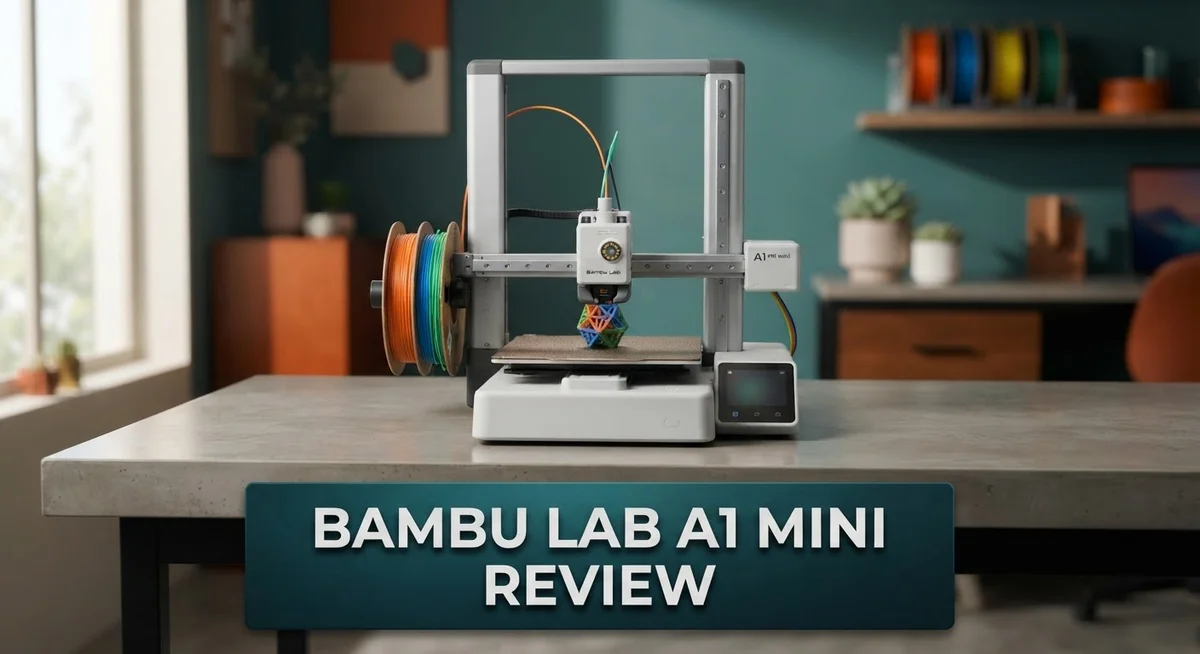
Bambu Lab A1 Mini Review: Beginner-Friendly 3D Printing?
Want a 3D printer that just works? The Bambu Lab A1 Mini might be your answer.
This compact machine packs big features into a small frame. It offers full auto calibration, so beginners can start printing fast.
The A1 Mini runs quiet. You can use it in a bedroom or office without noise complaints.
It also supports multi-color printing with the optional AMS accessory. This lets you create colorful models without swapping filament by hand.
With full-metal rails and smart sensors, this printer handles fast, precise movements. It reaches speeds up to 10,000 mm/s² acceleration.
In this review, we will explore the Bambu Lab A1 Mini in detail. You will learn about its features, performance, and how it compares to rivals like the Creality K1 and Prusa printers.
Let’s find out if this mini printer deserves a spot on your desk.
In a Nutshell
Here’s the quick rundown on what makes this printer stand out.
- Auto calibration takes the guesswork out of setup. Beginners can start printing right away.
- A 2.4 inch touchscreen gives you clear control over every print job.
- The nozzle pressure sensor and accelerometers keep prints accurate at high speeds.
- Movement hits 10,000 mm/s² acceleration. Your prints finish faster without losing detail.
- Wi-Fi and Bambu-Bus connectivity let you manage jobs from your phone or computer.
- Active flow rate compensation adjusts material flow on the fly. This means smoother layers and fewer errors.
- Storage comes through a simple micro SD card slot.
- Compared to rivals like the Creality K1 series or Prusa, the A1 Mini keeps things simple without sacrificing power.
This printer suits hobbyists and first time users alike. It blends smart tech with an easy learning curve. Few printers in this class offer this much automation and control together.
Key Features and Specifications
The A1 Mini brings a thoughtful mix of hardware and software features that work together seamlessly. Speed and precision combine through the printer’s 10,000 mm/s² acceleration capability, which means your prints finish faster without losing detail.
The touchscreen acts as your command center. Its 2.4 inch IPS display shows vivid colors and responds quickly to your taps. You get real-time feedback on print progress, temperature settings, and material status all in one spot.
Sensor technology keeps quality consistent throughout every job. The nozzle pressure sensor detects resistance and adjusts automatically. Accelerometers track movement patterns to catch issues before they ruin a print. This combination means fewer failed prints and less waste.
Connectivity options give you flexibility in how you work. Wi-Fi lets you send files wirelessly from your computer or phone. Bambu-Bus provides a direct connection for faster data transfer if you need it. Micro SD card storage works as a backup option when you prefer offline printing.
The frame itself uses full-metal rails instead of plastic guides. This rigid construction handles aggressive movements without flex or vibration. You notice this in the final print quality, especially on detailed models.
Auto calibration removes the biggest headache for new users. Traditional 3D printers demand manual leveling and nozzle height adjustment. The A1 Mini handles this automatically, so you load material and start printing within minutes.
Multi-color printing becomes possible through the optional AMS accessory. This attachment holds up to four filament spools and switches materials mid-print. You create complex, colorful designs without stopping the machine.
The compact footprint matters if desk space is limited. The A1 Mini takes up roughly half the space of standard models. You get professional-grade features without needing a dedicated workshop corner.
Flow rate compensation works quietly in the background. As material feeds into the nozzle, the system monitors resistance and adjusts speed. This keeps extrusion consistent even when switching between different filament types or brands.

- High-Speed Precision: Experience unparalleled speed and precision with the Bambu Lab A1 Mini 3D Printer. With...
- Multi-Color Printing with AMS lite: Unlock your creativity with vibrant and multi-colored 3D prints. The Bambu...
Last update on 2026-07-22 / Affiliate links / Images from Amazon Product Advertising API
Design, Build Quality, and Footprint
The Bambu Lab A1 Mini delivers a thoughtful industrial design that respects your workspace. The machine measures significantly smaller than conventional desktop printers, occupying roughly half the footprint of standard models. This compact profile makes it ideal for home offices, maker spaces, or anywhere desk real estate matters.
Build quality stands out immediately. The frame uses full-metal rails instead of plastic guides, which means you get rigid support for fast movements without wobbling. These metal components handle the printer’s aggressive acceleration of 10,000 mm/s² without flexing or losing precision. The structural integrity remains consistent even during extended print sessions.
The design philosophy prioritizes function over flash. Every element serves a purpose. The 2.4 inch touchscreen sits at an intuitive angle for viewing and adjusting settings mid-print. Cable routing stays clean and organized, reducing clutter around your work area. Ventilation openings allow proper airflow without creating noise or vibration issues.
Sensor placement reflects smart engineering. The nozzle pressure sensor and accelerometers integrate seamlessly into the frame rather than feeling like afterthoughts. These components work silently in the background, monitoring print quality without requiring user intervention. You simply press start and let the machine handle the technical details.
The metal construction also contributes to the printer’s reputation for quiet operation. Unlike machines with plastic frames that can rattle or hum, the A1 Mini’s rigid structure absorbs vibration effectively. This matters if you share your workspace with others or prefer a peaceful environment.
Accessibility features enhance the overall design. The micro SD card slot sits in an easy-to-reach location. The touchscreen responds quickly to taps and swipes. Cable connections use standard connectors, so replacements or upgrades remain straightforward.
The compact footprint doesn’t mean limited capability. The machine still accommodates the optional AMS accessory for multi-color printing, which attaches without requiring significant additional space. This modular approach lets you expand functionality without outgrowing your desk setup.
Ease of Use and Auto-Calibration
The A1 Mini removes setup friction that stops many people from 3D printing. Auto calibration happens automatically when you power on the machine. You don’t need to manually level the bed or adjust nozzle height. The printer handles these steps on its own.
This feature matters most for beginners. Traditional printers demand manual calibration before each print. One wrong adjustment ruins your entire job. The A1 Mini eliminates this frustration completely.
The touchscreen interface makes operation straightforward. You navigate menus with simple taps and swipes. Icons display clearly on the 2.4 inch display. Finding print settings takes seconds, not minutes.
Wi Fi connectivity adds another ease layer. You can start, pause, or monitor prints from your phone or computer. No need to stand at the printer constantly. The Bambu Bus system keeps communication stable and responsive.
The nozzle pressure sensor continuously monitors print quality. It detects problems before they become visible defects. Active flow rate compensation adjusts material flow automatically during printing. This keeps line width consistent even when speeds change.
Accelerometers inside the printer track movement precision. These sensors help maintain accuracy at the machine’s 10,000 mm/s² acceleration rate. High speeds no longer mean quality loss.
Loading filament follows a simple click in design. The micro SD card slot accepts print files without fuss. You can load jobs directly from the card or through Wi Fi.
The full metal rails provide smooth, quiet operation. Plastic guides create vibration and noise. Metal construction eliminates both problems. Prints come out cleaner while the machine runs silently.
Compared to competitors like the Creality K1 series, the A1 Mini keeps complexity low. You spend more time printing and less time troubleshooting. The optional AMS accessory enables multi color printing when you’re ready for it.
Setup takes under an hour for most users. The printer ships partially assembled. Connecting the frame and installing the nozzle represents the main assembly steps. After that, calibration runs automatically. Your first print can happen the same day you unbox it.
Top 3 Alternatives
Creality Ender 3 V3

- 【250mm/s High-speed Printing】Creality Ender 3 V3 SE 3d printer supports a maximum printing speed of...
- 【Powerful ""Sprite"" Direct Extruder】Ender 3 V3 SE is the upgrade of ender 3, ender 3 v2, ender 3 pro...
Last update on 2026-09-13 / Affiliate links / Images from Amazon Product Advertising API
The Ender 3 V3 brings solid printing performance to your workspace. This machine features a direct drive extruder that handles various materials well. You get fast print speeds without sacrificing quality on most projects.
The build plate heats up quickly, which saves you time between prints. Setup is straightforward, making it ideal if you’re new to 3D printing. The printer uses an open-frame design, so you can watch your creations come to life. Community support is strong, meaning you’ll find plenty of guides and upgrades available online.
Prusa MINI Plus

- [REWARDING DIY EXPERIENCE] Master your 3D printer by building it yourself with our detailed step-by-step...
- [PRO-GRADE SPEED & QUALITY] Elevate your workshop with this high-speed CoreXY professional 3d printer. The...

Last update on 2026-09-13 / Affiliate links / Images from Amazon Product Advertising API
The MINI Plus stands out for its reliability and precision. This compact printer delivers consistent results across different filament types. The print quality rivals machines twice its size, which many users appreciate.
Prusa includes excellent software that takes guesswork out of printing. The build plate removes easily for quick part removal. You also get built-in features like power recovery, so unexpected power loss won’t ruin your print. The machine is quieter than many competitors, making it suitable for shared spaces.
Anycubic Kobra 2

- 【15-Min Setup & Joy from the Start】The Kobra X arrives pre-assembled with a user-friendly modular design...
- 【Vibrant Multicolor for Creative Ideas】Native 4-color printing makes it easy to create colorful toys and...
Last update on 2026-09-13 / Affiliate links / Images from Amazon Product Advertising API
The Kobra 2 emphasizes speed and ease of use. Its automatic leveling system gets you printing faster without manual adjustments. The heated bed reaches temperature quickly, reducing idle time between jobs.
This printer handles larger prints thanks to its spacious build platform. The interface is intuitive, so navigation feels natural even for beginners. Print quality remains consistent across various materials. The machine’s sturdy frame minimizes vibration, which translates to cleaner details on your finished parts.
Print Quality and Multi-Color Capability
The A1 Mini excels at producing clean, consistent prints right out of the box. The nozzle pressure sensor monitors extrusion in real time, catching problems before they affect your final piece. This active flow rate compensation means you get uniform layer quality across every print.
Multi color printing transforms what you can create. The optional AMS accessory lets you load up to four filament colors simultaneously. The printer automatically switches between them during printing, so you can produce vibrant multi color models without manual intervention. This capability opens creative possibilities that single color printing simply cannot match.
The printer’s acceleration technology reaches 10,000 mm/s², which sounds technical but means something practical: faster prints without quality loss. Most users notice the difference immediately when comparing their first few jobs to older machines. The accelerometers inside track movement precision constantly, keeping everything aligned.
Surface finish quality stands out as a real strength. The full metal rails ensure smooth motion throughout the print. Combined with the quiet operation, this precision translates into prints with minimal layer lines and smooth curves. Users frequently comment that their first prints look professional grade.
Color transitions work seamlessly when you use the AMS system. The printer handles filament changes automatically at designated points in your design. No manual pausing. No fumbling with different spools. The software handles the complexity so you don’t have to.
Print reliability improves dramatically with the sensor suite. The nozzle pressure sensor catches clogs before they ruin your work. The system adjusts in real time rather than waiting for failure. This proactive approach means fewer failed prints and less wasted material.
The compact footprint doesn’t compromise on print quality either. Smaller machines sometimes struggle with precision, but the A1 Mini maintains consistency that rivals larger competitors. The rigid frame absorbs vibration effectively, which directly impacts surface finish and dimensional accuracy.
Whether you’re printing single color functional parts or vibrant multi color display pieces, the A1 Mini delivers results that satisfy both beginners and experienced makers.
Connectivity and Smart Features
The A1 Mini connects to your network through Wi-Fi, letting you monitor and control prints from your phone or computer. You can start a print, pause it, or check progress without standing at the printer. This remote access removes a major frustration for anyone juggling multiple projects.
The printer uses Bambu-Bus connectivity alongside Wi-Fi. This dual approach keeps communication stable and responsive. The system talks to the nozzle pressure sensor and accelerometers in real time, catching problems before they become failed prints. This constant feedback loop is what makes the A1 Mini so reliable.
The 2.4 inch touchscreen display on the printer itself puts essential controls right at your fingertips. You navigate menus quickly without confusion. The interface responds instantly to your touches, which matters when you’re adjusting settings mid-print. The screen shows live camera feeds, so you can watch your print develop without any lag.
Micro SD card storage lets you load designs directly onto the printer. You don’t need a computer connected during printing. This independence gives you flexibility when you’re managing multiple machines or working in tight spaces.
Smart features go beyond basic connectivity. The printer learns your print patterns and adjusts settings automatically. The active flow rate compensation system watches how filament moves through the nozzle and adapts in real time. The accelerometer data helps the printer predict and prevent vibration issues that could affect surface quality.
The AMS accessory transforms the A1 Mini into a multi-color powerhouse. The connectivity between the printer and AMS accessory works seamlessly. Color switching happens automatically without user intervention. The sensors track filament type and adjust printing parameters instantly.
Integration with Bambu Lab’s ecosystem means future updates improve functionality over time. Your printer gets smarter without requiring hardware replacements. This forward thinking approach keeps the A1 Mini competitive as your skills advance and your printing demands grow more complex.
Pros and Cons
Pros
- Auto calibration handles setup automatically, so you skip the frustration most beginners face
- Quiet metal rails and rigid frame mean smooth, peaceful printing in any room
- Compact size takes up roughly half the space of standard printers without losing print quality
- Active flow rate compensation catches problems before they become failed prints
- Multi color printing opens creative possibilities when paired with the AMS accessory
Cons
- The compact design means a smaller build platform, limiting the size of single prints you can make
- AMS accessory adds extra cost and complexity if you want multi color capability
- Limited community resources compared to older, more established printer brands
Who Should Buy It
The A1 Mini works best for makers who want simplicity without sacrificing capability. You get professional results without spending weeks learning complex software or troubleshooting calibration issues.
Hobbyists benefit most from this printer. You print functional parts, decorative objects, and prototypes without frustration. The auto calibration means you unbox it, load filament, and start printing. No manual bed leveling. No guessing about nozzle height. This saves you hours compared to other entry level machines.
Students and educators find real value here too. Classrooms need reliable equipment that doesn’t demand constant attention. The A1 Mini runs quietly, so it fits in shared spaces. Teachers can focus on design lessons instead of printer maintenance.
Small business owners who make custom items appreciate the multi color capability. The AMS accessory lets you print complex designs with color changes automatically. Your production speed increases without buying multiple printers.
Creative professionals experimenting with 3D printing choose this model. You get sensor technology that catches problems before prints fail. The nozzle pressure sensor and accelerometers work together to maintain quality. Your success rate climbs, so you waste less material testing ideas.
People with limited workspace need this printer. The compact footprint takes up roughly half the space of standard machines. Your desk, workshop, or small studio still has room for other tools and materials.
The A1 Mini is not ideal if you need to print large single pieces regularly. The build platform is smaller than full size printers. You’ll need to split bigger designs into parts for assembly.
Those wanting multi color prints should plan for the AMS investment. Single color printing works great from day one, but adding colors requires the accessory.
Remote monitoring appeals to busy makers. You check print progress from your phone during work or while away. The Wi-Fi connectivity keeps you informed without constant physical checks.
Ultimately, choose the A1 Mini if you value reliability, ease of use, and compact design. You get serious printing performance in a machine that doesn’t demand expertise to operate successfully.
Final Verdict
The Bambu Lab A1 Mini earns its spot as a top pick for makers who want smart, precise printing. Its nozzle pressure sensor and accelerometers work together to catch errors fast. This keeps prints accurate from start to finish.
With 10,000 mm/s² acceleration, this printer moves fast without losing detail. You get quick results and clean finishes. That combination is hard to find at this level.
When you compare it to the Creality K1 series, the A1 Mini stands out for its simplicity. The K1 offers speed too, but it demands more setup knowledge. Beginners often find the A1 Mini easier to trust.
The Creality SparkX i7 also competes closely in ease of use. Both printers aim at new users. Still, the A1 Mini’s calibration process feels more polished and consistent.
Prusa printers remain a solid choice for hobbyists who want open source flexibility. They shine in customization options. The A1 Mini instead focuses on plug and play convenience.
Overall, the A1 Mini fits users who want dependable results without a steep learning curve. It handles daily printing tasks with confidence. Its sensors and speed make it a strong performer for its size.
This printer suits anyone who values precision and simplicity together. It does not try to be everything for everyone. Instead, it does its core job extremely well.
If you print often and want fewer headaches, this machine delivers real peace of mind. It handles calibration, monitoring, and multi color printing smoothly. That makes daily use simple and stress free.
In short, the Bambu Lab A1 Mini is a smart choice for creators who want steady performance. It balances speed, accuracy, and ease of use better than many rivals. For most makers, that balance is exactly what matters most.
Frequently Asked Questions
Can the A1 Mini print large objects?
The A1 Mini has a compact build platform, so it works best for smaller prints. If you regularly need to print large single pieces, this printer may not suit your needs. The trade off is clear: you gain space savings and ease of use, but you lose build volume.
What if I want to print multiple colors?
You’ll need the AMS accessory to unlock multi color printing. This adds extra cost and complexity to your setup. However, once installed, it opens creative possibilities for your projects. Many makers find the investment worth it for the color capability.
How does the A1 Mini compare to other printers?
The A1 Mini stands out for simplicity and automation. The Creality K1 series offers similar speed, but the A1 Mini’s full auto calibration saves you setup time. The Creality SparkX i7 also competes closely in ease of use. Prusa printers remain solid for hobbyists who prefer open source flexibility. The A1 Mini wins if you want fewer headaches and faster setup.
Is this printer good for beginners?
Yes. The A1 Mini features full auto calibration, so you skip the frustrating setup steps. The touchscreen is intuitive. Quiet operation means it won’t disturb your workspace. Remote monitoring lets you check prints from your phone. These features make it ideal for anyone new to 3D printing.
Who benefits most from the A1 Mini?
Students, hobbyists, and small business owners find real value here. Creative professionals experimenting with 3D printing choose this model. People with limited workspace appreciate the compact footprint. Anyone who wants reliability without a steep learning curve fits the target user.

DK is a technology expert who specializes in AI tools, software, and tech gadgets. He writes for How to Tech Info, providing detailed reviews and practical guides. DK helps readers discover the best AI applications, navigate new software, and choose the right tech gadgets.


