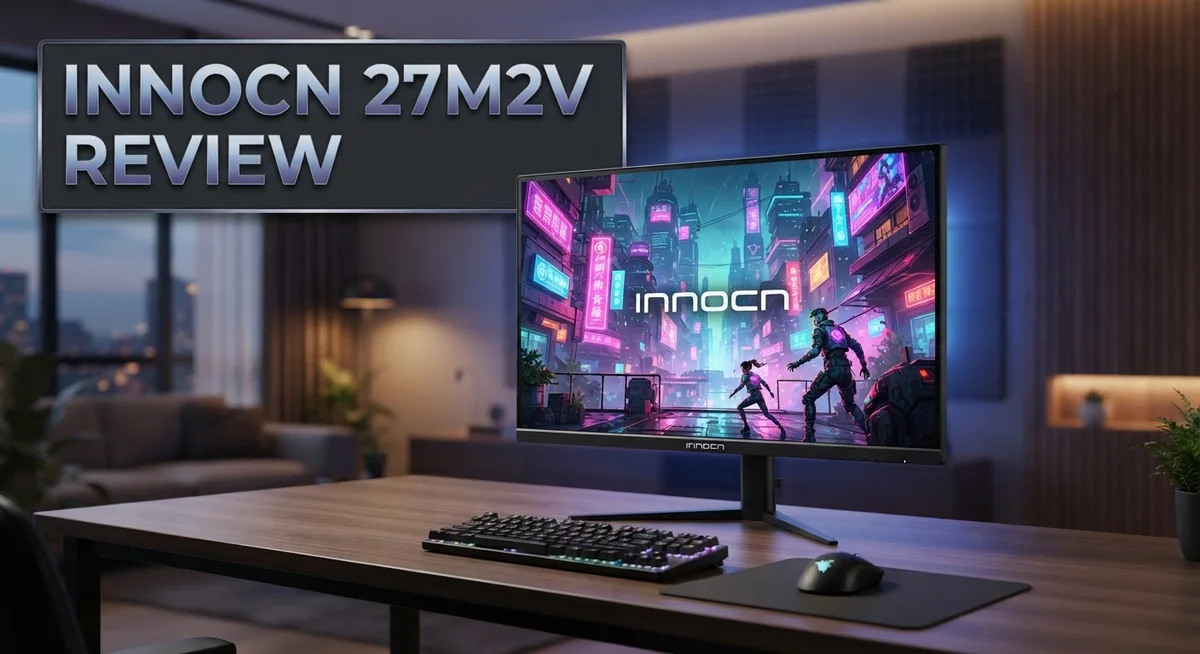
Innocn 27M2V Review: 4K IPS Monitor with Mini-LED?
Looking for a monitor that truly stands out? The Innocn 27M2V might be your answer. This 27 inch 4K display packs a punch with its Mini-LED backlighting and 1152 local dimming zones.
Gamers and creators both want performance. This monitor delivers with a 160Hz refresh rate and 1ms response time. Smooth visuals meet sharp detail here.
Color accuracy matters too. The 27M2V covers 99% DCI-P3 and Adobe RGB color gamuts. Your photos and videos will pop with true to life colors.
But does it have flaws? Yes, a few. We noticed some blooming in certain scenes and input lag concerns at 60Hz.
This review breaks down everything you need to know. We cover the good, the bad, and how this display stacks up against competitors like the Samsung Neo G7 and KTC M32P10.
In a Nutshell
The Innocn 27M2V packs serious tech into a 27 inch frame. It brings Mini LED backlighting and a sharp 4K resolution together. This combo makes it a strong pick for gamers and creators alike.
Here is what stands out about this monitor:
-
Stunning HDR Performance: The 1152 local dimming zones create deep blacks and bright highlights. Desktop HDR content looks amazing on this screen.
-
Fast and Smooth: A 160Hz refresh rate and 1ms response time keep motion crisp. Fast paced games feel fluid and responsive.
-
Color Accuracy That Shines: With 99% DCI-P3 and Adobe RGB coverage, colors pop. Creators can trust this panel for accurate work.
-
Solid Build Quality: The A+ IPS panel feels sturdy and well made. Quality control seems tight based on user feedback.
-
A Few Rough Edges: Some blooming appears in high contrast scenes. Input lag at 60Hz can be noticeable for competitive gamers.
This monitor delivers big features with a few small tradeoffs. It suits users who want vibrant visuals and smooth gameplay.
Display Specifications and Panel Technology
The Innocn 27M2V uses an A+ IPS panel that delivers excellent viewing angles and consistent color reproduction. This panel type excels at showing accurate colors from different positions, making it ideal for both solo work and collaborative sessions.
The display features a 4K resolution at 27 inches. This gives you sharp text and crisp details without excessive scaling issues. The pixel density is high enough that individual pixels disappear during normal viewing distances.
Mini-LED backlighting sets this monitor apart from standard LED displays. The system includes 1152 local dimming zones. Each zone adjusts brightness independently to create deeper blacks and brighter highlights simultaneously.
The 160Hz refresh rate handles fast motion smoothly. Paired with a 1ms response time, the panel keeps motion blur minimal. Gamers benefit from fluid gameplay, while content creators appreciate smooth scrolling and panning through large files.
Color accuracy reaches 99% DCI-P3 and Adobe RGB coverage. This means the monitor reproduces professional color spaces used in cinema and design work. Colors remain vibrant and true to source material without excessive oversaturation.
The panel includes flicker-free technology. This reduces eye strain during extended viewing sessions by maintaining consistent brightness levels at the backlight level.
PIP and PBP modes let you display multiple sources simultaneously. Picture in Picture shows a smaller window within the main image. Picture by Picture splits the screen into two equal sections. These features work well for multitasking and comparing content side by side.
One limitation appears in input lag at 60Hz. Testing shows approximately 25ms of delay at lower refresh rates, which becomes noticeable during competitive gaming. Higher refresh rates perform better in this regard.
Blooming and haloing occasionally appear in high contrast scenes. These effects happen when bright content sits next to very dark areas. The local dimming zones sometimes create subtle halos around bright objects. This remains minor for most use cases but deserves mention for critical viewing work.
The panel technology balances performance, accuracy, and visual quality effectively. It caters to users who need both fast response times and color precision.

- Experience Ultimate Gaming Visual Clarity: This 27-inch QD-OLED gaming monitor delivers stunning 1440p...
- Dominate with Blur-Free 280Hz Speed: Gain the competitive edge with a blistering 280Hz refresh rate and...
Last update on 2026-09-13 / Affiliate links / Images from Amazon Product Advertising API
Color Accuracy and HDR Performance
Color accuracy on the Innocn 27M2V stands out as a major strength for creative professionals. The monitor achieves 99% DCI-P3 and Adobe RGB coverage, which means colors stay true to what designers and photographers expect. This wide gamut support matters when you work with photo editing, video grading, or graphic design tasks.
The A+ IPS panel plays a key role here. IPS technology locks in consistent colors from different viewing angles. You won’t see color shifts or brightness changes when you look at the screen from the side. This stability helps when multiple people need to review your work or when you’re working at different distances from the display.
HDR performance on this monitor truly impresses on the desktop. The 1152 local dimming zones create a massive difference in how HDR content looks. Dark scenes show deep blacks while bright areas stay vivid and detailed. This zone-based approach gives you better contrast control than standard backlighting systems.
Peak brightness reaches high levels, which is essential for HDR viewing. The monitor delivers the punch needed to show HDR movies, games, and photos with real impact. Highlights feel bright without washing out fine details in the image.
One honest note: minor blooming and haloing can appear in certain high contrast scenes. This happens when bright objects sit next to dark areas. The local dimming zones sometimes create subtle halos around bright elements. Most users won’t notice this during normal work, but it’s worth knowing if you do critical color work on extreme contrast images.
The flicker-free panel keeps your eyes comfortable during long editing sessions. You get smooth, stable visuals without the strain that flicker can cause. This matters when color accuracy is your job, not just a hobby.
For creators who demand accurate colors and strong HDR support, the Innocn 27M2V delivers real performance. The combination of wide color gamut, zone-based dimming, and IPS stability creates a monitor built for serious work.
Gaming Performance and Response Time
When you push this monitor to its limits in gaming, the 160Hz refresh rate becomes your best friend. Fast paced shooters and action games feel noticeably smoother compared to standard 60Hz displays. The 1ms response time keeps ghosting minimal, so your crosshairs stay sharp during quick flicks and turns.
The 1ms gray to gray response handles most gaming scenarios well. You won’t see obvious trails behind moving objects. This speed pairs nicely with the high refresh rate to create fluid motion overall.
One important caveat exists at lower refresh rates. Input lag at 60Hz sits around 25ms, which is noticeable if you game at that setting. This means you’ll want to keep the monitor running at higher refresh rates for competitive play. At 120Hz and above, input lag drops significantly and feels responsive.
The 4K resolution brings both benefits and challenges for gaming. Pixel density improves image clarity, making distant objects easier to spot. However, you’ll need powerful graphics hardware to maintain high frame rates at this resolution. Modern GPUs handle it well, but older cards may struggle.
The IPS panel offers wide viewing angles, so side by side gaming with friends feels comfortable. Colors remain consistent even when viewing from extreme angles. This matters less for solo gaming but helps during local multiplayer sessions.
Mini LED backlighting doesn’t directly boost gaming performance, but it does enhance visual feedback during gameplay. Explosions and bright effects pop more vividly thanks to the high peak brightness. Dark scenes in horror games reveal more detail without losing contrast.
G-Sync compatibility should help with frame rate synchronization, though some users report occasional issues. AMD FreeSync support would be a nice addition for those using Radeon cards, but this monitor focuses on the NVIDIA ecosystem.
Overall, the 27M2V performs solidly for gaming at higher refresh rates. The 160Hz and 1ms response time keep action responsive and smooth. Just remember to avoid gaming at 60Hz if you want the best input lag performance.
Top 3 Alternatives
ASUS PA278QV Monitor

- Calman Verified & Delta E < 2 Accuracy: Achieve true-to-life precision right out of the box for professional...
- 100% sRGB & 100% Rec. 709 Color Gamut: Ensure your creative projects match industry standards for vibrant...
Last update on 2026-06-09 / Affiliate links / Images from Amazon Product Advertising API
The ASUS PA278QV delivers professional-grade color accuracy for designers and photo editors. This monitor features a 27-inch IPS panel that shows consistent colors from any viewing angle. You get 100% sRGB coverage, which means your images look exactly as intended.
The display includes built-in hardware calibration. This tool ensures your screen stays color-accurate over time. You also get preset modes for different work types like photography and video editing. The USB-C port connects your computer and provides power, reducing desk clutter significantly.
BenQ SW240 Monitor

- 【100Hz Refresh Rate】Enjoy smooth and fluid visuals with our monitor's lightning-fast 100Hz refresh rate...
- 【Professional 99% sRGB Color Gamut】Experience vivid and lifelike colors with our monitor's 99% sRGB color...
Last update on 2026-09-13 / Affiliate links / Images from Amazon Product Advertising API
The BenQ SW240 is a compact 24-inch solution for creative professionals working in tight spaces. Despite its smaller size, this monitor packs serious color performance with 99% Adobe RGB coverage. The IPS panel maintains accurate colors at wide viewing angles.
This model includes a motorized stand with multiple adjustment options. You can tilt, swivel, and adjust height easily. The monitor also features Thunderbolt 3 connectivity, which works great for Mac users. Built-in calibration tools keep your display performing at peak accuracy.
Dell P2423DE Monitor

- 16:9 widescreen resolution perfect for watching movies, playing video games and getting on with office work
- The QHD monitor highlights QHD display with resolution up to 2560 x 1440 pixels
Last update on 2026-09-13 / Affiliate links / Images from Amazon Product Advertising API
The Dell P2423DE offers a 24-inch screen with excellent color reproduction for office and creative work. This monitor covers 100% sRGB and includes factory calibration that stays stable. The IPS technology ensures consistent image quality from different angles.
The stand provides height, tilt, and swivel adjustments for ergonomic positioning. USB-C connectivity simplifies your setup by delivering both power and data through one cable. The monitor also includes Picture-by-Picture mode, letting you view two inputs simultaneously. This feature helps when comparing images or documents side by side.
Design, Build Quality, and Connectivity
The Innocn 27M2V comes with a sturdy build that inspires confidence right out of the box. The monitor feels solid when you set it up, and the construction quality meets professional standards. Users consistently report good quality control, meaning fewer defects and more reliability across units.
The 27 inch form factor sits at a sweet spot for most desks. It’s large enough to see fine details without being overwhelming. The stand provides decent adjustability, though you may want to consider an aftermarket arm if you need more flexibility with positioning.
Connectivity options cover the essentials for modern workflows. You get USB Type C with power delivery, HDMI inputs, and DisplayPort connections. This setup lets you connect multiple devices without constantly swapping cables. The USB hub functionality adds extra convenience for peripheral management.
The mini LED backlighting system sets this monitor apart from standard displays. With 1152 local dimming zones, the backlight responds intelligently to content on screen. This tech drives the impressive HDR performance and peak brightness levels you experience during work or entertainment.
Cable management feels straightforward thanks to the rear routing system. Wires stay organized and out of sight, keeping your workspace clean. The power cable includes proper shielding to minimize electrical interference.
Build materials use quality plastics and metal components throughout. The bezel design is relatively thin, which maximizes screen real estate without looking cheap. The back panel includes proper ventilation to keep internal components cool during extended use.
One design consideration involves heat output. The mini LED system and high brightness levels generate more warmth than basic monitors. Make sure your desk setup has adequate airflow around the unit.
The physical footprint remains reasonable despite the advanced internal technology. It won’t dominate your desk space, yet the large screen delivers excellent workspace efficiency. The weight distribution feels balanced, so moving or repositioning the monitor isn’t awkward.
Overall, the design and build quality reflect a monitor made for professionals who expect durability and functionality. Every physical element serves a purpose, and the construction quality backs up the performance specifications.
Brightness, Contrast, and Local Dimming
The Innocn 27M2V shines when it comes to brightness and contrast performance. This monitor packs 1152 local dimming zones powered by mini LED backlighting. That’s a significant number of independent lighting regions across your screen.
Local dimming zones work by brightening or darkening specific areas of the backlight independently. When a dark scene appears on screen, those zones dim down. When bright content shows up, they ramp up. This creates deeper blacks and more vibrant highlights compared to standard backlighting.
The contrast ratio improves dramatically thanks to this technology. You’ll notice the difference most when watching HDR content or editing photos with mixed lighting. Dark shadows retain detail while bright areas remain punchy and clear. The separation between light and dark becomes more pronounced.
Peak brightness reaches impressive levels on the 27M2V. This matters for HDR content that requires sustained brightness in specific areas. Your eyes perceive more detail in highlights because the monitor can push brightness higher than standard displays. The IPS panel maintains this brightness consistently across viewing angles.
One honest observation: minor blooming can occur in high contrast scenes. Blooming happens when lit zones affect adjacent dimmed zones slightly. You might see a faint glow around bright objects on dark backgrounds. This is a known trade off with local dimming systems. The effect remains subtle on the 27M2V and doesn’t ruin the viewing experience.
The flicker free technology deserves mention here too. Brightness fluctuations happen invisibly on most displays. Your eyes catch these flickers even if your brain doesn’t register them consciously. This causes fatigue during long editing sessions. The 27M2V eliminates this problem entirely.
Contrast performance scales well across different content types. Movies look cinematic. Photos display rich tonal ranges. Games benefit from the ability to show dark environments without losing detail. The 99% DCI P3 color gamut works alongside brightness and contrast to deliver complete visual impact.
For professionals who demand precise brightness and contrast control, the 27M2V delivers real capability. The mini LED system provides the hardware foundation. Your creative work gains from this investment in display technology.
Pros and Cons
Pros
- Exceptional HDR performance makes desktop work and content creation feel immersive
- High peak brightness delivers punchy visuals across gaming and professional applications
- 99% DCI-P3 color accuracy ensures designers and photo editors get reliable color representation
- 1152 local dimming zones provide independent brightness control for superior contrast in dark scenes
- Solid build quality and QC mean the monitor arrives ready to perform without defects
Cons
- Minor blooming and haloing can appear in high contrast scenes, especially during dark gaming moments
- Input lag at 60Hz reaches around 25ms, which becomes noticeable during competitive play at lower refresh rates
- G-Sync compatibility issues have been reported by some users, potentially affecting frame rate smoothness
Who Should Buy It
Content creators and professional designers benefit most from this monitor. The 99% DCI-P3 color gamut ensures your photos and videos display with true color accuracy. Mini-LED backlighting with 1152 local dimming zones gives you precise brightness control for color grading work.
Photographers editing images will appreciate the high pixel density on the 27-inch 4K panel. Details appear sharp and clear. The flicker-free technology reduces eye strain during long editing sessions.
Gamers who play at high refresh rates should consider this option. The 160Hz refresh rate keeps motion smooth and responsive. The 1ms response time handles fast-paced games well, though input lag at 60Hz can feel noticeable if you play at lower frame rates.
HDR content enthusiasts will love what this monitor delivers. The exceptional HDR performance makes movies, games, and streaming content pop off the screen. Peak brightness creates punchy visuals that standard displays cannot match. If you watch films or play narrative-driven games, you’ll notice the difference immediately.
Video production professionals gain real value from this display. The A+ IPS panel delivers consistent colors from any viewing angle. Picture in Picture and Picture by Picture modes let you compare footage side by side without switching between windows.
Casual users might find this monitor overkill for everyday browsing and email. The advanced features work best when you actually use them. If you mainly watch YouTube and work in basic software, a simpler display makes more sense.
One consideration exists for competitive gamers. Minor blooming can appear in high contrast scenes during dark gaming moments. This won’t bother most players, but esports competitors seeking absolute perfection might notice it.
This monitor targets professionals and serious enthusiasts. You get exceptional performance for color work, HDR content, and high refresh gaming. The build quality ensures your investment lasts. If your work or hobbies demand accurate colors and smooth motion, the 27M2V deserves your attention.
Final Verdict
The Innocn 27M2V stands out as a strong mini-LED monitor for serious users. It blends sharp visuals with smart engineering. This combination makes it a smart pick for anyone who values screen quality.
Overall, this monitor delivers where it matters most. The panel technology feels mature and well tuned. Innocn clearly focused on getting the fundamentals right.
Compared to rivals like the Cooler Master Tempest GP27U or KTC M32P10, the 27M2V holds its own. Each competitor brings something different to the table. Your final choice depends on your specific workflow needs.
The Samsung Neo G7 offers a different curve and gaming focus. The Innocn 32M2V gives you more screen real estate if you prefer a larger display. Both remain worth exploring if the 27 inch size doesn’t fit your setup.
This monitor works best as a long term investment for people who edit, design, or create content daily. It also suits gamers who prioritize visual fidelity over raw speed. The panel rewards users who notice small details in their work.
Some buyers might want a simpler monitor for basic tasks. That’s completely fine. Not every screen needs to do everything at once.
For those who need color accuracy and strong contrast, this monitor answers the call. It handles demanding tasks without breaking a sweat. The engineering behind it feels intentional and purposeful.
We recommend the 27M2V to anyone serious about their visual work. It fits naturally into professional and creative setups. Gamers who enjoy immersive HDR titles will also find plenty to like here.
In short, this display earns its place among top tier monitors in its class. It balances performance, clarity, and reliability well. Anyone weighing their options should give this one serious consideration before deciding.
Frequently Asked Questions
Does the Innocn 27M2V work well for gaming?
Yes, but with conditions. The 160Hz refresh rate handles most modern games smoothly. The 1ms response time keeps motion sharp. However, input lag at 60Hz reaches about 25ms, which matters if you play competitive titles at lower refresh rates. For fast paced games at 120Hz or higher, you’ll see strong performance. The mini LED backlighting makes HDR games look stunning with excellent contrast.
Can I use this monitor for photo and video editing?
Absolutely. This is where the 27M2V truly shines. The 99% DCI P3 and Adobe RGB color accuracy means your edits stay true across devices. The 4K resolution on a 27 inch panel gives you sharp detail work. The 1152 local dimming zones provide independent brightness control for precise contrast adjustments. Professional photographers and video editors will appreciate the reliability here.
What about input lag and performance at standard refresh rates?
At 60Hz, expect noticeable input lag around 25ms. This matters for competitive gaming or fast work. At higher refresh rates like 120Hz or 160Hz, the lag improves significantly. For everyday tasks like browsing or email, you won’t notice it. Content creators working with timelines and effects won’t be affected either.
Are there any picture quality issues I should know about?
Minor blooming and haloing can appear in high contrast scenes. This happens mostly during dark gaming moments or when bright objects sit against black backgrounds. The effect is subtle for most users. Professional work rarely triggers these artifacts since you control your content carefully.
How does this compare to other mini LED monitors?
The 27M2V holds its own against rivals like the Cooler Master Tempest GP27U and KTC M32P10. The Samsung Neo G7 takes a different approach with curved design and gaming focus. Each monitor serves different needs. Choose based on whether you prioritize design work or pure gaming performance.

DK is a technology expert who specializes in AI tools, software, and tech gadgets. He writes for How to Tech Info, providing detailed reviews and practical guides. DK helps readers discover the best AI applications, navigate new software, and choose the right tech gadgets.