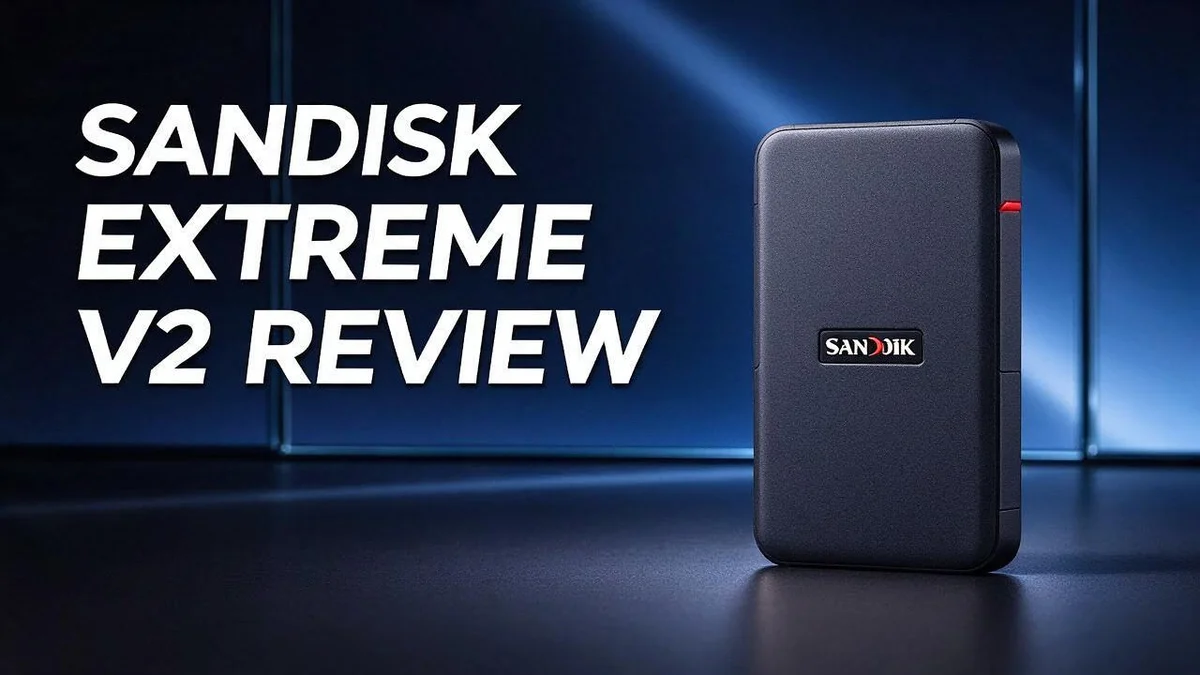
Sandisk Extreme V2 Review: Speed, Durability, and Real-World Performance
Slow external drives can turn a simple file transfer into a long wait. The Sandisk Extreme V2 range aims to fix that problem with speed in a compact, pocket sized design.
The Extreme Pro V2 reaches about 2,000 MB/s, while the Extreme Portable V2 reaches about 1,000 MB/s. Both models use a USB C connection and work with newer and older ports.
Its rugged shell resists weather and handles accidental drops. Some users do report that these drives run warmer under heavy use. In this review, you will see how the V2 performs in everyday life.
In a Nutshell
- Pocket sized design: The drive fits easily in a bag or pocket. You can carry it anywhere for quick file access.
- Flexible capacity choices: Buyers can pick a 500 GB model for lighter work. A 2TB option suits large video libraries and big project folders.
- Broad port support: The drive works with both new and older USB ports. Most users can connect it to their computer without special adapters.
- Strong for creative work: The Extreme Pro V2 suits 4K editing and gaming. Large project files load and save with less waiting.
- Heat is a trade off: This drive runs warmer than the Extreme V1 during long sessions. Give it good airflow during large transfers.
- Write speeds can vary: One reviewer of the 2TB USB4 Pro model saw fast reads but slower real world writes. Speeds may burst and drop during heavy copying.
Read and Write Speed

- NEARLY 2X FASTER THAN OUR PREVIOUS GENERATION(8) – move 1,000 high-res photos in under 60 seconds(6) with up...
- IP65 RATING AND UP TO 3M DROP PROTECTION(3) – protects against spills and drops.

Last update on 2026-11-07 / Affiliate links / Images from Amazon Product Advertising API
Read speed is only half of the story. A drive can look fast on paper but slow down during real work. That is why sustained performance matters more than one peak number.
Time matters too. A 100 GB folder moves in under two minutes at ideal speed. Real transfers often take longer because speeds shift during the copy.
Sustained speed describes how a drive performs when it moves large files for several minutes. Some reviewers report strong consistency that stays near the top of the range. This helps video editors who copy long clips from a shoot.
Interface ratings also shape what you can expect. The Pro model is rated up to 20Gbps, while the standard model is rated up to 10Gbps. Rated numbers show the limit, not the everyday result. Your computer port matters too. An older port can hold back even the fastest drive.
Bursty speed is another angle to watch. Some transfers start quickly, then drop off in the middle. You may notice this when you copy a folder with thousands of small files. Small files push the drive harder than one large video does.
Writes deserve extra attention for creators. Saving new footage or backing up a project often depends on write performance. Check how the drive handles your own workflow before you commit to it.
Simple testing helps you judge speed. Copy a large folder and watch the progress bar. Note where the speed holds steady and where it dips. Repeat the test with a mix of photos and documents for a fuller picture. Compare results from several tests, not just one.
Competitor results add useful context. Samsung T9, Kingston XS2000, and Orico C10 rank among top performers over the Samsung T7 and Extreme V2 in some tests. Lexar also earns praise from users who want speed. If raw speed is your top goal, compare these models side by side.
Here is a simple way to decide. Think about your daily file sizes first. Large video files favor steady sustained speed. Mixed folders of documents and photos favor consistent handling of small files. Match the drive to your habits, and the speed will feel right for your needs. Pick the drive that fits your work, and waiting times shrink.
Build and Durability
Build quality matters most when a drive travels often. A drive that rides in a bag faces bumps, heat, and dust every day.
The Extreme V2 range uses a compact body that feels solid in the hand. Its small footprint lets it sit beside a laptop without taking up much space.
Think about the cable as well as the case. A drive can have a tough shell, but a loose port connection still causes trouble. Keep the cable close by and avoid pulling on it when you unplug the drive.
Ports take the most stress over time. Plugging and unplugging many times can wear the connector. Hold the body firmly and pull straight out.
Placement affects longevity too. Set the drive on a flat surface with open air around it. Stacking other devices on top can trap warmth during long transfers.
Dust and moisture need attention. Store the drive in a small pouch when it rides in a backpack. This keeps grit away from the port and the shell seams.
Soft sleeves add an extra layer of protection. A sleeve cushions knocks inside a crowded bag. Keep keys and coins away from the drive for the same reason.
Creators on location face extra risk. A shoot can move from a car to a hotel to a studio in one day. Each move gives the drive another chance to get bumped.
Backup habits protect your footage. Even a sturdy drive can fail one day. Copy important projects to a second location so one bad moment never erases weeks of work.
Check the drive after rough trips. Look for loose parts, a wobbly connector, or unusual sounds. Test a small file first before you move large projects.
Simple care routines take only a minute. Wipe the shell with a dry cloth. Keep the drive away from direct sunlight and heavy objects.
Long term use rewards careful handling. Many drives fail from small daily stresses rather than one dramatic event. Treat the Extreme V2 with steady care, and it can support your projects for years.
Heat and Sustained Load
Heat builds up during long copies. When you move large folders for many minutes, the drive works hard. Warmth rises inside the compact body and needs a way to escape.
Throttling is the main concern. Many portable drives slow down when they get too hot. This protects the internal parts, but your transfer takes longer to finish. Keep an eye on the speed in your copy window.
Watch for a speed drop. A fast start followed by a slow crawl often points to heat. Pause the transfer and let the drive cool for a few minutes. Then resume and compare the new speed with the old one.
Choose a surface that lets air flow. Place the drive on a flat desk with open space around it. Avoid soft blankets, couch cushions, or bags that trap warmth.
Sunlight and hot cars add extra stress. A drive left on a dashboard or in a sealed car can soak up heat quickly. Store it in a cool, shaded spot between shoots or sessions.
Split big jobs into smaller batches. Divide a large transfer into groups of files. Pause for a few minutes between groups. This gives the drive time to shed heat before the next round starts.
Editors face the longest sessions. An export or backup can run for an hour or more. Plan breaks around those jobs so the drive keeps a steady pace.
Check the temperature by touch. Mild warmth is normal during use. Heat that feels uncomfortable to hold suggests the drive needs a rest. Your hands offer a simple guide when no other tool is available.
Shoppers who care about heat often compare models side by side. Run the same set of files through each drive and note the speed over time. This shows how each one handles sustained work in your own setup.
Plan your workflow around heat. Run the longest copies when the room is cool. Schedule heavy edits and backups for times when you can watch the drive. A little planning keeps your speeds steady from start to finish.
Top 3 Alternatives
Samsung T7 Portable

- MADE FOR THE MAKERS: Create; Explore; Store; The T7 Portable SSD delivers fast speeds and durable features to...
- SHARE IDEAS IN A FLASH: Don’t waste a second waiting and spend more time doing; The T7 is embedded with PCIe...
Last update on 2026-11-07 / Affiliate links / Images from Amazon Product Advertising API
The Samsung T7 Portable is a strong pick for people who want speed in a small body. It has a metal shell that feels solid in your hand. Most users copy large video files, photos, and game installs with ease.
It works with both USB-C and USB-A ports, so it fits many laptops and phones. Its compact size slides into a pocket. Many people choose it for travel and daily backups.
Crucial X8 Portable

- Incredible performance with read speeds up to 1050 MB/s
- Works with Windows, Mac, iPad Pro, Chromebook, Android, Linux, PS4, and Xbox One with USB-C 3.1 Gen2 and USB-A...
Last update on 2026-11-07 / Affiliate links / Images from Amazon Product Advertising API
The Crucial X8 Portable offers a sleek design with a rubber shell. It handles drops and bumps well. This drive suits creators who edit photos or video on the go.
It also comes with a helpful software tool for quick backups. Setup takes only a minute. Simply plug it in and start saving your files.
WD My Passport

- Slim durable design to help take your important files with you
- Vast capacities up to 6TB[1] to store your photos, videos, music, important documents and more
Last update on 2026-11-07 / Affiliate links / Images from Amazon Product Advertising API
The WD My Passport is a classic choice for everyday storage. It has a slim build and a clean look. Many students and office workers keep it in their bags.
It includes password protection and hardware encryption on select models. That extra layer keeps personal files safe. It works well for storing documents, music, and family photos.
Check each drive’s speed and capacity before you buy. Pick the one that matches your daily needs.
Capacity and Model Options
Choosing the right capacity starts with your daily work. Sandisk offers the Extreme V2 family in several sizes, so you can match storage to your files.
A 500 GB model fits people who carry a few projects at a time. It suits photographers who move a single shoot and then clear the space.
A 2TB Extreme Portable gives more room for large libraries. Video shooters and travelers often prefer this size because they can keep a full archive on one device.
Model choice matters as much as size. The Extreme Portable V2 targets everyday users who want a pocket size backup drive. It handles photos, documents, and light video with ease.
The Extreme Pro V2 targets heavier work. It delivers much higher speeds for 4K editing and gaming. Creators who work with raw footage often pick this line.
Check your ports before you buy. Both models use USB C connectors. They also work with older USB ports, so you can plug them into most laptops and desktops.
Think about your future storage needs too. A bigger drive gives you room to grow. A smaller drive offers less space but fills up quickly as your library expands.
Consider how often you change projects. Frequent shooters may need several smaller drives. Each drive then holds one project at a time, which keeps files organized.
Compare the Sandisk line with other brands. Samsung T9, Kingston XS2000, and Orico C10 appear often in comparison lists. Crucial X10 and Lexar also attract shoppers who want speed.
Ask yourself what you will store. Photos and documents need less space than video. Game installs and raw video need far more.
Write down your common file sizes. Add up one typical week of work. This total shows you the capacity that fits your routine.
Plan for backups as well. Keep one copy on the drive and another elsewhere. Good planning protects your work from loss.
A Sandisk Extreme V2 choice works best when you match size and model to your real routine.
Pros and Cons
Pros
- Fast reads and writes reach about 2,000 MB/s on the Extreme Pro V2.
- One reviewer reports steady speeds in the 10GB/s range.
- Works with both newer and older USB ports.
- Handles 4K editing and gaming on the Extreme Pro 2TB.
- Survives drops up to 3 m on the Extreme Portable 2TB.
Cons
- Runs warmer than the Extreme v1 during sustained use.
- Real-world write speeds on the 2TB USB4 Pro can lag behind its reads.
- Speed can feel uneven rather than steady during long jobs.
Who Should Buy It
Several types of people get the most from the Sandisk Extreme V2. Mobile creators often lead that group. They shoot on location and need a fast way to move files off a camera or phone.
Students and remote workers also fit well. They carry school work, research files, and office documents between home and campus. The pocket size slides into a bag without taking much room, so the drive goes wherever they go.
Gamers who run out of space can benefit too. Large game installs fill storage quickly. An external drive can hold extra titles, and the Extreme Pro 2TB model suits this need best.
Shoppers who want the fastest possible speed should compare options first. The Samsung T9, Kingston XS2000, and Orico C10 rank above the Extreme V2 in some tests. Lexar also earns praise from users who focus on quick transfers.
Some readers may look elsewhere. People who run long, heavy write jobs every day may notice uneven pace during those sessions. Anyone who needs steady output for hours at a time should weigh other models carefully.
Casual users who mainly store photos, documents, and occasional backups may not need top speed. A simpler drive can meet those needs well. Still, the rugged shell and quick reads make this drive a strong choice for people who work on the move.
Think about your daily tasks first. Speed matters most when files are large and deadlines are short. Match the drive to your routine, and it will serve you well for years to come.
Final Verdict
The Sandisk Extreme V2 earns a strong spot on the shortlist for fast, portable storage. Speed is the main reason to buy it. Its small body slides into a bag without fuss.
Still, this drive is not the perfect pick for every person. Results depend on the model and the type of work. Read the rest of this section before you commit.
Power users get the most from the Extreme Pro V2. Its speed suits 4K video editing, large photo libraries, and fast game installs. Heavy creators often notice the difference during long sessions. Gamers with full libraries also benefit from the extra room.
Casual users may not need this level of speed at all. Storing documents, photos, and occasional backups works fine on simpler drives. Chasing top speed makes little sense for those tasks.
If raw speed is the top priority, check the competitor lineup. The Samsung T9, Kingston XS2000, and Orico C10 rank among the top performers in testing.
Crucial X10, Synology BeeDrive, and Lexar also deserve a close look. Some users prefer Lexar for its speed in daily use. Compare each option against your own file sizes.
Use this drive as a fast working copy, not a long-term archive. Move finished projects to larger, slower storage once the work wraps up. This habit keeps the drive clear for new jobs.
Our verdict is simple. The Sandisk Extreme V2 suits creators who want fast, rugged storage in a small package. It fits less well for buyers who need the absolute fastest sustained output. That balance makes it a sensible pick for many people.
Think of it as a strong overall performer. It handles speed, durability, and portability with ease. Heat and uneven speeds during long jobs are the main reasons to look elsewhere. Most readers will find it dependable for everyday use.
Before you buy, confirm your ports and capacity needs. A quick check now saves frustration later. Then choose the model that fits your everyday work best.
Frequently Asked Questions
Can I use this drive with a phone or tablet?
Many newer phones and tablets can read USB C storage. Check your device settings or app support first. Some devices need an adapter, so keep one nearby for quick file moves.
Does this drive work with both Mac and Windows computers?
Yes, most computers recognize the drive quickly. You may need to format it for a specific system before you use it. Back up any files first, because formatting erases everything on the drive.
How can I keep the drive cool during long transfers?
Place the drive on a flat, open surface. Avoid stacking it under books or other gear, since trapped heat can slow it down. Let it rest between very large copy jobs to keep performance steady.
What should I check if the speeds feel slow?
Try a different cable and port first. A cable that only supports slower speeds can hold back the drive. Close background apps that copy or sync files so the drive has full access to the connection.
Is it safe to unplug the drive after a transfer?
Wait until the file copy finishes before you unplug it. Use the eject option on your computer when possible. This step protects your files from corruption and keeps your data safe.

DK is a technology expert who specializes in AI tools, software, and tech gadgets. He writes for How to Tech Info, providing detailed reviews and practical guides. DK helps readers discover the best AI applications, navigate new software, and choose the right tech gadgets.