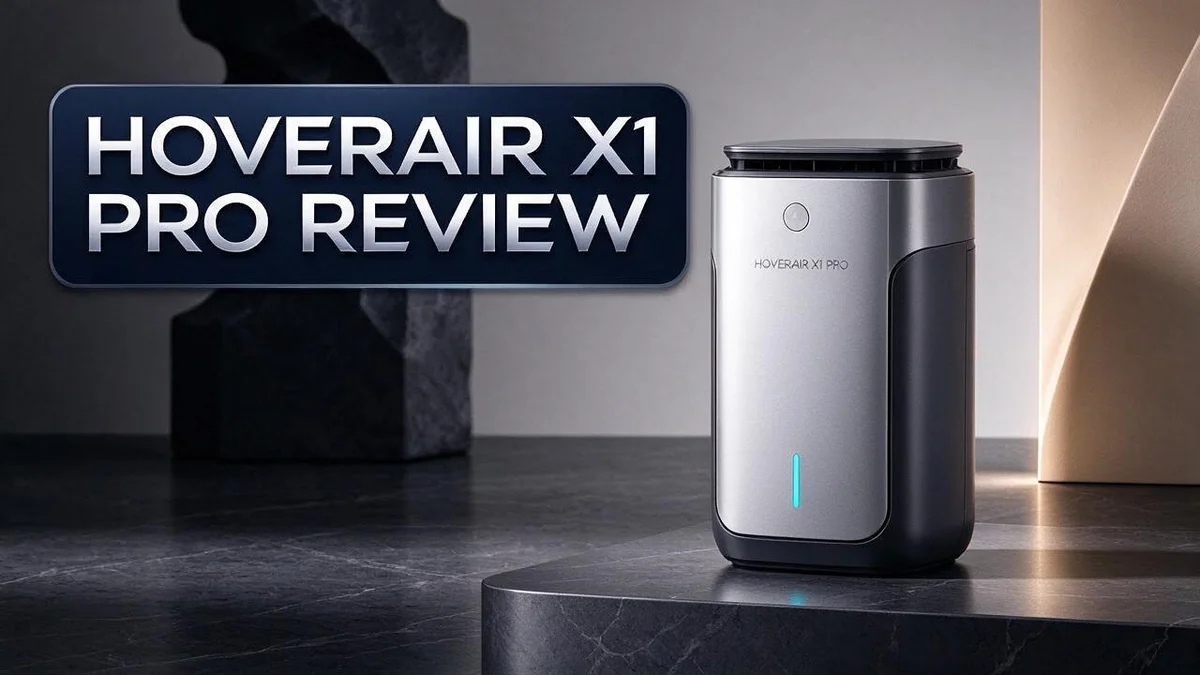
Hoverair X1 Pro Review: Hands-On Test of This Foldable 8K Camera Drone
Want epic shots without carrying a heavy camera rig? The HoverAir X1 Pro might become your new favorite flying companion. It is small, light, and ready to fly fast.
Just press one button and it takes off. Then it follows you as you walk, hike, or bike. Strong subject tracking keeps you in every frame.
The drone weighs just 192.8 g and folds to roughly paperback size. SmoothCapture 2.0 keeps your footage steady, and the Pro Max records up to 8K at 30 FPS.
This review covers how the drone performs in real use, its key features, its strengths, and its weak spots. You will also see how it compares with the DJI Neo 2, DJI Flip, and DJI Mini 4 Pro. Let’s take a closer look.
In a Nutshell
-
Top video power: The X1 Pro Max records up to 8K at 30 FPS, so you get sharp detail when you crop later. 4K stays available for quick everyday clips.
-
Speedy chase shots: The drone can reach 37 mph (60 kph), which lets it keep pace with cyclists, runners, and cars. Fast flying helps you capture action that would otherwise slip away.
-
Smooth footage in motion: SmoothCapture 2.0 and a two axis gimbal work together to reduce shake during quick turns. Your clips look steady even when you move fast.
-
Hands off subject tracking: The drone locks onto a person and follows them on its own. This feature frees you to focus on the scene instead of the controls.
-
Quieter flights: One test found it quieter than the DJI Neo, so people nearby may notice less noise. That makes it a better fit for calm parks and wildlife spots.
-
Points to watch: Some users report gimbal issues at startup. Others mention an OmniTerrain signal that can feel inconsistent, so test it before a big trip.
Camera and Video Quality

- 4K@60fps Cinematic Footage for Adventurers & Creators: Experience your adventures like never before with the...
- No FAA Registration Required & FCC Certified: Weighing a mere 192g (6.77oz), exempt from the hassle of FAA...
Last update on 2026-11-07 / Affiliate links / Images from Amazon Product Advertising API
The camera does most of the heavy lifting. A small drone only earns its spot in your bag if the footage looks good. The X1 Pro aims to deliver clear images for social posts, travel clips, and family videos.
You can choose your resolution. The Pro Max unlocks the top setting, while standard 4K gives you a practical choice for daily use.
Lower settings also save space on your memory card. This helps on long trips when you shoot many clips.
High resolution gives you room to crop. A sharp file lets you zoom into a subject during editing. This trick helps when the drone flies far away and you need a closer view.
Lighting changes everything. Bright daylight brings out rich colors and clean edges. Shady spots and dusk scenes need more care, so fly where light falls on your subject.
Plan your flight around the sun. Keep the sun behind you to light faces evenly and reduce harsh shadows. Flying toward the sun can cause glare, so avoid that angle for portrait shots.
Framing takes practice. Start with a wide shot to set the scene. Then move closer for detail shots. Keep your subject near the middle third of the frame for a balanced look.
The drone sees the world from above. This creates views that a handheld camera cannot capture. Use slow, steady moves to make the most of that perspective.
Edit for the best results. Raw footage often looks a little flat. A quick color boost and light sharpening can make clips pop. Most phone editing apps handle these tweaks in seconds.
Storage needs planning too. High resolution files grow fast, so carry a fast memory card. Check free space before each trip and clear your card after each outing so you never miss a shot.
Flight Performance and Control
Flight control on the HoverAir X1 Pro feels easy from the first minute. The drone responds well to simple inputs. New pilots can learn the basics quickly.
The controls react fast when you move your hand. Small adjustments create small movements, which keeps shots steady. Big jerks can make the frame bounce, so move with care.
Indoor flying is the easiest place to practice. Open rooms with few obstacles let you test turns and height changes. Clear the floor of cables, pets, and loose items before you start. Mark a simple route in your mind before takeoff.
Wind is the main challenge outdoors. Light gusts push the drone off course, so you need small, steady corrections. Strong breezes can make the footage wobble, even when the gimbal works hard.
Flying near tall buildings or trees can also create turbulence. Stay in open areas whenever you can. Give the drone more space than you think you need.
Signal strength deserves attention. One user report describes a flaky OmniTerrain signal during flights. Check the connection before a long shot, and keep the drone in clear view at all times.
Practice matters more than most people expect. Short test flights help you learn how the drone reacts to your hand movements. Try slow turns and gentle climbs before you attempt fast chase routes.
Beginners often push the drone too hard at first. Slow, deliberate moves give you more control over the path. Confidence grows after a few flights in calm weather.
Compared with heavier models like the DJI Mini 4 Pro, the X1 Pro can feel lighter in the air. That lightness helps with quick adjustments, but it also means less stability in strong wind. Check the battery level before each flight, since a sudden drop can cut a session short.
Control feels best when you fly with patience. Take your time, watch the screen, and let the drone settle after each move. Smooth inputs lead to smoother clips. Each session builds skill for harder shoots.
Subject Tracking and Autonomous Modes
Once you set it up, the tracking feature does most of the work. Tap the subject on the screen, and the drone starts to follow. You can then focus on your movement and your surroundings.
Good tracking starts with a clear view. Keep the subject in open space, away from thick trees and poles. This helps the drone hold its lock.
Think about the path before you launch. Walk a straight line or a gentle curve. Sudden zigzags can confuse the system and make the drone lose focus.
Distance matters a lot. Stay within a comfortable range so the drone can see you clearly. Moving too far away makes the tracking less reliable.
Autonomous modes also help you enjoy the moment. You do not need to steer every turn. Instead, you can concentrate on the walk, run, or ride.
Different subjects need different settings. A runner usually moves fast in straight lines. A cyclist often takes wide turns, so give the drone a little extra room.
Lighting changes how well the system sees you. Bright, even light helps the drone pick you out from the background. Dark clothes against shadows can make tracking harder.
Bright colors can help too. Contrast with the background gives the system an easier target. Simple outfits often work better than busy patterns.
Steady pace matters as well. Quick stops and sharp direction changes can cause the lock to slip for a moment. Smooth motion keeps the subject in frame.
Battery level plays a role. Tracking uses more power than hovering in place. Check the charge before a long session, and keep a backup battery nearby.
Plan your shot before you fly. Decide on your start point, your route, and your finish. This keeps the drone from drifting into tricky spots.
Practice the route a few times without recording. This shows you how the drone reacts. Each run builds confidence for the real shot.
Autonomous modes free your hands, but they do not replace awareness. Keep your eyes on the surroundings. Stay alert for people, pets, and obstacles nearby.
Top 3 Alternatives
DJI Mini 4K

- No Registration Needed - Under 249 g, this drone with camera for adults 4K does not require FAA registration...
- 4K Ultra HD & 3-Axis Gimbal for Cinematic Quality Shooting - Capture stunning moments in any light—sunrises...

Last update on 2026-06-09 / Affiliate links / Images from Amazon Product Advertising API
Looking for a small drone with great video? The DJI Mini 4K is a strong pick. It weighs very little, so you can carry it almost anywhere. It records sharp 4K footage and flies smoothly in light wind. Beginners often find the controls easy to learn, which makes it a good first drone for travel and outdoor shooting.
Potensic D88

Last update on 2026-11-07 / Affiliate links / Images from Amazon Product Advertising API
The Potensic D88 focuses on portability and simple flying. It folds down small, so it fits easily in a backpack pocket. Its GPS helps the drone hold position and return home when needed. It suits people who want a practical flying tool for trips, hikes, and weekend fun.
Holy Stone HS720E

- Extremely Lightweight, No FAA or Remote ID Registration: HS360S, drone with camera for adults featuring the...
- 4K UHD Camera with GalaxyCore Sensor: Holy Stone drones with camera for adults 4K equipped with 1/3'' CMOS...
Last update on 2026-06-09 / Affiliate links / Images from Amazon Product Advertising API
The Holy Stone HS720E offers a good mix of features. It includes a 4K camera and a foldable frame for quick setup. Its GPS positioning keeps flights steady, even for new pilots. Many users like how it balances camera quality with easy handling, so it works well for both learning and casual filming.
Portability and Foldable Design
Packing a drone should feel simple. The HoverAir X1 Pro folds into a compact shape that fits in most daypacks.
Many drones take up too much room. This one can slide into a jacket pocket on a busy day.
Foldable design changes how you plan a trip. You can bring it along instead of leaving it at home.
Travel days can be stressful. A small drone reduces the need to haul extra gear.
Carrying it becomes part of your routine. Keep it in the same spot each time. You will never waste minutes searching for it.
Good habits make packing faster. Fold the frame gently into place. Then place it in a padded case.
Check the frame before you pack it. Loose parts can shift during a long walk.
The light frame also helps on long days outdoors. Your shoulders stay relaxed with less weight to carry.
Hikers and travelers often benefit most. They can capture scenic views without a heavy backpack.
Setup time stays short, too. Unfolding takes only a few moments before takeoff. Less waiting means more time for great shots.
Storage needs a simple plan. Use a dedicated pouch for the drone and remote. Keep that pouch in an easy pocket.
Pack spare batteries separately. Keep them away from metal objects. This habit keeps your gear safe.
Weather matters when you carry gear outside. Store the drone in a sealed bag during rain.
Quick access matters most in the field. You can launch the drone within minutes of pulling it out.
Compact design suits city trips, too. Street scenes and local markets offer excellent angles.
Lightweight designs also suit kids and beginners. Smaller hands can handle the folded unit with ease.
In short, a foldable drone fits your life. It adapts to your schedule rather than forcing you to adapt to it.
Pros and Cons
Pros
– Quieter than the DJI Neo in one test
– Premium feel right out of the box
– Video reaches up to 8K at 30 FPS on the Pro Max
– A two axis gimbal keeps footage smooth
– Top speed hits 37 mph for fast action shots
Cons
– Gimbal problems can show up at startup
– Extra batteries may be needed for longer outings
– Rivals like DJI Neo 2 and DJI Flip offer tough competition
Who Should Buy It
Content creators who post short clips will find this drone useful. It helps them capture fresh angles without hauling heavy gear.
Families who love filming birthdays and beach days can use it too. Parents can record kids playing in a park without chasing them around.
Solo travelers may enjoy it most. They can film their own journey through busy streets and quiet trails.
Sports parents and coaches can also benefit. Aerial views show team formations and running lines from a fresh height.
Newcomers to aerial filming can learn the basics here. The controls feel approachable, so beginners can build confidence over time.
Some buyers should look elsewhere. Professional filmmakers may want deeper manual control and advanced camera settings. A larger drone might suit them better.
Real estate and event fans may find it handy too. A simple overhead shot can show a yard or venue layout. Keep the framing steady and clean.
Pet owners often ask about aerial photos of their dogs. This drone can follow a pet across a field for a fun clip. Keep the drone close and the pet calm.
Gift shoppers should check the buyer’s skill level first. A teen who loves video may enjoy it right away. An adult with no flying history may need more time.
Think about who will hold the controls. Shared family use works well when everyone takes turns. Set clear rules before each flight.
Local rules matter for every flyer. Check the laws in your area before you take off. Respect people and property while filming.
Ask yourself how often you will fly. Casual weekend users may enjoy it for fun trips. Frequent creators will likely get more use from it.
Final thought: this drone fits people who want easy aerial footage. Read the full details, then decide what fits your life.
Final Verdict
The HoverAir X1 Pro earns a strong place on the shortlist. It flies easily, tracks subjects well, and delivers clean footage for its size. Most buyers will enjoy the simple daily experience.
Still, the drone is not perfect for everyone. The OmniTerrain signal can feel unreliable in some user reports. Anyone who plans to rely on that feature should test it first.
Think about your main goal. If you want a camera that follows you on a hike or beach day, it handles that job well. If you need heavy professional work, look at a drone built for that purpose.
Compare it with the DJI Neo 2, DJI Flip, and DJI Mini 4 Pro before you commit. Each rival has its own strengths. Look at the features you use most, then pick the drone that matches your daily habits.
A short trial flight can tell you a lot. Watch how the subject tracking responds in your own setting. Check how the controls feel in your hands. These small checks prevent surprises later.
Consider how you plan to share your videos. Short clips for social media often look great from this drone. Longer edits need more planning, so keep backups of important files on a second device.
Your comfort matters as well. A drone that feels good in your hands makes each session more enjoyable. Take time to learn the remote layout before your first real outing. Good habits make every session smoother.
Finally, plan your first flight close to home. A calm open space helps you learn quickly. Build confidence first, then try more ambitious shots over time.
The bottom line is simple. The HoverAir X1 Pro combines easy flying, quality clips, and a compact body in one package. Buyers who want quick, fun aerial footage will likely feel happy with their choice.
Frequently Asked Questions
Can the HoverAir X1 Pro fly indoors?
Yes, it handles indoor spaces well. Indoor flights work best in a room with open floor space. Clear the area of cords, pets, and furniture before takeoff.
Does the drone fit in a backpack?
Yes, it folds down to about the size of a paperback. Slip it into a bag with room for a spare battery. This makes it easy to carry on day trips.
Should I shoot in 4K or 8K?
Choose 4K if you want smaller files and faster editing. Pick 8K when you need extra detail for cropping or large screens. Higher resolution fills storage faster, so check your memory card before you fly.
How can I get steady footage from my first flights?
Start with slow movements and short clips. Practice a few smooth turns before you try fast action. Smooth flying helps the gimbal and the tracking system deliver cleaner results.

DK is a technology expert who specializes in AI tools, software, and tech gadgets. He writes for How to Tech Info, providing detailed reviews and practical guides. DK helps readers discover the best AI applications, navigate new software, and choose the right tech gadgets.