Lenovo Rollable Laptop Review: ThinkBook Plus Gen 6 Worth $3,299?
Picture a laptop screen that grows taller when you press a button. It sounds like science fiction, but Lenovo sells one today. The Lenovo ThinkBook Plus Gen 6 Rollable is the first rollable laptop that regular buyers can actually purchase.
The screen starts at 14 inches and stretches to 16.7 inches in about eight seconds. That gives you room for bigger documents, longer spreadsheets, and taller code. But does this cool trick make it worth the premium price?
In this review, I cover the design, display, performance, battery, and the weak spots too. By the end, you will know if this laptop fits your work style or if an alternative suits you better. Let’s roll.
In a Nutshell
- Screen that grows on command: The flexible OLED display extends from 14 inches (2000 x 1600) to 16.7 inches (2000 x 2350) with a 120Hz refresh rate. You get the feel of two stacked 12.4 inch screens in one normal clamshell.
- Solid everyday power: The Intel Core Ultra 7 258V chip, 32GB of LPDDR5X memory, and a 1TB SSD handle office work, browsing, video calls, and light coding smoothly. Heavy creative work is not its strength.
- All day battery: Reviewers got around 8 to 9.5 hours from the 66Wh battery. Tom’s Hardware measured 9 hours and 28 minutes in 14 inch mode.
- Great keyboard and haptic trackpad: Lenovo gives you a comfortable keyboard with good travel and a precise haptic trackpad that competes with Apple’s.
- Clear weak spots: You get only two Thunderbolt 4 ports, no touchscreen, a hinge that tilts only about 120 degrees, and visible ripples on the rolling section.
- Very high price: The single configuration costs $3,299, which puts it in niche territory for early adopters and power multitaskers.
What Is the Lenovo Rollable Laptop?
The Lenovo rollable laptop is officially called the ThinkBook Plus Gen 6 Rollable. Lenovo first showed it at CES 2025. Many people expected it to stay a concept. Lenovo surprised everyone and put it on sale.
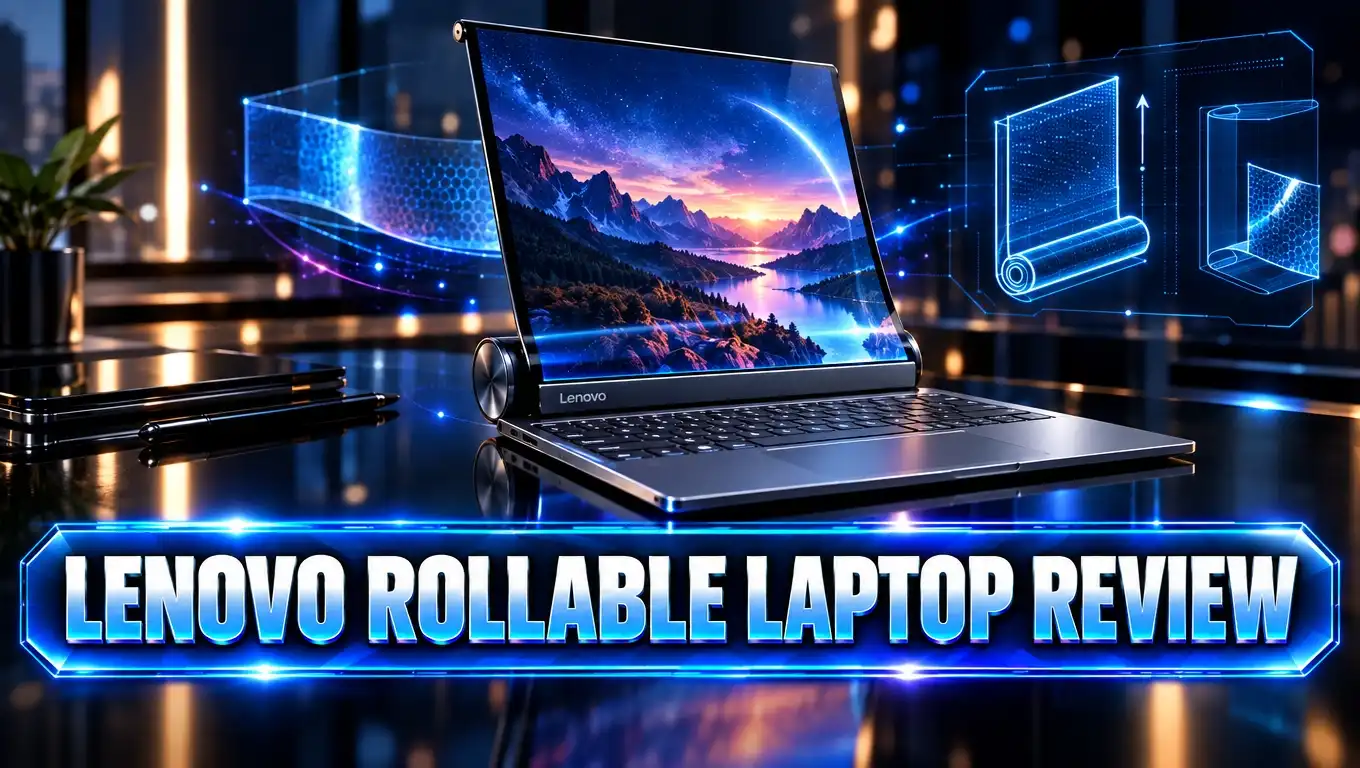
The idea is simple. Part of the OLED panel hides inside the base, under the keyboard. When you press a special key, a motor pulls the screen upward. The display rolls out like a window blind that moves up instead of down.
You can also trigger the motion with a hand gesture in front of the webcam. Lenovo designed the gesture feature for moments when your hands are already busy.
This laptop is a Copilot+ PC, so it supports Microsoft’s newer AI features in Windows 11. The Intel chip has a dedicated NPU that handles these AI tasks efficiently.
Lenovo keeps pushing this technology forward. At CES 2026, the company showed the ThinkPad Rollable XD concept. It grows from 13.3 inches to almost 16 inches and adds a display on the outside of the lid. That device is still a concept, so the ThinkBook Plus Gen 6 remains the rollable you can actually buy.
Who is this laptop for? It targets professionals who want more screen space without carrying a portable monitor. Think writers, analysts, developers, and anyone who lives inside long documents. If you scroll a lot, this machine cuts that scrolling down a lot.
Lenovo ThinkBook Plus Gen 6 Rollable
No products found.
Here is what you get in the box. Lenovo sells only one main configuration, which keeps buying simple.
The laptop runs an Intel Core Ultra 7 258V processor with 8 cores and speeds up to 4.8 GHz. It pairs that chip with 32GB of LPDDR5X memory and a 1TB M.2 2242 SSD. Intel Arc 140V graphics handle the visuals.
The display is the star. It is a flexible OLED panel with a 120Hz refresh rate. In compact mode, it measures 14 inches at a 5:4 ratio. In extended mode, it reaches 16.7 inches at an 8:9 ratio.
Connectivity includes WiFi 7 and Bluetooth 5.4. You get two Thunderbolt 4 ports that support 40Gbps speeds, DisplayPort 2.1, and power delivery. There is also a 3.5mm headphone jack.
For security, Lenovo adds an IR camera for Windows Hello face unlock. A fingerprint reader sits inside the power button. A 5 megapixel webcam includes a privacy kill switch on top of the lid.
The laptop weighs 3.72 pounds and measures 0.78 inches thick. That is heavier than most 14 inch ultrabooks. The extra weight keeps the laptop from tipping backward when the tall screen extends.
The price is $3,299 at launch. Prices on Amazon can change, so check the listing above for current deals.
Design and Build Quality
Close the lid and the ThinkBook Plus Gen 6 looks like a normal business laptop. It has a clean aluminum body with ThinkBook branding. Nobody guesses its secret until you open it.
Lenovo built the chassis from anodized aluminum. It passed military grade durability tests, just like other ThinkBook models. The base feels firm and solid on a desk.
The lid is a different story. It uses an inner frame and an outer frame. The outer frame slides along tracks to lift the screen. Where the two frames meet, you may hear small creaks when you adjust the lid.
The hinge is very stiff. You often need two hands to open the laptop. The hinge also tilts back only about 120 degrees. Lenovo limits the angle so the laptop does not fall over when the screen extends.
This limited tilt matters most on your lap. In tall mode, the screen already sits high, so the angle feels fine. In 14 inch mode, you may wish it tilted further.
Lenovo added a fun safety feature. If you try to close the lid with the screen extended, the laptop beeps loudly. It sounds like an old computer from the 1990s, and some reviewers found it charming.
Lenovo also cares about sustainability here. The bottom cover uses 50 percent recycled aluminum. The charger uses 90 percent recycled plastic, and the packaging is plastic free.
Overall, the design balances a strange new idea with a familiar laptop feel. It works well, but you notice the compromises.
Top 3 Alternative for Lenovo ThinkBook Plus Gen 6 Rollable
The rollable ThinkBook is unique, but it is not the only way to get extra screen space. Here are three strong alternatives that also give you more room to work.

- Multi-Screen Versatility — Find the mode that best suits your task and seamlessly switch between them...
- Everything-Built-In Portability — At 3.64 lb and a mere 0.57” thin, the DUO elevates portable dual-screen...
Last update on 2026-06-09 / Affiliate links / Images from Amazon Product Advertising API
The ASUS Zenbook Duo (2025) has two 14 inch 3K OLED touchscreens running at 120Hz. You can stack them vertically or place them side by side. It uses the Intel Core Ultra 9 285H with 32GB of RAM and a 1TB SSD. It launched at about $1,699, which is roughly half the price of the Lenovo. It is the best value pick for dual screen fans.

- The world’s first full dual-screen, multi-mode laptop
- Two stunning 13.3″ PureSight OLED displays for versatile use
Last update on 2026-09-25 / Affiliate links / Images from Amazon Product Advertising API
The Lenovo Yoga Book 9i is a 2 in 1 with two 13.3 inch 2.8K OLED touchscreens. It comes with a detachable keyboard and a stand. It works like a laptop, a tent, or a book. This model is a great choice if you want touch input and pen support.

Last update on 2026-09-25 / Affiliate links / Images from Amazon Product Advertising API
The Lenovo ThinkPad X1 Fold has a 16.3 inch foldable OLED screen. You can use it as a large tablet, a small laptop, or a big monitor with a keyboard. It is very portable, but it relies on accessories for the best experience.
Each alternative gives you more screen space. The rollable ThinkBook still wins for simple setup. You press one button and get more screen, with no stands or cables.
The Rollable OLED Display
The display is the reason this laptop exists. It deserves the biggest spotlight.
In 14 inch mode, you get a square looking screen at 2000 x 1600. Press the roll key, and it grows to 16.7 inches at 2000 x 2350. The motor takes about eight seconds. It makes a soft hum, similar to laptop fans.
Tall mode changes how you work. You can fit a full page of a document on screen. You can stack two apps on top of each other using Windows snap layouts. Coders can see far more lines at once.
Video calls look better too. The webcam moves higher when the screen extends. That puts the camera closer to eye level, so you avoid the unflattering “looking up your nose” angle.
The OLED panel shows punchy colors and deep blacks. Reviewers praised its contrast and vividness. It is a joy for reading and browsing.
There are some trade offs. The screen surface is plastic instead of glass, because it must bend. It does not support touch. You may also see faint ripples and creases in the lower third, which is the part that rolls. Most reviewers said these ripples are easy to ignore in normal use.
The tall mode also locks some settings. You cannot switch to landscape orientation or change scaling while extended. So the display is not better for movies than a normal OLED laptop.
For productivity, though, most reviewers kept it extended almost all the time. Once you try tall mode, a normal 14 inch screen feels cramped.
Keyboard, Trackpad and Webcam
Lenovo has a strong reputation for keyboards, and this laptop keeps it. The keys have good travel and a satisfying tactile feel. Long typing sessions feel comfortable.
The keyboard adds two special keys. One key with an up and down arrow triggers the rolling motor. The key next to it opens Lenovo’s Workspace app. Both sit within easy reach.
The trackpad is a pleasant surprise. It uses haptic feedback instead of a mechanical click. The Verge said it rivals Apple’s trackpads in precision and feel. It is slightly small, but it tracks smoothly and clicks anywhere on the surface.
The webcam has a 5 megapixel sensor. It captures sharp images and handles mixed lighting well. A physical kill switch on top of the lid lets you block the camera for privacy.
Face unlock works fast thanks to the IR camera. Many users will rarely touch the fingerprint reader in the power button because face unlock is so quick.
The built in microphones also earned good marks. Your voice comes through clearly on calls. Put the webcam, mic, and tall screen together, and this laptop becomes a strong video call machine.
The input devices feel premium. At this price, they should. Lenovo delivers here without cutting corners.
Performance and Everyday Speed
The Intel Core Ultra 7 258V is a Lunar Lake chip. It focuses on efficiency, cool running, and solid everyday speed.
In Geekbench 6, the ThinkBook scored 2,715 in single core and 10,971 in multi core. That matches other laptops with the same chip. In Cinebench 2024, it scored 119 single core and 517 multi core.
What does that mean in real life? Office apps, many browser tabs, Slack, and video calls run smoothly. Basic coding and photo edits work fine. The fan rarely spins up, and the laptop stays cool during normal work.
Heavy tasks are another matter. Long video exports and 3D rendering will run slower than on laptops with H series chips or dedicated graphics. A MacBook Air M4 beats it in multi core tests.
The Intel Arc 140V graphics are good for integrated graphics. Notebookcheck ran several games. The laptop hit about 99 fps in F1 24 at 1080p low settings. Cyberpunk 2077 ran at about 47 fps at 1080p low. Light gaming is possible, but this is not a gaming laptop.
The NPU handles Copilot+ AI features like Windows Studio Effects and live captions. These run without draining the battery.
You get three power modes in Lenovo Vantage: Battery Saver, Adaptive, and Performance. They sync with Windows power settings, so switching is easy.
Overall, the performance fits the target user well. It is a productivity machine, not a workstation.
Battery Life
Battery life is one of this laptop’s biggest wins. The 66Wh battery lasts longer than many people expect from a device with a big OLED screen.
Tom’s Hardware measured 9 hours and 28 minutes in 14 inch mode during its battery test. The Verge used the laptop for a full workday with Google Docs, Slack, many Chrome tabs, and calls. It lasted nine hours or more on a charge.
What about tall mode? The larger screen uses more power. The Verge reached close to eight hours with the screen extended nearly all day. That is still a full workday for most people.
Lenovo includes a small 65W USB C charger. It is compact enough to toss in a bag without adding much bulk.
Here is a smart detail I love. When the battery drops below about five percent, the laptop warns you. It then counts down for 30 seconds and rolls the screen down automatically. You never get stuck with an extended screen and a dead battery.
The efficient Intel chip helps a lot. It sips power during light tasks. The laptop also stays quiet and cool, so you can work on the couch without discomfort.
If battery life matters to you, this laptop delivers. You can leave the charger at home for a normal office day.
Ports, Speakers and Connectivity
Ports are a weak area. You get only two Thunderbolt 4 ports and one headphone jack. There is no USB A port, no HDMI, and no SD card reader.
The good news is that both Thunderbolt ports are powerful. They support 40Gbps data speeds, DisplayPort 2.1 for external monitors, and charging. A single dock can solve most port problems.
Still, you will likely carry a USB C hub. The Verge gave the port selection a “D” grade. For a $3,299 business laptop, more ports would make sense.
The speakers also take a hit from the rolling design. The hidden screen section sits under the keyboard deck. That leaves no space for speakers next to the keyboard.
Lenovo moved the speakers to the front edge and angled them downward. Tom’s Hardware found them surprisingly good. The Verge called them mediocre and noted your wrists can block the sound. Results depend on your listening habits, but headphones are a safe bet for music.
Wireless connectivity is excellent. WiFi 7 delivers fast, stable internet on newer routers. Bluetooth 5.4 connects headphones, mice, and keyboards reliably.
In short, wireless is great and wired is limited. Plan to buy a small hub if you use USB A drives or HDMI projectors.
Lenovo Workspace Software
Lenovo ships the laptop with its own ThinkBook Workspace app. The app aims to help you manage the tall screen.
Workspace lets you pin widgets, apps, and windows to the lower part of the screen. It can also create a virtual display for a picture in picture layout. You can set it to open automatically when the screen extends.
On paper, the app sounds useful. In practice, reviewers were not impressed. The Verge ran into bugs with multiple virtual desktops. The wallpaper glitched, and four finger swipes stopped working at times.
Tom’s Hardware also listed the Workspace software as a con. The app adds a title bar that wastes precious screen space.
The good news is that you do not need it. Windows 11 snap layouts work very well on the tall screen. You can split the display 50/50 vertically and drag the divider to resize windows. Many users will prefer this built in method.
Windows handled the size changes smoothly for the most part. One reviewer saw the taskbar disappear once, but a restart fixed it.
Software updates can improve Workspace over time. Lenovo has a history of updating its utility apps. For now, treat Workspace as optional and lean on Windows features instead.
Durability and Long Term Concerns
Any laptop with moving screen parts raises durability questions. It is fair to ask how long the rolling mechanism will last.
Lenovo rates the screen for 20,000 roll cycles and the hinge for 30,000 openings and closings. If you roll the screen up and down 10 times a day, 20,000 cycles last more than five years.
Real world use looks promising so far. The Verge carried the laptop in a backpack on a 500 mile road trip. It survived without problems.
However, the lid is weaker than on standard laptops. The OLED screen lacks Gorilla Glass. Notebookcheck noted that the lid can twist and warp more than on laptops like the Dell XPS 14. Handle it with a bit more care than a regular laptop.
The plastic screen surface is also softer than glass. Avoid pressing it with fingernails or sharp objects. The lack of touch support actually helps here, since you will touch the screen less.
Repair costs are the biggest unknown. Lenovo had not shared screen repair prices at launch. A replacement rollable OLED will likely cost a lot.
My advice is simple. If you buy this laptop, consider an extended warranty or accidental damage plan. Lenovo offers these plans, and they bring real peace of mind for a first generation device.
Price and Value
The Lenovo ThinkBook Plus Gen 6 Rollable costs $3,299. Notebookcheck noted prices near $3,500 in some regions. Either way, this is a premium purchase.
For that money, you could buy three good $1,000 laptops. You could also buy a MacBook Pro or a top gaming laptop. So why pay more?
You pay for the unique rolling screen. No other laptop on the market offers this experience in a normal clamshell. You get a large tall display without carrying a monitor, stand, or keyboard accessory.
Early technology always costs more. The first foldable phones cost a lot, and prices dropped over time. Rollable laptops will likely follow the same path.
Compare it with the alternatives. The ASUS Zenbook Duo gives you two touchscreens for about half the price. It offers more total screen area but needs more setup. The ThinkPad X1 Fold also costs a lot and depends on accessories.
Value depends on how you work. If you spend hours in long documents or code, the tall screen saves time every day. That time savings can justify the price for professionals.
If you mainly browse, stream, and write emails, the price makes little sense. A regular laptop and a cheap portable monitor would serve you better.
Pros and Cons
Here is a quick summary of the strengths and weaknesses, based on my research and several expert reviews.
Pros
- Rolling screen: The display expands from 14 to 16.7 inches at the push of a button, with no accessories needed.
- Vivid OLED panel: Colors look punchy and contrast is deep, which makes reading and browsing a pleasure.
- Excellent keyboard and trackpad: Typing feels great, and the haptic trackpad is precise and smooth.
- Strong battery life: The laptop lasts about 8 to 9.5 hours, enough for a full workday.
- Better video calls: Tall mode lifts the webcam closer to eye level for a more flattering angle.
- Quiet and cool: The efficient Intel chip rarely makes the fan spin up.
- Smart safety features: The auto roll down at low battery and the warning beep protect the screen.
Cons
- Very expensive: The $3,299 price puts it out of reach for most buyers.
- Limited ports: You get only two Thunderbolt 4 ports and a headphone jack.
- No touchscreen: The flexible plastic panel does not support touch input.
- Visible ripples: The rolling section shows faint creases at certain angles.
- Heavy for a 14 inch laptop: At 3.72 pounds, it weighs more than most rivals.
- Limited hinge angle: The screen tilts back only about 120 degrees.
- Buggy Workspace app: Lenovo’s software needs more polish.
Final Verdict: Who Should Buy the Lenovo Rollable Laptop?
The Lenovo ThinkBook Plus Gen 6 Rollable is one of the most exciting laptops I have ever researched. It turns a wild concept into a working product. And it works better than most people expected.
The tall screen is truly useful. Reviewers kept it extended nearly all the time. They found normal laptops cramped afterward. The keyboard, trackpad, and battery life also meet high standards.
You should buy this laptop if you work with long documents, spreadsheets, or code every day. It also suits frequent travelers who miss their tall desk monitor on the road. Tech enthusiasts who love owning the future will enjoy it too.
You should skip this laptop if you are on a budget, need many ports, or want a touchscreen. Creative pros who render video should also look at more powerful machines.
If the price feels too high, the ASUS Zenbook Duo is the smart alternative. It gives you two screens for much less money.
My overall rating is 8 out of 10. The Lenovo rollable laptop is a bold first step. It has first generation flaws, but its core idea is brilliant. Future versions will likely cost less and fix the small issues, and I can’t wait to see them.
Frequently Asked Questions
What is the Lenovo rollable laptop called?
It is called the Lenovo ThinkBook Plus Gen 6 Rollable. Lenovo revealed it at CES 2025 and later put it on sale as the first consumer rollable laptop.
How much does the Lenovo rollable laptop cost?
The laptop launched at $3,299 in the United States. Prices vary by region and retailer, so check current listings for deals.
How big does the rollable screen get?
The screen starts at 14 inches with a 2000 x 1600 resolution. It extends to 16.7 inches with a 2000 x 2350 resolution.
How long does the screen take to roll out?
The motorized screen takes about eight seconds to extend or retract. You can start it with a keyboard key or a hand gesture.
Does the Lenovo rollable laptop have a touchscreen?
No, it does not support touch. The flexible OLED uses a plastic surface, so it is softer than glass.
How long does the battery last?
Reviewers got about 8 to 9.5 hours on a charge. Tom’s Hardware measured 9 hours and 28 minutes in 14 inch mode.
How durable is the rolling mechanism?
Lenovo rates the screen for 20,000 roll cycles and the hinge for 30,000 openings. An extended warranty is still a smart idea for this first generation device.
Can I game on the Lenovo rollable laptop?
You can play light games at low settings. Intel Arc 140V graphics ran F1 24 at about 99 fps on low at 1080p, but this is not a gaming laptop.
What happens if the battery dies with the screen extended?
The laptop rolls the screen down automatically when the battery gets very low. It gives you a 30 second warning first, so you can always close the lid safely.
Is there a newer Lenovo rollable laptop?
At CES 2026, Lenovo showed the ThinkPad Rollable XD concept, which grows from 13.3 to nearly 16 inches. It is still a concept, so the ThinkBook Plus Gen 6 remains the rollable you can buy.

DK is a technology expert who specializes in AI tools, software, and tech gadgets. He writes for How to Tech Info, providing detailed reviews and practical guides. DK helps readers discover the best AI applications, navigate new software, and choose the right tech gadgets.