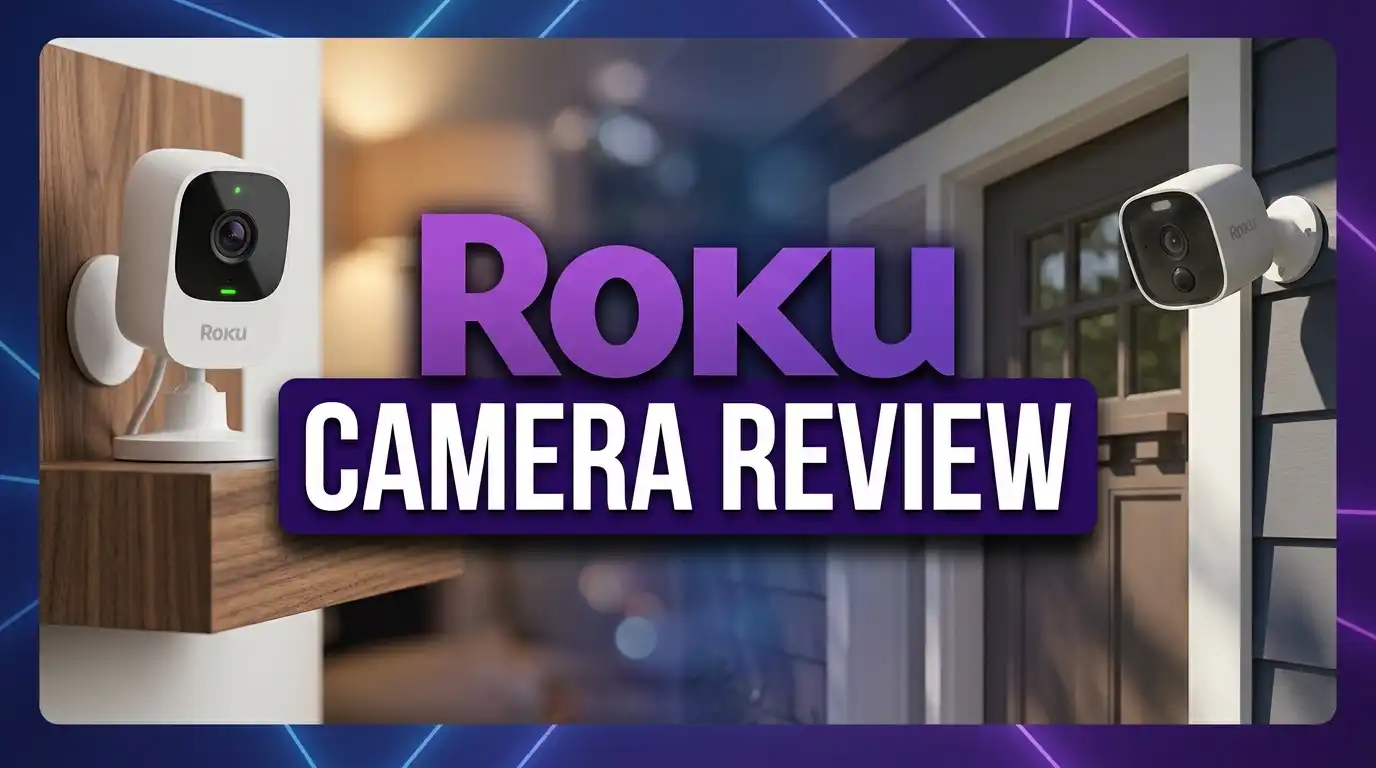
Roku Camera Review 2026: Smart Home Camera Worth It?
Home security does not need to cost a fortune. Roku has proven this with its growing lineup of affordable smart cameras. The brand you already know for streaming TV now offers indoor, outdoor, and battery powered cameras that deliver solid performance at a price that undercuts most competitors.
But do Roku cameras actually hold up in 2026? Can a streaming company build a security camera that competes with names like Ring, Blink, and Wyze? I spent weeks testing the full Roku camera lineup. I looked at video quality, app performance, smart features, and overall value.
This review covers everything you need to know. You will learn about the Roku Indoor Camera, the Roku Indoor Camera 360°, the Roku Outdoor Camera, and the newer Roku Battery Camera models. I also share real user feedback, subscription details, and how Roku stacks up against the competition.
If you want a clear, honest answer about whether Roku cameras deserve a spot in your home, keep reading.

Key Takeaways
- Roku cameras are budget friendly. Most models cost between $27 and $59, making them some of the cheapest smart cameras on the market right now. You get 1080p HD video, color night vision, and two way audio without spending over $60 on a single camera.
- The Roku Smart Home app controls everything. You can view live feeds, adjust settings, set motion zones, and receive alerts from one app. The app also works with Roku TVs, so you can pull up camera feeds on your television screen.
- Subscription plans are optional but useful. Basic camera features work without a subscription. If you want 14 day cloud storage and smart person or pet detection, plans start at $3.99 per month per camera or $9.99 per month for all cameras.
- Alexa and Google Assistant compatibility makes Roku cameras easy to add to an existing smart home setup. Voice commands let you view live feeds on Echo Show or Google Nest Hub devices.
- Video quality is good for 1080p but not class leading. Roku cameras do not offer 2K or 4K resolution. For basic monitoring, the quality is more than enough. For detailed facial recognition at a distance, you may want something sharper.
- Setup is fast and simple. Most users report getting their cameras online within five to ten minutes using the Roku Smart Home app and a 2.4GHz Wi-Fi connection.
Roku Indoor Camera Overview

- Easy home monitoring: Pop into any room—from anywhere with the Roku Indoor Camera. Check in with the kids...
- Clear as day (or night): Get every detail of the kids' room in 1080p HD full-color picture, whether it’s the...

Last update on 2026-06-09 / Affiliate links / Images from Amazon Product Advertising API
The Roku Indoor Camera is the entry point to the Roku smart home system. It is a small, wired camera that sits on a shelf, desk, or mounts to a wall. The compact design blends into most rooms without drawing attention.
This camera records in 1080p HD and includes color night vision. You can see clear footage even in low light conditions. The wide dynamic range (WDR) feature helps balance bright and dark areas in the same frame. This is useful if your camera faces a window during the day.
Two way audio lets you speak through the camera using the Roku Smart Home app. You can talk to family members, calm a pet, or even warn an intruder. The built in siren adds another layer of security. You can trigger it manually from the app if something looks wrong.
The camera supports Wi-Fi 6, which means faster and more stable connections compared to older Wi-Fi standards. Motion and sound detection sends instant push notifications to your phone. You can customize detection zones to reduce false alerts from areas with regular movement.
At around $27 to $33 for a single camera, this is one of the most affordable smart indoor cameras available. It works as a baby monitor, pet cam, or general security camera for any room in your house.
Roku Indoor Camera 360° Review

- Pans & tilts to view an entire room: Life isn’t stationary, and neither is Roku Indoor Camera 360. Detect...
- Our treat: Get 3 months of a Roku Smart Home subscription on us when you sign up for the single camera monthly...
Last update on 2026-06-09 / Affiliate links / Images from Amazon Product Advertising API
The Roku Indoor Camera 360° adds pan and tilt to the standard indoor camera formula. This model rotates 360 degrees horizontally and 93 degrees vertically. You control the movement from the Roku Smart Home app, or the camera can track motion automatically.
Automatic motion tracking is the standout feature here. The camera follows a moving subject across the room. If your dog walks from the couch to the kitchen, the camera pans to keep them in frame. This removes the blind spots that fixed cameras create.
Video quality matches the standard indoor camera at 1080p HD with color night vision. The image is clear and detailed enough for home monitoring. You can zoom in digitally, though fine details become less sharp at higher zoom levels.
The pan and tilt mechanism is smooth and quiet. You will not hear loud motor noises during operation. This makes it a good choice for baby rooms or quiet spaces where mechanical noise could be a problem.
Privacy mode is a thoughtful addition. You can set the camera to physically rotate and face the wall when you are home. This gives a visual confirmation that the camera is not recording. It builds trust for household members who value privacy.
At around $39 to $45, the 360° model costs only a little more than the standard indoor camera. The added coverage and motion tracking make it worth the extra investment for most buyers.
Roku Outdoor Camera Review

- Keep an eye on the outside of your home: With the Roku Outdoor Wired Camera, see every person, package, and...
- Our treat: Get 3 months of a Roku Smart Home subscription on us when you sign up for the single camera monthly...
Last update on 2026-06-09 / Affiliate links / Images from Amazon Product Advertising API
The Roku Outdoor Camera is the wired option for exterior home monitoring. It carries an IP65 weather resistance rating, which means it handles rain, dust, and temperature changes without issues. You can mount it under eaves, on walls, or near entryways.
This camera delivers 1080p HD video with night vision. The spotlight activates during motion events to light up dark areas and deter intruders. Two way audio lets you communicate with visitors, delivery drivers, or anyone approaching your property.
Motion and sound detection works with customizable zones. You can draw specific areas on the camera’s view where you want alerts. This reduces unnecessary notifications from passing cars, swaying trees, or neighborhood foot traffic.
Installation requires running a power cable to the camera location. Roku includes mounting hardware in the box. The process takes about 15 to 20 minutes if you have an outdoor power outlet nearby. If you do not, you may need to hire an electrician or choose the battery model instead.
The Roku Smart Home app provides live viewing, recorded clips, and settings management. With a subscription, you unlock 14 day cloud storage and smart detection features. Without the subscription, you still get live viewing and basic motion alerts.
For a wired outdoor camera at this price point, the Roku Outdoor Camera competes well with options from Wyze and TP-Link. It is a solid choice for homeowners who want reliable exterior coverage on a budget.
Top 3 Alternatives for Roku Camera
If Roku cameras do not match your specific needs, these three alternatives offer strong performance at similar price points.

- Outdoor 4 is our fourth generation wireless smart security camera that helps you protect your home inside and...
- See and speak from the Blink app — Experience 1080p HD live view, infrared night vision, and crisp two-way...
Last update on 2026-06-09 / Affiliate links / Images from Amazon Product Advertising API
The Blink Outdoor 4 is a wireless camera with up to two years of battery life. It delivers 1080p HD video, infrared night vision, and two way audio. It works with the Blink app and Alexa. The long battery life makes it ideal for locations without easy access to power outlets.

- 2024 PCMag Editor's Choice - Praised for its outstanding value, delivering sharp 2K resolution and a...
- Compact, Versatile, Weatherproof - The Tapo C120 is a compact camera suitable for indoor and outdoor use...
Last update on 2026-07-11 / Affiliate links / Images from Amazon Product Advertising API
The TP-Link Tapo C120 records in 2K QHD resolution, which is sharper than Roku’s 1080p. It features color night vision with a starlight sensor, IP66 weather resistance, and local storage via microSD card. It stands out as a strong budget pick for anyone who wants higher resolution footage.

- SMART 2.5K QHD RESOLUTION — CAPTURE EVERY DETAIL — Record in crystal-clear 2560×1440 video with a...
- ENHANCED COLOR NIGHT VISION — SEE CLEARLY IN TOTAL DARKNESS — Industry-leading Starlight Sensor paired...
Last update on 2026-07-11 / Affiliate links / Images from Amazon Product Advertising API
The Wyze Cam v4 captures 2.5K video and includes a motion activated spotlight, color night vision, and IP65 weather resistance. It works both indoors and outdoors. Wyze also offers affordable cloud storage plans starting at $1.99 per month per camera.
Roku Battery Camera Review

- Clear as day (or night): The outdoor-indoor Roku Battery Camera features 1080p HD full-color picture and color...
- Bad weather. All good: IP65-rated weather-resistant design means this camera can keep monitoring through harsh...
Last update on 2026-06-09 / Affiliate links / Images from Amazon Product Advertising API
The Roku Battery Camera launched in 2025 and brought wireless freedom to the Roku smart home lineup. This camera runs on a rechargeable battery that lasts up to six months on a single charge. You can also add a Roku solar panel to keep it charged without manual intervention.
Video quality is 1080p HD with full color picture and color night vision. The camera captures clear footage during the day and maintains decent color accuracy at night. A built in spotlight illuminates the area during motion events, which helps with both visibility and deterrence.
The camera is weather resistant, so it works both indoors and outdoors. You can mount it on a fence, garage, porch, or any interior room. The magnetic mount makes installation and repositioning quick and easy.
Two way audio lets you talk through the camera from anywhere using the Roku Smart Home app. Motion detection sends push notifications to your phone. With a subscription, you get smart detection that identifies people, pets, and packages.
At roughly $49, the Roku Battery Camera fills an important gap in the Roku lineup. It gives you placement flexibility that wired cameras cannot match. Battery life will vary depending on how much activity the camera detects, but six months is achievable under normal use.
Roku Battery Camera Plus Review
The Roku Battery Camera Plus is the upgraded version of the standard battery model. The biggest improvement is battery life. Roku claims up to two years of use on a single charge. That is a significant jump from the standard model’s six month estimate.
Everything else matches the standard Battery Camera. You get 1080p HD video, color night vision, a built in spotlight, two way audio, and weather resistance. The camera also supports the same magnetic mount and optional solar panel.
The extended battery life is the main reason to choose the Plus model. If you plan to mount the camera in a hard to reach location, the longer battery means less frequent charging. This is especially helpful for cameras placed high on walls, on second story exteriors, or in remote areas of your property.
Smart detection and cloud storage require a Roku Smart Home Subscription. The Plus model includes the same 90 day free trial that other Roku cameras offer. After the trial, you pay $3.99 per month per camera or $9.99 per month for an all camera plan.
At roughly $59, the Battery Camera Plus costs $10 more than the standard model. For the extended battery life alone, this upgrade is worth considering. It reduces maintenance and keeps your camera running longer between charges.
Video Quality and Night Vision Performance
Roku cameras across the lineup record in 1080p Full HD. This resolution works well for general home monitoring. You can identify faces, read delivery labels, and see movement clearly. The image is sharp at normal viewing distances.
Color night vision is a feature available on all current Roku camera models. Unlike basic infrared night vision that shows black and white images, Roku cameras maintain some color in low light. This helps you identify clothing colors, vehicle colors, and other important details after dark.
The wide dynamic range (WDR) found in the newer indoor camera model balances exposure in tricky lighting. If your camera faces a bright window, WDR prevents the rest of the room from appearing too dark. This small feature makes a noticeable difference in mixed lighting environments.
One limitation is the lack of 2K or 4K resolution. Competitors like the Wyze Cam v4 and TP-Link Tapo C120 offer higher resolution at similar prices. If you need to zoom in on footage frequently, the extra pixels from a 2K camera will give you better detail.
For most users, 1080p is sufficient. You can see what matters. Video streams smoothly on the app and on Roku TVs. The quality is consistent across day and night conditions.
Roku Smart Home App Experience
The Roku Smart Home app is the control center for all Roku cameras. It is available on both iOS and Android. The app handles setup, live viewing, recording playback, settings adjustments, and notifications.
Setup through the app is straightforward. You scan a QR code on the camera, connect to your 2.4GHz Wi-Fi network, and follow the on screen instructions. Most users complete setup in under ten minutes. The app walks you through each step clearly.
Live viewing loads quickly. You can tap any camera to see a live feed with minimal delay. The stream stays stable on a strong Wi-Fi or cellular connection. Two way audio works directly from the live view screen.
Notification management lets you control how and when you receive alerts. You can set schedules, adjust motion sensitivity, and create custom detection zones. This helps reduce alert fatigue from false triggers.
One feature Roku users love is the ability to view camera feeds on a Roku TV. You can say “show me the front door camera” with a Roku voice remote and see the feed on your television. This integration is unique to the Roku ecosystem and adds real convenience.
The app has improved steadily since its launch. Early versions had bugs and slow load times. Current versions run much smoother. User reviews from early 2026 report a reliable and responsive experience.
Roku Camera Subscription Plans Explained
Roku cameras work without a subscription. You get live viewing, real time alerts, two way audio, and siren control for free. However, a subscription adds important features that many users will want.
The Camera Subscription costs $3.99 per month per camera or $39.99 per year per camera. It includes 14 day cloud video storage, smart detection for people and pets, and instant event recordings. You can review clips from the past two weeks anytime.
The Camera Plus Subscription costs $9.99 per month for all cameras or $99.99 per year for all cameras. This is the better deal if you own multiple Roku cameras. It covers every camera on your account under one plan. You get the same 14 day cloud storage and smart detection features.
Every Roku camera includes a 90 day free trial of the subscription service. This gives you time to test the cloud features before committing. After the trial, your credit card is charged automatically unless you cancel.
Without a subscription, you lose cloud storage and smart detection. You can still view live feeds and get basic motion alerts. Some users find this sufficient for their needs. Others prefer the added security of saved footage and person detection.
Compared to competitors, Roku’s subscription pricing is competitive. Ring charges $3.99 per month per camera for similar features. Wyze starts at $1.99 per month but offers less storage. Roku lands in the middle with fair pricing and useful features.
Smart Home Integration and Voice Control
Roku cameras integrate with Amazon Alexa and Google Assistant. This means you can use voice commands to view camera feeds on compatible smart displays. Say “Alexa, show me the living room camera” and the feed appears on your Echo Show.
The same works with Google Nest Hub devices. Google Assistant pulls up live feeds on command. This hands free viewing is useful when you are cooking, working, or otherwise occupied.
Roku TV integration sets these cameras apart from most competitors. If you own a Roku TV or streaming device, you can view camera feeds directly on your television. The Roku Smart Home app runs on Roku OS. You do not need a separate smart display to see your cameras on a big screen.
The cameras also work with the Roku Smart Home ecosystem. Roku sells smart plugs, light bulbs, and other devices that connect through the same app. You can create automations like turning on a light when a camera detects motion at night.
There is no Apple HomeKit support at this time. If you are deep in the Apple ecosystem, this could be a dealbreaker. Roku focuses on Alexa, Google, and its own platform for now.
For most smart home setups, the integration options are sufficient. The Alexa and Google compatibility covers the majority of smart home users. The Roku TV feature is a genuine bonus that adds value to the overall experience.
Roku Camera Installation and Setup Process
Installing a Roku camera takes five to fifteen minutes depending on the model. The process is the same across the lineup. You download the Roku Smart Home app, create an account, and follow the guided setup.
Wired indoor cameras simply plug into a USB power adapter and connect to your Wi-Fi. You place the camera on any flat surface or use the included mount. There is no drilling required unless you want to wall mount the camera.
Wired outdoor cameras require mounting hardware and a power cable routed to an outdoor outlet. Roku includes screws, anchors, and a mounting bracket. The cable is long enough for most installations. You may need a weatherproof outlet or extension cord in some setups.
Battery cameras offer the easiest installation. The magnetic mount attaches to metal surfaces or the included mounting plate. You can stick the camera almost anywhere. No wires and no drilling mean you can move the camera as needed.
All cameras require a 2.4GHz Wi-Fi network. The newer models support Wi-Fi 6 for faster speeds and better range. Make sure your router is within reasonable distance. Thick walls and long distances can weaken the signal.
The app provides a signal strength indicator during setup. If your camera location has a weak signal, the app warns you. This helps you find the best spot before finalizing the installation.
Pros and Cons of Roku Cameras in 2026
Roku cameras deliver strong value for the price. They are among the cheapest smart cameras available, and they perform well for basic home monitoring. However, they have some clear limitations.
On the positive side, the price is hard to beat. An indoor camera for under $30 with color night vision, two way audio, and smart home integration is a great deal. The Roku TV viewing feature is a unique advantage. Setup is fast and the app has matured into a reliable tool.
Battery models add flexibility that wired cameras lack. The magnetic mount and weather resistant design let you place cameras anywhere. Battery life is reasonable, especially on the Plus model with its two year claim.
On the downside, 1080p resolution falls behind competitors that offer 2K or even 4K at similar prices. If video detail is your top priority, cameras from Wyze or TP-Link provide more pixels for roughly the same cost.
No Apple HomeKit support limits the camera’s appeal for Apple focused households. There is also no local storage option on most models. You either use cloud storage with a subscription or rely on live viewing only.
Some users report occasional connectivity drops and slow notification delivery. These issues are not universal, but they appear in user reviews. A strong Wi-Fi signal and updated firmware help reduce these problems.
Overall, Roku cameras are a smart buy for budget conscious shoppers who want reliable basic monitoring. They are not the most feature rich cameras on the market, but they deliver where it counts.
Who Should Buy a Roku Camera?
Roku cameras are best suited for first time smart home users and anyone looking for affordable security. If you already own a Roku TV or streaming device, these cameras offer deeper integration than any competitor.
Pet owners benefit from the indoor cameras. You can check on your dog or cat from work, talk to them through two way audio, and get alerts when they move into certain areas. The 360° model is especially useful for tracking pets around a room.
Renters will appreciate the wireless battery cameras. You do not need to drill holes or run cables. The magnetic mount leaves no damage. When you move, you take the camera with you.
Budget shoppers get excellent value. A full indoor and outdoor camera setup with two or three Roku cameras costs less than a single premium camera from some competitors. You do not sacrifice essential features at this price.
Roku cameras may not be the best fit for security professionals or users who need high resolution footage. If you require 2K or 4K video, advanced AI detection without a subscription, or extensive local storage, look at alternatives from Eufy, Arlo, or Reolink.
Final Verdict on Roku Cameras in 2026
Roku cameras continue to offer one of the best price to performance ratios in the home security market. The 2025 additions of battery powered models strengthened the lineup. The app has improved. Smart home integration remains solid.
You get 1080p HD video, color night vision, two way audio, motion detection, and smart home compatibility across every model. Subscription plans are affordable and optional. The Roku TV integration is a genuinely useful bonus.
The main areas for improvement are video resolution and local storage options. If Roku adds 2K cameras and a microSD card slot in future models, the lineup would compete at an even higher level.
For the price, Roku cameras are a strong recommendation in 2026. They do the basics well, they are easy to set up, and they play nicely with popular smart home platforms. If you want reliable home monitoring without a big investment, Roku cameras deserve serious consideration.
Frequently Asked Questions
Do Roku cameras work without a subscription?
Yes. Roku cameras provide live viewing, real time motion alerts, two way audio, and siren control without any subscription. The subscription adds cloud storage for 14 days and smart detection for people, pets, and packages. You can use the camera’s core features at no ongoing cost.
How much does the Roku camera subscription cost?
The individual camera plan costs $3.99 per month or $39.99 per year per camera. The Camera Plus plan covers all cameras on your account for $9.99 per month or $99.99 per year. Every Roku camera includes a 90 day free trial of the subscription.
Can I view Roku cameras on my Roku TV?
Yes. This is one of Roku’s best features. You can view live camera feeds directly on any Roku TV or Roku streaming device. Use the Roku Smart Home app on your TV or ask with a Roku voice remote to pull up the camera feed on your big screen.
Do Roku cameras support Apple HomeKit?
No. Roku cameras currently work with Amazon Alexa and Google Assistant. There is no Apple HomeKit support. If you rely on Apple’s Home app for smart home control, Roku cameras will not integrate with your system.
Are Roku cameras good for outdoor use?
The Roku Outdoor Camera and both Battery Camera models are designed for outdoor use. They carry IP65 weather resistance ratings and handle rain, heat, and cold. The wired outdoor model requires a nearby power source. The battery models offer fully wireless outdoor placement.
How long does the Roku Battery Camera last on one charge?
The standard Roku Battery Camera lasts up to six months on a single charge. The Roku Battery Camera Plus lasts up to two years. Actual battery life depends on the amount of motion detected and how often you view the live feed. Adding a Roku solar panel can extend usage even further.

DK is a technology expert who specializes in AI tools, software, and tech gadgets. He writes for How to Tech Info, providing detailed reviews and practical guides. DK helps readers discover the best AI applications, navigate new software, and choose the right tech gadgets.