
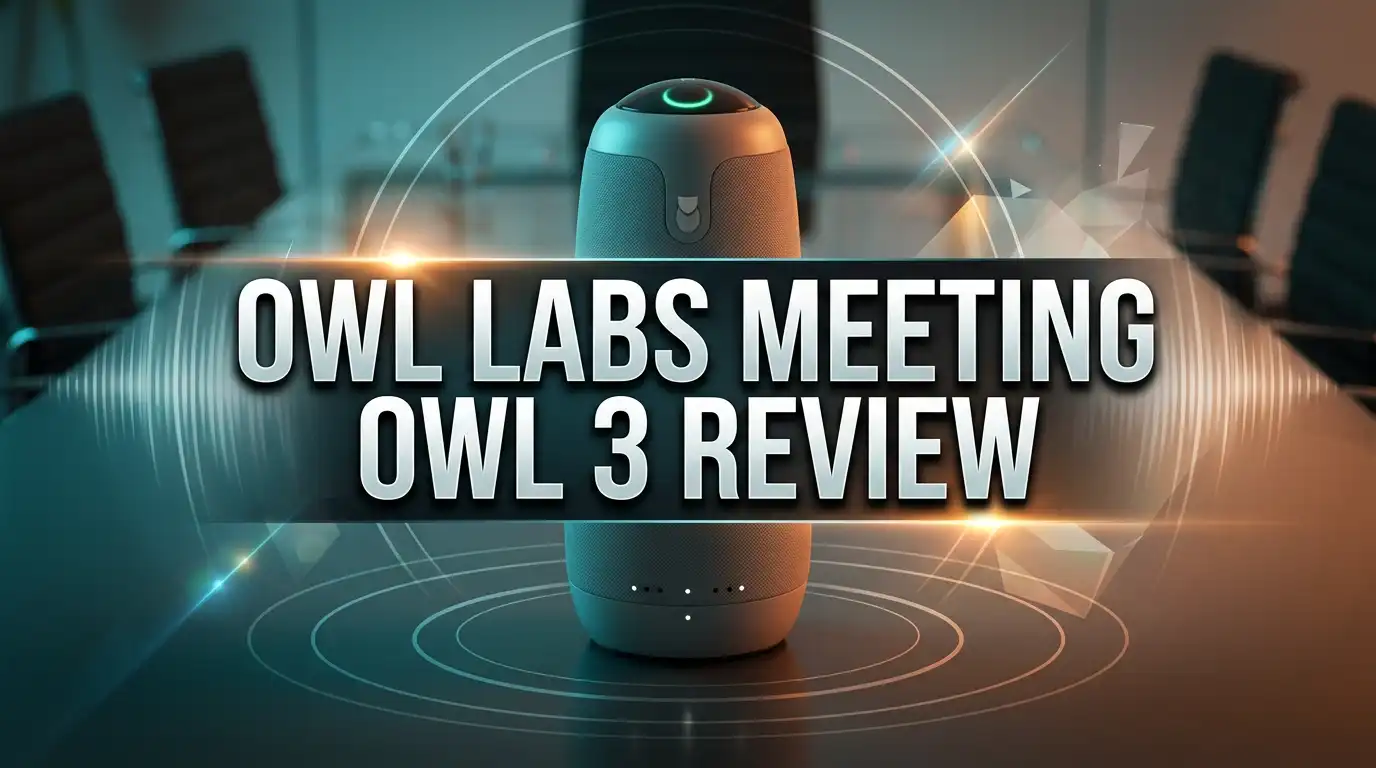
Owl Labs Meeting Owl 3 Review: Conference Camera Worth Buying?
Hybrid meetings break for one simple reason. The people in the room look tiny, sound distant, and remote teammates feel like they are watching through a keyhole. The Owl Labs Meeting Owl 3 tries to fix that with one round device that sits in the middle of your table and captures everybody at once.
It packs a 360 degree camera, eight microphones, and three speakers into a body that looks like a friendly owl. You plug it into a laptop with one USB cable and start your call. No rack gear, no installer, no ceiling mics.
But it costs around $1,099 at full price, and cheaper rivals now flood Amazon. So the real question is simple. Does the Meeting Owl 3 still earn that money in 2026? This review answers that with hands on details, honest weak points, and clear alternatives.
In a Nutshell
Here is the short version for readers who want the verdict fast.
- Video quality is good, not stunning. The Meeting Owl 3 records 1080p HD from a 16 MP fisheye lens. It captures a clean 360 degree strip of the room plus close up panels of active speakers. Faces stay sharp within a 10 ft (3 m) video radius, then softness creeps in.
- Audio is the real star. Eight smart microphones pick up voices up to 18 ft (5.5 m) away. Three outward firing speakers push remote voices evenly around the table. Most users say half volume is loud enough for a boardroom.
- Setup takes minutes, not hours. Owl Labs claims six minutes from box to first meeting. In practice you plug in USB and power, install drivers automatically, then pair the phone app over Bluetooth.
- The speaker tracking can get twitchy. The camera reacts to noise as well as speech. Shuffling paper or a coughing colleague can pull focus. This is the most common complaint online.
- It works with almost every platform. Zoom, Microsoft Teams, Google Meet, Webex, and GoTo all recognise it as a standard USB camera. It carries Microsoft Teams certification.
- Price is the sticking point. At $1,099 list, it sits above capable rivals. Deals and renewed units bring it far closer to fair value.
Meeting Owl 3 Quick Overview

- ENGAGING HYBRID COLLABORATION. The Meeting Owl 3 is an all-in-one video conferencing device that captures...
- AWARD-WINNING INTELLIGENCE. Features the award-winning and proprietary Owl Intelligence System, which uses...

Last update on 2026-07-01 / Affiliate links / Images from Amazon Product Advertising API
The Meeting Owl 3 is the third generation of the Owl Labs family. It launched as the successor to the Meeting Owl Pro and keeps the same familiar cylinder shape.
Inside sits a 16 MP fisheye camera that outputs 1080p HD video. A Qualcomm Snapdragon 650 processor handles the image stitching and the AI tracking in real time.
The device works as a single USB peripheral. Your computer sees one camera, one microphone, and one speaker. That simplicity is the whole point of the product.
Owl Labs targets three groups with it. Small and medium businesses running hybrid standups, classrooms teaching remote and in person students together, and nonprofits or councils that need reliable meeting capture without an AV budget.
The Owl 3 also gained hardware the Pro never had. It added a port for the optional Expansion Mic, WiFi 5 connectivity for firmware updates, and a smarter version of the Owl Intelligence System.
Room coverage is the honest limit here. Owl Labs recommends it for rooms that seat roughly four to ten people. Push past that and you need a second Owl or the Expansion Mic.
Over 275,000 companies use Owl Labs devices globally, which tells you the ecosystem is mature and well supported.
What You Get Inside the Box
The unboxing is refreshingly plain. Owl Labs does not bury you in accessories you will never use.
You get the Meeting Owl 3 device, a USB C to USB A cable measuring about 8 ft, a power adapter with regional plugs, and a short quick start card.
That is it. No tripod, no case, no remote control, and no expansion microphone. Those all sell separately.
The packaging itself is recycled cardboard with moulded pulp inserts. It feels premium without plastic waste, and the box doubles as decent storage if you move the unit between rooms.
Owl Labs also sells a Premium Pack bundle that adds the weighted stand, the hard travel case, and extended warranty coverage. Schools and travelling teams tend to prefer that version.
One small note on cables. The included USB cable reaches most tables, but larger rooms need the optional 16 ft USB C to USB C cable. Buy it upfront if your table is long, because a mid meeting cable shortage is annoying.
The two year warranty is included as standard, which is longer than most webcam brands offer. That coverage matters on a device in this price bracket.
Design and Build Quality
The Meeting Owl 3 stands about 10.8 inches tall and weighs roughly 2.4 pounds. It looks like a stylised owl, complete with two glowing eyes that light up when the camera streams.
The body wears a grey fabric wrap around the microphone array. It blends into an office table far better than a plastic gadget would.
Build quality feels solid. The base is weighted enough that a knocked cable will not topple it, and the seams are tight with no creaking.
Physical controls sit on a lower plastic band. You get mute, volume up, volume down, and a button that switches the speaker focus animation between a smooth slide and a hard cut.
The mute button is a genuine highlight. It glows red across the whole ring, so everybody in the room can see the microphone state at a glance.
Ports live underneath the base. There is USB for the computer, power input, and the micro HDMI style port used by the Expansion Mic.
One design tradeoff deserves mention. The tall shape means the Owl must sit on the table, not on a shelf. If your table hosts laptops and coffee cups, it can block sightlines for people directly behind it.
Setup and Your First Meeting
Owl Labs promises six minutes from box to call. That claim holds up in real rooms.
Plug the power adapter in, connect the USB cable to your laptop, and wait. Windows and macOS load drivers automatically because the device follows standard UVC and UAC protocols.
The Owl then plays a short hoot and its eyes light up. You select “Meeting Owl 3” as the camera, microphone, and speaker inside Zoom, Teams, or Meet.
The second step is registration. Download the free Meeting Owl app on iOS or Android, connect over Bluetooth Low Energy, and register the device to your email.
Registration is not optional if you want firmware updates. The app connects the Owl to your WiFi network so it can download improvements in the background.
Inside the app you can set a passcode, disable the panoramic strip, lock the camera on one person, or pair two Owls together.
IT admins get more. The Nest management portal handles bulk registration, default settings, and fleet health across many rooms from one browser tab.
For a single conference room, none of that complexity is needed. Plug it in and it simply works, which is exactly why schools and small teams like it.
Top 3 Alternative for Meeting Owl 3
If the price or the tracking behaviour puts you off, these three cameras solve similar problems in different ways.

- ADVANCED VIDEO CAMERA – Jabra PanaCast 50 Conference Room Camera is engineered to be the first intelligent...
- INTELLIGENT VIDEO TECHNOLOGY – The adjustable field of view ensures a great video experience even with...
Last update on 2026-08-06 / Affiliate links / Images from Amazon Product Advertising API

- Video-enable huddle and small rooms: All-in-one form factor allows for easy setup of videoconferencing in...
- Capture with clarity: With an Ultra HD 4K sensor, wide 120° field of view, and 5x HD zoom, see participants...
Last update on 2026-08-06 / Affiliate links / Images from Amazon Product Advertising API

- [360° View and 4K Resolution] The COOLPO AI Huddle Pana camera is the solution you need for any video...
- [Voice Tracking & 8 Mics] With advanced AI, COOLPO smart video conference camera automatically focuses on the...
Last update on 2026-08-06 / Affiliate links / Images from Amazon Product Advertising API
The Jabra PanaCast 50 takes the video bar approach instead of a table puck. Three 13 MP cameras stitch a 180 degree panoramic 4K image, and eight microphones handle audio. It mounts above or below a display, so it never blocks the table. Choose it if image sharpness matters more than a true 360 view.
The Logitech MeetUp is the value veteran. It offers a 120 degree field of view, 4K sensor, motorised pan and tilt, and a built in speaker. It is far cheaper than the Owl and rock solid in small huddle rooms. Choose it if your room seats six or fewer people who all face the same screen.
The Coolpo AI Huddle Pana is the closest direct rival. It delivers a genuine 360 degree view, 4K capture, eight microphones, and AI speaker tracking at a much lower price. Build quality and software polish trail Owl Labs, but the specification sheet is stronger for the money.
All three work as plain USB devices, so no platform lock in applies.
Video Quality and 360 Degree Camera Performance
The Meeting Owl 3 captures 1080p HD from its 16 MP fisheye sensor. That resolution is fine for video calls, since most platforms compress the stream anyway.
The signature view splits your screen in two. A thin 360 degree panorama runs across the top, and larger panels below show up to three recent speakers.
This layout is genuinely clever. Remote viewers see who is speaking and also see the reactions of everybody else, which is exactly what they miss on a static webcam.
Image quality holds up well inside the 10 ft video radius. Faces are readable, skin tones look natural, and the stitching between lens segments stays almost invisible.
Push beyond that radius and detail drops fast. Somebody at the far end of a 16 ft table becomes a soft shape rather than a recognisable face.
Lighting matters more than usual here. In a bright room the picture looks crisp. In a dim room with a window behind the table, the sensor struggles and faces go grainy.
Reviewers consistently note that 1080p feels dated at this price in 2026. Rivals now ship 4K sensors for less money, and the newer Meeting Owl 4+ moves to 4K with a 64 MP lens.
Audio Performance and Microphone Range
Audio is where the Meeting Owl 3 justifies its reputation. Eight microphones sit evenly around the fabric band, listening in every direction.
The pickup radius reaches 18 ft (5.5 m). That comfortably covers a standard eight seat boardroom, and testers report clear speech even when standing three metres from the table.
Three outward firing speakers handle playback. Because they point in different directions, everybody hears remote voices at a similar volume instead of one side of the table straining.
Volume at 50 percent proved plenty in normal rooms during independent testing. Push higher and the speakers stay clean without buzzing.
Noise suppression works well on steady background sounds like air conditioning or projector fans. It handles keyboard typing less gracefully.
The Expansion Mic adds another 8 ft (2.5 m) of pickup for longer tables. It plugs into the base and daisy chains cleanly, and it is the single best accessory upgrade.
One limitation stands out. With only one microphone array in the centre, a whispering participant at a far corner still gets lost. Rivals with distributed mic pods handle that scenario better.
For everyday hybrid meetings, though, audio quality is the feature most buyers praise first.
Owl Intelligence System and Speaker Tracking
The Owl Intelligence System is the AI layer that decides who appears on screen. It combines audio direction with visual cues like face detection and motion.
When somebody speaks, the system locates the sound, finds the matching face, and crops a close up panel for them. Switching takes about two seconds, which feels natural rather than jumpy.
You can choose between a smooth slide animation and an instant cut. The slide looks more cinematic, while the cut feels faster in debate heavy meetings.
Owl Labs offers several viewing modes. There is standard multi speaker view, presenter mode that locks onto a moving speaker, and a locked mode that ignores everybody but one chosen person.
Presenter mode is a favourite in classrooms. A teacher can walk the front of the room and the camera follows without a remote control.
Now the honest criticism. The tracking is very sensitive to non speech noise. AV professionals on forums report the camera zooming in on someone flipping paperwork or shifting a chair.
There is no manual sensitivity slider to calm it down, which frustrates integrators used to tunable systems.
Firmware updates have improved the behaviour over time. It is far better than launch, but it still reacts to the room rather than reading the conversation.
Meeting Owl App and The Nest Dashboard
The free Meeting Owl app is the control centre for a single device. It connects over Bluetooth, so no network configuration is needed on day one.
Inside the app you can rotate the centre point of the panorama, disable the top strip entirely, mute audio, and adjust volume mid meeting.
There is also a whiteboard tool. It captures a whiteboard image and replaces the speaker panels with it, so remote attendees can read notes clearly.
Passcode protection matters in shared rooms. Without it, anybody with the app in Bluetooth range could change your settings.
The Nest is the browser based fleet tool for IT teams. It shows device health, firmware versions, room analytics, and usage statistics across every Owl you own.
Meeting analytics track things like meeting length, participant counts, and how often the room is used. Facilities teams use that data to plan space.
Bulk registration is the standout Nest feature. Deploying twenty Owls across a campus without touching each one individually saves real hours.
The mobile app is stable but basic. It does the job without dazzling anyone, and occasional Bluetooth pairing hiccups are the most reported niggle.
Platform Compatibility and Certifications
The Meeting Owl 3 presents itself as a standard USB camera, microphone, and speaker. That single design choice unlocks nearly universal compatibility.
It carries Microsoft Teams certification, which means Microsoft has tested and approved it for Teams deployments. That matters in corporate procurement.
It also works with Zoom, Google Meet, Cisco Webex, GoTo Meeting, RingCentral, BlueJeans, Slack huddles, and browser based tools.
Operating system support covers Windows, macOS, and ChromeOS. Chromebook classrooms work fine, which explains the product’s popularity in schools.
One caveat is worth checking before purchase. A few platforms cannot render the wide panoramic aspect ratio properly and will letterbox or crop it.
Owl Labs maintains a compatibility list on its support site. Check your specific platform version there rather than assuming.
The device needs no software installed on the host computer for basic operation. That is a genuine advantage in guest heavy rooms where visitors plug in their own laptops.
Connection uses USB 2.0 speeds. Some AV integrators grumble that USB 3.0 would future proof it, though 1080p video fits inside USB 2.0 bandwidth without trouble.
Room Coverage and Expansion Options
A single Meeting Owl 3 suits rooms seating roughly four to ten people. Beyond that, coverage stretches thin.
Owl Labs solves this with pairing. You can link two Meeting Owls wirelessly so they cover opposite ends of a long table and share one video feed.
The Expansion Mic extends audio pickup by another 8 ft. It is the cheapest fix when the problem is hearing rather than seeing.
You can also pair the Owl 3 with the Owl Bar, a front of room camera that captures a clean forward facing view. The two devices combine so remote viewers always get the best angle.
The Whiteboard Owl handles a different need. It focuses on a whiteboard and streams a corrected, glare reduced image as a second source.
Multi device pairing on the Owl 3 is wireless only. The newer Owl 4 and 4+ support wired pairing, which is more reliable in busy radio environments.
For classrooms, the optional tripod is excellent. It lifts the Owl above desk clutter and lets teachers position it for U shaped seating.
Plan your room before you buy accessories. Measure the furthest seat from the table centre, then decide whether audio, video, or both need help.
Meeting Owl 3 vs Meeting Owl Pro vs Meeting Owl 4+
Owl Labs now sells three generations side by side, and the differences are clear.
The Meeting Owl Pro arrived in 2020 with 1080p video and a Snapdragon 605 chip. It lacks the Expansion Mic port and the improved tracking software.
The Meeting Owl 3 keeps 1080p but upgrades to a Snapdragon 650, adds WiFi 5, adds the Expansion Mic port, and refines the Owl Intelligence System. It lists at $1,099.
The Meeting Owl 4+ is the flagship. It jumps to a 64 MP fisheye sensor with 4K UHD output, a Snapdragon 8250 processor, WiFi 6E or native Ethernet, HDMI passthrough, and wired multi device pairing. It lists at $2,599.
There is also a Meeting Owl 4 at $1,799 that offers 4K and WiFi 6 without the HDMI passthrough or Ethernet port.
So which one makes sense? If your budget is tight and your room is small, the Owl 3 still delivers the core experience at less than half the flagship price.
If you need 4K clarity, wired reliability, or enterprise network controls, step up to the 4 or 4+.
The Pro is only worth buying used and cheap. The Owl 3 improves on it in every meaningful way for a modest premium.
Security, Firmware, and Long Term Support
Security deserves a paragraph because the Owl 3 had a public issue. In 2022 researchers found vulnerabilities in the device’s Bluetooth communication and authentication.
The flaws could allow an attacker in range to access the device and, in the worst case, use it as a network foothold. Owl Labs patched the issues in firmware updates.
The company responded reasonably quickly and published guidance. Since then, security handling has been part of the Nest platform, with firmware version tracking across a fleet.
The practical takeaway is simple. Register your Owl, connect it to WiFi, and let it update. An unregistered Owl never receives patches.
Owl Labs pushes regular firmware improvements that add features as well as fixes. Several tracking refinements arrived long after launch.
Support includes a two year warranty as standard, with the Premium Pack extending that. The support knowledge base is detailed and the community forum is active.
Longevity looks fine. Even with the Owl 4 range on sale, Owl Labs continues to update the Owl 3 firmware.
For IT teams, ask one question before buying. Does your network policy allow an always connected device on WiFi? If not, plan updates manually.
Pros and Cons of the Meeting Owl 3
Here is the balanced summary after weighing specifications, testing reports, and long term user feedback.
Pros
- Genuine 360 degree capture means nobody in the room gets left out of frame, which no standard webcam can match.
- Excellent audio with 18 ft microphone pickup and three outward firing speakers that fill a boardroom clearly.
- Setup takes about six minutes with automatic driver loading and no host software required.
- Universal compatibility across Zoom, Teams, Meet, Webex, and more, plus official Microsoft Teams certification.
- Smart split screen layout shows a panorama plus close ups of the three most recent speakers.
- Strong expansion ecosystem including the Expansion Mic, Owl Bar, Whiteboard Owl, and two Owl pairing.
- The Nest dashboard gives IT teams real fleet management, analytics, and bulk deployment tools.
- Two year warranty and steady firmware support after launch.
Cons
- 1080p resolution feels dated in 2026 when rivals ship 4K sensors for less money.
- Speaker tracking is overly sensitive and can lock onto paper shuffling or background movement.
- No sensitivity adjustment for the tracking algorithm, which frustrates AV professionals.
- Video sharpness drops beyond 10 ft, so large rooms need a second unit.
- Expensive at $1,099 list, with accessories adding hundreds more.
- The tall body can block sightlines across the table.
- Past security vulnerabilities required firmware patching, so registration is essential.
- USB 2.0 connection rather than a faster modern interface.
Price and Value for Money
The Meeting Owl 3 lists at $1,099 on Owl Labs and on Amazon. Third party sellers and renewed units frequently drop it well below $850.

- ENGAGING HYBRID COLLABORATION. The Meeting Owl 3 is an all-in-one video conferencing device that captures...
- AWARD-WINNING INTELLIGENCE. Features the award-winning and proprietary Owl Intelligence System, which uses...
Last update on 2026-08-06 / Affiliate links / Images from Amazon Product Advertising API
The Premium Pack bundle adds the weighted stand, hard travel case, and extended warranty for around $1,249, saving roughly $127 versus buying separately.
Accessories stack up quickly. The Expansion Mic costs $249, the tripod $149, the hard case $199, and the long USB cable $29.
Renewed units are the smart buy for budget conscious teams. Amazon lists factory renewed Owl 3 devices at a significant discount with return protection.
So is it good value? Compared with a professional installed AV system costing many thousands, absolutely yes. Compared with a $400 Coolpo or a $900 Logitech Rally Bar Mini, the maths gets tighter.
What you pay extra for is polish. Reliable software, real IT tooling, fast firmware support, and a tracking experience that impresses first time viewers.
If your organisation runs hybrid meetings daily and values one device that always behaves the same way, the premium is defensible. If you run occasional calls in a small room, cheaper options serve you well.
Watch for seasonal deals. Owl Labs discounts aggressively around back to school and Black Friday.
Who Should Buy the Meeting Owl 3
This camera fits specific situations extremely well and fits others poorly. Being clear about that saves money.
Buy it if you run a small or medium conference room seating four to ten people around a central table. That is the exact scenario it was engineered for.
Buy it if you teach hybrid classes. Presenter mode follows a moving teacher, the tripod handles awkward seating, and Chromebook support is solid.
Buy it if your team is not technical. Plug and play operation with no host software means guests and volunteers can run meetings without help.
Buy it if you need fleet management. The Nest is genuinely useful across many rooms, and few competitors match it.
Skip it if you need 4K image quality. Look at the Meeting Owl 4 or the Jabra PanaCast 50 instead.
Skip it if your room is large or oddly shaped. One Owl will not cover a 20 person boardroom, and two Owls cost more than better alternatives.
Skip it if your meetings involve constant movement or noise. The tracking will chase distractions and annoy remote viewers.
Budget buyers running occasional calls should look at the Logitech MeetUp. It costs far less and handles small huddle rooms reliably.
Final Verdict
The Owl Labs Meeting Owl 3 remains one of the most enjoyable hybrid meeting devices you can put on a table. It makes remote participants feel present rather than parked.
Audio quality is its strongest suit, and the split screen panorama still draws genuine reactions the first time people see it. Setup remains almost effortless.
The weaknesses are real, though. 1080p resolution is behind the market, tracking sensitivity needs manual control it does not offer, and the price sits above rivals with better sensors.
Our rating is 4 out of 5. It is an excellent product with one clearly ageing specification.
Buy the Meeting Owl 3 if you want proven reliability, easy deployment, and strong support in a small or medium room, ideally at a discounted price. Choose the Meeting Owl 4 if 4K and enterprise networking matter, or the Coolpo Pana if budget is the deciding factor.
For most hybrid teams that just want meetings to stop feeling awkward, this owl still does the job well.
Frequently Asked Questions
Is the Meeting Owl 3 worth the money in 2026?
Yes, for small and medium rooms, especially at discounted or renewed prices. The audio quality, ease of setup, and reliable software justify the cost. If you need 4K video or large room coverage, the Meeting Owl 4 or a rival video bar makes more sense.
What is the difference between the Meeting Owl 3 and the Meeting Owl Pro?
The Owl 3 uses a faster Snapdragon 650 processor, adds a port for the Expansion Mic, includes WiFi 5, and runs improved tracking software. Both output 1080p video. The Owl 3 is the better buy unless you find a Pro at a steep discount.
Does the Meeting Owl 3 work with Zoom and Microsoft Teams?
Yes. It appears as a standard USB camera, microphone, and speaker, so it works with Zoom, Microsoft Teams, Google Meet, Webex, GoTo Meeting, and most browser based platforms. It also carries official Microsoft Teams certification.
How far can the Meeting Owl 3 microphone pick up voices?
The eight microphone array picks up voices within an 18 ft (5.5 m) radius. Adding the optional Expansion Mic extends that by another 8 ft (2.5 m), which helps on long tables.
Does the Meeting Owl 3 need software installed on the computer?
No software is required for normal use. Drivers load automatically on Windows, macOS, and ChromeOS. The free mobile app is only needed to register the device, connect it to WiFi, and change settings.
Can you connect two Meeting Owls together?
Yes. Two Meeting Owl 3 units pair wirelessly to cover larger rooms and share a single combined feed. You can also pair one Owl 3 with the Owl Bar or the Whiteboard Owl for a fuller room setup.
What resolution does the Meeting Owl 3 record?
It records 1080p HD video from a 16 MP fisheye sensor with a 360 degree field of view. Sharpness is strongest within a 10 ft (3 m) radius of the device.
Is the Meeting Owl 3 secure to use on a company network?
It is secure once updated. Researchers disclosed Bluetooth and authentication vulnerabilities in 2022, and Owl Labs released firmware patches. Register the device and keep it connected so it receives updates automatically.

DK is a technology expert who specializes in AI tools, software, and tech gadgets. He writes for How to Tech Info, providing detailed reviews and practical guides. DK helps readers discover the best AI applications, navigate new software, and choose the right tech gadgets.


