
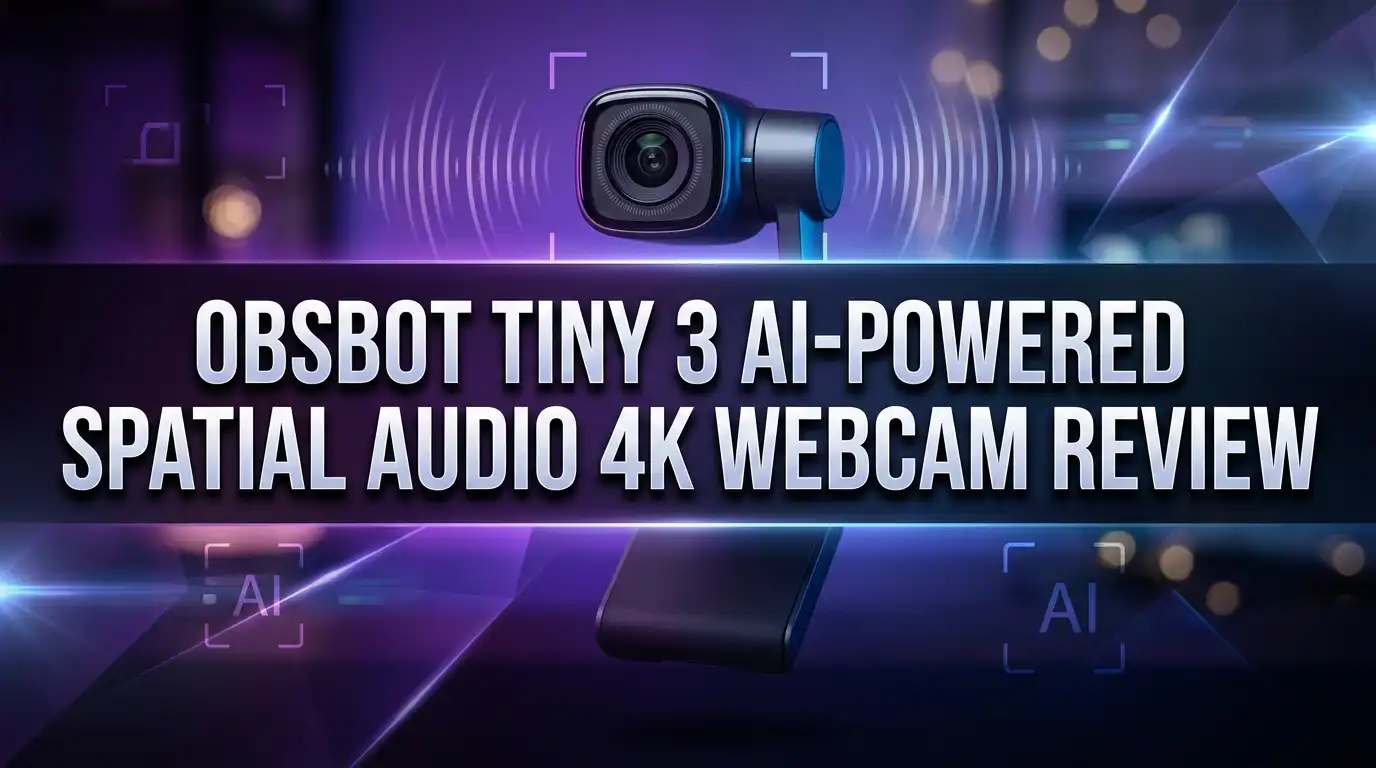
OBSBOT Tiny 3 Review: Smallest 4K PTZ Webcam Worth It?
Webcams used to be simple. You plugged one in, hoped the lighting was kind, and moved on. The OBSBOT Tiny 3 throws that idea out completely.
This tiny aluminum cube pans, tilts, listens, and follows you around the room. It carries a sensor bigger than the one inside many compact cameras. It also records audio in a way that most webcams simply cannot match.
I spent time with the specs, the software, and the real world feedback from users and reviewers. What follows is a full breakdown of what the Tiny 3 does well, where it stumbles, and whether the price tag makes sense for you.
If you stream, teach, present, or sit in video calls all day, this review will save you a lot of guesswork.
In a Nutshell
Here is the short version before we dig into details.
- Flagship sensor in a tiny body. The Tiny 3 uses a 1/1.28 inch 50MP CMOS sensor with an F1.8 lens. That is 37% larger than the sensor in the Tiny 2, and it shows in sharpness and low light clarity.
- Genuinely useful spatial audio. Three microphones capture 24 bit 48kHz sound with a 69dB signal to noise ratio. Reviewers consistently call these some of the best mics ever put in a webcam.
- AI Tracking 2.0 that actually works. Face, body, hand, group, object, and voice tracking all run on device. The gimbal pans 130 degrees each way and reacquires you almost instantly when you step back into frame.
- Hands free control. Say “track me” or “zoom in closer” and the camera responds. Gesture control adds a second layer for silent studios.
- Smallest 4K PTZ webcam available. It measures roughly 1.5 by 1.5 by 1.9 inches and starts at 63 grams. That is 48% smaller and 34% lighter than the Tiny 2.
- Premium pricing. The list price sits at $349, with Amazon listings often closer to $296. The Tiny 3 Lite covers the same features for $199 with a smaller sensor.
OBSBOT Tiny 3 AI Powered Spatial Audio 4K Webcam Overview

- 【Tiny Titan】Compared to its predecessor, the Tiny 3 webcam is 48% smaller and 34% lighter, yet houses a...
- 【Imaging, Upgraded】Stunning clarity and smooth motion, in 4K@30FPS or 1080P@120FPS. Dual All-Pixel PDAF...
Last update on 2026-07-01 / Affiliate links / Images from Amazon Product Advertising API
The Tiny 3 sits at the top of the OBSBOT webcam lineup. It launched alongside the cheaper Tiny 3 Lite and replaces the popular Tiny 2 as the flagship model.
OBSBOT calls it a Tiny Titan, and the name fits. The camera is smaller than a golf ball stand yet packs hardware normally found in dedicated streaming cameras.
At the core sits a 1/1.28 inch 50MP CMOS sensor. It supports 4K at 30fps and 1080p at 120fps, with ISO reaching 12800.
The two axis gimbal is the headline feature. Motors physically pan and tilt the lens instead of cropping into the frame digitally.
Pan reaches 130 degrees to the left and right. Tilt runs from positive 32 degrees down to negative 60 degrees, moving at up to 120 degrees per second.
Three microphones handle audio. They record in stereo with real left and right separation, which is rare in this product category.
The body uses precision cut aluminum alloy on the gimbal and camera module. The base is black plastic with a magnetic mount and a standard tripod screw thread underneath.
Connectivity runs through a single USB C cable. There is no Wi Fi and no Bluetooth, which keeps latency low and setup simple.
The target buyer is clear. This camera suits streamers, educators, podcasters, product demonstrators, and anyone who presents while moving.
If you sit perfectly still and never leave your chair, you will be paying for features you do not need. Everyone else gets real value from the motion.
What You Get Inside the Box
OBSBOT packs the Tiny 3 well. The unboxing feels closer to a camera purchase than a webcam purchase.
Inside you get the camera itself, a magnetic monitor clip, and a USB C cable. A hard shell gray fabric case rounds out the package.
The case deserves a mention. It holds the camera, the clip, and the cable together in one place.
That matters if you travel. Hybrid workers who move between an office and a home desk will use it constantly.
The magnetic mount is one of the smartest touches. The base snaps onto the square clip with a firm click and stays put.
The clip uses three hinges. Each one offers enough resistance to hold the camera at your chosen angle without drooping.
A rubber ring sits on the underside of the base. It grips flat surfaces so the camera does not slide when the gimbal swings quickly.
The tripod thread opens up mounting options. You can place the Tiny 3 on a desk arm, a light stand, or an extendable tripod.
Optional accessories exist for people who want more. The Vox SE wireless microphone connects directly to the camera without a receiver.
That microphone offers up to 100 meters of range and around 20 hours of battery life. The Tiny Smart Remote 2 adds physical buttons for tracking, presets, and PTZ control.
Neither accessory ships in the standard box. Budget extra if you want them.
Design and Build Quality
Small is the first word that comes to mind. The Tiny 3 measures about 1.5 by 1.5 by 1.9 inches.
Put it next to the Tiny 2 and the older camera looks bulky. Put it next to a standard barrel webcam and it nearly disappears.
Weight starts at 63 grams. You can clip it to a thin laptop lid without the screen tipping backward.
The materials feel serious. Dark gray metal wraps the gimbal and camera module, while the base uses solid black plastic.
There is no creak or flex anywhere. The gimbal moves with a quiet mechanical hum rather than a cheap whine.
A light bar runs across the front edge of the base plate. The color tells you exactly what mode the camera is in.
Blue means visual tracking is active. Purple signals voice tracking. Green means tracking is off and the camera is holding position.
That small strip removes a lot of confusion. You never have to check the software to know what the camera is doing.
Privacy is handled physically. Tilt the lens down and the camera looks at the base, which acts as a hardware cover.
An auto sleep timer adds a second layer. Set an inactivity window and the camera parks itself and stops capturing.
The single USB C port sits on the back of the base. Cable routing stays clean, which helps if you care about how your desk looks on camera.
Top 3 Alternative for OBSBOT Tiny 3
Not everyone needs a flagship sensor. These three options cover different budgets and priorities.
OBSBOT Tiny 3 Lite is the closest match. It shares the AI Tracking 2.0 engine, the three microphone array, voice tracking, and the same 4K30 plus 1080p120 modes. The sensor drops to 1/2 inch and ISO tops out at 6400, so low light footage shows more grain. At $199 it saves you real money if your room is well lit.

- 【Tiny Titan】Compared to its predecessor, the Tiny 3 Lite webcam is 48% smaller and 34% lighter, yet houses...
- 【Imaging, Upgraded】Stunning clarity and smooth motion, in 4K@30FPS or 1080P@120FPS. Precision PDAF...
Last update on 2026-08-06 / Affiliate links / Images from Amazon Product Advertising API
OBSBOT Tiny 2 remains a strong buy. It uses a 1/1.5 inch sensor, offers 4K30 and 1080p60, and includes voice control plus gesture control. It is bigger and heavier, and it carries two microphones instead of three. Frequent discounts make it a smart pick for people who want proven PTZ tracking without paying flagship money.

- 【OBSBOT Tiny 2 - New Era of Webcam】Our 4K Webcam is equipped with 1/1.5" CMOS Sensor, which is the largest...
- 【Superior AI-Tracking, Up 4 Tracking Modes】Our Tracking Webcam has fully upgraded the AI algorithm to make...
Last update on 2026-06-09 / Affiliate links / Images from Amazon Product Advertising API
Insta360 Link 2C takes the budget route. It skips the gimbal and uses digital auto framing on a 1/2 inch sensor. You get 4K video, HDR, gesture control, and AI noise canceling for the microphone. It is a fine choice for standard meetings, but it cannot physically follow you across a room the way the Tiny 3 does.

- Premium Image Quality: Upgrade to Link 2C 4K webcam with a 1/2" sensor. Captures true-to-life webcam 4K...
- Professional Audio: Experience best-in-class audio with advanced AI noise-canceling algorithms. Filter out...
Last update on 2026-08-06 / Affiliate links / Images from Amazon Product Advertising API
Pick the Lite for value, the Tiny 2 for a discount, and the Link 2C for simplicity.
Image Quality From the 1/1.28 Inch Sensor
Sensor size drives everything in a camera this small. The Tiny 3 uses a 1/1.28 inch 50MP CMOS chip with 2.44 micrometer pixels.
That is roughly twice the surface area of the sensor in the Tiny 3 Lite. Bigger pixels absorb more light, and more light means cleaner images.
In a normally lit room the results are sharp. Individual hairs, eyebrow detail, and skin texture come through clearly.
Fine fabric texture is where the limits show. Detailed knitwear can lose a little definition, though most viewers will never notice on a video call.
The F1.8 lens produces mild background separation. It is not true optical bokeh, but you do stand out from the wall behind you.
Field of view measures 82.4 degrees diagonally in the native 4:3 orientation. In 16:9 that drops to 74 degrees, which is slightly tighter than the Tiny 2.
A narrower view is actually helpful for solo creators. Less of your messy room ends up in the shot.
Focus runs on Dual All Pixel PDAF with 100% pixel coverage. The camera locks on fast and holds focus even when you lean forward or back.
AI Color Tuning handles white balance and skin tones in real time. It reads light and contrast, then anchors your complexion so you do not turn orange under warm bulbs.
Digital zoom reaches 4x. Quality holds up reasonably at 2x, then softens as you push further.
Low Light Performance and DCG HDR
This is where the Tiny 3 separates itself from every cheaper webcam. Dual Native ISO runs from 100 all the way to 12800.
That is double the ceiling of the Tiny 2. It also doubles the ceiling of the Tiny 3 Lite.
In a dark room lit only by a laptop screen, faces stay clear and grain stays minimal. Backgrounds render as smooth dark areas instead of noisy static.
Compare that to the Lite model. The same shot on the cheaper camera shows coarse noise spread across the whole frame.
OBSBOT credits SFCPixel 2 technology and a 22nm HKMG manufacturing process. The company claims 33% lower read noise and 32% lower fixed pattern noise.
Power draw dropped 56% compared to the previous generation. That matters when the camera runs off a laptop USB port for hours.
DCG HDR handles high contrast scenes. Dual Conversion Gain captures bright and dark information in a single frame using two gain levels.
Traditional HDR merges multiple exposures. That approach creates ghosting when you move.
Single frame HDR avoids that problem entirely. Sit with a bright window behind you and your face still stays properly exposed.
The practical result is freedom. You can stream at night, teach an evening class, or take an early morning call without setting up extra lights.
Ring light owners will still see better results. But the Tiny 3 gets close enough that many people will skip the extra gear.
4K at 30fps and 1080p at 120fps
The Tiny 3 records 4K at 3840 by 2160 pixels at 30 frames per second. That is the standard 16:9 format every editing program expects.
One change from the Tiny 2 is worth noting. The older camera offered a 4000 by 3000 4:3 mode that the Tiny 3 drops.
You can still shoot 4:3 at lower resolutions. Options include 1920 by 1440 and 1280 by 960.
The 1080p 120fps mode is the exciting addition. Motion looks noticeably smoother on any display running at 120Hz or higher.
Gamers benefit the most here. Facecam footage stops looking choppy next to high frame rate gameplay.
A slow motion mode uses the same capture. It outputs at 30fps for 25% speed playback, which gives you clean slow motion for product shots or demonstrations.
Both high frame rate modes save video and audio as separate files. Plan for a quick sync step in your editor.
System requirements deserve attention. OBSBOT recommends at least a 10th generation Intel Core i5 or an Apple M1 with 8GB of RAM.
Testing suggests you want more headroom than that. Reviewers noted stutter on a Ryzen 9 laptop with 16GB of RAM while a browser and Discord ran alongside 4K capture.
If your machine is older, plan to shoot at 1080p 60fps. The image still looks excellent, and your CPU will thank you.
AI Tracking 2.0 and Zone Tracking
Tracking is the reason most people buy an OBSBOT camera. Version 2.0 refines years of algorithm work.
The camera follows faces, upper bodies, full bodies, lower bodies, and headless full body framing. You choose the composition and the gimbal maintains it as you move.
Object Tracking is new. Select any item in the preview window and the camera locks onto it, similar to subject tracking on a mirrorless camera.
Group Tracking handles multiple people. It keeps a primary subject centered while widening the frame to include everyone else.
Face Framing reads which way your head is turned. It shifts composition so you have space to look into rather than sitting awkwardly against the frame edge.
Composition Lines let you break the center rule. Drag horizontal and vertical guides to place yourself off center for a more cinematic look.
Zone Tracking is the standout feature for teachers. You define a rectangle using four gimbal angles, and the camera only follows movement inside it.
Step outside the zone and the camera stays put. Colleagues walking past your door never pull focus.
You can also define up to three non tracking areas. Enter one and the camera freezes into a fixed shot, which suits whiteboard work and product demos.
AI Tracking of New Target adds a handoff feature. When one subject leaves the zone and another enters, tracking transfers instantly.
In practice the gimbal moves smoothly and reacquires subjects almost immediately. Walking behind a wall and returning barely interrupts the shot.
Voice Tracking and the Triple Microphone System
The audio hardware is genuinely impressive. Three microphones form a hybrid array combining dual directional and omnidirectional capsules.
Recording runs at 24 bit and 48kHz. Maximum sound pressure level reaches 130dB, with a signal to noise ratio of 69dB.
Those numbers translate into clear, full voice reproduction. Room echo and background hum stay largely out of the recording.
Five audio modes cover different situations. Smart Omni balances vocals and ambience for group calls, Directional narrows pickup to one speaker, and Dual Directional handles two people facing each other.
Pure Audio Mode strips all processing away. It delivers raw sound for music recording, ASMR, or anyone who prefers to handle cleanup in post production.
AI Noise Reduction isolates your voice from keyboard clicks, fans, and street noise. It works well without making you sound thin or processed.
Spatial Stereo Capture is the headline mode. True left and right separation gives recordings a sense of space that mono webcam audio never achieves.
Voice Tracking ties the microphones back into the gimbal. The Voice Locator detects who is speaking, rotates the camera, and frames a close up automatically.
That combination is powerful in meetings. Nobody has to touch a control when the conversation moves around the table.
The Vox SE wireless microphone connects directly to the camera without a separate receiver. It extends your range to roughly 100 meters if you present while walking.
A close mounted USB microphone will still sound better. But for a built in solution, this is the best available in a webcam.
Voice Control and Gesture Control 2.0
Hands free operation keeps your presentation flowing. The Tiny 3 listens for a short list of spoken commands.
Say “hi, Tiny” to wake it and “sleep, Tiny” to enter low power mode. Say “track me” to start tracking and “unlock me” to stop.
Zoom commands include “zoom in closer” and “zoom out further”. Preset commands jump between saved shots by number.
Response speed is quick and consistent. Reviewers reported reliable recognition during normal use.
One limitation exists. A hoarse or unusually quiet voice reduces accuracy, which is why gesture control matters as a backup.
Gesture Control 2.0 offers three signals. An open palm toggles AI tracking on and off.
Holding your thumb and index finger in an L shape triggers a fixed zoom step. Forming a U with both hands starts dynamic zoom.
The first two gestures work reliably. The dynamic zoom gesture proved less consistent in testing.
Preset Modes round out the control options. Save up to three positions, each with its own image settings and tracking mode.
Switching between them takes one command or one click. Podcasters use this to move between a wide two shot and a tight solo frame.
The optional Tiny Smart Remote 2 combines a camera remote with a presentation clicker. It handles tracking, presets, and PTZ movement from your hand.
Elgato Stream Deck integration exists too. One touch buttons work nicely for live streamers who already own the hardware.
OBSBOT Center Software and Creator Tools
Hardware is only half the story. OBSBOT Center is the control hub for Windows 10 64 bit and macOS 11 or later.
Image controls run deep. You get manual focus, upper and lower ISO limits, white balance, contrast, hue, saturation, and sharpness.
Anti flicker settings cover 50Hz and 60Hz environments. Resolution and frame rate selection sit in the same panel.
There is even a dedicated Nintendo Switch 2 mode for people who use the camera with GameChat.
AI Magic Notes turns the camera into a meeting assistant. It captures, transcribes, and summarizes conversations, with speaker identification built in.
RTC Remote Interaction is clever. Start a session, share a link, and guests join through a browser with no software to install.
Those guests can view your stream and even control your PTZ movement remotely. Remote directors and co hosts will find real use here.
Avatar and Virtual Voice is still in beta. Pick a digital persona and a matching voice for VTubing or anonymous streaming.
That feature carries stiff requirements. You need a Windows PC with an NVIDIA RTX 3050 with 8GB, 16GB of system RAM, and roughly an Intel Core i7 9700 or better.
Efficiency tools include a teleprompter, eye tracking correction, overlays, picture in picture, and loop recording. The teleprompter alone saves a lot of script memorization.
Developers get Bitfocus Companion support, OSC commands, and an SDK. Automation and studio integration are fully supported.
Setup, Compatibility, and Everyday Use
- 【Tiny Titan】Compared to its predecessor, the Tiny 3 webcam is 48% smaller and 34% lighter, yet houses a...
- 【Imaging, Upgraded】Stunning clarity and smooth motion, in 4K@30FPS or 1080P@120FPS. Dual All-Pixel PDAF...
Last update on 2026-07-01 / Affiliate links / Images from Amazon Product Advertising API
Setup takes under two minutes. Clip the camera to your monitor, plug the USB C cable into your computer, and the system recognizes it as a standard UVC device.
No software is required for basic use. Zoom, Microsoft Teams, Google Meet, OBS, Skype, and Discord all detect it immediately.
Install OBSBOT Center only when you want tracking modes, image tuning, and presets. The camera stores your settings internally after that.
Cable length matters more than people expect. The included cable suits a desk, but an optional 20 meter USB A to USB C cable exists for classrooms and stages.
There is no Wi Fi or Bluetooth. Some buyers see that as a limitation, though it eliminates dropouts and pairing headaches.
NDI is not built in. An optional UVC to NDI adapter adds network streaming and remote control if your production needs it.
A separate UVC to HDMI adapter outputs 4K at 30fps. That opens up switchers, capture cards, and hardware encoders.
Mounting flexibility is excellent. The camera supports landscape, portrait, downward, and upside down orientations.
Downward shooting powers Desk Mode. The image flips vertically so craft demonstrations and product close ups look correct.
Whiteboard Mode crops and straightens a whiteboard automatically. Teachers get a clean readable view without manual framing.
Sleep Mode 2.0 displays a custom image or a ten second video instead of a black screen. Your audience sees something polished during breaks.
Pros and Cons of the OBSBOT Tiny 3
Here is the balanced view after weighing specs, reviews, and user feedback.
Pros
- Best in class sensor for a webcam. The 1/1.28 inch 50MP chip with ISO 12800 delivers clean footage in rooms where other webcams fall apart.
- Outstanding microphone array. Three mics, 24 bit 48kHz capture, five audio modes, and true stereo separation beat every competing built in webcam microphone.
- Reliable AI tracking. Face, body, hand, group, object, and voice tracking all perform smoothly, and the gimbal reacquires subjects fast.
- Zone Tracking and non tracking areas. These give teachers and presenters precise control over what the camera follows.
- Remarkably small and light. At roughly 63 grams and 1.5 inches wide, it travels easily and never blocks your screen.
- Deep software support. OBSBOT Center adds a teleprompter, AI meeting notes, RTC remote control, Stream Deck integration, and an SDK.
- Solid build. Aluminum alloy construction and a firm magnetic mount feel far more premium than plastic rivals.
Cons
- Expensive. A $349 list price puts it well above most webcams, even with frequent discounts.
- Demanding on your computer. Capturing 4K30 or 1080p120 can stutter on midrange machines running other apps.
- No 4:3 recording at full 4K. The Tiny 2 offered a 4000 by 3000 mode that this model drops.
- Dynamic zoom gesture is unreliable. The other two gestures work, but this one needs refinement.
- Digital zoom only. There is no optical zoom, so pushing past 2x costs visible detail.
- Accessories cost extra. The remote, the Vox SE microphone, and the NDI adapter all sell separately.
Price and Value for Money
The Tiny 3 lists at $349. Amazon listings have appeared around $296, and sales push it lower during major shopping events.
That is $20 above the Tiny 2 launch price. For that small increase you gain a larger sensor, a third microphone, 1080p120, voice tracking, and a much smaller body.
Value depends entirely on how you use a camera. Someone joining three internal meetings a week does not need any of this.
A teacher running live classes gets constant use from Zone Tracking. A streamer gets a facecam that holds up next to 4K gameplay.
Podcasters gain the most from the audio. Three microphones with stereo capture can replace a separate USB microphone in simple setups.
Compare it honestly against the Tiny 3 Lite. At $199 the Lite gives you the same AI features and the same microphones.
The only real difference is sensor size, ISO ceiling, and HDR quality. Light your room properly and the gap narrows considerably.
Shoot in dim conditions and the gap becomes obvious. Grain appears on the Lite where the Tiny 3 stays clean.
Also weigh the running costs. The Tiny Smart Remote 2 adds around $49, and the Vox SE microphone adds more.
Longevity supports the purchase. OBSBOT has a solid record of pushing firmware updates that add features to existing cameras.
If your face on camera earns you money, the price makes sense. If it does not, the Lite is the smarter buy.
Final Verdict on the OBSBOT Tiny 3
The Tiny 3 is the most capable webcam you can buy right now. It combines a large sensor, precise motorized tracking, and audio hardware that shames every rival.
PCMag awarded it an Editors Choice for high end webcams. Amazon buyers rate it around 4.5 stars, which lines up with that assessment.
What impresses most is how invisible the technology feels. You say a command, and the camera does the right thing.
You stand up to point at something, and the frame follows without any jerkiness. You speak from a different chair, and the lens rotates to find you.
The compromises are real but narrow. You need a capable computer, and you pay a premium price.
Digital zoom limits how far you can push a shot. Some accessories cost extra, which stings at this price point.
None of that changes the core conclusion. No other webcam matches this combination of sensor quality, tracking intelligence, and microphone performance in a body this small.
Buy the Tiny 3 if you present, teach, stream, or record in variable lighting. The low light advantage alone justifies the step up from the Lite.
Buy the Tiny 3 Lite if your lighting is consistent and your budget is tighter. You keep almost every smart feature for $150 less.
Skip both if you only join occasional calls. A simpler fixed webcam will serve you fine.
For everyone else, this small aluminum cube earns its place on top of your monitor.
Frequently Asked Questions
Does the OBSBOT Tiny 3 work without installing software?
Yes. The camera works as a plug and play UVC device on Windows and macOS, so Zoom, Teams, Meet, OBS, and Discord recognize it right away. You only need OBSBOT Center to configure tracking modes, image settings, presets, and creator tools. Settings you save through the software stay stored on the camera afterward.
What is the difference between the Tiny 3 and the Tiny 3 Lite?
The Tiny 3 uses a 1/1.28 inch 50MP sensor with ISO up to 12800, Dual All Pixel PDAF, and DCG HDR. The Lite uses a 1/2 inch 48MP sensor with ISO up to 6400 and standard HDR. Both share AI Tracking 2.0, voice tracking, three microphones, 4K30, and 1080p120. The Tiny 3 also adds Whiteboard Mode.
Can the Tiny 3 track objects instead of people?
Yes. Object Tracking lets you select any item in the preview window, and the gimbal follows it. This helps with product demonstrations, craft tutorials, and pet content. You can also use Hand Tracking to follow one hand within a preset area.
Does the OBSBOT Tiny 3 need external lighting?
Usually not. The large sensor, F1.8 lens, and ISO 12800 ceiling deliver clean footage in dim rooms. A soft light still improves skin tone and adds catchlights to your eyes, but the camera performs well without one.
Is the Tiny 3 compatible with Nintendo Switch 2?
Yes. OBSBOT Center includes a dedicated Nintendo Switch 2 mode, and the camera connects for GameChat use. You can also pair it with the UVC to HDMI adapter for capture cards and hardware switchers.
How good are the built in microphones really?
They are the strongest microphones currently found in a webcam. Three capsules record 24 bit 48kHz audio with 69dB signal to noise and 130dB maximum sound pressure. A close mounted USB microphone still sounds better, but the gap is smaller than you would expect.
Does the Tiny 3 support wireless connection?
No. The camera connects only through USB C, with no Wi Fi or Bluetooth. The Vox SE wireless microphone does link directly to the camera for audio, giving roughly 100 meters of range without a separate receiver.

DK is a technology expert who specializes in AI tools, software, and tech gadgets. He writes for How to Tech Info, providing detailed reviews and practical guides. DK helps readers discover the best AI applications, navigate new software, and choose the right tech gadgets.

