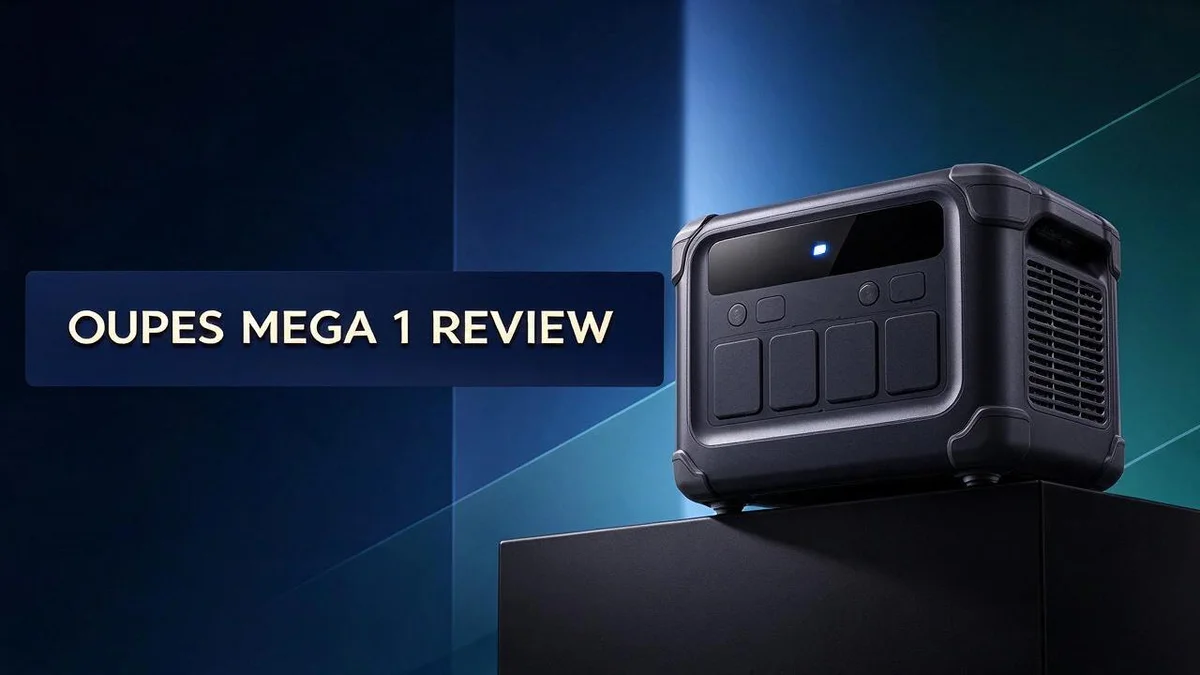
Oupes Mega 1 Review: Specs, Charging Speed, Expandability, and Home Backup Performance
Power outages can strike at the worst possible moment. Your fridge goes quiet, the internet drops, and your phone battery slowly fades. A reliable portable power station can change that.
The Oupes Mega 1 aims to keep your home running when the lights go out. It offers a 1024Wh capacity and a 2000W continuous output. Its 4500W surge power helps start heavier appliances without trouble.
Charging speed is where this model really stands out. It reaches 80 percent in just 36 minutes. It also accepts up to 800W of solar input, so you can recharge with sunlight.
Is it really as strong as it sounds? Many shoppers ask that question first. In this review, we look at the specs, the real strengths, and who this unit suits best. Let’s dig in.
In a Nutshell
-
Solid storage capacity: The Mega 1 holds 1024Wh of power. That gives you a strong base for laptops, phones, lights, and small appliances during an outage or a day away from the grid.
-
Room to grow: You can expand the system to 5000Wh with the B2 battery. Your power needs can grow over time without replacing the whole unit.
-
Plenty of places to plug in: The unit offers 12 output ports. You can run many devices at the same time without juggling extra power strips.
-
Handles heavy loads: It delivers 2000W of continuous output with a 4500W surge. Motors and other demanding appliances can start up without tripping the system.
-
Smallest model in the Mega lineup: This is the lightest and most compact option in the range. It is easy to move between rooms, and it suits people who upgrade from the Oupes 600.
-
**Check independent reviews: The research lists no specific drawbacks, even though one review asks whether the unit is too good to be true. Read several reviews from different sources before you decide.
Capacity and Expandability

- REVOLUTIONARY FAST-CHARGING TECHNOLOGY: Experience industry-leading recharge speeds with 0-80% capacity in...
- MODULAR EXPANSION CAPABILITY: Create a custom power ecosystem by connecting up to two B2 Extra Batteries...

Last update on 2026-10-07 / Affiliate links / Images from Amazon Product Advertising API
Capacity is more than one number. The power you need depends on what you plug in. A small load drains the battery slowly, while a heavy load empties it fast.
To estimate runtime, divide the watt hours by the device wattage. A laptop drawing about 60W can run for many hours. An 800W space heater would drain the same pack in roughly an hour, and real results vary because inverters lose some energy.
Expansion changes how you plan. Many buyers start with the base unit for short outages. They add the B2 battery later when longer backup becomes important. This approach lets the system grow at your own pace.
Think about your normal evening, too. A refrigerator cycles on and off, so its average draw stays lower than its label suggests. Lights, a router, and phone charging add up, but they rarely pull heavy power all at once.
Write down your devices first. List each item, its wattage, and how many hours you expect to use it. Add those totals together. Then compare the result with the Mega 1 capacity to see if it fits your needs.
Refill time matters as well. Wall charging and solar panels fill the battery at different speeds, so match your charging plan to your storage goals. A larger pack needs more time to refill, especially on cloudy days.
Consider how often outages happen where you live. Frequent short cuts may need less storage than rare, long storms. Think about medical devices or work equipment too, since those need reliable power first.
Your real habits should guide the choice. Skip the urge to pick the biggest number on paper. Choose the size that covers your most important devices for the longest outage you expect. Run your main devices for one evening as a simple test. If your needs grow, expansion gives you a clear path forward.
Charging Speed and Solar Input
Recharging matters just as much as the power inside. A fast refill gets your home back on its feet sooner. This section looks at how the Mega 1 handles both wall power and sunlight.
Wall charging is the quick option. The unit reaches 80 percent in about 36 minutes. A short stop at a wall outlet can restore most of your backup energy.
Solar input opens up off-grid options. The unit accepts up to 800W of solar power. Panels can keep the battery topped up during a long camping trip or a stretch without grid power.
Sunlight changes through the day. Panels rarely deliver their full rating for hours at a time. Clouds, shade, and the angle of the sun all reduce output. Plan for slower refills than the number on the label suggests.
Simple math helps set expectations. Divide the battery capacity by the power your panels actually deliver. For example, 1024Wh at a steady 400W takes roughly 2.5 hours. Real results will vary with weather and time of day, so treat this as a rough guide.
Combine both sources for steady backup. Use wall power when the grid is up and solar when it is down. This mix keeps the battery ready for the next outage.
Position panels with care. Face them into the sun for the most hours. Keep them clear of tree branches and roof shadows. A little planning often adds more energy than a bigger battery.
Clean panels work better. Dust and dirt block sunlight from reaching the cells. Wipe the surface every few weeks for the best results.
Keep an eye on charge levels. Check the display during the day. Note how many hours of sun your setup gets in each season. This habit helps you plan charging before a storm arrives.
Charge before you need it. A full battery at the start of storm season gives you the most options. Fast wall charging helps when you have little time to prepare.
Power Output and Outlet Versatility
Power output tells only part of the story. What matters most is how the unit handles the devices you use every day. Think about the moment each device switches on.
Motors need extra energy at startup. A refrigerator can pull several times its normal draw for a split second. The surge rating helps the Mega 1 absorb that spike without shutting down.
Keep a safety margin. Do not run the unit at its full 2000W limit all day. Running near the maximum creates heat and can shorten the life of the battery.
Mix your devices wisely. Add up the wattage of everything running at the same time. A microwave, a space heater, and a laptop can pull more than you expect together.
Use the right port for each job. Match the outlet to the device type. Use AC outlets for appliances and USB ports for phones and tablets.
Small gadgets draw very little energy, so they suit the USB outputs well.
Support your sensitive electronics. The UPS backup function keeps your computer running during a sudden outage. Your work stays safe while the system switches over.
Check the labels before you plan. Every appliance lists its wattage on a sticker or nameplate. Write those numbers down in a simple list.
Cooking appliances and power tools often need the most energy. Use them during the day when solar panels can help. Save lighting and chargers for the evening.
Watch for heat. Keep the unit in a cool, shaded spot with clear airflow around the vents. Good airflow helps the internal parts work longer.
A little planning goes a long way. Test one device at a time before adding the next. You will learn how the unit responds and feel confident using every outlet.
Top 3 Alternatives
Looking for a different electric toothbrush? These three options work well for daily cleaning. Each one offers helpful features for a smooth routine.
Oral-B Pro 1000

- REMOVE UP TO 100% MORE PLAQUE* along the gumline whilst PROTECTING GUMS with our dentist-inspired round brush...
- PROTECT YOUR GUMS with sensi cleaning mode and GUM PRESSURE CONTROL that automatically stops brush pulsations...
Last update on 2026-11-05 / Affiliate links / Images from Amazon Product Advertising API
The Oral-B Pro 1000 uses a round rotating brush head. It spins and pulses to lift plaque from tooth surfaces. A built-in timer shows when to move to the next section of your mouth. A pressure sensor also warns you when you brush too hard. This makes it a good pick for people who want guidance while they brush.
Philips Sonicare DiamondClean

- Experience a next-level clean with DiamondClean 9900 Prestige: remove 2000% more plaque¹, enjoy up to...
- Brush smarter for complete coverage: smart coverage feedback guides you in real time, glowing blue for...
Last update on 2026-11-05 / Affiliate links / Images from Amazon Product Advertising API
The Philips Sonicare DiamondClean uses sonic technology. Its fast vibrations create fluid action that reaches between teeth. It offers several cleaning modes, so you can choose the setting that feels right. Many users also enjoy the smooth, gentle motion for sensitive gums.
Oral-B Vitality Pro

- REMOVE UP TO 100% MORE PLAQUE* along the gumline whilst PROTECTING GUMS with our dentist-inspired round brush...
- PROTECT YOUR GUMS with sensi cleaning mode and GUM PRESSURE CONTROL that automatically stops brush pulsations...
Last update on 2026-11-05 / Affiliate links / Images from Amazon Product Advertising API
The Oral-B Vitality Pro keeps things simple. It uses a rotating and oscillating brush head that cleans with ease. Its two-minute timer helps you brush for the full time. It is a strong match for anyone who wants an easy, everyday routine without extra steps.
Each of these toothbrushes can support healthier teeth and gums. Pick the one that fits your habits, your comfort level, and your daily schedule.
Home Backup and UPS Performance
Test the system before you need it. A short practice run shows how the unit really performs. Pick a quiet afternoon and let your router, a lamp, and a phone run from the battery.
Watch the display closely during this test. Note how much charge drops after one hour. This simple habit gives you a clear picture of your backup window.
Keep the battery in a cool and dry spot. Heat and damp air can shorten battery life over time. Place the unit on a shelf away from direct sunlight and water pipes.
Leave clear space around the vents too. Good airflow keeps the internal parts from overheating during long runs. A cluttered corner can trap warmth quickly.
Think about your food and medicine. A fridge keeps food cold for a few hours without power, but a freezer holds its temperature longer. Plan which items you would move to a cooler during a long outage.
Medical devices deserve special attention. If someone relies on equipment such as a CPAP machine, check its power draw first. Contact your provider about backup plans too.
Share the plan with everyone at home. Family members should know where the unit sits and how to turn it on. Post a short note near the outlets so guests can help too.
Pack a few spare cables in a labeled bag. Include a surge safe power strip for lamps and chargers. Quick access saves time when the power drops at night.
Check the indicator lights after each test. They show whether the unit is charging or discharging. Learn what each light means before a real outage.
Charging the unit before storms gives you a head start. Make it a habit when weather alerts arrive. A full battery offers the most time when the lights go out.
Review your setup each season. Devices change over time, so your needs change too. Add new gadgets to your list and remove old ones. A quick check keeps your backup plan accurate.
Pros and Cons
Pros
– Very fast AC charging gets the unit ready quickly.
– Rapid solar input makes good use of sunny days.
– Expandable capacity grows from 1024Wh up to 5kWh.
– Lightest model in the Mega lineup, so it is easy to move.
– Built for home backup during power cuts.
Cons
– Drawbacks are not listed in the provided research.
– Real world results may differ from the listed specs.
– Full 5kWh capacity needs a separate B2 battery.
– Reviewers ask if the performance claims hold up in daily use.
Who Should Buy It
The Oupes Mega 1 suits homeowners who want dependable backup power. It fits people who face sudden outages and need a fast fix. Strong charging speeds help the unit stay ready for the next power cut.
Owners of the Oupes 600 will find this model an easy step up. The Mega 1 sits in the same family, so the basic routine should feel familiar. Many people like that smooth change.
Small households with modest daily needs also make good buyers. A couple or a small family can power key devices through a short blackout. Simple habits, like turning off extra lights, stretch the stored power even further. They may never need the full output limit at once.
Buyers who want room to grow can start with this model. The base capacity covers the essentials. Many households start small and grow over time. Later, they can add the B2 battery and reach 5kWh when their needs increase.
Solar fans who want stored energy for evenings may like it too. The unit can soak up sunlight during the day. It can then supply power after dark, when panels stop producing.
Remote workers who depend on internet access can benefit too. A router and modem can stay online during brief outages. This helps people finish a call or save a file before power returns.
Some shoppers should look at other options first. People who plan to run heavy appliances for hours may need more capacity. Those who expect the full 5kWh right away must buy the extra battery separately.
Careful researchers should read real user reports before buying. The provided research lists no clear drawbacks. Independent reviews and hands-on tests can show how the unit performs in daily life. Look for feedback on long-term battery health too.
The best choice depends on your daily routine. List the devices you need, then compare that list with the unit’s output and capacity. A clear plan makes the decision easier and keeps surprises low.
Final Verdict
The Oupes Mega 1 earns a strong spot on any shortlist for home backup. It packs a lot of power into a compact body.
The best way to judge it is with your own power list. Add up the watts of your most important devices. Then compare that total with the 2000W continuous output.
Surge power deserves a look too. The 4500W surge rating helps startup loads like pumps and small compressors. Most households only need that peak for a few seconds.
Your local outage pattern matters just as much. Frequent short cuts favor a unit that recharges quickly. Rare but long outages favor a larger battery setup.
The UPS backup function adds value for home offices. It can keep modems, routers, and computers running through brief drops. Saved work is worth a lot.
Twelve output ports make daily life easier. Phones, lamps, fans, and laptops can all charge at once. Fewer power strips means less clutter.
Think about setup time too. Plug in the unit, connect your devices, and see how it feels in your space. A few minutes of hands on time reveals more than any chart.
A sample scenario helps. Imagine a storm knocks out power for six hours. Your fridge, lights, and Wi-Fi router stay on.
That peace of mind is what many buyers want most.
Overall, the Mega 1 suits people who want a flexible base. It covers essentials well today. Its expansion path also leaves room for future needs.
Before you buy, check a few things. Measure your outlets and confirm your panel setup if you plan solar. Read the warranty terms and compare them with other units.
The final call rests with your daily needs. If you want reliable backup with room to grow, this model deserves serious thought. Test your plan first, and you will know quickly if it fits.
Frequently Asked Questions
Can the Oupes Mega 1 run a refrigerator?
Yes, most refrigerators can run on it. The 2000W continuous output covers the normal running load of a fridge. Fridges also pull extra power when the compressor starts, and the 4500W surge rating handles that moment.
Is the LiFePO4 battery safe to use indoors?
LiFePO4 chemistry is known for stable performance. It suits a home setup well. Keep the vents clear and place the unit on a flat, dry surface.
How long will a full charge last?
Runtime depends on how much power you draw. Divide the 1024Wh capacity by the wattage you plan to run. A 100W load gives roughly ten hours before losses from power conversion. Real results will be a bit lower, so leave some margin.
Can it power a small space heater?
A small heater can run for a short time. Many heaters draw around 1500W, which fits under the 2000W continuous limit. The battery will drain fast, though, so save heater use for the most important hours of an outage.

DK is a technology expert who specializes in AI tools, software, and tech gadgets. He writes for How to Tech Info, providing detailed reviews and practical guides. DK helps readers discover the best AI applications, navigate new software, and choose the right tech gadgets.