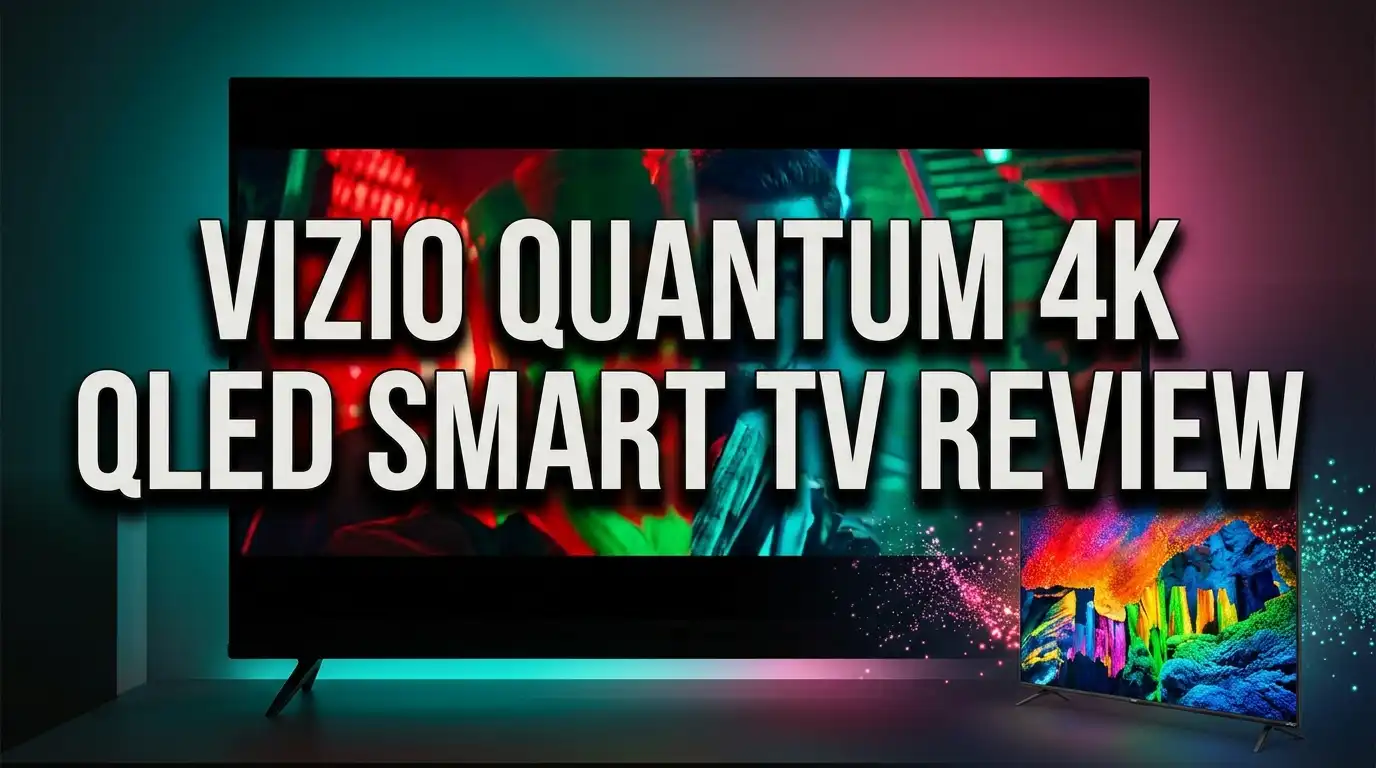
Vizio Quantum 4K QLED Smart TV Review: Honest Verdict
Buying a 4K TV should feel exciting, not confusing. Yet the moment you start comparing models, the spec sheets pile up and the marketing terms blur together. The Vizio Quantum 4K QLED Smart TV sits right in the middle of that noise. It promises over a billion colors, Dolby Vision, gaming features, and WiFi 6 at a price that often dips under $300.
That sounds almost too good. So does it hold up?
I dug into lab measurements, owner feedback, and the full spec sheet for the M65Q6L4 and its siblings. This review breaks down what this TV actually does well, where it falls short, and who should skip it entirely. No fluff. Just clear answers.
In a Nutshell: Quick Verdict on the Vizio Quantum 4K QLED
Short on time? Here is the summary that matters most.
- Bright rooms are its home turf. SDR peak brightness measures excellent for this price class. Sunlight and lamps rarely wash out the picture, which makes daytime sports and news look sharp and punchy.
- Dark rooms expose its biggest flaw. The panel uses an IPS style display with no local dimming. Blacks look gray, and shadow detail washes out whenever a bright object appears on screen.
- Color coverage is genuinely impressive. Quantum Dot technology delivers near full DCI P3 coverage. Colors pop, even if accuracy out of the box needs a few tweaks.
- Gamers get real value here. Input lag measures under 10ms, AMD FreeSync Premium is included, and you get 120fps at 1080p on both PS5 and Xbox Series X.
- Sound needs help. The built in speakers lack bass and volume. Budget for a soundbar and treat that as part of the purchase price.
- Best value pick, not best picture pick. At $250 to $350, this TV punches above its cost. At full retail, competitors with Mini LED backlights beat it.
Vizio Quantum 4K QLED Smart TV Overview

- Next-generation color - 4K QLED HDR brings every scene to life with an abundance of color, enhanced HDR Dolby...
- Your seat. Your view. - Wide Viewing Angle lets you sit wherever you want and still catch all the action from...
Last update on 2026-08-20 / Affiliate links / Images from Amazon Product Advertising API
The Vizio Quantum series is the company’s entry level QLED line. It replaces the older M6 Series and sits below the Quantum Pro models. You will see it listed under model codes like M65Q6L4, M55Q6L4, and the newer VQD series sold at Walmart.
All versions share the same core recipe. You get a 3840 x 2160 resolution panel, Quantum Dot color, a full array LED backlight without dimming zones, and VIZIO OS running the software side.
The native refresh rate is 60Hz. Vizio markets a “Dynamic Motion Rate 120” figure, which refers to processing rather than true panel speed. Read that number carefully before you buy.
Screen sizes run from 43 inches up to 75 inches. The 50 inch and 55 inch models are the volume sellers, and they frequently drop below $250 during sales events.
HDR support is broad for the price. Dolby Vision, HDR10, HDR10+, and HLG all work. The TV accepts these signals correctly, though the panel itself cannot deliver the brightness those formats were built around.
What you are really buying is color and connectivity on a tight budget. Vizio spent its money on the quantum dot layer, the wide viewing angle panel, WiFi 6, and gaming features. It saved money by skipping local dimming, a 120Hz panel, and decent speakers.
That tradeoff defines the entire experience.
Design and Build Quality
The Vizio Quantum looks better than its price suggests. Bezels sit extremely thin on three sides, which gives the screen a modern floating look from a normal viewing distance.
Get closer and you spot the compromise. There is dead space between the bezel edge and the first row of pixels. Some viewers find this distracting during letterboxed movies.
The back panel is plain plastic. It feels hollow if you press it, but you will never see it once the TV is mounted or placed against a wall.
Stand placement matters here. The two flat feet sit near the far ends of the panel. On the 65 inch model, the stand footprint measures roughly 44.9 inches wide. Measure your media cabinet before ordering.
The feet hold the panel steadily with only slight wobble. There is no raised soundbar position like you get on the Quantum Pro, but the feet stand tall enough that a slim soundbar fits underneath without blocking the screen.
Panel thickness is average for a budget LED TV at about 3.3 inches at the deepest point. That is thicker than premium sets but fine for wall mounting.
Ports face sideways, which is a smart touch. You can plug in a streaming stick or console even after mounting the TV flat against a wall.
The one real miss is cable management. Vizio includes no clips, channels, or covers. You will need your own solution for a tidy setup.
Picture Quality in Daily Use
Here is where honesty matters most. The Vizio Quantum delivers a bright, colorful, watchable image in a lit room and a disappointing one in a dark room.
Start with the good. SDR brightness measures excellent. Daytime football, morning news, and bright animated films all look vivid. Glare from windows rarely spoils the view.
Colors carry real saturation thanks to the quantum dot layer. Skin tones look natural after a few settings tweaks, and grass, jerseys, and sunsets show strong punch.
Now the hard part. The contrast ratio is terrible by modern standards, and there is no local dimming to help. Black bars in a movie look dark gray. Night scenes lose shadow detail the moment a bright light source enters the frame.
Switching to Game Mode changes nothing about this behavior. Dark scenes stay washed out.
Gray uniformity is decent overall. A mild dirty screen effect sits in the center, which shows up occasionally during hockey or panning sports shots. The screen edges run slightly darker than the middle.
Black uniformity is poor. The whole panel looks cloudy in dark scenes, with some backlight bleed along the top edge.
Upscaling is another weak point. Older 480p and 720p content looks soft, and fine text loses detail. Native 4K streaming looks much cleaner.
The verdict on picture quality is simple. This TV was built for bright living rooms, not dedicated home theaters.
Top 3 Alternative for Vizio Quantum 4K QLED Smart TV
If the contrast weakness bothers you, these three models fix that specific problem. Each one costs more, but each one gives you something the Vizio cannot.

- TCL QM6K QD-MINI LED TV SERIES - AFFORDABLE PREMIUM PERFORMANCE FOR SPORTS, GAMING & STREAMING. Experience...
- QD-MINI LED. IT’S MINI LED PLUS QLED COLOR - BREATHTAKING BRIGHTNESS AND COLOR IN ANY LIGHT. Combines...

Last update on 2026-06-09 / Affiliate links / Images from Amazon Product Advertising API

- HI - QLED MINILED: Striking contrast and vivid, lifelike color put every scene in a new light. Whether it's a...
- NATIVE 144HZ REFRESH RATE: Fast breaks, high-speed chases, live finales — every frame stays crisp and fluid...
Last update on 2026-08-20 / Affiliate links / Images from Amazon Product Advertising API

- DUAL LED: Get a natural, realistic picture and accurate contrast that adapts automatically to match your...
- 100% COLOR VOLUME w/ QUANTUM DOT: Take in breathtaking color that stays true at any level of brightness...
Last update on 2026-08-20 / Affiliate links / Images from Amazon Product Advertising API
The TCL QM6K is the value upgrade most buyers should consider first. It uses a Mini LED backlight with hundreds of dimming zones, a native 144Hz panel, and Google TV software with a real app store. Black levels improve dramatically over the Vizio.
The Hisense U6 Pro Series targets the same shopper from a different angle. It combines Mini LED with a 144Hz native refresh rate and a glare free screen coating. Bright room performance is outstanding, and dark room contrast is far better than any non dimming QLED.
The Samsung Q60D takes the premium brand route. It skips local dimming too, so contrast is not its strength, but you get Samsung’s Tizen platform, better motion processing, a slimmer chassis, and Object Tracking Sound Lite audio. Build quality feels a clear step above.
Pick based on your room. Dark theater space points to TCL or Hisense. Bright open plan living room with brand preference points to Samsung. Tight budget with bright lighting keeps the Vizio in the running.
Color Accuracy and Quantum Dot Technology
Quantum dots are nanocrystals that emit precise wavelengths of light when energized. Vizio layers them over the LED backlight, and the result is a much wider color range than a standard LED TV.
The measurements back up the marketing. This panel covers nearly the entire DCI P3 color space used by current HDR movies and shows. Rec. 2020 coverage is decent too.
That is genuinely strong performance for a TV in this price bracket.
Accuracy is a different story. Out of the box, the white balance is bad. Most gray shades render incorrectly, and bright highlights lean noticeably red.
Gamma tracking misses the 2.2 target, so bright scenes appear darker than the creator intended. Saturated greens and blues drift furthest from correct.
The good news is that Vizio includes a full calibration menu, and the panel responds well to adjustment. After calibration, SDR accuracy improves significantly with no obvious remaining issues.
Most owners will not hire a calibrator. If that is you, switch the picture mode to Calibrated, set color temperature to Warm, and set gamma to 2.2. Those three changes alone remove most of the error.
Color volume is only decent despite the wide gamut. The TV cannot show bright colors at high luminance because peak brightness is limited, and it cannot show dark saturated colors because contrast is poor.
Gradients look acceptable with some banding visible in grays and whites.
Gaming Performance and Input Lag
Gaming is where this TV genuinely surprises. Vizio packed features here that competitors reserve for pricier models.
Input lag measures under 10ms at 1080p 60Hz. That is fast enough for competitive shooters and fighting games. Response feels immediate.
Variable Refresh Rate works, which is rare at this price. AMD FreeSync Premium certification is included, and the TV also functions as G SYNC Compatible on supported Nvidia cards.
The panel runs at 60Hz natively, but it accepts 120Hz signals at 1080p resolution with no frame skipping. On a PS5 or Xbox Series X, you can choose performance mode and get genuinely smooth motion.
HDR and VRR both stay active in that 1080p 120Hz mode. That combination is unusual on budget sets.
There is a firm limit though. The 120Hz mode does not work at 1440p or 4K. HDMI bandwidth caps at 18Gbps despite some HDMI 2.1 feature support, so 4K 120Hz is off the table.
Auto Low Latency Mode works with both current consoles, switching the TV into game mode automatically.
Response time is decent. Fast objects leave a short blur trail. Shadow transitions show some overshoot, creating mild inverse ghosting in dark areas.
Vizio includes a black frame insertion option that sharpens motion considerably. The timing is imperfect and creates a faint double image, and it does not work in Game Mode.
PC gamers benefit from the RGB subpixel layout, which keeps text crisp.
Sound Quality and Audio Options
This is the weakest part of the package, and there is no way to sugarcoat it.
The built in speakers produce very little bass. There is no thump during action scenes and no rumble during explosions. Music sounds thin.
Maximum volume is low. In a quiet bedroom the TV works fine. In a kitchen with a running dishwasher or a living room with kids, you will strain to hear.
Dialogue clarity is the one bright spot. Voices stay understandable at moderate volume, which covers casual news and sitcom watching.
Distortion appears at medium volume levels and does not worsen much at maximum, mostly because the speakers never get loud enough to distort badly.
The fix is straightforward. Add a soundbar. Even a $100 model transforms the experience, and a soundbar with a wireless subwoofer changes the TV completely.
Connection options are generous. The TV includes an eARC port, so you can pass uncompressed high quality audio to a compatible soundbar or receiver.
Format support covers Dolby Digital Plus, Dolby Atmos over Dolby Digital Plus, and DTS variants through eARC. Blu ray movie nights work without trouble.
One limitation: devices that output only LPCM, like the Nintendo Switch, get restricted to two channels.
Bluetooth headphone support is built in. Late night viewing without disturbing the household works well, and the pairing process takes under a minute.
Optical output and a 3.5mm analog output round out the choices.
VIZIO OS and Smart Features
Vizio runs its own platform rather than Google TV or Roku. Recent models use VIZIO OS, an evolution of the older SmartCast system.
The interface is easy to learn. The home screen groups apps, live channels, and recommendations into one view. Most people find their way around within minutes.
Speed is the trouble spot. Apps are web based rather than natively installed, and the interface feels slower than Google TV or Roku. Menu transitions lag slightly, and app launches take a few seconds longer than they should.
Reliability has improved but is not perfect. Some owners report needing a factory reset during initial setup before the smart features connect properly.
There is no app store. You get the apps Vizio includes and nothing more. The built in selection covers Netflix, Prime Video, Disney Plus, YouTube, Max, and other majors, so most households are fine.
Anything missing can be cast from your phone using Apple AirPlay or Chromecast built in. That workaround handles almost every gap.
WatchFree Plus is a real perk. You get 300 plus free live channels and over 15,000 free on demand titles with no subscription.
Ads appear throughout the interface and cannot be disabled. This is standard across budget TVs now, but it still annoys some buyers.
The included voice remote handles app launching and input switching. It cannot search inside apps or adjust picture settings, which limits its usefulness.
A note for newer Walmart branded VQD models: a Walmart account is required for smart features and updates.
Connectivity and Ports
Vizio equipped this TV sensibly for everyday use. You get four HDMI inputs, which covers a console, a streaming device, a soundbar, and a Blu ray player at once.
One HDMI port supports eARC for high quality audio passthrough. Bandwidth tops out at 18Gbps across all ports.
USB ports handle media playback from flash drives, including HDR files. Ethernet is present for wired networking.
The standout inclusion is WiFi 6. Most TVs at this price still ship with WiFi 5. In a home crowded with phones, laptops, and smart devices, WiFi 6 keeps 4K streams stable during peak hours.
Some units in this line also support WiFi 6E, adding the less congested 6GHz band if your router provides it.
Bluetooth handles headphones and works reliably at typical living room distances.
An ATSC tuner is built in, so an antenna gives you free local broadcast channels. Cord cutters should not overlook this.
Legacy connections include composite input and a 3.5mm analog audio output. Older game consoles and DVD players still plug in.
Resolution support is broad. The TV accepts 480p, 720p, 1080p, 1440p, and 4K signals. Chroma 4:4:4 renders correctly at all supported resolutions, which matters for PC text clarity.
There is no DisplayPort and no IR input, which is expected in this category.
Setup, Wall Mounting, and First Day Settings
Unboxing takes about fifteen minutes with two people. The 65 inch panel is manageable but awkward alone.
The box contains the TV, two feet, a power cable, the XRT270 voice remote, two AAA batteries, and paperwork. The feet attach with four screws and no tools beyond a screwdriver.
Wall mounting uses standard VESA patterns. Confirm the exact VESA size for your screen size before ordering a bracket, since it changes between models.
Software setup requires a WiFi connection and account creation. Budget ten minutes.
Now the settings that matter most. Switch the picture mode to Calibrated for movies and shows. Choose Calibrated Dark if your room is dim.
Set Color Temperature to Warm. Set Gamma to 2.2. These two changes correct the biggest out of box errors.
Turn Sharpness down to around 20. The default oversharpens and creates halos around edges.
Leave the backlight at maximum if flicker sensitivity affects you. This TV is flicker free at full backlight but introduces PWM flicker at lower settings.
For gaming, enable Game Mode and turn on FreeSync in the gaming menu. Input lag drops immediately.
Skip Contour Smoothing. Testing shows the setting makes almost no visible difference.
Judder removal only works with native apps and true 24p sources, so a Blu ray player or an Apple TV with frame rate matching gives the smoothest film playback.
Sizes, Pricing, and Which Model to Buy

- Next-generation color - 4K QLED HDR brings every scene to life with an abundance of color, enhanced HDR Dolby...
- Your seat. Your view. - Wide Viewing Angle lets you sit wherever you want and still catch all the action from...
Last update on 2026-08-20 / Affiliate links / Images from Amazon Product Advertising API
Vizio sells the Quantum line across a wide size range, and pricing shifts constantly. Understanding the lineup saves you money.
The 43 inch and 50 inch models suit bedrooms, offices, and small apartments. These frequently drop to the $180 to $250 range during sales.
The 55 inch model is the sweet spot for most living rooms. It typically sits between $250 and $340 and offers the best balance of screen size and cost.
The 65 inch model appeals to larger rooms. Retail sits near $500, but discounts to $330 or lower appear regularly.
The 75 inch model delivers the most screen per dollar in this line, though the contrast weakness becomes more visible on a larger panel.
Timing matters more than size selection. This TV represents strong value at sale prices and mediocre value at full retail.
Watch for Black Friday, Prime Day, and Super Bowl season promotions. Discounts of 30 to 40 percent are routine.
Model codes vary by retailer. M65Q6L4 and M55Q6L4 appear on Amazon, while VQD50M and VQD65M variants sell through Walmart. The core panel and features are closely matched.
One caution on the newest Walmart exclusive VQD models. A Walmart account is required for smart features and firmware updates, which some buyers dislike.
Check the warranty before purchase. Vizio typically offers one year of coverage.
Pros and Cons of the Vizio Quantum 4K QLED Smart TV
Here is the balanced summary after reviewing every measurement and owner report.
Pros
- Excellent SDR brightness that handles sunlit rooms and daytime sports without washing out the image.
- Wide color gamut covering nearly all of DCI P3, delivering vivid and saturated colors for the price.
- Very low input lag under 10ms plus AMD FreeSync Premium and VRR support, which is rare in this price class.
- Support for 120fps gaming at 1080p on PS5 and Xbox Series X with HDR and VRR active at the same time.
- Wide viewing angle panel that keeps colors consistent for people sitting off to the sides.
- WiFi 6 connectivity that maintains stable 4K streaming in homes with many connected devices.
- Full HDR format support including Dolby Vision, HDR10, HDR10+, and HLG.
- Free WatchFree Plus service with 300 plus live channels and 15,000 plus on demand titles.
- Bluetooth headphone pairing plus eARC, optical, and analog audio outputs.
- Attractive thin bezel design that looks more expensive than the price tag suggests.
Cons
- No local dimming and a poor contrast ratio, so blacks look gray and dark scenes appear washed out.
- HDR brightness is too low for meaningful high dynamic range impact despite full format support.
- Built in speakers lack bass and volume, making a soundbar practically mandatory.
- VIZIO OS runs slower than Google TV or Roku and offers no app store for adding missing services.
- Weak upscaling that leaves older 480p and 720p content looking soft.
- Ads throughout the smart interface cannot be turned off.
- Poor black uniformity with visible cloudiness and top edge backlight bleed.
- Native 60Hz panel with 120Hz limited to 1080p only, so no 4K 120Hz gaming.
- Backlight flicker appears at any setting below maximum brightness.
- Out of box color accuracy needs manual adjustment to look correct.
Who Should Buy the Vizio Quantum 4K QLED Smart TV
This TV fits certain households perfectly and frustrates others. Knowing which group you belong to prevents a return.
Buy it if you watch mostly in a bright room. Sunlit living rooms, kitchens, and open plan spaces play to this TV’s greatest strength. Daytime brightness is genuinely excellent.
Buy it if you game on a budget. Sub 10ms input lag, VRR, and 1080p 120Rz support deliver a responsive experience that costs far more elsewhere.
Buy it if you need a secondary screen. Bedrooms, guest rooms, garages, and dorm rooms rarely demand reference picture quality. This TV delivers plenty for casual viewing.
Buy it if the sale price is under $300. Value is the entire argument here. At a deep discount, the compromises feel reasonable.
Skip it if you watch movies in the dark. The absent local dimming ruins the experience. Spend more on a Mini LED model instead.
Skip it if you want premium HDR. The panel cannot get bright enough to make Dolby Vision content look the way it should.
Skip it if you refuse to buy a soundbar. The built in audio will disappoint you within a week.
Skip it if you rely on niche streaming apps. The lack of an app store means you depend on casting for anything Vizio did not include.
Final Verdict: Is It Worth Your Money?
The Vizio Quantum 4K QLED Smart TV is a specialist disguised as a generalist.
It excels at one job: producing a bright, colorful, responsive image in a well lit room for very little money. In that role, few TVs under $300 match it.
Ask it to do anything else and the cracks show. Dark room movie nights look flat. HDR content lacks impact. The speakers frustrate. The software feels sluggish.
None of that is surprising at this price. Vizio made deliberate choices about where to spend and where to save, and the choices favor bright rooms and gamers.
My honest recommendation is this. If you find it on sale for $250 or less in the 50 or 55 inch size, buy it and add a budget soundbar. You will have a capable setup for under $400 total.
If you can stretch your budget by $150 to $200, the TCL QM6K or Hisense U6 Pro give you Mini LED local dimming, a true 144Hz panel, and far better contrast. That upgrade is worth the money for anyone who cares about picture quality.
Rating: 6.5 out of 10 as a general purpose TV, and 8 out of 10 as a bright room budget TV.
Know your room. Know your priorities. That knowledge makes this an easy decision either way.
Frequently Asked Questions
Is the Vizio Quantum 4K QLED a real QLED TV?
Yes. It uses a genuine quantum dot layer over the LED backlight, and measurements confirm near full DCI P3 color coverage. The color performance is real. What it lacks is local dimming, which is a separate technology that controls contrast rather than color.
Does the Vizio Quantum support 4K at 120Hz?
No. The panel is natively 60Hz, and HDMI bandwidth caps at 18Gbps. It does support 120fps gaming at 1080p resolution with HDR and VRR active, which works well on PS5 and Xbox Series X performance modes.
Why do dark scenes look gray on this TV?
The panel uses an IPS style display with a low native contrast ratio and no local dimming zones. Whenever bright content appears on screen, black areas lift toward gray. This is the TV’s main limitation and cannot be fixed through settings.
Do I need a soundbar with the Vizio Quantum?
Practically speaking, yes. The built in speakers produce minimal bass and cannot reach high volume. Dialogue stays clear in a quiet room, but any background noise will overwhelm them. Even an entry level soundbar makes a large improvement.
Can I install extra apps on VIZIO OS?
No. There is no app store on the platform. Vizio preloads the major streaming services, and anything else must be cast from your phone using AirPlay or Chromecast. Consider this before buying if you use less common services.
How does it compare to the Vizio Quantum Pro?
The Quantum Pro adds Active Full Array local dimming, higher peak brightness near 1,000 nits, a 120Hz native panel, and WiFi 6E. Picture quality in dark rooms improves substantially. It costs noticeably more, and it is the better choice for movie watching.
Is the Vizio Quantum good for sports?
Yes, particularly in a bright room. High SDR brightness and a wide viewing angle mean everyone in the room sees a clear picture. The only drawback is a mild dirty screen effect visible during smooth panning shots across a field or rink.
What picture settings should I use first?
Set the picture mode to Calibrated, color temperature to Warm, and gamma to 2.2. Lower sharpness to around 20. Keep the backlight at maximum to avoid PWM flicker. These changes correct most of the out of box inaccuracy in under two minutes.

DK is a technology expert who specializes in AI tools, software, and tech gadgets. He writes for How to Tech Info, providing detailed reviews and practical guides. DK helps readers discover the best AI applications, navigate new software, and choose the right tech gadgets.