
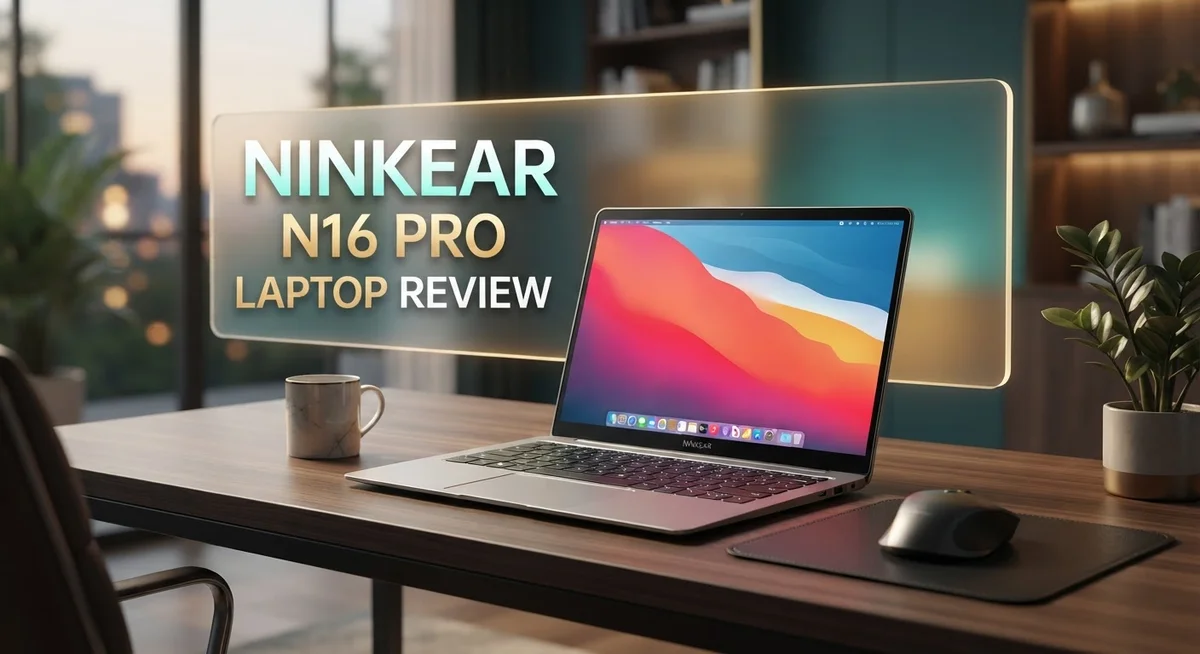
Ninkear N16 Pro Laptop Review: Is It Worth Your Money?
Looking for a laptop that grows with your needs? The Ninkear N16 Pro might catch your eye.
This 16 inch laptop packs serious power. It comes with an Intel i7-12700H or i9-12900H processor. Both options handle heavy tasks with ease.
Here is what makes it stand out. The RAM is not soldered. You can upgrade it yourself anytime.
Most laptops lock you into fixed specs. The N16 Pro breaks that rule. It gives you room to grow and adapt your machine over time.
There is one small catch though. The DDR4 RAM runs at 2666 MHz. That is a bit slower than newer standards.
Still, this laptop offers real flexibility. In this review, we will explore specs, performance, and what users can expect. Let’s see if the Ninkear N16 Pro deserves a spot on your desk.
In a Nutshell
Here is a quick breakdown of the Ninkear N16 Pro for readers who want the key facts fast.
-
Processor choice: Pick between an Intel i7-12700H or a beefier i9-12900H. Both options handle demanding tasks well.
-
Memory setup: The laptop uses DDR4 RAM that runs at 2666 MHz. This speed sits below newer standards but keeps costs reasonable for upgrades.
-
Screen size: A 16 inch display gives you more room to work. This size suits multitaskers and creative professionals alike.
-
Release year: This is a 2024 model, so it includes recent design updates and current component support.
-
Upgrade path: Swap out RAM modules anytime you need more power. No soldering means no permanent limits on your setup.
-
Overall take: The Ninkear N16 Pro balances strong processing power with long-term flexibility. It fits users who plan to upgrade down the road instead of replacing the whole machine.
Processor and Performance
The processor options on this laptop give you real flexibility from day one. You can choose between the Intel i7-12700H or step up to the i9-12900H depending on what you actually do with your machine. Both chips come from Intel’s 12th generation lineup, so they deliver solid modern performance for demanding tasks.
The i7-12700H handles multitasking, video editing, and coding without breaking a sweat. It features 14 cores that work together to keep your workflow smooth. If you push your laptop hard with 3D rendering, heavy software compilation, or running multiple virtual machines, the i9-12900H gives you extra cores and faster speeds to match that intensity.
What makes performance real on this machine is the expandable RAM situation. You get DDR4 memory running at 2666 MHz, which connects directly to your processor. The key advantage here is that your memory modules aren’t soldered down. This means you can swap them out later if you need more capacity without sending the laptop back for service.
The processor and RAM work together to determine how fast your applications launch and how smoothly they run. With either chip you choose, you get access to modern instruction sets that speed up everything from web browsing to professional software. The 12th generation Intel architecture handles both single threaded and multi threaded work efficiently.
Real world performance depends on what software you run. Creative professionals benefit from the extra cores in the i9 when rendering or exporting files. Students and office workers find the i7 plenty capable for their daily needs. Both processors support modern gaming at reasonable frame rates if you pair them with decent graphics.
The upgrade friendly design means your processor choice doesn’t lock you into a fixed performance ceiling forever. You can boost your RAM later when your projects get bigger or your workload grows heavier. This flexibility makes the performance story more interesting than just reading the raw specs alone.

- With 16 GB DDR5 SDRAM of memory, you can run multiple programs simultaneously without any drop in performance
- 16" display with 1920 x 1200 resolution delivers stunning clarity for movies, games, and photos, offering an...
Last update on 2026-10-07 / Affiliate links / Images from Amazon Product Advertising API
Display and Design
The Ninkear N16 Pro delivers a display experience that matches its powerful internals. The 16 inch screen offers substantial real estate for work, creative projects, and entertainment. This size puts you in control of your workspace without feeling bulky.
The design philosophy here centers on practical upgradability. Unlike many modern laptops that seal everything inside, this machine lets you access and modify key components. The chassis opens up to reveal RAM slots you can swap out whenever needed. This approach means you’re not stuck with your initial memory configuration forever.
Build quality feels solid throughout. The construction uses materials that suggest durability for daily use and occasional travel. The keyboard layout follows standard conventions, making the transition smooth if you’re coming from other laptops. The trackpad provides adequate space for navigation and gestures.
The 16 inch form factor strikes a balance. It’s large enough for comfortable viewing during extended work sessions, yet remains portable enough for movement between rooms or offices. The bezels around the screen keep the overall footprint reasonable. You get screen real estate without an unwieldy package.
Port placement follows logical positioning. Connections sit where you’d expect them, reducing cable management headaches. The design doesn’t force awkward adapter arrangements or block your workspace with protruding cables.
The display panel itself supports your multitasking workflow. The screen size means you can comfortably view multiple windows side by side. Spreadsheets, code editors, and reference materials all fit without excessive scrolling. Content creators benefit from the expanded canvas for design work and video editing.
Thermal management receives attention in the physical design. Air vents position themselves to pull heat away from components without creating noise problems in quiet environments. The chassis design channels airflow efficiently, keeping temperatures manageable during sustained workloads.
The overall aesthetic leans professional without being boring. The finish resists fingerprints reasonably well. The color options available suit different environments, whether you’re in corporate offices or creative studios. The design doesn’t scream for attention, allowing the performance to speak louder than flashy styling.
Memory and Upgradability
The memory setup on the Ninkear N16 Pro gives you flexibility that many laptops simply don’t offer. Your RAM isn’t soldered to the motherboard, which means you can open it up and swap modules whenever you need more capacity.
The laptop ships with DDR4 RAM running at 2666 MHz. This speed is solid for everyday tasks, multitasking, and professional work. You get the ability to expand your memory without sending the device back for service or dealing with complicated procedures.
Upgrading is straightforward. You access the memory slots easily, and swapping modules takes just a few minutes. This matters because your computing needs change over time. Today you might need 16GB. In two years, you might want 32GB or more. The Ninkear N16 Pro lets you make that jump on your own schedule and your own terms.
The DDR4 standard itself has matured well. You’ll find compatible RAM modules widely available and affordable to purchase. This means you aren’t locked into proprietary solutions or expensive branded upgrades. The memory ecosystem around DDR4 is established and competitive.
Future proofing works differently on this machine. Rather than buying maximum specs upfront, you can start with what you need now and expand later. This approach gives you real control over your investment. You decide when and how much to upgrade based on your actual usage patterns.
The combination of expandable slots and standard DDR4 support removes a major frustration point that exists on many modern laptops. Some manufacturers seal everything shut, forcing you to buy all your memory at purchase time or accept being stuck with what you have.
With the Ninkear N16 Pro, that limitation doesn’t apply. Your memory capacity grows with your needs. The upgrade path remains open and accessible throughout the laptop’s lifespan. This practical approach to upgradability sets the machine apart from competitors that prioritize sealed designs and fixed configurations.
Top 3 Alternatives
ASUS VivoBook 16

- Performance You Can Rely On ASUS Vivobook S16 delivers smooth intelligent performance powered by the AMD Ryzen...
- Modern, Minimal, Refined Sleek, modern, and ultra‑portable, ASUS Vivobook S16 features a clean, minimalist...

Last update on 2026-10-07 / Affiliate links / Images from Amazon Product Advertising API
The ASUS VivoBook 16 offers a spacious display that works well for content creators and professionals. You get a large screen without sacrificing portability. The keyboard feels responsive and comfortable for long typing sessions.
This laptop features solid performance for everyday tasks like browsing, document editing, and video calls. The battery life keeps you working for several hours. The build quality feels sturdy and reliable, making it a dependable choice for frequent travelers.
The display quality stands out with vibrant colors and good brightness levels. You’ll notice crisp text and sharp images when working or watching videos. Storage options give you enough space for your files and applications.
Lenovo IdeaPad Pro

- THE SMARTER CHOICE FOR POWER – Power meets precision on the Lenovo IdeaPad Pro 5i 16”. This Copilot+ PC is...
- POWER MEETS PRECISION – Power through tasks on the Intel Core Ultra processor and NVIDIA GeForce RTX GPU...
Last update on 2026-10-07 / Affiliate links / Images from Amazon Product Advertising API
Lenovo’s IdeaPad Pro brings professional features to a mid-range laptop. The processor handles multitasking smoothly without lag. You can run multiple applications simultaneously without experiencing slowdowns.
The design looks sleek and modern. The trackpad is generous and precise, making navigation easy. Ports include USB-C and traditional USB connections, so you can connect your existing devices without hassle.
The screen delivers clear visuals with good color accuracy. This makes it suitable for photo editing and design work. Speakers provide decent audio quality for meetings and entertainment.
Dell Inspiron 16

- EXCEPTIONAL SPEED - Equipped with a 10-core, 12-thread Intel Core 7 processor (faster than i7-1355U), the Dell...
- IMMERSIVE 16" TOUCH SCREEN - The Dell Inspiron 16 touchscreen laptop features a 16" FHD+ (1920 x 1200) IPS...
Last update on 2026-10-07 / Affiliate links / Images from Amazon Product Advertising API
Dell’s Inspiron 16 combines value with solid performance. The 16-inch screen gives you plenty of room for spreadsheets and creative projects. The keyboard layout feels natural and intuitive, reducing typing fatigue during long work sessions.
Processing power handles everyday computing tasks efficiently. You won’t experience stuttering when switching between applications. The cooling system keeps the laptop quiet during normal use.
Display brightness reaches good levels even in bright rooms. Graphics performance supports light gaming and video editing. The construction feels balanced between durability and weight, making it portable enough for regular use.
Thermal Management and Cooling
The Ninkear N16 Pro uses a dual channel cooling system to keep your processor running smoothly under load. This setup pulls cool air through dedicated intake vents and pushes hot air out through exhaust ports positioned along the sides and rear.
Intel’s 12th generation processors generate significant heat during intensive work. The laptop handles this challenge through copper heat pipes that transfer warmth away from the CPU quickly. These pipes connect directly to aluminum cooling fins that increase surface area for heat dissipation.
The fan design matters here. Two separate fans work independently, allowing the system to adjust cooling intensity based on real time temperatures. When you’re browsing or writing documents, the fans stay quiet. During video rendering or gaming sessions, they ramp up automatically to maintain safe operating temperatures.
Thermal paste applied between the processor and heat sink plays a critical role too. Quality application ensures maximum contact and heat transfer efficiency. The Ninkear N16 Pro uses industrial grade thermal interface material that resists degradation over time.
Air flow paths receive careful attention in the physical design. Intake vents sit below the keyboard, drawing in fresh air. The 16 inch chassis provides enough internal space to prevent hot air recirculation. This means cool air actually reaches the components instead of mixing with exhaust.
The DDR4 RAM and supporting components generate less heat than modern DDR5 systems. This actually benefits your thermal situation since the entire system runs cooler overall. Less heat means your cooling system works more efficiently and fans operate at lower speeds.
Temperature sensors throughout the laptop feed data to the firmware. This allows automatic throttling if components approach unsafe limits. You stay protected even during extended heavy workloads.
Dust accumulation can reduce cooling effectiveness over months of use. The accessible design means you can clean intake vents without disassembling the entire machine. Regular maintenance keeps thermal performance consistent throughout the laptop’s lifespan.
The combination of multiple cooling paths, dual fans, and intelligent temperature monitoring creates a reliable thermal management system. Your processor stays cool whether you’re working quietly at a desk or pushing performance limits during demanding tasks.
Keyboard, Trackpad, and User Experience
The keyboard on the Ninkear N16 Pro delivers a typing experience that feels responsive and satisfying. Key travel depth gives your fingers enough feedback without feeling mushy. The layout follows standard conventions, so switching between devices doesn’t create muscle memory conflicts.
Typing for extended periods feels comfortable here. The keys don’t fatigue your fingers the way some laptop keyboards do. Backlighting helps you work in low light conditions. The spacing between keys allows for accurate typing without accidental presses.
The trackpad provides a generous surface area for navigation. Your palm has room to rest without triggering unwanted clicks. The glass surface glides smoothly under your fingers. Multi touch gestures work reliably, whether you’re scrolling through documents or zooming into images.
Click response feels natural and precise. The trackpad doesn’t require excessive pressure to register commands. This matters during long work sessions when finger fatigue becomes a real concern. Sensitivity settings let you adjust the trackpad to match your personal preference.
The overall user experience benefits from thoughtful physical design. The keyboard sits at an angle that reduces wrist strain during typing marathons. Air flows properly beneath the keys, keeping components cool during intensive sessions. Port placement doesn’t interfere with your hands during normal use.
The combination of input devices creates a cohesive workflow. You move seamlessly between keyboard typing and trackpad navigation without awkward hand repositioning. The 16 inch display size pairs well with this input setup. Reaching different screen areas doesn’t require excessive stretching.
Build quality in these input areas shows attention to detail. Keys don’t wobble or feel loose. The trackpad surface resists fingerprints better than some alternatives. Materials feel durable enough to withstand years of regular use.
The keyboard and trackpad work together to support your productivity. Neither component feels like a compromise. Users who spend their days typing and navigating will appreciate the care taken in these details. The input experience doesn’t distract you from your actual work, which is exactly how it should function.
Pros and Cons
Pros
- Intel i7-12700H or i9-12900H processors deliver serious computing power for demanding tasks
- RAM upgrades are simple and straightforward since modules aren’t soldered to the motherboard
- Dual channel cooling system keeps the 12th generation Intel chips running smoothly under heavy workloads
- Keyboard and trackpad both feel responsive and comfortable for extended work sessions
- Component upgrades let you start with base specs and expand later as your needs change
Cons
- DDR4 RAM operates at 2666 MHz, which is slower than newer DDR5 memory standards found in recent laptops
- Limited performance benchmark data available for real world testing comparisons
- GPU specifications and battery life details remain unclear from current information
Who Should Buy It
The Ninkear N16 Pro appeals to professionals who demand upgrade flexibility. You’ll benefit most if you plan to expand your system over time. The upgradeable RAM means you start with what you need today and add more later without replacing entire modules.
Content creators find this laptop valuable. Video editors, graphic designers, and photographers work with large files daily. The Intel i7-12700H or i9-12900H processors handle rendering tasks smoothly. Your projects move through production pipelines faster with these CPUs backing your creative software.
Software developers and programmers should consider this model seriously. You compile code, run virtual machines, and test applications simultaneously. The ability to upgrade RAM without soldering constraints lets you scale your workstation as your projects grow. You’re not locked into initial memory specifications.
Students pursuing technical fields gain real advantages here. Engineering students, data science majors, and computer science learners need machines that grow with their skills. You start with base specs during freshman year and upgrade components as coursework demands more power. This approach saves money compared to replacing entire laptops.
Remote workers handling multiple applications appreciate the processing power. You run video conferencing, productivity software, and background applications without lag. The dual fan cooling system keeps things running smoothly during long work sessions.
Power users who avoid Apple ecosystems will find this laptop practical. You get Windows compatibility with serious hardware underneath. Gaming enthusiasts also benefit from the strong CPU performance, though you should verify GPU specifications for your specific gaming needs.
Business professionals managing data analysis and spreadsheet work find capable performance here. The processor handles complex calculations without slowdowns. Your workflow stays productive throughout the day.
The upgrade path makes this laptop appealing if you dislike buying new machines every few years. You maintain your investment by swapping components as technology advances. The non-soldered RAM design gives you control over your system’s evolution.
However, skip this model if you need cutting-edge DDR5 memory speeds or prefer sealed, maintenance-free laptops. This machine suits people who value upgradeable components and processing power above all else.
Final Verdict
The Ninkear N16 Pro stands out as a laptop built for people who think long term. Its upgrade friendly design gives it an edge over many rivals that lock you into fixed hardware.
This machine makes sense if you want control over your own setup. You can start small and grow your system as your work demands change.
Intel’s 12th generation chips bring strong processing muscle to everyday tasks. Whether you code, edit videos, or juggle spreadsheets, this laptop keeps pace without slowing down.
The physical build adds to the appeal too. Typing and navigation feel natural, which matters when you spend hours in front of a screen.
Is this laptop perfect? Not quite. The DDR4 memory ceiling means you won’t get the fastest possible speeds that newer DDR5 systems offer. That’s a fair tradeoff if flexibility matters more to you than raw speed numbers.
Think of the N16 Pro as a practical tool rather than a flashy gadget. It doesn’t try to impress with unnecessary extras. Instead, it focuses on giving you real power and real options.
Professionals who value longevity will appreciate this approach. You’re not stuck buying a brand new machine every time your needs shift slightly.
Students, developers, and remote workers all stand to gain from this balance of power and adaptability. The laptop handles serious workloads while staying open to future changes.
If you’re someone who likes tinkering with your setup, this model rewards that mindset. Swapping components feels simple, not intimidating.
For buyers who want a laptop that evolves with them, the Ninkear N16 Pro earns a solid recommendation. It’s not about chasing the latest trends. It’s about building a system that lasts.
In short, this laptop suits anyone who wants performance today and room to grow tomorrow. That combination makes it a smart pick for technical users who plan ahead.
Frequently Asked Questions
Can I upgrade the RAM in the Ninkear N16 Pro?
Yes, you can upgrade the RAM easily. The memory modules are not soldered to the motherboard, so you can remove and replace them yourself. This gives you flexibility to expand capacity as your needs grow over time.
What processor options does the N16 Pro offer?
The Ninkear N16 Pro comes with two Intel choices. You can select the i7-12700H for solid performance or step up to the i9-12900H for more processing power. Both are 12th generation Intel chips that handle demanding tasks well.
Is DDR4 RAM a limitation on this laptop?
DDR4 memory runs at 2666 MHz on this model. Newer laptops use DDR5, which operates faster. However, DDR4 still delivers reliable performance for most work. The real advantage here is that you can upgrade it yourself rather than being stuck with what ships in the box.
What size is the display on the N16 Pro?
The screen measures 16 inches diagonally. This gives you plenty of workspace for multitasking, coding, video editing, and spreadsheet work without feeling cramped.
Who should consider buying this laptop?
The Ninkear N16 Pro works well for content creators, software developers, and remote workers. Students in technical fields also benefit from the upgrade flexibility. Anyone who wants to keep their laptop for years and add components later will appreciate this design approach.

DK is a technology expert who specializes in AI tools, software, and tech gadgets. He writes for How to Tech Info, providing detailed reviews and practical guides. DK helps readers discover the best AI applications, navigate new software, and choose the right tech gadgets.


